
ChatGPT
ChatGPT is an AI assistant for writing, learning, research, problem solving, and creative tasks. Learn practical skills with AI Academy and discover useful workflows in our AI Library.
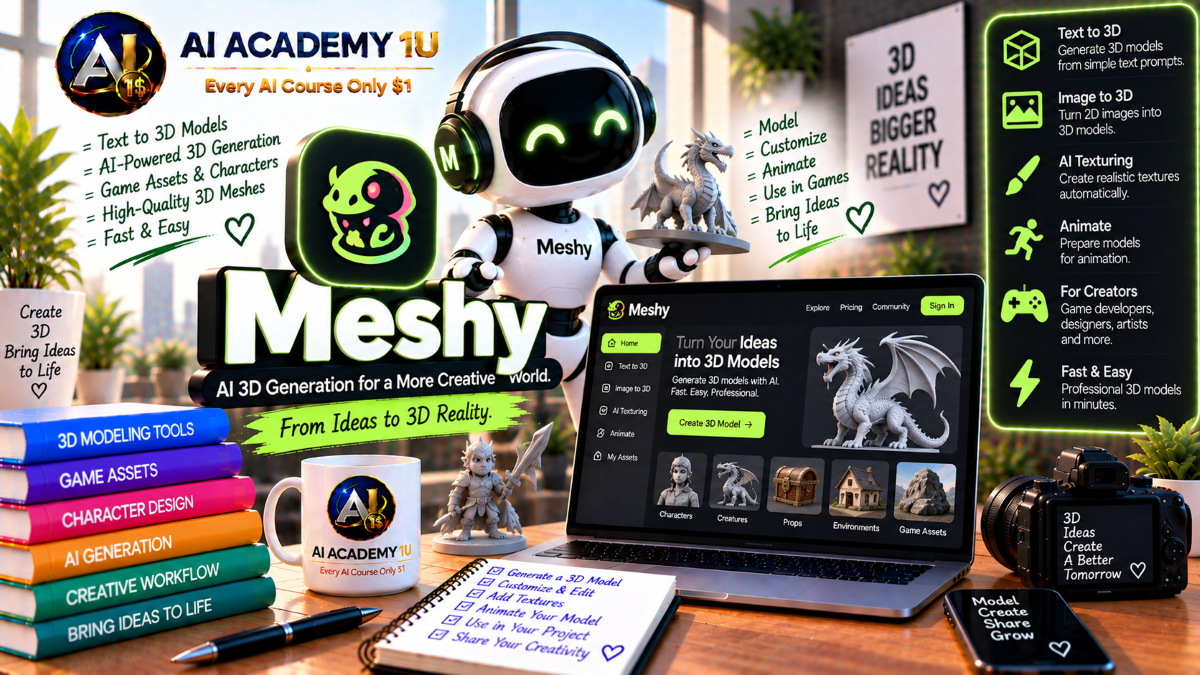
EXPLORE AI LIBRARYLearn Meshy AI with AI Academy 1U to generate 3D models from text and images, create textures, develop game assets, and build characters, objects, and environments using AI-powered 3D tools.

Explore all lessons in this catalogue and start learning at your own pace.
▶
1. What Is Meshy AI? ❌
Discover Meshy AI with AI Academy 1U as an AI-powered platform for generating 3D assets from text, images, and conversational prompts for games, visualization, 3D printing, and creative production workflows.
▶
2. Understand the Meshy Ecosystem ❌
Understand the Meshy ecosystem with AI Academy 1U by exploring its Image, 3D Model, Animate, Scene, 3D Printing, and Video capabilities and how they connect within a broader 3D production workflow.
▶
3. Understand the 3D Asset Workflow ❌
Understand the complete Meshy 3D asset workflow with AI Academy 1U using Idea or Image → Geometry → Texture → Remesh → Rig → Animate → Export for structured asset creation and production.
▶
4. Explore the Meshy Workspace ❌
Explore the Meshy workspace with AI Academy 1U by learning the 3D viewer, generation settings, post-processing options, download tools, and export controls used throughout asset creation and refinement.
▶
5. Understand Meshy Models and Quality Settings ❌
Understand Meshy models and quality settings with AI Academy 1U by comparing Meshy 7, Meshy 6, Standard, Smart Topology, and the trade-offs between visual detail, geometry complexity, and production requirements.
▶
6. Understand Text-to-3D ❌
Understand Text-to-3D in Meshy AI with AI Academy 1U by learning when a written prompt is the best starting point for generating a 3D object instead of using an image reference.
▶
7. Generate Your First 3D Model from Text ❌
Generate your first 3D model from text with Meshy AI and AI Academy 1U by writing a simple object prompt, creating preview geometry, and reviewing the initial shape before refinement.
🔒
8. Write Better 3D Prompts ❌
Write better 3D prompts with Meshy AI and AI Academy 1U by describing object type, proportions, materials, visual style, and intended use so generation has clearer structural and appearance guidance.
🔒
9. Understand Preview vs Refine ❌
Understand Preview versus Refine in Meshy AI with AI Academy 1U by using Preview to evaluate geometry first and Refine to add textures and complete the visual appearance of the asset.
🔒
10. Generate Low-Poly Assets ❌
Generate low-poly assets with Meshy AI and AI Academy 1U by creating simpler geometry designed for games, mobile experiences, realtime applications, and other workflows where polygon efficiency matters.
🔒
11. Control Texture Resolution ❌
Control texture resolution in Meshy AI with AI Academy 1U by understanding how 2K, 4K, and 8K textures affect visual detail, file size, rendering cost, and intended production use.
🔒
12. Build a Production Text-to-3D Asset ❌
Build a production Text-to-3D asset with Meshy AI and AI Academy 1U using Prompt → Preview → Geometry Review → Refine → Texture → Export for a complete generation workflow.
▶
13. Understand Image-to-3D ❌
Understand Image-to-3D in Meshy AI with AI Academy 1U by learning how a visual reference can guide shape, proportions, appearance, and identity more directly than a text-only prompt.
▶
14. Generate Your First Image-to-3D Model ❌
Generate your first Image-to-3D model with Meshy AI and AI Academy 1U by uploading a product or character image and creating a 3D asset based on its visible structure and appearance.
🔒
15. Choose Better Source Images ❌
Choose better source images for Meshy AI with AI Academy 1U by preparing clear viewpoints, clean backgrounds, useful lighting, and visible object structure to reduce ambiguity during generation.
🔒
16. Use Image Enhancement ❌
Use Image Enhancement in Meshy AI with AI Academy 1U by learning when Meshy should optimize the source image before generation and when preserving the original appearance is more important.
🔒
17. Preserve Product Appearance ❌
Preserve product appearance with Meshy AI and AI Academy 1U by checking generated shape, proportions, surface details, and texture fidelity against the original product reference.
🔒
18. Control Remeshing During Generation ❌
Control remeshing during Meshy generation with AI Academy 1U by deciding when to retain the original generated geometry and when remeshing is needed for cleaner topology or production requirements.
🔒
19. Build an Image-to-3D Product Asset ❌
Build an Image-to-3D product asset with Meshy AI and AI Academy 1U using Reference Image → Geometry → Texture → Remesh → Export for a complete product-generation workflow.
▶
20. Understand Multi-Image Reconstruction ❌
Understand multi-image reconstruction with Meshy AI and AI Academy 1U by learning why multiple viewpoints can reduce shape ambiguity and provide more complete visual information than a single source image.
▶
21. Prepare Multi-View References ❌
Prepare multi-view references for Meshy AI with AI Academy 1U by creating consistent front, side, back, and three-quarter images that represent the same object, proportions, materials, and appearance.
🔒
22. Generate a Model from Multiple Photos ❌
Generate a model from multiple photos with Meshy AI and AI Academy 1U by combining several viewpoints to improve shape reconstruction and reduce missing or distorted geometry.
🔒
23. Check Geometry Across Views ❌
Check geometry across views in Meshy AI with AI Academy 1U by rotating the generated model and identifying collapsed surfaces, distorted proportions, missing areas, or inconsistent reconstruction.
🔒
24. Build a High-Fidelity Multi-View Asset ❌
Build a high-fidelity multi-view asset with Meshy AI and AI Academy 1U using Source Preparation → Generation → Geometry QC → Texture → Export for a controlled reconstruction workflow.
▶
25. Understand 3D Texturing ❌
Understand 3D texturing with Meshy AI and AI Academy 1U by learning how base color, material appearance, surface detail, and texture resolution contribute to the final visual quality of a 3D asset.
▶
26. Texture a Model with a Prompt ❌
Texture a model with a prompt in Meshy AI and AI Academy 1U by describing materials, colors, surface properties, and visual style to guide AI-generated texture appearance.
🔒
27. Texture a Model with an Image Reference ❌
Texture a model with an image reference in Meshy AI and AI Academy 1U by using a visual source to guide colors, materials, patterns, and overall surface appearance.
🔒
28. Understand Texture Resolution ❌
Understand texture resolution in Meshy AI with AI Academy 1U by choosing between 2K, 4K, and 8K textures for games, web experiences, close-up rendering, and higher-detail production.
🔒
29. Remove Baked Lighting ❌
Remove baked lighting from textures in Meshy AI with AI Academy 1U to create cleaner base colors that can respond more naturally to dynamic lighting inside Unity, Unreal, or other rendering environments.
🔒
30. Retexture an Existing Model ❌
Retexture an existing model with Meshy AI and AI Academy 1U by changing its style, materials, colors, or branding without regenerating the underlying geometry.
🔒
31. Build a Material Variation Set ❌
Build a material variation set with Meshy AI and AI Academy 1U by applying multiple material, style, or branding treatments to one mesh for flexible creative and production use.
▶
32. Understand 3D Topology ❌
Understand 3D topology with Meshy AI and AI Academy 1U by learning vertices, faces, triangles, quads, and how mesh structure affects editing, rendering, animation, and realtime performance.
▶
33. Understand Why Remeshing Matters ❌
Understand why remeshing matters with Meshy AI and AI Academy 1U by learning why generated geometry may require restructuring before it is suitable for games, animation, web experiences, or 3D printing.
🔒
34. Create a Triangle Remesh ❌
Create a triangle remesh with Meshy AI and AI Academy 1U for realtime assets and polygon-reduction workflows where efficient rendering and controlled geometry cost are important.
🔒
35. Create a Quad-Dominant Remesh ❌
Create a quad-dominant remesh with Meshy AI and AI Academy 1U for workflows that benefit from more organized topology, including editing, rigging, deformation, and animation preparation.
🔒
36. Control Target Polycount ❌
Control target polycount in Meshy AI with AI Academy 1U by setting geometry limits that balance visual detail, performance, export requirements, and the constraints of the intended platform.
🔒
37. Optimize for Web and Mobile ❌
Optimize Meshy assets for web and mobile with AI Academy 1U by reducing geometry and texture cost while preserving silhouette, recognizable detail, and acceptable visual quality.
🔒
38. Optimize for Games ❌
Optimize Meshy assets for games with AI Academy 1U by preparing geometry, polygon count, texture resolution, and export settings for efficient realtime rendering in game engines.
🔒
39. Build an Optimized Production Asset ❌
Build an optimized production asset with Meshy AI and AI Academy 1U using High-Detail Generation → Target Polycount → Inspect → Export to create efficient geometry ready for downstream workflows.
▶
40. Understand Character Rigging ❌
Understand character rigging with Meshy AI and AI Academy 1U by learning how skeletons, bones, and skinning enable a static 3D character mesh to deform and move during animation.
▶
41. Prepare a Character for Rigging ❌
Prepare a character for rigging with Meshy AI and AI Academy 1U by using a clear T-pose or A-pose, separated limbs, clean geometry, and recognizable body structure.
🔒
42. Auto-Rig a Humanoid Character ❌
Auto-rig a humanoid character with Meshy AI and AI Academy 1U by generating a skeleton automatically for a two-legged character and reviewing the resulting rig structure.
🔒
43. Auto-Rig a Quadruped ❌
Auto-rig a quadruped with Meshy AI and AI Academy 1U by preparing animal-like characters for automatic skeleton generation and later animation workflows.
🔒
44. Fix Common Rigging Problems ❌
Fix common Meshy rigging problems with AI Academy 1U by identifying fused limbs, unclear body structure, poor topology, and other geometry issues that reduce auto-rigging accuracy.
🔒
45. Export Rigged Characters ❌
Export rigged characters from Meshy AI with AI Academy 1U using formats such as FBX or GLB for continued work in Blender, Unity, Unreal, and other 3D production tools.
▶
46. Understand Meshy Animation ❌
Understand Meshy Animation with AI Academy 1U by learning how preset animations and retargeting can quickly apply reusable movement to compatible rigged characters.
▶
47. Apply Your First Animation ❌
Apply your first animation in Meshy AI with AI Academy 1U by selecting an idle, walk, or run motion, previewing the result, and checking whether the character moves correctly.
🔒
48. Browse the Animation Library ❌
Browse the Meshy animation library with AI Academy 1U by exploring locomotion, combat, daily actions, gestures, and other preset motion categories available for animated characters.
🔒
49. Apply Multiple Animation Clips ❌
Apply multiple animation clips in Meshy AI with AI Academy 1U by preparing one character with several motions for games, interactive experiences, previews, or downstream editing.
🔒
50. Export Animated FBX or GLB ❌
Export animated FBX or GLB files from Meshy AI with AI Academy 1U for continued animation, game development, rendering, and integration inside Blender, Unity, or Unreal.
🔒
51. Understand When Manual Animation Is Still Needed ❌
Understand when manual animation is still needed with AI Academy 1U by recognizing that custom choreography, facial animation, and cinematic-level control may require Blender, Maya, or another dedicated animation tool.
🔒
52. Build a Game-Ready Animated Character ❌
Build a game-ready animated character with Meshy AI and AI Academy 1U using Character → Remesh → Rig → Animation → Export for a complete character-production pipeline.
▶
53. Understand 3D File Formats ❌
Understand 3D file formats with Meshy AI and AI Academy 1U by learning how geometry, textures, skeletons, animations, materials, and metadata can differ between common export formats.
▶
54. Export GLB for Web and Blender ❌
Export GLB from Meshy AI with AI Academy 1U for efficient use in web experiences, Blender, Godot, and other workflows that benefit from a compact asset format.
🔒
55. Export FBX for Unity and Unreal ❌
Export FBX from Meshy AI with AI Academy 1U for Unity and Unreal workflows, especially when working with rigged or animated game assets.
🔒
56. Export OBJ for DCC Workflows ❌
Export OBJ from Meshy AI with AI Academy 1U for traditional DCC workflows that require straightforward geometry and texture handling without complex rig or animation data.
🔒
57. Export USDZ for AR ❌
Export USDZ from Meshy AI with AI Academy 1U to prepare 3D assets for Apple-oriented augmented reality experiences and compatible AR workflows.
🔒
58. Export STL and 3MF for Printing ❌
Export STL and 3MF from Meshy AI with AI Academy 1U to prepare generated geometry for 3D printing workflows, including models that may require print-oriented structure and color information.
▶
59. Understand AI Models for 3D Printing ❌
Understand AI models for 3D printing with Meshy AI and AI Academy 1U by learning the importance of watertight geometry, correct scale, stable structure, and printability before sending an asset to production.
🔒
60. Prepare a Model for Printing ❌
Prepare a model for 3D printing with Meshy AI and AI Academy 1U by checking geometry integrity, physical dimensions, scale, and practical production requirements before export.
🔒
61. Use Real-World Auto Sizing ❌
Use real-world auto sizing in Meshy workflows with AI Academy 1U by applying AI-assisted height estimation and origin controls to prepare models with more useful physical dimensions.
🔒
62. Prepare Multi-Color 3MF Models ❌
Prepare multi-color 3MF models with Meshy AI and AI Academy 1U by working with color palettes and print-ready asset information for multi-color 3D printing workflows.
🔒
63. Build a Printable Collectible ❌
Build a printable collectible with Meshy AI and AI Academy 1U using Concept → Model → Remesh → Scale → 3MF or STL Export for a complete 3D-print production project.
▶
64. Understand Meshy 3D Agent ❌
Understand Meshy 3D Agent with AI Academy 1U by learning how conversational asset creation differs from single-prompt generation and how dialogue can support brainstorming, exploration, and iterative design.
▶
65. Develop a 3D Concept through Conversation ❌
Develop a 3D concept through conversation with Meshy AI and AI Academy 1U by refining design direction across multiple exchanges before committing to final asset generation.
🔒
66. Refine an Asset with Conversational Instructions ❌
Refine an asset with conversational instructions in Meshy AI and AI Academy 1U by changing design direction through multiple turns instead of restarting the entire creation process.
🔒
67. Build a Complete Agent-Assisted Asset ❌
Build a complete agent-assisted asset with Meshy AI and AI Academy 1U using Idea → Conversation → Asset Generation → Refinement for an iterative conversational production workflow.
▶
68. Understand the Meshy API ❌
Understand the Meshy API with AI Academy 1U by learning when the web application is sufficient and when developers need automated 3D generation, processing, or integration inside another application.
🔒
69. Understand Asynchronous 3D Tasks ❌
Understand asynchronous 3D tasks in the Meshy API with AI Academy 1U using Create Task → Task ID → Poll Status → Download Result to manage longer-running generation workflows.
🔒
70. Automate Text-to-3D and Image-to-3D ❌
Automate Text-to-3D and Image-to-3D with the Meshy API and AI Academy 1U by designing applications that generate 3D assets directly from user text or image input.
🔒
71. Automate Remesh, Rigging and Export ❌
Automate remeshing, rigging, and export with the Meshy API and AI Academy 1U using Generation → Remesh → Rig → Target Formats for a repeatable post-processing pipeline.
ChatGPT is an AI assistant for writing, learning, research, problem solving, and creative tasks. Learn practical skills with AI Academy and discover useful workflows in our AI Library.
EXPLORE AI LIBRARYCanva is a design platform for creating graphics, presentations, videos, and social media content. Learn practical design skills with AI Academy and explore creative workflows in our AI Library.
EXPLORE AI LIBRARYCapCut is a video editing platform for creating and enhancing videos with AI-powered tools, effects, captions, and templates. Learn practical skills with AI Academy and explore workflows in our AI Library.
EXPLORE AI LIBRARYGoogle Gemini is Google’s assistant for research, writing, reasoning, images, and productivity. Learn practical skills with AI Academy and discover useful workflows in our AI Library.
EXPLORE AI LIBRARYLearn Google Veo with AI Academy 1U and create cinematic AI videos from text and images using powerful video generation, camera controls, visual storytelling, and creative production techniques.
EXPLORE AI LIBRARYElevenLabs AI is a voice platform for text to speech, narration, and voice creation. Learn practical skills with AI Academy and discover useful workflows in our AI Library.
EXPLORE AI LIBRARYClaude AI is an assistant for writing, document analysis, reasoning, and coding. Learn practical skills with AI Academy and discover useful workflows in our AI Library.
EXPLORE AI LIBRARYVideoGen AI empowers creators to produce engaging videos faster with AI-powered tools. Learn practical workflows, creative techniques, and production strategies with AI Academy 1U to create professional video content efficiently.
EXPLORE AI LIBRARYHeyGen AI is an avatar video platform for presentations, narration, and multilingual communication. Learn practical skills with AI Academy and discover useful workflows in our AI Library.
EXPLORE AI LIBRARYMicrosoft Copilot is Microsoft’s assistant for productivity, writing, research, and workplace tasks. Learn practical skills with AI Academy and discover useful workflows in our AI Library.
EXPLORE AI LIBRARY







