
ChatGPT
ChatGPT is an AI assistant for writing, learning, research, problem solving, and creative tasks. Learn practical skills with AI Academy and discover useful workflows in our AI Library.
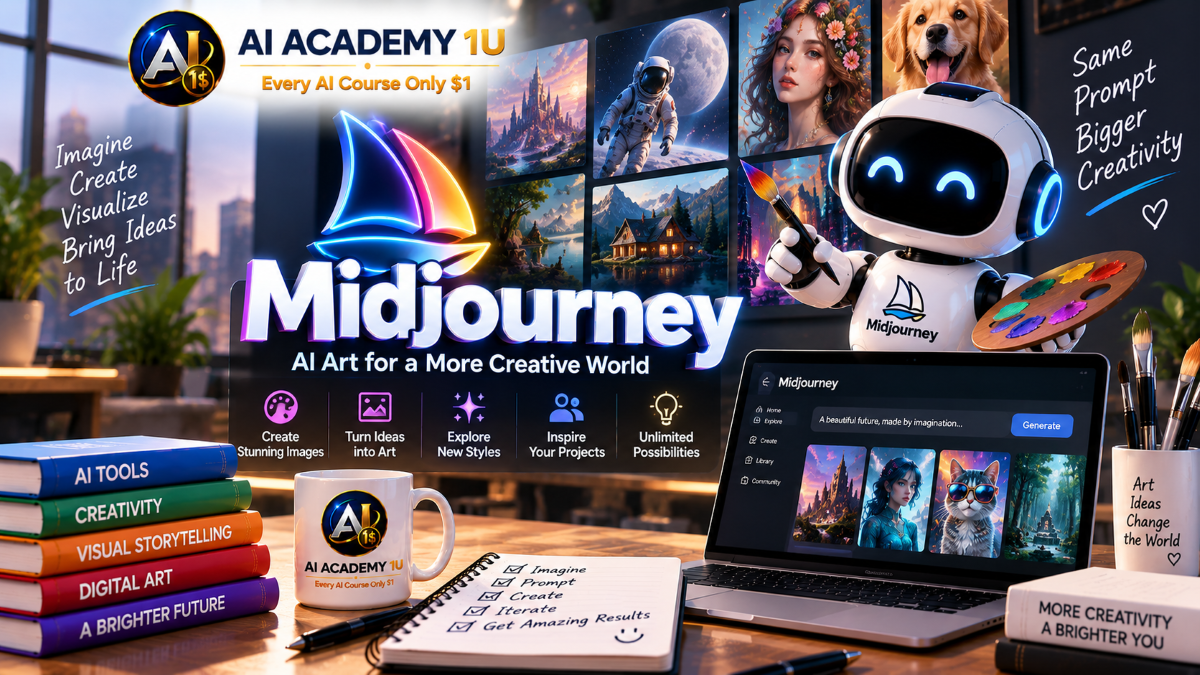
EXPLORE AI LIBRARYMidjourney AI is an image generation platform for creating artistic and visual content. Learn practical skills with AI Academy and discover useful workflows in our AI Library.

Explore all lessons in this catalogue and start learning at your own pace.
▶
1. What Is Midjourney? ❌
Discover what Midjourney is, how it transforms written descriptions into visual concepts, and where it can be applied across portraits, products, concept art, thumbnails, social media, and marketing. AI Academy 1U explains the relationship between prompts and generated images so learners understand where Midjourney fits into a modern creative workflow.
▶
2. Getting Started with Midjourney ❌
Learn how to access Midjourney, navigate the main interface, locate image-generation tools, explore the gallery, and prepare a workspace for creating AI images. AI Academy 1U gives beginners the essential orientation needed to move confidently from platform access to their first creative task.
▶
3. Create Your First AI Image with Midjourney ❌
Complete your first Midjourney workflow by turning a simple idea into a prompt, generating image variations, reviewing the results, and selecting a useful image. AI Academy 1U introduces a practical Idea → Prompt → Generate → Review → Select process that becomes the foundation for more advanced image creation.
▶
4. How to Write Midjourney Prompts ❌
Learn to structure Midjourney prompts using Subject → Environment → Style → Lighting → Composition → Details. AI Academy 1U shows how each component communicates a different part of the visual concept, helping learners turn short ideas into prompts with clearer subjects, settings, and creative direction.
🔒
5. Write Detailed Prompts for Better Images ❌
Improve image control by adding clothing, colors, materials, environment, time of day, emotion, texture, and other visual details to Midjourney prompts. AI Academy 1U demonstrates how specific prompt elements influence the final output and when additional detail improves an image instead of making the instruction unnecessarily complex.
🔒
6. Control Image Style with Prompts ❌
Explore photorealistic, cinematic, illustration, anime, cartoon, watercolor, 3D, and editorial photography directions while keeping the core subject consistent. AI Academy 1U teaches learners how style language changes the visual treatment of an idea without requiring the entire concept to be rewritten.
🔒
7. Build Reusable Midjourney Prompt Templates ❌
Create reusable prompt templates with fixed structures and flexible variables for subject, location, lighting, style, composition, and aspect ratio. AI Academy 1U develops a repeatable prompting system that helps learners produce multiple projects efficiently without rebuilding every prompt from the beginning.
▶
8. Create Photorealistic AI Images ❌
Create portraits, product images, and realistic scenes by combining camera language, lens characteristics, lighting, skin texture, materials, and believable backgrounds. AI Academy 1U shows how photographic details work together to make AI-generated images feel more like intentional photography than generic digital artwork.
🔒
9. Create Illustration, Cartoon and 3D Styles ❌
Transform one concept into illustration, cartoon, and 3D visual directions while preserving its central idea. AI Academy 1U helps learners understand how different styles can serve books, social media, branding, video projects, and children’s content while maintaining a recognizable subject and message.
🔒
10. Create Cinematic Images with Midjourney ❌
Combine cinematic lighting, color grading, lens language, camera angles, atmosphere, and mood to create images that resemble carefully composed film frames. AI Academy 1U guides learners in building cinematic prompts where composition and emotional direction support the story of the image.
🔒
11. Control Composition in Midjourney ❌
Control subject placement, foreground, background, negative space, symmetry, and focal points to create more intentional compositions. AI Academy 1U explains how composition affects visual hierarchy and how different layouts can prepare images for thumbnails, advertisements, social posts, and other design applications.
🔒
12. Use Camera Angles and Shot Types ❌
Experiment with close-up, medium shot, full-body, wide shot, top view, low angle, high angle, and over-the-shoulder perspectives. AI Academy 1U demonstrates how changing camera position and framing can communicate different emotions, relationships, scale, and storytelling perspectives without changing the core subject.
🔒
13. Use Lighting and Depth of Field ❌
Control natural light, studio lighting, rim light, soft light, dramatic lighting, focus, and background blur to direct attention within an image. AI Academy 1U shows how lighting and depth of field can separate a subject from its environment and strengthen the intended visual mood.
▶
14. Understand Essential Midjourney Parameters ❌
Understand the role of essential Midjourney parameters and how they differ from descriptive prompt text. AI Academy 1U teaches learners when an output problem should be addressed through a parameter and when the visual instruction itself needs to be rewritten.
🔒
15. Control Aspect Ratio and Image Format ❌
Create square, landscape, and portrait compositions and select appropriate aspect ratios for YouTube, Instagram, Facebook, websites, and posters. AI Academy 1U teaches learners to design the image dimensions around the final use from the beginning, reducing unnecessary cropping and reframing later.
🔒
16. Control Creativity and Variation ❌
Experiment with different levels of creativity and variation to understand when Midjourney should remain close to a visual direction and when broader exploration is useful. AI Academy 1U helps learners balance consistency with experimentation when developing concepts and comparing alternative image directions.
🔒
17. Edit AI Images in Midjourney ❌
Improve an existing AI image by identifying what should remain and what should change before generating a revised version. AI Academy 1U teaches a controlled Review → Keep → Modify → Generate → Compare workflow for developing stronger images from promising results.
🔒
18. Change Specific Parts of an Image ❌
Modify clothing, objects, backgrounds, or selected areas while attempting to preserve the rest of the image. AI Academy 1U demonstrates a localized editing workflow and explains the practical challenges of maintaining consistency when AI regenerates only part of a visual.
🔒
19. Expand and Reframe AI Images ❌
Extend the canvas around a subject, create additional environmental space, and adapt an existing image to different compositions. AI Academy 1U shows how reframing can convert one visual into new layouts, including wider compositions and designs with intentional negative space for text.
🔒
20. Create Consistent AI Characters ❌
Define stable character characteristics such as facial features, hairstyle, clothing, colors, and overall visual style. AI Academy 1U teaches learners which identity details should remain consistent across generations so a character remains recognizable instead of becoming a different person in every image.
🔒
21. Create the Same Character in Different Scenes ❌
Place a consistent character in homes, offices, streets, natural environments, and other settings while changing actions, lighting, locations, and camera perspectives. AI Academy 1U develops a workflow for varying the scene while protecting the visual traits that establish character identity.
🔒
22. Create Consistent Characters for Stories and Videos ❌
Build a sequence of images with consistent characters, visual language, and continuity for storytelling, storyboards, YouTube, and AI video projects. AI Academy 1U guides learners from isolated character images toward a coordinated visual sequence that can support an entire story.
🔒
23. Use Reference Images in Midjourney ❌
Introduce existing images into a Midjourney workflow to guide subject direction, composition, mood, or visual concepts. AI Academy 1U explains what reference images can influence, what they cannot guarantee, and how to combine visual references with clear prompt instructions.
🔒
24. Use Style References for Consistent Visuals ❌
Use style references to maintain related color palettes, lighting, textures, mood, and visual language across multiple images. AI Academy 1U develops a practical method for creating image series that feel as though they belong to the same visual system rather than unrelated generations.
▶
25. Create YouTube Thumbnail Images with Midjourney ❌
Create expressive characters, backgrounds, actions, and visual concepts specifically for YouTube thumbnails. AI Academy 1U teaches learners to establish a clear focal point and reserve intentional negative space for titles so AI-generated artwork can move efficiently into the final thumbnail design process.
🔒
26. Create AI Images for Social Media ❌
Create visual concepts for Facebook, Instagram, TikTok, and other social platforms while considering format, aspect ratio, and content objective. AI Academy 1U shows how one creative concept can be adapted into multiple platform-specific variations without losing its central visual identity.
🔒
27. Create Product and Advertising Images ❌
Develop product concepts, studio backgrounds, lifestyle scenes, and advertising visuals with a clear commercial purpose. AI Academy 1U teaches learners to direct attention toward the product, environment, presentation, and advertising message instead of treating commercial imagery as purely decorative artwork.
🔒
28. Create Brand Visuals with Midjourney ❌
Define color direction, mood, style, and visual rules before generating a coordinated collection of brand images. AI Academy 1U guides learners in creating a small visual system that can support campaigns, social media, and other brand communications with greater consistency.
🔒
29. Complete Project: From Idea to Professional AI Image ❌
Complete a professional image project through Goal → Idea → Prompt → Style → Composition → Camera → Lighting → Parameters → Generate → Review → Edit → Final Image. AI Academy 1U brings the course’s core skills together so learners create an image for a defined real-world purpose rather than simply experimenting with AI generation.
🔒
30. Complete Project: Create a Consistent AI Image Series ❌
Build a complete series of images with a consistent character or product, visual style, color direction, and composition language. AI Academy 1U guides learners through Concept → Visual Rules → Prompt Template → Character/Style Reference → Scene Variations → Editing → Consistency Check → Final Series for use in YouTube, social media, storytelling, or marketing.
ChatGPT is an AI assistant for writing, learning, research, problem solving, and creative tasks. Learn practical skills with AI Academy and discover useful workflows in our AI Library.
EXPLORE AI LIBRARYCanva is a design platform for creating graphics, presentations, videos, and social media content. Learn practical design skills with AI Academy and explore creative workflows in our AI Library.
EXPLORE AI LIBRARYCapCut is a video editing platform for creating and enhancing videos with AI-powered tools, effects, captions, and templates. Learn practical skills with AI Academy and explore workflows in our AI Library.
EXPLORE AI LIBRARYGoogle Gemini is Google’s assistant for research, writing, reasoning, images, and productivity. Learn practical skills with AI Academy and discover useful workflows in our AI Library.
EXPLORE AI LIBRARYLearn Google Veo with AI Academy 1U and create cinematic AI videos from text and images using powerful video generation, camera controls, visual storytelling, and creative production techniques.
EXPLORE AI LIBRARYElevenLabs AI is a voice platform for text to speech, narration, and voice creation. Learn practical skills with AI Academy and discover useful workflows in our AI Library.
EXPLORE AI LIBRARYClaude AI is an assistant for writing, document analysis, reasoning, and coding. Learn practical skills with AI Academy and discover useful workflows in our AI Library.
EXPLORE AI LIBRARYVideoGen AI empowers creators to produce engaging videos faster with AI-powered tools. Learn practical workflows, creative techniques, and production strategies with AI Academy 1U to create professional video content efficiently.
EXPLORE AI LIBRARYHeyGen AI is an avatar video platform for presentations, narration, and multilingual communication. Learn practical skills with AI Academy and discover useful workflows in our AI Library.
EXPLORE AI LIBRARYMicrosoft Copilot is Microsoft’s assistant for productivity, writing, research, and workplace tasks. Learn practical skills with AI Academy and discover useful workflows in our AI Library.
EXPLORE AI LIBRARY







