
ChatGPT
ChatGPT is an AI assistant for writing, learning, research, problem solving, and creative tasks. Learn practical skills with AI Academy and discover useful workflows in our AI Library.
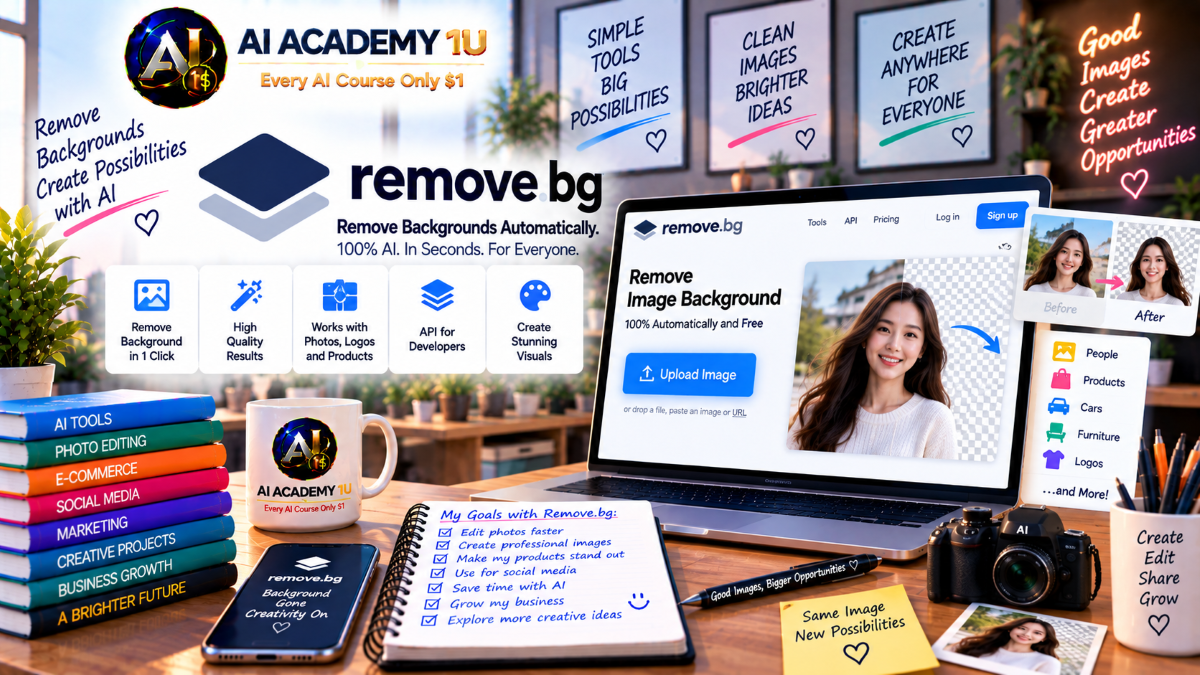
EXPLORE AI LIBRARYLearn Remove.bg with AI Academy 1U to remove image backgrounds automatically, refine cutouts, create transparent images, process product photos, and build faster workflows for design, marketing, and e-commerce.

Explore all lessons in this catalogue and start learning at your own pace.
▶
1. What Is Remove.bg? ❌
Discover Remove.bg with AI Academy 1U as an AI background-removal platform that automatically detects the foreground subject and separates it from the background for fast image cutouts and transparent outputs.
▶
2. Understand Remove.bg’s Core Workflow ❌
Understand Remove.bg’s core workflow with AI Academy 1U using Image → Foreground Detection → Background Removal → Refinement → Transparent or Colored Background → Export for a structured image-processing workflow.
▶
3. Understand Foreground vs Background ❌
Understand foreground and background with Remove.bg and AI Academy 1U by learning how AI identifies subjects such as people, products, animals, vehicles, and objects before separating them from the surrounding background.
▶
4. Explore the Remove.bg Web App ❌
Explore the Remove.bg web app with AI Academy 1U by uploading an image, reviewing the automatically removed background, and becoming familiar with the basic editing and refinement tools available in the web workflow.
▶
5. Understand When Remove.bg Is the Right Tool ❌
Understand when Remove.bg is the right tool with AI Academy 1U by comparing specialized AI background removal with broader image editors such as Photoshop, Canva, or Photoroom.
▶
6. Remove Your First Background ❌
Remove your first background with Remove.bg and AI Academy 1U by uploading an image and generating a clean background-free result through a short automated workflow.
▶
7. Create a Transparent Background ❌
Create a transparent background with Remove.bg and AI Academy 1U by exporting a subject with transparency for continued use in websites, design projects, marketplaces, and other visual workflows.
🔒
8. Remove Background from Portraits ❌
Remove backgrounds from portraits with Remove.bg and AI Academy 1U by working with people, hair, clothing edges, and other details that affect the quality of a clean portrait cutout.
🔒
9. Remove Background from Product Photos ❌
Remove backgrounds from product photos with Remove.bg and AI Academy 1U by creating clean product cutouts for e-commerce listings, catalogs, marketplaces, and branded product images.
🔒
10. Remove Background from Animals ❌
Remove backgrounds from animal images with Remove.bg and AI Academy 1U by handling fur, irregular outlines, and fine edges that make animal cutouts more challenging than simple geometric objects.
🔒
11. Remove Background from Cars and Objects ❌
Remove backgrounds from cars and objects with Remove.bg and AI Academy 1U by separating clearly shaped products, vehicles, and reflective objects from their original surroundings.
🔒
12. Compare Easy and Difficult Images ❌
Compare easy and difficult images with Remove.bg and AI Academy 1U by identifying which source photos produce clean segmentation automatically and which images require additional mask or edge refinement.
▶
13. Understand AI Masking ❌
Understand AI masking with Remove.bg and AI Academy 1U by learning how an alpha mask determines which pixels belong to the foreground subject and which pixels are removed from the image.
▶
14. Use Remove and Restore ❌
Use Remove and Restore with Remove.bg and AI Academy 1U to correct areas where AI has accidentally kept background pixels or removed parts of the foreground subject.
🔒
15. Refine Hair Edges ❌
Refine hair edges with Remove.bg and AI Academy 1U by correcting detailed and partially transparent areas where fine strands can make automatic background removal less precise.
🔒
16. Refine Fur and Fine Objects ❌
Refine fur and fine objects with Remove.bg and AI Academy 1U by improving edges around fur, wires, leaves, and other thin or irregular details that require careful mask correction.
🔒
17. Handle Transparent and Reflective Objects ❌
Handle transparent and reflective objects with Remove.bg and AI Academy 1U by understanding the limitations of background removal for glass, plastic, and semi-transparent surfaces.
🔒
18. Build a Professional Cutout Workflow ❌
Build a professional cutout workflow with Remove.bg and AI Academy 1U using Automatic Removal → Edge Inspection → Remove or Restore → Transparent Export for a cleaner final image.
▶
19. Understand Background Replacement ❌
Understand background replacement with Remove.bg and AI Academy 1U by learning the difference between exporting a transparent subject and placing that subject into a new visual background.
▶
20. Add a Solid Color Background ❌
Add a solid color background with Remove.bg and AI Academy 1U by creating white, branded, or other simple backgrounds for product listings and visual assets.
🔒
21. Replace Background with an Image ❌
Replace a background with an image using Remove.bg and AI Academy 1U by placing a clean foreground cutout into a new scene or visual environment.
🔒
22. Position the Subject Correctly ❌
Position the subject correctly with Remove.bg and AI Academy 1U by adjusting scale and placement so the foreground subject appears balanced and natural inside the new composition.
🔒
23. Add Shadows for Product Images ❌
Add shadows for product images with Remove.bg and AI Academy 1U so isolated products appear grounded and visually connected to the new background instead of floating unnaturally.
🔒
24. Build a Marketplace Product Image ❌
Build a marketplace product image with Remove.bg and AI Academy 1U using Remove → Clean Edges → White or Colored Background → Position → Shadow → Export for consistent product presentation.
▶
25. Understand the Remove.bg Desktop App ❌
Understand the Remove.bg Desktop App with AI Academy 1U by learning when manual web uploads become inefficient and a desktop-based batch workflow is more suitable for production work.
▶
26. Install and Configure the Desktop App ❌
Install and configure the Remove.bg Desktop App with AI Academy 1U by setting up the application and connecting through login or an API key for automated image processing.
🔒
27. Process Multiple Images at Once ❌
Process multiple images at once with Remove.bg and AI Academy 1U by using drag-and-drop batch processing instead of uploading product images individually.
🔒
28. Configure Batch Output ❌
Configure batch output with Remove.bg and AI Academy 1U by standardizing backgrounds, image sizes, and output behavior across many processed files.
🔒
29. Export PSD for Further Editing ❌
Export PSD files with Remove.bg and AI Academy 1U so processed cutouts can continue into Photoshop for advanced editing and compositing workflows.
🔒
30. Build a Large Product Catalog Workflow ❌
Build a large product catalog workflow with Remove.bg and AI Academy 1U using Supplier Photos → Batch Removal → Background → Output → Quality Control for high-volume product-image production.
▶
31. Understand Remove.bg Integrations ❌
Understand Remove.bg integrations with AI Academy 1U by learning why background removal is often one step inside a broader design, publishing, automation, or production workflow.
▶
32. Use Remove.bg in Photoshop ❌
Use Remove.bg in Photoshop with AI Academy 1U by applying one-click background removal and then continuing refinement through Photoshop layer masks and editing tools.
🔒
33. Use Remove.bg with Figma ❌
Use Remove.bg with Figma and AI Academy 1U by creating transparent visual assets directly inside a design workflow without repeatedly switching between applications.
🔒
34. Understand GIMP, Sketch and PowerPoint Integrations ❌
Understand Remove.bg integrations with GIMP, Sketch, and PowerPoint through AI Academy 1U by bringing background-removal capability into tools already used in existing creative workflows.
🔒
35. Automate Remove.bg with Zapier and Make ❌
Automate Remove.bg with Zapier and Make through AI Academy 1U by connecting background removal to broader no-code workflows and thousands of supported applications.
▶
36. Understand the Remove.bg API ❌
Understand the Remove.bg API with AI Academy 1U by learning when an app, website, or automated system should process images programmatically instead of relying on manual uploads.
▶
37. Understand API Keys ❌
Understand Remove.bg API keys with AI Academy 1U by learning how X-API-Key or supported OAuth 2.0 workflows are used to authenticate background-removal requests.
🔒
38. Send an Image to the API ❌
Send an image to the Remove.bg API with AI Academy 1U by understanding requests that provide either an uploaded file or an image URL and return the processed image result.
🔒
39. Control Output Format ❌
Control output format with the Remove.bg API and AI Academy 1U by selecting PNG, JPG, or ZIP according to the requirements of the image-processing workflow.
🔒
40. Control Crop, Margin, Scale and Position ❌
Control crop, margin, scale, and position with the Remove.bg API and AI Academy 1U by customizing the output canvas and subject placement directly in the API request.
🔒
41. Work with Alpha Masks ❌
Work with alpha masks through the Remove.bg API and AI Academy 1U by requesting a separate mask for advanced image-compositing and downstream editing workflows.
🔒
42. Build an Automated Background Removal Service ❌
Build an automated background-removal service with Remove.bg and AI Academy 1U using Upload → API → Transparent Result → Resize or Reposition → Storage or Output for a complete automated workflow.
▶
43. Build an E-Commerce Product Workflow ❌
Build an e-commerce product workflow with Remove.bg and AI Academy 1U using Raw Product Photo → Background Removal → White Background → Product Positioning → Listing for consistent product presentation.
🔒
44. Standardize a Product Catalog ❌
Standardize a product catalog with Remove.bg and AI Academy 1U by keeping background, product size, and subject positioning consistent across multiple SKUs and listings.
🔒
45. Automate Incoming Product Images ❌
Automate incoming product images with Remove.bg and AI Academy 1U by using Make, Zapier, or API workflows to process images uploaded into connected storage, CMS, or e-commerce systems.
🔒
46. Build a High-Volume Image Pipeline ❌
Build a high-volume image pipeline with Remove.bg and AI Academy 1U using Desktop or API → Batch Processing → Naming → Quality Control → Delivery for scalable production.
🔒
47. Understand the Leonardo.Ai API Migration ❌
Understand the Leonardo.Ai API migration with AI Academy 1U by preparing for the source-documented December 1, 2026 transition of background-removal API workflows to Leonardo.Ai and reviewing the broader capabilities referenced in the migration information.
ChatGPT is an AI assistant for writing, learning, research, problem solving, and creative tasks. Learn practical skills with AI Academy and discover useful workflows in our AI Library.
EXPLORE AI LIBRARYCanva is a design platform for creating graphics, presentations, videos, and social media content. Learn practical design skills with AI Academy and explore creative workflows in our AI Library.
EXPLORE AI LIBRARYCapCut is a video editing platform for creating and enhancing videos with AI-powered tools, effects, captions, and templates. Learn practical skills with AI Academy and explore workflows in our AI Library.
EXPLORE AI LIBRARYGoogle Gemini is Google’s assistant for research, writing, reasoning, images, and productivity. Learn practical skills with AI Academy and discover useful workflows in our AI Library.
EXPLORE AI LIBRARYLearn Google Veo with AI Academy 1U and create cinematic AI videos from text and images using powerful video generation, camera controls, visual storytelling, and creative production techniques.
EXPLORE AI LIBRARYElevenLabs AI is a voice platform for text to speech, narration, and voice creation. Learn practical skills with AI Academy and discover useful workflows in our AI Library.
EXPLORE AI LIBRARYClaude AI is an assistant for writing, document analysis, reasoning, and coding. Learn practical skills with AI Academy and discover useful workflows in our AI Library.
EXPLORE AI LIBRARYVideoGen AI empowers creators to produce engaging videos faster with AI-powered tools. Learn practical workflows, creative techniques, and production strategies with AI Academy 1U to create professional video content efficiently.
EXPLORE AI LIBRARYHeyGen AI is an avatar video platform for presentations, narration, and multilingual communication. Learn practical skills with AI Academy and discover useful workflows in our AI Library.
EXPLORE AI LIBRARYMicrosoft Copilot is Microsoft’s assistant for productivity, writing, research, and workplace tasks. Learn practical skills with AI Academy and discover useful workflows in our AI Library.
EXPLORE AI LIBRARY







