
ChatGPT
ChatGPT is an AI assistant for writing, learning, research, problem solving, and creative tasks. Learn practical skills with AI Academy and discover useful workflows in our AI Library.
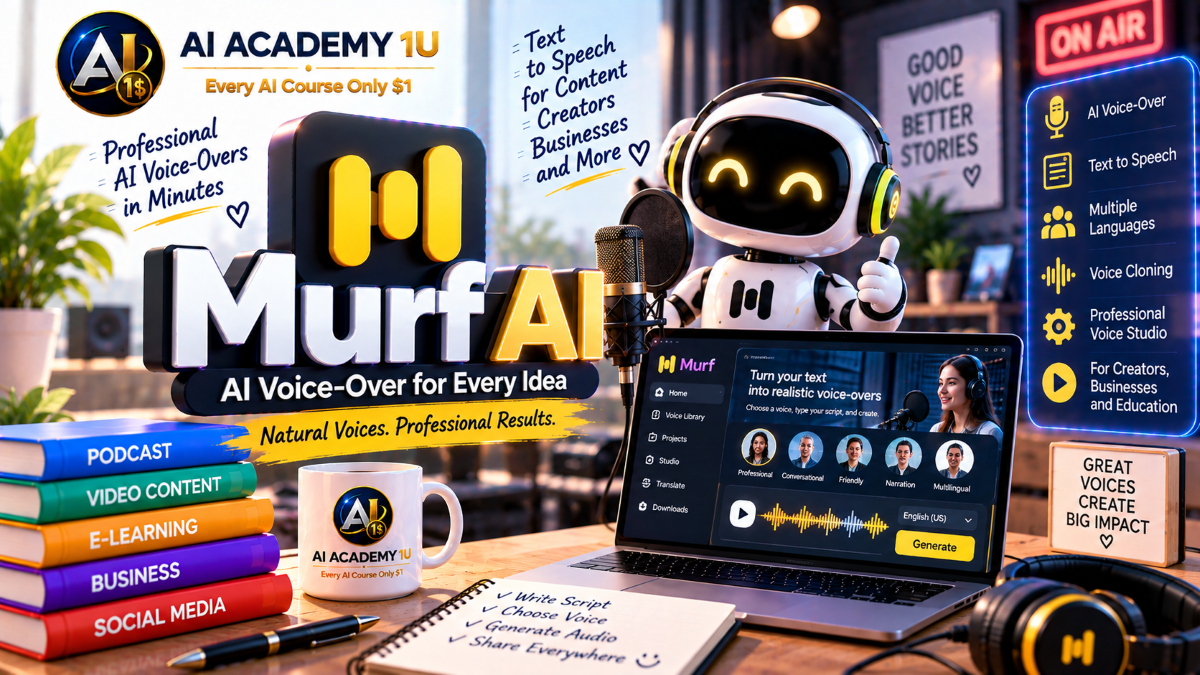
EXPLORE AI LIBRARYLearn Murf AI with AI Academy 1U to produce professional AI voice-overs, convert text into natural speech, customize voices, and create polished audio for videos, presentations, training, and business.

Explore all lessons in this catalogue and start learning at your own pace.
▶
1. What Is Murf AI? ❌
Discover Murf AI with AI Academy 1U as an AI voice platform for voice-over, e-learning, YouTube, podcasting, marketing, accessibility, and enterprise applications. Learn how Murf helps transform written content into professional spoken audio.
▶
2. Understand the Murf AI Ecosystem ❌
Understand the Murf AI ecosystem with AI Academy 1U by exploring Murf Studio, Text-to-Speech, Voice Cloning, Voice Changer, Translation, Dubbing, and API capabilities. Learn how these tools work together across voice production workflows.
▶
3. Create and Set Up Your Murf Account ❌
Create and set up your Murf account with AI Academy 1U by preparing your workspace and first project. Learn the basic account structure needed before creating voice-over, translation, dubbing, or other AI voice projects.
▶
4. Explore Murf Studio ❌
Explore Murf Studio with AI Academy 1U by learning the voice library, text editor, media library, timeline or project area, and export workflow. Understand how the Studio environment supports complete voice and media production.
▶
5. Understand the AI Voice Production Workflow ❌
Understand the Murf AI voice production workflow with AI Academy 1U using Script → Voice → Pronunciation → Timing → Emotion → Media → Review → Export. Learn how each step contributes to polished voice production.
▶
6. Understand Murf Text-to-Speech ❌
Understand Murf Text-to-Speech with AI Academy 1U and learn how written scripts are transformed into natural-sounding AI voice-over. Explore the basic relationship between text input, voice selection, and generated speech.
▶
7. Generate Your First Voice-Over ❌
Generate your first voice-over with Murf and AI Academy 1U by entering a script, selecting an AI voice, and creating your first audio output. Learn the basic workflow from text input to generated narration.
🔒
8. Choose the Right Voice ❌
Choose the right Murf voice with AI Academy 1U by considering language, accent, gender, age group, and use case. Learn how voice selection influences tone, credibility, and suitability for different content types.
🔒
9. Prepare Scripts for Better Speech ❌
Prepare scripts for better Murf speech with AI Academy 1U by improving punctuation, sentence length, and spoken-language structure. Learn how script formatting helps AI voices sound more natural, understandable, and conversational.
🔒
10. Work with Long-Form Scripts ❌
Work with long-form scripts in Murf with AI Academy 1U by dividing content into blocks and sub-blocks while maintaining consistent tone. Learn how structure improves narration control across longer training, podcast, or presentation content.
🔒
11. Build a Professional Narration Project ❌
Build a professional narration project with Murf and AI Academy 1U by taking a complete script through voice selection, generation, refinement, and final audio output. Apply the core Text-to-Speech workflow in one practical production.
▶
12. Understand Voice Customization ❌
Understand voice customization in Murf with AI Academy 1U and learn why the same AI voice can produce very different results depending on delivery settings. Explore the role of pacing, tone, emphasis, and other controls.
🔒
13. Control Voice Speed ❌
Control voice speed in Murf with AI Academy 1U by adjusting pacing for advertising, training, narration, or conversational content. Learn how speaking rate affects clarity, energy, and audience comprehension.
🔒
14. Control Pitch ❌
Control pitch in Murf with AI Academy 1U to make a voice better fit the mood and content. Learn how pitch adjustment can influence perceived energy, warmth, seriousness, and overall delivery.
🔒
15. Use Pauses Effectively ❌
Use pauses effectively in Murf with AI Academy 1U to make speech sound more natural and easier to understand. Learn how well-placed pauses improve rhythm, phrasing, and listener comprehension.
🔒
16. Use Emphasis and Voice Styles ❌
Use emphasis and voice styles in Murf with AI Academy 1U to highlight important keywords and adjust delivery for specific sentences. Learn how emphasis helps create more intentional and expressive narration.
🔒
17. Use Variability for Natural Delivery ❌
Use variability in Murf with AI Academy 1U to create more natural delivery through subtle changes in pauses, pitch, and speed. Learn how controlled variation can make generated speech feel less mechanical.
🔒
18. Build an Expressive Voice Performance ❌
Build an expressive voice performance with Murf and AI Academy 1U by combining pacing, emotion, emphasis, pitch, and other delivery controls. Create a narration that sounds more intentional, dynamic, and engaging.
▶
19. Understand Murf Pronunciation Tools ❌
Understand Murf pronunciation tools with AI Academy 1U and learn how to correct words the AI reads incorrectly without replacing the entire voice. Explore targeted pronunciation control for more accurate narration.
▶
20. Use Smart Pronunciation Suggestions ❌
Use Murf Smart Pronunciation Suggestions with AI Academy 1U to test alternative pronunciation options suggested by the platform. Learn how smart suggestions can quickly improve incorrectly spoken words.
🔒
21. Use Alternative Spelling ❌
Use alternative spelling in Murf with AI Academy 1U to guide pronunciation when a word is spoken incorrectly. Learn how phonetic-style spelling can provide a simple way to improve voice accuracy.
🔒
22. Use IPA Pronunciation ❌
Use IPA pronunciation in Murf with AI Academy 1U for cases that require greater pronunciation accuracy. Learn how the International Phonetic Alphabet can provide precise control over difficult words and terminology.
🔒
23. Pronounce Names, Brands and Technical Terms ❌
Pronounce names, brands, and technical terms accurately in Murf with AI Academy 1U by creating pronunciation rules for product names, medical terminology, jargon, and specialized vocabulary.
🔒
24. Work with Non-Native Words ❌
Work with non-native words in Murf with AI Academy 1U by adjusting locale for words or phrases that belong to another language. Learn how language context can improve multilingual pronunciation.
🔒
25. Build a Multilingual Narration ❌
Build a multilingual narration with Murf and AI Academy 1U by combining multiple languages while maintaining consistent pronunciation and delivery. Apply pronunciation tools and locale controls to create a cohesive voice-over project.
▶
26. Add Media to a Murf Project ❌
Add media to a Murf project with AI Academy 1U by uploading images or video and using available stock media. Learn how visual assets can support and strengthen a voice-over production.
🔒
27. Add Background Music ❌
Add background music in Murf with AI Academy 1U by selecting a track that supports the narration without overpowering the voice. Learn how music choice and balance influence the overall production.
🔒
28. Synchronize Voice and Visuals ❌
Synchronize voice and visuals in Murf with AI Academy 1U by aligning media timing with individual narration blocks. Learn how proper synchronization creates a more coherent and professional multimedia experience.
🔒
29. Build a Voice-Over Video ❌
Build a voice-over video with Murf and AI Academy 1U by combining narration, visuals, and background music in one project. Learn how to create a complete video directly inside Murf Studio.
🔒
30. Export Audio and Video Projects ❌
Export Murf audio and video projects with AI Academy 1U by preparing outputs for YouTube, courses, presentations, or social media. Learn how delivery format should match the intended publishing channel.
▶
31. Understand Murf AI Translation ❌
Understand Murf AI Translation with AI Academy 1U and learn how translation differs from full dubbing. Explore how Studio projects can be converted into new language versions for localization.
▶
32. Translate a Studio Project ❌
Translate a Murf Studio project with AI Academy 1U by creating a new language version from existing content. Learn how translated scripts can continue through editing and voice generation inside Studio.
🔒
33. Review and Correct AI Translation ❌
Review and correct Murf AI Translation with AI Academy 1U by checking terminology, cultural context, and business language before voice generation. Learn why translation review is essential for professional localization.
🔒
34. Match Voices Across Languages ❌
Match voices across languages in Murf with AI Academy 1U to maintain consistent brand personality across translated content. Learn how voice choice helps preserve tone and identity between language versions.
🔒
35. Build a Localized Multi-Language Project ❌
Build a localized multi-language project with Murf and AI Academy 1U by creating multiple audio or video versions of the same content for different markets. Apply translation, review, voice selection, and localization principles.
▶
36. Understand Murf AI Dubbing ❌
Understand Murf AI Dubbing with AI Academy 1U and learn how dubbing differs from standard translated voice-over. Explore how source audio or video can be transformed into multilingual dubbed content.
▶
37. Create Your First Dub ❌
Create your first Murf dub with AI Academy 1U by uploading source video or audio and generating a new language version. Learn the basic workflow from source media to dubbed output.
🔒
38. Understand the Dub Editor ❌
Understand the Murf Dub Editor with AI Academy 1U by exploring script, transcription, translation, and voice settings. Learn how these tools support detailed control over a dubbed project.
🔒
39. Edit Transcription and Translation ❌
Edit transcription and translation in Murf with AI Academy 1U by correcting recognition or translation errors before rendering again. Learn how text accuracy improves the final dubbed result.
🔒
40. Adjust Voice Settings in a Dub ❌
Adjust voice settings in a Murf dub with AI Academy 1U by selecting voices and refining pacing and pronunciation for individual segments. Learn how voice control improves dubbed delivery.
🔒
41. Preserve Timing and Background Audio ❌
Preserve timing and background audio in Murf dubbing with AI Academy 1U by maintaining synchronization, music, and sound effects from the source. Learn how these elements support a more natural localized result.
🔒
42. Project: Dub a Complete Video ❌
Dub a complete video with Murf and AI Academy 1U using Source → Transcription → Translation → Voices → Timing → Export. Apply the full dubbing workflow to produce a finished localized video.
▶
43. Understand Murf Voice Changer ❌
Understand Murf Voice Changer with AI Academy 1U and learn how it differs from Text-to-Speech and Voice Cloning. Explore how an existing recording can be transformed into a different AI voice.
▶
44. Convert Your First Recording ❌
Convert your first recording with Murf and AI Academy 1U by uploading or recording audio and selecting a new AI voice. Learn the basic workflow from original speech to converted output.
🔒
45. Preserve Original Delivery ❌
Preserve original delivery with Murf Voice Changer and AI Academy 1U by retaining rhythm, tone, and accent from the original recording. Learn how the speaker’s delivery can remain recognizable after conversion.
🔒
46. Adjust Converted Voice Parameters ❌
Adjust converted voice parameters in Murf with AI Academy 1U by refining pitch, speed, and pauses after conversion. Learn how these controls help shape the final voice output.
🔒
47. Project: Transform a Human Narration ❌
Transform a human narration with Murf and AI Academy 1U using Raw Recording → Converted AI Voice → Polished Output. Apply Voice Changer controls to create a refined final narration.
▶
48. Understand Murf Voice Cloning ❌
Understand Murf Voice Cloning with AI Academy 1U and learn how cloning creates a reusable digital voice identity rather than simply changing an existing recording. Explore the role of cloned voices in production workflows.
▶
49. Instant vs Professional Voice Cloning ❌
Compare Instant and Professional Voice Cloning in Murf with AI Academy 1U by examining differences in setup, speed, and use case. Learn when each cloning approach may be appropriate.
🔒
50. Prepare a Clean Voice Sample ❌
Prepare a clean voice sample for Murf cloning with AI Academy 1U by selecting clear audio with minimal noise and no additional speakers. Learn why reference quality affects the resulting voice clone.
🔒
51. Create an Instant Voice Clone ❌
Create an Instant Voice Clone with Murf and AI Academy 1U by using short reference audio in a supported workflow. Learn how a workspace-owned clone can become a reusable voice asset.
🔒
52. Use a Clone Across Languages ❌
Use a Murf voice clone across languages with AI Academy 1U by taking advantage of multilingual capabilities supported by Falcon 2. Learn how one cloned voice identity can support multilingual speech output.
🔒
53. Responsible Voice Cloning ❌
Practice responsible voice cloning with Murf and AI Academy 1U by understanding consent, authorization, and voice identity management before creating or using a clone. Learn why permission is essential for ethical voice production.
▶
54. Understand the Murf API ❌
Understand the Murf API with AI Academy 1U and learn when Studio is sufficient and when an application requires programmatic voice generation. Explore the role of APIs in automated speech workflows.
🔒
55. Understand Falcon 2 vs Gen2 ❌
Understand Falcon 2 versus Gen2 in Murf with AI Academy 1U. Learn how Falcon 2 focuses on realtime conversational use while Gen2 focuses on studio-quality speech customization.
🔒
56. Create and Secure an API Key ❌
Create and secure a Murf API key with AI Academy 1U by preparing credentials for application access and following safer credential handling practices. Learn why API keys should be protected from unauthorized use.
🔒
57. Build a Text-to-Speech API Workflow ❌
Build a Murf Text-to-Speech API workflow with AI Academy 1U using Text → Request → Speech Generation → Audio Output. Learn the basic structure of a programmatic speech generation pipeline.
🔒
58. Control Speech Parameters by API ❌
Control Murf speech parameters by API with AI Academy 1U by working with speed, pitch, pause, pronunciation, duration, variation, language, and output quality. Learn how parameter control shapes generated speech.
▶
59. Understand Realtime Speech Generation ❌
Understand realtime speech generation in Murf with AI Academy 1U and learn how streaming Text-to-Speech differs from studio synthesis. Explore why low-latency generation matters for conversational applications.
🔒
60. Understand Streaming API ❌
Understand the Murf Streaming API with AI Academy 1U and learn how text and audio can be transmitted continuously to reduce waiting time. Explore the core principle behind realtime speech delivery.
🔒
61. Design a Conversational Voice Agent ❌
Design a conversational voice agent with Murf and AI Academy 1U using Speech Input → AI → Murf Speech Output. Learn how the main components work together in an interactive voice system.
🔒
62. Build a Realtime Voice Experience ❌
Build a realtime voice experience with Murf and AI Academy 1U for assistants, customer support, or conversational products. Apply streaming speech principles to create faster, more responsive voice interactions.
▶
63. Understand Murf Workspaces and Team Use ❌
Understand Murf Workspaces and team use with AI Academy 1U by learning how teams can organize and share projects, voice assets, and production workflows. Explore workspace-based collaboration for larger content operations.
🔒
64. Final Project: Build a Complete Murf AI Voice Production System ❌
Build a complete Murf AI voice production system with AI Academy 1U using Content Goal → Script → Voice Selection → Pronunciation → Voice Customization → Media Sync → Translation → Dubbing → Voice Changer or Clone → API or Streaming → Final Production.
ChatGPT is an AI assistant for writing, learning, research, problem solving, and creative tasks. Learn practical skills with AI Academy and discover useful workflows in our AI Library.
EXPLORE AI LIBRARYCanva is a design platform for creating graphics, presentations, videos, and social media content. Learn practical design skills with AI Academy and explore creative workflows in our AI Library.
EXPLORE AI LIBRARYCapCut is a video editing platform for creating and enhancing videos with AI-powered tools, effects, captions, and templates. Learn practical skills with AI Academy and explore workflows in our AI Library.
EXPLORE AI LIBRARYGoogle Gemini is Google’s assistant for research, writing, reasoning, images, and productivity. Learn practical skills with AI Academy and discover useful workflows in our AI Library.
EXPLORE AI LIBRARYLearn Google Veo with AI Academy 1U and create cinematic AI videos from text and images using powerful video generation, camera controls, visual storytelling, and creative production techniques.
EXPLORE AI LIBRARYElevenLabs AI is a voice platform for text to speech, narration, and voice creation. Learn practical skills with AI Academy and discover useful workflows in our AI Library.
EXPLORE AI LIBRARYClaude AI is an assistant for writing, document analysis, reasoning, and coding. Learn practical skills with AI Academy and discover useful workflows in our AI Library.
EXPLORE AI LIBRARYVideoGen AI empowers creators to produce engaging videos faster with AI-powered tools. Learn practical workflows, creative techniques, and production strategies with AI Academy 1U to create professional video content efficiently.
EXPLORE AI LIBRARYHeyGen AI is an avatar video platform for presentations, narration, and multilingual communication. Learn practical skills with AI Academy and discover useful workflows in our AI Library.
EXPLORE AI LIBRARYMicrosoft Copilot is Microsoft’s assistant for productivity, writing, research, and workplace tasks. Learn practical skills with AI Academy and discover useful workflows in our AI Library.
EXPLORE AI LIBRARY







