
ChatGPT
ChatGPT is an AI assistant for writing, learning, research, problem solving, and creative tasks. Learn practical skills with AI Academy and discover useful workflows in our AI Library.
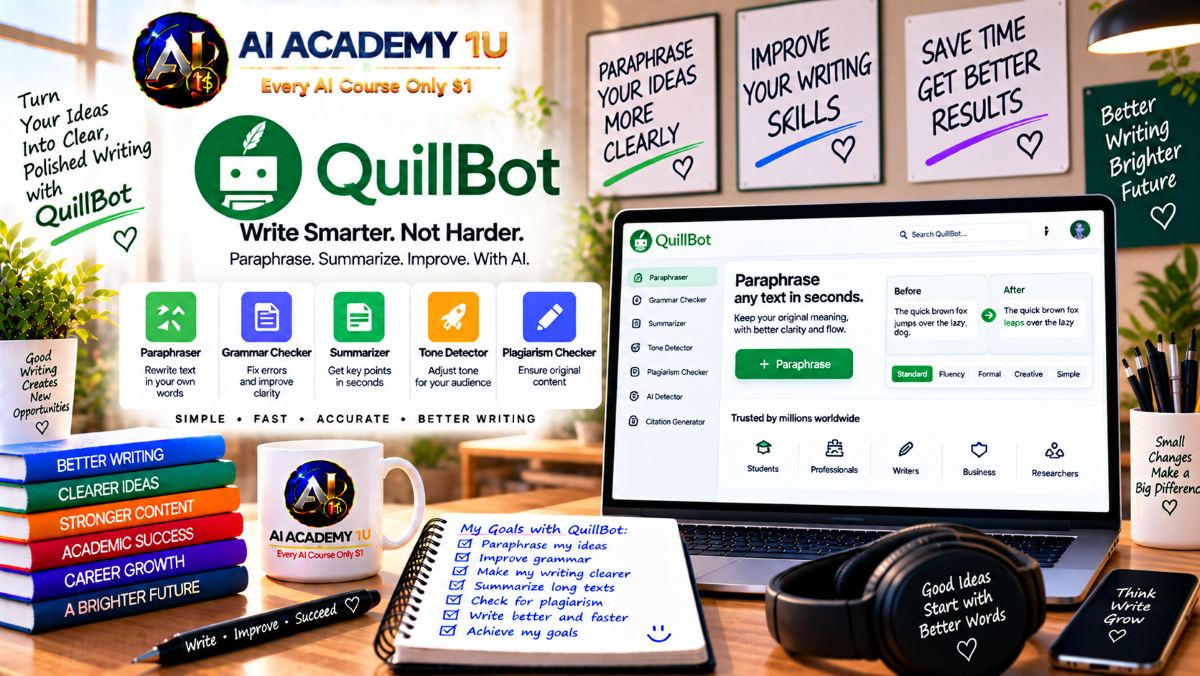
EXPLORE AI LIBRARYQuillBot AI is a writing tool for paraphrasing, rewriting, summarizing, and improving text. Learn practical skills with AI Academy and discover useful workflows in our AI Library.

Explore all lessons in this catalogue and start learning at your own pace.
▶
1. What Is QuillBot? ❌
Understand QuillBot as an AI-powered writing toolkit for paraphrasing, grammar checking, summarizing, citation creation, translation, originality review, and content support. AI Academy 1U explains how QuillBot helps learners improve writing while keeping meaning and responsibility in focus.
▶
2. Create and Set Up Your QuillBot Account ❌
Learn how to create a QuillBot account, sign in, and prepare the workspace for writing and editing tasks. AI Academy 1U guides learners through the basic setup needed before using QuillBot’s main tools effectively.
▶
3. Explore the QuillBot Interface ❌
Explore the QuillBot interface, including writing tools, originality tools, creation features, image tools, PDF tools, and extensions. AI Academy 1U helps learners understand where key features are located and how to navigate the platform confidently.
▶
4. Understand Free vs Premium ❌
Understand the difference between QuillBot Free and Premium, including feature limits, usage restrictions, and expanded capabilities. AI Academy 1U helps learners decide when a free workflow is enough and when Premium may support heavier writing needs.
🔒
5. Build a QuillBot Writing Workflow ❌
Build a complete QuillBot writing workflow from draft to rewrite, grammar review, tone adjustment, humanizing, originality checking, citation support, and final review. AI Academy 1U teaches learners how to use QuillBot responsibly as part of a human-led writing process.
▶
6. Understand the QuillBot Paraphraser ❌
Understand what paraphrasing means and how QuillBot’s Paraphraser differs from simply replacing words with synonyms. AI Academy 1U explains how effective paraphrasing should preserve meaning while improving clarity, style, or wording.
▶
7. Paraphrase Your First Text ❌
Paraphrase your first text by entering a paragraph into QuillBot and reviewing rewritten versions carefully. AI Academy 1U teaches learners to compare output with the original and check that meaning remains accurate.
▶
8. Understand Standard Mode ❌
Understand Standard Mode as a balanced paraphrasing option that changes wording while preserving the original meaning. AI Academy 1U helps learners use Standard Mode for general rewriting, clarity improvement, and everyday writing tasks.
🔒
9. Understand Fluency Mode ❌
Understand Fluency Mode as a paraphrasing option focused on readability, grammar, and natural language flow. AI Academy 1U teaches learners when Fluency Mode is useful for making writing smoother without changing the core message.
🔒
10. Explore Advanced Paraphrasing Modes ❌
Explore advanced paraphrasing modes and learn how each mode affects tone, wording, and writing purpose. AI Academy 1U helps learners choose the right mode based on academic, business, creative, or concise writing needs.
🔒
11. Control Rewriting with the Synonym Slider ❌
Control the level of rewriting with the synonym slider so text changes enough without losing meaning. AI Academy 1U teaches learners how synonym intensity affects accuracy, clarity, and the risk of changing the original idea.
🔒
12. Protect Important Terms with Freeze Words ❌
Protect important terms with Freeze Words so names, terminology, keywords, and technical phrases stay unchanged during rewriting. AI Academy 1U helps learners preserve required wording while still improving the surrounding text.
🔒
13. Compare Paraphrasing Modes ❌
Compare different paraphrasing modes to evaluate clarity, tone, meaning, and usefulness. AI Academy 1U teaches learners how to review multiple rewritten versions and choose the one that best fits the writing goal.
▶
14. Paraphrase Sentences Professionally ❌
Paraphrase sentences professionally by improving clarity, structure, and flow while preserving the intended meaning. AI Academy 1U teaches learners how to revise individual sentences without weakening claims or changing the original point.
🔒
15. Paraphrase Paragraphs ❌
Paraphrase full paragraphs while maintaining logical connections between sentences and ideas. AI Academy 1U helps learners avoid treating each sentence separately and instead review paragraph meaning, flow, and structure as a whole.
🔒
16. Rewrite Academic Writing ❌
Rewrite academic writing to improve clarity, formal style, and readability while protecting source attribution. AI Academy 1U teaches learners that paraphrasing does not replace proper citation, evidence review, or academic integrity.
🔒
17. Rewrite Business Writing ❌
Rewrite business writing such as emails, reports, updates, and professional communication for clarity and tone. AI Academy 1U helps learners improve workplace writing while keeping the message accurate, appropriate, and easy to understand.
🔒
18. Rewrite Marketing Content ❌
Rewrite marketing content to create multiple versions of headlines, descriptions, messages, and campaign copy. AI Academy 1U teaches learners how to adjust wording for audience, tone, platform, and persuasion without misleading readers.
🔒
19. Preserve Meaning During Rewriting ❌
Preserve meaning during rewriting by checking whether claims, facts, tone, and intent have changed. AI Academy 1U helps learners identify when a rewritten version sounds better but no longer accurately represents the original content.
🔒
20. Build a Professional Paraphrasing Workflow ❌
Build a professional paraphrasing workflow from original text to rewritten version, comparison, meaning check, grammar review, and human approval. AI Academy 1U teaches learners how to use paraphrasing carefully instead of accepting output automatically.
▶
21. Understand QuillBot Grammar Checker ❌
Understand what QuillBot Grammar Checker can detect, including grammar, spelling, punctuation, clarity, and writing issues. AI Academy 1U explains how grammar support helps improve writing but still requires human judgment.
▶
22. Fix Grammar and Spelling ❌
Fix grammar, spelling, and basic writing errors using QuillBot’s proofreading support. AI Academy 1U teaches learners how to review corrections carefully so the final text remains accurate, natural, and appropriate.
🔒
23. Improve Punctuation ❌
Improve punctuation so sentences become easier to read and better structured. AI Academy 1U helps learners understand how commas, periods, semicolons, and other punctuation choices affect clarity, rhythm, and meaning.
🔒
24. Improve Sentence Structure ❌
Improve sentence structure by identifying awkward, long, unclear, or confusing sentences. AI Academy 1U teaches learners how better sentence organization can make writing easier to read and more professional.
🔒
25. Use Advanced Writing Recommendations ❌
Use advanced writing recommendations without accepting every suggestion automatically. AI Academy 1U helps learners evaluate whether each recommendation improves clarity, tone, meaning, and audience fit before applying it.
🔒
26. Understand Tone Insights ❌
Understand tone insights and how readers may perceive a piece of writing. AI Academy 1U teaches learners to review tone carefully so communication feels professional, respectful, clear, and appropriate for the situation.
🔒
27. Build a Professional Proofreading Workflow ❌
Build a professional proofreading workflow that checks grammar, spelling, punctuation, clarity, tone, and final human review. AI Academy 1U helps learners create a repeatable process for improving writing quality before sharing.
▶
28. Understand QuillBot AI Humanizer ❌
Understand the proper purpose of QuillBot AI Humanizer and when it should be used responsibly. AI Academy 1U explains how humanizing can improve flow and naturalness but should not replace accuracy or authorship review.
▶
29. Humanize Your First AI Draft ❌
Humanize your first AI-generated draft by improving wording, rhythm, and natural flow. AI Academy 1U teaches learners to compare the revised version with the original and verify that facts and meaning remain correct.
🔒
30. Improve Natural Writing Flow ❌
Improve natural writing flow by reducing repetitive sentence patterns, awkward transitions, and robotic phrasing. AI Academy 1U helps learners make text easier to read while maintaining the intended message and structure.
🔒
31. Preserve Your Personal Voice ❌
Preserve your personal voice while using Humanizer to improve readability and tone. AI Academy 1U teaches learners how to keep intent, personality, and author style from being flattened by automated rewriting.
🔒
32. Humanize Professional Content ❌
Humanize professional content such as emails, reports, articles, and workplace documents. AI Academy 1U helps learners improve readability and natural language while keeping the text appropriate for professional communication.
🔒
33. Humanize Multilingual Content ❌
Humanize multilingual content by understanding the language range, dialect support, and review limits of AI rewriting. AI Academy 1U teaches learners to check tone, cultural context, and accuracy across languages.
🔒
34. Build a Responsible AI Humanizing Workflow ❌
Build a responsible AI humanizing workflow from AI draft to humanized version, fact check, voice review, and disclosure when appropriate. AI Academy 1U helps learners use humanizing tools ethically and professionally.
▶
35. Understand QuillBot Summarizer ❌
Understand when summarizing is useful and when it may remove details that matter. AI Academy 1U teaches learners how to use summaries for review, study, planning, and communication while checking important information.
▶
36. Summarize Your First Text ❌
Summarize your first text by turning long material into a shorter version that preserves the main idea. AI Academy 1U helps learners compare the summary with the source to confirm accuracy and completeness.
🔒
37. Create Key-Sentence Summaries ❌
Create key-sentence summaries that identify the most important sentences or ideas in a text. AI Academy 1U teaches learners how this format supports quick review while still requiring source checking.
🔒
38. Create Paragraph Summaries ❌
Create paragraph summaries that transform longer material into a clear narrative overview. AI Academy 1U helps learners use paragraph summaries for study, reporting, content review, and professional communication.
🔒
39. Control Summary Length ❌
Control summary length according to the purpose, audience, and level of detail needed. AI Academy 1U teaches learners how short and long summaries serve different review, communication, and learning goals.
🔒
40. Create Custom Summaries ❌
Create custom summaries by giving instructions about focus, audience, format, and desired output. AI Academy 1U helps learners guide summaries toward specific needs instead of relying on generic shortened text.
▶
41. Understand QuillBot Flow ❌
Understand QuillBot Flow as a writing and research workspace that combines several QuillBot tools in one place. AI Academy 1U explains how Flow supports longer writing projects with less tool-switching.
▶
42. Create Your First Flow Project ❌
Create your first Flow project by starting a document, setting up the workspace, and preparing writing materials. AI Academy 1U guides learners through the basic project setup needed for structured writing and research.
🔒
43. Write and Edit Inside Flow ❌
Write and edit inside Flow without constantly switching between different tools or documents. AI Academy 1U helps learners keep drafting, revising, and reviewing in one workspace for better writing efficiency.
🔒
44. Paraphrase and Summarize Inside Flow ❌
Paraphrase and summarize directly inside Flow while working on the same document. AI Academy 1U teaches learners how integrated tools can support drafting, revision, and content refinement without breaking focus.
🔒
45. Use Notes for Research ❌
Use Notes inside Flow to save research findings, ideas, references, and writing support in a structured way. AI Academy 1U helps learners organize information before turning it into an outline or draft.
🔒
46. Research Sources Inside Flow ❌
Research sources inside Flow to support writing with relevant information and evidence. AI Academy 1U teaches learners how to collect useful sources while maintaining source awareness and responsible research habits.
🔒
47. Use AI Suggest Text ❌
Use AI Suggest Text to receive next-sentence ideas based on the context of what has already been written. AI Academy 1U helps learners use suggestions as support, not as automatic final writing.
🔒
48. Build a Complete Flow Writing Project ❌
Build a complete Flow writing project from research and notes to outline, draft, citations, rewriting, proofreading, and final review. AI Academy 1U helps learners manage the full writing process in one workflow.
▶
49. Understand QuillBot Translator ❌
Understand the role of QuillBot Translator in multilingual writing and communication. AI Academy 1U explains how translation tools can support language workflows while still requiring review for meaning, tone, and terminology.
▶
50. Translate Your First Text ❌
Translate your first text using QuillBot and review the output for meaning, clarity, and context. AI Academy 1U helps learners understand why translation should be checked before professional or public use.
🔒
51. Translate Professional Content ❌
Translate professional content such as emails, business documents, reports, and educational materials. AI Academy 1U teaches learners to review tone, terminology, names, numbers, and formatting when using AI translation.
🔒
52. Improve Translated Text with Paraphraser ❌
Improve translated text by using paraphrasing, grammar checking, and human review after translation. AI Academy 1U helps learners refine translated content while preserving meaning and avoiding unnatural wording.
🔒
53. Build a Multilingual Content Workflow ❌
Build a multilingual content workflow that creates language versions while protecting meaning, terminology, and audience fit. AI Academy 1U teaches learners how to combine translation, review, paraphrasing, and final approval.
▶
54. Understand Citation Generator ❌
Understand QuillBot Citation Generator and why proper citation is necessary even when content has been paraphrased. AI Academy 1U explains how citations support academic integrity, research transparency, and responsible writing.
▶
55. Create Your First Citation ❌
Create your first citation from source information and review the result for accuracy. AI Academy 1U helps learners understand how citation tools support writing while still requiring source checking and formatting awareness.
🔒
56. Create APA Citations ❌
Create APA citations and understand the basic workflow for using them in research or academic writing. AI Academy 1U teaches learners to check source details, formatting, and consistency before final submission.
🔒
57. Create MLA Citations ❌
Create MLA citations and understand how citation details support research integrity. AI Academy 1U helps learners review author, title, publication, date, and access information before using generated citations.
🔒
58. Create Chicago Citations ❌
Create Chicago citations and understand how this style supports specific writing and research contexts. AI Academy 1U teaches learners to verify citation details and apply consistent formatting across a document.
🔒
59. Manage Citations Inside Flow ❌
Manage citations inside Flow while combining research, writing, paraphrasing, and source tracking in one workspace. AI Academy 1U helps learners keep references organized throughout the writing process.
▶
60. Understand Plagiarism ❌
Understand plagiarism by distinguishing quotation, paraphrase, common knowledge, citation, and improper source use. AI Academy 1U helps learners recognize why originality depends on both wording and responsible attribution.
🔒
61. Use the Plagiarism Checker ❌
Use the plagiarism checker and interpret results carefully instead of focusing only on a single score. AI Academy 1U teaches learners how similarity results should guide source review, citation correction, and revision.
🔒
62. Fix Accidental Plagiarism Responsibly ❌
Fix accidental plagiarism responsibly by returning to the source, checking citations, and revising wording honestly. AI Academy 1U teaches learners not to use rewriting only as a way to hide similarity.
🔒
63. Build an Originality Review Workflow ❌
Build an originality review workflow from draft to source check, citation review, plagiarism review, revision, and final approval. AI Academy 1U helps learners protect credibility and responsible writing standards.
▶
64. Understand AI Detection ❌
Understand AI detection as a probability-based process with limitations, false positives, and uncertain results. AI Academy 1U helps learners interpret detector outputs carefully instead of treating them as final evidence.
🔒
65. Use QuillBot AI Detector ❌
Use QuillBot AI Detector to review writing and understand what the result may suggest. AI Academy 1U teaches learners to combine detector feedback with human judgment, writing context, and revision history.
🔒
66. Interpret AI Detection Results ❌
Interpret AI detection results responsibly without treating a score as absolute proof of authorship. AI Academy 1U helps learners understand uncertainty, context, and the need for careful review before making conclusions.
🔒
67. Understand AI Image Detection ❌
Understand AI image detection as part of broader originality review for visual content. AI Academy 1U explains how image detection tools may support review while still requiring context and human judgment.
▶
68. Understand QuillBot AI Chat ❌
Understand QuillBot AI Chat as a conversational assistant for brainstorming, questions, writing support, and idea development. AI Academy 1U helps learners use chat responses as a starting point that still needs review.
🔒
69. Brainstorm with AI Chat ❌
Brainstorm with AI Chat to generate angles, ideas, examples, outlines, and possible directions from a topic. AI Academy 1U teaches learners how to evaluate ideas before using them in serious writing.
🔒
70. Use AI Search ❌
Use AI Search to research the web and review sources that support an answer or writing direction. AI Academy 1U helps learners connect search results with notes, evaluation, and responsible source use.
🔒
71. Turn Research into a Writing Plan ❌
Turn research into a writing plan by moving from search results to sources, notes, outline, and draft. AI Academy 1U teaches learners how to organize research before beginning serious writing.
▶
72. Understand QuillBot PDF Tools ❌
Understand QuillBot PDF tools such as Chat PDF, edit, merge, split, rearrange, compress, and convert. AI Academy 1U explains how PDF tools support document workflows, study, review, and content preparation.
🔒
73. Work with Chat PDF ❌
Work with Chat PDF to ask questions about a document instead of reading the entire file manually. AI Academy 1U helps learners use document questions to find relevant information faster while checking source context.
🔒
74. Manage and Convert PDF Files ❌
Manage and convert PDF files for document workflows that require editing, combining, splitting, compressing, or changing formats. AI Academy 1U teaches learners how PDF tools support practical content production.
🔒
75. Use Speech-to-Text and Text-to-Speech ❌
Use speech-to-text and text-to-speech tools to convert voice into text and text into audio. AI Academy 1U helps learners apply audio workflows for content creation, accessibility, review, and learning.
▶
76. Install and Use QuillBot Browser Extensions ❌
Install and use QuillBot browser extensions to bring writing support into everyday browser-based work. AI Academy 1U helps learners apply paraphrasing, grammar, and review tools while writing online.
🔒
77. Use QuillBot with Microsoft Word ❌
Use QuillBot with Microsoft Word to support editing and revision inside a familiar document workflow. AI Academy 1U teaches learners how integrated writing support can improve productivity while keeping review under human control.
🔒
78. Use QuillBot Across Desktop and Mobile ❌
Use QuillBot across desktop and mobile devices to maintain a consistent writing and editing workflow. AI Academy 1U helps learners continue drafting, reviewing, and improving content across different work environments.
🔒
79. Project: Build a Professional Research & Writing Workflow ❌
Build a professional research and writing workflow from AI Search to sources, notes, citations, outline, draft, paraphrasing, grammar, humanizing, originality review, and final document. AI Academy 1U helps learners complete a realistic writing project.
🔒
80. Complete Project: Build a Professional QuillBot Content System ❌
Build a complete QuillBot content system covering research, AI Chat, AI Search, Flow, writing, paraphrasing, summarizing, translation, grammar, humanizing, citations, plagiarism review, AI content review, PDF tools, extensions, and final delivery. AI Academy 1U helps learners connect all major tools into one professional workflow.
ChatGPT is an AI assistant for writing, learning, research, problem solving, and creative tasks. Learn practical skills with AI Academy and discover useful workflows in our AI Library.
EXPLORE AI LIBRARYCanva is a design platform for creating graphics, presentations, videos, and social media content. Learn practical design skills with AI Academy and explore creative workflows in our AI Library.
EXPLORE AI LIBRARYCapCut is a video editing platform for creating and enhancing videos with AI-powered tools, effects, captions, and templates. Learn practical skills with AI Academy and explore workflows in our AI Library.
EXPLORE AI LIBRARYGoogle Gemini is Google’s assistant for research, writing, reasoning, images, and productivity. Learn practical skills with AI Academy and discover useful workflows in our AI Library.
EXPLORE AI LIBRARYLearn Google Veo with AI Academy 1U and create cinematic AI videos from text and images using powerful video generation, camera controls, visual storytelling, and creative production techniques.
EXPLORE AI LIBRARYElevenLabs AI is a voice platform for text to speech, narration, and voice creation. Learn practical skills with AI Academy and discover useful workflows in our AI Library.
EXPLORE AI LIBRARYClaude AI is an assistant for writing, document analysis, reasoning, and coding. Learn practical skills with AI Academy and discover useful workflows in our AI Library.
EXPLORE AI LIBRARYVideoGen AI empowers creators to produce engaging videos faster with AI-powered tools. Learn practical workflows, creative techniques, and production strategies with AI Academy 1U to create professional video content efficiently.
EXPLORE AI LIBRARYHeyGen AI is an avatar video platform for presentations, narration, and multilingual communication. Learn practical skills with AI Academy and discover useful workflows in our AI Library.
EXPLORE AI LIBRARYMicrosoft Copilot is Microsoft’s assistant for productivity, writing, research, and workplace tasks. Learn practical skills with AI Academy and discover useful workflows in our AI Library.
EXPLORE AI LIBRARY







