
ChatGPT
ChatGPT is an AI assistant for writing, learning, research, problem solving, and creative tasks. Learn practical skills with AI Academy and discover useful workflows in our AI Library.
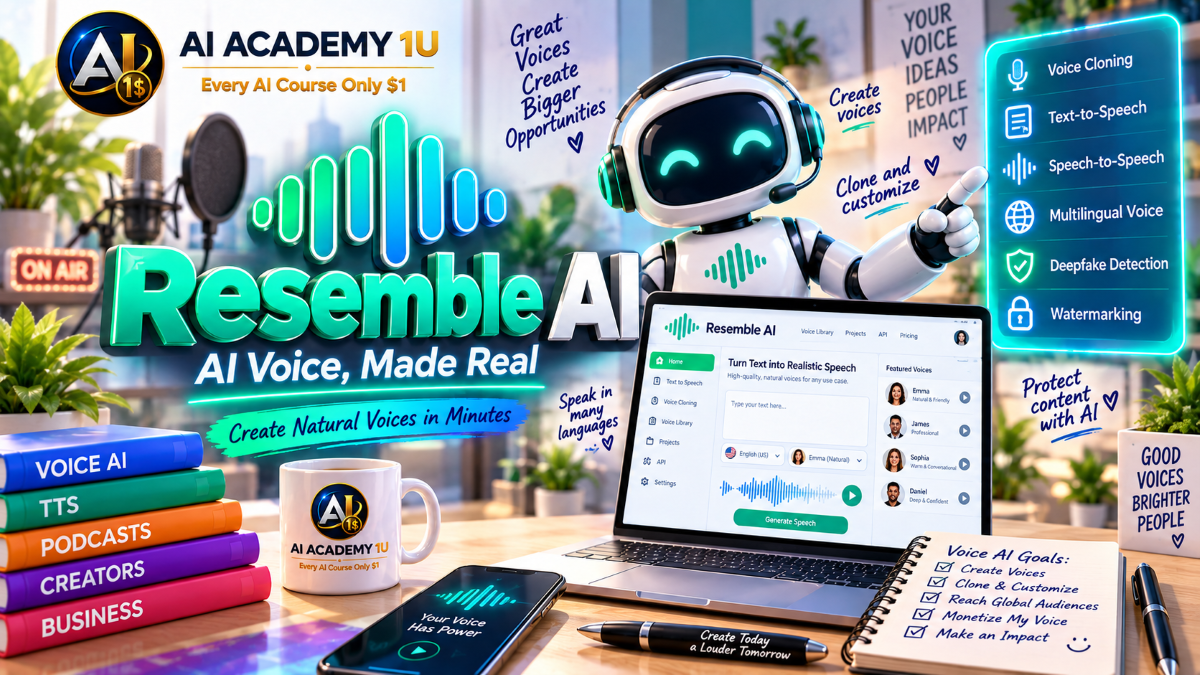
EXPLORE AI LIBRARYMaster Resemble AI with AI Academy 1U and learn voice cloning, text-to-speech, speech-to-speech, multilingual voice generation, and practical voice AI solutions for content, applications, and businesses.

Explore all lessons in this catalogue and start learning at your own pace.
▶
1. What Is Resemble AI? ❌
Discover Resemble AI with AI Academy 1U as a Voice AI platform that combines speech generation with AI media security. Learn how Resemble supports voice production, synthetic speech, interactive applications, detection, and authenticity workflows.
▶
2. Understand the Resemble Ecosystem ❌
Understand the Resemble ecosystem with AI Academy 1U by exploring Voice, Text-to-Speech, Voice Cloning, Voice Design, Speech-to-Speech, Streaming, Detect, and Watermark. Learn how these capabilities connect across production and security workflows.
▶
3. Create and Set Up Your Resemble Account ❌
Create and set up your Resemble account with AI Academy 1U by preparing your account, project workspace, and the resources required throughout the course. Learn the basic structure needed before building voice and security workflows.
▶
4. Understand Voices, Projects and Clips ❌
Understand voices, projects, and clips in Resemble AI with AI Academy 1U. Learn how a Voice acts as the synthesis persona while Clips store generated Text-to-Speech output, text, audio, duration, and timestamp metadata inside Projects.
▶
5. Understand the Complete Resemble Workflow ❌
Understand the complete Resemble AI workflow with AI Academy 1U using Voice Creation → Synthesis → Speech Transformation → Streaming → Application → Detection → Watermark Verification. Learn how creation and media security connect in one ecosystem.
▶
6. Understand Resemble Text-to-Speech ❌
Understand Resemble Text-to-Speech with AI Academy 1U and learn how written text is converted into production-ready speech using a Voice UUID. Explore the relationship between voice identity, text input, synthesis, and audio output.
▶
7. Generate Your First AI Speech ❌
Generate your first AI speech with Resemble and AI Academy 1U by selecting a voice, entering text, and creating basic speech output. Learn the foundational workflow from written input to generated audio.
🔒
8. Understand Synchronous Synthesis ❌
Understand synchronous synthesis in Resemble AI with AI Academy 1U and learn when an application should wait for the complete audio file before continuing. Explore where full-file generation is appropriate compared with streaming.
🔒
9. Choose WAV or MP3 Output ❌
Choose WAV or MP3 output in Resemble AI with AI Academy 1U by understanding audio format, sample rate, and precision requirements. Learn how output choices should match production, distribution, and application needs.
🔒
10. Use High-Definition Synthesis ❌
Use High-Definition Synthesis in Resemble AI with AI Academy 1U by understanding the tradeoff between improved audio quality and latency. Learn when higher-quality synthesis is worth additional processing time.
🔒
11. Build a Professional Narration Project ❌
Build a professional narration project with Resemble AI and AI Academy 1U by taking a script through voice selection, synthesis, review, refinement, and final audio preparation. Apply the complete narration workflow in one project.
▶
12. Understand Voice Design ❌
Understand Resemble Voice Design with AI Academy 1U and learn how it differs from Voice Cloning. Explore how a new synthetic voice can be created from a descriptive prompt rather than a recorded reference voice.
▶
13. Describe a Voice with Text ❌
Describe a voice with text in Resemble AI with AI Academy 1U by defining age, gender, accent, tone, style, and speaking personality. Learn how descriptive language influences the generated voice candidates.
🔒
14. Generate Voice Candidates ❌
Generate multiple voice candidates in Resemble AI with AI Academy 1U from a single voice description. Learn how candidate generation provides different interpretations that can be reviewed before selecting a reusable voice.
🔒
15. Compare Voice Candidates ❌
Compare Resemble voice candidates with AI Academy 1U by evaluating tone, warmth, authority, pacing, and character. Learn how structured comparison helps identify the voice that best fits a specific project or audience.
🔒
16. Create Character Voices ❌
Create character voices with Resemble AI and AI Academy 1U for games, storytelling, or entertainment. Learn how fictional voice identities can be designed to support specific personalities, roles, and narrative experiences.
🔒
17. Design Brand Voices ❌
Design brand voices with Resemble AI and AI Academy 1U by creating a consistent voice identity for a brand or virtual assistant. Learn how tone and personality can support recognizable communication across applications.
🔒
18. Project: Build a Custom Voice from Description ❌
Build a custom voice from description with Resemble AI and AI Academy 1U using Prompt → Candidates → Compare → Select → Create Reusable Voice. Apply the complete Voice Design workflow in one practical project.
▶
19. Understand Resemble Voice Cloning ❌
Understand Resemble Voice Cloning with AI Academy 1U and learn how recorded speech can be used to create an AI voice persona. Explore how cloned voices can support synthesis, streaming, and Speech-to-Speech workflows.
▶
20. Prepare a High-Quality Voice Sample ❌
Prepare a high-quality voice sample for Resemble AI with AI Academy 1U by selecting clean audio with one speaker and minimal background noise. Learn why recording quality directly affects cloning results.
🔒
21. Create a Rapid Voice Clone ❌
Create a rapid voice clone with Resemble AI and AI Academy 1U using suitable recordings or prepared data. Learn the basic cloning process for producing a reusable voice identity quickly.
🔒
22. Build a Voice from a Dataset ❌
Build a voice from a dataset with Resemble AI and AI Academy 1U by using a prepared collection of voice recordings. Learn how dataset-driven cloning supports more structured voice creation workflows.
🔒
23. Test Voice Similarity ❌
Test voice similarity in Resemble AI with AI Academy 1U by generating different sentences and evaluating whether the cloned voice preserves the intended speaker identity across varied content.
🔒
24. Test Long-Form Stability ❌
Test long-form stability in Resemble AI with AI Academy 1U by evaluating pronunciation, tone consistency, and audio artifacts across longer scripts. Learn how extended testing reveals production weaknesses.
🔒
25. Responsible Voice Cloning ❌
Practice responsible Voice Cloning with Resemble AI and AI Academy 1U by understanding consent, voice ownership, authorization, and usage boundaries. Learn why cloned voices should only be created and used with proper rights.
🔒
26. Project: Build a Production Voice Clone ❌
Build a production voice clone with Resemble AI and AI Academy 1U using Recording → Clone → Test → Refine → Production Speech. Apply cloning, evaluation, and refinement principles in one complete project.
▶
27. Understand SSML ❌
Understand SSML in Resemble AI with AI Academy 1U and learn why speech markup provides more precise control than plain text. Explore how markup can guide pauses, pronunciation, language, and other speech behaviors.
🔒
28. Control Pauses and Timing ❌
Control pauses and timing in Resemble AI with AI Academy 1U by using speech markup to introduce natural breaks. Learn how timing adjustments can improve narration flow and listener comprehension.
🔒
29. Control Acronyms and Numbers ❌
Control acronyms and numbers in Resemble AI with AI Academy 1U by using speech markup to guide context-aware pronunciation. Learn how structured markup helps reduce incorrect readings of specialized content.
🔒
30. Switch Languages Within Speech ❌
Switch languages within speech using Resemble AI and AI Academy 1U by applying language markup when the selected voice supports multilingual output. Learn how mixed-language speech can be structured within one utterance.
🔒
31. Create Custom Pronunciations ❌
Create custom pronunciations in Resemble AI with AI Academy 1U by using reference audio for brand names, medical terms, proper nouns, or other difficult words. Learn how reference speech can guide pronunciation.
🔒
32. Build a Domain-Specific Pronunciation Library ❌
Build a domain-specific pronunciation library with Resemble AI and AI Academy 1U for medical, legal, technical, or branded content. Learn how reusable vocabulary improves consistency across specialized production workflows.
▶
33. Understand Speech-to-Speech ❌
Understand Resemble Speech-to-Speech with AI Academy 1U and learn how it differs from Text-to-Speech and Voice Cloning. Explore how an existing performance can be rendered through another target voice.
▶
34. Prepare a Donor Recording ❌
Prepare a donor recording for Resemble Speech-to-Speech with AI Academy 1U by using clear audio that preserves the intended performance. Learn why source quality affects emotion, rhythm, timing, and transformed output.
🔒
35. Convert a Recording into Another Voice ❌
Convert a recording into another voice with Resemble AI and AI Academy 1U while preserving timing and prosody. Learn how Speech-to-Speech changes the target voice without losing the original delivery.
🔒
36. Preserve Original Performance ❌
Preserve original performance in Resemble Speech-to-Speech with AI Academy 1U by maintaining emotion, rhythm, timing, and delivery from the source speaker while rendering speech through a different voice.
🔒
37. Prompt Accent and Tone ❌
Prompt accent and tone in Resemble Speech-to-Speech with AI Academy 1U by guiding the output toward accents, emotional delivery, formal tone, or other speaking styles supported by the workflow.
🔒
38. Build a Character Performance ❌
Build a character performance with Resemble AI and AI Academy 1U using Human Performance → Target AI Voice → Polished Character Speech. Apply performance preservation and voice transformation in a complete creative workflow.
▶
39. Understand Multilingual Voice Generation ❌
Understand multilingual voice generation in Resemble AI with AI Academy 1U and learn how language support depends on the capabilities of each voice. Explore the foundation of multilingual synthesis and language selection.
▶
40. Generate Speech in Multiple Languages ❌
Generate speech in multiple languages with Resemble AI and AI Academy 1U by creating different language versions from the same core content. Learn the basic workflow for multilingual voice production.
🔒
41. Work with Regional Locales ❌
Work with regional locales in Resemble AI with AI Academy 1U by distinguishing language variants such as English US, UK, Australia, and other regional forms. Learn how locale selection influences audience relevance.
🔒
42. Handle Mixed-Language Scripts ❌
Handle mixed-language scripts in Resemble AI with AI Academy 1U by switching language within the same utterance when supported by the voice. Learn how multilingual scripts can combine languages naturally.
🔒
43. Localize Voice Content ❌
Localize voice content with Resemble AI and AI Academy 1U by adjusting wording, pronunciation, and delivery for a target market. Learn how localization improves cultural and linguistic relevance beyond direct translation.
▶
44. Understand Streaming TTS ❌
Understand Streaming TTS in Resemble AI with AI Academy 1U and learn how progressive playback differs from complete-file synthesis. Explore why streaming is useful when applications need speech to begin sooner.
▶
45. Understand HTTP Streaming ❌
Understand HTTP streaming in Resemble AI with AI Academy 1U and learn how chunked audio can be returned progressively so playback can begin before generation fully completes.
🔒
46. Understand WebSocket Streaming ❌
Understand WebSocket streaming in Resemble AI with AI Academy 1U and learn how persistent connections support lower-latency interactive voice applications. Explore where WebSockets are useful for realtime voice experiences.
🔒
47. Work with Audio Chunks ❌
Work with audio chunks in Resemble AI with AI Academy 1U by understanding how players consume audio frames continuously during streaming. Learn how chunk handling supports smooth progressive playback.
🔒
48. Understand Grapheme and Phoneme Timestamps ❌
Understand grapheme and phoneme timestamps in Resemble AI with AI Academy 1U and learn how timing metadata can support synchronization between generated speech and text, animation, captions, or interactive interfaces.
🔒
49. Build a Realtime Voice Experience ❌
Build a realtime voice experience with Resemble AI and AI Academy 1U for assistants, games, or interactive interfaces. Apply streaming, latency, audio chunking, timing, and playback concepts in one complete workflow.
▶
50. Understand the Resemble API Architecture ❌
Understand the Resemble API architecture with AI Academy 1U by distinguishing synthesis servers, application APIs, and detection streaming endpoints. Learn how different services support voice generation and media analysis workflows.
🔒
51. Create and Secure an API Key ❌
Create and secure a Resemble API key with AI Academy 1U by understanding Bearer authentication and secret management. Learn why credentials must be protected when integrating production voice applications.
🔒
52. Generate Speech through the API ❌
Generate speech through the Resemble API with AI Academy 1U using Voice UUID plus text or SSML to produce synthesized audio. Learn the structure of a programmatic speech generation workflow.
🔒
53. Manage Voices through the API ❌
Manage voices through the Resemble API with AI Academy 1U by understanding how custom voices can be created, listed, built, and deleted programmatically as part of a developer workflow.
🔒
54. Manage Projects and Clips ❌
Manage projects and clips in Resemble AI with AI Academy 1U by organizing generated content, metadata, and speech assets into structured project workflows that can be maintained programmatically.
🔒
55. Use the Python SDK ❌
Use the Resemble Python SDK with AI Academy 1U to understand the developer workflow from authentication through speech synthesis. Learn how the SDK simplifies integration inside Python-based applications.
▶
56. Understand Realtime Voice Agents ❌
Understand realtime voice agents with Resemble AI and AI Academy 1U by learning how an application coordinates language models, speech input, AI processing, and low-latency Text-to-Speech to create conversational experiences.
🔒
57. Design a Customer Support Voice Agent ❌
Design a customer support voice agent with Resemble AI and AI Academy 1U by defining suitable response voice behavior, conversational flow, and realtime speech delivery for customer service interactions.
🔒
58. Design a Game Character Voice System ❌
Design a game character voice system with Resemble AI and AI Academy 1U by combining Voice Design or Voice Cloning with realtime generation. Learn how reusable character voices can support interactive game experiences.
🔒
59. Use Speech-to-Speech in Interactive Experiences ❌
Use Resemble Speech-to-Speech in interactive experiences with AI Academy 1U by preserving a performer’s delivery while rendering the speech through a target character voice in realtime or responsive applications.
🔒
60. Build a Complete Realtime Agent Architecture ❌
Build a complete realtime agent architecture with Resemble AI and AI Academy 1U using Input → AI Processing → Resemble Streaming → User Playback. Apply voice generation and realtime delivery concepts in one complete system design.
▶
61. Understand Deepfake Detection ❌
Understand deepfake detection with Resemble AI and AI Academy 1U and learn how synthetic media analysis differs from voice generation. Explore the role of detection in identifying manipulated or AI-generated content.
▶
62. Analyze an Audio File for Manipulation ❌
Analyze an audio file for manipulation with Resemble AI and AI Academy 1U by submitting audio for authenticity analysis and learning how detection results can help identify potential synthetic modification.
🔒
63. Detect Manipulated Images and Videos ❌
Detect manipulated images and videos with Resemble AI and AI Academy 1U by applying media detection beyond audio. Learn how visual content can also be evaluated for signs of synthetic manipulation.
🔒
64. Understand Batch and Streaming Detection ❌
Understand batch and streaming detection in Resemble AI with AI Academy 1U by comparing multi-file analysis with realtime audio verdicts produced while a stream is still active.
ChatGPT is an AI assistant for writing, learning, research, problem solving, and creative tasks. Learn practical skills with AI Academy and discover useful workflows in our AI Library.
EXPLORE AI LIBRARYCanva is a design platform for creating graphics, presentations, videos, and social media content. Learn practical design skills with AI Academy and explore creative workflows in our AI Library.
EXPLORE AI LIBRARYCapCut is a video editing platform for creating and enhancing videos with AI-powered tools, effects, captions, and templates. Learn practical skills with AI Academy and explore workflows in our AI Library.
EXPLORE AI LIBRARYGoogle Gemini is Google’s assistant for research, writing, reasoning, images, and productivity. Learn practical skills with AI Academy and discover useful workflows in our AI Library.
EXPLORE AI LIBRARYLearn Google Veo with AI Academy 1U and create cinematic AI videos from text and images using powerful video generation, camera controls, visual storytelling, and creative production techniques.
EXPLORE AI LIBRARYElevenLabs AI is a voice platform for text to speech, narration, and voice creation. Learn practical skills with AI Academy and discover useful workflows in our AI Library.
EXPLORE AI LIBRARYClaude AI is an assistant for writing, document analysis, reasoning, and coding. Learn practical skills with AI Academy and discover useful workflows in our AI Library.
EXPLORE AI LIBRARYVideoGen AI empowers creators to produce engaging videos faster with AI-powered tools. Learn practical workflows, creative techniques, and production strategies with AI Academy 1U to create professional video content efficiently.
EXPLORE AI LIBRARYHeyGen AI is an avatar video platform for presentations, narration, and multilingual communication. Learn practical skills with AI Academy and discover useful workflows in our AI Library.
EXPLORE AI LIBRARYMicrosoft Copilot is Microsoft’s assistant for productivity, writing, research, and workplace tasks. Learn practical skills with AI Academy and discover useful workflows in our AI Library.
EXPLORE AI LIBRARY







