
ChatGPT
ChatGPT is an AI assistant for writing, learning, research, problem solving, and creative tasks. Learn practical skills with AI Academy and discover useful workflows in our AI Library.
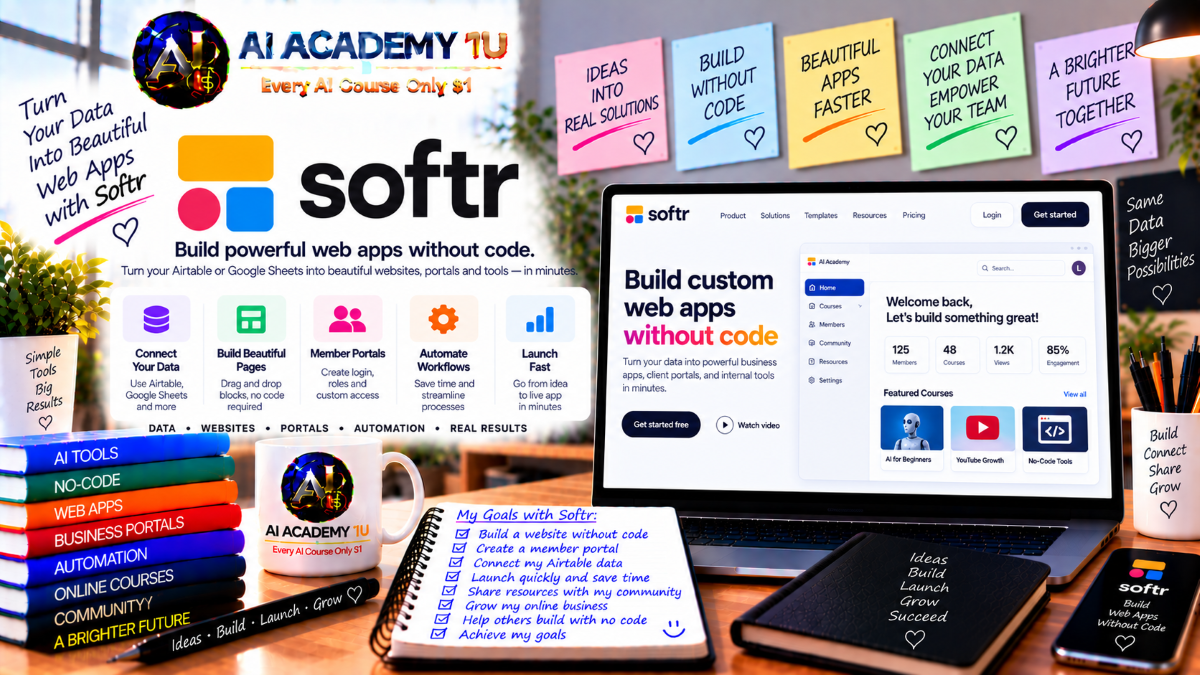
EXPLORE AI LIBRARYSoftr AI is a no code platform for creating portals, internal tools, and business applications. Learn practical skills with AI Academy and discover useful workflows in our AI Library.

Explore all lessons in this catalogue and start learning at your own pace.
▶
1. What Is Softr AI? ❌
Discover Softr AI with AI Academy 1U and understand how it can be used to build client portals, internal tools, CRM systems, dashboards, intranets, and other business applications without relying on traditional development workflows.
▶
2. Understand What You Can Build with Softr ❌
Explore the applications you can build with Softr through AI Academy 1U, including customer portals, vendor portals, project trackers, inventory systems, CRM solutions, and knowledge bases designed around practical business operations.
▶
3. Create and Set Up Your Softr Account ❌
Set up your Softr account with AI Academy 1U by creating your workspace and first application, preparing the environment needed to build, test, manage, and improve business applications throughout the course.
▶
4. Explore the Softr Workspace ❌
Explore the Softr workspace with AI Academy 1U and become familiar with Apps, Databases, Workflows, and the main management areas used to organize application interfaces, business data, and automation.
▶
5. Understand the Softr Full-Stack Model ❌
Understand Softr’s full-stack model with AI Academy 1U by learning how App, Data, and Workflows work together to create complete business systems rather than isolated interface prototypes.
▶
6. Understand Softr AI Co-Builder ❌
Understand Softr AI Co-Builder with AI Academy 1U and learn how natural-language business requirements can be transformed into an initial application with databases, pages, user groups, and navigation.
▶
7. Write Your First Softr App Prompt ❌
Write your first Softr app prompt with AI Academy 1U by clearly describing the application goal, user types, business data, and core functions so AI can generate a more useful first version.
🔒
8. Structure Better Softr Prompts ❌
Write stronger Softr prompts with AI Academy 1U by organizing Purpose, Users, Data, Pages, Actions, Permissions, and Workflow into a clear structure that helps AI understand business requirements more accurately.
🔒
9. Generate a Complete Business App with AI ❌
Generate a complete Softr business application with AI Academy 1U by using structured requirements to create an initial interface, database, and application logic instead of producing only a visual layout.
🔒
10. Review AI-Generated Data and Permissions ❌
Review AI-generated Softr applications with AI Academy 1U by inspecting tables, fields, user groups, and access permissions to confirm that automatically generated structures match the intended business requirements.
🔒
11. Refine Your App with AI and Visual Editing ❌
Refine Softr applications with AI Academy 1U by combining AI-assisted improvements with visual editing so you can modify generated pages, data structures, and interface components whenever manual control is required.
▶
12. Understand Softr Pages and Blocks ❌
Understand Softr pages and blocks with AI Academy 1U by learning how reusable blocks such as lists, grids, charts, calendars, and forms are combined to create structured application interfaces.
🔒
13. Build Navigation and Page Structure ❌
Build clear Softr navigation with AI Academy 1U by organizing sidebars, top navigation, and page hierarchy around the tasks and responsibilities of different user groups.
🔒
14. Work with Lists, Tables and Cards ❌
Display business records effectively with AI Academy 1U by using Softr list, table, and card blocks and selecting the most appropriate presentation based on the type and purpose of the data.
🔒
15. Build Detail Pages ❌
Build Softr detail pages with AI Academy 1U to display individual customer, project, order, or record information and connect those detail views to lists and tables throughout the application.
🔒
16. Build Forms and Data Entry Interfaces ❌
Build data-entry interfaces with AI Academy 1U by creating Softr forms for adding and updating records, uploading files, and collecting the information required by business workflows.
🔒
17. Build Dashboards and Reporting Views ❌
Build dashboards and reporting views with AI Academy 1U by combining KPI cards, charts, tables, and filtered data views that help users monitor performance and business activity.
▶
18. Understand Softr Databases ❌
Understand Softr Databases with AI Academy 1U by learning how tables, records, and fields store business information separately from the application interface.
🔒
19. Design Tables and Fields ❌
Design Softr tables and fields with AI Academy 1U by translating business concepts such as Customers, Orders, Projects, and Tasks into clear and maintainable database structures.
🔒
20. Choose the Right Field Types ❌
Choose appropriate Softr field types with AI Academy 1U by working with text, numbers, dates, statuses, relations, files, and other data formats that match real application requirements.
🔒
21. Create Relationships Between Tables ❌
Create table relationships with AI Academy 1U by connecting Softr data such as Customers to Orders, Projects to Tasks, or Companies to Contacts using structured relational models.
🔒
22. Import and Manage Business Data ❌
Import and manage existing business data with AI Academy 1U by moving records into Softr Database, reviewing field structure, and validating information before connecting it to application pages and workflows.
🔒
23. Project: Build a Business Database ❌
Build a complete Softr business database with AI Academy 1U for a CRM, project-management system, or other real operational workflow by combining tables, fields, relationships, and structured records.
▶
24. Understand Softr Data Sources ❌
Understand Softr data sources with AI Academy 1U by comparing native Softr Database with external systems and learning when business data should remain in an existing platform.
🔒
25. Connect Google Sheets or Airtable ❌
Connect Google Sheets or Airtable with AI Academy 1U and use external records as the data foundation for Softr pages, lists, forms, and business applications.
🔒
26. Connect Business Platforms ❌
Connect business platforms with AI Academy 1U by using systems such as HubSpot, monday.com, ClickUp, or similar tools as external data sources for Softr applications.
🔒
27. Connect SQL and Supabase Data ❌
Connect SQL and Supabase data with AI Academy 1U by using PostgreSQL, MySQL, or Supabase as backend data sources for Softr applications that require existing or advanced databases.
🔒
28. Combine Multiple Data Sources ❌
Combine multiple data sources with AI Academy 1U by designing Softr applications that bring information from different systems into one unified user experience.
▶
29. Understand Softr Users and Authentication ❌
Understand Softr users and authentication with AI Academy 1U by learning how user login and identity are managed inside applications that require personalized or protected access.
🔒
30. Configure Login and Signup ❌
Configure login and signup with AI Academy 1U by setting up email and password, magic links, and other available authentication methods appropriate for your Softr application.
🔒
31. Create User Groups ❌
Create Softr user groups with AI Academy 1U by organizing users into roles such as Admin, Staff, Client, Vendor, or Member according to your business model.
🔒
32. Configure Page and Block Visibility ❌
Configure Softr visibility rules with AI Academy 1U to control which user groups can view specific pages, blocks, and interface content throughout the application.
🔒
33. Configure Record-Level Data Restrictions ❌
Configure record-level restrictions with AI Academy 1U to ensure users can load and view only the Softr records they are authorized to access.
🔒
34. Configure Action Permissions ❌
Configure action permissions with AI Academy 1U by defining which users can create, update, approve, or perform other actions on individual Softr records.
🔒
35. Preview Your App as Different Users ❌
Preview your Softr application as different users with AI Academy 1U to verify exactly what each group can see and do before publishing the app.
▶
36. Understand Client Portal Architecture ❌
Understand client portal architecture with AI Academy 1U by analyzing the users, data, navigation, and permissions required to create a secure and useful Softr portal.
🔒
37. Build a Client Portal ❌
Build a Softr client portal with AI Academy 1U that allows customers to securely view their own projects, files, invoices, and business information.
🔒
38. Build an Internal Team Tool ❌
Build an internal team application with AI Academy 1U to manage tasks, requests, processes, and shared business information through a structured Softr workspace.
🔒
39. Build an Approval System ❌
Build a Softr approval system with AI Academy 1U by creating a request, review, approve-or-reject workflow with separate experiences for requesters and approvers.
🔒
40. Build a Custom CRM ❌
Build a custom CRM with AI Academy 1U by organizing customer records, pipeline stages, statuses, activities, and dashboards around a company’s specific sales or relationship-management process.
▶
41. Understand Softr Workflows ❌
Understand Softr Workflows with AI Academy 1U by learning how Trigger, Steps, Conditions, and Actions combine inside the visual workflow builder to automate business processes.
🔒
42. Build Your First Workflow ❌
Build your first Softr workflow with AI Academy 1U by creating a simple automation that responds when a record or form changes.
🔒
43. Use Conditions, Filters and Branches ❌
Build conditional Softr workflows with AI Academy 1U by using filters and branches that route automation through different paths according to record values or business status.
🔒
44. Use Loops, Waits and Scheduling ❌
Use loops, waits, and scheduling with AI Academy 1U to automate repeated record processing and delay or schedule Softr actions for future execution.
🔒
45. Trigger Workflows from Your App ❌
Trigger Softr workflows directly from the live application with AI Academy 1U by connecting buttons or user actions to automated business processes.
🔒
46. Build an End-to-End Business Automation ❌
Build a complete business automation with AI Academy 1U by connecting form submission, database updates, conditions, notifications, approvals, and follow-up actions into one coordinated workflow.
▶
47. Understand AI in Softr ❌
Understand AI in Softr with AI Academy 1U by learning the differences between AI Co-Builder, AI Actions, and AI Agents and how each supports a different stage of application development and automation.
🔒
48. Add AI Actions to Workflows ❌
Add AI Actions to Softr workflows with AI Academy 1U to generate, summarize, or classify text as part of an automated business process.
🔒
49. Use AI to Analyze and Enrich Data ❌
Use AI with AI Academy 1U to analyze and enrich incoming Softr records, feedback, documents, or other business information as part of automated workflows.
🔒
50. Understand Softr AI Agents ❌
Understand Softr AI Agents with AI Academy 1U and learn how agent-based workflows differ from single AI actions by reasoning across multiple steps and operational tasks.
🔒
51. Build an AI-Powered Business Workflow ❌
Build an AI-powered business workflow with AI Academy 1U by combining Softr database, automation, and AI for use cases such as ticket classification, document processing, or lead qualification.
▶
52. Understand Softr Integrations ❌
Understand Softr integrations with AI Academy 1U by learning how applications and workflows can connect with Gmail, Slack, calendars, Airtable, Notion, and other business platforms.
🔒
53. Use Webhooks in Softr Workflows ❌
Use webhooks with AI Academy 1U to receive real-time events from external systems and trigger Softr workflows automatically when those events occur.
🔒
54. Call External APIs ❌
Call external REST APIs with AI Academy 1U by sending and receiving data inside Softr workflows to connect application processes with outside services.
🔒
55. Use Custom Code in Workflows ❌
Use custom JavaScript or Python with AI Academy 1U when Softr workflows require logic that cannot be handled completely through standard visual workflow steps.
🔒
56. Build an Integrated Business System ❌
Build an integrated Softr business system with AI Academy 1U by combining application interfaces, databases, workflows, and external services into one end-to-end operational solution.
▶
57. Understand Softr Vibe Coding ❌
Understand Softr Vibe Coding with AI Academy 1U by learning when standard blocks are sufficient and when a custom block is more appropriate for specialized interface requirements.
🔒
58. Generate a Custom Block with AI ❌
Generate a custom Softr block with AI Academy 1U by describing the desired interface and behavior so AI can create a tailored component for a specific application experience.
🔒
59. Refine Custom Block Behavior ❌
Refine custom Softr blocks with AI Academy 1U by reviewing their data connections, visibility rules, interaction behavior, and user experience after AI generation.
▶
60. Preview, Test and Publish Your Softr App ❌
Preview, test, and publish your Softr application with AI Academy 1U by validating pages, data, forms, workflows, and permissions before launching on a Softr URL or custom domain.
🔒
61. Final Project: Build and Launch a Complete Softr AI Business App ❌
Build and launch a complete Softr AI business application with AI Academy 1U by combining business requirements, AI Co-Builder, database design, pages, blocks, user groups, permissions, forms, workflows, AI, integrations, testing, and publishing into one real-world solution.
ChatGPT is an AI assistant for writing, learning, research, problem solving, and creative tasks. Learn practical skills with AI Academy and discover useful workflows in our AI Library.
EXPLORE AI LIBRARYCanva is a design platform for creating graphics, presentations, videos, and social media content. Learn practical design skills with AI Academy and explore creative workflows in our AI Library.
EXPLORE AI LIBRARYCapCut is a video editing platform for creating and enhancing videos with AI-powered tools, effects, captions, and templates. Learn practical skills with AI Academy and explore workflows in our AI Library.
EXPLORE AI LIBRARYGoogle Gemini is Google’s assistant for research, writing, reasoning, images, and productivity. Learn practical skills with AI Academy and discover useful workflows in our AI Library.
EXPLORE AI LIBRARYLearn Google Veo with AI Academy 1U and create cinematic AI videos from text and images using powerful video generation, camera controls, visual storytelling, and creative production techniques.
EXPLORE AI LIBRARYElevenLabs AI is a voice platform for text to speech, narration, and voice creation. Learn practical skills with AI Academy and discover useful workflows in our AI Library.
EXPLORE AI LIBRARYClaude AI is an assistant for writing, document analysis, reasoning, and coding. Learn practical skills with AI Academy and discover useful workflows in our AI Library.
EXPLORE AI LIBRARYVideoGen AI empowers creators to produce engaging videos faster with AI-powered tools. Learn practical workflows, creative techniques, and production strategies with AI Academy 1U to create professional video content efficiently.
EXPLORE AI LIBRARYHeyGen AI is an avatar video platform for presentations, narration, and multilingual communication. Learn practical skills with AI Academy and discover useful workflows in our AI Library.
EXPLORE AI LIBRARYMicrosoft Copilot is Microsoft’s assistant for productivity, writing, research, and workplace tasks. Learn practical skills with AI Academy and discover useful workflows in our AI Library.
EXPLORE AI LIBRARY







