
ChatGPT
ChatGPT is an AI assistant for writing, learning, research, problem solving, and creative tasks. Learn practical skills with AI Academy and discover useful workflows in our AI Library.
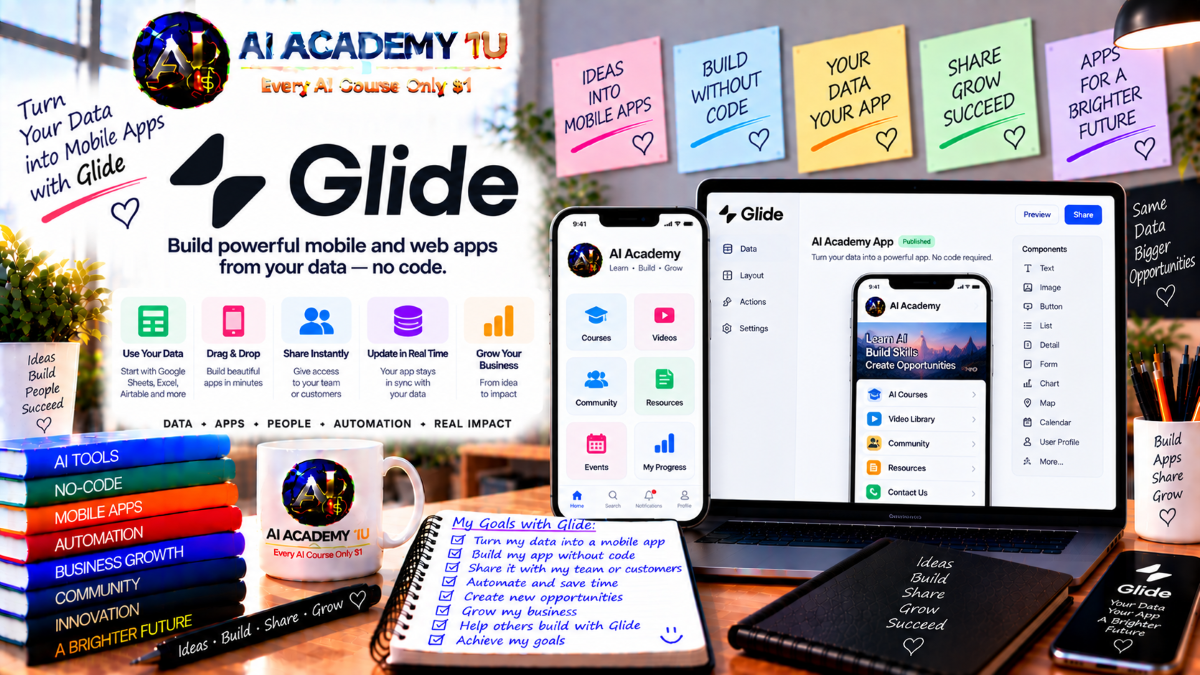
EXPLORE AI LIBRARYGlide AI is a platform for creating data driven business applications and automated workflows. Learn practical skills with AI Academy and discover useful workflows in our AI Library.

Explore all lessons in this catalogue and start learning at your own pace.
▶
1. What Is Glide? ❌
Discover Glide with AI Academy 1U and understand how this no-code platform helps businesses create practical applications from structured data for CRM, project management, inventory, internal operations, portals, and other mobile-friendly business workflows.
▶
2. Understand the Glide App Model ❌
Learn with AI Academy 1U how the Glide app model connects Data, Layout, and Workflows, helping you understand how business information, user interfaces, and automation work together inside a complete data-driven application.
▶
3. Create and Set Up Your Glide Account ❌
Set up your Glide account with AI Academy 1U by creating your team, starting your first application, and preparing the essential workspace needed to build, test, and manage Glide apps throughout the course.
▶
4. Explore the Glide Builder ❌
Explore the Glide Builder with AI Academy 1U and become familiar with the Data Editor, Layout Editor, Workflows, and Settings so you can confidently manage application data, interface design, automation, and configuration.
▶
5. Understand Common Glide App Use Cases ❌
Explore common Glide application use cases with AI Academy 1U, including workflow management, CRM, knowledge bases, inventory systems, field operations, portals, and internal tools designed to support real business processes across desktop and mobile environments.
▶
6. Understand Glide Agent ❌
Understand Glide Agent with AI Academy 1U and learn how AI-assisted app generation can help create application structures faster while still requiring human review of tables, screens, components, logic, and overall business requirements.
▶
7. Describe Your App Clearly ❌
Learn with AI Academy 1U how to clearly define the business problem, target users, required data, and important actions before prompting Glide Agent, helping the generated application align more closely with the intended business outcome.
🔒
8. Write Better Glide App Prompts ❌
Write stronger Glide app prompts with AI Academy 1U by organizing Purpose, Users, Data, Screens, Actions, and Rules into a clear structure that gives Glide Agent more precise instructions and reduces vague or incomplete results.
🔒
9. Review an AI-Generated App ❌
Review AI-generated Glide applications with AI Academy 1U by examining tables, screens, components, and workflows, identifying which parts correctly support the business process and which areas require adjustment, restructuring, or further refinement.
🔒
10. Refine Your App with Glide AI ❌
Refine Glide applications with AI Academy 1U by requesting focused changes to specific screens, components, data structures, or workflows, helping you improve the app progressively instead of regenerating the entire project and losing useful work.
▶
11. Understand Glide Tables ❌
Understand Glide Tables with AI Academy 1U by learning how rows and columns represent structured business information and how the underlying data layer remains separate from the visual screens users interact with inside the application.
🔒
12. Create Tables and Columns ❌
Create effective tables and columns with AI Academy 1U by modeling real business entities such as Customers, Orders, Tasks, or Products and organizing application data into clear, maintainable structures that support future workflows.
🔒
13. Choose the Right Column Types ❌
Choose the correct Glide column types with AI Academy 1U by working with text, numbers, dates, booleans, images, files, and other field formats so each piece of business data is stored and processed appropriately.
🔒
14. Import Existing Business Data ❌
Import existing business data into Glide with AI Academy 1U by preparing CSV files, spreadsheets, and structured records, then validating data types and table organization before building application interfaces and workflows.
🔒
15. Understand Glide Big Tables ❌
Understand Glide Big Tables with AI Academy 1U and learn when larger datasets and more complex applications require scalable storage beyond standard Glide Tables, helping you choose an appropriate architecture for growing business systems.
▶
16. Understand Computed Columns ❌
Understand computed columns with AI Academy 1U and learn how Glide can dynamically calculate or derive values from existing information, allowing applications to create relationships, summaries, conditions, and formatted outputs without modifying original data.
🔒
17. Create Relations Between Tables ❌
Create relations between tables with AI Academy 1U by connecting records such as Customers to Orders, Projects to Tasks, or Employees to Requests, enabling Glide applications to work with related business information across multiple datasets.
🔒
18. Use Lookup Columns ❌
Use Lookup columns with AI Academy 1U to retrieve values from related records and display important information from connected tables, helping users access relevant data without duplicating the same information across multiple locations.
🔒
19. Use Rollup and Math Columns ❌
Use Rollup and Math columns with AI Academy 1U to calculate totals, counts, averages, and other numeric results from related records, turning raw business data into useful metrics for dashboards, reports, and operational decisions.
🔒
20. Use If-Then-Else and Template Columns ❌
Build conditional logic and dynamic text with AI Academy 1U by using If-Then-Else and Template columns to transform raw values into meaningful statuses, labels, messages, and outputs based on business rules.
🔒
21. Build a Complete Data Model ❌
Build a complete Glide data model with AI Academy 1U by combining multiple tables, relationships, lookups, computed columns, and business rules into an organized structure that supports a realistic application and future automation.
▶
22. Understand the Glide Layout Editor ❌
Understand the Glide Layout Editor with AI Academy 1U by learning how screens, components, and data work together to create interactive user experiences and how application information is presented to different users.
🔒
23. Work with Collections, Lists and Tables ❌
Work with Collections, Lists, and Tables through AI Academy 1U and learn how to select the most appropriate component for displaying multiple records clearly, efficiently, and consistently based on the needs of each business workflow.
🔒
24. Build Detail Screens ❌
Build Detail Screens with AI Academy 1U to present complete information for individual customers, products, tasks, or other records, combining relevant fields, actions, and related data into a clear and useful interface.
🔒
25. Build Forms and Form Screens ❌
Build forms and Form Screens with AI Academy 1U by collecting multiple user inputs, creating new data rows, validating structured information, and configuring actions that can automatically run after a successful form submission.
🔒
26. Build Dashboards with Charts and KPIs ❌
Build management dashboards with AI Academy 1U by combining key metrics, charts, and collections into a structured interface that helps users monitor business performance, operational activity, and important indicators in one centralized location.
🔒
27. Design for Mobile and Desktop ❌
Design Glide applications for mobile and desktop with AI Academy 1U by testing navigation, spacing, screen structure, and interaction patterns to ensure users receive a clear and practical experience across different device sizes.
▶
28. Understand Glide Actions ❌
Understand Glide Actions with AI Academy 1U and learn how user interactions such as pressing buttons, submitting forms, or selecting components can trigger changes, navigation, updates, and other application behavior.
🔒
29. Create Basic Actions ❌
Create basic actions with AI Academy 1U by adding rows, updating columns, opening detail screens, and navigating between areas of the application, giving users practical ways to interact with business data.
🔒
30. Build Multi-Step Actions ❌
Build multi-step actions with AI Academy 1U by combining several operations into one controlled sequence, allowing a single user interaction to update data, navigate screens, trigger additional actions, and complete more complex business tasks.
🔒
31. Use Conditions in Actions ❌
Use conditions in actions with AI Academy 1U so applications can perform different operations based on user roles, status values, or current data, creating more flexible and context-aware business workflows.
🔒
32. Build a Complete User Action Flow ❌
Build a complete user action flow with AI Academy 1U by connecting user input, data updates, status changes, and confirmation steps into one structured process that supports a realistic business transaction from beginning to completion.
▶
33. Understand Glide Users ❌
Understand Glide Users with AI Academy 1U by learning how signed-in users and the User Profiles table provide identity information that can personalize application experiences and support permissions, roles, and user-specific business data.
🔒
34. Build User Profiles ❌
Build user profiles with AI Academy 1U by storing names, email addresses, photos, departments, and other user-specific information that can personalize screens, support permissions, and drive business logic across the application.
🔒
35. Create Roles ❌
Create roles with AI Academy 1U for administrators, managers, employees, customers, and other business groups, allowing the application to present different screens, actions, and experiences according to each user’s responsibilities.
🔒
36. Use Visibility Conditions ❌
Use Visibility Conditions with AI Academy 1U to show or hide screens, components, and actions according to user roles and data values, creating personalized interfaces while keeping each user focused on relevant information.
🔒
37. Understand Row Owners ❌
Understand Row Owners with AI Academy 1U and learn how Glide can restrict record-level data access so users only download and view the rows they are authorized to access within a secure application.
🔒
38. Build a Secure Role-Based App ❌
Build a secure role-based Glide application with AI Academy 1U by combining authentication, profiles, roles, visibility rules, and Row Owners to provide different experiences and protected data access for administrators, staff, and customers.
▶
39. Understand Glide Workflows ❌
Understand Glide Workflows with AI Academy 1U and learn how automation can run independently from direct user interaction, allowing applications to process business events, scheduled tasks, notifications, and background operations more efficiently.
🔒
40. Build Your First Workflow ❌
Build your first Glide Workflow with AI Academy 1U by creating an automation that updates business data, sends a notification, or performs another repeatable process without requiring users to complete each step manually.
🔒
41. Use Scheduled Workflows ❌
Use Scheduled Workflows with AI Academy 1U to run recurring operations such as reminders, maintenance tasks, reporting, or batch processing at defined times without relying on manual user actions.
🔒
42. Use Webhook and External Triggers ❌
Use Webhook and external triggers with AI Academy 1U to start Glide workflows from other systems, enabling outside applications and services to initiate business processes automatically when specific events occur.
🔒
43. Build Conditional Workflow Logic ❌
Build conditional workflow logic with AI Academy 1U by creating multiple branches that respond differently according to status, data values, or business rules, allowing automation to adapt to changing operational situations.
🔒
44. Build an End-to-End Business Automation ❌
Build an end-to-end business automation with AI Academy 1U by connecting triggers, data checks, updates, notifications, and follow-up steps into one coordinated Glide workflow that manages a complete operational process.
▶
45. Understand Glide AI ❌
Understand Glide AI with AI Academy 1U and explore practical use cases such as classification, summarization, structured extraction, and content generation that can enhance business applications with intelligent data-processing capabilities.
▶
46. Use AI Columns ❌
Use AI Columns with AI Academy 1U to transform existing row data into new intelligent outputs, allowing applications to summarize, categorize, rewrite, analyze, or generate information automatically inside the Glide Data Editor.
🔒
47. Generate and Transform Content with AI ❌
Generate and transform content with AI Academy 1U by using Glide AI to rewrite, summarize, and create text based on existing row data, helping applications automate repetitive content-processing tasks.
🔒
48. Extract Structured Data with AI ❌
Extract structured data with AI Academy 1U by converting emails, documents, and unstructured text into usable values that Glide applications can store, classify, display, and process in business workflows.
🔒
49. Classify and Analyze Business Data ❌
Classify and analyze business data with AI Academy 1U by automatically assigning categories, sentiment, priority, and other business labels, helping teams organize information and make operational decisions more efficiently.
🔒
50. Use Glide AI in Workflows ❌
Use Glide AI in Workflows with AI Academy 1U by combining intelligent data processing with automation, allowing applications to analyze, transform, classify, or generate information without requiring manual user interaction.
🔒
51. Project: Build an AI-Powered Business App ❌
Build an AI-powered business application with AI Academy 1U by combining Glide data, interface components, workflows, and AI capabilities to read, analyze, transform, or generate information inside a realistic operational process.
▶
52. Understand Glide Integrations ❌
Understand Glide Integrations with AI Academy 1U and learn how connected services allow applications to communicate with external platforms, exchange information, and perform actions beyond Glide as part of larger business processes.
🔒
53. Connect Communication and Productivity Tools ❌
Connect communication and productivity tools with AI Academy 1U by integrating services such as Gmail, Slack, and Calendar so Glide workflows can send messages, create events, and support business communication automatically.
🔒
54. Connect AI and External Services ❌
Connect AI and external services with AI Academy 1U by integrating platforms such as OpenAI, Gemini, Claude, and other business tools so Glide applications can access additional intelligent capabilities and external functionality.
🔒
55. Understand Glide API and Call API ❌
Understand Glide API and Call API with AI Academy 1U by learning the difference between managing Glide data from external systems and calling outside APIs from within an application to exchange or process information.
🔒
56. Build an Integrated Business Workflow ❌
Build an integrated business workflow with AI Academy 1U by connecting Glide data, application actions, automated workflows, and an external service into one coordinated process that supports a practical business requirement.
▶
57. Connect External Data Sources ❌
Connect external data sources with AI Academy 1U and learn how Glide can use existing spreadsheets and databases without immediately migrating all information into Glide, helping organizations reuse established business data.
🔒
58. Work with Google Sheets, Excel and Airtable ❌
Work with Google Sheets, Excel, and Airtable through AI Academy 1U by connecting existing business information to Glide and understanding how external spreadsheet data can support application screens, workflows, and operational processes.
🔒
59. Connect SQL Databases ❌
Connect SQL databases with AI Academy 1U and explore how supported MySQL, PostgreSQL, SQL Server, and related data sources can provide enterprise business information to Glide applications when appropriate plans and configurations are available.
🔒
60. Choose Between Glide Tables, Big Tables and External Data ❌
Choose the right data architecture with AI Academy 1U by comparing Glide Tables, Big Tables, and external data sources according to performance, scalability, maintenance, complexity, and long-term business application requirements.
▶
61. Test Your Glide App ❌
Test your Glide application with AI Academy 1U by reviewing data, actions, roles, Row Owners, workflows, and real user scenarios to identify problems before the application is released into a production environment.
🔒
62. Prepare Your App for Production ❌
Prepare your Glide app for production with AI Academy 1U by reviewing navigation, data quality, permissions, integrations, workflow behavior, and edge cases so the application is ready for reliable real-world use.
🔒
63. Publish and Share Your Glide App ❌
Publish and share your Glide application with AI Academy 1U by making it available to users, verifying access, and testing the final experience across both desktop and mobile devices after deployment.
🔒
64. Project: CRM and Sales Tracker ❌
Build a CRM and Sales Tracker with AI Academy 1U by creating structured customer, opportunity, activity, and pipeline data that supports practical sales management, relationship tracking, and business follow-up processes.
🔒
65. Project: Operations Workflow Manager ❌
Build an Operations Workflow Manager with AI Academy 1U by organizing requests, approvals, statuses, users, and automation into a structured application that helps teams manage repeatable operational processes more efficiently.
🔒
66. Project: Secure Customer or Employee Portal ❌
Build a secure customer or employee portal with AI Academy 1U by combining authentication, roles, Row Owners, user profiles, and private records so each person accesses only the information appropriate to their account.
🔒
67. Project: AI-Powered Data Processing App ❌
Build an AI-powered data processing application with AI Academy 1U by using Glide AI to extract, classify, or summarize business information and then automatically trigger workflows that continue processing the resulting structured data.
🔒
68. Final Project: Complete Glide AI Business System ❌
Complete a full Glide AI business system with AI Academy 1U by combining requirements, data modeling, relations, computed columns, layout, forms, actions, users, security, workflows, AI, integrations, testing, and publishing into one production-ready application.
ChatGPT is an AI assistant for writing, learning, research, problem solving, and creative tasks. Learn practical skills with AI Academy and discover useful workflows in our AI Library.
EXPLORE AI LIBRARYCanva is a design platform for creating graphics, presentations, videos, and social media content. Learn practical design skills with AI Academy and explore creative workflows in our AI Library.
EXPLORE AI LIBRARYCapCut is a video editing platform for creating and enhancing videos with AI-powered tools, effects, captions, and templates. Learn practical skills with AI Academy and explore workflows in our AI Library.
EXPLORE AI LIBRARYGoogle Gemini is Google’s assistant for research, writing, reasoning, images, and productivity. Learn practical skills with AI Academy and discover useful workflows in our AI Library.
EXPLORE AI LIBRARYLearn Google Veo with AI Academy 1U and create cinematic AI videos from text and images using powerful video generation, camera controls, visual storytelling, and creative production techniques.
EXPLORE AI LIBRARYElevenLabs AI is a voice platform for text to speech, narration, and voice creation. Learn practical skills with AI Academy and discover useful workflows in our AI Library.
EXPLORE AI LIBRARYClaude AI is an assistant for writing, document analysis, reasoning, and coding. Learn practical skills with AI Academy and discover useful workflows in our AI Library.
EXPLORE AI LIBRARYVideoGen AI empowers creators to produce engaging videos faster with AI-powered tools. Learn practical workflows, creative techniques, and production strategies with AI Academy 1U to create professional video content efficiently.
EXPLORE AI LIBRARYHeyGen AI is an avatar video platform for presentations, narration, and multilingual communication. Learn practical skills with AI Academy and discover useful workflows in our AI Library.
EXPLORE AI LIBRARYMicrosoft Copilot is Microsoft’s assistant for productivity, writing, research, and workplace tasks. Learn practical skills with AI Academy and discover useful workflows in our AI Library.
EXPLORE AI LIBRARY







