
ChatGPT
ChatGPT is an AI assistant for writing, learning, research, problem solving, and creative tasks. Learn practical skills with AI Academy and discover useful workflows in our AI Library.
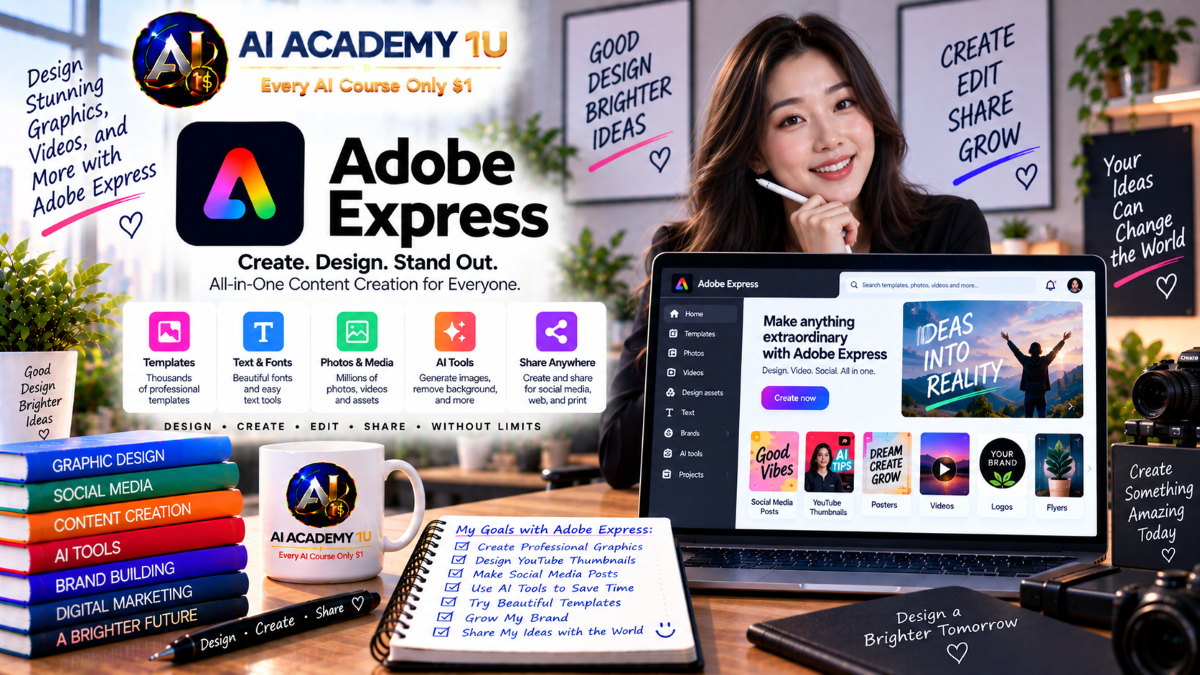
EXPLORE AI LIBRARYAdobe Express AI is a creative platform for designing graphics, marketing content, and social media. Learn practical skills with AI Academy and discover useful workflows in our AI Library.

Explore all lessons in this catalogue and start learning at your own pace.
▶
1. What Is Adobe Express? ❌
Discover Adobe Express with AI Academy 1U as an all-in-one platform for creating designs, images, videos, documents, and social content. Learn how Express differs from Photoshop, Illustrator, and Firefly, and when it is the better choice for fast creative production.
▶
2. Create and Access Your Adobe Express Account ❌
Create and access your Adobe Express account with AI Academy 1U by signing in with an Adobe ID, opening Express on the web, and learning the basic account environment needed to begin your first project.
▶
3. Understand the Adobe Express Interface ❌
Understand the Adobe Express interface with AI Academy 1U by exploring Home, the editor, templates, assets, media, text, layers, and project management areas so you can confidently navigate the workspace before using advanced AI features.
▶
4. Create Your First Design ❌
Create your first design in Adobe Express with AI Academy 1U using a blank canvas or template. Add text, images, shapes, adjust the layout, and export a simple social post while learning the core design workflow.
🔒
5. Adobe Express Free vs. Premium ❌
Compare Adobe Express Free and Premium with AI Academy 1U by understanding generative credits, premium assets, fonts, AI features, video capabilities, export options, and important limits so you can choose a plan based on real production needs.
▶
6. Understand Adobe Firefly in Express ❌
Understand Adobe Firefly in Express with AI Academy 1U by learning how generative AI supports selected creation and editing features while remaining one part of the broader Adobe Express design and content workflow.
🔒
7. Understand Generative Credits ❌
Understand generative credits in Adobe Express with AI Academy 1U by learning which AI tasks consume credits, why usage can vary by feature, and how to plan generation efficiently to avoid unnecessary credit consumption.
🔒
8. Write Better Adobe Express AI Prompts ❌
Write better Adobe Express AI prompts with AI Academy 1U using Subject → Environment → Composition → Lighting → Style → Purpose. Learn how to transform a short idea into a clearer prompt that gives the AI more useful creative direction.
🔒
9. Refine AI Results ❌
Refine AI results in Adobe Express with AI Academy 1U by analyzing what is wrong in an output and adjusting individual prompt elements such as composition, subject, style, or visual direction instead of rewriting everything from scratch.
🔒
10. Adobe Express AI Assistant ❌
Explore Adobe Express AI Assistant with AI Academy 1U and learn how natural-language instructions can support content creation and editing when the beta feature is available for your account, while understanding that access may depend on feature rollout.
▶
11. Generate Images from Text ❌
Generate images from text in Adobe Express with AI Academy 1U by entering prompts and creating new visuals directly inside Express for concept art, social graphics, illustrations, and other creative assets.
🔒
12. Create Realistic Images ❌
Create realistic images in Adobe Express with AI Academy 1U by writing prompts that define subject, lens, lighting, environment, and composition to produce visuals closer to photographic styles and professional image direction.
🔒
13. Create Illustration and Artistic Images ❌
Create illustration and artistic images in Adobe Express with AI Academy 1U by exploring editorial illustration, flat art, graphic illustration, fantasy, and stylized visual directions for creative projects.
🔒
14. Create Product Images with AI ❌
Create product-image concepts with Adobe Express and AI Academy 1U for hero shots, lifestyle scenes, and promotional visuals while learning when AI is appropriate and when real product photography should be preserved for accuracy.
🔒
15. Create Social Media Visuals with AI ❌
Create social-media visuals with Adobe Express and AI Academy 1U by generating backgrounds, hero images, and supporting assets that fit the dimensions, message, and visual needs of social content.
🔒
16. Build an AI Image Workflow ❌
Build a complete AI image workflow in Adobe Express with AI Academy 1U using Brief → Prompt → Generate → Compare → Refine → Edit → Add Text → Brand Review → Export for consistent professional image production.
▶
17. Remove Image Backgrounds ❌
Remove image backgrounds in Adobe Express with AI Academy 1U to isolate a subject and create transparent PNG files for product photography, profile images, social assets, and design compositions.
🔒
18. Replace Image Backgrounds ❌
Replace image backgrounds in Adobe Express with AI Academy 1U by placing a subject into a new environment and adjusting color, scale, and composition so the final image appears more natural and intentional.
🔒
19. Remove Unwanted Objects ❌
Remove unwanted objects in Adobe Express with AI Academy 1U by using AI-assisted tools to eliminate distracting people or elements from photos without requiring complex manual retouching.
🔒
20. Insert New Objects with AI ❌
Insert new objects into images with Adobe Express and AI Academy 1U by selecting a target area, describing the object, and balancing perspective, lighting, and scale to improve realism.
🔒
21. Improve Photos with Adjustments and Effects ❌
Improve photos in Adobe Express with AI Academy 1U by adjusting contrast, shadows, saturation, blending, and visual effects to create a more polished and consistent final image.
🔒
22. Build a Product Photo Editing Workflow ❌
Build a product-photo editing workflow with Adobe Express and AI Academy 1U using Original Photo → Remove Background → Cleanup → New Background → Lighting and Color → Text and Layout → Export.
▶
23. Generate Templates from Text ❌
Generate templates from text in Adobe Express with AI Academy 1U by describing the design you need and using AI output as a starting point that can be customized with text, images, and layout changes.
🔒
24. Customize AI-Generated Templates ❌
Customize AI-generated templates in Adobe Express with AI Academy 1U by changing colors, fonts, images, hierarchy, and spacing so an initial AI layout becomes a practical and polished design.
🔒
25. Create Posters and Flyers ❌
Create posters and flyers in Adobe Express with AI Academy 1U by combining headlines, supporting copy, imagery, hierarchy, and calls to action into clear promotional layouts.
🔒
26. Create Social Media Posts ❌
Create social-media posts with Adobe Express and AI Academy 1U by adapting layout, visuals, message, and format to the target platform and the goals of a specific campaign.
🔒
27. Create Ads and Promotional Graphics ❌
Create ads and promotional graphics with Adobe Express and AI Academy 1U for products, offers, events, and campaigns by combining strong messaging, hierarchy, imagery, and calls to action.
🔒
28. Build a Complete AI Design Workflow ❌
Build a complete AI design workflow with Adobe Express and AI Academy 1U using Brief → Generate Template → Generate Image → Customize → Brand → Review → Resize → Export for repeatable creative production.
▶
29. Create AI Text Effects ❌
Create AI text effects in Adobe Express with AI Academy 1U by applying generated textures and styles directly to lettering through prompts for more distinctive graphic and promotional designs.
🔒
30. Write Better Text Effect Prompts ❌
Write better text-effect prompts in Adobe Express with AI Academy 1U by describing material, texture, lighting, and visual style so generated lettering follows a more intentional design direction.
🔒
31. Typography and Font Pairing ❌
Understand typography and font pairing in Adobe Express with AI Academy 1U by learning hierarchy, readability, alignment, and how complementary font choices improve visual communication.
🔒
32. Create Headline Designs ❌
Create headline designs in Adobe Express with AI Academy 1U by combining typography, imagery, shapes, and effects to establish a strong visual focal point in promotional or editorial layouts.
🔒
33. Build Branded Typography Styles ❌
Build branded typography styles in Adobe Express with AI Academy 1U by defining consistent rules for headlines, body text, calls to action, font use, and text effects across brand content.
▶
34. Create Your First Video ❌
Create your first video in Adobe Express with AI Academy 1U by importing video, images, and audio, organizing scenes or timeline content, and exporting a short finished video.
🔒
35. Edit Video Clips ❌
Edit video clips in Adobe Express with AI Academy 1U by trimming, splitting, rearranging, and organizing multiple clips inside one project to create a more coherent sequence.
🔒
36. Add Text, Graphics and Overlays ❌
Add text, graphics, and overlays to Adobe Express videos with AI Academy 1U by creating titles, lower thirds, calls to action, and supporting visual elements that strengthen communication.
🔒
37. Add Video Transitions ❌
Add video transitions in Adobe Express with AI Academy 1U by selecting appropriate scene changes and learning how to avoid excessive effects that distract from storytelling.
🔒
38. Add Music and Sound ❌
Add music and sound in Adobe Express with AI Academy 1U by combining background music, sound elements, and voice to support pacing, emotion, and storytelling in video projects.
🔒
39. Export Professional Videos ❌
Export professional videos from Adobe Express with AI Academy 1U by choosing suitable aspect ratios, quality settings, and output formats for YouTube, social media, and presentations.
▶
40. Generate Automatic Video Captions ❌
Generate automatic video captions in Adobe Express with AI Academy 1U by uploading video, creating subtitles, reviewing transcription accuracy, and adjusting caption styling for readability.
🔒
41. Edit and Style Video Captions ❌
Edit and style video captions in Adobe Express with AI Academy 1U by correcting text, adjusting timing, and applying visual styles that improve readability and brand consistency.
🔒
42. Remove Video Backgrounds ❌
Remove video backgrounds in Adobe Express with AI Academy 1U by isolating a subject without requiring a green screen, creating more flexible compositions for social and promotional content.
🔒
43. Replace Video Backgrounds ❌
Replace video backgrounds in Adobe Express with AI Academy 1U by placing subjects into new environments or designs and adjusting the overall visual presentation for more natural results.
🔒
44. Animate Characters with Voice ❌
Animate characters with voice in Adobe Express and AI Academy 1U by using audio to drive character animation while reviewing lip movement, gestures, and presentation quality.
🔒
45. Generate AI Video Assets ❌
Generate AI video assets in Adobe Express with AI Academy 1U by exploring plan-dependent generative video capabilities and using short AI-generated clips as supporting material inside larger projects.
🔒
46. Build an AI Video Workflow ❌
Build an AI video workflow with Adobe Express and AI Academy 1U using Script → Assets → AI Generation → Edit → Captions → Background → Audio → Brand → Export for complete content production.
▶
47. Animate Design Elements ❌
Animate design elements in Adobe Express with AI Academy 1U by adding movement to text, images, icons, and graphics to transform static designs into engaging motion content.
🔒
48. Use Animate All ❌
Use Animate All in Adobe Express with AI Academy 1U to quickly apply movement across a complete design, then refine individual animations to prevent excessive or distracting motion.
🔒
49. Create Dynamic Animations ❌
Create dynamic animations in Adobe Express with AI Academy 1U by applying physics-based motion to photos, videos, text, shapes, and icons when that movement supports the creative concept.
🔒
50. Create Animated Social Posts ❌
Create animated social posts in Adobe Express with AI Academy 1U by transforming static layouts into short motion graphics designed to attract attention in social-media feeds and stories.
🔒
51. Build an Animated Promotional Design ❌
Build an animated promotional design with Adobe Express and AI Academy 1U by combining images, text, calls to action, and motion into a complete campaign-ready creative asset.
▶
52. Create Documents in Adobe Express ❌
Create documents in Adobe Express with AI Academy 1U by combining text, images, layout, and branding into visually structured materials for business, education, marketing, and communication.
🔒
53. Edit and Enhance PDFs ❌
Edit and enhance PDFs in Adobe Express with AI Academy 1U by importing existing PDF files, adding visual elements, and adapting content to better fit the intended use case.
🔒
54. Generate Presentations with AI ❌
Generate presentations with AI in Adobe Express and AI Academy 1U by using AI to transform source content or documents into an initial slide deck that can then be reviewed and refined.
🔒
55. Customize AI Presentations ❌
Customize AI-generated presentations in Adobe Express with AI Academy 1U by refining layout, hierarchy, fonts, colors, and imagery so the final deck looks intentional rather than fully automated.
🔒
56. Build a Business Presentation ❌
Build a business presentation with Adobe Express and AI Academy 1U using Project Brief → Outline → AI Draft → Visuals → Brand → Review → Export for a polished professional deck.
▶
57. Understand Brand Systems in Adobe Express ❌
Understand brand systems in Adobe Express with AI Academy 1U by learning why logos, colors, fonts, and visual identity elements need to be managed consistently across all content.
🔒
58. Create a Brand Kit ❌
Create a Brand Kit in Adobe Express with AI Academy 1U by setting up logos, brand colors, and fonts that can be reused across multiple content types and projects.
🔒
59. Apply Brand Styles to Designs ❌
Apply brand styles to Adobe Express designs with AI Academy 1U by reusing approved logos, colors, fonts, and visual assets across social posts, flyers, advertisements, and presentations.
🔒
60. Create Reusable Branded Templates ❌
Create reusable branded templates in Adobe Express with AI Academy 1U by standardizing layouts, colors, typography, and visual structure for content that must be produced repeatedly.
🔒
61. Build a Brand Content System ❌
Build a brand content system with Adobe Express and AI Academy 1U using Brand Kit → Templates → Assets → AI Generation → Review → Export Standards for repeatable and consistent production.
▶
62. Create Instagram Content ❌
Create Instagram content in Adobe Express with AI Academy 1U by designing posts and stories around appropriate aspect ratios, visual hierarchy, brand direction, and specific content goals.
🔒
63. Create Facebook and LinkedIn Content ❌
Create Facebook and LinkedIn content with Adobe Express and AI Academy 1U by adapting layout, tone, message, and visual presentation to the needs of each platform.
🔒
64. Create TikTok and Reels Content ❌
Create TikTok and Reels content in Adobe Express with AI Academy 1U by combining short-form video, captions, motion, hooks, and platform-focused formatting for vertical social content.
🔒
65. Resize Content for Multiple Platforms ❌
Resize content for multiple platforms in Adobe Express with AI Academy 1U by adapting one campaign into different dimensions while maintaining hierarchy, readability, and visual consistency.
🔒
66. Build a Multi-Platform Social Campaign ❌
Build a multi-platform social campaign with Adobe Express and AI Academy 1U using Idea → Master Design → Variants → Video → Captions → Platform Resize → Publish Assets.
▶
67. Create Marketing Assets with AI ❌
Create marketing assets with AI in Adobe Express and AI Academy 1U by combining generated images, templates, text, and layout tools to rapidly develop campaign-ready creative materials.
🔒
68. Create Product Promotions ❌
Create product promotions in Adobe Express with AI Academy 1U by combining product visuals, offer graphics, messaging, and calls to action into clear promotional designs.
🔒
69. Create Digital Ads ❌
Create digital ads in Adobe Express with AI Academy 1U by producing multiple creative variations tailored to different audiences, messages, campaign objectives, and advertising platforms.
🔒
70. Create Event and Sales Materials ❌
Create event and sales materials in Adobe Express with AI Academy 1U by producing posters, flyers, presentations, and promotional content that share a consistent campaign direction.
🔒
71. Build a Marketing Campaign Workflow ❌
Build a marketing campaign workflow with Adobe Express and AI Academy 1U using Campaign Brief → AI Concepts → Images → Templates → Video → Brand → Platform Variants → Final Assets.
▶
72. Work with Photoshop and Illustrator Assets ❌
Work with Photoshop and Illustrator assets in Adobe Express with AI Academy 1U by bringing professional source files into Express and understanding when deeper editing should return to specialized Adobe applications.
🔒
73. Organize Assets and Projects ❌
Organize assets and projects in Adobe Express with AI Academy 1U by creating practical folder and project structures for managing content across multiple brands, teams, and campaigns.
🔒
74. Collaborate and Review Designs ❌
Collaborate and review designs in Adobe Express with AI Academy 1U by sharing projects, collecting comments, and managing feedback with teammates during the creative review process.
🔒
75. Export Content in Multiple Formats ❌
Export content in multiple formats from Adobe Express with AI Academy 1U by choosing PNG, JPG, PDF, GIF, PPT, and other appropriate outputs based on each delivery use case.
🔒
76. Build an Adobe Express Production Workflow ❌
Build an Adobe Express production workflow with AI Academy 1U using Brief → Asset Collection → AI Generation → Design → Review → Brand → Collaboration → Export for organized professional content delivery.
🔒
77. Complete Project: Create a Social Media Brand Kit ❌
Create a complete social-media brand kit with Adobe Express and AI Academy 1U by defining brand colors, typography, templates, image direction, and reusable social assets for a realistic brand identity.
🔒
78. Complete Project: Create an AI Marketing Campaign ❌
Create a complete AI marketing campaign with Adobe Express and AI Academy 1U using Campaign Brief → AI Images → Templates → Product Visuals → Ads → Social Variants → Video → Review.
🔒
79. Complete Project: Create an AI Content Package ❌
Create a complete AI content package with Adobe Express and AI Academy 1U by producing a poster, social post, short video, presentation, and branded visuals from one unified creative concept.
🔒
80. Complete Project: Build a Professional Adobe Express AI Workflow ❌
Build a professional Adobe Express AI workflow with AI Academy 1U using Brief → Brand → AI Prompt → Generate Image → AI Editing → Template → Typography → Video → Captions → Animation → Presentation → Multi-Platform Resize → Team Review → Export.
ChatGPT is an AI assistant for writing, learning, research, problem solving, and creative tasks. Learn practical skills with AI Academy and discover useful workflows in our AI Library.
EXPLORE AI LIBRARYCanva is a design platform for creating graphics, presentations, videos, and social media content. Learn practical design skills with AI Academy and explore creative workflows in our AI Library.
EXPLORE AI LIBRARYCapCut is a video editing platform for creating and enhancing videos with AI-powered tools, effects, captions, and templates. Learn practical skills with AI Academy and explore workflows in our AI Library.
EXPLORE AI LIBRARYGoogle Gemini is Google’s assistant for research, writing, reasoning, images, and productivity. Learn practical skills with AI Academy and discover useful workflows in our AI Library.
EXPLORE AI LIBRARYLearn Google Veo with AI Academy 1U and create cinematic AI videos from text and images using powerful video generation, camera controls, visual storytelling, and creative production techniques.
EXPLORE AI LIBRARYElevenLabs AI is a voice platform for text to speech, narration, and voice creation. Learn practical skills with AI Academy and discover useful workflows in our AI Library.
EXPLORE AI LIBRARYClaude AI is an assistant for writing, document analysis, reasoning, and coding. Learn practical skills with AI Academy and discover useful workflows in our AI Library.
EXPLORE AI LIBRARYVideoGen AI empowers creators to produce engaging videos faster with AI-powered tools. Learn practical workflows, creative techniques, and production strategies with AI Academy 1U to create professional video content efficiently.
EXPLORE AI LIBRARYHeyGen AI is an avatar video platform for presentations, narration, and multilingual communication. Learn practical skills with AI Academy and discover useful workflows in our AI Library.
EXPLORE AI LIBRARYMicrosoft Copilot is Microsoft’s assistant for productivity, writing, research, and workplace tasks. Learn practical skills with AI Academy and discover useful workflows in our AI Library.
EXPLORE AI LIBRARY








