
ChatGPT
ChatGPT is an AI assistant for writing, learning, research, problem solving, and creative tasks. Learn practical skills with AI Academy and discover useful workflows in our AI Library.
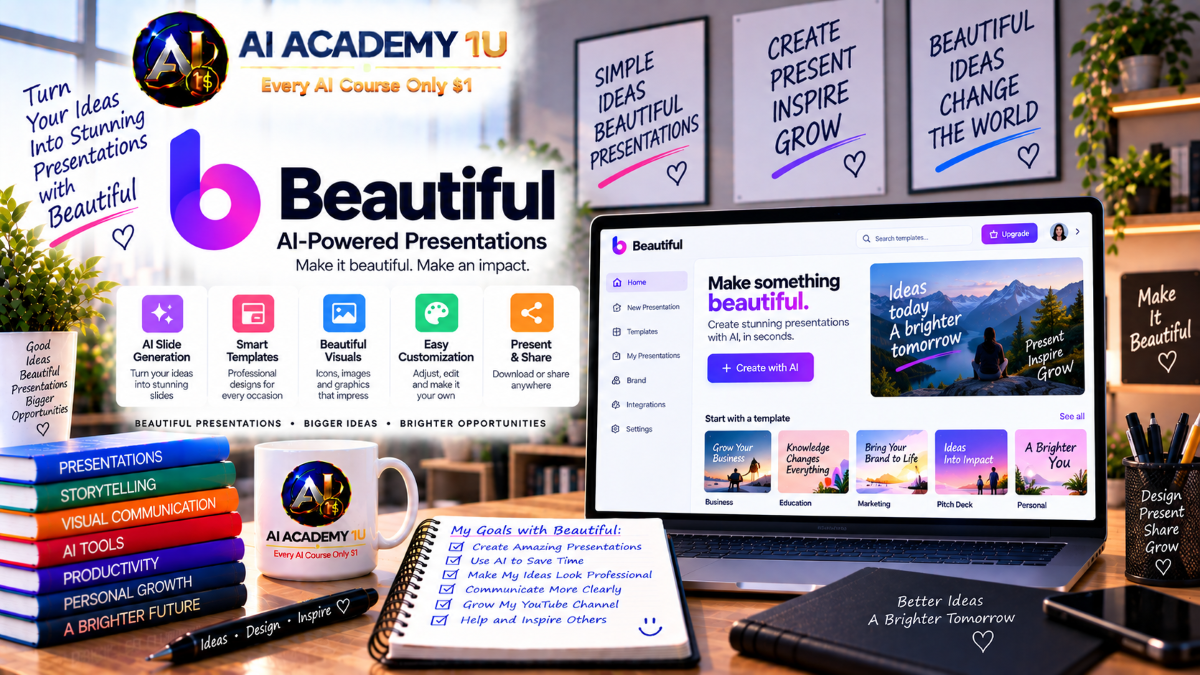
EXPLORE AI LIBRARYBeautiful.ai is a presentation platform that helps users create polished slides automatically. Learn practical skills with AI Academy and discover useful workflows in our AI Library.

Explore all lessons in this catalogue and start learning at your own pace.
▶
1. What Is Beautiful.ai? ❌
Understand Beautiful.ai as an AI-powered presentation platform built for professional storytelling, automatic design, and consistent visual structure. AI Academy 1U learners will see how it helps turn ideas into polished decks faster than traditional slide design.
▶
2. Create and Set Up Your Beautiful.ai Account ❌
Learn how to create a Beautiful.ai account, access your workspace, and prepare the basic settings needed before building presentations. AI Academy 1U learners will start with a clean setup for smoother course practice.
▶
3. Explore the Beautiful.ai Interface ❌
Navigate the Beautiful.ai presentation library, editor, slide controls, themes, and workspace tools with confidence. AI Academy 1U learners will understand where key features are located and how to move efficiently inside the platform.
▶
4. Understand the Beautiful.ai Presentation Workflow ❌
Learn the complete workflow from idea or source material to outline, slide creation, design refinement, presenting, sharing, and exporting. AI Academy 1U learners will understand how each step supports a professional presentation process.
🔒
5. Beautiful.ai vs PowerPoint vs Gamma ❌
Compare Beautiful.ai with PowerPoint and Gamma to understand each tool’s strengths, limits, and best use cases. AI Academy 1U learners will know when to choose Beautiful.ai for speed, structure, automation, and brand consistency.
▶
6. Create Your First AI Presentation ❌
Create your first AI-generated presentation in Beautiful.ai from a simple topic and learn the full generation workflow. AI Academy 1U learners will practice turning an idea into a usable deck with clear structure and design.
▶
7. Generate from a Prompt ❌
Learn how to write a strong presentation prompt with audience, objective, message, and presentation type. AI Academy 1U learners will improve AI output by giving Beautiful.ai clearer instructions before generating slides.
🔒
8. Generate from an Existing Outline ❌
Use an existing outline from ChatGPT, notes, or another source to generate a structured Beautiful.ai presentation. AI Academy 1U learners will learn how prepared outlines improve accuracy, organization, and presentation flow.
🔒
9. Add Source Material and Context ❌
Learn how to provide documents, webpages, or text context so Beautiful.ai can create slides based on real information. AI Academy 1U learners will understand how source material improves relevance and reduces generic AI output.
🔒
10. Review the AI-Generated Outline ❌
Review and evaluate the AI-generated outline before converting it into slides. AI Academy 1U learners will learn how to check logic, order, missing points, and narrative strength before design work begins.
🔒
11. Refine the Story Before Design ❌
Improve the presentation story by adding, removing, rearranging, and rewriting sections before slide design. AI Academy 1U learners will learn why strong narrative structure matters more than visual polish at the early stage.
🔒
12. Generate the Complete Presentation ❌
Convert an approved outline into a full Beautiful.ai presentation with designed slides. AI Academy 1U learners will learn how to review generated slides for message accuracy, design quality, and readiness for refinement.
▶
13. Understand Presentation Prompt Structure ❌
Learn how to structure presentation prompts using purpose, audience, context, content, tone, and desired outcome. AI Academy 1U learners will create clearer prompts that guide Beautiful.ai toward more useful and professional results.
🔒
14. Define the Presentation Audience ❌
Learn how to adapt a presentation for customers, executives, investors, employees, students, or other audiences. AI Academy 1U learners will understand how audience choice affects language, examples, evidence, slide depth, and call to action.
🔒
15. Define the Presentation Objective ❌
Identify whether a presentation should inform, persuade, sell, teach, report, or request action. AI Academy 1U learners will learn how a clear objective shapes slide structure, content priority, and final message.
🔒
16. Build a Strong Presentation Narrative ❌
Learn how to organize a presentation with opening, problem, evidence, solution, and conclusion. AI Academy 1U learners will build stronger narratives that guide viewers logically from context to decision or action.
🔒
17. Control Tone and Content Depth ❌
Adjust the tone and level of detail so each presentation matches the audience and business purpose. AI Academy 1U learners will learn how to avoid content that is too shallow, too technical, or off-brand.
🔒
18. Build Reusable Presentation Prompts ❌
Create reusable prompt templates for different presentation types, audiences, and business goals. AI Academy 1U learners will build practical frameworks that save time and produce more consistent Beautiful.ai results across multiple projects.
▶
19. Understand Smart Slides ❌
Understand how Smart Slides use automatic layout rules to keep presentations clean and balanced. AI Academy 1U learners will learn why Smart Slides reduce manual design work while helping maintain visual structure and consistency.
▶
20. Choose the Right Smart Slide ❌
Learn how to select the best Smart Slide based on the type of information you need to present. AI Academy 1U learners will match content with layouts for lists, processes, comparisons, visuals, and relationships.
🔒
21. Work with Text-Based Smart Slides ❌
Organize headings, bullet points, statements, and key messages using text-based Smart Slides. AI Academy 1U learners will learn how to make text slides clear, scannable, and visually balanced without overcrowding.
🔒
22. Work with Visual Smart Slides ❌
Combine images and text inside Visual Smart Slides while keeping hierarchy and message clarity. AI Academy 1U learners will learn how to use visuals as support for the story instead of decoration.
🔒
23. Create Timeline and Process Slides ❌
Build timeline and process slides to present workflows, roadmaps, milestones, and chronological information. AI Academy 1U learners will learn how to make sequential information easier to follow and more professional.
🔒
24. Create Comparison Slides ❌
Create comparison slides for products, plans, strategies, features, or alternatives. AI Academy 1U learners will learn how to structure comparisons so viewers can quickly understand differences, strengths, and recommended choices.
🔒
25. Create Organization and Relationship Slides ❌
Design organization and relationship slides that show hierarchy, teams, roles, and connections clearly. AI Academy 1U learners will learn how to present structure without confusing the viewer or overloading the slide.
🔒
26. Master Smart Slide Layout Selection ❌
Learn how to analyze content first, then choose the best Smart Slide layout for the message. AI Academy 1U learners will move beyond choosing slides by appearance and start selecting layouts by communication purpose.
▶
27. Refine Individual Slides with AI ❌
Use Beautiful.ai AI tools to improve a single slide while keeping the rest of the deck stable. AI Academy 1U learners will learn how to refine content, design, and clarity without restarting the project.
🔒
28. Rewrite Slide Content ❌
Rewrite slide copy to make it shorter, longer, clearer, or better matched to a specific tone. AI Academy 1U learners will learn how AI can improve wording while preserving the intended message.
🔒
29. Test Alternative Slide Layouts ❌
Compare different slide layouts for the same content to find the clearest visual structure. AI Academy 1U learners will learn how layout choices affect emphasis, readability, and viewer understanding.
🔒
30. Preserve Exact Text During Redesign ❌
Redesign a slide while protecting text that has already been approved by a client, manager, or team. AI Academy 1U learners will learn how to improve design without accidentally changing important content.
🔒
31. Improve Weak Slides ❌
Identify and improve weak slides with cluttered content, poor hierarchy, unclear visuals, or weak messaging. AI Academy 1U learners will learn how to diagnose slide problems and turn them into stronger communication assets.
▶
32. Understand Beautiful.ai Themes ❌
Understand how Beautiful.ai themes control colors, typography, layouts, and visual consistency across a deck. AI Academy 1U learners will learn why themes are central to professional presentation design and brand control.
🔒
33. Customize Brand Colors ❌
Create a brand color palette for backgrounds, text, charts, accents, and visual elements. AI Academy 1U learners will learn how color choices support readability, recognition, and consistent presentation identity.
🔒
34. Configure Brand Typography ❌
Set up fonts, heading hierarchy, and text styles that match a brand or presentation purpose. AI Academy 1U learners will learn how typography affects professionalism, readability, and overall visual tone.
🔒
35. Add Logos, Icons and Footers ❌
Add logos, icons, and footers to strengthen brand recognition and presentation consistency. AI Academy 1U learners will learn how to use brand elements cleanly without distracting from the main message.
🔒
36. Build a Complete Brand Theme ❌
Build a reusable Beautiful.ai brand theme that includes colors, fonts, logos, visual rules, and presentation structure. AI Academy 1U learners will create a design system that supports repeatable business presentations.
🔒
37. Use Locked Themes and Brand Guardrails ❌
Learn how locked themes and brand guardrails control what team members can change inside presentations. AI Academy 1U learners will understand how businesses protect brand consistency while still allowing collaboration.
▶
38. Work with Image Libraries ❌
Search and use stock images or videos directly inside Beautiful.ai to support the presentation message. AI Academy 1U learners will learn how to choose visual content that matches topic, audience, and slide purpose.
🔒
39. Generate Images with AI ❌
Generate AI images that fit the slide topic, story, and visual style of a presentation. AI Academy 1U learners will learn how AI visuals can support professional slides when stock images are not enough.
🔒
40. Write Better AI Image Prompts ❌
Write stronger AI image prompts by controlling subject, style, composition, mood, and context. AI Academy 1U learners will learn how prompt detail improves image quality and visual relevance.
🔒
41. Build Visually Consistent Slides ❌
Maintain consistent image style, color direction, framing, and visual mood across a full presentation. AI Academy 1U learners will learn how visual consistency makes a deck feel more professional and intentional.
🔒
42. Use Video and Rich Media ❌
Add video and rich media when a presentation needs demonstration, explanation, or stronger engagement. AI Academy 1U learners will learn when multimedia improves communication and when it can distract from the message.
▶
43. Understand Data Visualization ❌
Learn when to use charts instead of tables, text, or raw numbers in a presentation. AI Academy 1U learners will understand how data visualization helps viewers see patterns, comparisons, and meaning faster.
🔒
44. Create Charts and Graphs ❌
Create charts and graphs that make business data easier to read and understand. AI Academy 1U learners will learn how to convert raw information into visual formats that support the presentation message.
🔒
45. Choose the Right Chart Type ❌
Select the right chart type for comparison, trend, composition, relationship, or performance data. AI Academy 1U learners will learn how chart choice affects clarity, accuracy, and viewer interpretation.
🔒
46. Import and Link Spreadsheet Data ❌
Bring spreadsheet data into Beautiful.ai and build a workflow for updating charts or data slides. AI Academy 1U learners will learn how to connect presentation visuals with real business information.
🔒
47. Build an Executive Data Story ❌
Turn raw numbers into insight, message, recommendation, and action for executive audiences. AI Academy 1U learners will learn how to present data in a way that supports decisions instead of overwhelming viewers.
▶
48. Create a Sales Presentation ❌
Build a sales presentation that connects customer problems, value proposition, proof, solution, and call to action. AI Academy 1U learners will learn how to create sales decks that are clear, persuasive, and customer-focused.
🔒
49. Create a Pitch Deck ❌
Create a pitch deck using problem, market, solution, product, business model, team, traction, and ask. AI Academy 1U learners will learn how to organize startup or business ideas for investor-style presentations.
🔒
50. Create a Marketing Plan ❌
Build a marketing plan presentation with objectives, target audience, channels, campaign strategy, timeline, and metrics. AI Academy 1U learners will learn how to turn marketing ideas into a clear strategic deck.
🔒
51. Create a Business Proposal ❌
Create a business proposal presentation that explains the problem, solution, scope, benefits, proof, timeline, and next steps. AI Academy 1U learners will learn how to make proposals more structured and persuasive.
🔒
52. Create a Company Overview ❌
Build a company overview presentation that introduces the business, mission, capabilities, services, differentiation, and credibility. AI Academy 1U learners will learn how to present an organization clearly to clients, partners, or stakeholders.
🔒
53. Create an Educational Presentation ❌
Turn knowledge into a teaching presentation with clear objectives, lesson flow, examples, visuals, and review points. AI Academy 1U learners will learn how to create educational decks that are easier to follow and remember.
🔒
54. Create an Executive Report ❌
Create an executive report that summarizes KPIs, findings, risks, recommendations, and next actions. AI Academy 1U learners will learn how to present important information quickly for leadership review and decision-making.
▶
55. Understand Beautiful.ai Animations ❌
Understand how Beautiful.ai animates Smart Slide content and supports presentation flow. AI Academy 1U learners will learn how animation can guide viewer attention when used with purpose and restraint.
🔒
56. Control Slide Transitions ❌
Use slide transitions to support storytelling and create smooth movement between ideas. AI Academy 1U learners will learn how to avoid distracting effects and choose transitions that match the presentation tone.
🔒
57. Add Narration and Context ❌
Add narration, voice, or video context to help viewers understand a presentation without a live speaker. AI Academy 1U learners will learn how narration supports self-guided decks and asynchronous communication.
🔒
58. Prepare and Deliver a Presentation ❌
Prepare a Beautiful.ai presentation by checking visuals, timing, speaker flow, slide order, and presentation mode. AI Academy 1U learners will learn how to deliver a polished deck with confidence.
▶
59. Share and Collaborate on Presentations ❌
Share Beautiful.ai presentations with team members for review, editing, or collaboration. AI Academy 1U learners will learn how to work with others while keeping presentation structure and version control clear.
🔒
60. Use Comments and Team Feedback ❌
Use comments and feedback tools to manage review cycles more clearly and professionally. AI Academy 1U learners will learn how to collect input, resolve issues, and improve slides without creating confusion.
🔒
61. Build a Shared Slide Library ❌
Build a shared slide library with approved slides that teams can reuse across multiple presentations. AI Academy 1U learners will learn how reusable assets save time and improve consistency.
🔒
62. Manage Permissions and Brand Governance ❌
Manage access, editing rights, brand assets, and governance rules for team presentation workflows. AI Academy 1U learners will learn how permissions help protect sensitive content and maintain brand standards.
🔒
63. Build an Enterprise Presentation Workflow ❌
Design an enterprise workflow from brief to approved assets, creation, review, approval, distribution, and reuse. AI Academy 1U learners will learn how larger teams can produce presentations with consistency and control.
▶
64. Share Presentations Professionally ❌
Choose the right sharing method for clients, teams, public audiences, or internal stakeholders. AI Academy 1U learners will learn how presentation sharing affects access, professionalism, security, and viewer experience.
🔒
65. Understand Viewer Analytics ❌
Understand viewer analytics and what engagement data can reveal about presentation performance. AI Academy 1U learners will learn how to identify which slides attract attention and where viewers may lose interest.
🔒
66. Use Analytics for Sales Follow-Up ❌
Use viewer behavior data to support sales follow-up and improve future presentations. AI Academy 1U learners will learn how analytics can reveal buyer interest, timing, and content priorities.
▶
67. Export to Editable PowerPoint ❌
Export a Beautiful.ai deck to editable PowerPoint so it can continue in a Microsoft workflow. AI Academy 1U learners will learn what transfers well and what may need adjustment after export.
🔒
68. Export to Google Slides and PDF ❌
Export presentations to Google Slides and PDF while understanding possible formatting or feature limitations. AI Academy 1U learners will learn how to choose the right export format for sharing, editing, or delivery.
🔒
69. Use the Beautiful.ai PowerPoint Add-In ❌
Use the Beautiful.ai PowerPoint Add-In to bring Smart Slide technology into a PowerPoint workflow. AI Academy 1U learners will learn how to combine Beautiful.ai design support with familiar Microsoft presentation tools.
ChatGPT is an AI assistant for writing, learning, research, problem solving, and creative tasks. Learn practical skills with AI Academy and discover useful workflows in our AI Library.
EXPLORE AI LIBRARYCanva is a design platform for creating graphics, presentations, videos, and social media content. Learn practical design skills with AI Academy and explore creative workflows in our AI Library.
EXPLORE AI LIBRARYCapCut is a video editing platform for creating and enhancing videos with AI-powered tools, effects, captions, and templates. Learn practical skills with AI Academy and explore workflows in our AI Library.
EXPLORE AI LIBRARYGoogle Gemini is Google’s assistant for research, writing, reasoning, images, and productivity. Learn practical skills with AI Academy and discover useful workflows in our AI Library.
EXPLORE AI LIBRARYLearn Google Veo with AI Academy 1U and create cinematic AI videos from text and images using powerful video generation, camera controls, visual storytelling, and creative production techniques.
EXPLORE AI LIBRARYElevenLabs AI is a voice platform for text to speech, narration, and voice creation. Learn practical skills with AI Academy and discover useful workflows in our AI Library.
EXPLORE AI LIBRARYClaude AI is an assistant for writing, document analysis, reasoning, and coding. Learn practical skills with AI Academy and discover useful workflows in our AI Library.
EXPLORE AI LIBRARYVideoGen AI empowers creators to produce engaging videos faster with AI-powered tools. Learn practical workflows, creative techniques, and production strategies with AI Academy 1U to create professional video content efficiently.
EXPLORE AI LIBRARYHeyGen AI is an avatar video platform for presentations, narration, and multilingual communication. Learn practical skills with AI Academy and discover useful workflows in our AI Library.
EXPLORE AI LIBRARYMicrosoft Copilot is Microsoft’s assistant for productivity, writing, research, and workplace tasks. Learn practical skills with AI Academy and discover useful workflows in our AI Library.
EXPLORE AI LIBRARY








