
ChatGPT
ChatGPT is an AI assistant for writing, learning, research, problem solving, and creative tasks. Learn practical skills with AI Academy and discover useful workflows in our AI Library.
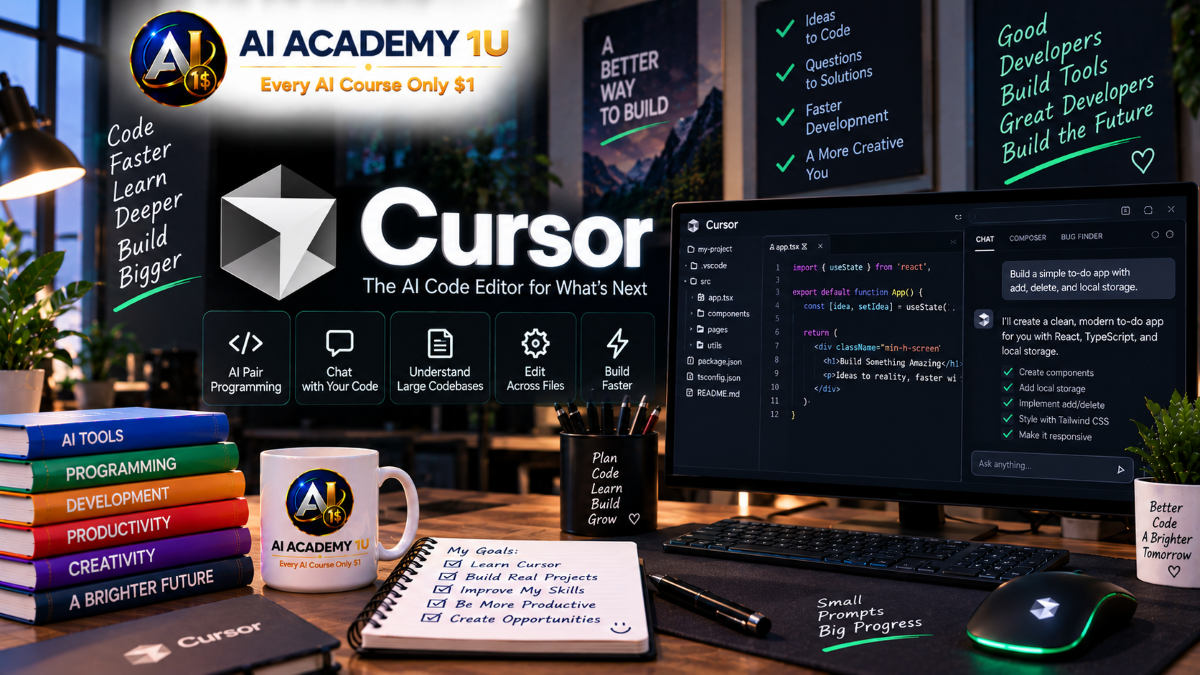
EXPLORE AI LIBRARYCursor AI is an intelligent coding editor for writing, understanding, and improving software. Learn practical skills with AI Academy and discover useful workflows in our AI Library.

Explore all lessons in this catalogue and start learning at your own pace.
▶
1. What Is Cursor? ❌
Discover what Cursor is and how an AI-powered code editor can support software development through code explanation, generation, modification, debugging, and project analysis. AI Academy 1U introduces the platform’s core capabilities and teaches learners to view AI as a development assistant whose suggestions must be understood and reviewed before becoming part of a project.
▶
2. Install and Set Up Cursor ❌
Install Cursor and prepare the initial development environment for practical coding work. AI Academy 1U guides learners through the essential setup process so they can begin working with source code, AI assistance, project files, and development tools in an organized environment.
▶
3. Getting Familiar with the Cursor Interface ❌
Learn how to navigate the Cursor workspace and understand the roles of Explorer, Editor, Terminal, Chat, and other important development areas. AI Academy 1U helps learners build confidence moving between source files, AI conversations, commands, and project resources during everyday coding tasks.
▶
4. Open Your First Project ❌
Open an existing source-code project and begin understanding its files, folders, dependencies, and overall structure. AI Academy 1U teaches learners to inspect a project before making changes so AI-assisted development begins with sufficient context rather than immediate modification of unfamiliar code.
🔒
5. Configure Cursor for Development ❌
Configure Cursor for a more effective development workflow by preparing the settings and environment needed for coding tasks. AI Academy 1U teaches learners to create a workspace that supports efficient navigation, AI assistance, code review, and controlled changes across real software projects.
▶
6. Ask Cursor Questions About Code ❌
Ask focused questions about files, functions, classes, and program logic to understand unfamiliar code more efficiently. AI Academy 1U teaches learners to provide enough technical context for useful answers and verify AI explanations against the actual source code before relying on them.
🔒
7. Explain Existing Code ❌
Use Cursor to analyze and explain code that is difficult to understand, including functions, conditions, dependencies, and execution logic. AI Academy 1U teaches learners to break complex code into understandable parts while confirming that AI explanations accurately reflect the implementation.
🔒
8. Generate Code from Requirements ❌
Turn functional requirements into code by clearly describing the expected behavior, technical environment, constraints, and desired result. AI Academy 1U teaches learners to provide sufficient context so generated code fits the existing project instead of introducing unnecessary or incompatible changes.
🔒
9. Modify Existing Code with AI ❌
Use natural-language instructions to change existing functionality while protecting unrelated parts of the application. AI Academy 1U teaches learners to define the intended scope, inspect proposed modifications, and verify that the requested behavior works without creating unexpected side effects.
🔒
10. Review AI-Generated Code ❌
Evaluate AI-generated code before accepting it into a real project. AI Academy 1U teaches learners to review logic, behavior, edge cases, maintainability, and compatibility so generated code is treated as a proposed implementation rather than automatically trusted output.
▶
11. Write Better Coding Prompts ❌
Write clearer coding prompts that define the task, expected behavior, relevant context, and desired result. AI Academy 1U teaches learners to replace vague requests with actionable technical instructions that help Cursor understand what should be changed and what successful implementation should accomplish.
🔒
12. Add Technical Context ❌
Provide framework, database, architecture, dependencies, existing patterns, and other technical information that Cursor needs before modifying a project. AI Academy 1U teaches learners how better context can improve implementation quality and reduce suggestions that conflict with the existing system.
🔒
13. Define Coding Requirements and Constraints ❌
Specify what Cursor should change, what must remain unchanged, and which technical requirements the implementation must respect. AI Academy 1U teaches learners to establish clear boundaries that protect important project behavior and reduce unintended AI-generated modifications.
🔒
14. Ask Cursor for Step-by-Step Changes ❌
Break large development tasks into smaller, controlled implementation steps that can be reviewed individually. AI Academy 1U teaches learners to reduce risk by planning, implementing, checking, and validating each stage before moving to the next part of a feature.
🔒
15. Build Reusable Coding Prompts ❌
Create reusable prompt patterns for common development activities such as debugging, feature implementation, refactoring, and code review. AI Academy 1U teaches learners to standardize useful instructions while adapting project context and constraints to each specific coding task.
🔒
16. Generate Functions with Cursor ❌
Generate functions from clearly defined business or technical requirements while considering inputs, outputs, validation, and expected behavior. AI Academy 1U teaches learners to review generated logic and confirm that the implementation satisfies the requirement before integrating it into the project.
🔒
17. Generate Classes and Components ❌
Use Cursor to create larger software structures such as classes and reusable components while respecting existing architecture and coding conventions. AI Academy 1U teaches learners to provide structural context and review how newly generated components interact with the rest of the application.
🔒
18. Edit Code with Natural Language ❌
Describe desired code changes in natural language and use Cursor to propose the implementation. AI Academy 1U teaches learners to communicate modifications precisely, inspect the affected code, and verify the resulting behavior instead of accepting changes solely because they were generated successfully.
🔒
19. Make Changes Across Multiple Files ❌
Implement features that require coordinated modifications across multiple files and application layers. AI Academy 1U teaches learners to identify dependencies, control the scope of changes, and review the complete implementation so related files remain consistent.
🔒
20. Refactor Existing Code ❌
Improve the structure, readability, and maintainability of existing code without changing its intended behavior. AI Academy 1U teaches learners to use Cursor for controlled refactoring while comparing behavior before and after changes to reduce the risk of regression.
▶
21. Analyze a Codebase with Cursor ❌
Use Cursor to explore a larger codebase and identify important files, components, dependencies, and application responsibilities. AI Academy 1U teaches learners to begin with project analysis so subsequent AI-assisted development is based on the actual system rather than assumptions.
🔒
22. Understand Project Architecture ❌
Identify the major layers, modules, services, data components, and relationships that form a software application. AI Academy 1U teaches learners to use Cursor as an architectural investigation tool while validating explanations against the project’s actual structure.
🔒
23. Find Where a Feature Is Implemented ❌
Locate the files, functions, classes, and related logic responsible for an existing feature. AI Academy 1U teaches learners to investigate implementation boundaries before requesting changes so modifications target the correct parts of the system.
🔒
24. Trace Code and Data Flow ❌
Follow execution and data flow across controllers, services, databases, APIs, and other application components. AI Academy 1U teaches learners to understand how information moves through a system and identify the potential impact of a change before modifying the implementation.
🔒
25. Onboard to an Existing Project with Cursor ❌
Use Cursor to accelerate the process of understanding a codebase that you have never worked with before. AI Academy 1U teaches a structured onboarding approach that examines architecture, key features, dependencies, data flow, and project conventions before development begins.
▶
26. Debug Errors with Cursor ❌
Use Cursor to analyze an error, investigate relevant code, and develop possible explanations for the failure. AI Academy 1U teaches learners to reproduce the problem and gather useful evidence before making changes so debugging remains focused on the actual cause.
🔒
27. Understand Error Messages ❌
Use Cursor to interpret technical error messages and connect them to the code or configuration responsible for the problem. AI Academy 1U teaches learners to move beyond copying an error into AI by examining context, execution conditions, and relevant source code.
🔒
28. Debug Logic Problems ❌
Investigate situations where software runs without obvious errors but produces incorrect behavior or results. AI Academy 1U teaches learners to trace conditions, values, and execution paths to identify logical defects that may not generate traditional error messages.
🔒
29. Debug Multi-File Problems ❌
Trace failures that cross multiple files, layers, or application components. AI Academy 1U teaches learners to follow dependencies and data flow systematically so fixes address the root cause rather than only the location where the error becomes visible.
🔒
30. Build a Systematic Debugging Workflow ❌
Build a repeatable Error → Reproduce → Analyze → Fix → Test → Verify debugging process. AI Academy 1U teaches learners to use Cursor at each stage while maintaining human control over diagnosis, implementation, and final verification.
▶
31. Build HTML and CSS with Cursor ❌
Use Cursor to create and improve HTML and CSS based on clearly defined interface requirements. AI Academy 1U teaches learners to translate visual and functional requirements into web code while reviewing structure, responsiveness, maintainability, and the final browser result.
🔒
32. Build JavaScript Features ❌
Use Cursor to implement client-side behavior and JavaScript functionality from specific requirements. AI Academy 1U teaches learners to review event handling, state changes, data flow, and edge cases so generated frontend logic behaves correctly in real user interactions.
🔒
33. Build Frontend Components ❌
Create reusable frontend components while considering structure, behavior, inputs, and integration with the surrounding interface. AI Academy 1U teaches learners to use Cursor for component development without losing consistency with the project’s existing frontend patterns.
🔒
34. Build Backend Features ❌
Use Cursor to assist with controllers, services, APIs, and business logic on the server side. AI Academy 1U teaches learners to examine request flow, validation, data access, error handling, and application rules before accepting backend changes.
🔒
35. Build a Full-Stack Feature ❌
Develop a complete feature that connects frontend behavior, backend logic, and database operations. AI Academy 1U teaches learners to coordinate changes across application layers and test the entire workflow rather than validating each file in isolation.
▶
36. Generate SQL with Cursor ❌
Generate SQL queries from clearly defined data requirements and review the resulting statements before execution. AI Academy 1U teaches learners to examine tables, relationships, filtering, joins, and potential data impact so AI-generated SQL is never treated as automatically safe to run.
🔒
37. Understand Database Code ❌
Use Cursor to analyze queries, models, data-access logic, and relationships between application code and the database. AI Academy 1U teaches learners to trace how data is read, modified, and persisted before making changes to database-related functionality.
🔒
38. Design and Build APIs ❌
Use Cursor to support API design and implementation, including endpoints, parameters, requests, responses, validation, and error handling. AI Academy 1U teaches learners to evaluate the complete API contract and verify that generated code integrates correctly with the surrounding application.
🔒
39. Integrate External APIs ❌
Use Cursor to understand API documentation and implement integrations with external systems. AI Academy 1U teaches learners to examine authentication, requests, responses, errors, and data mapping while verifying generated integration code against the actual service requirements.
🔒
40. Debug Database and API Problems ❌
Investigate problems involving queries, data, API requests, responses, and communication between systems. AI Academy 1U teaches learners to trace failures systematically and verify both application behavior and data impact before applying a fix.
🔒
41. Generate Tests with Cursor ❌
Use Cursor to generate tests based on expected behavior, inputs, outputs, and important failure conditions. AI Academy 1U teaches learners to review whether generated tests actually validate the requirement rather than simply confirming the implementation that AI created.
🔒
42. Find Edge Cases ❌
Ask Cursor to identify unusual inputs, boundary conditions, failure scenarios, and overlooked behaviors that may expose software defects. AI Academy 1U teaches learners to convert potential edge cases into practical checks and tests before releasing changes.
🔒
43. Refactor Legacy Code ❌
Improve older code through controlled, incremental refactoring while protecting existing behavior. AI Academy 1U teaches learners to understand dependencies, make limited changes, test frequently, and avoid large AI-generated rewrites that are difficult to verify.
🔒
44. Review Code with Cursor ❌
Use Cursor as an additional code-review assistant to identify potential bugs, weak logic, unnecessary complexity, and maintainability concerns. AI Academy 1U teaches learners to evaluate each observation against the actual requirement and source code before deciding whether a change is necessary.
🔒
45. Improve Code Quality ❌
Improve readability, consistency, structure, and maintainability without introducing unnecessary changes to working software. AI Academy 1U teaches learners to prioritize meaningful quality improvements and verify that refactoring preserves expected application behavior.
▶
46. Understand Cursor Rules ❌
Understand how project rules can guide Cursor toward more consistent behavior when working with a codebase. AI Academy 1U teaches learners to use explicit instructions to communicate development expectations and reduce repeated explanations across coding tasks.
🔒
47. Create Project Coding Rules ❌
Define architecture requirements, naming conventions, coding patterns, and project-specific development standards for Cursor. AI Academy 1U teaches learners to convert important engineering expectations into clear instructions that AI can follow during implementation.
🔒
48. Give Cursor Better Project Context ❌
Provide Cursor with relevant information about architecture, technologies, business requirements, and existing implementation patterns. AI Academy 1U teaches learners to improve AI decisions by supplying the context needed to understand how the project actually works.
🔒
49. Protect Important Project Logic ❌
Define boundaries around sensitive or critical functionality that AI should not modify without explicit instruction. AI Academy 1U teaches learners to identify protected areas and communicate restrictions that reduce unintended changes to important business or system logic.
🔒
50. Build a Team AI Coding Standard ❌
Create a shared standard for how team members use Cursor within the same software project. AI Academy 1U teaches learners to establish consistent practices for prompting, context, review, testing, protected logic, and acceptance of AI-generated changes.
🔒
51. Use Cursor with Git ❌
Understand how Cursor can assist development while Git records and protects changes to the source code. AI Academy 1U teaches learners to combine AI assistance with version control so modifications can be inspected, compared, committed deliberately, and rolled back when necessary.
🔒
52. Review Code Changes Before Commit ❌
Review modified files before creating a Git commit and verify that every change belongs to the intended task. AI Academy 1U teaches learners to detect accidental or unnecessary modifications and confirm that the implementation has been properly reviewed and tested.
🔒
53. Understand Git Diffs with AI ❌
Use Cursor to help explain Git diffs and understand how source code changed between versions. AI Academy 1U teaches learners to examine added, removed, and modified code while maintaining their own responsibility for deciding whether those changes should be accepted.
🔒
54. Work Safely with Branches ❌
Use separate Git branches to isolate features, experiments, and bug fixes from stable code. AI Academy 1U teaches learners to combine branching with AI-assisted development so changes can be reviewed and tested without immediately affecting the primary codebase.
🔒
55. Build an AI-Assisted Git Workflow ❌
Build a controlled Requirement → Branch → Code → Review → Test → Commit workflow for AI-assisted development. AI Academy 1U teaches learners to use version control checkpoints throughout the process so generated changes remain traceable and recoverable.
▶
56. Understand Cursor Agent ❌
Understand how a Cursor Agent can work through multi-step programming tasks that involve analysis, planning, code changes, and development tools. AI Academy 1U teaches learners to distinguish useful delegation from uncontrolled automation and maintain review checkpoints throughout the task.
🔒
57. Give an Agent a Multi-Step Coding Task ❌
Assign a multi-step development task that may require analyzing the project, planning an implementation, and modifying multiple files. AI Academy 1U teaches learners to define the objective, scope, constraints, and completion criteria before allowing an Agent to perform substantial work.
🔒
58. Review and Control Agent Changes ❌
Review source-code changes produced by an Agent before accepting them into the project. AI Academy 1U teaches learners to inspect scope, logic, dependencies, tests, and unintended modifications so autonomous execution never replaces human technical judgment.
🔒
59. Build an Agentic Development Workflow ❌
Build a structured Planning → Implementation → Testing → Debugging → Review workflow for AI Agent-assisted development. AI Academy 1U teaches learners to place human verification points between important stages so complex tasks remain controlled and auditable.
🔒
60. Complete Project: Build Software with Cursor ❌
Complete a software-development project through Requirement → Codebase Analysis → Planning → Implementation → Database/API → Testing → Debugging → Git → Final Review. AI Academy 1U brings the course’s core skills together in a practical project where Cursor accelerates development while the learner remains responsible for architecture, code quality, testing, and final approval.
ChatGPT is an AI assistant for writing, learning, research, problem solving, and creative tasks. Learn practical skills with AI Academy and discover useful workflows in our AI Library.
EXPLORE AI LIBRARYCanva is a design platform for creating graphics, presentations, videos, and social media content. Learn practical design skills with AI Academy and explore creative workflows in our AI Library.
EXPLORE AI LIBRARYCapCut is a video editing platform for creating and enhancing videos with AI-powered tools, effects, captions, and templates. Learn practical skills with AI Academy and explore workflows in our AI Library.
EXPLORE AI LIBRARYGoogle Gemini is Google’s assistant for research, writing, reasoning, images, and productivity. Learn practical skills with AI Academy and discover useful workflows in our AI Library.
EXPLORE AI LIBRARYLearn Google Veo with AI Academy 1U and create cinematic AI videos from text and images using powerful video generation, camera controls, visual storytelling, and creative production techniques.
EXPLORE AI LIBRARYElevenLabs AI is a voice platform for text to speech, narration, and voice creation. Learn practical skills with AI Academy and discover useful workflows in our AI Library.
EXPLORE AI LIBRARYClaude AI is an assistant for writing, document analysis, reasoning, and coding. Learn practical skills with AI Academy and discover useful workflows in our AI Library.
EXPLORE AI LIBRARYVideoGen AI empowers creators to produce engaging videos faster with AI-powered tools. Learn practical workflows, creative techniques, and production strategies with AI Academy 1U to create professional video content efficiently.
EXPLORE AI LIBRARYHeyGen AI is an avatar video platform for presentations, narration, and multilingual communication. Learn practical skills with AI Academy and discover useful workflows in our AI Library.
EXPLORE AI LIBRARYMicrosoft Copilot is Microsoft’s assistant for productivity, writing, research, and workplace tasks. Learn practical skills with AI Academy and discover useful workflows in our AI Library.
EXPLORE AI LIBRARY








