
ChatGPT
ChatGPT is an AI assistant for writing, learning, research, problem solving, and creative tasks. Learn practical skills with AI Academy and discover useful workflows in our AI Library.
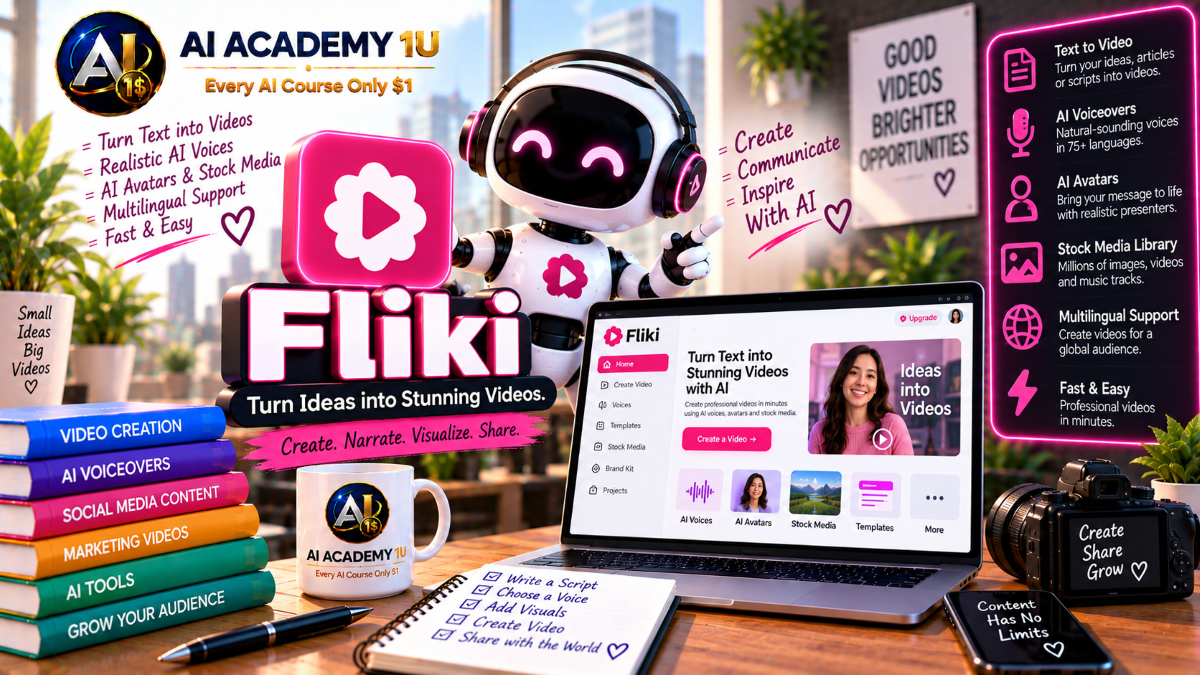
EXPLORE AI LIBRARYMaster Fliki with AI Academy 1U and learn text-to-video creation, realistic AI voice-overs, avatars, stock media, multilingual content, and fast video production for marketing, education, and social media.

Explore all lessons in this catalogue and start learning at your own pace.
▶
1. What Is Fliki? ❌
Discover Fliki with AI Academy 1U as an AI-powered platform for creating video and audio from text, ideas, blogs, PDF or PowerPoint content, and other existing source material for creators, educators, marketers, and businesses.
▶
2. Understand the Fliki Ecosystem ❌
Understand the Fliki ecosystem with AI Academy 1U by exploring Text-to-Video, Idea-to-Video, AI Voice, Avatars, Dubbing, Translation, AI Images, AI Video Models, and social workflows within one integrated production environment.
▶
3. Create and Set Up Your Fliki Account ❌
Create and set up your Fliki account with AI Academy 1U by preparing your account and workspace for the first project. Learn the essential setup required before starting AI-assisted video and audio production.
▶
4. Explore the Fliki Workspace ❌
Explore the Fliki workspace with AI Academy 1U by learning the script area, scenes, voice controls, visuals, captions, music, and project settings. Understand where the main tools fit within the production workflow.
▶
5. Understand the Fliki Production Workflow ❌
Understand the Fliki production workflow with AI Academy 1U using Idea or Content → Script → Scenes → Voice → Visuals → Captions → Music → Branding → Export. Learn how each stage contributes to a complete video.
▶
6. Understand Idea-to-Video ❌
Understand Idea-to-Video in Fliki with AI Academy 1U and learn when starting from a short idea is more efficient than writing a complete script before beginning video production.
▶
7. Generate Your First Video from an Idea ❌
Generate your first video from an idea with Fliki and AI Academy 1U by entering a short topic and allowing AI to create an initial script, scenes, voice, visuals, captions, and draft structure.
🔒
8. Define Tone and Duration ❌
Define tone and duration in Fliki with AI Academy 1U to control how a story is presented and how long the final video should be. Learn how these settings influence structure and pacing.
🔒
9. Improve the AI-Generated Script ❌
Improve an AI-generated script in Fliki with AI Academy 1U by refining the hook, wording, CTA, and scene flow. Learn how script editing strengthens clarity and audience engagement.
🔒
10. Review AI-Selected Visuals ❌
Review AI-selected visuals in Fliki with AI Academy 1U by checking whether each image, stock clip, or generated visual accurately supports the content, intended audience, and message of each scene.
🔒
11. Build a Complete Idea-to-Video Project ❌
Build a complete Idea-to-Video project with Fliki and AI Academy 1U using Idea → Script → Scenes → Voice → Visuals → Captions → Final Output. Apply the full idea-based production workflow.
▶
12. Understand Script-to-Video ❌
Understand Script-to-Video in Fliki with AI Academy 1U and learn how Fliki transforms written scripts into scenes with visuals, narration, captions, music, and a structured video draft.
▶
13. Prepare a Strong Video Script ❌
Prepare a strong video script for Fliki with AI Academy 1U using Hook → Main Content → CTA. Learn how clear structure makes scripts easier to divide into logical scenes.
🔒
14. Split Script into Scenes ❌
Split a script into scenes with Fliki and AI Academy 1U by understanding scene boundaries and pacing. Learn how correct segmentation improves visual timing and narration flow.
🔒
15. Adjust Scene Length ❌
Adjust scene length in Fliki with AI Academy 1U to keep visuals and voiceover synchronized. Learn how timing changes can improve pacing, comprehension, and balance between narration and media.
🔒
16. Replace Weak Scene Visuals ❌
Replace weak scene visuals in Fliki with AI Academy 1U by choosing stronger stock media, AI-generated images, or AI video clips that better match the content and intended message.
🔒
17. Build a Complete Script-to-Video Production ❌
Build a complete Script-to-Video production with Fliki and AI Academy 1U by transforming a longer script into scenes, narration, visuals, captions, music, and a polished final video.
▶
18. Understand Blog-to-Video ❌
Understand Blog-to-Video in Fliki with AI Academy 1U and learn how long-form written articles can be summarized and transformed into shorter video scripts suitable for scene-based production.
▶
19. Convert a Blog URL into Video ❌
Convert a blog URL into video with Fliki and AI Academy 1U by pasting a webpage link and allowing Fliki to extract content and build an initial video draft automatically.
🔒
20. Review Extracted Key Points ❌
Review extracted key points in Fliki with AI Academy 1U by identifying which ideas from a blog or source document are important enough to remain in the final video.
🔒
21. Rewrite Blog Language for Voiceover ❌
Rewrite blog language for voiceover in Fliki with AI Academy 1U by converting written-style content into natural spoken narration that sounds clearer and more conversational when delivered by voice.
🔒
22. Convert PPT to Video ❌
Convert PowerPoint content into video with Fliki and AI Academy 1U by using slide content as the source for training, presenter, educational, or business video production.
🔒
23. Convert PDF Content to Video ❌
Convert PDF content into video with Fliki and AI Academy 1U by transforming reports, guides, or educational material into scripts, scenes, visuals, and narrated video content.
🔒
24. Project: Repurpose One Article into Multiple Videos ❌
Repurpose one article into multiple videos with Fliki and AI Academy 1U by creating a long-form video, shorter version, and social media variation from the same source content.
▶
25. Understand Fliki AI Voiceover ❌
Understand Fliki AI Voiceover with AI Academy 1U by exploring its voice library, languages, dialects, and provider options. Learn how different synthetic voices can support different content types.
▶
26. Choose the Right AI Voice ❌
Choose the right AI voice in Fliki with AI Academy 1U by evaluating language, gender, age, accent, and tone to match the intended audience, content style, and presentation goal.
🔒
27. Control Pace ❌
Control voice pace in Fliki with AI Academy 1U by adjusting speech speed to match content type, audience expectations, and scene timing while maintaining clarity and natural delivery.
🔒
28. Control Pitch and Pauses ❌
Control pitch and pauses in Fliki with AI Academy 1U to create more natural and expressive narration. Learn how vocal timing and pitch adjustments influence listening quality.
🔒
29. Use Emotional Voice Styles ❌
Use emotional voice styles in Fliki with AI Academy 1U by selecting delivery modes such as calm, cheerful, news, customer service, or whispering to better match the intended message.
🔒
30. Use Different Voices Across Scenes ❌
Use different voices across scenes in Fliki with AI Academy 1U to create dialogue, multiple narrators, or character-based presentations within one video while maintaining clear scene structure.
🔒
31. Build a Professional Voiceover Project ❌
Build a professional voiceover project with Fliki and AI Academy 1U using Script → Voice Selection → Voice Tuning → Final Audio or Video. Apply a complete narration production workflow.
▶
32. Understand Fliki Voice Cloning ❌
Understand Fliki Voice Cloning with AI Academy 1U and learn the difference between a custom cloned voice and a stock AI voice, including how cloned identity can support personalized content.
▶
33. Prepare a Clean Voice Sample ❌
Prepare a clean voice sample for Fliki with AI Academy 1U by recording clear speech with minimal background noise and a single speaker. Learn how sample quality affects cloning results.
🔒
34. Create Your First Voice Clone ❌
Create your first voice clone with Fliki and AI Academy 1U by submitting a suitable voice sample and applying the generated cloned voice inside a project for narration.
🔒
35. Test Voice Clone Quality ❌
Test voice clone quality in Fliki with AI Academy 1U by reviewing similarity, pronunciation, pacing, and overall naturalness. Learn how to identify weaknesses before using a clone widely.
🔒
36. Use Your Clone Across Languages ❌
Use your voice clone across languages with Fliki and AI Academy 1U to maintain a consistent voice identity while creating localized content for different audiences and language markets.
🔒
37. Responsible Voice Cloning ❌
Practice responsible voice cloning with Fliki and AI Academy 1U by understanding consent, authorization, and appropriate usage rights before cloning or publishing content using another person’s voice identity.
▶
38. Understand Fliki AI Avatars ❌
Understand Fliki AI Avatars with AI Academy 1U and learn how virtual presenters can support training, sales, educational, and explainer videos without requiring traditional on-camera recording.
▶
39. Add an Avatar to a Video ❌
Add an avatar to a Fliki video with AI Academy 1U by selecting a presenter and synchronizing it with a chosen voice to create a consistent AI-presented scene.
🔒
40. Create a Talking Photo ❌
Create a Talking Photo with Fliki and AI Academy 1U by transforming a still image into a speaking presenter synchronized with generated or recorded narration.
🔒
41. Create Your AI Twin ❌
Create your AI Twin with Fliki and AI Academy 1U by combining a digital likeness with cloned voice technology to build a reusable AI version of yourself for content production.
🔒
42. Build an AI Presenter Video ❌
Build an AI presenter video with Fliki and AI Academy 1U using Script → Avatar or AI Twin → Voice → Visuals → Captions. Apply the complete AI presenter production workflow.
▶
43. Understand AI Visual Generation in Fliki ❌
Understand AI visual generation in Fliki with AI Academy 1U and learn how generated images and video differ from traditional stock media when building custom scene visuals.
▶
44. Generate AI Images ❌
Generate AI images in Fliki with AI Academy 1U by creating custom visuals directly for individual scenes. Learn how prompt-generated imagery can replace generic stock media when needed.
🔒
45. Generate AI Video Clips ❌
Generate AI video clips in Fliki with AI Academy 1U by using integrated video models to create moving visuals that match specific scenes, concepts, or creative directions.
🔒
46. Compare Video Models ❌
Compare video models in Fliki with AI Academy 1U by evaluating realism, motion quality, generation speed, and visual style to choose the most appropriate model for each scene.
🔒
47. Use Image-to-Video ❌
Use Image-to-Video in Fliki with AI Academy 1U to animate an existing image into a moving clip. Learn how static visual assets can become dynamic scene content.
🔒
48. Combine Stock and Generative Media ❌
Combine stock and generative media in Fliki with AI Academy 1U by using stock footage when appropriate and AI-generated visuals when a scene requires more specific or original imagery.
🔒
49. Build a Fully AI-Generated Visual Story ❌
Build a fully AI-generated visual story with Fliki and AI Academy 1U by creating the scene visuals through AI image and video generation rather than relying mainly on stock assets.
▶
50. Understand Auto Captions ❌
Understand Auto Captions in Fliki with AI Academy 1U and learn how generated captions are synchronized with voice narration to improve readability, accessibility, and viewer comprehension.
▶
51. Style Captions ❌
Style captions in Fliki with AI Academy 1U by adjusting font, color, position, and animation. Learn how caption design affects readability and visual consistency across scenes.
🔒
52. Create Multilingual Captions ❌
Create multilingual captions with Fliki and AI Academy 1U by producing subtitle versions for different languages and audiences while maintaining consistency with the original video.
🔒
53. Resize for TikTok, Reels and Shorts ❌
Resize Fliki videos for TikTok, Instagram Reels, and YouTube Shorts with AI Academy 1U by creating vertical social versions without rebuilding the project from the beginning.
🔒
54. Build a Social-First Video ❌
Build a social-first video with Fliki and AI Academy 1U using Hook → Narration → Captions → Visual Pacing → Export. Apply a workflow optimized for short-form social content.
▶
55. Understand Translation vs Dubbing ❌
Understand translation versus dubbing in Fliki with AI Academy 1U by comparing subtitle translation, translated voiceover, and lip-sync dubbing and learning when each method is appropriate.
▶
56. Translate a Fliki Video ❌
Translate a Fliki video with AI Academy 1U by creating a new language version from an existing project while preserving the source structure and adapting text and narration.
🔒
57. Create an AI Dub ❌
Create an AI dub in Fliki with AI Academy 1U by replacing the original narration with generated speech in another language while maintaining the overall message and presentation.
🔒
58. Use Lip-Synced Dubbing ❌
Use lip-synced dubbing in Fliki with AI Academy 1U by synchronizing mouth movement with translated narration to produce a more visually consistent multilingual presenter experience.
🔒
59. Localize Voice, Text and Visuals ❌
Localize voice, text, and visuals in Fliki with AI Academy 1U by adapting captions, examples, narration, and visual context instead of translating only the spoken words.
🔒
60. Build a Multilingual Video Campaign ❌
Build a multilingual video campaign with Fliki and AI Academy 1U by transforming one source video into multiple localized language versions for distribution across different audience markets.
▶
61. Add Background Music ❌
Add background music in Fliki with AI Academy 1U by selecting a track that supports the content, narration, pacing, and mood without distracting from the main message.
🔒
62. Use AI-Generated Music ❌
Use AI-generated music in Fliki with AI Academy 1U to create custom audio that matches a scene, mood, or creative direction instead of relying only on existing tracks.
🔒
63. Create a Brand Kit ❌
Create a Brand Kit in Fliki with AI Academy 1U by storing brand colors, fonts, logos, and watermarks so multiple videos can maintain a consistent visual identity.
🔒
64. Use Templates Efficiently ❌
Use templates efficiently in Fliki with AI Academy 1U to standardize social, educational, and marketing video formats and reduce repetitive production work across multiple projects.
🔒
65. Collaborate with a Team ❌
Collaborate with a team in Fliki with AI Academy 1U by using shared workspaces, shared assets, and version history to support organized multi-user content production.
▶
66. Export Video for Different Platforms ❌
Export video for different platforms with Fliki and AI Academy 1U by choosing appropriate MP4 settings, resolution, and aspect ratio for the intended destination and viewing experience.
🔒
67. Publish and Schedule Social Content ❌
Publish and schedule social content with Fliki and AI Academy 1U by connecting platforms such as YouTube, TikTok, Instagram, LinkedIn, or Facebook and managing distribution from one workflow.
ChatGPT is an AI assistant for writing, learning, research, problem solving, and creative tasks. Learn practical skills with AI Academy and discover useful workflows in our AI Library.
EXPLORE AI LIBRARYCanva is a design platform for creating graphics, presentations, videos, and social media content. Learn practical design skills with AI Academy and explore creative workflows in our AI Library.
EXPLORE AI LIBRARYCapCut is a video editing platform for creating and enhancing videos with AI-powered tools, effects, captions, and templates. Learn practical skills with AI Academy and explore workflows in our AI Library.
EXPLORE AI LIBRARYGoogle Gemini is Google’s assistant for research, writing, reasoning, images, and productivity. Learn practical skills with AI Academy and discover useful workflows in our AI Library.
EXPLORE AI LIBRARYLearn Google Veo with AI Academy 1U and create cinematic AI videos from text and images using powerful video generation, camera controls, visual storytelling, and creative production techniques.
EXPLORE AI LIBRARYElevenLabs AI is a voice platform for text to speech, narration, and voice creation. Learn practical skills with AI Academy and discover useful workflows in our AI Library.
EXPLORE AI LIBRARYClaude AI is an assistant for writing, document analysis, reasoning, and coding. Learn practical skills with AI Academy and discover useful workflows in our AI Library.
EXPLORE AI LIBRARYVideoGen AI empowers creators to produce engaging videos faster with AI-powered tools. Learn practical workflows, creative techniques, and production strategies with AI Academy 1U to create professional video content efficiently.
EXPLORE AI LIBRARYHeyGen AI is an avatar video platform for presentations, narration, and multilingual communication. Learn practical skills with AI Academy and discover useful workflows in our AI Library.
EXPLORE AI LIBRARYMicrosoft Copilot is Microsoft’s assistant for productivity, writing, research, and workplace tasks. Learn practical skills with AI Academy and discover useful workflows in our AI Library.
EXPLORE AI LIBRARY








