

ChatGPT
ChatGPT is an AI assistant for writing, learning, research, problem solving, and creative tasks. Learn practical skills with AI Academy and discover useful workflows in our AI Library.
EXPLORE AI LIBRARYGoogle Gemini is Google’s assistant for research, writing, reasoning, images, and productivity. Learn practical skills with AI Academy and discover useful workflows in our AI Library.

Explore all lessons in this catalogue and start learning at your own pace.
▶
1. What Is Google Gemini? ❌
Discover Google Gemini, its main capabilities, and how it fits into Google’s AI ecosystem. AI Academy 1U introduces the essential concepts beginners need before using Gemini for learning, research, productivity, content creation, business, and technical work.
▶
2. Get Started with Gemini ❌
Learn how to access Gemini and begin using its core features. AI Academy 1U guides you through the first steps so you can establish a practical working environment and start communicating effectively with Gemini.
▶
3. Getting Familiar with the Gemini Interface ❌
Explore the Gemini interface and learn where its main tools and conversation features are located. AI Academy 1U helps you understand the workspace so you can navigate Gemini confidently and organize your AI-assisted work more efficiently.
▶
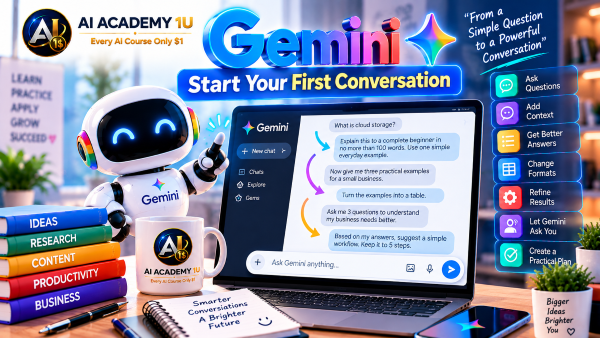
4. Start Your First Conversation ❌
Learn how to begin a useful conversation with Gemini and improve results through follow-up instructions. AI Academy 1U demonstrates how clear requests and additional context can progressively guide Gemini toward more relevant and useful responses.
▶
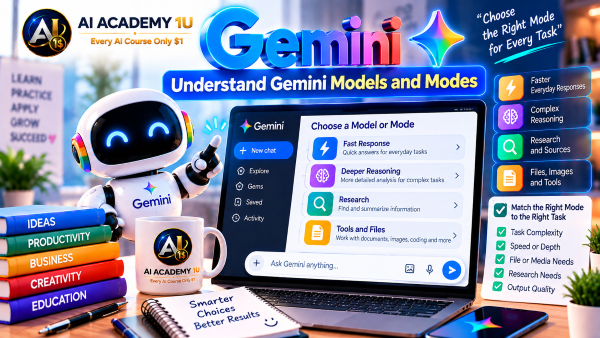
5. Understand Gemini Models and Modes ❌
Understand the different Gemini models and working modes and how they relate to different types of tasks. AI Academy 1U helps you consider the capabilities required for a task so you can choose an appropriate way to work with Gemini.
🔒
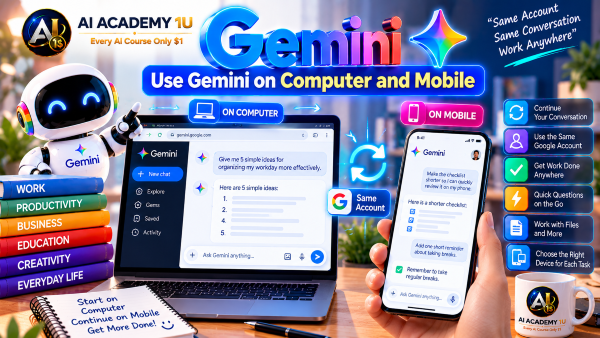
6. Use Gemini on Computer and Mobile ❌
Learn how to access and use Gemini across computer and mobile devices. AI Academy 1U shows how Gemini can support a flexible workflow so your conversations and AI-assisted tasks can continue across different devices.
🔒
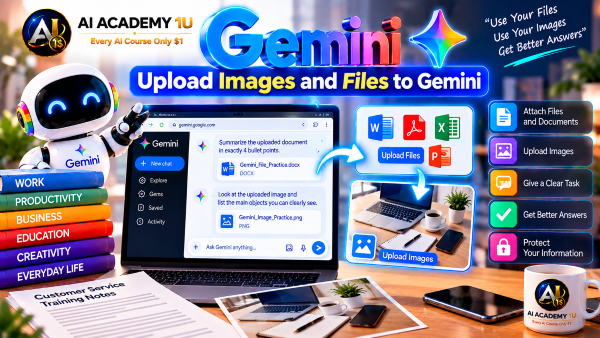
7. Upload Images and Files to Gemini ❌
Learn how to provide Gemini with images, documents, and other files as additional context. AI Academy 1U shows how uploaded materials can be examined, summarized, questioned, and transformed into useful information for practical tasks.
🔒
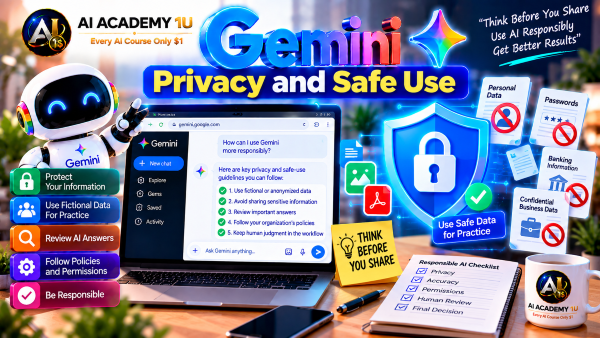
8. Gemini Privacy and Safe Use ❌
Understand important privacy and safety considerations when working with Gemini. AI Academy 1U explains how to handle sensitive information responsibly and make better decisions about what information should or should not be provided to an AI system.
▶
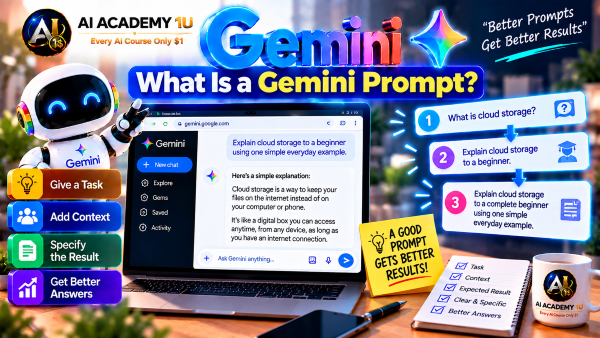
9. What Is a Gemini Prompt? ❌
Understand how a prompt communicates your task, context, and expectations to Gemini. AI Academy 1U introduces the basic structure of effective prompting so you can move beyond simple questions and begin directing Gemini more intentionally.
▶
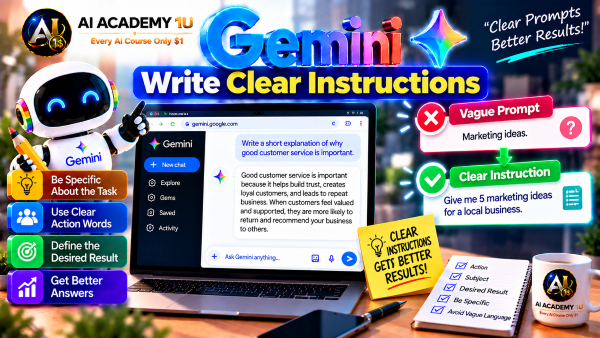
10. Write Clear Instructions ❌
Learn how to tell Gemini exactly what you want it to do. AI Academy 1U demonstrates how specific instructions reduce ambiguity and help Gemini produce responses that better match your objective, audience, and intended use.
🔒
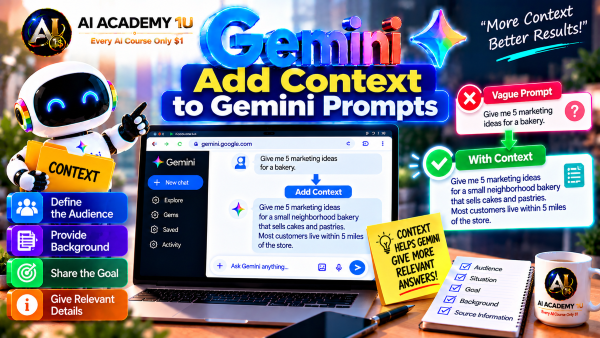
11. Add Context to Gemini Prompts ❌
Provide Gemini with the background information it needs to understand a task properly. AI Academy 1U shows how relevant context about the situation, audience, objective, and source information can significantly improve the usefulness of a response.
🔒
12. Use Roles in Gemini Prompts ❌
Assign Gemini a useful professional or functional role for a particular task. AI Academy 1U demonstrates how role-based prompting can establish perspective and help organize responses around the expertise or working context you need.
🔒
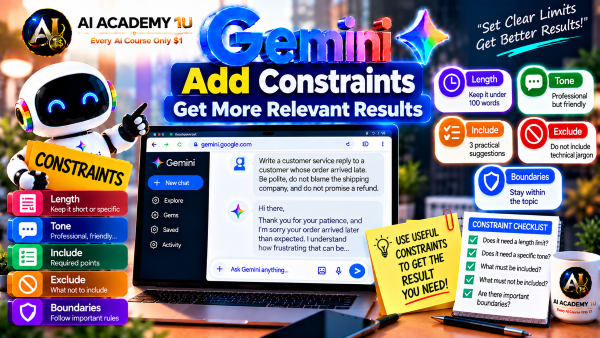
13. Add Constraints ❌
Define boundaries such as length, tone, scope, requirements, and information Gemini should avoid. AI Academy 1U shows how constraints give you greater control over generated content and keep the response aligned with the intended task.
🔒
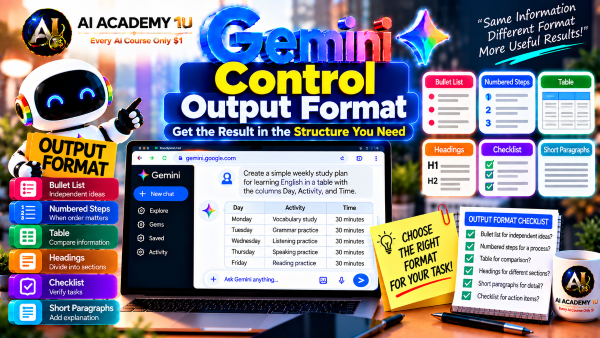
14. Control Output Format ❌
Tell Gemini exactly how the final response should be structured, such as a table, report, checklist, outline, or another defined format. AI Academy 1U demonstrates how output requirements make generated information easier to review and use.
🔒
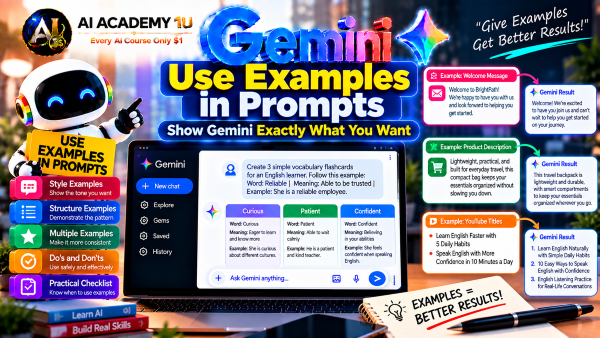
15. Use Examples in Prompts ❌
Give Gemini examples that demonstrate the style, structure, or type of result you expect. AI Academy 1U explains how examples provide a clearer reference and can reduce misunderstandings about the requested output.
🔒
16. Create Reusable Prompt Templates ❌
Build standardized Gemini prompts for tasks you perform repeatedly. AI Academy 1U shows how reusable templates preserve important instructions, context, and formatting requirements while reducing the time required to recreate the same workflow.
🔒
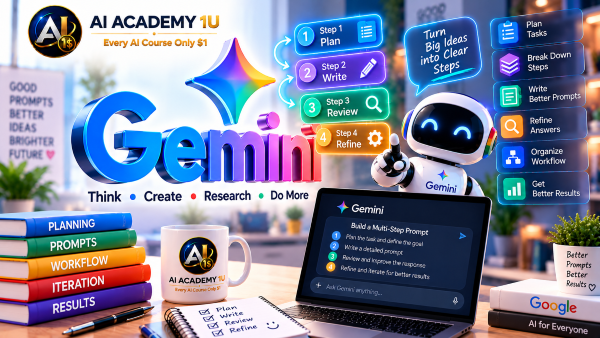
17. Build Multi-Step Prompts ❌
Break complex work into a sequence of manageable prompting stages. AI Academy 1U demonstrates how multi-step prompting makes larger tasks easier to organize, review, refine, and control.
▶
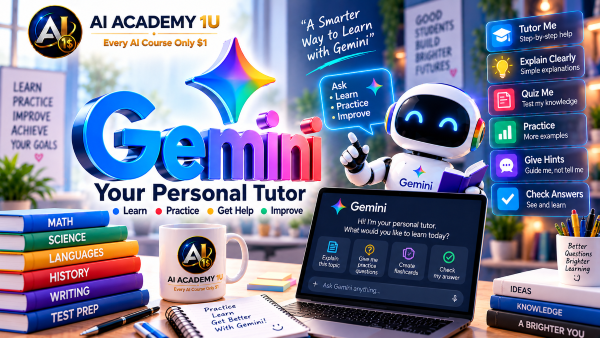
18. Use Gemini as a Personal Tutor ❌
Use Gemini as an interactive tutor that can adapt explanations and practice to your learning needs. AI Academy 1U demonstrates how to provide your level, goals, and study material so Gemini can support a more personalized learning experience.
🔒
19. Explain Difficult Topics Simply ❌
Ask Gemini to break complicated subjects into smaller and easier concepts. AI Academy 1U shows how to adjust explanations to the learner’s current level and use follow-up questions to progressively develop understanding.
🔒
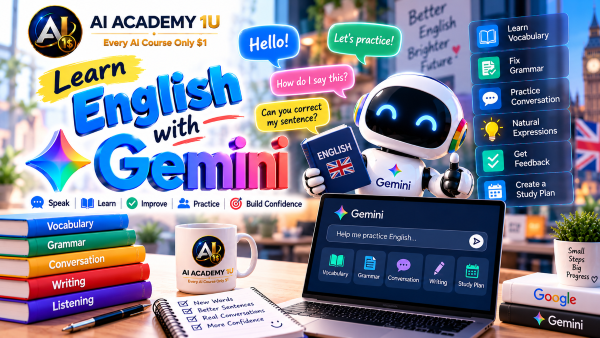
20. Learn English with Gemini ❌
Use Gemini to support vocabulary, grammar, reading, writing, and other English-learning activities. AI Academy 1U demonstrates how to create practice suited to your current English level and specific learning goals.
🔒
21. Practice Conversations with Gemini ❌
Practice realistic conversations with Gemini in different situations. AI Academy 1U shows how role-play can help learners develop vocabulary, sentence formation, comprehension, and confidence through interactive practice.
🔒
22. Summarize Study Materials ❌
Turn lengthy learning materials into concise summaries containing the most important ideas. AI Academy 1U demonstrates how Gemini can organize key information into a format that is easier to understand and review.
🔒
23. Create Flashcards with Gemini ❌
Transform important concepts from study material into useful question-and-answer flashcards. AI Academy 1U shows how Gemini can create structured recall exercises for repeated review and learning reinforcement.
🔒
24. Create Quizzes and Practice Tests ❌
Generate quizzes and practice tests based on the material you are studying. AI Academy 1U demonstrates how Gemini can create questions and explanations that help identify what you understand and which topics require additional review.
🔒
25. Build a Personal Study Plan ❌
Create a structured learning plan based on your goal, current level, available time, and study priorities. AI Academy 1U shows how Gemini can divide a larger learning objective into manageable topics and activities.
▶
26. Write Professional Emails ❌
Draft and improve professional workplace emails based on the recipient, purpose, context, and desired action. AI Academy 1U shows how Gemini can help create clear business communication while maintaining an appropriate professional tone.
🔒
27. Create Reports ❌
Develop a report from an initial outline through organized sections and a complete draft. AI Academy 1U demonstrates how Gemini can structure information, connect supporting points, and refine the result into a professional report.
🔒
28. Create Business Documents ❌
Create memos, proposals, notices, and other business documents from clear requirements and source information. AI Academy 1U shows how Gemini can organize workplace content into documents that are easier to review and use.
🔒
29. Create Meeting Agendas ❌
Prepare a meeting agenda by defining the meeting objective, discussion topics, priorities, and expected outcomes. AI Academy 1U demonstrates how Gemini can turn scattered meeting needs into a clear structure for participants.
🔒
30. Summarize Meetings ❌
Transform meeting notes or transcripts into concise summaries, decisions, and action items. AI Academy 1U shows how Gemini can separate important outcomes from general discussion so follow-up work is easier to manage.
🔒
31. Create Work Plans ❌
Turn a larger objective into specific tasks, priorities, responsibilities, and a practical timeline. AI Academy 1U demonstrates how Gemini can help organize a work plan that makes progress and next actions easier to track.
🔒
32. Build a Google Workspace AI Workflow ❌
Connect Gemini with Google Workspace tasks in a practical office workflow. AI Academy 1U shows how information can move through email, documents, planning, and other Google tools as part of one organized process.
▶
33. Use Gemini in Gmail ❌
Understand how Gemini can assist directly with everyday Gmail work. AI Academy 1U introduces practical ways to read, summarize, draft, and respond to email while keeping the purpose and context of each conversation clear.
🔒
34. Summarize Long Emails ❌
Reduce a long email to the decisions, requests, deadlines, and other information that requires attention. AI Academy 1U shows how Gemini can help users understand lengthy messages quickly without losing important details.
🔒
35. Summarize Email Threads ❌
Summarize an email thread containing multiple messages and participants. AI Academy 1U demonstrates how Gemini can identify the main discussion, key decisions, unresolved questions, and latest actions across a longer conversation.
🔒
36. Draft Emails with Gemini ❌
Create a complete email draft from a short request, notes, or key points. AI Academy 1U shows how Gemini can develop the message structure, tone, and wording while preserving the actual purpose of the communication.
🔒
37. Rewrite and Improve Emails ❌
Rewrite an existing email to improve clarity, tone, length, and professional presentation. AI Academy 1U demonstrates how Gemini can refine a message without changing the meaning or action the sender intends.
🔒
38. Find Information in Email ❌
Locate specific facts, dates, requests, or other important information within email content. AI Academy 1U shows how Gemini can help reduce manual searching when the user needs a focused answer from existing messages.
🔒
39. Create Email Replies ❌
Create a relevant reply based on the content and context of an email conversation. AI Academy 1U demonstrates how Gemini can help address the sender’s questions, preserve the appropriate tone, and clearly communicate the next step.
🔒
40. Build an AI Email Workflow ❌
Build a complete AI-assisted email process from finding and reading messages through summarizing, drafting, checking, and replying. AI Academy 1U combines individual Gmail skills into a repeatable workflow for efficient communication.
▶
41. Use Gemini in Google Docs ❌
Understand how Gemini can support writing and document work inside Google Docs. AI Academy 1U introduces the core AI-assisted document tasks that help users move from an initial idea toward clearer and more polished content.
🔒
42. Draft Documents with Gemini ❌
Create an initial document draft from a topic, objective, audience, and supporting information. AI Academy 1U shows how Gemini can turn a starting idea into organized content that is ready for review and refinement.
🔒
43. Rewrite Existing Documents ❌
Improve an existing document without manually rewriting every section. AI Academy 1U demonstrates how Gemini can clarify wording, reorganize ideas, and strengthen readability while preserving the document’s intended meaning.
🔒
44. Summarize Documents ❌
Turn a long document into a shorter summary containing its most important ideas and conclusions. AI Academy 1U shows how Gemini can help users review large amounts of written material more efficiently.
🔒
45. Change Tone and Writing Style ❌
Adapt document content to a professional, friendly, persuasive, or other appropriate writing style. AI Academy 1U demonstrates how Gemini can change tone and presentation while preserving the underlying message.
🔒
46. Expand and Shorten Content ❌
Adjust the length of existing content by adding useful detail or removing unnecessary material. AI Academy 1U shows how Gemini can expand or shorten a document while keeping its purpose and central ideas intact.
🔒
47. Turn Notes into Professional Documents ❌
Transform rough notes and disconnected ideas into a structured professional document. AI Academy 1U demonstrates how Gemini can organize information into logical sections and develop clearer transitions between related points.
🔒
48. Build a Complete Document Workflow ❌
Combine ideation, drafting, rewriting, summarizing, and final refinement into one document-production process. AI Academy 1U develops a complete Gemini workflow for turning source material into a finished professional document.
▶
49. Use Gemini in Google Sheets ❌
Understand how Gemini can assist with spreadsheet work in Google Sheets. AI Academy 1U introduces practical ways to interpret data, work with formulas, organize information, analyze patterns, and communicate results.
🔒
50. Understand Spreadsheet Data with Gemini ❌
Ask Gemini to explain spreadsheet data in clear language and identify what the values represent. AI Academy 1U shows how AI can make unfamiliar tables easier to understand before deeper analysis begins.
🔒
51. Create and Explain Formulas ❌
Create spreadsheet formulas from a described requirement and ask Gemini to explain how those formulas work. AI Academy 1U demonstrates how this approach can support both faster formula creation and better understanding of spreadsheet logic.
🔒
52. Organize Spreadsheet Data ❌
Organize spreadsheet data into a clearer and more consistent structure. AI Academy 1U shows how Gemini can help identify useful columns, categories, and arrangements that make later analysis easier to perform.
🔒
53. Clean Spreadsheet Data ❌
Identify missing, incorrect, duplicated, or inconsistent spreadsheet data that may affect analysis. AI Academy 1U demonstrates how Gemini can support a systematic data-cleaning process before conclusions are drawn.
🔒
54. Analyze Data with Gemini ❌
Analyze spreadsheet data to identify trends, patterns, relationships, and useful insights. AI Academy 1U shows how Gemini can help turn rows and columns into observations that support further investigation and decision-making.
🔒
55. Ask Questions About Your Data ❌
Use natural-language questions to explore information contained in spreadsheet data. AI Academy 1U demonstrates how clearly framed questions can help users find relevant values and understand what the dataset can reveal.
🔒
56. Create Charts and Insights ❌
Turn spreadsheet findings into charts and concise insights that are easier to communicate. AI Academy 1U shows how Gemini can help connect visual presentation with the underlying message supported by the data.
🔒
57. Build a Complete Data Analysis Workflow ❌
Build a complete data-analysis process from organizing and cleaning data through analysis, insights, charts, and reporting. AI Academy 1U combines the major Gemini Sheets skills into one structured workflow.
▶
58. Use Gemini for Presentations ❌
Understand how Gemini can support the presentation-development process. AI Academy 1U introduces how AI can assist with research, organization, slide content, refinement, and preparation for presenting.
🔒
59. Create a Presentation Outline ❌
Turn a topic into a logical presentation structure before creating individual slides. AI Academy 1U shows how Gemini can organize major sections and supporting ideas so the presentation develops in a clear sequence.
🔒
60. Generate Slide Content ❌
Create titles, bullet points, and supporting content for individual presentation slides. AI Academy 1U demonstrates how Gemini can convert an outline into concise slide material while keeping each slide focused on a clear purpose.
🔒
61. Turn Documents into Presentations ❌
Transform information from a longer document into presentation-ready content. AI Academy 1U shows how Gemini can identify key ideas and reorganize them into a shorter visual structure suitable for slides.
🔒
62. Improve Presentation Content ❌
Refine existing slide content so it becomes clearer, shorter, and more persuasive. AI Academy 1U demonstrates how Gemini can reduce unnecessary text and strengthen the main message without losing essential information.
🔒
63. Create Speaker Notes ❌
Develop speaker notes that support the information displayed on each slide. AI Academy 1U shows how Gemini can expand concise slide content into useful talking points that help the presenter explain ideas naturally.
🔒
64. Build a Complete AI Presentation ❌
Combine research, outlining, slide development, content refinement, and speaker notes into one presentation workflow. AI Academy 1U demonstrates how Gemini can support the process from an initial topic to a presentation ready for final review.
▶
65. Use Gemini with Google Drive ❌
Understand how Gemini can assist with information and documents stored in Google Drive. AI Academy 1U introduces practical ways to work with Drive content without manually opening and reading every file individually.
🔒
66. Find Information in Drive ❌
Locate specific information contained across documents in Google Drive. AI Academy 1U shows how focused questions can help identify relevant content more efficiently when information is distributed among multiple files.
🔒
67. Summarize Files in Drive ❌
Create concise summaries of files stored in Google Drive. AI Academy 1U demonstrates how Gemini can help users understand the important content of longer documents before deciding where deeper review is needed.
🔒
68. Ask Questions About Your Files ❌
Ask natural-language questions about information contained in Drive files. AI Academy 1U shows how document-based questioning can help retrieve relevant facts and ideas without relying only on manual searching.
🔒
69. Compare Multiple Documents ❌
Compare several Drive documents to identify important similarities, differences, and relationships. AI Academy 1U demonstrates how Gemini can organize information across files so users can evaluate sources together.
🔒
70. Combine Information from Multiple Files ❌
Bring relevant information from multiple Drive files together into one organized result. AI Academy 1U shows how Gemini can synthesize distributed source material into a more useful summary, report, or working document.
🔒
71. Build a Drive Research Workflow ❌
Create a complete Drive workflow for finding files, reading content, comparing sources, combining information, and producing a final result. AI Academy 1U connects individual Drive capabilities into a structured research process.
▶
72. Research with Gemini ❌
Use Gemini to begin investigating a topic and organize the initial research direction. AI Academy 1U shows how a clear question and defined information needs create a stronger foundation than simply requesting a broad answer.
🔒
73. Ask Better Research Questions ❌
Break a broad problem into specific questions that can be researched more effectively. AI Academy 1U demonstrates how well-defined questions help focus the investigation and reduce the collection of unrelated information.
🔒
74. Search and Collect Information ❌
Identify the information needed for a research question and organize the material collected during the investigation. AI Academy 1U shows how a structured collection process creates a stronger foundation for later comparison and analysis.
🔒
75. Compare Multiple Sources ❌
Compare information from several sources to identify agreement, differences, and important relationships. AI Academy 1U demonstrates how source comparison can reveal areas that require additional investigation.
🔒
76. Verify Information and Sources ❌
Evaluate information and its supporting sources before relying on it. AI Academy 1U shows how checking evidence, consistency, and source quality can reduce the risk of using unsupported or misleading information.
🔒
77. Use Gemini Deep Research ❌
Use Gemini Deep Research for a complex topic that requires a multi-step investigation. AI Academy 1U demonstrates how deeper research can organize questions, sources, evidence, and findings into a more systematic process.
🔒
78. Analyze Deep Research Results ❌
Review and interpret the results produced by Gemini Deep Research. AI Academy 1U shows how to examine findings, supporting information, limitations, and areas requiring further verification instead of accepting a research report without review.
🔒
79. Turn Research into a Report ❌
Organize research sources, findings, and conclusions into a structured report. AI Academy 1U demonstrates how Gemini can help transform collected evidence into a document that clearly communicates the research process and its important results.
🔒
80. Build a Complete Deep Research Workflow ❌
Combine research questions, planning, information collection, source comparison, verification, analysis, and reporting into one workflow. AI Academy 1U develops a complete process for conducting and reviewing deeper research with Gemini.
▶
81. Create Your First AI Image with Gemini ❌
Create an AI-generated image from a text description using Gemini. AI Academy 1U introduces the basic relationship between the words in an image prompt and the visual result so beginners can start creating images intentionally.
🔒
82. Write Better Image Prompts ❌
Describe the subject, environment, lighting, composition, and visual style more precisely. AI Academy 1U shows how these prompt elements work together to give Gemini clearer creative direction for image generation.
🔒
83. Create Photorealistic Images ❌
Generate people, products, and environments with a photographic appearance. AI Academy 1U demonstrates how realistic lighting, materials, camera language, and scene details can help guide Gemini toward more believable visual results.
🔒
84. Create Different Image Styles ❌
Explore illustration, 3D, and other visual styles with Gemini. AI Academy 1U shows how changing style instructions can transform the appearance of the same concept and help creators select a visual direction appropriate for their project.
🔒
85. Control Composition and Camera ❌
Direct framing, camera angle, subject placement, and composition within an AI-generated image. AI Academy 1U demonstrates how visual direction can provide greater control over where attention is focused in the final image.
🔒
86. Edit Images with Gemini ❌
Modify elements of an existing image using natural-language instructions. AI Academy 1U shows how Gemini can support targeted visual changes while allowing the creator to review whether the edited result preserves the intended composition and message.
🔒
87. Create YouTube and Social Media Images ❌
Generate visuals for YouTube thumbnails and social media content. AI Academy 1U demonstrates how image prompts can be designed around platform purpose, composition, subject emphasis, and space for supporting text or branding.
🔒
88. Create Marketing and Product Images ❌
Develop AI-generated visual concepts for products, advertising, and commercial content. AI Academy 1U shows how product details, audience, setting, composition, and campaign purpose can guide more useful marketing imagery.
▶
89. Generate YouTube Video Ideas ❌
Generate video ideas that match a YouTube channel’s topic, audience, and content direction. AI Academy 1U shows how providing channel context helps Gemini develop ideas that are more relevant than generic lists of unrelated topics.
🔒
90. Research YouTube Topics ❌
Research a video topic before beginning production. AI Academy 1U demonstrates how Gemini can help organize questions and supporting information so the creator develops a stronger knowledge foundation before outlining or scripting.
🔒
91. Create Video Outlines ❌
Organize research and ideas into a clear video structure. AI Academy 1U shows how Gemini can arrange the hook, major sections, supporting points, and progression of information before a complete script is written.
🔒
92. Write YouTube Scripts ❌
Develop a YouTube script containing a hook, introduction, main content, call to action, and conclusion. AI Academy 1U demonstrates how Gemini can turn research and an outline into a structured script designed around the intended viewer.
🔒
93. Create YouTube Titles ❌
Generate multiple title options for the same YouTube video. AI Academy 1U shows how Gemini can explore different wording and angles while keeping the title connected to the actual subject and value of the video.
🔒
94. Write YouTube Descriptions ❌
Create a YouTube description that explains the video and supports publication. AI Academy 1U demonstrates how Gemini can organize a concise overview, useful supporting information, and relevant calls to action around the finished content.
🔒
95. Repurpose Content with Gemini ❌
Transform a longer video or article into multiple additional content formats. AI Academy 1U shows how Gemini can identify reusable ideas and restructure existing material for shorter or platform-specific content.
🔒
96. Build a Complete YouTube Workflow ❌
Combine research, outlining, scriptwriting, titles, descriptions, and content repurposing into one production process. AI Academy 1U develops a repeatable Gemini workflow from the initial topic through publication-supporting content.
▶
97. Build Customer Personas ❌
Organize customer needs, characteristics, goals, and behaviors into useful target personas. AI Academy 1U demonstrates how Gemini can turn customer information into a clearer audience profile that supports marketing strategy and content decisions.
🔒
98. Generate Marketing Ideas ❌
Develop promotional ideas based on a product, service, brand, audience, and campaign objective. AI Academy 1U shows how specific business context can help Gemini generate marketing directions that are more relevant and actionable.
🔒
99. Write Advertising Copy ❌
Create advertising headlines, body copy, and calls to action. AI Academy 1U demonstrates how Gemini can organize a marketing message around the target customer, product value, campaign objective, and action the advertisement should encourage.
🔒
100. Create Social Media Campaigns ❌
Plan a coordinated sequence of social media content around a campaign objective. AI Academy 1U shows how Gemini can organize topics, messages, formats, and publishing ideas so individual posts support the same marketing direction.
🔒
101. Create Email Marketing Content ❌
Develop subject lines, email content, and calls to action for marketing communication. AI Academy 1U demonstrates how Gemini can structure an email around the audience, offer, campaign objective, and action the reader should take.
🔒
102. Research Competitors ❌
Collect and organize relevant information about competitors. AI Academy 1U shows how Gemini can help structure competitor products, positioning, messages, and other observations so the information is easier to compare and analyze.
🔒
103. Analyze Markets and Customers ❌
Analyze research about markets and customers to identify patterns, needs, opportunities, and useful insights. AI Academy 1U demonstrates how Gemini can organize evidence into findings that support marketing and business decisions.
🔒
104. Build a Complete Marketing Campaign ❌
Combine research, customer personas, strategy, content creation, and campaign planning into one workflow. AI Academy 1U demonstrates how Gemini can connect individual marketing activities around the same audience and business objective.
▶
105. Use Gemini for Coding ❌
Understand the types of programming work Gemini can assist with, including generation, explanation, debugging, and improvement. AI Academy 1U introduces how AI can support developers while keeping human review and testing central to the development process.
🔒
106. Generate Code from Requirements ❌
Translate a functional description into code by giving Gemini clear technical requirements. AI Academy 1U demonstrates how defining expected behavior, inputs, outputs, and constraints gives generated code a stronger foundation for later testing.
🔒
107. Explain Existing Code ❌
Ask Gemini to analyze existing code and explain what different parts of the program do. AI Academy 1U shows how AI-assisted explanations can help users understand logic, data flow, functions, and unfamiliar implementations.
🔒
108. Debug Code with Gemini ❌
Provide Gemini with code, error information, and expected behavior to investigate a programming problem. AI Academy 1U demonstrates how AI can help identify possible causes and corrections while requiring the developer to verify the proposed solution.
🔒
109. Refactor and Improve Code ❌
Improve existing code so it becomes clearer and easier to maintain without intentionally changing its behavior. AI Academy 1U shows how Gemini can suggest structural improvements that developers can review and test before adoption.
🔒
110. Generate SQL with Gemini ❌
Create SQL queries from clearly defined data requirements and ask Gemini to explain the resulting statements. AI Academy 1U demonstrates how AI can support query development while helping users understand the logic used to retrieve or manipulate data.
🔒
111. Build Web Pages with Gemini ❌
Turn webpage requirements into basic interface and functionality with Gemini’s assistance. AI Academy 1U shows how developers can move from specifications toward implementation while reviewing generated HTML, CSS, JavaScript, or related code.
🔒
112. Build a Small Application with Gemini ❌
Complete a small software project with AI assistance from requirements through implementation and testing. AI Academy 1U combines code generation, explanation, debugging, and refinement into a practical development exercise.
▶
113. Create and Use Gems ❌
Create specialized Gems designed around specific recurring tasks or areas of work. AI Academy 1U shows how focused instructions and purpose can turn a general Gemini experience into a more specialized AI assistant.
🔒
114. Use Gemini Live ❌
Interact with Gemini through a more natural conversational experience. AI Academy 1U introduces how Gemini Live can support spoken, interactive exchanges where users develop a topic through continuing dialogue rather than isolated text prompts.
🔒
115. Use Gemini Canvas ❌
Use Gemini Canvas as a working space for developing and refining content, documents, and project material. AI Academy 1U shows how an iterative workspace can support work that requires continued editing and improvement rather than a single generated response.
🔒
116. Connect Gemini with Google Workspace ❌
Connect Gemini-assisted work with Gmail, Docs, Sheets, Slides, and Drive. AI Academy 1U demonstrates how the Google ecosystem can provide a more connected workflow for communication, documents, data, presentations, and stored information.
🔒
117. Build Cross-App Google AI Workflows ❌
Move information and tasks across multiple Google applications as part of one process. AI Academy 1U shows how Gemini can support workflows where email, documents, spreadsheets, presentations, and files contribute to the same objective.
🔒
118. Use Gemini for Long-Term Projects ❌
Organize research, documents, information, and content for work that continues over an extended period. AI Academy 1U demonstrates how a structured Gemini workflow can support larger projects without treating every task as an unrelated conversation.
🔒
119. Design a Google AI Productivity System ❌
Combine Gemini and Google Workspace into an organized AI-assisted working environment. AI Academy 1U shows how recurring tasks, information, documents, communication, and analysis can be connected into a practical productivity system.
🔒
120. Complete Project: Build Your Gemini AI Workflow ❌
Complete the course by designing a practical workflow that combines Gemini, research, Gmail, Drive, and other Google applications. AI Academy 1U brings the major course skills together into one end-to-end project focused on a real working process.
ChatGPT is an AI assistant for writing, learning, research, problem solving, and creative tasks. Learn practical skills with AI Academy and discover useful workflows in our AI Library.
EXPLORE AI LIBRARYCanva is a design platform for creating graphics, presentations, videos, and social media content. Learn practical design skills with AI Academy and explore creative workflows in our AI Library.
EXPLORE AI LIBRARYCapCut is a video editing platform for creating and enhancing videos with AI-powered tools, effects, captions, and templates. Learn practical skills with AI Academy and explore workflows in our AI Library.
EXPLORE AI LIBRARYLearn Google Veo with AI Academy 1U and create cinematic AI videos from text and images using powerful video generation, camera controls, visual storytelling, and creative production techniques.
EXPLORE AI LIBRARYElevenLabs AI is a voice platform for text to speech, narration, and voice creation. Learn practical skills with AI Academy and discover useful workflows in our AI Library.
EXPLORE AI LIBRARYClaude AI is an assistant for writing, document analysis, reasoning, and coding. Learn practical skills with AI Academy and discover useful workflows in our AI Library.
EXPLORE AI LIBRARYVideoGen AI empowers creators to produce engaging videos faster with AI-powered tools. Learn practical workflows, creative techniques, and production strategies with AI Academy 1U to create professional video content efficiently.
EXPLORE AI LIBRARYHeyGen AI is an avatar video platform for presentations, narration, and multilingual communication. Learn practical skills with AI Academy and discover useful workflows in our AI Library.
EXPLORE AI LIBRARYMicrosoft Copilot is Microsoft’s assistant for productivity, writing, research, and workplace tasks. Learn practical skills with AI Academy and discover useful workflows in our AI Library.
EXPLORE AI LIBRARYGrok AI is an assistant for conversations, research, reasoning, and creative tasks. Learn practical skills with AI Academy and discover useful workflows in our AI Library.
EXPLORE AI LIBRARY