
ChatGPT
ChatGPT is an AI assistant for writing, learning, research, problem solving, and creative tasks. Learn practical skills with AI Academy and discover useful workflows in our AI Library.
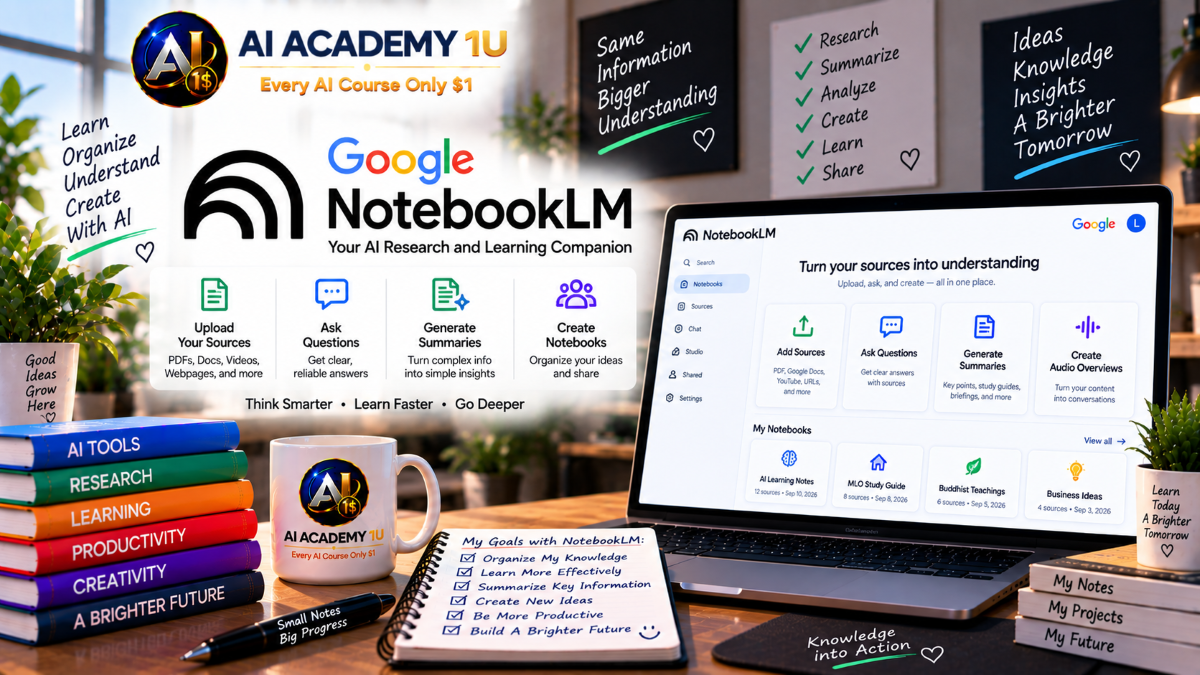
EXPLORE AI LIBRARYGoogle NotebookLM is a research notebook for understanding sources, summarizing documents, and learning. Learn practical skills with AI Academy and discover useful workflows in our AI Library.

Explore all lessons in this catalogue and start learning at your own pace.
▶
1. What Is Google NotebookLM / Gemini Notebook? ❌
Discover Google NotebookLM as an AI-powered research and learning workspace grounded in sources provided by the user. AI Academy 1U explains how NotebookLM differs from general-purpose AI chatbots and why source-grounded interaction is valuable for reliable research and knowledge work.
▶
2. Create and Access Your First Notebook ❌
Create your first notebook and understand how each notebook functions as an independent knowledge workspace. AI Academy 1U guides learners through accessing NotebookLM, creating a project, and establishing an organized environment where sources, questions, notes, and generated materials can work together.
▶
3. Explore the NotebookLM Interface ❌
Explore the NotebookLM interface and become familiar with Sources, Chat, and Studio. AI Academy 1U teaches learners the purpose of each workspace area and how these components work together to support research, analysis, learning, and content generation from uploaded materials.
▶
4. Understand Source-Grounded AI ❌
Understand how source-grounded AI generates answers based primarily on materials supplied within a notebook. AI Academy 1U teaches learners why grounding matters, how citations connect responses to original evidence, and how this approach supports more transparent and verifiable research.
🔒
5. Understand the NotebookLM Research Workflow ❌
Understand the complete NotebookLM research workflow from collecting and organizing sources through asking questions, verifying evidence, analyzing findings, generating artifacts, and exporting results. AI Academy 1U teaches learners to organize these stages into a practical and repeatable research process.
▶
6. Add PDF Sources ❌
Add PDF documents to NotebookLM and understand how uploaded files become part of the notebook’s research knowledge base. AI Academy 1U teaches learners to import PDFs, review recognized content, and prepare document collections for source-grounded questioning and analysis.
▶
7. Add Google Docs ❌
Add Google Docs to a NotebookLM project and incorporate existing documents into a centralized knowledge workspace. AI Academy 1U teaches learners how Google-based materials can become research sources that support questioning, comparison, synthesis, and the development of useful knowledge outputs.
🔒
8. Add Google Slides ❌
Add Google Slides presentations as research sources and use slide-based information within NotebookLM. AI Academy 1U teaches learners to incorporate presentation materials into a broader knowledge base so important concepts and information can support subsequent questioning, analysis, and synthesis.
🔒
9. Add Website Sources ❌
Add website content to NotebookLM and include relevant online information within a research notebook. AI Academy 1U teaches learners to bring web-based materials into an organized source collection where they can be questioned, compared, analyzed, and connected with other research materials.
🔒
10. Add YouTube Sources ❌
Add YouTube content to NotebookLM and use available transcript information as part of the research knowledge base. AI Academy 1U teaches learners how video-based information can support source-grounded questions, analysis, comparison, and learning alongside documents and other materials.
🔒
11. Add Audio Sources ❌
Add audio sources such as lectures, interviews, and meeting recordings to NotebookLM for research and knowledge development. AI Academy 1U teaches learners to incorporate spoken information into notebooks so valuable audio content can become part of a searchable and analyzable source collection.
🔒
12. Organize Sources with Labels ❌
Organize notebook sources with labels so larger collections remain structured and manageable. AI Academy 1U teaches learners to classify materials by subject, purpose, or research category, making it easier to navigate complex notebooks and work with relevant groups of information.
▶
13. Ask Your First Source-Grounded Question ❌
Ask a source-grounded question and learn how NotebookLM develops an answer from materials contained within the notebook. AI Academy 1U teaches learners to begin interacting directly with their knowledge base and connect AI-generated responses with the underlying source information.
▶
14. Understand NotebookLM Citations ❌
Understand NotebookLM citations and use them to identify the source material supporting an AI-generated response. AI Academy 1U teaches learners to move from an answer to its supporting evidence, strengthening verification and reducing dependence on unexamined AI-generated conclusions.
🔒
15. Ask Better Research Questions ❌
Develop stronger research questions by replacing broad requests with clearly defined scope, objectives, and evaluation criteria. AI Academy 1U teaches learners to formulate questions that encourage more focused analysis and produce research findings that are easier to interpret, compare, and verify.
🔒
16. Compare Multiple Sources ❌
Compare multiple sources to identify agreements, differences, and contradictions across a research collection. AI Academy 1U teaches learners to examine competing information systematically and develop a clearer understanding of how different documents address the same issue or research question.
🔒
17. Extract Facts and Evidence ❌
Extract important facts, claims, arguments, and supporting evidence from a NotebookLM source collection. AI Academy 1U teaches learners to identify useful research information and distinguish specific evidence from broader discussion before incorporating findings into reports or further analysis.
🔒
18. Identify Connections Across Sources ❌
Identify meaningful connections among ideas distributed across multiple research sources. AI Academy 1U teaches learners to discover related concepts, recurring themes, and complementary information that may not be obvious when individual documents are reviewed separately.
🔒
19. Build a Source-Verification Workflow ❌
Build a source-verification workflow that moves systematically from question to answer, citation, original source, and final verification. AI Academy 1U teaches learners to validate important AI-generated findings against underlying evidence before using them in research, learning, or professional work.
▶
20. Find Sources from the Web ❌
Find relevant web sources directly from a research topic instead of beginning only with an existing document collection. AI Academy 1U teaches learners to expand an initial question into useful source discovery and establish a stronger foundation for subsequent research and analysis.
🔒
21. Build a Research Repository ❌
Build a structured research repository by collecting and organizing sources that directly support a defined research question. AI Academy 1U teaches learners to develop a focused body of evidence that can support comparison, analysis, verification, and final reporting.
🔒
22. Research from a Loose Idea ❌
Transform a broad or loosely defined idea into a more structured research direction. AI Academy 1U teaches learners to clarify the topic, identify useful questions, determine information needs, and develop a practical path from initial curiosity to organized research.
🔒
23. Evaluate Research Sources ❌
Evaluate research sources according to relevance, authority, evidence, and duplication within the broader collection. AI Academy 1U teaches learners to make more deliberate decisions about which materials deserve attention before relying on them for analysis or reporting.
🔒
24. Synthesize Large Research Collections ❌
Synthesize large collections of research materials to identify major themes, patterns, findings, and relationships across the corpus. AI Academy 1U teaches learners to move beyond individual documents and develop a coherent understanding of information distributed throughout many sources.
🔒
25. Build a Complete Research Workflow ❌
Build a complete research workflow connecting the research question, source discovery, repository organization, analysis, evidence, and final report. AI Academy 1U teaches learners to coordinate these stages into a repeatable system for conducting substantial source-grounded research projects.
▶
26. Understand Notes ❌
Understand the role of notes and distinguish user-created notes from original sources and AI-generated responses. AI Academy 1U teaches learners how these different information types contribute to a notebook and why organized notes are important for preserving useful research findings.
🔒
27. Create Research Notes ❌
Create structured research notes from important findings discovered while working with NotebookLM. AI Academy 1U teaches learners to capture useful information intentionally rather than allowing valuable evidence, conclusions, and ideas to remain scattered throughout conversational research sessions.
🔒
28. Turn AI Responses into Knowledge ❌
Transform valuable AI responses into organized knowledge that can be preserved and reused beyond an individual chat interaction. AI Academy 1U teaches learners to identify meaningful findings and incorporate them into a more durable research and knowledge-management process.
🔒
29. Organize a Large Notebook ❌
Organize a large notebook containing numerous sources, notes, and Studio artifacts. AI Academy 1U teaches learners to maintain a manageable research environment as information grows, making important materials easier to locate and use throughout complex projects.
🔒
30. Build a Personal Knowledge Notebook ❌
Build a personal knowledge notebook designed to support ongoing learning, research, or professional work. AI Academy 1U teaches learners to combine sources, notes, questions, and generated materials into a structured knowledge system that remains useful over time.
▶
31. Understand Audio Overviews ❌
Understand how NotebookLM Audio Overviews transform source materials into generated audio experiences. AI Academy 1U introduces learners to the purpose of audio-based knowledge presentation and prepares them to use listening as an additional method for reviewing and understanding notebook content.
▶
32. Generate Your First Audio Overview ❌
Generate an Audio Overview from notebook sources and experience how written research materials can become an audio presentation. AI Academy 1U teaches learners to create an initial overview, review the result, and consider how audio can support learning and information review.
🔒
33. Customize an Audio Overview ❌
Customize an Audio Overview by defining the topic, objective, and information that deserves greater attention. AI Academy 1U teaches learners to direct generated audio toward specific learning or research goals instead of relying only on a general overview of notebook content.
🔒
34. Explore Audio Overview Formats ❌
Explore different Audio Overview formats and understand how alternative presentation styles can support different learning and research objectives. AI Academy 1U teaches learners to consider when an overview, brief, critique, debate, or another audio approach may be appropriate.
🔒
35. Create Audio Overviews in Different Languages ❌
Create Audio Overviews in different languages to make notebook knowledge more accessible to multilingual audiences. AI Academy 1U teaches learners to develop language-specific audio versions that can support learners, teams, and audiences with different communication requirements.
🔒
36. Build an Audio Learning Workflow ❌
Build an audio learning workflow that moves from source materials to generated audio, listening, questioning, and review. AI Academy 1U teaches learners to combine passive listening with active source-grounded interaction for a more structured and effective learning process.
▶
37. Understand Video Overviews ❌
Understand how NotebookLM Video Overviews transform source materials into visual explanations. AI Academy 1U introduces learners to the purpose of generated video presentations and explains how visual communication can complement text and audio when reviewing notebook knowledge.
🔒
38. Generate Your First Video Overview ❌
Generate a Video Overview from notebook sources and experience how research materials can become a structured visual presentation. AI Academy 1U teaches learners to create an initial video and evaluate how effectively it communicates important information from the underlying sources.
🔒
39. Customize Video Focus and Audience ❌
Customize a Video Overview according to its intended audience, learning objective, and subject focus. AI Academy 1U teaches learners to provide clearer direction so generated presentations emphasize the information most relevant to a particular viewer or educational purpose.
🔒
40. Use Video Overviews for Complex Topics ❌
Use Video Overviews to explain complex topics involving diagrams, processes, data, and abstract concepts. AI Academy 1U teaches learners to consider how visual presentation can make difficult source material easier to understand and communicate to different audiences.
🔒
41. Understand Cinematic Video Overviews ❌
Understand Cinematic Video Overviews and explore how richer animation and visual presentation can change the learning experience. AI Academy 1U teaches learners to recognize the potential role of more visually developed generated video when communicating source-grounded information.
🔒
42. Build a Video Learning Workflow ❌
Build a video learning workflow connecting source materials, generated video, review, follow-up questions, and supporting learning materials. AI Academy 1U teaches learners to use Video Overviews as one component within a broader process for understanding complex information.
▶
43. Understand NotebookLM Mind Maps ❌
Understand how NotebookLM Mind Maps transform a source collection into a visual structure of topics and relationships. AI Academy 1U teaches learners how mind maps can provide an overview of complex information before they explore individual concepts in greater detail.
🔒
44. Generate a Mind Map ❌
Generate a Mind Map from notebook sources and convert a collection of information into an organized visual representation. AI Academy 1U teaches learners to create the map and begin navigating its branches to understand the structure of their knowledge base.
🔒
45. Explore Relationships Between Topics ❌
Explore relationships between topics by following branches and connections within a NotebookLM Mind Map. AI Academy 1U teaches learners to identify how concepts relate to one another and develop a more integrated understanding of information across the notebook.
🔒
46. Use Mind Maps for Learning ❌
Use Mind Maps as a learning tool that moves from a broad overview toward individual concepts requiring deeper study. AI Academy 1U teaches learners to navigate knowledge visually and use topic relationships to guide more focused review and questioning.
🔒
47. Use Mind Maps for Research Planning ❌
Use Mind Maps to support research planning by identifying existing knowledge, relationships, gaps, and areas requiring further investigation. AI Academy 1U teaches learners to transform a visual overview into practical directions for deeper source discovery and analysis.
▶
48. Understand NotebookLM Reports ❌
Understand the different report formats that NotebookLM can generate from source-grounded information. AI Academy 1U teaches learners to recognize how structured reports can transform research materials into outputs designed for learning, communication, analysis, and professional knowledge sharing.
🔒
49. Create a Study Guide ❌
Create a structured study guide from notebook source materials to support organized learning and review. AI Academy 1U teaches learners to transform a body of information into a more accessible educational resource that highlights important concepts and supports continued study.
🔒
50. Create a Briefing Document ❌
Create a briefing document that summarizes a research corpus for readers who need to understand important information efficiently. AI Academy 1U teaches learners to transform extensive source material into a focused document designed for rapid review and decision support.
🔒
51. Create FAQs ❌
Create a frequently asked questions resource from a NotebookLM knowledge base. AI Academy 1U teaches learners to transform recurring topics and important information into a practical question-and-answer format that makes source-grounded knowledge easier for others to access.
🔒
52. Create a Custom Report ❌
Create a custom report by defining its purpose, intended audience, structure, and desired output. AI Academy 1U teaches learners to move beyond predefined formats and develop source-grounded reports tailored to the specific communication requirements of a research project.
🔒
53. Generate Data Tables ❌
Generate structured data tables from information distributed across multiple notebook sources. AI Academy 1U teaches learners to organize comparable facts and findings into table formats that make patterns, differences, and important research information easier to review.
🔒
54. Export Reports to Google Docs ❌
Export NotebookLM reports to Google Docs so generated research outputs can continue through editing, formatting, collaboration, and publication. AI Academy 1U teaches learners to move useful content beyond the notebook and integrate it into a broader document-production workflow.
🔒
55. Export Data Tables to Google Sheets ❌
Export structured data tables and supporting information to Google Sheets for continued analysis and organization. AI Academy 1U teaches learners to move source-grounded research findings into spreadsheet workflows where information can be further reviewed, managed, and developed.
▶
56. Generate Flashcards ❌
Generate flashcards directly from notebook source materials to support memory, review, and active recall. AI Academy 1U teaches learners to transform important information into focused study prompts that can make large bodies of learning material easier to review systematically.
🔒
57. Customize Flashcards ❌
Customize NotebookLM flashcards according to the topic and needs of the learner. AI Academy 1U teaches learners to refine generated study materials so practice focuses on relevant concepts and better supports the objectives of a particular course or learning project.
🔒
58. Generate Quizzes ❌
Generate quizzes from notebook source materials and use them to test understanding of the information being studied. AI Academy 1U teaches learners to create source-grounded assessment activities that can reveal strengths, weaknesses, and areas requiring additional review.
🔒
59. Customize Quiz Difficulty ❌
Customize quiz difficulty to better match beginner, intermediate, or advanced learning requirements. AI Academy 1U teaches learners to adjust assessment challenge according to the learner’s current level and use increasingly demanding questions to support progressive knowledge development.
🔒
60. Learn from Wrong Answers ❌
Learn from incorrect quiz answers by using explanations and citations to understand why a response was wrong. AI Academy 1U teaches learners to turn mistakes into targeted learning opportunities and return to original source information for deeper clarification.
🔒
61. Build an Exam Preparation System ❌
Build an exam preparation system connecting source materials, study guides, Mind Maps, flashcards, quizzes, explanations, and review. AI Academy 1U teaches learners to combine multiple NotebookLM capabilities into a repeatable workflow for structured and evidence-based exam preparation.
▶
62. Understand AI Slide Decks ❌
Understand how NotebookLM can transform source-grounded information into an AI-generated slide deck. AI Academy 1U teaches learners to recognize how research findings can be reorganized into presentation form and prepares them to create more focused visual communication materials.
🔒
63. Generate a Slide Deck ❌
Generate a slide deck from a NotebookLM research corpus and transform important findings into an organized presentation. AI Academy 1U teaches learners to create an initial deck and evaluate whether its structure communicates the underlying source information effectively.
🔒
64. Customize a Slide Deck ❌
Customize a generated slide deck according to audience, subject focus, and presentation objective. AI Academy 1U teaches learners to provide clearer direction so the presentation emphasizes the most relevant findings and communicates them appropriately for its intended viewers.
🔒
65. Generate an Infographic ❌
Generate an infographic that transforms complex source-grounded information into a concise visual summary. AI Academy 1U teaches learners to use visual communication to make important concepts, relationships, and findings easier for an audience to understand quickly.
🔒
66. Build a Presentation Workflow ❌
Build a presentation workflow connecting research, findings, reports, slide decks, and infographics. AI Academy 1U teaches learners to move systematically from source-grounded analysis to polished visual communication rather than treating presentation generation as an isolated task.
▶
67. Understand NotebookLM Advanced Analysis ❌
Understand advanced NotebookLM analysis and the transition from source-grounded question answering toward more computational research tasks. AI Academy 1U introduces learners to analytical workflows that can extend traditional document research when projects involve structured information, calculations, or deeper data exploration.
🔒
68. Analyze Structured Data ❌
Analyze structured data within a research workflow and explore information that requires more than ordinary document reading. AI Academy 1U teaches learners to approach organized datasets systematically and connect data-oriented findings with the broader evidence and questions contained in a notebook.
🔒
69. Use Code for Research Analysis ❌
Understand how code execution can support research analysis when tasks require computation, transformation, or structured processing. AI Academy 1U teaches learners to recognize appropriate uses of code as part of a broader evidence-based workflow rather than as a replacement for research judgment.
🔒
70. Generate Charts from Research ❌
Generate charts from research data and findings to communicate patterns and relationships visually. AI Academy 1U teaches learners to transform suitable analytical results into visualizations that can make complex information easier to interpret, compare, and communicate to an audience.
🔒
71. Create Research Spreadsheets ❌
Create research spreadsheets that organize analytical findings into structured and reusable formats. AI Academy 1U teaches learners to move important results into spreadsheet-based workflows where data can be reviewed, compared, shared, and developed further for practical research purposes.
🔒
72. Build an Advanced Analysis Workflow ❌
Build an advanced analysis workflow connecting sources, structured data, code or analysis, charts, tables, findings, and final reports. AI Academy 1U teaches learners to coordinate these stages into a systematic process for research projects requiring deeper analytical work.
▶
73. Understand Gemini Notebook Integration ❌
Understand the relationship between Gemini and NotebookLM or Gemini Notebook within Google’s evolving AI environment. AI Academy 1U teaches learners how notebook-based knowledge can complement broader Gemini workflows while preserving the value of organized project context and source-grounded research.
🔒
74. Work with Notebooks in Gemini ❌
Work with notebooks as project context within Gemini and understand how organized research can support broader AI-assisted tasks. AI Academy 1U teaches learners to connect notebook knowledge with practical workflows while maintaining a structured foundation of relevant project information.
🔒
75. Share Research Notebooks ❌
Share research notebooks with other people and prepare organized knowledge for collaboration or distribution. AI Academy 1U teaches learners to consider sources, outputs, and notebook structure before sharing so collaborators can understand and use the research environment effectively.
🔒
76. Build a Team Knowledge Notebook ❌
Build a team knowledge notebook that organizes sources, research outputs, and important information for collaborative use. AI Academy 1U teaches learners to create a shared knowledge environment where team members can access structured materials and support coordinated research or professional work.
🔒
77. Project: Build a Complete Learning System ❌
Build a complete learning system from textbooks, lectures, and videos using NotebookLM. AI Academy 1U guides learners in combining Study Guides, Mind Maps, flashcards, quizzes, Audio Overviews, and Video Overviews into one structured environment for comprehensive learning and review.
🔒
78. Project: Build a Professional Research Notebook ❌
Build a professional research notebook by collecting multiple sources, comparing evidence, organizing findings, generating data tables, and developing a research report. AI Academy 1U guides learners through an integrated source-grounded workflow designed for substantial research projects.
🔒
79. Project: Build a Business Knowledge Base ❌
Build a business knowledge base from policies, reports, documentation, and meeting materials. AI Academy 1U teaches learners to organize organizational information into a source-grounded system where teams can ask questions, review citations, and access important business knowledge more efficiently.
🔒
80. Complete Project: Build a Professional Gemini Notebook Research System ❌
Build a complete professional research system connecting research questions, web and private sources, organization, grounded chat, verification, notes, analysis, reports, data tables, multimedia, Mind Maps, learning materials, presentations, and sharing. AI Academy 1U integrates the entire course into one end-to-end workflow.
ChatGPT is an AI assistant for writing, learning, research, problem solving, and creative tasks. Learn practical skills with AI Academy and discover useful workflows in our AI Library.
EXPLORE AI LIBRARYCanva is a design platform for creating graphics, presentations, videos, and social media content. Learn practical design skills with AI Academy and explore creative workflows in our AI Library.
EXPLORE AI LIBRARYCapCut is a video editing platform for creating and enhancing videos with AI-powered tools, effects, captions, and templates. Learn practical skills with AI Academy and explore workflows in our AI Library.
EXPLORE AI LIBRARYGoogle Gemini is Google’s assistant for research, writing, reasoning, images, and productivity. Learn practical skills with AI Academy and discover useful workflows in our AI Library.
EXPLORE AI LIBRARYLearn Google Veo with AI Academy 1U and create cinematic AI videos from text and images using powerful video generation, camera controls, visual storytelling, and creative production techniques.
EXPLORE AI LIBRARYElevenLabs AI is a voice platform for text to speech, narration, and voice creation. Learn practical skills with AI Academy and discover useful workflows in our AI Library.
EXPLORE AI LIBRARYClaude AI is an assistant for writing, document analysis, reasoning, and coding. Learn practical skills with AI Academy and discover useful workflows in our AI Library.
EXPLORE AI LIBRARYVideoGen AI empowers creators to produce engaging videos faster with AI-powered tools. Learn practical workflows, creative techniques, and production strategies with AI Academy 1U to create professional video content efficiently.
EXPLORE AI LIBRARYHeyGen AI is an avatar video platform for presentations, narration, and multilingual communication. Learn practical skills with AI Academy and discover useful workflows in our AI Library.
EXPLORE AI LIBRARYMicrosoft Copilot is Microsoft’s assistant for productivity, writing, research, and workplace tasks. Learn practical skills with AI Academy and discover useful workflows in our AI Library.
EXPLORE AI LIBRARY








