
ChatGPT
ChatGPT is an AI assistant for writing, learning, research, problem solving, and creative tasks. Learn practical skills with AI Academy and discover useful workflows in our AI Library.
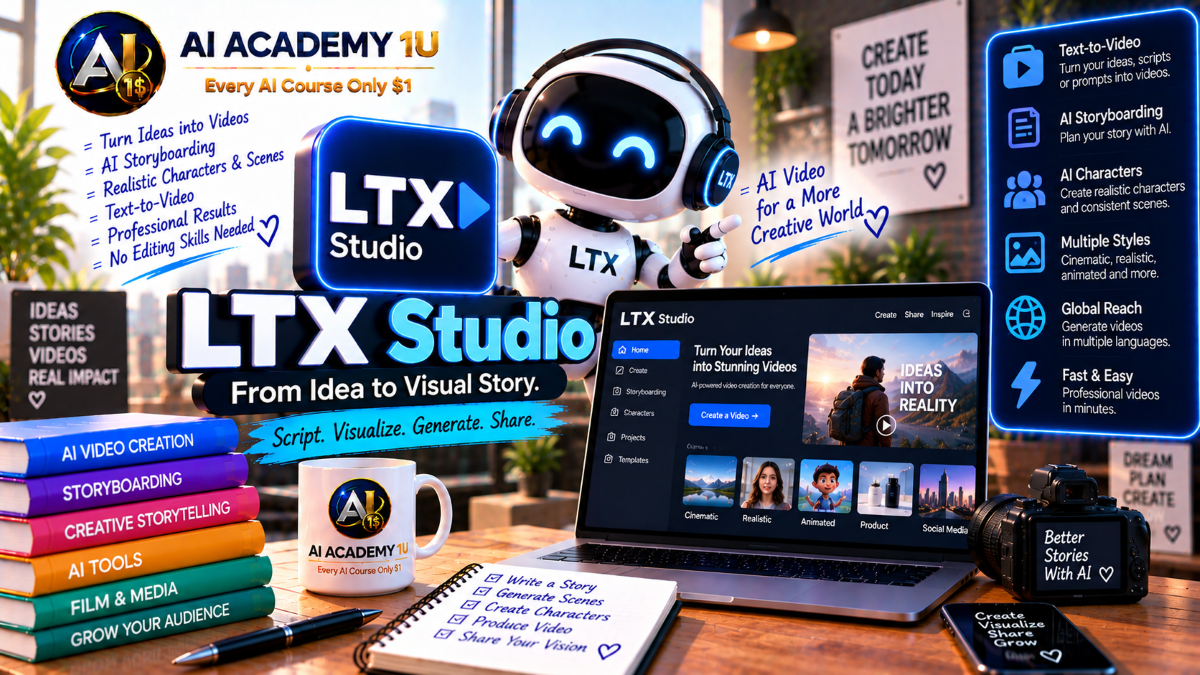
EXPLORE AI LIBRARYLearn LTX Studio with AI Academy 1U to develop stories, create storyboards, plan scenes, design characters, generate AI videos, and build complete filmmaking workflows from initial ideas to production.

Explore all lessons in this catalogue and start learning at your own pace.
▶
1. What Is LTX Studio? ❌
Discover LTX Studio with AI Academy 1U as an AI production platform designed for film, advertising, pre-visualization, and creative teams. Learn how it supports concept development, visual creation, storyboarding, video generation, editing, and complete production workflows.
▶
2. Understand LTX Studio vs LTX Video Models ❌
Understand the difference between LTX Studio and LTX video models with AI Academy 1U. Learn how LTX Studio functions as the complete creative platform while individual LTX models operate as video-generation engines within the broader ecosystem.
▶
3. Understand the End-to-End Production Workflow ❌
Understand the end-to-end LTX Studio production workflow with AI Academy 1U using Concept → Visual Development → Storyboard → Shot Generation → Audio → Timeline → Review → Final Export. Learn how each production stage connects into one complete creative system.
▶
4. Create and Set Up Your LTX Studio Account ❌
Create and set up your LTX Studio account with AI Academy 1U by preparing your workspace and first project. Learn the essential setup required before beginning concept development, visual generation, storyboarding, and AI-assisted production.
▶
5. Explore the LTX Studio Workspace ❌
Explore the LTX Studio workspace with AI Academy 1U by learning Gen Space, Canvas, Storyboard, Elements, Timeline Editor, and key production tools. Understand where each workspace component fits within the overall creative production process.
▶
6. Start a Project from a Concept ❌
Start an LTX Studio project from a concept with AI Academy 1U by describing a film, advertising, or story idea in natural language. Learn how a simple creative concept can become the foundation for structured production.
▶
7. Start a Project from a Script ❌
Start an LTX Studio project from a script with AI Academy 1U by uploading written material and allowing the platform to analyze it into scenes, story structure, and visual production components.
🔒
8. Develop a Concept with AI ❌
Develop a concept with AI in LTX Studio and AI Academy 1U by expanding a short idea into a clearer story direction. Learn how AI assistance can help establish tone, structure, characters, and production possibilities.
🔒
9. Break a Script into Scenes ❌
Break a script into scenes with LTX Studio and AI Academy 1U by identifying locations, actions, dramatic beats, and narrative transitions. Learn how scene segmentation prepares a script for visual development and shot planning.
🔒
10. Build a Shot List ❌
Build a practical shot list with LTX Studio and AI Academy 1U by translating each scene into specific camera shots. Learn how structured shot planning helps organize visual production before generation begins.
🔒
11. Improve Narrative Flow ❌
Improve narrative flow in LTX Studio with AI Academy 1U by organizing scenes, transitions, pacing, and dramatic progression before generating final shots. Learn how story structure influences clarity and viewer engagement.
🔒
12. Project: Develop a Short Film Concept ❌
Develop a complete short-film concept with LTX Studio and AI Academy 1U using Concept → Script → Scenes → Shot List. Apply the full early-stage creative development workflow before moving into visual production.
▶
13. Understand Gen Space ❌
Understand Gen Space in LTX Studio with AI Academy 1U as the environment for exploring visual ideas before moving into storyboard production. Learn how text prompts and reference images can shape creative direction.
▶
14. Generate Your First Image ❌
Generate your first image in LTX Studio with AI Academy 1U by creating a concept frame from a prompt. Learn how initial visual generation can establish characters, environments, lighting, and style direction.
▶
15. Generate Your First Video Shot ❌
Generate your first video shot in LTX Studio with AI Academy 1U by creating a short moving sequence from text or reference material. Learn the basic workflow for turning visual ideas into video.
🔒
16. Use Image References ❌
Use image references in LTX Studio with AI Academy 1U to guide composition, character appearance, environments, and visual direction. Learn how references provide greater control over generated results.
🔒
17. Explore Multiple Visual Directions ❌
Explore multiple visual directions in LTX Studio with AI Academy 1U by generating creative alternatives before committing to one style. Learn how variation helps compare composition, tone, lighting, and overall visual identity.
🔒
18. Compare Different AI Models ❌
Compare different AI models in LTX Studio with AI Academy 1U by evaluating available generation options for image and video workflows. Learn how model choice can affect quality, motion, style, and production results.
🔒
19. Build a Visual Lookbook ❌
Build a visual lookbook with LTX Studio and AI Academy 1U by organizing references for characters, locations, lighting, composition, and visual style. Use the lookbook to establish consistent creative direction before production.
▶
20. Understand AI Storyboarding ❌
Understand AI storyboarding in LTX Studio with AI Academy 1U and learn how storyboards connect scripts with visual production. Explore how scenes, shots, framing, and camera direction establish the structure of a sequence.
▶
21. Generate Your First Storyboard ❌
Generate your first storyboard in LTX Studio with AI Academy 1U by transforming a concept or script into an ordered visual sequence. Learn how AI helps convert written ideas into production-ready scenes.
🔒
22. Edit Scene Structure ❌
Edit scene structure in LTX Studio with AI Academy 1U by adding, deleting, or rearranging scenes. Learn how structural changes can improve storytelling, pacing, and production organization without rebuilding the entire project.
🔒
23. Edit Individual Shots ❌
Edit individual shots in LTX Studio with AI Academy 1U by changing frames, shot types, or visual direction without regenerating the complete project. Learn how targeted shot editing improves production efficiency.
🔒
24. Create Alternate Takes ❌
Create alternate takes in LTX Studio with AI Academy 1U by generating different visual interpretations of the same story moment. Compare variations before selecting the strongest version for your sequence.
🔒
25. Use Retake ❌
Use Retake in LTX Studio with AI Academy 1U to regenerate a specific moment or shot instead of rebuilding an entire sequence. Learn how targeted regeneration supports faster creative iteration.
🔒
26. Build a Complete Animatic Storyboard ❌
Build a complete animatic storyboard with LTX Studio and AI Academy 1U using Storyboard → Timing → Preview → Refinement. Apply a structured workflow for reviewing sequence flow before final video production.
▶
27. Understand LTX Elements ❌
Understand LTX Elements with AI Academy 1U as reusable visual identities for characters, objects, locations, and other production assets. Learn how Elements help maintain continuity across multiple generated scenes.
▶
28. Create a Character Element ❌
Create a Character Element in LTX Studio with AI Academy 1U by defining a consistent appearance that can be reused across multiple shots and scenes while preserving recognizable character identity.
🔒
29. Create Location Elements ❌
Create Location Elements in LTX Studio with AI Academy 1U to preserve the same environment across multiple scenes. Learn how reusable locations improve spatial and visual continuity.
🔒
30. Create Object and Product Elements ❌
Create Object and Product Elements in LTX Studio with AI Academy 1U to maintain consistent props, products, and branded items across multiple generated shots and production scenes.
🔒
31. Generate Character Variations ❌
Generate character variations in LTX Studio with AI Academy 1U by changing expressions, poses, or wardrobe while preserving the core identity of the character across different shots.
🔒
32. Maintain Continuity Across Scenes ❌
Maintain continuity across scenes in LTX Studio with AI Academy 1U by controlling character identity, objects, locations, and visual style. Learn how to reduce unwanted drift between generated shots.
🔒
33. Build a Multi-Scene Character Sequence ❌
Build a multi-scene character sequence with LTX Studio and AI Academy 1U by creating multiple shots of the same character across different environments while maintaining recognizable identity and visual continuity.
▶
34. Understand Cinematic Shot Sizes ❌
Understand cinematic shot sizes in LTX Studio with AI Academy 1U by learning wide, medium, close-up, and other framing choices. Explore how shot size influences storytelling, emphasis, and visual composition.
▶
35. Understand Camera Angles ❌
Understand camera angles in LTX Studio with AI Academy 1U by exploring eye-level, low-angle, high-angle, overhead, and subjective framing. Learn how camera angle changes visual meaning and emotional impact.
🔒
36. Use Advanced Camera Controls ❌
Use advanced camera controls in LTX Studio with AI Academy 1U to direct framing and camera behavior more precisely instead of relying only on descriptive prompt language.
🔒
37. Control Camera Movement ❌
Control camera movement in LTX Studio with AI Academy 1U by working with pan, tilt, push, pull, tracking, and other cinematic movements to create more intentional visual storytelling.
🔒
38. Understand Keyframes ❌
Understand keyframes in LTX Studio with AI Academy 1U and learn how they can guide motion, visual transitions, and changes within a generated shot over time.
🔒
39. Direct Character and Object Motion ❌
Direct character and object motion in LTX Studio with AI Academy 1U by coordinating subject movement with camera movement. Learn how controlled motion improves realism and scene direction.
🔒
40. Build a Cinematic Shot Sequence ❌
Build a cinematic shot sequence with LTX Studio and AI Academy 1U by combining intentional shot sizes, camera angles, motion, and visual direction across multiple shots within one sequence.
▶
41. Understand Text-to-Video ❌
Understand Text-to-Video in LTX Studio with AI Academy 1U and learn how prompts and storyboard instructions can be transformed into moving video shots for use inside larger sequences.
▶
42. Generate Video from an Image ❌
Generate video from an image in LTX Studio with AI Academy 1U by animating a keyframe or reference image into a moving shot while preserving important visual characteristics.
🔒
43. Generate Video from Text ❌
Generate video from text with LTX Studio and AI Academy 1U by describing a shot in natural language and converting the prompt directly into a moving visual sequence.
🔒
44. Use Video-to-Video Control ❌
Use Video-to-Video control in LTX Studio with AI Academy 1U by applying an existing source video as a motion or structural reference for a newly generated shot.
🔒
45. Choose the Right Video Model ❌
Choose the right video model in LTX Studio with AI Academy 1U by comparing motion quality, visual fidelity, generation speed, and production requirements for different types of shots.
🔒
46. Understand Shot Length and Continuity ❌
Understand shot length and continuity in LTX Studio with AI Academy 1U by learning how generated shots of different durations can be combined on the timeline to form longer, coherent sequences.
🔒
47. Build a Multi-Shot Generated Sequence ❌
Build a multi-shot generated sequence with LTX Studio and AI Academy 1U by producing several individual AI-generated shots and assembling them into a longer, more complete visual sequence.
▶
48. Understand Audio-to-Video ❌
Understand Audio-to-Video in LTX Studio with AI Academy 1U and learn how audio can become the starting point for generating visual content, scenes, and shot sequences.
▶
49. Create Visuals from a Music Track ❌
Create visuals from a music track with LTX Studio and AI Academy 1U by uploading a song and developing a visual sequence that follows its rhythm, mood, and overall creative direction.
🔒
50. Add Sound Effects ❌
Add sound effects in LTX Studio with AI Academy 1U by creating or placing audio events that match actions and moments within generated scenes for stronger sound design.
🔒
51. Add Voiceover ❌
Add voiceover in LTX Studio with AI Academy 1U by combining narration or dialogue with generated visual sequences. Learn how spoken audio supports storytelling and production clarity.
🔒
52. Synchronize Visuals to Audio ❌
Synchronize visuals to audio in LTX Studio with AI Academy 1U by adjusting shot timing and transitions to follow music, narration, or dialogue more accurately throughout a sequence.
🔒
53. Build an AI Music Video ❌
Build an AI music video with LTX Studio and AI Academy 1U using Song → Style → Characters → Shots → Camera → Synchronization → Final Edit. Apply a complete music-driven production workflow.
▶
54. Understand the Timeline Editor ❌
Understand the Timeline Editor in LTX Studio with AI Academy 1U and learn how storyboard shots are assembled into an edited video sequence for timing, review, and post-production.
▶
55. Arrange Shots on the Timeline ❌
Arrange shots on the LTX Studio timeline with AI Academy 1U by changing shot order to improve story progression, pacing, transitions, and overall sequence flow.
🔒
56. Trim and Refine Timing ❌
Trim and refine timing in LTX Studio with AI Academy 1U by adjusting the beginning and ending of shots to create smoother transitions and more natural sequence flow.
🔒
57. Replace Weak Shots ❌
Replace weak shots in LTX Studio with AI Academy 1U by regenerating or using Retake on individual shots without disrupting the complete timeline or production structure.
🔒
58. Build a Rough Cut ❌
Build a rough cut in LTX Studio with AI Academy 1U by assembling storyboard shots into an early watchable version that can be reviewed and refined before final production.
🔒
59. Build a Final Edited Sequence ❌
Build a final edited sequence with LTX Studio and AI Academy 1U using Shot Generation → Timeline → Audio → Timing → Final Sequence. Apply the complete post-production workflow.
▶
60. Understand AI Animation in LTX Studio ❌
Understand AI animation in LTX Studio with AI Academy 1U and learn how scripts or images can be transformed into animated scenes with characters, motion, visual styling, and sound.
🔒
61. Create a Stylized Animation ❌
Create a stylized animation in LTX Studio with AI Academy 1U by defining visual style, characters, environments, and creative direction before generating the animated sequence.
🔒
62. Control Motion in Animation ❌
Control motion in LTX Studio animation with AI Academy 1U by refining character movement, camera behavior, and scene dynamics to create stronger stylized animated sequences.
🔒
63. Build a Complete Animated Sequence ❌
Build a complete animated sequence with LTX Studio and AI Academy 1U using Text → Storyboard → Characters → Animation → Sound → Timeline. Apply the full stylized animation production workflow.
▶
64. Understand AI Pre-Visualization ❌
Understand AI pre-visualization in LTX Studio with AI Academy 1U and learn how generated storyboards, shots, and animatics can help evaluate creative decisions before committing to real-world production.
🔒
65. Create a Film or Campaign Pitch Deck ❌
Create a film or campaign pitch deck with LTX Studio and AI Academy 1U using Concept → Storyboard → Project Visuals → PDF Presentation. Learn how visual development supports professional project pitching.
ChatGPT is an AI assistant for writing, learning, research, problem solving, and creative tasks. Learn practical skills with AI Academy and discover useful workflows in our AI Library.
EXPLORE AI LIBRARYCanva is a design platform for creating graphics, presentations, videos, and social media content. Learn practical design skills with AI Academy and explore creative workflows in our AI Library.
EXPLORE AI LIBRARYCapCut is a video editing platform for creating and enhancing videos with AI-powered tools, effects, captions, and templates. Learn practical skills with AI Academy and explore workflows in our AI Library.
EXPLORE AI LIBRARYGoogle Gemini is Google’s assistant for research, writing, reasoning, images, and productivity. Learn practical skills with AI Academy and discover useful workflows in our AI Library.
EXPLORE AI LIBRARYLearn Google Veo with AI Academy 1U and create cinematic AI videos from text and images using powerful video generation, camera controls, visual storytelling, and creative production techniques.
EXPLORE AI LIBRARYElevenLabs AI is a voice platform for text to speech, narration, and voice creation. Learn practical skills with AI Academy and discover useful workflows in our AI Library.
EXPLORE AI LIBRARYClaude AI is an assistant for writing, document analysis, reasoning, and coding. Learn practical skills with AI Academy and discover useful workflows in our AI Library.
EXPLORE AI LIBRARYVideoGen AI empowers creators to produce engaging videos faster with AI-powered tools. Learn practical workflows, creative techniques, and production strategies with AI Academy 1U to create professional video content efficiently.
EXPLORE AI LIBRARYHeyGen AI is an avatar video platform for presentations, narration, and multilingual communication. Learn practical skills with AI Academy and discover useful workflows in our AI Library.
EXPLORE AI LIBRARYMicrosoft Copilot is Microsoft’s assistant for productivity, writing, research, and workplace tasks. Learn practical skills with AI Academy and discover useful workflows in our AI Library.
EXPLORE AI LIBRARY








