
ChatGPT
ChatGPT is an AI assistant for writing, learning, research, problem solving, and creative tasks. Learn practical skills with AI Academy and discover useful workflows in our AI Library.
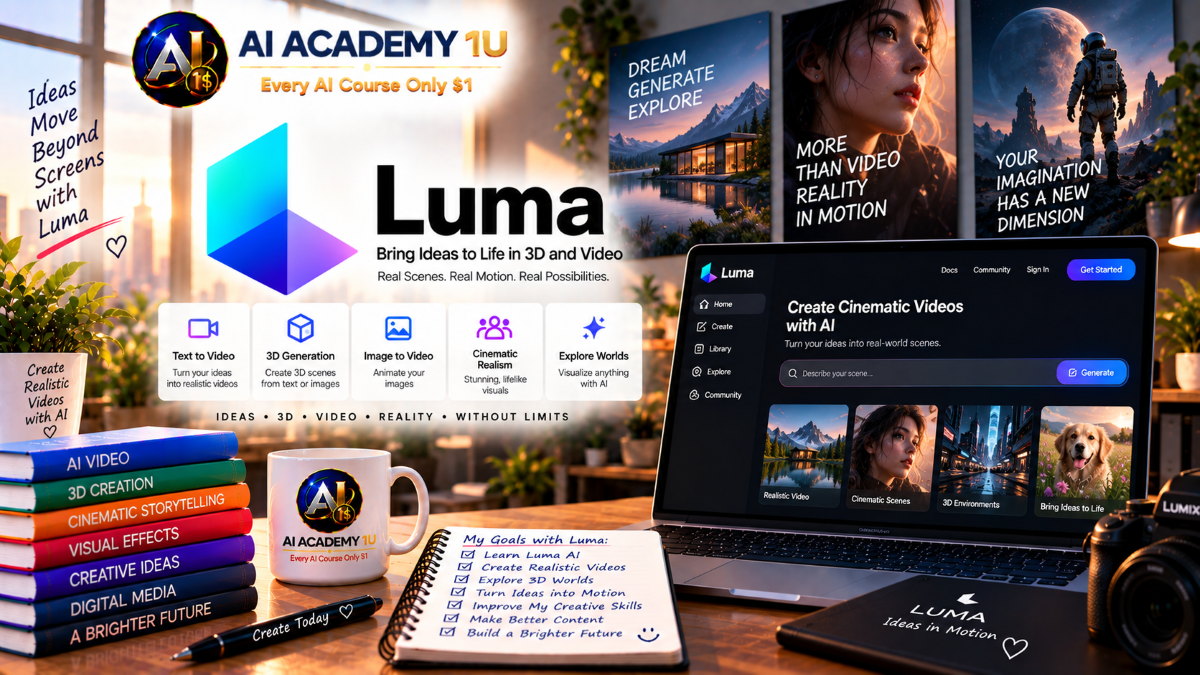
EXPLORE AI LIBRARYLuma AI is a creative platform for generating video and visual content from prompts. Learn practical skills with AI Academy and discover useful workflows in our AI Library.

Explore all lessons in this catalogue and start learning at your own pace.
▶
1. What Is Luma AI? ❌
Discover what Luma AI is and how its generative technology supports AI-powered image and video creation. AI Academy 1U introduces the platform’s core capabilities and its role in modern creative production.
▶
2. Understand Luma App and Luma API ❌
Understand the difference between the Luma application for interactive creative work and the Luma API for developer-driven production. AI Academy 1U helps learners recognize when each environment is appropriate.
▶
3. Explore the Luma Interface ❌
Explore the Luma workspace and locate the essential areas for image generation, video creation, projects, settings, and generation management. AI Academy 1U helps learners navigate the interface efficiently before beginning advanced work.
▶
4. Understand Luma Ray and Luma UNI ❌
Understand the different roles of Luma Ray for AI video generation and Luma UNI for image and multimodal creative workflows. AI Academy 1U teaches learners how these technologies fit into the broader Luma ecosystem.
▶
5. Create Your First Luma Generation ❌
Complete a first Luma generation and learn the basic process from creative idea and input through generation, review, and refinement. AI Academy 1U establishes a practical workflow learners can build upon throughout the course.
▶
6. Understand Luma Plans ❌
Explore the available Luma plan options and understand how different access levels can affect creative production. AI Academy 1U helps learners evaluate plans according to their actual generation and workflow requirements.
🔒
7. Understand Credits ❌
Learn how Luma credits relate to AI generation and how production choices can influence resource consumption. AI Academy 1U helps learners plan generations more carefully before committing credits to larger projects.
🔒
8. Choose Resolution and Quality ❌
Understand how resolution and quality settings influence visual output, generation requirements, and intended use. AI Academy 1U teaches learners to select appropriate settings for experimentation, social content, and higher-quality production.
🔒
9. Understand Video Duration ❌
Learn how video duration affects shot planning, generation strategy, and the structure of a larger sequence. AI Academy 1U teaches learners to choose useful clip lengths according to the purpose of each scene.
🔒
10. Optimize Cost and Generation Time ❌
Develop a more efficient workflow by planning prompts, settings, resolution, duration, and revisions before generating. AI Academy 1U teaches learners to reduce unnecessary attempts while maintaining useful creative quality.
▶
11. Understand Luma Prompt Structure ❌
Learn the essential components of a clear Luma prompt and understand how different instructions contribute to the generated result. AI Academy 1U establishes a structured prompting foundation for more advanced creative work.
🔒
12. Describe Subjects Clearly ❌
Write precise descriptions of people, characters, products, objects, and other primary subjects. AI Academy 1U teaches learners to reduce ambiguity and communicate the most important visual characteristics effectively.
🔒
13. Describe Motion and Action ❌
Describe movement, direction, speed, behavior, and physical action in ways that provide clearer guidance for video generation. AI Academy 1U teaches learners to turn static ideas into purposeful moving scenes.
🔒
14. Describe Lighting, Environment and Style ❌
Control the visual world surrounding a subject by describing location, atmosphere, lighting, time, and artistic style. AI Academy 1U teaches learners to coordinate these elements for more coherent visual results.
🔒
15. Build Cinematic Prompts ❌
Combine subject, action, environment, lighting, composition, style, and camera direction into complete cinematic prompts. AI Academy 1U teaches learners to create richer instructions for polished visual storytelling.
▶
16. Understand Ray3.2 Text-to-Video ❌
Understand how Ray3.2 interprets written instructions and transforms them into generated video. AI Academy 1U introduces the essential text-to-video process and the creative decisions that influence each result.
🔒
17. Generate Your First Text-to-Video Clip ❌
Create a complete video clip directly from a written prompt and evaluate how different instructions affect the output. AI Academy 1U guides learners through a practical workflow from initial concept to generated scene.
🔒
18. Control Subject Motion ❌
Direct how people, characters, products, objects, and other subjects move within a generated shot. AI Academy 1U teaches learners to communicate motion more clearly for purposeful and visually understandable action.
🔒
19. Create Cinematic Text-to-Video Shots ❌
Create stronger text-to-video shots using intentional framing, camera direction, movement, lighting, atmosphere, and visual style. AI Academy 1U teaches learners to move beyond basic generation toward cinematic presentation.
🔒
20. Build a Text-to-Video Workflow ❌
Develop a repeatable workflow covering concept development, prompting, generation, evaluation, revision, and shot selection. AI Academy 1U teaches learners to organize text-to-video production for greater consistency and efficiency.
▶
21. Understand Image-to-Video ❌
Understand how Luma uses an image as the visual foundation for generated video. AI Academy 1U explains how source composition, subject detail, visual quality, and motion instructions influence the resulting animation.
🔒
22. Animate a Still Image ❌
Transform a static image into a moving sequence by introducing controlled subject, environmental, or camera motion. AI Academy 1U teaches learners to add movement while preserving important qualities of the original visual.
🔒
23. Use Start Frames ❌
Use a defined starting frame to establish the initial composition, subject appearance, and visual direction of a generated video. AI Academy 1U teaches learners to prepare stronger visual starting points for controlled generation.
🔒
24. Use End Frames ❌
Use an ending frame to provide visual direction for where a generated sequence should progress. AI Academy 1U teaches learners to coordinate beginning and ending states for more intentional scene development.
🔒
25. Build an Image-to-Video Project ❌
Complete an image-to-video project from source preparation and motion planning through generation, evaluation, and refinement. AI Academy 1U combines the module techniques into one practical production workflow.
▶
26. Understand Multi-Keyframe Generation ❌
Understand how multiple keyframes can provide visual guidance at different points within a generated sequence. AI Academy 1U introduces the principles learners need before building more complex keyframe-driven videos.
🔒
27. Add Multiple Image Anchors ❌
Use multiple image anchors to define important subjects, visual states, or stages of a generated sequence. AI Academy 1U teaches learners to select references that contribute meaningfully to the intended progression.
🔒
28. Control Visual Progression Between Keyframes ❌
Guide how subjects, environments, composition, and visual style develop between keyframes. AI Academy 1U teaches learners to plan transitions that remain understandable and visually coherent.
🔒
29. Build Long Visual Sequences ❌
Develop longer generated sequences by organizing connected keyframes and maintaining continuity across visual changes. AI Academy 1U teaches learners to structure extended scenes instead of treating each generation as an isolated clip.
🔒
30. Create a Multi-Keyframe Cinematic Scene ❌
Combine keyframe planning, visual anchors, motion direction, composition, and cinematic intent into a complete scene. AI Academy 1U brings multi-keyframe techniques together in a practical production exercise.
▶
31. Understand Camera Language ❌
Learn essential camera terminology and understand how framing, perspective, and movement influence the viewer’s experience of a scene. AI Academy 1U establishes the vocabulary needed for more intentional cinematic prompting.
🔒
32. Create Pan, Tilt and Zoom Shots ❌
Create pan, tilt, and zoom movements to reveal information, follow action, or change visual emphasis. AI Academy 1U teaches learners to choose camera movement according to the purpose of each shot.
🔒
33. Create Orbit and Tracking Shots ❌
Generate orbit and tracking movements that create a stronger sense of spatial depth and subject movement. AI Academy 1U teaches learners to coordinate camera travel with action and composition.
🔒
34. Control Camera Angle and Composition ❌
Use camera angle, framing, subject placement, and visual hierarchy to shape how a generated scene communicates its idea. AI Academy 1U teaches learners to make composition an intentional production decision.
🔒
35. Build Cinematic Camera Sequences ❌
Plan multiple camera movements and shots as a connected cinematic sequence rather than isolated generations. AI Academy 1U teaches learners to coordinate visual direction across a larger storytelling structure.
▶
36. Understand Video Extension ❌
Understand how video extension continues an existing generated scene beyond its current duration. AI Academy 1U introduces the planning considerations required to maintain useful visual continuity.
🔒
37. Extend from the Last Frame ❌
Continue a video from its final frame while preserving the existing subject, environment, and visual direction. AI Academy 1U teaches learners to use the ending state as the foundation for the next generated segment.
🔒
38. Extend Using Generation References ❌
Use previous generations and visual references to provide additional direction when extending a sequence. AI Academy 1U teaches learners to coordinate reference material with the intended continuation of the scene.
🔒
39. Maintain Motion Continuity ❌
Preserve believable movement and directional consistency as one generated segment transitions into another. AI Academy 1U teaches learners to identify motion changes that can disrupt the continuity of an extended scene.
🔒
40. Build a Multi-Part Extended Scene ❌
Create a longer scene by connecting multiple video extensions into a unified sequence. AI Academy 1U teaches learners to plan each continuation around the overall visual and storytelling objective.
▶
41. What Is Modify Video? ❌
Understand how Luma’s video modification workflow can reinterpret existing footage while using the original video as a structural reference. AI Academy 1U introduces its role in AI-assisted editing and transformation.
🔒
42. Restyle an Existing Video ❌
Change the visual style of existing footage while retaining important aspects of the original motion and scene structure. AI Academy 1U teaches learners to approach restyling with a clear visual objective.
🔒
43. Change Clothing, Props and Backgrounds ❌
Modify clothing, props, environmental elements, and backgrounds while working from existing video. AI Academy 1U teaches learners to identify which visual components should change and which should remain consistent.
🔒
44. Preserve Motion and Performance ❌
Maintain important body movement, timing, action, and performance while transforming the visual appearance of a video. AI Academy 1U teaches learners to balance creative modification with continuity.
🔒
45. Build a Video-to-Video Transformation Project ❌
Complete a video transformation project from source-footage selection and creative planning through modification, evaluation, and refinement. AI Academy 1U combines the module techniques into a practical editing workflow.
▶
46. Understand Ray3.2 Video Edit Controls ❌
Understand the advanced control options available for guiding Ray3.2 video edits. AI Academy 1U introduces how different conditioning methods can influence the structure and consistency of transformed footage.
🔒
47. Use Face Conditioning ❌
Use facial information as guidance when modifying footage involving people or characters. AI Academy 1U teaches learners to understand how face conditioning can support more controlled identity and facial treatment.
🔒
48. Use Depth Conditioning ❌
Use depth information to communicate spatial relationships between subjects, objects, foregrounds, and backgrounds. AI Academy 1U teaches learners how depth guidance can support more structurally consistent edits.
🔒
49. Use Geometry and Normal Controls ❌
Explore geometry and surface-normal information as additional guidance for controlled visual transformation. AI Academy 1U teaches learners how structural cues can help preserve important three-dimensional characteristics.
🔒
50. Build Controlled Video Edits ❌
Combine appropriate conditioning methods with clear creative direction to produce more deliberate video edits. AI Academy 1U teaches learners to select controls according to the requirements of each transformation.
▶
51. Understand Video Reframing ❌
Understand how video reframing changes the visible composition when adapting footage to a different aspect ratio. AI Academy 1U introduces the key decisions required to protect important visual information.
🔒
52. Convert Landscape to Vertical ❌
Transform landscape footage into a vertical presentation suitable for mobile-first platforms. AI Academy 1U teaches learners to maintain subject visibility and useful composition during the conversion.
🔒
53. Expand Video for Social Platforms ❌
Adapt and expand visual content for social-media formats with different frame requirements. AI Academy 1U teaches learners to prepare platform-focused outputs without losing the purpose of the original scene.
🔒
54. Preserve Composition While Reframing ❌
Protect important subjects, visual balance, and storytelling information while changing frame dimensions. AI Academy 1U teaches learners to evaluate composition rather than relying on simple cropping.
🔒
55. Build Multi-Platform Video Outputs ❌
Prepare multiple aspect-ratio versions of the same creative content for distribution across different platforms. AI Academy 1U teaches learners to organize a practical multi-format delivery workflow.
▶
56. Create Seamless Video Loops ❌
Create video sequences designed to repeat smoothly without an obvious visual break between the ending and beginning. AI Academy 1U teaches learners to consider motion and scene continuity when developing loopable content.
🔒
57. Understand HDR Video ❌
Understand the role of high dynamic range in preserving a broader range of brightness and visual information. AI Academy 1U introduces learners to HDR as part of more advanced video-generation and finishing workflows.
🔒
58. Generate 720p and 1080p HDR ❌
Work with HDR video at 720p and 1080p resolutions according to project and delivery requirements. AI Academy 1U teaches learners to consider resolution and dynamic range together when planning output.
🔒
59. Export EXR for Professional Workflows ❌
Understand how EXR output can support professional compositing, color, visual-effects, and post-production pipelines. AI Academy 1U introduces learners to the role of higher-end image formats beyond standard video delivery.
🔒
60. Build High-End Output Pipelines ❌
Organize generation, quality decisions, HDR, professional export, post-production, and delivery into a structured pipeline. AI Academy 1U teaches learners to prepare Luma content for more advanced production environments.
▶
61. Understand Luma UNI Image Generation ❌
Understand how Luma UNI supports image generation and multimodal creative workflows. AI Academy 1U introduces the essential concepts learners need before creating and editing visual assets.
🔒
62. Generate Images from Text ❌
Transform written visual concepts into generated images by describing subjects, environments, composition, lighting, and style. AI Academy 1U teaches learners to structure image prompts around a clear creative objective.
🔒
63. Edit Existing Images ❌
Use AI-assisted image editing to modify existing visual material while retaining useful parts of the original composition. AI Academy 1U teaches learners to approach edits with specific and controlled changes in mind.
🔒
64. Use Content and Style References ❌
Use reference material to provide guidance for visual content and stylistic direction. AI Academy 1U teaches learners to choose references that contribute meaningfully to the intended image result.
🔒
65. Build Image Assets for Video Production ❌
Create characters, environments, products, backgrounds, and other still-image assets for later use in video production. AI Academy 1U teaches learners to design images with downstream animation and storytelling needs in mind.
▶
66. Understand Character Consistency ❌
Understand why stable character appearance is important when producing multiple related images or video shots. AI Academy 1U introduces the visual elements learners should monitor when building recurring characters.
🔒
67. Use Character References ❌
Use character reference material to communicate appearance, identity, and important visual traits across generations. AI Academy 1U teaches learners to select useful references for more consistent character development.
🔒
68. Maintain Clothing and Appearance ❌
Preserve important wardrobe, hairstyle, accessories, colors, and other appearance details across multiple generated scenes. AI Academy 1U teaches learners to identify continuity elements before beginning a sequence.
🔒
69. Maintain Style Across Multiple Shots ❌
Coordinate lighting, color, atmosphere, visual treatment, and artistic direction across a collection of related shots. AI Academy 1U teaches learners to create stronger stylistic continuity throughout a production.
🔒
70. Build a Consistent Character Workflow ❌
Develop a repeatable workflow covering character design, references, prompt consistency, generation, comparison, and refinement. AI Academy 1U teaches learners to manage recurring characters systematically across a larger project.
🔒
71. Plan a Story with Luma ❌
Develop a clear story concept, characters, setting, visual direction, and sequence goals before beginning generation. AI Academy 1U teaches learners to treat planning as the foundation of coherent AI storytelling.
🔒
72. Break a Story into Shots ❌
Divide a larger narrative into individual shots with specific visual and storytelling purposes. AI Academy 1U teaches learners to determine what each generated scene needs to communicate before production begins.
🔒
73. Generate Connected Scenes ❌
Create multiple scenes designed to function as parts of the same story rather than unrelated generations. AI Academy 1U teaches learners to coordinate characters, environments, visual direction, and narrative progression.
🔒
74. Maintain Continuity Across Shots ❌
Preserve important character, wardrobe, location, lighting, movement, and storytelling details as the production moves between shots. AI Academy 1U teaches learners to identify and manage continuity requirements.
🔒
75. Assemble a Complete AI Story Sequence ❌
Bring individually generated shots together into a complete visual sequence with understandable progression and consistent creative direction. AI Academy 1U teaches learners to evaluate the finished story as a unified production.
🔒
76. Create TikTok Videos ❌
Develop Luma-generated content suitable for TikTok’s short-form viewing environment. AI Academy 1U teaches learners to plan concise visual ideas, engaging movement, and efficient production for mobile audiences.
🔒
77. Create Instagram Reels ❌
Create AI-powered visual sequences designed for Instagram Reels and vertical social presentation. AI Academy 1U teaches learners to combine strong visual communication with practical short-form production.
🔒
78. Create YouTube Shorts and B-Roll ❌
Produce YouTube Shorts and supporting B-roll with Luma-generated footage. AI Academy 1U teaches learners to use AI video both as primary short-form content and as supplemental material for larger productions.
🔒
79. Create Product and Advertising Videos ❌
Create product-focused and promotional video that communicates features, benefits, brand ideas, or campaign messages. AI Academy 1U teaches learners to connect visual generation with practical marketing objectives.
🔒
80. Build a Multi-Platform Marketing Workflow ❌
Develop a workflow for adapting creative assets across multiple social and marketing channels. AI Academy 1U teaches learners to coordinate generation, aspect ratio, message, and output requirements for efficient distribution.
🔒
81. Understand the Luma API ❌
Understand the purpose of the Luma API and how applications can interact programmatically with Luma generation capabilities. AI Academy 1U introduces the concepts needed before building automated image and video workflows.
🔒
82. Create API Keys and Manage Billing ❌
Learn the role of API credentials and billing configuration in accessing Luma programmatically. AI Academy 1U teaches learners to organize the basic account requirements for developer-oriented production.
🔒
83. Generate Images Programmatically ❌
Understand the workflow for submitting image-generation tasks through the Luma API and receiving generated results. AI Academy 1U connects image-generation concepts with automated application workflows.
🔒
84. Generate Videos Programmatically ❌
Understand how video-generation requests can be initiated and managed programmatically through the Luma API. AI Academy 1U teaches learners to think beyond manual generation toward integrated production systems.
🔒
85. Build an Automated Luma Pipeline ❌
Design a workflow connecting application input, generation requests, processing, result handling, and media output. AI Academy 1U teaches learners to structure repeatable Luma automation around clear production requirements.
🔒
86. Complete Project: Cinematic AI Scene ❌
Plan and produce a complete cinematic AI scene using Luma prompting, motion, camera direction, composition, lighting, and visual refinement. AI Academy 1U challenges learners to combine individual techniques into one cohesive production.
🔒
87. Complete Project: Character Story ❌
Create a character-driven story using consistent appearance, connected scenes, purposeful camera choices, and narrative progression. AI Academy 1U brings character consistency and multi-shot storytelling together in a practical project.
🔒
88. Complete Project: AI Product Commercial ❌
Produce a complete AI product commercial using visual asset development, video generation, cinematic presentation, and marketing-focused storytelling. AI Academy 1U guides learners through an integrated commercial production workflow.
🔒
89. Complete Project: Video Transformation & Reframe ❌
Transform existing footage with AI and prepare the resulting content for different formats and platforms through controlled modification and reframing. AI Academy 1U combines advanced editing and delivery skills in one production project.
🔒
90. Complete Project: Full Luma AI Production ❌
Complete an end-to-end Luma AI production that combines planning, image creation, video generation, prompting, camera direction, consistency, editing, output, and final assembly. AI Academy 1U brings the entire course skill set together in a professional capstone project.
ChatGPT is an AI assistant for writing, learning, research, problem solving, and creative tasks. Learn practical skills with AI Academy and discover useful workflows in our AI Library.
EXPLORE AI LIBRARYCanva is a design platform for creating graphics, presentations, videos, and social media content. Learn practical design skills with AI Academy and explore creative workflows in our AI Library.
EXPLORE AI LIBRARYCapCut is a video editing platform for creating and enhancing videos with AI-powered tools, effects, captions, and templates. Learn practical skills with AI Academy and explore workflows in our AI Library.
EXPLORE AI LIBRARYGoogle Gemini is Google’s assistant for research, writing, reasoning, images, and productivity. Learn practical skills with AI Academy and discover useful workflows in our AI Library.
EXPLORE AI LIBRARYLearn Google Veo with AI Academy 1U and create cinematic AI videos from text and images using powerful video generation, camera controls, visual storytelling, and creative production techniques.
EXPLORE AI LIBRARYElevenLabs AI is a voice platform for text to speech, narration, and voice creation. Learn practical skills with AI Academy and discover useful workflows in our AI Library.
EXPLORE AI LIBRARYClaude AI is an assistant for writing, document analysis, reasoning, and coding. Learn practical skills with AI Academy and discover useful workflows in our AI Library.
EXPLORE AI LIBRARYVideoGen AI empowers creators to produce engaging videos faster with AI-powered tools. Learn practical workflows, creative techniques, and production strategies with AI Academy 1U to create professional video content efficiently.
EXPLORE AI LIBRARYHeyGen AI is an avatar video platform for presentations, narration, and multilingual communication. Learn practical skills with AI Academy and discover useful workflows in our AI Library.
EXPLORE AI LIBRARYMicrosoft Copilot is Microsoft’s assistant for productivity, writing, research, and workplace tasks. Learn practical skills with AI Academy and discover useful workflows in our AI Library.
EXPLORE AI LIBRARY








