
ChatGPT
ChatGPT is an AI assistant for writing, learning, research, problem solving, and creative tasks. Learn practical skills with AI Academy and discover useful workflows in our AI Library.
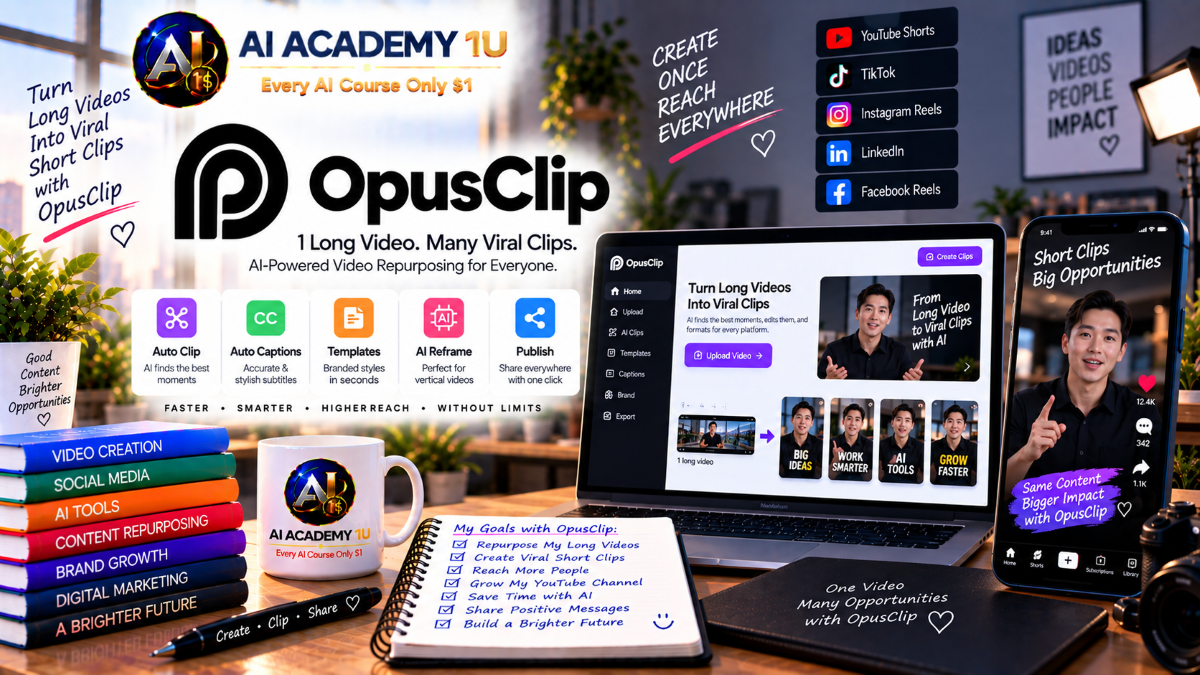
EXPLORE AI LIBRARYOpusClip AI is a repurposing tool for turning long videos into engaging short clips. Learn practical skills with AI Academy and discover useful workflows in our AI Library.

Explore all lessons in this catalogue and start learning at your own pace.
▶
1. What Is OpusClip? ❌
Discover what OpusClip is and how its AI-powered platform transforms long-form videos into short, shareable content. AI Academy 1U introduces the platform’s purpose, core capabilities, and role in modern video repurposing workflows for creators, marketers, educators, and businesses.
▶
2. Create and Set Up Your OpusClip Account ❌
Learn how to create an OpusClip account and prepare the workspace for efficient video production. AI Academy 1U guides learners through the essential initial setup so projects, source videos, generated clips, and future publishing activities can be organized from a clean foundation.
▶
3. Explore the OpusClip Interface ❌
Explore the main areas of the OpusClip interface, including Projects, Clips, Editor, Templates, and Publishing. AI Academy 1U helps learners understand where important tools and content-management features are located so they can navigate the platform confidently.
▶
4. Understand the Long-to-Short Workflow ❌
Understand the complete OpusClip workflow from source video and AI analysis through clip generation, editing, export, and publishing. AI Academy 1U connects these stages into a repeatable production process for efficiently transforming long-form content into short-form media.
▶
5. Create Your First Short Clip ❌
Create a first short clip by applying the fundamental OpusClip workflow from source selection through AI processing and final review. AI Academy 1U provides a practical introduction that builds confidence before learners move into more advanced clipping and editing techniques.
▶
6. Understand OpusClip Plans ❌
Learn how OpusClip plans differ and how available capabilities can affect different production needs. AI Academy 1U helps learners evaluate plan options according to content volume, workflow requirements, and expected use so they can make informed decisions about platform resources.
🔒
7. Understand Processing Credits ❌
Understand how processing credits relate to AI video analysis and clipping activity within OpusClip. AI Academy 1U explains why credit consumption matters and helps learners plan source-video processing more efficiently while reducing unnecessary use of available production resources.
🔒
8. Upload Video Files ❌
Learn how to upload source video files from a computer and prepare them for AI processing in OpusClip. AI Academy 1U emphasizes organized source preparation so learners can begin clipping with appropriate media and maintain a more efficient production workflow.
🔒
9. Import Videos from Online Sources ❌
Learn how supported online video sources can be brought into OpusClip for processing and repurposing. AI Academy 1U introduces an organized import workflow that helps learners move existing online content into AI-assisted clipping without relying only on locally stored files.
🔒
10. Choose the Best Source Video for AI Clipping ❌
Learn how video length, content structure, audio quality, speakers, and visual activity can influence AI clipping results. AI Academy 1U teaches learners to evaluate source material before processing so OpusClip has stronger content from which to identify useful short-form moments.
▶
11. What Is ClipAnything? ❌
Understand ClipAnything and how OpusClip analyzes video content to identify material suitable for short-form clips. AI Academy 1U introduces the technology and workflow so learners understand how AI-assisted clipping can work across a variety of content types.
🔒
12. Automatically Find the Best Moments ❌
Learn how OpusClip AI can analyze a long video and automatically identify moments with strong short-form potential. AI Academy 1U teaches learners to review generated highlights critically and recognize which selections are most valuable for further editing and publishing.
🔒
13. Find Specific Moments with Prompts ❌
Use natural-language prompts to direct OpusClip toward specific topics, moments, or ideas within source footage. AI Academy 1U teaches learners to communicate clipping goals clearly so AI analysis can focus more precisely on the content they want to repurpose.
🔒
14. Clip Podcasts, Interviews and Talking Heads ❌
Learn how to extract valuable short clips from podcasts, interviews, and talking-head videos where spoken content drives the message. AI Academy 1U focuses on identifying meaningful statements, strong hooks, useful explanations, and self-contained moments suitable for short-form distribution.
🔒
15. Clip Vlogs, Sports, Gaming and Low-Dialogue Videos ❌
Learn how to approach AI clipping when visual action is more important than spoken transcripts. AI Academy 1U explores vlogs, sports, gaming, and low-dialogue footage so learners can identify visually compelling moments and build effective short-form content from them.
▶
16. Understand AI Curation ❌
Understand how AI curation helps evaluate long-form footage and identify sections that may work as independent short clips. AI Academy 1U introduces the selection process and teaches learners to combine AI recommendations with human judgment when deciding what content deserves further development.
🔒
17. Find Strong Hooks ❌
Learn how to recognize opening moments that quickly establish interest and encourage viewers to continue watching. AI Academy 1U teaches learners to evaluate potential hooks in generated clips and select openings that communicate value, curiosity, emotion, or relevance efficiently.
🔒
18. Combine Highlights into Cohesive Clips ❌
Learn how multiple useful highlights can be combined into a short clip that feels coherent rather than fragmented. AI Academy 1U focuses on logical sequence, context, pacing, and message continuity so selected moments work together as a meaningful piece of content.
🔒
19. Understand Virality Score ❌
Understand OpusClip’s Virality Score and the signals used to estimate the potential performance of generated clips. AI Academy 1U helps learners interpret the score as a decision-support tool while also considering audience relevance, content quality, context, and publishing goals.
🔒
20. Select the Best Clips for Publishing ❌
Compare generated clips and determine which ones are strongest candidates for publishing. AI Academy 1U teaches learners to evaluate hooks, clarity, completeness, visual quality, audience value, and AI signals so publishing decisions are based on more than automated scoring alone.
▶
21. Understand ReframeAnything ❌
Understand how ReframeAnything uses AI to adapt video composition when content is converted between different aspect ratios. AI Academy 1U introduces intelligent reframing and explains how automated subject positioning supports efficient repurposing for multiple publishing formats.
🔒
22. Convert Landscape Video to Vertical 9:16 ❌
Learn how to transform landscape source footage into vertical 9:16 content for Shorts, Reels, TikTok, and similar platforms. AI Academy 1U focuses on preserving important subjects and visual information while adapting compositions for mobile-first viewing.
🔒
23. Work with 1:1 and 16:9 Formats ❌
Learn how square 1:1 and landscape 16:9 formats serve different publishing and presentation requirements. AI Academy 1U helps learners choose appropriate aspect ratios and evaluate how framing decisions affect composition, readability, and the overall viewing experience.
🔒
24. Track Speakers and Moving Subjects ❌
Learn how AI-assisted reframing can keep speakers and moving subjects appropriately positioned as action changes throughout a clip. AI Academy 1U teaches learners to review tracking behavior carefully and maintain visual focus on the most important subject.
🔒
25. Correct AI Reframing Manually ❌
Learn how to correct framing when automated AI decisions do not produce the desired composition. AI Academy 1U helps learners identify problematic crops or subject placement and apply manual adjustments so the final short remains visually clear and professionally framed.
▶
26. Understand AI Captions ❌
Understand how speech-to-text technology supports automatic caption creation in OpusClip. AI Academy 1U introduces the relationship between spoken audio, transcription, and on-screen captions so learners can build a strong foundation for accurate and visually effective caption workflows.
🔒
27. Generate and Correct Automatic Captions ❌
Learn how to generate captions automatically and review them for speech-recognition errors. AI Academy 1U emphasizes careful correction of words, punctuation, names, and context so published captions accurately represent the original spoken content.
🔒
28. Edit Caption Timing and Placement ❌
Learn how caption timing and screen placement influence readability and viewer comprehension. AI Academy 1U teaches learners to coordinate captions with spoken dialogue while positioning text appropriately around speakers, graphics, and other important visual elements.
🔒
29. Design Animated Captions ❌
Create visually engaging animated captions by working with typography, size, styling, animation, and keyword emphasis. AI Academy 1U teaches learners to enhance short-form content while maintaining readability and avoiding caption effects that distract from the underlying message.
🔒
30. Build Multilingual Caption Workflows ❌
Develop an organized workflow for preparing captioned content for audiences using different languages. AI Academy 1U helps learners coordinate transcription, language adaptation, visual presentation, and quality review when repurposing short-form videos for multilingual distribution.
▶
31. Understand AI B-Roll ❌
Understand the role of B-roll in supporting spoken ideas, adding visual context, and maintaining viewer interest. AI Academy 1U introduces AI-assisted B-roll workflows and explains how supplementary visuals can strengthen short-form storytelling when used purposefully.
🔒
32. Automatically Add Contextual B-Roll ❌
Learn how AI can identify moments where supplementary visuals may improve a clip and add contextual B-roll. AI Academy 1U teaches learners to review automated choices and determine whether each visual genuinely supports the message and viewing experience.
🔒
33. Work with Stock B-Roll ❌
Learn how stock footage can supplement primary video when additional visual context is needed. AI Academy 1U teaches learners to select relevant supporting footage that reinforces the spoken message while maintaining visual consistency and professional presentation.
🔒
34. Work with AI-Generated B-Roll ❌
Explore AI-generated visual material as an alternative when suitable stock footage is unavailable or insufficient. AI Academy 1U teaches learners to evaluate generated B-roll for relevance, quality, continuity, and its ability to support the intended story.
🔒
35. Build High-Retention Visual Storytelling ❌
Combine speakers, B-roll, captions, framing, and purposeful visual changes into a stronger short-form viewing experience. AI Academy 1U teaches learners to create visual rhythm that supports comprehension and retention without overwhelming viewers with unnecessary effects.
▶
36. Understand the OpusClip Editor ❌
Explore the OpusClip editing environment used to refine clips after AI generation. AI Academy 1U introduces the main editing workflow and prepares learners to adjust content, timing, captions, visuals, and other elements before completing a short-form video.
🔒
37. Edit Video with Text-Based Editing ❌
Learn how transcript or text-based controls can simplify spoken-video editing. AI Academy 1U teaches learners to refine content through its textual representation while understanding how those changes affect the underlying video and audio.
🔒
38. Edit Video with Timeline-Based Editing ❌
Learn how timeline-based editing provides direct control over the structure and timing of a clip. AI Academy 1U helps learners use timeline tools when precise adjustments are needed beyond what text-based editing can efficiently provide.
🔒
39. Trim, Rearrange and Refine AI Clips ❌
Learn how to adjust start and end points, reorganize content, and refine clips generated by AI. AI Academy 1U teaches learners to treat automated results as a starting point and apply human editorial judgment before publishing.
🔒
40. Build a Finished Professional Short ❌
Combine content editing, captions, visuals, framing, and audio refinement to produce a polished short-form video. AI Academy 1U guides learners through final review and completion so generated clips become professionally prepared publishing assets.
▶
41. Understand Audio Enhancement ❌
Understand common audio problems that can reduce the quality of repurposed video content. AI Academy 1U introduces speech clarity, unwanted pauses, background issues, volume consistency, and other considerations learners should evaluate before completing a professional short.
🔒
42. Remove Filler Words and Unnecessary Pauses ❌
Learn how to tighten spoken content by removing unnecessary filler words and excessive pauses. AI Academy 1U emphasizes maintaining natural delivery while improving pacing, clarity, and viewer engagement in interviews, podcasts, talking-head videos, and other speech-focused clips.
🔒
43. Improve Speech and Audio Quality ❌
Learn how to refine spoken audio so voices are clearer and more consistent within a short-form production. AI Academy 1U focuses on practical quality improvements that make speech easier to understand while preserving an appropriate and natural sound.
🔒
44. Add AI Voiceover ❌
Explore how AI-generated voiceover can provide narration or supporting speech for video content. AI Academy 1U introduces the voiceover workflow and teaches learners to integrate generated narration thoughtfully with existing visuals, captions, music, and source audio.
🔒
45. Build a Professional Audio Workflow ❌
Combine speech cleanup, pause refinement, AI voiceover, music, and volume balancing into an organized audio-production process. AI Academy 1U helps learners establish a repeatable workflow for producing short-form videos with clear, controlled, and professional sound.
▶
46. Understand Brand Templates ❌
Understand how brand templates help maintain consistent presentation across multiple OpusClip videos. AI Academy 1U introduces reusable branding systems and explains how standardized visual elements can reduce repetitive setup while strengthening identity across ongoing content production.
🔒
47. Set Brand Fonts, Colors and Caption Styles ❌
Learn how to establish consistent fonts, colors, and caption styles that reflect a defined visual identity. AI Academy 1U teaches learners to create recognizable presentation standards that can be applied across repeated short-form video productions.
🔒
48. Add Logos, Overlays and Brand Elements ❌
Learn how to incorporate logos, overlays, and other visual brand elements into short-form clips. AI Academy 1U focuses on maintaining recognizable identity while positioning branded elements so they support rather than interfere with the primary content.
🔒
49. Create Reusable Intros and Outros ❌
Create standardized introductions and endings that can be reused across recurring video content. AI Academy 1U teaches learners to organize repeatable brand elements so future clips can maintain consistent opening and closing presentation with less manual production work.
🔒
50. Build a Complete Reusable Brand Template ❌
Combine fonts, colors, captions, logos, overlays, intros, and outros into a reusable production template. AI Academy 1U helps learners build a scalable branding system that supports faster creation of consistent short-form content across multiple projects.
🔒
51. Understand the Publishing Workflow ❌
Understand the stages that move a finished OpusClip video from editing into social-media distribution. AI Academy 1U introduces publishing preparation, platform selection, metadata, scheduling, and final review so learners can manage distribution as an organized production process.
🔒
52. Connect Social Media Accounts ❌
Learn how connected social accounts fit into an efficient publishing workflow. AI Academy 1U helps learners understand the preparation required before distributing completed clips across supported channels and platforms from an organized content-production environment.
🔒
53. Create Titles, Descriptions and Hashtags ❌
Learn how to prepare platform-appropriate titles, descriptions, and hashtags for individual short-form videos. AI Academy 1U focuses on creating metadata that clearly represents the content and supports organized publishing across different social-media destinations.
🔒
54. Schedule Videos with the Content Calendar ❌
Learn how a content calendar can replace inconsistent manual posting with a planned publishing schedule. AI Academy 1U teaches learners to organize completed videos across dates and platforms so content distribution becomes more consistent and manageable.
🔒
55. Build a Multi-Platform Publishing System ❌
Create an organized system for distributing repurposed content across multiple social platforms. AI Academy 1U combines publishing preparation, metadata, account connections, scheduling, and review into a repeatable workflow designed for ongoing content operations.
🔒
56. Turn Podcasts into Shorts ❌
Learn how to transform a long podcast episode into multiple focused short clips. AI Academy 1U teaches learners to identify valuable statements, conversations, hooks, and self-contained ideas that can become useful social content without losing their original meaning.
🔒
57. Turn Interviews into Social Content ❌
Learn how to extract valuable answers, insights, and memorable moments from long-form interviews. AI Academy 1U helps learners evaluate interview material and convert selected sections into focused short-form content suitable for ongoing social distribution.
🔒
58. Turn Webinars and Educational Videos into Clips ❌
Learn how to repurpose long educational recordings and webinars into shorter pieces centered on individual ideas or lessons. AI Academy 1U teaches learners to preserve instructional value while adapting long-form knowledge for faster short-form consumption.
🔒
59. Turn Long YouTube Videos into Short-Form Content ❌
Build a practical workflow for transforming long YouTube videos into multiple short-form assets. AI Academy 1U helps creators identify reusable moments, adapt them for shorter formats, and extend the value of existing long-form productions.
🔒
60. Build a Long-Form-to-Short-Form Content Engine ❌
Develop a repeatable system that turns one long source video into enough short-form content to support an extended publishing schedule. AI Academy 1U combines source selection, clipping, editing, branding, and distribution into a scalable repurposing workflow.
🔒
61. Understand Team Workspaces ❌
Understand how shared workspaces support OpusClip production when multiple people participate in content operations. AI Academy 1U introduces collaborative organization and prepares learners to think about projects, responsibilities, review, and publishing within a coordinated team environment.
🔒
62. Manage Team Members and Permissions ❌
Learn how team roles and permissions can support clear responsibility and controlled access within a production workflow. AI Academy 1U emphasizes organized collaboration so contributors can perform appropriate tasks without creating unnecessary confusion or operational overlap.
🔒
63. Organize Projects and Content Collections ❌
Learn how to organize growing numbers of source videos, generated clips, and related project materials. AI Academy 1U teaches learners to develop a structured content-management approach that makes professional production easier to navigate and maintain.
🔒
64. Continue Professional Editing Outside OpusClip ❌
Understand when a project may require deeper post-production beyond OpusClip and how content can continue into an appropriate professional editing workflow. AI Academy 1U helps learners recognize the boundary between efficient AI-assisted clipping and more specialized finishing requirements.
🔒
65. Build a Team Content Production Workflow ❌
Design a structured production pipeline that moves content from source material through editing, review, approval, and publishing. AI Academy 1U helps teams define clear stages and responsibilities so higher-volume content production can remain organized and repeatable.
🔒
66. Understand OpusClip Automation & Integrations ❌
Understand where automation and integrations can reduce repetitive work within a content-repurposing process. AI Academy 1U introduces the strategic role of automation and helps learners identify production stages that may benefit from more connected and efficient workflows.
🔒
67. Automate Repetitive Video Workflows ❌
Learn how recurring production steps can be organized for greater automation and less manual repetition. AI Academy 1U helps learners identify predictable tasks within video repurposing and develop a more efficient process while preserving human review where it matters.
🔒
68. Build an Integrated Content Workflow ❌
Build a connected workflow that links AI clipping with appropriate content-management and publishing processes. AI Academy 1U teaches learners to think beyond individual clips and organize OpusClip as one component within a broader professional content-production system.
🔒
69. Complete Project: One Long Video to a Full Social Campaign ❌
Complete a practical project that transforms one long source video into multiple short-form assets for different social platforms. AI Academy 1U brings together clipping, selection, editing, captions, visual refinement, branding, and publishing preparation in one coordinated campaign.
🔒
70. Complete Project: Full OpusClip Production System ❌
Complete an end-to-end OpusClip workflow from source video and AI clipping through selection, editing, captions, branding, and publishing. AI Academy 1U brings the entire course together in a professional production system designed to be repeatable for future content.
ChatGPT is an AI assistant for writing, learning, research, problem solving, and creative tasks. Learn practical skills with AI Academy and discover useful workflows in our AI Library.
EXPLORE AI LIBRARYCanva is a design platform for creating graphics, presentations, videos, and social media content. Learn practical design skills with AI Academy and explore creative workflows in our AI Library.
EXPLORE AI LIBRARYCapCut is a video editing platform for creating and enhancing videos with AI-powered tools, effects, captions, and templates. Learn practical skills with AI Academy and explore workflows in our AI Library.
EXPLORE AI LIBRARYGoogle Gemini is Google’s assistant for research, writing, reasoning, images, and productivity. Learn practical skills with AI Academy and discover useful workflows in our AI Library.
EXPLORE AI LIBRARYLearn Google Veo with AI Academy 1U and create cinematic AI videos from text and images using powerful video generation, camera controls, visual storytelling, and creative production techniques.
EXPLORE AI LIBRARYElevenLabs AI is a voice platform for text to speech, narration, and voice creation. Learn practical skills with AI Academy and discover useful workflows in our AI Library.
EXPLORE AI LIBRARYClaude AI is an assistant for writing, document analysis, reasoning, and coding. Learn practical skills with AI Academy and discover useful workflows in our AI Library.
EXPLORE AI LIBRARYVideoGen AI empowers creators to produce engaging videos faster with AI-powered tools. Learn practical workflows, creative techniques, and production strategies with AI Academy 1U to create professional video content efficiently.
EXPLORE AI LIBRARYHeyGen AI is an avatar video platform for presentations, narration, and multilingual communication. Learn practical skills with AI Academy and discover useful workflows in our AI Library.
EXPLORE AI LIBRARYMicrosoft Copilot is Microsoft’s assistant for productivity, writing, research, and workplace tasks. Learn practical skills with AI Academy and discover useful workflows in our AI Library.
EXPLORE AI LIBRARY








