
ChatGPT
ChatGPT is an AI assistant for writing, learning, research, problem solving, and creative tasks. Learn practical skills with AI Academy and discover useful workflows in our AI Library.
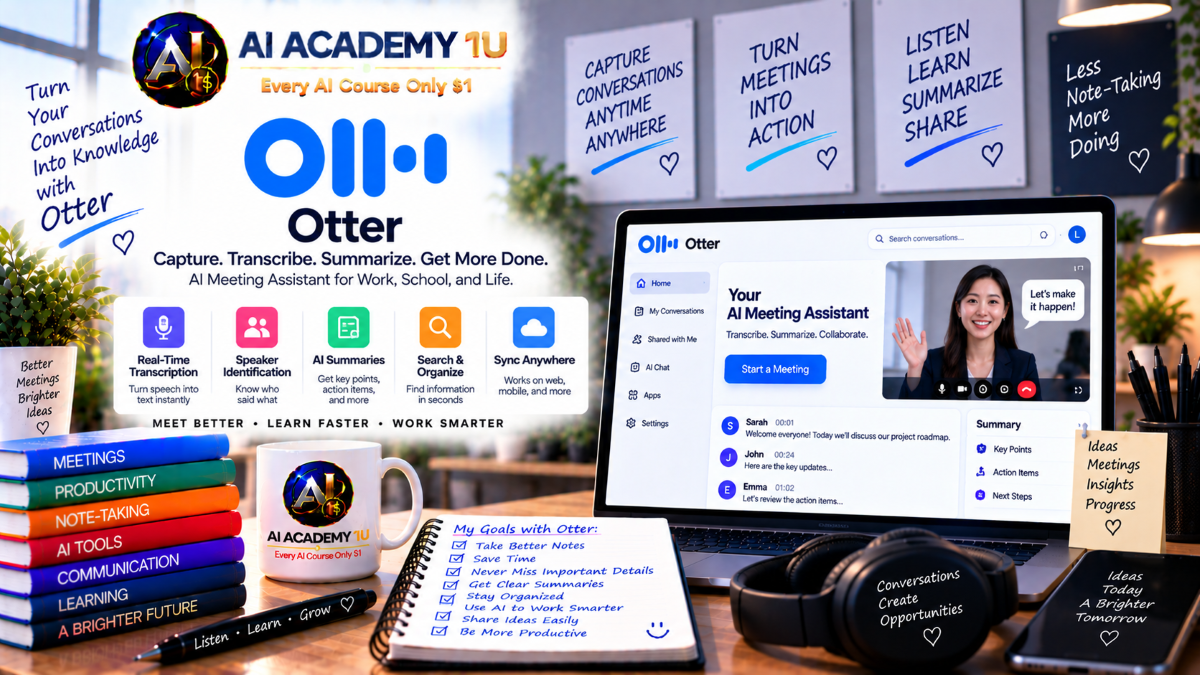
EXPLORE AI LIBRARYOtter.ai is a transcription assistant for recording, transcribing, and summarizing meetings and conversations. Learn practical skills with AI Academy and discover useful workflows in our AI Library.

Explore all lessons in this catalogue and start learning at your own pace.
▶
1. What Is Otter.ai? ❌
Understand Otter.ai as an AI-powered conversation intelligence platform for recording meetings, creating transcripts, generating summaries, identifying action items, and organizing meeting knowledge. AI Academy 1U explains how Otter.ai helps transform conversations into searchable and actionable information.
▶
2. Create and Set Up Your Otter Account ❌
Learn how to create an Otter account, configure your profile, and prepare the workspace for real meeting workflows. AI Academy 1U guides learners through the essential setup needed before recording conversations, managing transcripts, and using AI meeting features.
▶
3. Explore the Otter.ai Interface ❌
Explore the Otter.ai interface, including Home, conversations, calendar, channels, search, AI Chat, and workspace controls. AI Academy 1U helps learners understand where key tools are located and how to navigate the platform efficiently.
▶
4. Understand the Otter Conversation Workflow ❌
Learn the full Otter.ai workflow from meeting capture to transcript, summary, action items, AI Chat, sharing, and follow-up. AI Academy 1U shows how each step supports better meeting documentation, knowledge retrieval, and team productivity.
🔒
5. Otter.ai vs Traditional Meeting Notes ❌
Compare Otter.ai with traditional note-taking, manual recordings, and written meeting minutes. AI Academy 1U helps learners understand how automated transcription, summaries, search, and action tracking can reduce missed details and improve follow-up.
▶
6. Record Your First Conversation ❌
Record your first conversation in Otter.ai and understand how spoken audio becomes a transcript. AI Academy 1U guides learners through the basic recording workflow and shows how conversation capture supports later review, search, and summary.
▶
7. Understand Real-Time Transcription ❌
Understand how real-time transcription works while a conversation or meeting is happening. AI Academy 1U helps learners follow live transcript updates, recognize accuracy limits, and use real-time text to support participation and review.
🔒
8. Navigate a Conversation Transcript ❌
Learn how to read, scan, and navigate a long conversation transcript efficiently. AI Academy 1U teaches learners how to find important sections, understand transcript structure, and avoid wasting time reading every line from beginning to end.
🔒
9. Identify and Manage Speakers ❌
Understand speaker identification and learn how to manage speakers so transcripts are easier to read and review. AI Academy 1U explains how clear speaker labels improve meeting records, accountability, and later search.
🔒
10. Edit and Correct Transcripts ❌
Edit and correct transcript sections that were not captured accurately during the recording process. AI Academy 1U teaches learners how transcript cleanup improves meeting records, summaries, search results, and professional documentation.
🔒
11. Search Inside a Conversation ❌
Search inside a conversation to find keywords, topics, decisions, statements, or specific details without reading the full transcript. AI Academy 1U helps learners use search to retrieve important meeting information quickly and accurately.
🔒
12. Build a Clean Transcript Workflow ❌
Build a clean transcript workflow that includes recording, speaker review, transcript cleanup, verification, and final record preparation. AI Academy 1U teaches learners how to create reliable conversation records for professional use.
▶
13. Connect Your Calendar ❌
Connect your calendar so Otter.ai can recognize upcoming meetings and support meeting capture. AI Academy 1U helps learners understand how calendar integration improves preparation, automation, and meeting organization across daily workflows.
▶
14. Understand Otter Notetaker ❌
Understand how Otter Notetaker joins meetings, records conversations, and creates transcripts and summaries. AI Academy 1U explains how the Notetaker supports online meetings and reduces the need for manual documentation.
🔒
15. Use Otter with Zoom ❌
Set up a practical workflow for using Otter.ai with Zoom meetings. AI Academy 1U teaches learners how to capture Zoom conversations, review transcripts, organize meeting records, and use summaries for follow-up.
🔒
16. Use Otter with Google Meet ❌
Learn how to use Otter.ai with Google Meet conversations and manage captured meeting records. AI Academy 1U helps learners understand how to support meeting documentation, transcript review, and team sharing in Google Meet workflows.
🔒
17. Use Otter with Microsoft Teams ❌
Build an Otter.ai workflow for Microsoft Teams meetings and collaboration. AI Academy 1U teaches learners how to capture Teams conversations, review meeting content, organize transcripts, and support follow-up tasks.
🔒
18. Configure Automatic Meeting Capture ❌
Configure automatic meeting capture so Otter.ai can join or record meetings according to your workflow needs. AI Academy 1U helps learners avoid manual setup for every meeting while maintaining control over what gets captured.
▶
19. Import Existing Audio Files ❌
Import existing audio files into Otter.ai and convert them into searchable transcripts. AI Academy 1U teaches learners how imported recordings can become structured records for review, research, training, or professional documentation.
🔒
20. Import Video Files ❌
Import video files such as interviews, lectures, webinars, or recorded meetings into Otter.ai for transcription. AI Academy 1U helps learners extract spoken content from video and make it easier to review, search, and reuse.
🔒
21. Turn Historical Recordings into Searchable Knowledge ❌
Turn older audio and video recordings into searchable conversation archives that can support future work. AI Academy 1U teaches learners how historical recordings can become useful knowledge instead of forgotten files.
🔒
22. Organize Imported Conversations ❌
Organize imported conversations by naming, categorizing, and managing large groups of recordings. AI Academy 1U helps learners keep audio and video archives structured, searchable, and easier to use over time.
▶
23. Understand AI Meeting Summaries ❌
Understand how Otter.ai creates AI meeting summaries from long transcripts and meeting content. AI Academy 1U explains how summaries help learners review conversations faster while still requiring human verification for important information.
▶
24. Review Key Meeting Points ❌
Review key meeting points to identify important topics, discussion themes, and useful information without reading the full transcript. AI Academy 1U helps learners use summaries to understand meetings more efficiently.
🔒
25. Work with Meeting Outlines ❌
Use meeting outlines to understand the structure of a conversation and follow how topics developed. AI Academy 1U teaches learners how outlines help organize long discussions into clearer sections for review and sharing.
🔒
26. Identify Decisions and Commitments ❌
Identify real decisions and commitments within meeting discussions instead of confusing them with general conversation. AI Academy 1U helps learners separate confirmed outcomes, responsibilities, and next steps from informal comments.
🔒
27. Create Executive Meeting Summaries ❌
Create executive meeting summaries that turn long conversations into concise updates for managers or decision-makers. AI Academy 1U teaches learners how to focus on outcomes, priorities, risks, and required follow-up.
🔒
28. Build a Meeting Summary Review Workflow ❌
Build a review workflow that moves from transcript to AI summary, verification, decisions, actions, and distribution. AI Academy 1U helps learners create meeting summaries that are useful, accurate, and ready for professional sharing.
▶
29. Understand Otter Action Items ❌
Understand how Otter.ai identifies action items, tasks, and commitments that emerge during meetings. AI Academy 1U explains how action items help learners move from discussion to execution with clearer responsibilities and next steps.
🔒
30. Review AI-Generated Action Items ❌
Review AI-generated action items to confirm task accuracy, responsible people, context, and deadlines. AI Academy 1U teaches learners why human review is important before assigning work or relying on automated meeting outputs.
🔒
31. Turn Conversations into Tasks ❌
Turn meeting conversations into clear tasks that can be assigned, tracked, and followed up. AI Academy 1U helps learners identify what needs to happen next and convert discussion into practical action.
🔒
32. Generate Follow-Up Content ❌
Generate follow-up content such as recap messages, emails, task notes, or next-step summaries based on meeting intelligence. AI Academy 1U teaches learners how to communicate follow-up clearly after a conversation.
🔒
33. Build a Meeting-to-Action Workflow ❌
Build a meeting-to-action workflow that connects decisions, tasks, owners, follow-up, and tracking. AI Academy 1U helps learners reduce forgotten commitments and create a practical system for acting on meeting outcomes.
▶
34. Understand Otter AI Chat ❌
Understand how Otter AI Chat allows learners to ask questions about meeting data using natural language. AI Academy 1U explains how AI Chat can help retrieve decisions, topics, tasks, and important statements from conversations.
▶
35. Ask Questions About One Meeting ❌
Ask questions about a single meeting to find decisions, topics, tasks, statements, or context quickly. AI Academy 1U teaches learners how to use focused questions to retrieve useful information from one conversation.
🔒
36. Ask Questions Across Multiple Meetings ❌
Ask questions across multiple meetings to summarize knowledge that may be scattered across different conversations. AI Academy 1U helps learners connect information across time, teams, projects, and repeated discussions.
🔒
37. Extract Decisions with AI Chat ❌
Use Otter AI Chat to extract important decisions from meeting conversations and summaries. AI Academy 1U teaches learners how to ask better questions and verify extracted decisions against the original discussion.
🔒
38. Extract Tasks and Commitments ❌
Extract tasks, commitments, owners, and follow-up needs from meeting conversations using AI Chat. AI Academy 1U helps learners identify what was promised, what needs action, and what should be tracked after a meeting.
🔒
39. Compare Conversations Over Time ❌
Compare conversations over time to identify changes in priorities, concerns, decisions, or project direction. AI Academy 1U teaches learners how repeated meeting data can reveal patterns that are not obvious in one transcript.
🔒
40. Build Professional Otter AI Chat Prompts ❌
Build professional AI Chat prompt frameworks for research, management, sales, analysis, and knowledge retrieval. AI Academy 1U helps learners ask stronger questions that produce more relevant and actionable meeting insights.
▶
41. Understand Otter Channels ❌
Understand how Otter Channels organize conversations around teams, projects, clients, or subjects. AI Academy 1U explains how channels help learners structure meeting knowledge so important information is easier to find and share.
🔒
42. Create and Organize Channels ❌
Create and organize channels with a clear structure that supports team workflows and project management. AI Academy 1U helps learners design channel systems that reduce clutter and make conversation knowledge easier to manage.
🔒
43. Public vs Private Channels ❌
Understand the difference between public and private channels and how each affects meeting knowledge access. AI Academy 1U teaches learners how to control visibility, sharing, and privacy based on team needs and sensitive information.
🔒
44. Automatically Share Meetings to Channels ❌
Automatically share meetings to channels to reduce manual classification and keep team knowledge organized. AI Academy 1U helps learners create a smoother workflow for placing meeting records where teams can find them.
🔒
45. Use AI Chat Across a Channel ❌
Use AI Chat across a channel to ask questions about all meeting knowledge related to a project or team. AI Academy 1U teaches learners how channel-level search and AI answers support faster knowledge retrieval.
🔒
46. Build a Team Meeting Knowledge Base ❌
Build a team meeting knowledge base by organizing many conversations into a structured memory system. AI Academy 1U helps learners turn repeated meetings into searchable organizational knowledge that supports future decisions.
▶
47. Understand Otter Meeting Agents ❌
Understand how Otter Meeting Agents differ from passive notetakers by supporting more active meeting assistance. AI Academy 1U explains how agents can help learners interact with knowledge, identify actions, and support meeting workflows.
🔒
48. Interact with the Meeting Agent ❌
Interact with the Meeting Agent by asking questions and using meeting knowledge inside the workflow. AI Academy 1U helps learners understand how agent interaction can reduce searching and support real-time productivity.
🔒
49. Use Voice-Activated Meeting Intelligence ❌
Use voice-activated meeting intelligence to access AI support without constantly switching applications during a meeting. AI Academy 1U explains how voice interaction can help learners ask questions, retrieve context, and stay engaged.
🔒
50. Generate Tasks and Follow-Ups with Agents ❌
Generate tasks and follow-ups with agents to move from conversation to action more quickly. AI Academy 1U helps learners use meeting intelligence to create clearer responsibilities, next steps, and communication after meetings.
🔒
51. Build an Agent-Assisted Meeting Workflow ❌
Build an agent-assisted meeting workflow that supports preparation, live meetings, capture, summaries, actions, and follow-up. AI Academy 1U teaches learners how agents can improve the full meeting lifecycle.
▶
52. Understand Otter Live Assist ❌
Understand Otter Live Assist and how real-time AI coaching differs from post-meeting analysis. AI Academy 1U explains how live guidance can support conversations while they are happening, not only after they end.
🔒
53. Understand Agent Builder ❌
Understand Agent Builder as a way to create meeting agents that match specific business needs and workflows. AI Academy 1U helps learners see how custom agents can support specialized meeting scenarios and team processes.
🔒
54. Ground an Agent with Business Knowledge ❌
Ground an agent with business knowledge such as playbooks, SOPs, resources, and historical conversations. AI Academy 1U teaches learners how strong context helps agents provide more relevant and useful meeting support.
🔒
55. Create Real-Time Coaching Guidance ❌
Create real-time coaching guidance that appears at the right moment during calls or meetings. AI Academy 1U helps learners design guidance that supports better questions, responses, positioning, and meeting outcomes.
🔒
56. Track Meeting Objectives Live ❌
Track meeting objectives live by using an agent to monitor whether important topics and goals are being addressed. AI Academy 1U teaches learners how objective tracking can improve meeting focus and completeness.
🔒
57. Build a Custom Live Assist Agent ❌
Build a custom Live Assist agent for sales, recruiting, customer success, or internal meetings. AI Academy 1U helps learners design a practical coaching assistant that supports real-time conversations and follow-up needs.
▶
58. Use Otter for Sales Calls ❌
Use Otter.ai to capture sales calls, discovery conversations, customer pain points, objections, and commitments. AI Academy 1U teaches learners how sales conversation records can support better follow-up and deal management.
🔒
59. Extract Sales Intelligence ❌
Extract sales intelligence from conversations by identifying buyer signals, needs, objections, priorities, and next steps. AI Academy 1U helps learners turn raw sales calls into useful information for strategy, follow-up, and CRM updates.
🔒
60. Generate Sales Follow-Up ❌
Generate sales follow-up content based on what customers actually said during conversations. AI Academy 1U teaches learners how to create more relevant follow-up messages that reflect buyer needs, objections, and commitments.
🔒
61. Use Live Coaching for Objection Handling ❌
Use live coaching to support objection handling when customers raise concerns during sales conversations. AI Academy 1U helps learners understand how real-time guidance can improve responses, confidence, and meeting outcomes.
🔒
62. Build a Sales Conversation Intelligence Workflow ❌
Build a sales conversation intelligence workflow from call capture to transcript, buyer signals, objections, CRM updates, follow-up, and next call planning. AI Academy 1U helps learners create a practical revenue workflow.
▶
63. Use Otter for Recruiting Interviews ❌
Use Otter.ai for recruiting interviews to capture candidate responses, interviewer observations, and follow-up-up information. AI Academy 1U helps learners review interviews more accurately and keep hiring notes organized.
🔒
64. Use Otter for Classes and Lectures ❌
Use Otter.ai for classes and lectures by turning spoken instruction into transcripts, summaries, and searchable learning material. AI Academy 1U helps learners support study, review, accessibility, and knowledge retention.
🔒
65. Use Otter for Customer and User Research ❌
Use Otter.ai for customer and user research by capturing interviews and identifying recurring needs, pain points, and feedback patterns. AI Academy 1U helps learners turn qualitative conversations into organized research insight.
🔒
66. Use Otter for Leadership and Internal Meetings ❌
Use Otter.ai for leadership and internal meetings to track decisions, strategic risks, priorities, and commitments across repeated conversations. AI Academy 1U helps learners improve accountability and institutional knowledge.
▶
67. Understand Otter Integrations ❌
Understand how Otter.ai integrations connect conversation intelligence with business tools and workflows. AI Academy 1U helps learners see how meeting knowledge can support documents, task systems, CRM records, and collaboration platforms.
🔒
68. Understand Otter MCP ❌
Understand Otter MCP as a way conversation knowledge can become useful context for other AI tools and workflows. AI Academy 1U explains how structured meeting data may support broader AI-assisted work across systems.
🔒
69. Build a Meeting Intelligence Automation Workflow ❌
Build a meeting intelligence automation workflow that moves from Otter.ai to AI analysis, CRM, documents, tasks, and follow-up. AI Academy 1U helps learners reduce manual transfer while preserving conversation context.
ChatGPT is an AI assistant for writing, learning, research, problem solving, and creative tasks. Learn practical skills with AI Academy and discover useful workflows in our AI Library.
EXPLORE AI LIBRARYCanva is a design platform for creating graphics, presentations, videos, and social media content. Learn practical design skills with AI Academy and explore creative workflows in our AI Library.
EXPLORE AI LIBRARYCapCut is a video editing platform for creating and enhancing videos with AI-powered tools, effects, captions, and templates. Learn practical skills with AI Academy and explore workflows in our AI Library.
EXPLORE AI LIBRARYGoogle Gemini is Google’s assistant for research, writing, reasoning, images, and productivity. Learn practical skills with AI Academy and discover useful workflows in our AI Library.
EXPLORE AI LIBRARYLearn Google Veo with AI Academy 1U and create cinematic AI videos from text and images using powerful video generation, camera controls, visual storytelling, and creative production techniques.
EXPLORE AI LIBRARYElevenLabs AI is a voice platform for text to speech, narration, and voice creation. Learn practical skills with AI Academy and discover useful workflows in our AI Library.
EXPLORE AI LIBRARYClaude AI is an assistant for writing, document analysis, reasoning, and coding. Learn practical skills with AI Academy and discover useful workflows in our AI Library.
EXPLORE AI LIBRARYVideoGen AI empowers creators to produce engaging videos faster with AI-powered tools. Learn practical workflows, creative techniques, and production strategies with AI Academy 1U to create professional video content efficiently.
EXPLORE AI LIBRARYHeyGen AI is an avatar video platform for presentations, narration, and multilingual communication. Learn practical skills with AI Academy and discover useful workflows in our AI Library.
EXPLORE AI LIBRARYMicrosoft Copilot is Microsoft’s assistant for productivity, writing, research, and workplace tasks. Learn practical skills with AI Academy and discover useful workflows in our AI Library.
EXPLORE AI LIBRARY








