
ChatGPT
ChatGPT is an AI assistant for writing, learning, research, problem solving, and creative tasks. Learn practical skills with AI Academy and discover useful workflows in our AI Library.
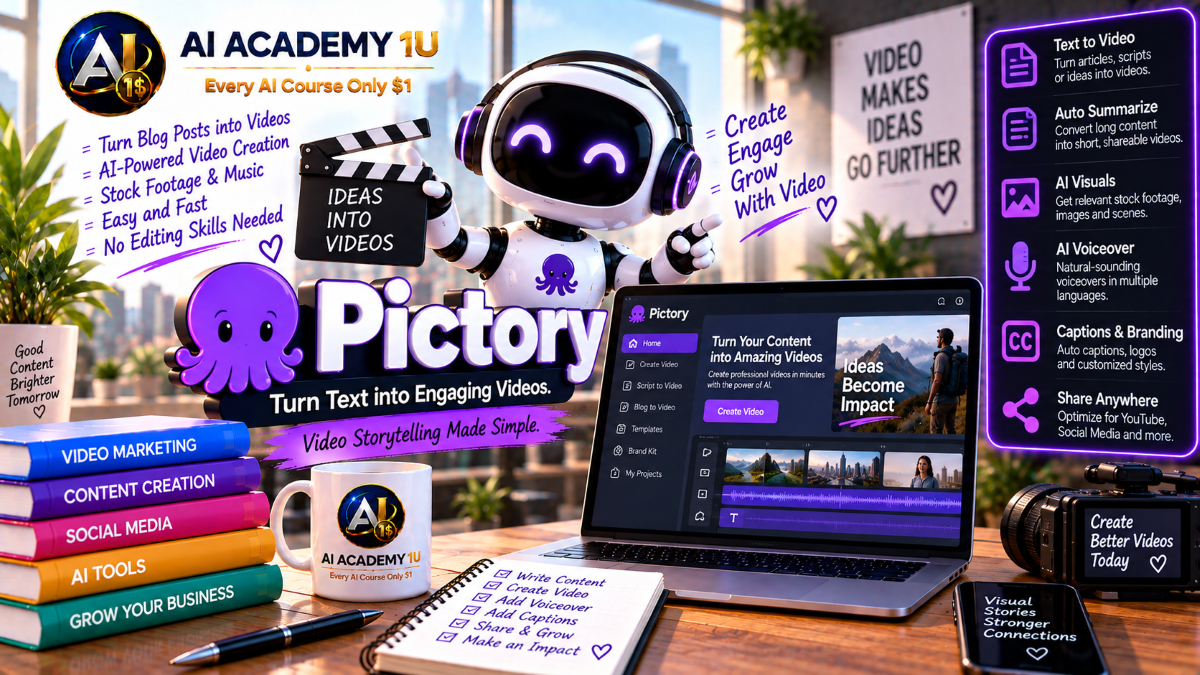
EXPLORE AI LIBRARYLearn Pictory AI with AI Academy 1U to transform scripts, articles, blogs, and long videos into engaging videos, summaries, highlights, captions, and social media clips using AI-powered production tools.

Explore all lessons in this catalogue and start learning at your own pace.
▶
1. What Is Pictory AI? ❌
Discover Pictory AI with AI Academy 1U as an AI video creation and editing platform for creators, marketers, educators, and business content. Learn how Pictory helps transform existing content into structured video projects.
▶
2. Understand the Pictory Workflow ❌
Understand the Pictory workflow with AI Academy 1U by exploring different starting points including text, scripts, URLs, audio, images, PowerPoint, and uploaded video. Learn how different source formats enter the Pictory production process.
▶
3. Create and Set Up Your Pictory Account ❌
Create and set up your Pictory account with AI Academy 1U by preparing your account, workspace, and first project. Learn the basic setup required before starting AI-assisted video creation and editing.
▶
4. Explore the Pictory Interface ❌
Explore the Pictory interface with AI Academy 1U by learning Story, Visuals, Audio, Text and Styles, Branding, Avatars, and the scene-based editor. Understand where key production tools are located.
▶
5. Understand Scene-Based Video Creation ❌
Understand scene-based video creation in Pictory AI with AI Academy 1U and learn how video content is organized into scenes for easier control of text, visuals, timing, and audio compared with traditional timeline editing.
▶
6. Understand Script-to-Video ❌
Understand Script-to-Video in Pictory AI with AI Academy 1U and learn how a script can be automatically divided into a storyboard, scenes, visuals, captions, and narration for structured video production.
▶
7. Generate a Video from an Idea ❌
Generate a video from an idea with Pictory AI and AI Academy 1U by entering a topic or concept and using AI assistance to create an initial video script that can be refined before production.
🔒
8. Prepare a Strong Video Script ❌
Prepare a strong video script with Pictory AI and AI Academy 1U using Hook → Main Points → Example → CTA. Learn how clear script structure helps Pictory divide content into stronger scenes.
🔒
9. Turn a Script into Scenes ❌
Turn a script into scenes with Pictory AI and AI Academy 1U by understanding how Pictory divides content automatically and when manual scene boundary adjustments can improve pacing and meaning.
🔒
10. Review AI-Selected Visuals ❌
Review AI-selected visuals in Pictory with AI Academy 1U by evaluating stock footage, images, and scene relevance. Learn how to determine whether automatically selected media supports the intended message.
🔒
11. Replace Weak Visual Matches ❌
Replace weak visual matches in Pictory AI with AI Academy 1U by searching for more relevant media or using AI Studio when automatically selected visuals do not accurately support the scene content.
🔒
12. Build a Complete Script-to-Video Project ❌
Build a complete Script-to-Video project with Pictory AI and AI Academy 1U using Script → Storyboard → Visuals → Voice → Captions → Branding → Export. Apply the full script-based production workflow.
▶
13. Understand URL-to-Video ❌
Understand URL-to-Video in Pictory AI with AI Academy 1U and learn how Pictory can extract content from a webpage, summarize key ideas, create a script, and convert the source into video.
▶
14. Convert a Blog Post into Video ❌
Convert a blog post into video with Pictory AI and AI Academy 1U by using an existing article as source material. Learn how written content can become a structured video project.
🔒
15. Review the AI Summary ❌
Review the AI summary in Pictory with AI Academy 1U by checking which ideas were selected from the source. Learn how to preserve the original message instead of accepting every automated summary choice.
🔒
16. Rewrite the Extracted Script ❌
Rewrite the extracted script in Pictory AI with AI Academy 1U by transforming written article language into more natural spoken language suitable for narration and video delivery.
🔒
17. Convert Landing Pages or Web Content ❌
Convert landing pages or web content into video with Pictory AI and AI Academy 1U by using product pages or service pages as source material for promotional video content.
🔒
18. Convert Documents into Video ❌
Convert documents into video with Pictory AI and AI Academy 1U by transforming training text or other structured document content into scenes, visuals, narration, and video-ready output.
🔒
19. Project: Repurpose One Article into a Video ❌
Repurpose one complete article into a branded video with Pictory AI and AI Academy 1U by extracting key ideas, refining the script, selecting visuals, applying branding, and preparing the final video.
▶
20. Understand Text-Based Video Editing ❌
Understand text-based video editing in Pictory AI with AI Academy 1U and learn how editing or deleting words and sentences in a transcript can directly change the corresponding parts of a video.
▶
21. Upload and Transcribe a Video ❌
Upload and transcribe a video with Pictory AI and AI Academy 1U using webinar, interview, podcast, or talking-head footage. Learn how transcription creates the foundation for text-based editing.
🔒
22. Remove Sentences by Editing Text ❌
Remove video sentences by editing text in Pictory AI with AI Academy 1U. Learn how deleting unwanted transcript sections can remove corresponding footage without manually creating timeline cuts.
🔒
23. Remove Filler Words ❌
Remove filler words in Pictory AI with AI Academy 1U by cleaning speech expressions such as “um” and “uh.” Learn how filler-word removal can tighten delivery and improve pacing.
🔒
24. Remove Long Silences ❌
Remove long silences in Pictory AI with AI Academy 1U to make videos more concise without manually editing each pause. Learn how automated silence cleanup improves overall pacing.
🔒
25. Rephrase and Shorten Content with AI ❌
Rephrase and shorten content with Pictory AI and AI Academy 1U by using AI to shorten, expand, or change the tone of transcript content while maintaining the intended message.
🔒
26. Replace Visuals While Editing Transcript ❌
Replace visuals while editing the transcript in Pictory AI with AI Academy 1U by refining text and scene media together. Learn how transcript and visual changes can remain aligned in one workflow.
🔒
27. Project: Edit a Long Talking Video ❌
Edit a long talking video with Pictory AI and AI Academy 1U using Transcribe → Clean Filler → Shorten → Captions → B-Roll → Final Export. Apply the complete transcript-based editing workflow.
▶
28. Understand AI Video Highlights ❌
Understand AI Video Highlights in Pictory with AI Academy 1U and learn how AI identifies key moments from webinars, Zoom recordings, podcasts, and other long-form video content.
▶
29. Generate Highlights from Long Video ❌
Generate highlights from long video with Pictory AI and AI Academy 1U by automatically creating shorter clips from long-form recordings. Learn the basic workflow for extracting reusable content segments.
🔒
30. Review AI-Selected Key Moments ❌
Review AI-selected key moments in Pictory with AI Academy 1U by evaluating which suggested segments provide real value. Learn why not every AI-selected highlight should be used.
🔒
31. Turn Highlights into Social Clips ❌
Turn highlights into social clips with Pictory AI and AI Academy 1U by adapting selected moments into short videos suitable for Instagram Reels, YouTube Shorts, LinkedIn, and similar platforms.
🔒
32. Resize Video for Different Platforms ❌
Resize video for different platforms with Pictory AI and AI Academy 1U by adapting content to 16:9, 9:16, and 1:1 formats without rebuilding the entire video project.
🔒
33. Build a Long-to-Short Content System ❌
Build a long-to-short content system with Pictory AI and AI Academy 1U by turning one podcast or long video into multiple branded short clips for ongoing social distribution.
▶
34. Understand Auto Captions ❌
Understand Auto Captions in Pictory AI with AI Academy 1U and learn how speech is automatically transcribed into subtitles and synchronized with the video for easier viewing and accessibility.
▶
35. Generate and Correct Captions ❌
Generate and correct captions with Pictory AI and AI Academy 1U by reviewing transcription, names, punctuation, and wording. Learn how caption correction improves accuracy and presentation quality.
🔒
36. Style Captions ❌
Style captions in Pictory AI with AI Academy 1U by adjusting font, size, position, and brand colors. Learn how consistent caption design can support readability and brand identity.
🔒
37. Create Multi-Language Subtitles ❌
Create multi-language subtitles with Pictory AI and AI Academy 1U by preparing caption versions for audiences who use different languages. Learn how subtitles can expand content reach.
🔒
38. Use Text Animations ❌
Use text animations in Pictory AI with AI Academy 1U by applying effects such as Fade, Typewriter, Wipe, and other text entry or exit animations to improve visual presentation.
🔒
39. Emphasize Key Messages with Text ❌
Emphasize key messages with text in Pictory AI with AI Academy 1U by using hierarchy, typography, and animation to make important ideas easier for viewers to identify and follow.
▶
40. Understand AI Voiceover in Pictory ❌
Understand AI Voiceover in Pictory with AI Academy 1U and learn how synthetic narration supports videos generated from scripts, articles, and other text-based content.
▶
41. Add an AI Voiceover ❌
Add an AI voiceover in Pictory with AI Academy 1U by selecting a voice and generating narration for your video. Learn the basic workflow for creating speech from script content.
🔒
42. Upload Your Own Voiceover ❌
Upload your own voiceover in Pictory AI with AI Academy 1U by using prerecorded audio instead of an AI-generated voice. Learn how personal narration can be integrated into video projects.
🔒
43. Add Background Music ❌
Add background music in Pictory AI with AI Academy 1U by selecting a track and balancing it with narration. Learn how music can support pacing, mood, and production quality.
🔒
44. Convert Audio into Video ❌
Convert audio into video with Pictory AI and AI Academy 1U by transcribing audio and generating scenes and visuals that match the spoken content. Learn how audio-first content becomes visual video.
🔒
45. Project: Turn a Podcast Segment into Video ❌
Turn a podcast segment into video with Pictory AI and AI Academy 1U using Audio → Transcript → Scenes → Visuals → Captions → Export. Apply the complete audio-to-video repurposing workflow.
▶
46. Understand Pictory AI Studio ❌
Understand Pictory AI Studio with AI Academy 1U and learn how generative visuals differ from stock media. Explore how custom images and clips can be created directly inside the editing workflow.
▶
47. Generate AI Images for a Scene ❌
Generate AI images for a scene with Pictory AI and AI Academy 1U by using prompts to create custom visuals instead of relying only on stock images or footage.
🔒
48. Generate Short AI Video Clips ❌
Generate short AI video clips in Pictory AI with AI Academy 1U by using scene prompts to create moving visuals directly inside the editor for specific video sections.
🔒
49. Replace Stock Media with AI Visuals ❌
Replace stock media with AI visuals in Pictory AI and AI Academy 1U by preserving the original message while creating more specific custom imagery that better matches the intended scene.
🔒
50. Build a Mixed Stock + AI Visual Video ❌
Build a mixed stock and AI visual video with Pictory AI and AI Academy 1U by combining stock footage, owned assets, and generative media inside one scene-based production workflow.
▶
51. Understand Pictory AI Avatars ❌
Understand Pictory AI Avatars with AI Academy 1U and learn how avatars can support training, presentation, and explainer videos without requiring the creator to record on camera.
▶
52. Add an Avatar to a Scene ❌
Add an avatar to a scene in Pictory AI with AI Academy 1U and learn how to create a presenter layer without filming yourself. Explore how avatars can be placed within individual scenes.
🔒
53. Position and Style the Avatar ❌
Position and style an avatar in Pictory AI with AI Academy 1U by treating the avatar as an editable visual layer. Learn how placement and styling affect the overall scene composition.
🔒
54. Build a Complete Presenter Video ❌
Build a complete presenter video with Pictory AI and AI Academy 1U using Script → Avatar → AI Voice → Captions → Visuals → Brand. Apply the full presenter-video production workflow.
▶
55. Understand Brand Kits ❌
Understand Brand Kits in Pictory AI with AI Academy 1U and learn how logos, fonts, colors, and visual rules can standardize video presentation across multiple projects.
🔒
56. Create Your Brand Kit ❌
Create your Brand Kit in Pictory AI with AI Academy 1U by setting a logo, fonts, and color palette. Learn how reusable brand settings support consistent video production.
🔒
57. Apply Branding Across Scenes ❌
Apply branding across scenes in Pictory AI with AI Academy 1U to maintain visual consistency throughout a video without manually restyling every individual scene.
🔒
58. Create Branded Intro and Outro ❌
Create branded intro and outro sequences in Pictory AI with AI Academy 1U by building reusable opening and closing formats that support consistent brand presentation across future videos.
▶
59. Understand Team Collaboration ❌
Understand team collaboration in Pictory AI with AI Academy 1U and learn how multiple users can work with shared content assets, projects, and Brand Kits inside a collaborative production environment.
🔒
60. Build a Repeatable Team Workflow ❌
Build a repeatable team workflow with Pictory AI and AI Academy 1U using Source Content → Editor → Reviewer → Final Delivery. Learn how defined roles improve production consistency.
🔒
61. Organize Assets, Brands and Projects ❌
Organize assets, brands, and projects in Pictory AI with AI Academy 1U by structuring media libraries, brand resources, and project files for more efficient large-scale content production.
ChatGPT is an AI assistant for writing, learning, research, problem solving, and creative tasks. Learn practical skills with AI Academy and discover useful workflows in our AI Library.
EXPLORE AI LIBRARYCanva is a design platform for creating graphics, presentations, videos, and social media content. Learn practical design skills with AI Academy and explore creative workflows in our AI Library.
EXPLORE AI LIBRARYCapCut is a video editing platform for creating and enhancing videos with AI-powered tools, effects, captions, and templates. Learn practical skills with AI Academy and explore workflows in our AI Library.
EXPLORE AI LIBRARYGoogle Gemini is Google’s assistant for research, writing, reasoning, images, and productivity. Learn practical skills with AI Academy and discover useful workflows in our AI Library.
EXPLORE AI LIBRARYLearn Google Veo with AI Academy 1U and create cinematic AI videos from text and images using powerful video generation, camera controls, visual storytelling, and creative production techniques.
EXPLORE AI LIBRARYElevenLabs AI is a voice platform for text to speech, narration, and voice creation. Learn practical skills with AI Academy and discover useful workflows in our AI Library.
EXPLORE AI LIBRARYClaude AI is an assistant for writing, document analysis, reasoning, and coding. Learn practical skills with AI Academy and discover useful workflows in our AI Library.
EXPLORE AI LIBRARYVideoGen AI empowers creators to produce engaging videos faster with AI-powered tools. Learn practical workflows, creative techniques, and production strategies with AI Academy 1U to create professional video content efficiently.
EXPLORE AI LIBRARYHeyGen AI is an avatar video platform for presentations, narration, and multilingual communication. Learn practical skills with AI Academy and discover useful workflows in our AI Library.
EXPLORE AI LIBRARYMicrosoft Copilot is Microsoft’s assistant for productivity, writing, research, and workplace tasks. Learn practical skills with AI Academy and discover useful workflows in our AI Library.
EXPLORE AI LIBRARY








