
ChatGPT
ChatGPT is an AI assistant for writing, learning, research, problem solving, and creative tasks. Learn practical skills with AI Academy and discover useful workflows in our AI Library.
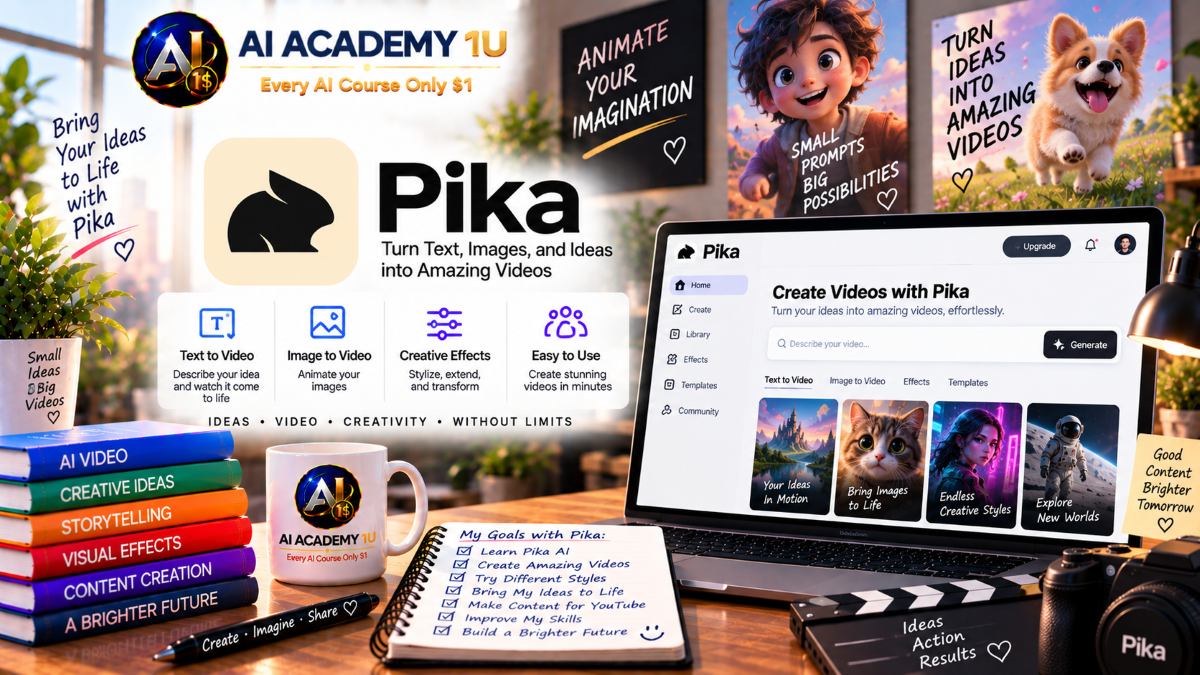
EXPLORE AI LIBRARYPika AI is a creative video tool for generating clips, animations, and visual effects. Learn practical skills with AI Academy and discover useful workflows in our AI Library.

Explore all lessons in this catalogue and start learning at your own pace.
▶
1. What Is Pika? ❌
Discover what Pika is, how its generative AI technology creates video and other media, and where the platform fits into modern content production. AI Academy 1U introduces the essential capabilities learners need before beginning hands-on Pika projects.
▶
2. Create and Set Up Your Pika Account ❌
Create a Pika account and prepare the workspace for efficient AI content production. AI Academy 1U guides learners through the essential setup steps and key areas needed to begin generating content confidently.
▶
3. Explore the Pika Interface ❌
Explore the Pika interface and locate the generation tools, models, settings, experiments, and other important creative features. AI Academy 1U helps learners understand how the workspace is organized for faster and more efficient production.
▶
4. Understand Pika Models and Features ❌
Understand the major Pika models and specialized creative features, including how different tools support different production goals. AI Academy 1U teaches learners to select appropriate capabilities instead of relying on one generation method for every project.
▶
5. Generate Your First Pika Video ❌
Create a first Pika video and learn the basic workflow from creative idea and prompt through generation and result review. AI Academy 1U establishes a practical production process learners can build upon throughout the course.
▶
6. Understand Pika Credits ❌
Learn how Pika credits are consumed according to model selection, resolution, duration, and generation choices. AI Academy 1U helps learners understand credit usage before committing resources to larger production workflows.
🔒
7. Understand Free and Paid Plans ❌
Compare free and paid Pika plans and understand how access to models and features can differ between subscription levels. AI Academy 1U teaches learners to evaluate plan capabilities according to their actual production needs.
🔒
8. Choose 480p, 720p and 1080p ❌
Understand the practical differences between 480p, 720p, and 1080p generation and choose an appropriate resolution for each project. AI Academy 1U teaches learners to balance visual quality, intended use, and generation cost.
🔒
9. Understand Video Duration ❌
Learn how generation duration affects creative planning, available output, and resource usage in Pika. AI Academy 1U teaches learners to select useful clip lengths according to the purpose of each shot.
🔒
10. Optimize Credits and Generation Cost ❌
Develop a more efficient generation strategy by planning prompts, models, resolution, duration, and revisions before spending credits. AI Academy 1U teaches learners to reduce unnecessary generations while maintaining creative quality.
▶
11. Understand Pika Prompt Structure ❌
Learn the essential components of an effective Pika prompt and understand how individual instructions influence generated content. AI Academy 1U teaches learners to organize visual information clearly before progressing to advanced prompting.
🔒
12. Describe Subjects Clearly ❌
Write precise descriptions of people, characters, products, objects, and other subjects so Pika can interpret the intended visual focus. AI Academy 1U teaches learners to reduce ambiguity and communicate important subject characteristics effectively.
🔒
13. Describe Actions and Motion ❌
Describe movement, direction, speed, behavior, and physical actions in ways that provide Pika with clearer animation instructions. AI Academy 1U teaches learners to turn static concepts into purposeful moving scenes.
🔒
14. Describe Environment, Lighting and Style ❌
Control the visual world surrounding a subject by describing location, atmosphere, lighting, time, and artistic style. AI Academy 1U teaches learners to coordinate these elements to create stronger and more coherent scenes.
🔒
15. Build Cinematic Pika Prompts ❌
Combine subject, action, environment, lighting, style, and camera direction into complete cinematic prompts. AI Academy 1U teaches learners to create richer instructions for polished and visually intentional Pika generations.
▶
16. Understand Pika Text-to-Video ❌
Understand how Pika interprets written prompts and converts them into generated video. AI Academy 1U explains the essential text-to-video workflow and the creative decisions that influence the resulting scene.
🔒
17. Generate Your First Text-to-Video Clip ❌
Generate a complete video clip directly from a written prompt and evaluate how prompt choices affect the result. AI Academy 1U guides learners through a practical text-to-video process from initial idea to generated output.
🔒
18. Control Character and Object Motion ❌
Direct how characters, products, props, and other objects move within text-generated scenes. AI Academy 1U teaches learners to describe motion clearly so generated actions better support the intended visual concept.
🔒
19. Create Cinematic Text-to-Video Shots ❌
Create more cinematic text-to-video shots using purposeful framing, movement, lighting, atmosphere, and visual direction. AI Academy 1U teaches learners to move beyond basic generations toward stronger visual storytelling.
🔒
20. Build a Text-to-Video Production Workflow ❌
Develop a complete workflow covering concept development, prompting, generation, evaluation, revision, and shot selection. AI Academy 1U teaches learners to organize text-to-video production for consistent and efficient creative work.
▶
21. Understand Image-to-Video ❌
Understand how Pika uses a source image as the visual foundation for video generation. AI Academy 1U explains how image quality, composition, subject detail, and motion instructions influence the resulting animation.
🔒
22. Animate a Still Image ❌
Transform a static image into a moving sequence by introducing controlled subject, environmental, or camera motion. AI Academy 1U teaches learners to add animation while protecting the important visual qualities of the source image.
🔒
23. Animate People and Characters ❌
Create movement for people and characters while maintaining recognizable appearance and a clear relationship with the scene. AI Academy 1U teaches learners to approach character animation with more deliberate motion planning.
🔒
24. Animate Products and Objects ❌
Animate products and objects while preserving important shape, design, and presentation details. AI Academy 1U teaches learners to use image-to-video techniques for commercial visuals, demonstrations, and creative content.
🔒
25. Build an Image-to-Video Project ❌
Complete an image-to-video project from source-image preparation and motion planning through generation, evaluation, and refinement. AI Academy 1U brings the module techniques together into one practical production workflow.
▶
26. What Is Pikaframes? ❌
Understand what Pikaframes is and how keyframe-based generation can provide additional control over visual progression. AI Academy 1U introduces the core concepts learners need before building frame-driven video sequences.
🔒
27. Create Video from First and Last Frames ❌
Generate a video that connects a defined first frame with a planned final frame. AI Academy 1U teaches learners to prepare compatible visual endpoints and guide the progression between them.
🔒
28. Control Visual Transformation Between Frames ❌
Direct how subjects, objects, environments, or visual styles change between keyframes. AI Academy 1U teaches learners to plan transformations that remain understandable and visually coherent throughout the generated sequence.
🔒
29. Create Longer Pikaframes Sequences ❌
Develop longer visual sequences by planning connected frames and maintaining continuity across a more extended progression. AI Academy 1U teaches learners to organize keyframe development for more ambitious video concepts.
🔒
30. Build a Cinematic Keyframe Workflow ❌
Combine visual planning, keyframe preparation, transformation control, generation, and refinement into a cinematic workflow. AI Academy 1U teaches learners to use Pikaframes as a structured production tool rather than an isolated effect.
▶
31. What Is Pikascenes? ❌
Understand how Pikascenes combines multiple visual elements to construct new AI-generated scenes. AI Academy 1U introduces the workflow and creative possibilities before learners begin building more complex compositions.
🔒
32. Build a Scene from Multiple Visual Elements ❌
Combine several visual references or components into a unified scene with a clear creative purpose. AI Academy 1U teaches learners to organize source elements so Pika can interpret their intended relationships more effectively.
🔒
33. Combine Characters, Objects and Environments ❌
Place characters, products, props, and environments together while maintaining clear visual relationships. AI Academy 1U teaches learners to construct richer scenes without losing focus on the primary subjects.
🔒
34. Control Scene Composition ❌
Control placement, scale, foreground, background, visual hierarchy, and overall balance within a generated scene. AI Academy 1U teaches learners to approach composition deliberately when combining multiple elements.
🔒
35. Build a Complete Pikascenes Project ❌
Develop a complete Pikascenes project from asset selection and scene planning through generation and refinement. AI Academy 1U brings multi-element composition techniques together in a practical production exercise.
▶
36. What Is Pikadditions? ❌
Understand how Pikadditions introduces new visual elements into existing video footage. AI Academy 1U explains the core workflow and the creative opportunities available when extending an established scene.
🔒
37. Add a Person into an Existing Video ❌
Introduce a person or character into existing footage while considering placement, scale, perspective, and scene context. AI Academy 1U teaches learners to create additions that feel more naturally integrated.
🔒
38. Add Objects into Video ❌
Insert products, props, or other objects into an existing video while preserving the scene’s visual relationships. AI Academy 1U teaches learners to use additions for creative storytelling and commercial production.
🔒
39. Match Added Elements with the Scene ❌
Improve integration by matching added elements with the surrounding composition, perspective, lighting, and visual context. AI Academy 1U teaches learners to identify inconsistencies that can make an addition appear disconnected.
🔒
40. Build a Creative Pikadditions Project ❌
Complete a creative Pikadditions project from source footage and element selection through generation and evaluation. AI Academy 1U teaches learners to combine technical integration with a clear creative objective.
▶
41. What Is Pikaswaps? ❌
Understand how Pikaswaps replaces selected visual elements while preserving the broader structure of existing footage. AI Academy 1U introduces the core replacement workflow and practical creative applications.
🔒
42. Replace an Object in Video ❌
Replace an existing object with a different visual element while maintaining the surrounding scene and motion. AI Academy 1U teaches learners to approach object replacement with attention to context, scale, and continuity.
🔒
43. Use Image References for Swaps ❌
Use reference images to provide clearer visual guidance for replacement subjects and objects. AI Academy 1U teaches learners to choose useful references that support more intentional swap results.
🔒
44. Create Creative Character and Product Swaps ❌
Apply Pikaswaps to characters and products for storytelling, advertising, experimentation, and creative transformation. AI Academy 1U teaches learners to plan swaps around a clear visual objective.
🔒
45. Build a Professional Pikaswaps Workflow ❌
Develop a repeatable workflow covering source selection, replacement planning, reference preparation, generation, review, and refinement. AI Academy 1U teaches learners to use Pikaswaps more systematically in production.
▶
46. What Is Pikatwists? ❌
Understand how Pikatwists can reinterpret and transform existing video into new creative sequences. AI Academy 1U introduces the feature’s core workflow and its role in experimental AI video production.
🔒
47. Transform an Existing Video ❌
Use existing footage as the foundation for a new AI-generated transformation. AI Academy 1U teaches learners to define a creative direction while preserving enough of the original scene to support a coherent result.
🔒
48. Create Surprising Scene Changes ❌
Design unexpected scene transformations that capture attention while maintaining a recognizable visual progression. AI Academy 1U teaches learners to use creative contrast and transformation purposefully.
🔒
49. Control Creative Video Twists ❌
Guide the direction of a visual twist by defining what should change and what should remain consistent. AI Academy 1U teaches learners to balance experimentation with clearer creative control.
🔒
50. Build a Pikatwists Project ❌
Develop a complete Pikatwists project from source-video selection and transformation concept through generation and refinement. AI Academy 1U combines the module techniques into one practical creative workflow.
▶
51. What Are Pikaffects? ❌
Explore the Pikaffects system and understand how specialized AI effects can transform subjects and objects in video. AI Academy 1U introduces the available creative direction before learners begin producing individual effects.
🔒
52. Create Melt, Squish and Inflate Effects ❌
Generate melt, squish, and inflate transformations that alter the physical appearance of subjects and objects. AI Academy 1U teaches learners to select suitable source material and apply these effects with a clear visual purpose.
🔒
53. Create Explode and Crush Effects ❌
Create dramatic explode and crush transformations for attention-grabbing AI video. AI Academy 1U teaches learners to integrate these effects into scenes where the transformation supports the intended creative concept.
🔒
54. Apply Pikaffects to Existing Video ❌
Apply Pikaffects to existing footage and evaluate how source composition, subject visibility, and movement influence the result. AI Academy 1U teaches learners to incorporate specialized effects into practical editing workflows.
🔒
55. Build Viral Effect Videos ❌
Develop short effect-driven videos designed to attract attention on social platforms. AI Academy 1U teaches learners to combine strong source material, recognizable transformations, and concise visual presentation.
▶
56. What Is Pikaformance? ❌
Understand how Pikaformance connects character imagery with audio-driven performance and expression. AI Academy 1U introduces the essential workflow for creating speaking and singing visual characters.
🔒
57. Make an Image Speak ❌
Transform a still character image into a speaking performance using prepared audio or dialogue. AI Academy 1U teaches learners to create clearer talking-character content for presentation, storytelling, and creator projects.
🔒
58. Make an Image Sing ❌
Create a singing performance from a static character image and musical audio. AI Academy 1U teaches learners to combine appropriate visual references with sound to produce more engaging character-based content.
🔒
59. Synchronize Expressions with Audio ❌
Coordinate facial expression and visual performance with the timing and character of an audio source. AI Academy 1U teaches learners to evaluate synchronization as part of creating more believable AI performances.
🔒
60. Create a Talking Character Project ❌
Complete a talking-character project from image and audio preparation through generation, review, and final presentation. AI Academy 1U brings the Pikaformance workflow together into a practical production exercise.
▶
61. Understand Camera Language in Pika ❌
Learn essential camera terminology and understand how framing and camera movement influence the perception of a generated scene. AI Academy 1U establishes the vocabulary learners need for more deliberate cinematic prompting.
🔒
62. Create Pan, Tilt and Zoom Shots ❌
Generate pan, tilt, and zoom movements to reveal information, follow action, or shift visual emphasis. AI Academy 1U teaches learners to select camera movement according to the purpose of each shot.
🔒
63. Create Dolly and Tracking Shots ❌
Create dolly and tracking shots that introduce a stronger sense of movement through three-dimensional space. AI Academy 1U teaches learners to coordinate camera travel with subject action and composition.
🔒
64. Create Bullet-Time and Vertigo Effects ❌
Explore dramatic bullet-time and vertigo-inspired camera effects for stylized cinematic sequences. AI Academy 1U teaches learners to use specialized camera treatments where they strengthen the creative concept.
🔒
65. Build Cinematic Camera Prompts ❌
Write advanced prompts that communicate framing, lens perspective, camera movement, subject action, and cinematic intent. AI Academy 1U teaches learners to integrate camera language directly into structured Pika prompts.
▶
66. Understand Pika Audio ❌
Understand the role of Pika’s audio capabilities within the broader creative platform. AI Academy 1U introduces speech, voice, and sound-effect workflows before learners begin producing individual audio assets.
🔒
67. Generate Speech with Pika Speech ❌
Create AI-generated speech for narration, dialogue, presentation, and character content. AI Academy 1U teaches learners to incorporate generated speech into practical multimedia production.
🔒
68. Clone Voices with Pika Speech ❌
Understand the workflow for creating an AI voice replica from appropriate source material and using it in generated speech. AI Academy 1U teaches learners to approach voice cloning as part of an organized audio-production process.
🔒
69. Generate Sound Effects with Pika SFX ❌
Create AI-generated sound effects that support actions, environments, transitions, and visual events. AI Academy 1U teaches learners to use sound design to strengthen the impact of generated video.
🔒
70. Build an AI Audio Workflow ❌
Organize speech, voice, sound-effect generation, selection, and integration into a repeatable production workflow. AI Academy 1U teaches learners to coordinate AI audio with visual content more efficiently.
▶
71. Understand Pika Music ❌
Explore Pika’s AI music capabilities and understand how generated music can support video and creative production. AI Academy 1U introduces the core concepts needed before developing individual tracks and soundtracks.
🔒
72. Generate Music from Text ❌
Create music from written descriptions of mood, style, energy, and creative direction. AI Academy 1U teaches learners to communicate musical intent through clear generation instructions.
🔒
73. Generate Music from Lyrics and References ❌
Use lyrics and reference material to provide additional direction for AI-generated music. AI Academy 1U teaches learners to coordinate written content and musical inspiration within a structured generation workflow.
🔒
74. Generate Video-Aware Soundtracks ❌
Create soundtracks designed to complement the content, pacing, atmosphere, and movement of a video. AI Academy 1U teaches learners to think about music as part of the visual storytelling process.
🔒
75. Build a Complete Video Soundscape ❌
Combine music, speech, sound effects, and other audio elements into a cohesive soundscape for a finished video. AI Academy 1U teaches learners to approach audio as an integrated component of complete media production.
▶
76. What Is Pika Agent? ❌
Understand the role of Pika Agent and how conversational interaction can support AI-powered creative work. AI Academy 1U introduces the agent concept and its relationship with Pika’s broader generation ecosystem.
🔒
77. Create with Pika through Conversation ❌
Develop creative content by communicating goals and instructions conversationally with Pika Agent. AI Academy 1U teaches learners to structure requests clearly so the agent can better support the intended production.
🔒
78. Let Pika Agent Choose Creative Models ❌
Explore how Pika Agent can coordinate or select creative models according to the requested task. AI Academy 1U teaches learners to focus on production goals while allowing agent-based workflows to manage parts of the tool-selection process.
🔒
79. Build Multi-Step Creative Tasks ❌
Create tasks that require multiple connected creative actions rather than a single generation. AI Academy 1U teaches learners to organize objectives and dependencies so Pika Agent can support more complex production workflows.
🔒
80. Build an Agent-Based Content Workflow ❌
Develop a repeatable content-production process centered on conversational instructions and agent-assisted execution. AI Academy 1U teaches learners to integrate planning, generation, and creative coordination into an agent-based workflow.
🔒
81. What Is Pika MCP? ❌
Understand the purpose of Pika MCP and how it can support connections between AI agents and Pika’s creative capabilities. AI Academy 1U introduces the foundational concepts needed before developing automated workflows.
🔒
82. Connect Creative Agents to Pika ❌
Explore how creative agents can interact with Pika as part of a connected AI workflow. AI Academy 1U teaches learners to understand the relationship between agent instructions, creative services, and generated media.
🔒
83. Use Pika Creative Models through Agents ❌
Learn how agent-driven workflows can access and coordinate Pika creative models according to production tasks. AI Academy 1U teaches learners to think beyond individual manual generations toward orchestrated creative systems.
🔒
84. Automate AI Media Generation ❌
Develop automated processes that initiate and coordinate AI media-generation tasks with reduced manual repetition. AI Academy 1U teaches learners to identify production steps that can be organized into repeatable automation.
🔒
85. Build an Automated Pika Content Pipeline ❌
Design an end-to-end pipeline that connects task input, agent logic, Pika generation, and resulting media output. AI Academy 1U teaches learners to structure scalable automated content workflows around clear production objectives.
🔒
86. Understand Director's Suite ❌
Understand the advanced production concepts and workflow represented by Director's Suite. AI Academy 1U introduces learners to a more coordinated approach for managing sophisticated Pika video projects.
🔒
87. Work with Agent-Controlled Timeline Editing ❌
Explore timeline editing supported by agent-driven creative assistance and understand how automated decisions can contribute to sequence development. AI Academy 1U teaches learners to incorporate agent support while maintaining clear production goals.
🔒
88. Build Multi-Element Video Projects ❌
Develop projects containing multiple visual assets, scenes, audio components, and creative elements. AI Academy 1U teaches learners to organize complex productions so individual components contribute to one coherent result.
🔒
89. Create an End-to-End AI Video Production ❌
Build a complete AI video from concept and asset development through generation, assembly, refinement, and final production. AI Academy 1U teaches learners to connect previously separate techniques into a unified workflow.
🔒
90. Combine Video, Audio and Agents ❌
Coordinate Pika video generation, AI audio capabilities, and agent-assisted workflows within one production system. AI Academy 1U teaches learners to combine these technologies around a clear creative objective.
🔒
91. Create TikTok Videos with Pika ❌
Develop Pika-generated visual content suitable for TikTok’s short-form viewing environment. AI Academy 1U teaches learners to plan concise scenes, strong visual ideas, and efficient AI production for social content.
🔒
92. Create Instagram Reels ❌
Create Pika-powered visual sequences designed for Instagram Reels. AI Academy 1U teaches learners to organize short-form content around engaging presentation, clear visual communication, and practical creator workflows.
🔒
93. Create YouTube Shorts ❌
Build vertical short-form content for YouTube Shorts using Pika-generated video and creative assets. AI Academy 1U teaches learners to combine concise storytelling with efficient AI-assisted production.
🔒
94. Create Viral AI Effects and Trends ❌
Use Pika’s transformation and effect capabilities to develop attention-grabbing content inspired by short-form visual trends. AI Academy 1U teaches learners to adapt creative effects to a clear concept rather than relying on novelty alone.
🔒
95. Create Product and Marketing Videos ❌
Create Pika-generated product and marketing visuals designed to communicate features, benefits, brand ideas, or promotional messages. AI Academy 1U teaches learners to combine creative generation with practical commercial objectives.
🔒
96. Complete Project: Cinematic AI Video ❌
Plan and produce a complete cinematic AI video using Pika prompting, motion, camera direction, composition, and visual refinement. AI Academy 1U challenges learners to combine individual techniques into one cohesive cinematic production.
🔒
97. Complete Project: Viral Pikaffects Video ❌
Develop a complete effect-driven video using Pikaffects and short-form creative principles. AI Academy 1U guides learners through concept selection, effect generation, visual evaluation, and final presentation for an engaging project.
🔒
98. Complete Project: AI Talking Character ❌
Create a finished talking-character production by combining character imagery, audio, expression, and Pikaformance techniques. AI Academy 1U brings visual and performance workflows together in a practical character-based project.
🔒
99. Complete Project: AI Product Advertisement ❌
Produce a complete AI product advertisement using Pika-generated visuals, product presentation, motion, cinematic direction, and marketing-focused storytelling. AI Academy 1U guides learners through an integrated commercial production workflow.
🔒
100. Complete Project: Full Pika AI Production ❌
Complete an end-to-end Pika production that combines planning, prompting, video generation, advanced creative tools, audio, agents, automation concepts, and final assembly. AI Academy 1U brings the full course skill set together in a professional capstone project.
ChatGPT is an AI assistant for writing, learning, research, problem solving, and creative tasks. Learn practical skills with AI Academy and discover useful workflows in our AI Library.
EXPLORE AI LIBRARYCanva is a design platform for creating graphics, presentations, videos, and social media content. Learn practical design skills with AI Academy and explore creative workflows in our AI Library.
EXPLORE AI LIBRARYCapCut is a video editing platform for creating and enhancing videos with AI-powered tools, effects, captions, and templates. Learn practical skills with AI Academy and explore workflows in our AI Library.
EXPLORE AI LIBRARYGoogle Gemini is Google’s assistant for research, writing, reasoning, images, and productivity. Learn practical skills with AI Academy and discover useful workflows in our AI Library.
EXPLORE AI LIBRARYLearn Google Veo with AI Academy 1U and create cinematic AI videos from text and images using powerful video generation, camera controls, visual storytelling, and creative production techniques.
EXPLORE AI LIBRARYElevenLabs AI is a voice platform for text to speech, narration, and voice creation. Learn practical skills with AI Academy and discover useful workflows in our AI Library.
EXPLORE AI LIBRARYClaude AI is an assistant for writing, document analysis, reasoning, and coding. Learn practical skills with AI Academy and discover useful workflows in our AI Library.
EXPLORE AI LIBRARYVideoGen AI empowers creators to produce engaging videos faster with AI-powered tools. Learn practical workflows, creative techniques, and production strategies with AI Academy 1U to create professional video content efficiently.
EXPLORE AI LIBRARYHeyGen AI is an avatar video platform for presentations, narration, and multilingual communication. Learn practical skills with AI Academy and discover useful workflows in our AI Library.
EXPLORE AI LIBRARYMicrosoft Copilot is Microsoft’s assistant for productivity, writing, research, and workplace tasks. Learn practical skills with AI Academy and discover useful workflows in our AI Library.
EXPLORE AI LIBRARY








