
ChatGPT
ChatGPT is an AI assistant for writing, learning, research, problem solving, and creative tasks. Learn practical skills with AI Academy and discover useful workflows in our AI Library.
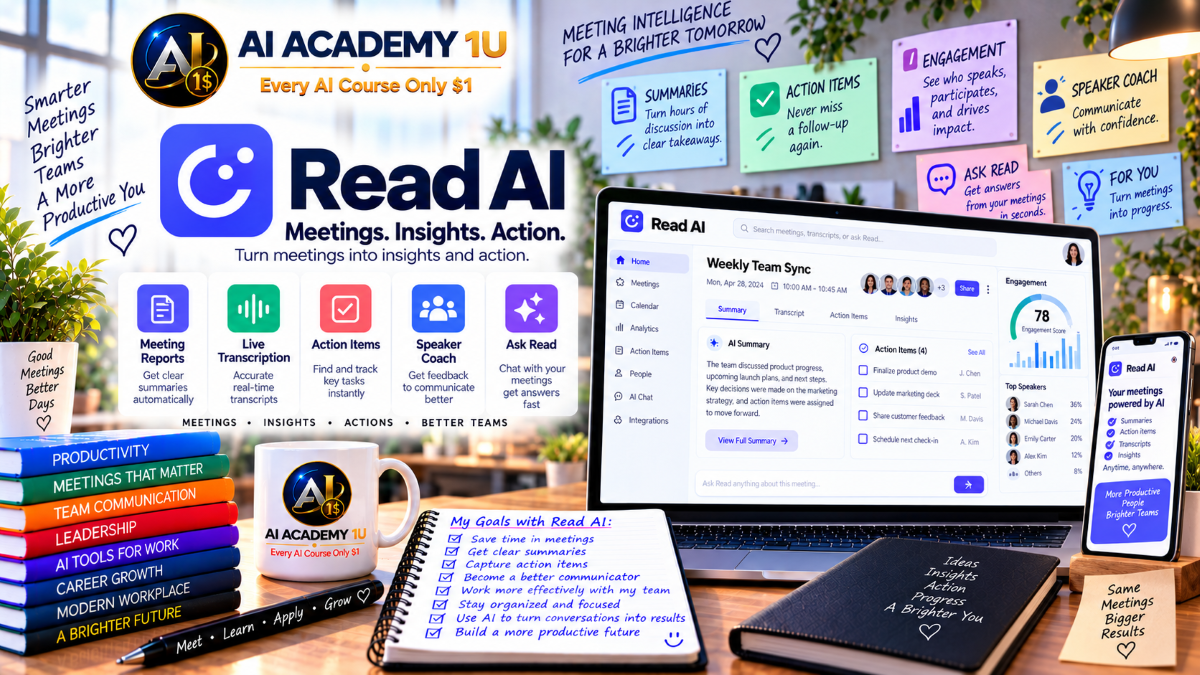
EXPLORE AI LIBRARYLearn Read AI with AI Academy 1U to record meetings, create transcripts and summaries, track action items, analyze engagement, improve communication, and discover valuable insights across team conversations.

Explore all lessons in this catalogue and start learning at your own pace.
▶
1. What Is Read AI? ❌
Discover Read AI with AI Academy 1U as a meeting intelligence platform that records meetings and transforms conversations into transcripts, summaries, action items, and searchable knowledge for more effective review and follow-up.
▶
2. Understand the Read AI Ecosystem ❌
Understand the Read AI ecosystem with AI Academy 1U by exploring Meeting Assistant, Meeting Reports, For You, Ask Read, Ada, integrations, API, and MCP capabilities used across meeting capture, analysis, search, and workflow automation.
▶
3. Understand Read AI vs a Basic Notetaker ❌
Understand how Read AI differs from a basic notetaker with AI Academy 1U by comparing simple recording and transcription with engagement analysis, coaching, knowledge search, and cross-meeting intelligence.
▶
4. Create and Set Up Your Read AI Account ❌
Create and set up your Read AI account with AI Academy 1U by preparing your account, connecting calendar access, and configuring meeting preferences for a practical and repeatable meeting intelligence workflow.
▶
5. Understand the Complete Read Workflow ❌
Understand the complete Read AI workflow with AI Academy 1U using Calendar → Meeting Capture → Transcript → Summary → Action Items → Metrics → Search → Follow-Up to turn meetings into organized and reusable business knowledge.
▶
6. Record Your First Meeting ❌
Record your first meeting with Read AI and AI Academy 1U by allowing Read to participate in a meeting, capturing the conversation, and checking the generated meeting report after the call has ended.
▶
7. Use Read with Google Meet ❌
Use Read AI with Google Meet and AI Academy 1U by understanding automatic join behavior, browser extension support, meeting capture, and the workflow that produces a Read meeting report after the conversation.
🔒
8. Use Read with Zoom ❌
Use Read AI with Zoom and AI Academy 1U by configuring Read for Zoom meetings so conversations can be captured and processed into transcripts, summaries, and meeting reports.
🔒
9. Use Read with Microsoft Teams ❌
Use Read AI with Microsoft Teams and AI Academy 1U by capturing Teams conversations and converting them into transcripts and meeting reports for later review and follow-up.
🔒
10. Use the Read Desktop App ❌
Use the Read desktop app with AI Academy 1U on Mac or Windows to support meeting capture and access desktop features such as Catch Me Up for quickly reviewing important conversation context.
🔒
11. Capture In-Person Conversations on Mobile ❌
Capture in-person conversations with the Read mobile app and AI Academy 1U by recording live discussions and converting them into transcripts, summaries, and reusable meeting information.
▶
12. Understand AI Meeting Transcription ❌
Understand AI meeting transcription with Read AI and AI Academy 1U by learning how spoken conversation is converted into timestamped text that can be reviewed and searched after or during a meeting.
▶
13. Review a Meeting Transcript ❌
Review a Read AI meeting transcript with AI Academy 1U by finding specific speakers, statements, and discussion content so important parts of a meeting can be located efficiently.
🔒
14. Use Live Transcription ❌
Use live transcription with Read AI and AI Academy 1U to follow the conversation through a realtime transcript while the meeting is still taking place.
🔒
15. Use Live Meeting Summaries ❌
Use live meeting summaries with Read AI and AI Academy 1U to quickly understand what has already happened when joining a meeting late or after missing part of the conversation.
🔒
16. Star Important Statements ❌
Star important statements with Read AI and AI Academy 1U by marking meaningful moments during a meeting so they can be identified and reviewed more easily afterward.
🔒
17. Use Catch Me Up ❌
Use Catch Me Up with Read AI and AI Academy 1U to quickly review conversation content that has already occurred without interrupting the flow of the current meeting.
▶
18. Understand Meeting Reports ❌
Understand Read AI Meeting Reports with AI Academy 1U by learning how post-meeting information is organized so transcripts, summaries, action items, questions, and other insights can be reviewed efficiently.
▶
19. Generate a Meeting Summary ❌
Generate a meeting summary with Read AI and AI Academy 1U by condensing a completed conversation into key points and decisions that provide a faster overview of the meeting.
🔒
20. Review Key Discussion Points ❌
Review Key Discussion Points with Read AI and AI Academy 1U by navigating directly to the main sections of a meeting instead of reviewing the complete conversation from beginning to end.
🔒
21. Extract Action Items ❌
Extract Action Items with Read AI and AI Academy 1U by identifying tasks, responsibilities, and follow-up work that should be completed after a meeting.
🔒
22. Review Key Questions ❌
Review Key Questions with Read AI and AI Academy 1U by locating important questions that appeared during a meeting and using them to support follow-up, clarification, and decision-making.
🔒
23. Build a Repeatable Meeting Report Workflow ❌
Build a repeatable meeting report workflow with Read AI and AI Academy 1U using Capture → Transcript → Summary → Action Items → Review → Sharing for consistent post-meeting processing.
▶
24. Understand Meeting Engagement ❌
Understand meeting engagement with Read AI and AI Academy 1U by learning how Read measures participant reactions and uses those signals to help review the effectiveness of a conversation.
▶
25. Understand Sentiment ❌
Understand sentiment with Read AI and AI Academy 1U by learning how sentiment metrics can help interpret changes in the tone and direction of a meeting conversation.
🔒
26. Analyze Talk Time ❌
Analyze talk time with Read AI and AI Academy 1U by reviewing how much each participant speaks and identifying situations where someone may be contributing too much or too little.
🔒
27. Analyze Speaking Speed ❌
Analyze speaking speed with Read AI and AI Academy 1U by reviewing pace metrics and using them as feedback for improving communication clarity during meetings and presentations.
🔒
28. Analyze Filler Words ❌
Analyze filler words with Read AI and AI Academy 1U by tracking repeated verbal fillers and speaking habits that may affect clarity and communication effectiveness.
🔒
29. Identify Impactful Statements ❌
Identify impactful statements with Read AI and AI Academy 1U by reviewing moments where audience reactions indicate that a particular statement had a notable effect during the conversation.
🔒
30. Interpret Meeting Metrics Carefully ❌
Interpret Read AI meeting metrics carefully with AI Academy 1U by treating sentiment and engagement scores as supporting signals for review rather than assuming they represent absolute conclusions about a meeting.
▶
31. Understand Speaker Coach ❌
Understand Read AI Speaker Coach with AI Academy 1U by learning how personalized coaching metrics can be generated from meeting history to support continuous communication improvement.
▶
32. Improve Speaking Clarity ❌
Improve speaking clarity with Read AI and AI Academy 1U by reviewing speaking pace, filler words, and communication structure to identify practical opportunities for clearer delivery.
🔒
33. Improve Meeting Participation ❌
Improve meeting participation with Read AI and AI Academy 1U by reviewing talk time and listening balance to support more effective participation during group conversations.
🔒
34. Improve Presentation Impact ❌
Improve presentation impact with Read AI and AI Academy 1U by using historical meeting data to identify communication patterns that may influence how effectively ideas are delivered.
🔒
35. Build a Personal Communication Improvement Plan ❌
Build a personal communication improvement plan with Read AI and AI Academy 1U using Metrics → Benchmark → Practice → Compare Meetings to track communication changes over time.
▶
36. Understand Meeting Playback ❌
Understand meeting playback with Read AI and AI Academy 1U by using the transcript and meeting timeline to navigate recordings more efficiently and locate important sections quickly.
▶
37. Navigate Using Highlights ❌
Navigate meetings using Read AI highlights with AI Academy 1U by jumping directly to automatically identified moments that deserve closer review.
🔒
38. Review Participant Reactions in Context ❌
Review participant reactions in context with Read AI and AI Academy 1U by combining transcript content, meeting playback, and engagement signals to better understand important moments.
🔒
39. Upload an Existing Audio Recording ❌
Upload an existing audio recording to Read AI with AI Academy 1U to generate a transcript, summary, action items, and key questions from previously recorded conversation audio.
🔒
40. Upload Existing Video ❌
Upload existing video to Read AI with AI Academy 1U to generate a meeting report from webinars, interviews, meetings, or other previously recorded video conversations.
▶
41. Understand For You ❌
Understand Read AI For You with AI Academy 1U by learning how cross-meeting intelligence identifies information across many conversations instead of producing only a summary for one meeting.
▶
42. Explore Automatically Discovered Topics ❌
Explore automatically discovered topics with Read AI and AI Academy 1U by reviewing themes that appear repeatedly across meetings within a selected period of time.
🔒
43. Use Topic Views ❌
Use Topic Views with Read AI and AI Academy 1U to move from a high-level topic summary into supporting clips and the original meetings where the topic appeared.
🔒
44. Use What You Missed ❌
Use What You Missed with Read AI and AI Academy 1U to catch up on topics you commonly follow but may have missed in recent meetings and conversations.
🔒
45. Analyze Trends Across Meetings ❌
Analyze trends across meetings with Read AI and AI Academy 1U by identifying recurring pain points, priorities, and team issues that emerge across multiple conversations.
🔒
46. Build a Cross-Meeting Insight Report ❌
Build a cross-meeting insight report with Read AI and AI Academy 1U using Time Range → Topics → Source Meetings → Evidence → Summary for structured multi-meeting analysis.
▶
47. Understand Ask Read ❌
Understand Ask Read with AI Academy 1U as a search and discovery capability that works across connected knowledge sources and meeting reports to help users locate relevant organizational information.
▶
48. Ask Questions Across Meetings ❌
Ask questions across meetings with Read AI and AI Academy 1U to retrieve decisions, discussions, or other information from multiple meeting reports instead of manually reviewing each conversation.
🔒
49. Search Email and Calendar Context ❌
Search email and calendar context with Read AI and AI Academy 1U by combining meeting intelligence with related scheduling and communication information when connected sources are available.
🔒
50. Search Slack and Microsoft Teams ❌
Search Slack and Microsoft Teams with Read AI and AI Academy 1U by combining conversation history from connected collaboration systems with relevant meeting intelligence and context.
🔒
51. Search Docs, Cloud Storage and CRM ❌
Search documents, cloud storage, and CRM sources with Read AI and AI Academy 1U across connected systems such as Notion, Confluence, Drive, OneDrive, HubSpot, or Salesforce when supported.
🔒
52. Build an Enterprise Knowledge Query Workflow ❌
Build an enterprise knowledge query workflow with Read AI and AI Academy 1U using Question → Source Search → Citations or Context → Answer → Follow-Up for structured organizational knowledge discovery.
▶
53. Understand Ada ❌
Understand Ada with AI Academy 1U by learning how Read AI positions this assistant for meeting-history questions, scheduling, and follow-up, and how its role differs from Ask Read.
▶
54. Ask Ada About Past Meetings ❌
Ask Ada about past meetings with AI Academy 1U to find decisions, timelines, action items, and discussion details stored across Read AI meeting history.
🔒
55. Use Ada for Meeting Preparation ❌
Use Ada for meeting preparation with AI Academy 1U by reviewing previous conversations, open tasks, and other useful context before an upcoming meeting begins.
🔒
56. Understand Ada Scheduling ❌
Understand Ada scheduling with AI Academy 1U by learning how scheduling assistance can work with calendar permissions to support meeting coordination.
🔒
57. Build an AI-Assisted Meeting Preparation Workflow ❌
Build an AI-assisted meeting preparation workflow with Read AI and AI Academy 1U using Past Meetings → Actions → Calendar → Meeting Brief for structured preparation before a conversation.
▶
58. Understand Read Integrations ❌
Understand Read AI integrations with AI Academy 1U by learning how meeting information can move from Read into external collaboration, documentation, and automation applications.
▶
59. Send Meeting Recaps to Slack ❌
Send meeting recaps to Slack with Read AI and AI Academy 1U by automatically sharing meeting results with relevant team members after a conversation has ended.
🔒
60. Save Reports to Google Docs or OneNote ❌
Save Read AI reports to Google Docs or OneNote with AI Academy 1U by moving transcripts, summaries, action items, and key questions into a connected knowledge system.
🔒
61. Build Zapier and Webhook Workflows ❌
Build Zapier and webhook workflows with Read AI and AI Academy 1U to trigger downstream actions automatically after a meeting report has been created.
▶
62. Understand the Read AI API ❌
Understand the Read AI API with AI Academy 1U by learning when built-in integrations are sufficient and when a custom application may be needed to work directly with meeting data.
🔒
63. Understand API Authentication ❌
Understand Read AI API authentication with AI Academy 1U by learning how OAuth 2.1 is used to obtain access and refresh tokens and how Bearer authentication is applied to API requests.
🔒
64. Retrieve Meeting Data by API ❌
Retrieve meeting data through the Read AI API with AI Academy 1U by understanding meeting-list, individual meeting retrieval, and live-meeting endpoints for custom applications.
🔒
65. Understand Read MCP ❌
Understand Read MCP with AI Academy 1U by learning how Model Context Protocol can connect an AI assistant to Read meeting data for structured access to meeting information.
🔒
66. Analyze Meetings through an MCP Client ❌
Analyze meetings through an MCP client with Read AI and AI Academy 1U by allowing an AI client to retrieve meetings, summaries, transcripts, and action items for pattern or customer-feedback analysis.
ChatGPT is an AI assistant for writing, learning, research, problem solving, and creative tasks. Learn practical skills with AI Academy and discover useful workflows in our AI Library.
EXPLORE AI LIBRARYCanva is a design platform for creating graphics, presentations, videos, and social media content. Learn practical design skills with AI Academy and explore creative workflows in our AI Library.
EXPLORE AI LIBRARYCapCut is a video editing platform for creating and enhancing videos with AI-powered tools, effects, captions, and templates. Learn practical skills with AI Academy and explore workflows in our AI Library.
EXPLORE AI LIBRARYGoogle Gemini is Google’s assistant for research, writing, reasoning, images, and productivity. Learn practical skills with AI Academy and discover useful workflows in our AI Library.
EXPLORE AI LIBRARYLearn Google Veo with AI Academy 1U and create cinematic AI videos from text and images using powerful video generation, camera controls, visual storytelling, and creative production techniques.
EXPLORE AI LIBRARYElevenLabs AI is a voice platform for text to speech, narration, and voice creation. Learn practical skills with AI Academy and discover useful workflows in our AI Library.
EXPLORE AI LIBRARYClaude AI is an assistant for writing, document analysis, reasoning, and coding. Learn practical skills with AI Academy and discover useful workflows in our AI Library.
EXPLORE AI LIBRARYVideoGen AI empowers creators to produce engaging videos faster with AI-powered tools. Learn practical workflows, creative techniques, and production strategies with AI Academy 1U to create professional video content efficiently.
EXPLORE AI LIBRARYHeyGen AI is an avatar video platform for presentations, narration, and multilingual communication. Learn practical skills with AI Academy and discover useful workflows in our AI Library.
EXPLORE AI LIBRARYMicrosoft Copilot is Microsoft’s assistant for productivity, writing, research, and workplace tasks. Learn practical skills with AI Academy and discover useful workflows in our AI Library.
EXPLORE AI LIBRARY








