
ChatGPT
ChatGPT is an AI assistant for writing, learning, research, problem solving, and creative tasks. Learn practical skills with AI Academy and discover useful workflows in our AI Library.
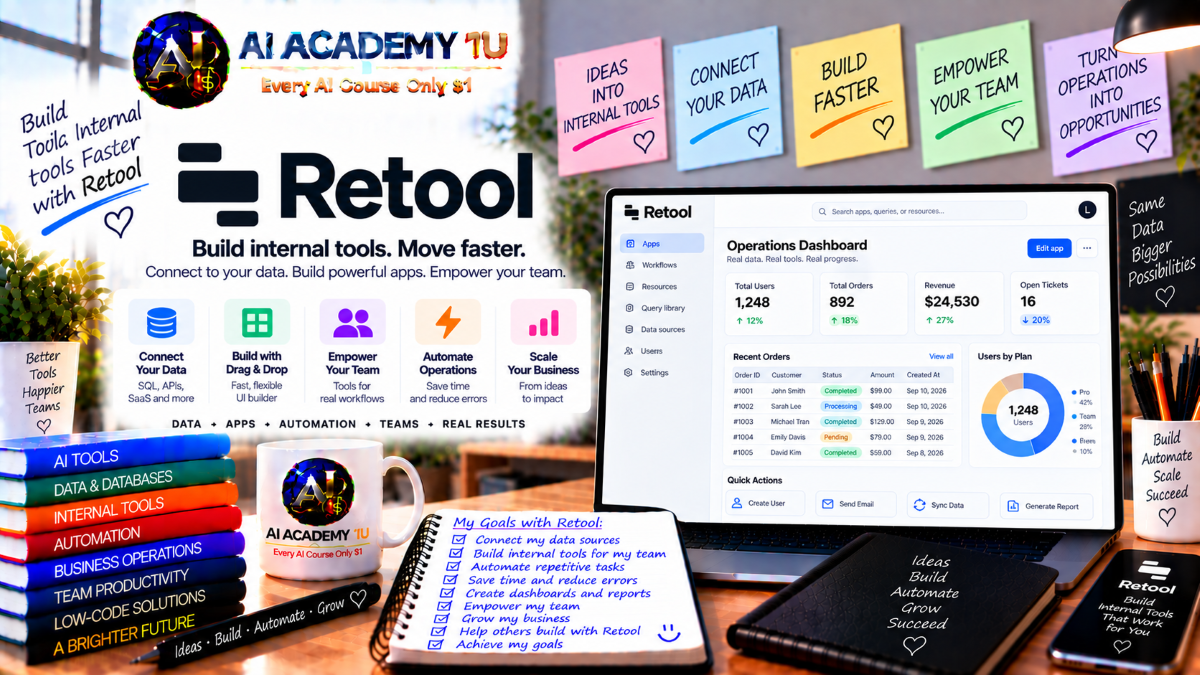
EXPLORE AI LIBRARYRetool AI is a platform for building internal tools, workflows, and business applications. Learn practical skills with AI Academy and discover useful workflows in our AI Library.

Explore all lessons in this catalogue and start learning at your own pace.
▶
1. What Is Retool? ❌
Discover Retool with AI Academy 1U and understand how it differs from traditional website builders by focusing on internal applications, business workflows, data tools, and AI-powered operational systems connected directly to enterprise data.
▶
2. Understand What You Can Build with Retool ❌
Explore what you can build with Retool through AI Academy 1U, including admin tools, operations dashboards, CRM systems, support tools, approval applications, data apps, and AI-powered business solutions.
▶
3. Create and Set Up Your Retool Account ❌
Set up your Retool account with AI Academy 1U by creating an organization, preparing your workspace, and configuring the initial environment needed to build and manage applications throughout the course.
▶
4. Explore the Retool Platform ❌
Explore the Retool platform with AI Academy 1U and become familiar with Apps, Resources, Workflows, Agents, Permissions, and the major areas used to build and manage business systems.
▶
5. Understand Apps, Workflows and Agents ❌
Understand the three major Retool layers with AI Academy 1U by learning how Apps provide user interfaces, Workflows automate processes, and Agents handle tasks that require AI reasoning.
▶
6. Understand Retool AI App Builder ❌
Understand Retool AI App Builder with AI Academy 1U and learn how natural-language requirements can be transformed into applications with interfaces and real data connections while still requiring careful review.
▶
7. Generate Your First Retool App with AI ❌
Generate your first Retool application with AI Academy 1U by describing the app goal, intended users, and required data so AI can create a useful initial version.
🔒
8. Write Better Retool App Prompts ❌
Write stronger Retool prompts with AI Academy 1U by organizing Purpose, Users, Data, Screens, Actions, Rules, and Permissions into a structured specification that reduces ambiguity and improves generated results.
🔒
9. Build with Real Production Data Context ❌
Build Retool applications with real production data context through AI Academy 1U by providing schema and resource information so generated applications reflect actual enterprise data instead of mock interfaces.
🔒
10. Refine an App with Context-Aware AI Editing ❌
Refine Retool applications with AI Academy 1U by using context-aware AI editing on selected components or resources, helping limit unnecessary changes and improve control over AI-assisted modifications.
▶
11. Understand Retool Components ❌
Understand Retool components with AI Academy 1U by learning how tables, text, inputs, buttons, forms, modals, tabs, and other interface elements are used to build business applications.
🔒
12. Build Pages and App Layouts ❌
Build Retool pages and layouts with AI Academy 1U by organizing dashboards, detail views, forms, and navigation into clear user flows that support business tasks.
🔒
13. Build Data Tables and Lists ❌
Build Retool data tables and lists with AI Academy 1U by displaying database or API records and configuring columns, sorting, filtering, and row-level actions.
🔒
14. Build Forms and Data Entry Interfaces ❌
Build Retool forms with AI Academy 1U for creating and updating business records while connecting form fields to queries and application data.
🔒
15. Use Component State and Dynamic Values ❌
Use component state and dynamic values with AI Academy 1U by working with selected rows, input values, temporary state, and live application data to control Retool behavior.
🔒
16. Build Conditional Interfaces ❌
Build conditional Retool interfaces with AI Academy 1U by hiding, showing, disabling, or modifying components based on users, data values, permissions, and workflow state.
▶
17. Understand Retool Resources ❌
Understand Retool Resources with AI Academy 1U and learn how they provide the connection layer between Retool applications and databases, APIs, or external business services.
🔒
18. Connect a SQL Database ❌
Connect a SQL database with AI Academy 1U by linking PostgreSQL or MySQL to Retool and reviewing available schemas, tables, and data structures.
🔒
19. Connect REST and GraphQL APIs ❌
Connect REST and GraphQL APIs with AI Academy 1U by configuring endpoints, authentication, parameters, and responses for use inside Retool applications.
🔒
20. Connect Business SaaS Platforms ❌
Connect Retool to business SaaS platforms with AI Academy 1U by integrating services such as Salesforce, Stripe, Zendesk, and other enterprise systems.
🔒
21. Work with Multiple Resources in One App ❌
Work with multiple Retool resources through AI Academy 1U by combining databases and API responses into one unified interface for operations and business users.
▶
22. Understand Queries in Retool ❌
Understand Retool queries with AI Academy 1U by learning how application components read, update, and interact with data through connected resources.
🔒
23. Build SQL Queries ❌
Build SQL queries with AI Academy 1U by using SELECT statements, filters, and dynamic parameters based on values from the Retool interface.
🔒
24. Build Write Queries ❌
Build Retool write queries with AI Academy 1U by creating safe Insert, Update, and Delete operations that modify business records through application actions.
🔒
25. Use JavaScript for Data Transformation ❌
Use JavaScript with AI Academy 1U to transform, map, filter, and restructure Retool query outputs into formats better suited for application interfaces and workflows.
🔒
26. Chain Queries and Actions ❌
Chain Retool queries and actions with AI Academy 1U by building structured flows such as Validate, Query, Update, Refresh, and Notification.
🔒
27. Build a Data Management Tool ❌
Build a complete Retool data-management application with AI Academy 1U by combining lists, detail views, editing, queries, and business actions into one operational tool.
▶
28. Understand Retool Users and Organizations ❌
Understand Retool users and organizations with AI Academy 1U by learning how people, teams, and application access are structured inside a Retool environment.
🔒
29. Understand Roles and Permission Groups ❌
Understand Retool roles and permission groups with AI Academy 1U by configuring access for administrators, developers, operations teams, and business users.
🔒
30. Control Access to Apps and Resources ❌
Control Retool application and resource access with AI Academy 1U by defining which users can open specific apps or connect to particular data sources.
🔒
31. Understand Data-Level Permissions ❌
Understand Retool data-level permissions with AI Academy 1U by designing access controls based on users, roles, or business context.
🔒
32. Understand Audit Logs and Governance ❌
Understand Retool audit logs and governance with AI Academy 1U by tracking important user actions, changes, and events in production environments.
▶
33. Understand Retool Workflows ❌
Understand Retool Workflows with AI Academy 1U by learning how backend workflows differ from application events and how they support automated processing outside the user interface.
🔒
34. Build Your First Workflow ❌
Build your first Retool workflow with AI Academy 1U by creating a trigger and connecting it to basic data-processing steps.
🔒
35. Use Cron, API and Webhook Triggers ❌
Use Cron, API, and Webhook triggers with AI Academy 1U to control when and how Retool workflows execute.
🔒
36. Add Branches, Loops and Conditions ❌
Add branches, loops, and conditions with AI Academy 1U to create Retool workflows that handle multiple processing paths and repeated operations.
🔒
37. Call Databases and APIs from Workflows ❌
Call databases and APIs from Retool Workflows with AI Academy 1U to coordinate data and services across multiple systems inside one automation.
🔒
38. Monitor Workflow Runs and Errors ❌
Monitor Retool workflow runs with AI Academy 1U by reviewing execution history, logs, failures, and errors to improve production automation reliability.
🔒
39. Project: Build an End-to-End Operations Workflow ❌
Build an end-to-end Retool operations workflow with AI Academy 1U by connecting triggers, data, logic, external services, updates, and notifications into one automated process.
▶
40. Understand Retool AI ❌
Understand Retool AI with AI Academy 1U by exploring practical use cases such as support, classification, summarization, analysis, and content generation inside business applications.
🔒
41. Connect AI Models ❌
Connect AI models with AI Academy 1U by working with providers such as OpenAI, Anthropic, Gemini, Azure OpenAI, Bedrock, or Retool AI.
🔒
42. Build an AI Query ❌
Build a Retool AI query with AI Academy 1U by combining prompts with dynamic business data and using generated output inside application workflows and interfaces.
🔒
43. Build an AI-Powered Business Interface ❌
Build an AI-powered Retool interface with AI Academy 1U by combining AI output with tables, forms, dashboards, or chat-based experiences.
🔒
44. Add RAG with Business Data ❌
Add Retrieval-Augmented Generation with AI Academy 1U by connecting Retool AI to knowledge bases, proprietary data, vector storage, and business context.
🔒
45. Build Document Intelligence Workflows ❌
Build document-intelligence workflows with AI Academy 1U by extracting information from PDFs or text, comparing results with business data, and routing exceptions for human review.
▶
46. Understand Retool AI Agents ❌
Understand Retool AI Agents with AI Academy 1U by learning how agents differ from chatbots and deterministic workflows through multi-step reasoning and tool use.
🔒
47. Design an Agent Job and Instructions ❌
Design a Retool agent job with AI Academy 1U by defining the objective, available tools, business data, instructions, and operational boundaries.
🔒
48. Add Tools to an Agent ❌
Add tools to a Retool AI Agent with AI Academy 1U by connecting saved queries, workflows, APIs, and business systems that the agent can use to complete tasks.
🔒
49. Choose an LLM for Your Agent ❌
Choose an appropriate language model with AI Academy 1U by comparing capability, latency, and cost requirements for different Retool Agent use cases.
🔒
50. Add Human-in-the-Loop Approval ❌
Add human-in-the-loop approval with AI Academy 1U by defining when a Retool Agent can act automatically and when decisions must be reviewed by a person.
🔒
51. Monitor and Debug Agent Runs ❌
Monitor and debug Retool Agent runs with AI Academy 1U by reviewing tool calls, decisions, costs, failures, and execution details.
🔒
52. Project: Build a Production AI Agent ❌
Build a production Retool AI Agent with AI Academy 1U for customer support, operations, data review, or another business process that requires structured tools and controlled AI reasoning.
▶
53. Understand Retool MCP Server ❌
Understand Retool MCP Server with AI Academy 1U and learn how AI coding agents can interact directly with Retool resources and application development workflows.
🔒
54. Build with an External AI Coding Agent ❌
Build Retool applications with AI Academy 1U using external AI coding agents such as Claude Code, Cursor, or Codex as part of an AI-assisted development workflow.
🔒
55. Import React Applications into Retool ❌
Import React applications into Retool with AI Academy 1U and understand how existing React codebases can operate inside a governed enterprise environment.
🔒
56. Combine AI Coding and Retool Governance ❌
Combine AI coding with Retool governance through AI Academy 1U by maintaining authentication, security, access controls, and deployment standards while using faster AI-assisted development methods.
▶
57. Understand Retool Mobile ❌
Understand Retool Mobile with AI Academy 1U by comparing desktop internal applications with native mobile operations applications designed for field users.
🔒
58. Build a Mobile Data App ❌
Build a Retool mobile data application with AI Academy 1U by creating lists, detail views, and forms optimized for mobile workflows.
🔒
59. Build Field Operations Workflows ❌
Build Retool field-operations workflows with AI Academy 1U for inspections, logistics, inventory, and other processes performed by staff working outside the office.
▶
60. Test Your Retool App ❌
Test your Retool application with AI Academy 1U by validating components, queries, permissions, and complete user flows before production deployment.
🔒
61. Debug Queries and App Logic ❌
Debug Retool queries and application logic with AI Academy 1U by identifying issues related to UI state, query parameters, response data, and execution flow.
🔒
62. Test Workflows and Agent Edge Cases ❌
Test Retool workflows and AI Agent edge cases with AI Academy 1U by validating failed APIs, invalid inputs, permission errors, and unexpected AI outputs.
🔒
63. Review Security Before Production ❌
Review Retool security with AI Academy 1U by checking secrets, resources, permissions, AI Agents, and sensitive business data before production release.
▶
64. Deploy a Retool App to Production ❌
Deploy a Retool application to production with AI Academy 1U by publishing the app and verifying user access, resources, and production behavior.
🔒
65. Monitor Usage, Workflow Runs and AI Actions ❌
Monitor Retool applications with AI Academy 1U by reviewing app usage, workflow runs, AI Agent activity, and audit logs to identify operational problems.
🔒
66. Improve Apps from User Feedback and Data ❌
Improve Retool applications with AI Academy 1U by using user feedback and operational data in a continuous Build, Deploy, Observe, and Improve development cycle.
ChatGPT is an AI assistant for writing, learning, research, problem solving, and creative tasks. Learn practical skills with AI Academy and discover useful workflows in our AI Library.
EXPLORE AI LIBRARYCanva is a design platform for creating graphics, presentations, videos, and social media content. Learn practical design skills with AI Academy and explore creative workflows in our AI Library.
EXPLORE AI LIBRARYCapCut is a video editing platform for creating and enhancing videos with AI-powered tools, effects, captions, and templates. Learn practical skills with AI Academy and explore workflows in our AI Library.
EXPLORE AI LIBRARYGoogle Gemini is Google’s assistant for research, writing, reasoning, images, and productivity. Learn practical skills with AI Academy and discover useful workflows in our AI Library.
EXPLORE AI LIBRARYLearn Google Veo with AI Academy 1U and create cinematic AI videos from text and images using powerful video generation, camera controls, visual storytelling, and creative production techniques.
EXPLORE AI LIBRARYElevenLabs AI is a voice platform for text to speech, narration, and voice creation. Learn practical skills with AI Academy and discover useful workflows in our AI Library.
EXPLORE AI LIBRARYClaude AI is an assistant for writing, document analysis, reasoning, and coding. Learn practical skills with AI Academy and discover useful workflows in our AI Library.
EXPLORE AI LIBRARYVideoGen AI empowers creators to produce engaging videos faster with AI-powered tools. Learn practical workflows, creative techniques, and production strategies with AI Academy 1U to create professional video content efficiently.
EXPLORE AI LIBRARYHeyGen AI is an avatar video platform for presentations, narration, and multilingual communication. Learn practical skills with AI Academy and discover useful workflows in our AI Library.
EXPLORE AI LIBRARYMicrosoft Copilot is Microsoft’s assistant for productivity, writing, research, and workplace tasks. Learn practical skills with AI Academy and discover useful workflows in our AI Library.
EXPLORE AI LIBRARY








