
ChatGPT
ChatGPT is an AI assistant for writing, learning, research, problem solving, and creative tasks. Learn practical skills with AI Academy and discover useful workflows in our AI Library.
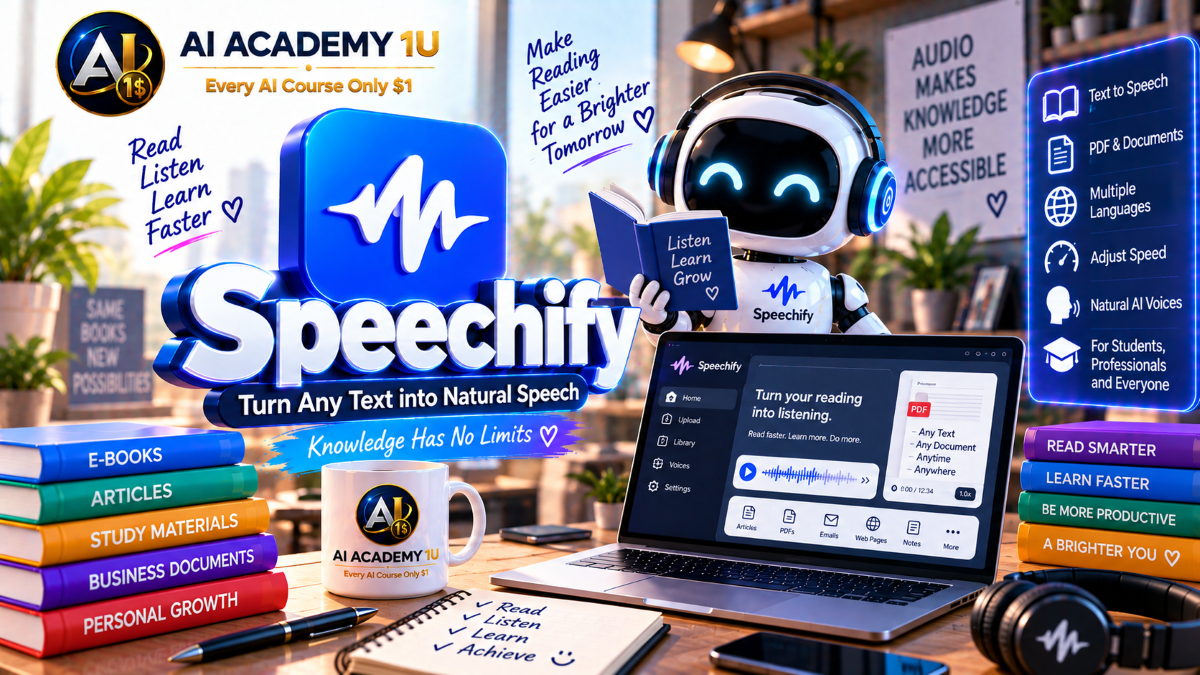
EXPLORE AI LIBRARYExplore Speechify with AI Academy 1U and learn to turn text, documents, and digital content into natural AI speech for learning, accessibility, productivity, listening, and professional content creation.

Explore all lessons in this catalogue and start learning at your own pace.
▶
1. What Is Speechify? ❌
Discover Speechify with AI Academy 1U as an AI voice ecosystem for listening to documents and creating voice content. Learn how Speechify supports learners, professionals, creators, accessibility use cases, and developers through Reader, Studio, and voice technology.
▶
2. Understand Speechify Reader vs Speechify Studio ❌
Understand the difference between Speechify Reader and Speechify Studio with AI Academy 1U. Learn how Reader focuses on listening and accessibility, while Studio focuses on voice-over, dubbing, voice cloning, and multimedia production.
▶
3. Create and Set Up Your Speechify Account ❌
Create and set up your Speechify account with AI Academy 1U by preparing account preferences and a workspace that matches your learning or production goals. Learn the basic setup required before using Reader, Studio, or voice features.
▶
4. Explore the Speechify Ecosystem ❌
Explore the Speechify ecosystem with AI Academy 1U by learning Reader, Studio, Voice Library, Dubbing, Voice Cloning, and API capabilities. Understand how these tools support different listening, production, localization, and development workflows.
▶
5. Understand AI Voice Workflows ❌
Understand Speechify AI voice workflows with AI Academy 1U using Text or Document → Voice Selection → Pronunciation → Delivery → Review → Export or Playback. Learn how each stage contributes to effective listening or voice production.
▶
6. Understand Speechify Reader ❌
Understand Speechify Reader with AI Academy 1U and learn how it is designed for learning, productivity, and accessibility rather than voice-over production. Explore how written content can be converted into convenient listening experiences.
▶
7. Listen to Web Pages ❌
Listen to web pages with Speechify and AI Academy 1U by converting articles and online content into audio. Learn how text-to-speech can make web reading more flexible for study, research, or multitasking.
▶
8. Listen to PDFs and Documents ❌
Listen to PDFs and documents with Speechify and AI Academy 1U instead of reading every page manually. Learn how Text-to-Speech can support long-form document review, study sessions, and information consumption.
🔒
9. Listen to Emails and Written Content ❌
Listen to emails and written content with Speechify and AI Academy 1U as part of a daily productivity workflow. Learn how spoken playback can help review messages, notes, and other written material more efficiently.
🔒
10. Adjust Reading Speed ❌
Adjust reading speed in Speechify with AI Academy 1U to match different learning, review, or productivity goals. Learn how faster or slower playback affects comprehension, focus, and the efficiency of listening sessions.
🔒
11. Choose Voices for Reading ❌
Choose voices for reading in Speechify with AI Academy 1U by comparing accent, language, and tone. Learn how voice selection can improve comfort, concentration, comprehension, and overall listening experience.
🔒
12. Build a Personal Listening Workflow ❌
Build a personal listening workflow with Speechify and AI Academy 1U for learning, research, or document review. Combine suitable content, voices, reading speed, and listening habits into a repeatable productivity system.
▶
13. Understand Speechify Voice Over ❌
Understand Speechify Voice Over with AI Academy 1U and learn how production voice-over differs from simply listening to text. Explore the tools used to create polished narration for content and presentations.
▶
14. Generate Your First Voice Over ❌
Generate your first Speechify voice-over with AI Academy 1U by entering a script, selecting an AI voice, and creating narration. Learn the basic workflow from written content to generated spoken audio.
🔒
15. Choose the Right AI Voice ❌
Choose the right Speechify AI voice with AI Academy 1U by considering language, accent, age impression, tone, and content type. Learn how voice choice affects the style and credibility of a project.
🔒
16. Control Pace and Speed ❌
Control pace and speed in Speechify with AI Academy 1U to optimize narration for advertisements, training, documentaries, audiobooks, and other formats. Learn how pacing influences energy, clarity, and listener engagement.
🔒
17. Control Pitch and Tone ❌
Control pitch and tone in Speechify with AI Academy 1U to shape the delivery of generated speech. Learn how vocal adjustments can help narration better match the intended mood and content style.
🔒
18. Improve Pronunciation ❌
Improve pronunciation in Speechify with AI Academy 1U by correcting names, brands, abbreviations, and technical terminology. Learn how pronunciation refinement can increase clarity and professionalism in generated voice-over.
🔒
19. Build a Professional Voice-Over Project ❌
Build a professional Speechify voice-over project with AI Academy 1U from script preparation through voice selection, customization, pronunciation, review, and final narration for a video, presentation, training asset, or content project.
▶
20. Understand Speechify Multilingual Voices ❌
Understand Speechify multilingual voices with AI Academy 1U by learning how language, dialect, and accent selection influences the experience of different audiences. Explore the foundation of multilingual voice production.
▶
21. Create English Voice Content ❌
Create English voice content with Speechify and AI Academy 1U by comparing accents and delivery styles. Learn how different English voice options can better match region, audience, tone, and content purpose.
🔒
22. Create Multilingual Voice Content ❌
Create multilingual voice content with Speechify and AI Academy 1U by adapting the same core script concept for multiple languages and audiences. Learn how multilingual production can support international communication.
🔒
23. Localize Scripts Before Voice Generation ❌
Localize scripts before voice generation in Speechify with AI Academy 1U by adjusting tone, wording, and cultural context instead of translating words literally. Learn how localization improves audience relevance.
🔒
24. Build a Multilingual Audio Project ❌
Build a multilingual audio project with Speechify and AI Academy 1U by creating multiple versions of the same content for different audiences. Apply language selection, localization, voice choice, and review in one workflow.
▶
25. Understand Speechify Voice Cloning ❌
Understand Speechify Voice Cloning with AI Academy 1U and learn how cloning differs from Voice Changer and standard Text-to-Speech voices. Explore the idea of creating a reusable digital voice from a recorded sample.
▶
26. Prepare a Clean Voice Sample ❌
Prepare a clean voice sample for Speechify Voice Cloning with AI Academy 1U by recording clear speech with minimal noise and no other speakers. Learn why source quality matters for voice cloning.
🔒
27. Create Your First Voice Clone ❌
Create your first Speechify voice clone with AI Academy 1U using a voice sample that you have permission to use. Learn how reference audio can be turned into a reusable digital voice.
🔒
28. Test the Cloned Voice ❌
Test a Speechify cloned voice with AI Academy 1U by using different text samples to evaluate pronunciation, consistency, clarity, and delivery. Learn how testing helps identify strengths and limitations before production use.
🔒
29. Use a Clone for Reading and Content ❌
Use a Speechify cloned voice for reading and content with AI Academy 1U by applying it to emails, PDFs, websites, or voice content where supported. Learn how one digital voice can serve multiple workflows.
🔒
30. Responsible Voice Cloning ❌
Practice responsible Speechify Voice Cloning with AI Academy 1U by understanding consent, rights, authorization, and appropriate usage boundaries. Learn why voice samples should only be used when proper permission has been obtained.
▶
31. Understand Speechify AI Dubbing ❌
Understand Speechify AI Dubbing with AI Academy 1U and learn how dubbing differs from translated voice-over. Explore how video can be localized into new languages while preserving aspects of the original speaker.
▶
32. Create Your First Dub ❌
Create your first Speechify dub with AI Academy 1U by uploading a source video and selecting a target language. Learn the basic process for turning original video into a localized dubbed version.
🔒
33. Translate and Dub Video Content ❌
Translate and dub video content with Speechify and AI Academy 1U to create localized versions for different markets. Learn how translation and voice generation work together in a multilingual video workflow.
🔒
34. Preserve Speaker Style ❌
Preserve speaker style in Speechify AI Dubbing with AI Academy 1U by understanding how intonation, speed, and vocal character contribute to continuity between the original source and localized version.
🔒
35. Review Timing and Localization ❌
Review timing and localization in Speechify Dubbing with AI Academy 1U to ensure the dubbed version fits the scene, audience, language, and content context. Learn why review is essential before final delivery.
🔒
36. Build a Multilingual Dubbing Project ❌
Build a multilingual dubbing project with Speechify and AI Academy 1U using Source Video → Translation → Dub → Review → Final Versions. Apply the complete workflow to create localized content for multiple audiences.
▶
37. Understand Speechify Voice Changer ❌
Understand Speechify Voice Changer with AI Academy 1U and learn how speech transformation differs from Voice Cloning. Explore how an existing recording can be converted into a different voice identity.
▶
38. Change a Recorded Voice ❌
Change a recorded voice with Speechify and AI Academy 1U by using existing audio and converting it into a different AI voice. Learn the basic workflow for transforming recorded speech.
🔒
39. Change Accent or Vocal Character ❌
Change accent or vocal character in Speechify with AI Academy 1U to create alternative versions of the same spoken content. Learn how vocal transformation can change the perceived personality of a recording.
🔒
40. Use Voice Changer for Characters ❌
Use Speechify Voice Changer for characters with AI Academy 1U in audiobooks, storytelling, and entertainment. Learn how different voice identities can help separate speakers and strengthen narrative presentation.
🔒
41. Build a Multi-Voice Audio Scene ❌
Build a multi-voice audio scene with Speechify and AI Academy 1U by assigning different character voices within the same project. Learn how multiple voices can create clearer dialogue and richer storytelling.
▶
42. Understand Speechify Studio ❌
Understand Speechify Studio with AI Academy 1U as a complete production environment rather than a simple Text-to-Speech generator. Explore how Studio combines voice, visual media, cloning, dubbing, audio, and video tools.
🔒
43. Add Visual Assets to a Project ❌
Add visual assets to a Speechify Studio project with AI Academy 1U by combining images or video with narration. Learn how visual content can support and strengthen voice-based communication.
🔒
44. Add Music and Sound Effects ❌
Add music and sound effects in Speechify Studio with AI Academy 1U to build a more complete audio layer for content. Learn how background sound can support narration and production quality.
🔒
45. Synchronize Voice and Visual Content ❌
Synchronize voice and visual content in Speechify Studio with AI Academy 1U by aligning narration with video, slides, or presentation material. Learn how timing improves clarity and professional presentation.
🔒
46. Build a Complete AI Video Voice Project ❌
Build a complete AI video voice project with Speechify and AI Academy 1U using Script → Voice → Visual → Music → Final Production. Apply Studio tools to produce a finished multimedia project.
▶
47. Use Speechify for Learning ❌
Use Speechify for learning with AI Academy 1U by listening to books, readings, and research materials. Learn how audio playback can supplement traditional reading and create more flexible study routines.
🔒
48. Turn Study Materials into Audio ❌
Turn study materials into audio with Speechify and AI Academy 1U by converting notes, PDFs, and articles into a listening workflow. Learn how audio can support review, repetition, and study flexibility.
🔒
49. Create Audiobook-Style Narration ❌
Create audiobook-style narration with Speechify and AI Academy 1U by preparing long-form text and selecting an appropriate voice. Learn how pacing and voice choice influence extended listening experiences.
🔒
50. Use Speechify for Accessibility ❌
Use Speechify for accessibility with AI Academy 1U by understanding how Text-to-Speech can help people who experience reading difficulty or prefer accessing written information through audio.
▶
51. Understand the Speechify API ❌
Understand the Speechify API with AI Academy 1U and learn when Reader or Studio is sufficient and when an application needs direct integration. Explore the role of API-based speech generation in software products.
🔒
52. Create and Secure an API Key ❌
Create and secure a Speechify API key with AI Academy 1U by preparing developer credentials and following safer credential handling practices. Learn why API access keys must be protected from unauthorized use.
🔒
53. Generate Speech through the API ❌
Generate speech through the Speechify API with AI Academy 1U using Text → API Request → Audio Response. Learn the basic structure of a programmatic Text-to-Speech generation workflow.
🔒
54. Understand Streaming TTS ❌
Understand Streaming TTS in Speechify with AI Academy 1U and learn how continuous audio delivery can support conversational applications and realtime voice experiences with reduced waiting time.
🔒
55. Use SSML and Speech Marks ❌
Use SSML and speech marks with Speechify and AI Academy 1U to control pronunciation, timing, and synchronization with greater precision. Learn how structured speech metadata supports advanced voice applications.
🔒
56. Use Emotional Control ❌
Use emotional control in Speechify with AI Academy 1U to shape generated speech for different contexts and communication goals. Learn how delivery style can influence the emotional character of voice output.
▶
57. Understand Simba 3.0 ❌
Understand Simba 3.0 with AI Academy 1U and learn its role as a foundation model for Speechify production voice workloads. Explore its relationship to long-form stability, low latency, and voice application development.
🔒
58. Understand Low-Latency Voice Applications ❌
Understand low-latency voice applications with Speechify and AI Academy 1U by exploring the requirements of realtime voice assistants and interactive speech systems. Learn why response speed matters in conversational experiences.
🔒
59. Understand Speech-to-Speech Workflows ❌
Understand speech-to-speech workflows with Speechify and AI Academy 1U using Voice Input → AI Processing → Voice Output. Learn how spoken interaction can flow through an AI system without relying only on text interfaces.
🔒
60. Build a Production Voice Application ❌
Build a production voice application concept with Speechify and AI Academy 1U for customer support, accessibility, or voice assistants. Apply API, realtime, and voice workflow concepts to practical application design.
▶
61. Understand Speechify for Teams ❌
Understand Speechify for Teams with AI Academy 1U by learning how teams can share voice assets and production workflows. Explore how collaboration supports consistent content creation across larger creative organizations.
🔒
62. Build a Repeatable Voice Production Workflow ❌
Build a repeatable Speechify voice production workflow with AI Academy 1U by standardizing scripts, voice selection, localization, and review. Learn how reusable processes can improve consistency and production efficiency.
ChatGPT is an AI assistant for writing, learning, research, problem solving, and creative tasks. Learn practical skills with AI Academy and discover useful workflows in our AI Library.
EXPLORE AI LIBRARYCanva is a design platform for creating graphics, presentations, videos, and social media content. Learn practical design skills with AI Academy and explore creative workflows in our AI Library.
EXPLORE AI LIBRARYCapCut is a video editing platform for creating and enhancing videos with AI-powered tools, effects, captions, and templates. Learn practical skills with AI Academy and explore workflows in our AI Library.
EXPLORE AI LIBRARYGoogle Gemini is Google’s assistant for research, writing, reasoning, images, and productivity. Learn practical skills with AI Academy and discover useful workflows in our AI Library.
EXPLORE AI LIBRARYLearn Google Veo with AI Academy 1U and create cinematic AI videos from text and images using powerful video generation, camera controls, visual storytelling, and creative production techniques.
EXPLORE AI LIBRARYElevenLabs AI is a voice platform for text to speech, narration, and voice creation. Learn practical skills with AI Academy and discover useful workflows in our AI Library.
EXPLORE AI LIBRARYClaude AI is an assistant for writing, document analysis, reasoning, and coding. Learn practical skills with AI Academy and discover useful workflows in our AI Library.
EXPLORE AI LIBRARYVideoGen AI empowers creators to produce engaging videos faster with AI-powered tools. Learn practical workflows, creative techniques, and production strategies with AI Academy 1U to create professional video content efficiently.
EXPLORE AI LIBRARYHeyGen AI is an avatar video platform for presentations, narration, and multilingual communication. Learn practical skills with AI Academy and discover useful workflows in our AI Library.
EXPLORE AI LIBRARYMicrosoft Copilot is Microsoft’s assistant for productivity, writing, research, and workplace tasks. Learn practical skills with AI Academy and discover useful workflows in our AI Library.
EXPLORE AI LIBRARY








