
ChatGPT
ChatGPT is an AI assistant for writing, learning, research, problem solving, and creative tasks. Learn practical skills with AI Academy and discover useful workflows in our AI Library.
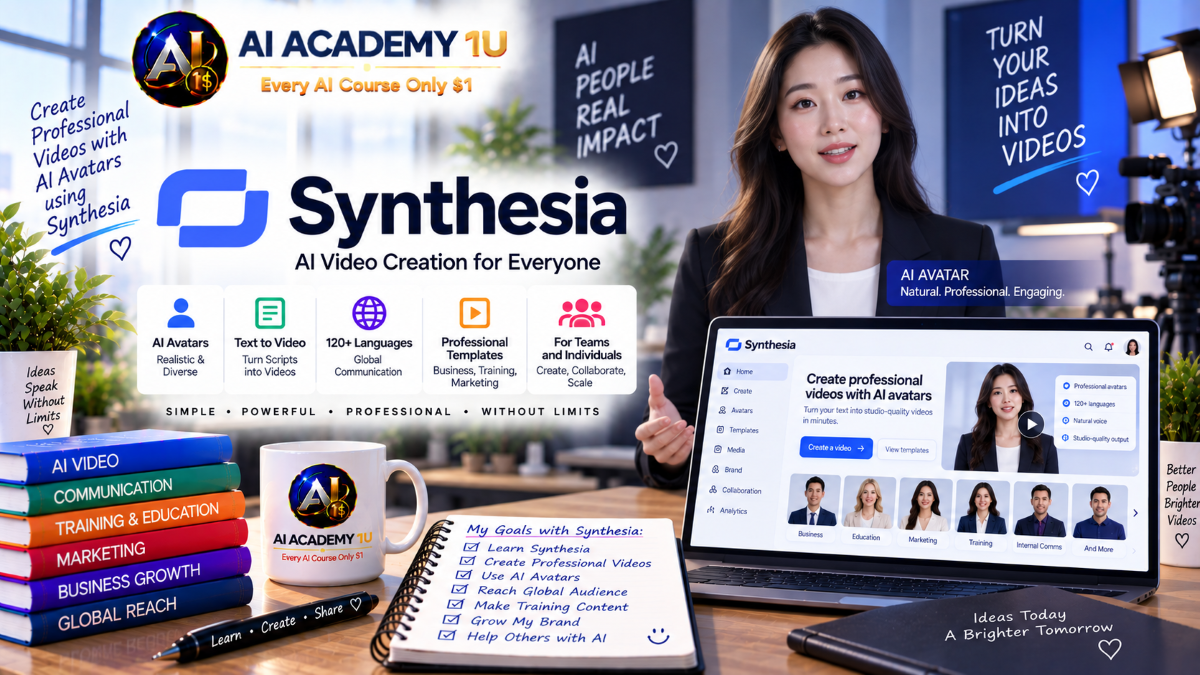
EXPLORE AI LIBRARYSynthesia AI is an avatar video platform for creating professional presenter style content. Learn practical skills with AI Academy and discover useful workflows in our AI Library.

Explore all lessons in this catalogue and start learning at your own pace.
▶
1. What Is Synthesia? ❌
Discover what Synthesia is and how its AI video platform supports business communication, training, marketing, and professional content creation. AI Academy 1U introduces the core capabilities learners need before beginning practical video production.
▶
2. Create Your Synthesia Account ❌
Create a Synthesia account and prepare the workspace for efficient AI video production. AI Academy 1U guides learners through the essential setup needed to begin working with projects, avatars, media, and video creation tools.
▶
3. Explore the Synthesia Interface ❌
Explore the Synthesia dashboard, video editor, avatars, media library, projects, and important workspace areas. AI Academy 1U helps learners understand where essential tools are located and how they fit into the production process.
▶
4. Understand the Synthesia Ecosystem ❌
Understand how Synthesia's Create, Localize, Manage, Publish, and Engage capabilities support different stages of professional video production. AI Academy 1U helps learners see how these areas work together as a complete content ecosystem.
▶
5. Create Your First AI Video ❌
Create a first AI presenter video and experience the fundamental workflow from script preparation and presenter selection through editing and generation. AI Academy 1U establishes the practical foundation for the more advanced techniques in this course.
▶
6. Understand Synthesia Plans ❌
Explore Synthesia plan options and understand how access to features and production capacity can vary between plans. AI Academy 1U helps learners evaluate plan choices according to their expected video workflow and production requirements.
🔒
7. Understand Synthesia Credits ❌
Understand the role of credits within Synthesia and how different production activities can affect available resources. AI Academy 1U teaches learners to consider credit usage when planning and managing AI video projects.
🔒
8. Understand Video Usage ❌
Learn how video usage relates to Synthesia production and why project decisions can influence overall consumption. AI Academy 1U helps learners plan video creation more carefully before committing resources to production.
🔒
9. Choose the Right Plan for Your Workflow ❌
Evaluate Synthesia plans according to production volume, workflow requirements, collaboration needs, and intended use. AI Academy 1U teaches learners to connect subscription decisions with practical content-production goals.
🔒
10. Optimize Credits and Production Cost ❌
Develop a more efficient production strategy by planning scripts, scenes, revisions, and generations before consuming resources. AI Academy 1U teaches learners to reduce unnecessary production costs while maintaining professional results.
▶
11. Understand the Synthesia Video Editor ❌
Understand the primary functions of the Synthesia Video Editor and how they support scene-based AI video creation. AI Academy 1U introduces the workspace and editing concepts needed for efficient production.
🔒
12. Create and Organize Scenes ❌
Create scenes and arrange them into a logical sequence that supports the script and communication objective. AI Academy 1U teaches learners to use scene structure to improve pacing, organization, and viewer comprehension.
🔒
13. Add Text, Shapes and Visual Elements ❌
Enhance scenes with text, shapes, and supporting visual elements that reinforce the spoken message. AI Academy 1U teaches learners to combine visual information with AI presentation without creating unnecessary distraction.
🔒
14. Control Layout and Composition ❌
Arrange presenters, text, media, and supporting elements to create balanced and readable compositions. AI Academy 1U teaches learners to use layout intentionally to guide viewer attention and improve visual communication.
🔒
15. Build a Complete Video in the Editor ❌
Build a complete Synthesia video from scene organization and presenter content through visual design, review, and final preparation. AI Academy 1U combines the editor skills from this module into one practical production workflow.
▶
16. What Is AI Video Assistant? ❌
Understand the purpose of Synthesia AI Video Assistant and how it can assist with the early stages of video creation. AI Academy 1U introduces learners to AI-assisted workflows for turning existing information into video.
🔒
17. Generate Video from an Idea ❌
Transform an initial idea or prompt into a structured starting point for a Synthesia video. AI Academy 1U teaches learners to communicate clear production intent so AI assistance can generate more useful results.
🔒
18. Turn Documents into Videos ❌
Convert document-based information into video content while preserving the most important ideas and logical structure. AI Academy 1U teaches learners to adapt written material for a more effective visual presentation.
🔒
19. Turn Websites and Presentations into Videos ❌
Use information from websites and presentations as source material for AI-assisted video creation. AI Academy 1U teaches learners to transform existing content into a format better suited to presenter-based video.
🔒
20. Build an AI-Assisted Video Workflow ❌
Develop a repeatable workflow that combines source material, AI Video Assistant, editing, review, and final production. AI Academy 1U helps learners use automation as a production accelerator while maintaining control over content quality.
▶
21. Understand Stock AI Avatars ❌
Explore Synthesia's stock AI avatar library and understand how ready-made presenters can support different communication needs. AI Academy 1U introduces the practical considerations for selecting avatars for professional content.
🔒
22. Choose the Right Presenter ❌
Choose a presenter according to audience, subject, tone, brand, and communication objective. AI Academy 1U teaches learners to treat avatar selection as an important part of the overall presentation strategy.
🔒
23. Work with Full-Body Avatars ❌
Learn how full-body avatars can be incorporated into scenes that require a broader presenter presence and more visual context. AI Academy 1U teaches learners to consider space, framing, and composition when using full-body presenters.
🔒
24. Control Avatar Placement and Composition ❌
Position AI avatars effectively alongside text, media, and other scene elements. AI Academy 1U teaches learners to create balanced compositions that keep the presenter visible without competing with important visual information.
🔒
25. Build a Professional Avatar Presenter Video ❌
Create a polished presenter video by combining appropriate avatar selection, composition, script, visual support, and scene structure. AI Academy 1U brings the stock-avatar techniques together in a complete professional workflow.
▶
26. What Is a Personal Avatar? ❌
Understand how a Personal Avatar can represent an individual in AI-generated Synthesia videos. AI Academy 1U introduces the concept, production purpose, and practical applications of personalized AI presenters.
🔒
27. Create a Personal Avatar from Video ❌
Create a Personal Avatar using prepared video footage as the source for the digital presenter. AI Academy 1U teaches learners to approach source recording carefully so the resulting avatar can support professional production.
🔒
28. Create a Personal Avatar from a Photo ❌
Create a personalized AI avatar from suitable photo material and prepare it for video presentation. AI Academy 1U introduces a photo-based approach to developing reusable presenter assets.
🔒
29. Improve Personal Avatar Quality ❌
Evaluate and improve the appearance and presentation quality of a Personal Avatar by considering source material and production choices. AI Academy 1U teaches learners to identify factors that can affect avatar consistency and professionalism.
🔒
30. Build Your Personal AI Presenter ❌
Develop a repeatable workflow for creating content with a personal AI presenter, from script preparation through avatar production and review. AI Academy 1U helps learners turn a Personal Avatar into a practical recurring content asset.
▶
31. Understand Avatar Builder ❌
Understand the role of Avatar Builder in creating customizable AI characters for Synthesia projects. AI Academy 1U introduces the creative workflow and the major decisions involved in building a custom presenter.
🔒
32. Generate an Avatar from a Prompt ❌
Create an AI avatar by describing the desired character through a clear and purposeful prompt. AI Academy 1U teaches learners to communicate appearance and presentation requirements effectively during character generation.
🔒
33. Create Realistic and Stylized Characters ❌
Explore realistic and stylized approaches to character creation for different audiences and content types. AI Academy 1U teaches learners to select a visual direction that supports the intended communication goal.
🔒
34. Customize Avatar Outfit and Environment ❌
Adjust character clothing and environmental context to better match a brand, subject, role, or video scenario. AI Academy 1U teaches learners to use customization to create a more coherent presenter experience.
🔒
35. Build a Custom Character Workflow ❌
Develop a complete workflow for generating, customizing, reviewing, and using AI characters in Synthesia productions. AI Academy 1U combines the Avatar Builder techniques into a repeatable creative process.
▶
36. Understand Multi-Avatar Scenes ❌
Understand how multiple AI avatars can be used within a scene to support conversations and multi-presenter content. AI Academy 1U introduces the planning considerations needed before creating dialogue-driven video.
🔒
37. Add Multiple Avatars to One Scene ❌
Place multiple AI presenters within a single scene and organize their visual roles effectively. AI Academy 1U teaches learners to balance presenter placement and supporting elements within a shared composition.
🔒
38. Create AI Dialogue ❌
Develop structured dialogue for AI presenters so conversations communicate information clearly and naturally. AI Academy 1U teaches learners to organize speaking roles and exchanges around a defined learning or communication objective.
🔒
39. Direct Conversational Scenes ❌
Direct multi-presenter scenes by coordinating dialogue, pacing, composition, and visual focus. AI Academy 1U teaches learners to make AI conversations easier for viewers to follow and understand.
🔒
40. Build a Two-Person Training Video ❌
Create a complete training video featuring two AI presenters in a structured conversational format. AI Academy 1U combines dialogue, presenter placement, scripting, and scene direction into one practical project.
▶
41. Understand Synthesia AI Voices ❌
Explore Synthesia's AI voice capabilities and understand their role in presenter-based video production. AI Academy 1U introduces the key considerations for choosing speech that supports a project's audience and communication style.
🔒
42. Choose Languages, Voices and Accents ❌
Select appropriate languages, voices, and accents according to the audience and purpose of a video. AI Academy 1U teaches learners to consider linguistic and vocal choices as part of the complete presenter experience.
🔒
43. Clone Your Own Voice ❌
Create a reusable AI voice based on personal voice material for compatible Synthesia productions. AI Academy 1U introduces the workflow for extending personal presenter identity into AI-generated speech.
🔒
44. Match Voice with Avatar and Content ❌
Coordinate voice characteristics with avatar appearance, subject matter, audience, and communication tone. AI Academy 1U teaches learners to create greater consistency between what viewers see and what they hear.
🔒
45. Build a Multilingual Voice Workflow ❌
Develop a repeatable process for selecting languages and voices across multilingual video versions. AI Academy 1U helps learners organize voice production for more consistent international content.
▶
46. Write Scripts for AI Presenters ❌
Write scripts specifically for AI presenters with clear structure, concise language, and spoken delivery in mind. AI Academy 1U teaches learners to prepare content that works effectively when presented through an AI avatar.
🔒
47. Improve Speech Rhythm and Pacing ❌
Refine the rhythm and pacing of presenter speech so information is easier to follow and sounds more deliberate. AI Academy 1U teaches learners to consider timing as an important part of professional video communication.
🔒
48. Control Pronunciation ❌
Improve the pronunciation of names, technical terms, brand language, and other important words in AI-generated speech. AI Academy 1U teaches learners to review spoken output carefully for clarity and accuracy.
🔒
49. Create Natural Presenter Delivery ❌
Develop a more natural presenter experience by coordinating script structure, pacing, pronunciation, and vocal presentation. AI Academy 1U teaches learners to reduce the mechanical feeling that can weaken AI-generated communication.
🔒
50. Build a Professional Presenter Script ❌
Create a complete presenter script designed for clear spoken delivery, appropriate pacing, and effective audience communication. AI Academy 1U combines the scripting techniques from this module into a professional production asset.
▶
51. Understand AI-Generated Media ❌
Understand how AI-generated media can support presenter-based videos with additional visual information and creative flexibility. AI Academy 1U introduces the role of generated assets within a broader video-production workflow.
🔒
52. Generate Images for Videos ❌
Create image assets that support the subject, message, or visual identity of a Synthesia video. AI Academy 1U teaches learners to plan images according to scene purpose rather than adding visuals without a clear function.
🔒
53. Generate B-Roll ❌
Create B-roll that adds context, illustration, and visual variety to presenter-driven content. AI Academy 1U teaches learners to use supporting footage to strengthen rather than distract from the primary message.
🔒
54. Add Motion Graphics and Supporting Visuals ❌
Combine motion graphics and supporting visuals with presenter content to explain information more effectively. AI Academy 1U teaches learners to coordinate visual movement with the structure and pacing of a scene.
🔒
55. Build a Visually Rich AI Video ❌
Create a complete AI video that combines presenters, images, B-roll, motion graphics, and structured scenes. AI Academy 1U brings the visual-generation techniques together into a polished production workflow.
▶
56. Understand AI Dubbing ❌
Understand AI dubbing and how it can transform existing spoken video into another language. AI Academy 1U introduces the key production elements learners should evaluate when preparing multilingual dubbed content.
🔒
57. Dub an Existing Video ❌
Create a dubbed language version from existing video footage using Synthesia's AI capabilities. AI Academy 1U teaches learners to approach dubbing as a complete audiovisual adaptation rather than audio replacement alone.
🔒
58. Preserve Voice, Accent and Tone ❌
Maintain important vocal characteristics when adapting spoken content for another language. AI Academy 1U teaches learners to consider voice identity, accent, and tone as part of a consistent multilingual viewer experience.
🔒
59. Use Lip Sync with Dubbing ❌
Combine AI dubbing with lip synchronization to create a more visually coherent translated presentation. AI Academy 1U teaches learners to review the relationship between translated speech and visible presenter movement.
🔒
60. Build a Multilingual Dubbing Workflow ❌
Develop a repeatable process for source preparation, dubbing, voice treatment, lip sync, review, and multilingual delivery. AI Academy 1U helps learners organize dubbing for scalable content production.
▶
61. Understand Translation vs Dubbing ❌
Understand the distinction between translating video content and creating a dubbed spoken version. AI Academy 1U helps learners choose the appropriate approach according to the content, audience, and production objective.
🔒
62. Translate a Synthesia Video ❌
Create another language version of an existing Synthesia video while maintaining the original communication objective. AI Academy 1U teaches learners to treat translation as part of a broader multilingual production process.
🔒
63. Translate On-Screen Text ❌
Adapt titles, captions, labels, and other visible text for the target language. AI Academy 1U teaches learners to review on-screen language alongside spoken content so localized videos remain visually coherent.
🔒
64. Manage Multiple Language Versions ❌
Organize multiple translated versions of the same content for efficient review, maintenance, and delivery. AI Academy 1U teaches learners to manage multilingual video as a structured content system.
🔒
65. Build a Global Localization Workflow ❌
Develop a workflow for translation, on-screen text adaptation, language-version management, review, and publishing. AI Academy 1U teaches learners to scale localized video production while maintaining consistency.
▶
66. Understand Brand Kit ❌
Understand how Brand Kit can centralize important visual identity elements for Synthesia production. AI Academy 1U introduces the role of shared brand assets in creating recognizable and consistent videos.
🔒
67. Add Brand Colors, Fonts and Logos ❌
Configure brand colors, fonts, logos, and related assets for consistent use throughout video projects. AI Academy 1U teaches learners to integrate brand identity into everyday production decisions.
🔒
68. Create Reusable Templates ❌
Create reusable templates that preserve useful layouts, structures, and design choices for recurring video formats. AI Academy 1U teaches learners to reduce repetitive setup while maintaining visual consistency.
🔒
69. Standardize Videos Across a Team ❌
Establish shared production standards so multiple team members can create videos with a consistent visual and communication style. AI Academy 1U teaches learners to support collaboration without losing brand coherence.
🔒
70. Build a Branded Video System ❌
Combine Brand Kit assets, templates, production standards, and repeatable processes into an organized branded video system. AI Academy 1U helps learners move from individual projects toward scalable content production.
▶
71. Understand Synthesia Interactivity ❌
Understand how interactive capabilities can move viewers from passive watching toward active participation. AI Academy 1U introduces the concepts needed to plan interactive Synthesia experiences effectively.
🔒
72. Add Interactive Buttons and CTAs ❌
Add buttons and calls to action that give viewers clear opportunities to respond or continue through an experience. AI Academy 1U teaches learners to place interactions according to a defined viewer objective.
🔒
73. Create Branching Video Paths ❌
Design branching paths that direct viewers to different content according to their choices. AI Academy 1U teaches learners to organize decision points and alternate paths into a logical interactive structure.
🔒
74. Create Navigation Menus ❌
Create navigation options that help viewers move through interactive video content more intentionally. AI Academy 1U teaches learners to organize menus around clarity, accessibility, and content structure.
🔒
75. Build an Interactive Video Experience ❌
Combine presenter content, buttons, calls to action, branching, and navigation into a complete interactive video experience. AI Academy 1U brings the module techniques together in one practical project.
▶
76. Create Interactive Quizzes ❌
Create interactive quizzes that encourage learners to respond to questions during a video-based training experience. AI Academy 1U teaches learners to use assessment activities to reinforce important learning objectives.
🔒
77. Create Knowledge Checks ❌
Design knowledge checks that help determine whether learners understand key information presented in a course. AI Academy 1U teaches learners to connect assessment questions directly with instructional content.
🔒
78. Set Pass/Fail Criteria ❌
Define performance criteria that determine successful completion of an assessment or training activity. AI Academy 1U teaches learners to align pass/fail requirements with the intended learning outcomes.
🔒
79. Export Videos as SCORM ❌
Prepare compatible Synthesia learning content for SCORM-based delivery and tracking within supported learning environments. AI Academy 1U introduces the role of SCORM in structured digital training workflows.
🔒
80. Build an LMS Training Course ❌
Combine AI video, quizzes, knowledge checks, completion criteria, and SCORM delivery into a structured LMS training course. AI Academy 1U brings the learning-production techniques together into a complete training workflow.
🔒
81. Understand Roleplay Sessions ❌
Understand how AI roleplay sessions can provide structured practice for communication and professional scenarios. AI Academy 1U introduces the purpose and learning value of simulation-based training.
🔒
82. Create Practice Scenarios ❌
Design realistic practice scenarios around specific roles, situations, skills, and training objectives. AI Academy 1U teaches learners to give each simulation a clear context and measurable purpose.
🔒
83. Build Rubrics and Scoring ❌
Create evaluation rubrics and scoring criteria for assessing performance during roleplay activities. AI Academy 1U teaches learners to connect evaluation standards with the skills being practiced.
🔒
84. Use Roleplay for Sales and Communication Training ❌
Apply AI roleplay to sales conversations, communication practice, and other professional interaction scenarios. AI Academy 1U teaches learners to transform realistic simulations into purposeful training exercises.
🔒
85. Build an AI Coaching Workflow ❌
Develop a repeatable coaching process that combines scenarios, learner practice, evaluation criteria, scoring, and feedback. AI Academy 1U brings the roleplay techniques together into a structured AI training workflow.
🔒
86. Collaborate with Your Team ❌
Coordinate Synthesia projects with team members through an organized collaborative production process. AI Academy 1U teaches learners to structure responsibilities and shared work around efficient video creation.
🔒
87. Review, Comment and Update Videos ❌
Use review and feedback processes to identify changes, communicate revisions, and maintain video quality. AI Academy 1U teaches learners to integrate review into the production cycle rather than treating it as an afterthought.
🔒
88. Understand Video Analytics ❌
Understand how video analytics can provide information about audience activity and content performance. AI Academy 1U teaches learners to use available data as part of an informed video-management process.
🔒
89. Share, Embed and Publish Videos ❌
Deliver finished Synthesia videos through appropriate sharing, embedding, and publishing methods. AI Academy 1U teaches learners to select delivery approaches according to audience access and communication goals.
🔒
90. Build a Team Video Production Workflow ❌
Develop a complete team workflow covering creation, collaboration, review, updates, publishing, and performance monitoring. AI Academy 1U helps learners organize Synthesia production for repeatable team operations.
🔒
91. Understand the Synthesia API ❌
Understand the purpose of the Synthesia API and how external applications can interact with video-generation capabilities. AI Academy 1U introduces the foundation needed before planning automated production workflows.
🔒
92. Automate Video Generation ❌
Understand how video generation can be initiated programmatically as part of an automated process. AI Academy 1U teaches learners to connect structured inputs with scalable AI video production.
🔒
93. Build Template-Based Video Automation ❌
Use reusable video templates as the foundation for automated generation of consistent content. AI Academy 1U teaches learners to combine structured data, repeatable layouts, and automation into an efficient workflow.
🔒
94. Understand Interactive Avatars ❌
Understand how interactive avatars differ from traditional pre-generated AI presenter videos. AI Academy 1U introduces the concept of responsive avatar experiences designed for real-time interaction.
🔒
95. Connect Interactive Avatars to an LLM or Agent ❌
Understand how an interactive avatar can be connected with an LLM or AI agent to support responsive conversational experiences. AI Academy 1U introduces learners to the relationship between avatar presentation and intelligent backend interaction.
🔒
96. Complete Project: Employee Training Video ❌
Create a complete employee training video using structured scripting, AI presenters, visual support, branding, and professional production practices. AI Academy 1U combines core Synthesia skills in a practical workplace-learning project.
🔒
97. Complete Project: Multilingual Course ❌
Develop a course for multilingual audiences using AI presenters, translation, localization, voice, and organized language-version management. AI Academy 1U brings educational video production and global content delivery together in one project.
🔒
98. Complete Project: Interactive Learning Course ❌
Build an interactive learning course that combines AI presenter video with navigation, learner interactions, quizzes, and structured assessment. AI Academy 1U integrates video creation and interactive learning into a complete training experience.
🔒
99. Complete Project: Sales & Product Video ❌
Create a professional sales and product video that combines presenter communication, visual assets, branding, and a clear business message. AI Academy 1U teaches learners to apply Synthesia production skills to practical commercial content.
🔒
100. Complete Project: Full Enterprise AI Video Workflow ❌
Build an end-to-end enterprise Synthesia workflow incorporating planning, scripting, avatars, media, branding, localization, collaboration, publishing, and automation. AI Academy 1U brings the entire course skill set together in a comprehensive final production.
ChatGPT is an AI assistant for writing, learning, research, problem solving, and creative tasks. Learn practical skills with AI Academy and discover useful workflows in our AI Library.
EXPLORE AI LIBRARYCanva is a design platform for creating graphics, presentations, videos, and social media content. Learn practical design skills with AI Academy and explore creative workflows in our AI Library.
EXPLORE AI LIBRARYCapCut is a video editing platform for creating and enhancing videos with AI-powered tools, effects, captions, and templates. Learn practical skills with AI Academy and explore workflows in our AI Library.
EXPLORE AI LIBRARYGoogle Gemini is Google’s assistant for research, writing, reasoning, images, and productivity. Learn practical skills with AI Academy and discover useful workflows in our AI Library.
EXPLORE AI LIBRARYLearn Google Veo with AI Academy 1U and create cinematic AI videos from text and images using powerful video generation, camera controls, visual storytelling, and creative production techniques.
EXPLORE AI LIBRARYElevenLabs AI is a voice platform for text to speech, narration, and voice creation. Learn practical skills with AI Academy and discover useful workflows in our AI Library.
EXPLORE AI LIBRARYClaude AI is an assistant for writing, document analysis, reasoning, and coding. Learn practical skills with AI Academy and discover useful workflows in our AI Library.
EXPLORE AI LIBRARYVideoGen AI empowers creators to produce engaging videos faster with AI-powered tools. Learn practical workflows, creative techniques, and production strategies with AI Academy 1U to create professional video content efficiently.
EXPLORE AI LIBRARYHeyGen AI is an avatar video platform for presentations, narration, and multilingual communication. Learn practical skills with AI Academy and discover useful workflows in our AI Library.
EXPLORE AI LIBRARYMicrosoft Copilot is Microsoft’s assistant for productivity, writing, research, and workplace tasks. Learn practical skills with AI Academy and discover useful workflows in our AI Library.
EXPLORE AI LIBRARY








