
ChatGPT
ChatGPT is an AI assistant for writing, learning, research, problem solving, and creative tasks. Learn practical skills with AI Academy and discover useful workflows in our AI Library.
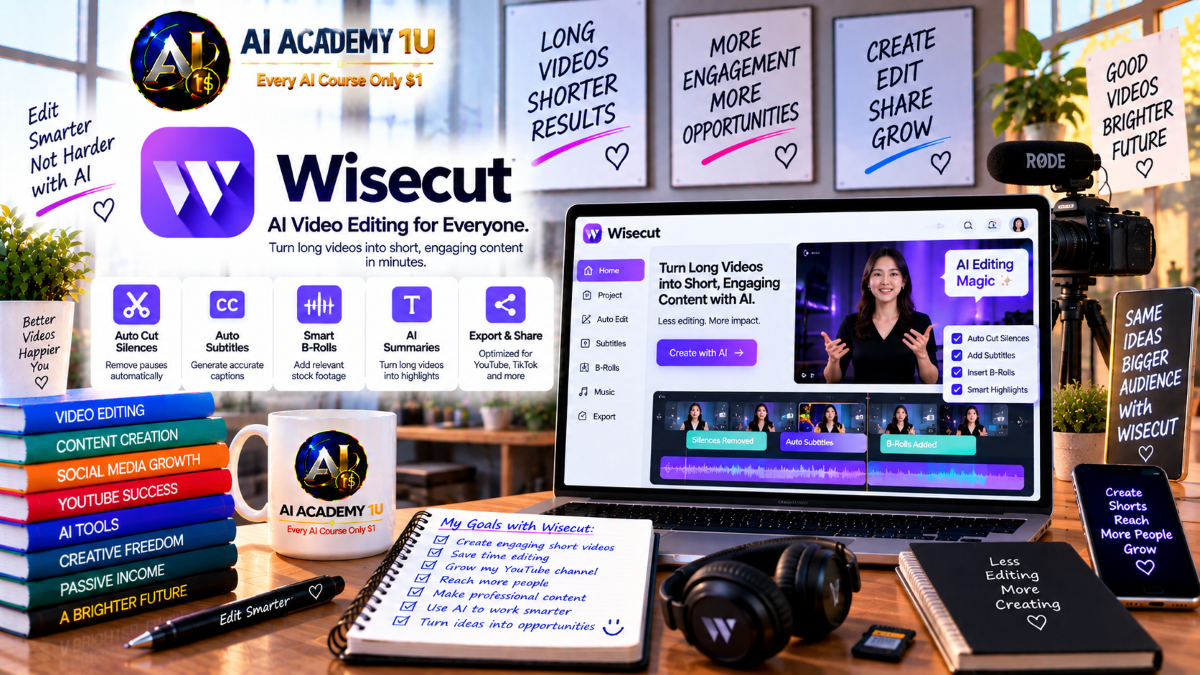
EXPLORE AI LIBRARYLearn Wisecut with AI Academy 1U to edit videos automatically, remove silences, generate subtitles, identify highlights, create social clips, and turn long recordings into engaging short-form video content.

Explore all lessons in this catalogue and start learning at your own pace.
▶
1. What Is Wisecut? ❌
Discover Wisecut with AI Academy 1U as an AI video editor designed for talking-head videos, podcasts, interviews, webinars, educational content, and YouTube long-form videos that benefit from transcript-driven editing and automated repurposing.
▶
2. Understand the Wisecut Ecosystem ❌
Understand the Wisecut ecosystem with AI Academy 1U by exploring the Wisecut Editor, WISH, Autopilot, and Social Hub and learning how these tools support editing, repurposing, automation, scheduling, and publishing workflows.
▶
3. Understand Wisecut’s Core Workflow ❌
Understand Wisecut’s core workflow with AI Academy 1U using Long Video → Transcript → Clean Edit → Highlights → Captions → Reframe → Audio → Export or Publish for a structured AI-assisted content production process.
▶
4. Explore the Wisecut Workspace ❌
Explore the Wisecut workspace with AI Academy 1U by learning how projects, storyboards, clips, captions, audio controls, and export settings fit together inside a complete Wisecut editing workflow.
▶
5. Choose the Right Content for Wisecut ❌
Choose the right content for Wisecut with AI Academy 1U by understanding why speech-driven videos such as interviews, lessons, podcasts, and talking-head content are better suited to Wisecut than complex cinematic editing projects.
▶
6. Understand Storyboard Editing ❌
Understand storyboard editing with Wisecut and AI Academy 1U by comparing transcript-driven scene editing with traditional timeline editing and learning how spoken content can become the foundation for video structure.
▶
7. Generate Your First AI Storyboard ❌
Generate your first AI storyboard with Wisecut and AI Academy 1U by uploading a video, allowing Wisecut to transcribe the spoken content, and creating a structured storyboard for further editing.
🔒
8. Edit Video through Transcript Text ❌
Edit video through transcript text with Wisecut and AI Academy 1U by cutting, keeping, or adjusting spoken sections based on the corresponding transcript rather than editing only through a traditional video timeline.
🔒
9. Reorder Scenes ❌
Reorder scenes with Wisecut and AI Academy 1U by moving storyboard sections into a better sequence to improve the logical flow, structure, and pacing of a video.
🔒
10. Fine-Tune AI Edits Manually ❌
Fine-tune AI edits manually with Wisecut and AI Academy 1U by reviewing automated cuts and adjusting scenes, timing, or content before rendering the final version.
🔒
11. Build a Clean Storyboard Edit ❌
Build a clean storyboard edit with Wisecut and AI Academy 1U using Raw Talking-Head → Transcript → Scene Cleanup → Final Flow for a structured and professional editing process.
▶
12. Understand Clean Edit ❌
Understand Clean Edit with Wisecut and AI Academy 1U by learning which types of speaking mistakes, pauses, repeated phrases, and unwanted sections AI can identify and help remove automatically.
▶
13. Remove Silent Pauses Automatically ❌
Remove silent pauses automatically with Wisecut and AI Academy 1U by cutting dead air while preserving enough spacing to keep speech natural, comfortable, and easy to follow.
🔒
14. Remove False Starts ❌
Remove false starts with Wisecut and AI Academy 1U by cleaning sections where a speaker begins a sentence, stops, and restarts the same thought.
🔒
15. Remove Repeated Takes ❌
Remove repeated takes with Wisecut and AI Academy 1U by reducing duplicated explanations or repeated attempts when a speaker delivers the same idea more than once.
🔒
16. Control Pacing ❌
Control pacing with Wisecut and AI Academy 1U by adjusting automated cuts so speech remains efficient without becoming rushed, unnatural, or uncomfortable to watch.
🔒
17. Use Auto Punch-In and Punch-Out ❌
Use Auto Punch-In and Punch-Out with Wisecut and AI Academy 1U to introduce automatic zoom changes that add visual movement and variety to talking-head content.
🔒
18. Build a Professional Talking-Head Edit ❌
Build a professional talking-head edit with Wisecut and AI Academy 1U using Raw Recording → Silence and Filler Cleanup → Punch-Ins → Review for a polished final presentation.
▶
19. Understand AI Highlight Detection ❌
Understand AI Highlight Detection with Wisecut and AI Academy 1U by learning how Wisecut evaluates long recordings to identify moments that can work as independent short-form clips.
▶
20. Generate Highlights from a Long Video ❌
Generate highlights from a long video with Wisecut and AI Academy 1U by turning one long-form recording into multiple short-form clip candidates for further review and publishing.
🔒
21. Review Highlight Candidates ❌
Review highlight candidates with Wisecut and AI Academy 1U by deciding which clips to keep, remove, extend, or refine before export.
🔒
22. Ask for Different Clip Angles ❌
Ask for different clip angles with Wisecut and AI Academy 1U by using natural-language direction to request alternative themes, perspectives, or moments from the same long-form recording.
🔒
23. Create YouTube Shorts ❌
Create YouTube Shorts with Wisecut and AI Academy 1U by transforming important long-form moments into vertical clips with concise pacing and social-friendly presentation.
🔒
24. Create Reels and TikTok Clips ❌
Create Reels and TikTok clips with Wisecut and AI Academy 1U by optimizing framing, pacing, and format for mobile-first short-form audiences.
🔒
25. Build a Week of Content from One Video ❌
Build a week of content from one video with Wisecut and AI Academy 1U by transforming one long-form recording into multiple short clips that can support a full week of social publishing.
▶
26. Understand Auto Reframe ❌
Understand Auto Reframe with Wisecut and AI Academy 1U by learning how AI can convert horizontal video into vertical formats while attempting to keep the main subject properly framed.
▶
27. Convert 16:9 to 9:16 ❌
Convert 16:9 video to 9:16 with Wisecut and AI Academy 1U by turning horizontal YouTube or long-form content into vertical video suitable for Shorts and Reels.
🔒
28. Create Square Video ❌
Create square video with Wisecut and AI Academy 1U by adapting existing content into a 1:1 format for placements where square video provides a better fit.
🔒
29. Keep the Active Speaker in Frame ❌
Keep the active speaker in frame with Wisecut and AI Academy 1U by using automatic speaker-aware reframing for podcasts, interviews, and conversations with multiple participants.
🔒
30. Review Automatic Cropping ❌
Review automatic cropping with Wisecut and AI Academy 1U by checking AI-generated framing and correcting shots where the crop does not present the speaker or subject effectively.
▶
31. Generate Automatic Captions ❌
Generate automatic captions with Wisecut and AI Academy 1U by converting transcript text into subtitles that can support accessibility, comprehension, and social-video viewing.
▶
32. Correct Caption Errors ❌
Correct caption errors with Wisecut and AI Academy 1U by reviewing names, specialized terminology, punctuation, and transcript mistakes before publishing the final video.
🔒
33. Style Captions for Your Brand ❌
Style captions for your brand with Wisecut and AI Academy 1U by applying consistent typography and presentation choices across published videos.
🔒
34. Create Hook Titles ❌
Create hook titles with Wisecut and AI Academy 1U by adding strong opening headlines in the first seconds of a video to improve viewer attention and retention.
🔒
35. Translate Subtitles ❌
Translate subtitles with Wisecut and AI Academy 1U by adapting captions into additional languages so one video can reach audiences beyond the original language.
🔒
36. Build a Multilingual Short ❌
Build a multilingual short with Wisecut and AI Academy 1U using Original Clip → Captions → Branded Style → Translation → Export for a complete multilingual short-form workflow.
▶
37. Understand AI Audio Cleanup ❌
Understand AI audio cleanup with Wisecut and AI Academy 1U by learning the differences between noise reduction, voice enhancement, and automatic music mixing in spoken-video production.
▶
38. Remove Background Noise ❌
Remove background noise with Wisecut and AI Academy 1U by reducing fan sounds, room noise, and other environmental distractions from imperfect recording conditions.
🔒
39. Use Studio Voice ❌
Use Studio Voice with Wisecut and AI Academy 1U to enhance ordinary voice recordings so speech sounds more polished and closer to a podcast or broadcast presentation.
🔒
40. Add Smart Background Music ❌
Add Smart Background Music with Wisecut and AI Academy 1U by allowing the platform to select and synchronize music according to the structure and flow of a video.
🔒
41. Understand Auto Duck ❌
Understand Auto Duck with Wisecut and AI Academy 1U by learning how background music can automatically decrease during speech and rise again when no one is speaking.
🔒
42. Balance Dialogue and Music ❌
Balance dialogue and music with Wisecut and AI Academy 1U by adjusting the mix so background music supports the video without overpowering spoken content.
🔒
43. Build a Podcast Audio Cleanup Workflow ❌
Build a podcast audio cleanup workflow with Wisecut and AI Academy 1U using Noise Removal → Studio Voice → Silence Cleanup → Music Ducking for a cleaner and more professional listening experience.
▶
44. Understand WISH ❌
Understand WISH with Wisecut and AI Academy 1U by learning how agentic editing differs from manually activating individual editing features one at a time.
▶
45. Make Your First WISH ❌
Make your first WISH with Wisecut and AI Academy 1U by describing the desired video edit in natural language and allowing Wisecut to interpret the request into an editing plan.
🔒
46. Ask for Faster Pacing ❌
Ask WISH for faster pacing with Wisecut and AI Academy 1U by requesting shorter intros, fewer pauses, and tighter delivery for a more concise video.
🔒
47. Ask for a Different Hook ❌
Ask WISH for a different hook with Wisecut and AI Academy 1U by generating an alternative opening that is better suited to short-form and social-video audiences.
🔒
48. Ask WISH for Short-Form Clips ❌
Ask WISH for short-form clips with Wisecut and AI Academy 1U by describing the type of moment, theme, or angle you want extracted from a longer video.
🔒
49. Review and Refine WISH Results ❌
Review and refine WISH results with Wisecut and AI Academy 1U by checking AI-generated edits carefully and making human adjustments before publishing the final content.
▶
50. Understand Wisecut Autopilot ❌
Understand Wisecut Autopilot with AI Academy 1U by learning how an always-running automation workflow differs from using the Editor or WISH for individual video-editing projects.
▶
51. Connect a YouTube Channel ❌
Connect a YouTube channel to Wisecut Autopilot with AI Academy 1U by choosing the channel and defining which source videos the automation is allowed to use.
🔒
52. Choose Uploads, Livestreams or Both ❌
Choose uploads, livestreams, or both with Wisecut and AI Academy 1U by configuring which types of YouTube content Autopilot should monitor and process automatically.
🔒
53. Configure Automatic Clip Generation ❌
Configure automatic clip generation with Wisecut and AI Academy 1U by controlling clip style, generation frequency, and WISH instructions used by Autopilot.
🔒
54. Configure Scheduling and Publishing ❌
Configure scheduling and publishing with Wisecut and AI Academy 1U by placing generated clips into a content calendar and preparing them for automatic publication.
🔒
55. Build an Always-On Shorts Pipeline ❌
Build an always-on Shorts pipeline with Wisecut and AI Academy 1U using YouTube Long-Form → Automatic Clips → Vertical Format → Schedule → Publishing for continuous short-form production.
▶
56. Build a YouTube Creator Workflow ❌
Build a YouTube creator workflow with Wisecut and AI Academy 1U by using one recording to create both a cleaned long-form video and multiple Shorts from the same editing process.
🔒
57. Build a Podcast-to-Clips Workflow ❌
Build a podcast-to-clips workflow with Wisecut and AI Academy 1U using Long Episode → Highlights → Speaker Reframe → Captions → Social Clips for efficient podcast repurposing.
🔒
58. Build an Educational Video Workflow ❌
Build an educational video workflow with Wisecut and AI Academy 1U using Recorded Lesson → Remove Dead Time → Clean Audio → Captions → Key-Concept Clips for streamlined instructional content.
🔒
59. Build a Media or High-Volume Workflow ❌
Build a media or high-volume workflow with Wisecut and AI Academy 1U by applying automated editing and repurposing to broadcaster or team environments that produce larger volumes of content.
ChatGPT is an AI assistant for writing, learning, research, problem solving, and creative tasks. Learn practical skills with AI Academy and discover useful workflows in our AI Library.
EXPLORE AI LIBRARYCanva is a design platform for creating graphics, presentations, videos, and social media content. Learn practical design skills with AI Academy and explore creative workflows in our AI Library.
EXPLORE AI LIBRARYCapCut is a video editing platform for creating and enhancing videos with AI-powered tools, effects, captions, and templates. Learn practical skills with AI Academy and explore workflows in our AI Library.
EXPLORE AI LIBRARYGoogle Gemini is Google’s assistant for research, writing, reasoning, images, and productivity. Learn practical skills with AI Academy and discover useful workflows in our AI Library.
EXPLORE AI LIBRARYLearn Google Veo with AI Academy 1U and create cinematic AI videos from text and images using powerful video generation, camera controls, visual storytelling, and creative production techniques.
EXPLORE AI LIBRARYElevenLabs AI is a voice platform for text to speech, narration, and voice creation. Learn practical skills with AI Academy and discover useful workflows in our AI Library.
EXPLORE AI LIBRARYClaude AI is an assistant for writing, document analysis, reasoning, and coding. Learn practical skills with AI Academy and discover useful workflows in our AI Library.
EXPLORE AI LIBRARYVideoGen AI empowers creators to produce engaging videos faster with AI-powered tools. Learn practical workflows, creative techniques, and production strategies with AI Academy 1U to create professional video content efficiently.
EXPLORE AI LIBRARYHeyGen AI is an avatar video platform for presentations, narration, and multilingual communication. Learn practical skills with AI Academy and discover useful workflows in our AI Library.
EXPLORE AI LIBRARYMicrosoft Copilot is Microsoft’s assistant for productivity, writing, research, and workplace tasks. Learn practical skills with AI Academy and discover useful workflows in our AI Library.
EXPLORE AI LIBRARY








