
ChatGPT
ChatGPT is an AI assistant for writing, learning, research, problem solving, and creative tasks. Learn practical skills with AI Academy and discover useful workflows in our AI Library.
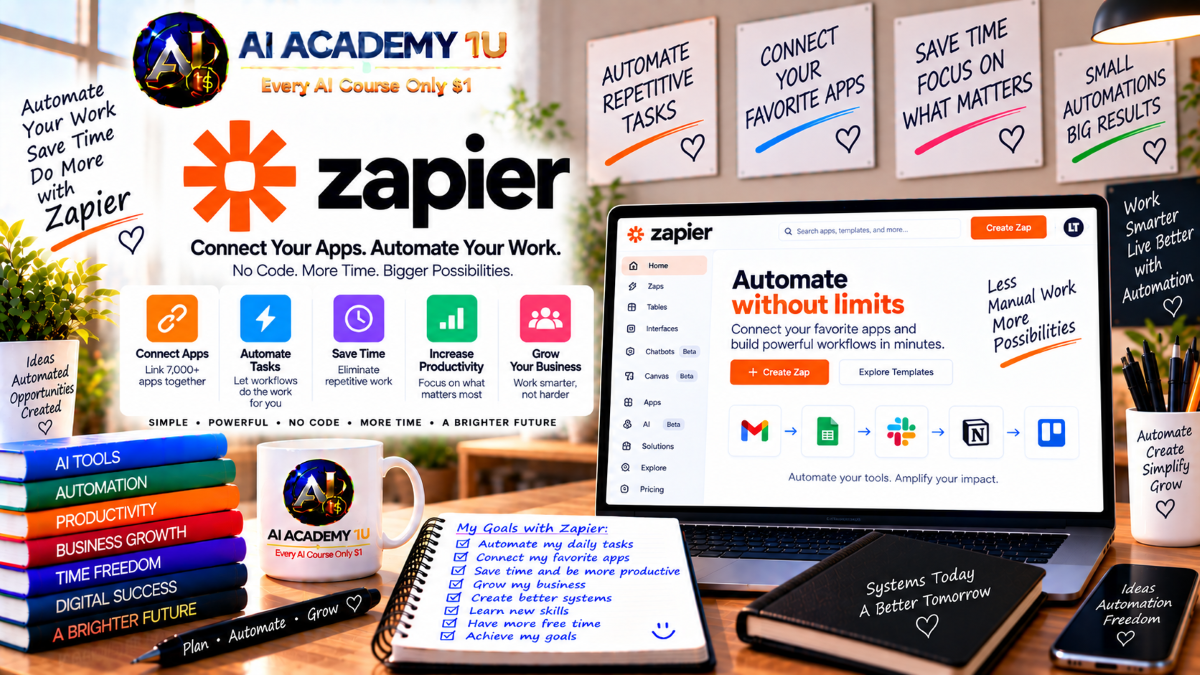
EXPLORE AI LIBRARYZapier AI is an automation platform that connects applications and streamlines repetitive workflows. Learn practical skills with AI Academy and discover useful workflows in our AI Library.

Explore all lessons in this catalogue and start learning at your own pace.
▶
1. What Is Zapier? ❌
Discover Zapier as an automation and AI orchestration platform with AI Academy 1U. Learn how Zapier connects applications, data, workflows, and intelligent tools so businesses can reduce repetitive tasks and create more efficient digital processes.
▶
2. Create and Set Up Your Zapier Account ❌
Learn how to create and prepare a Zapier account with AI Academy 1U. This lesson covers the essential workspace setup so learners can begin connecting applications, building automations, and exploring Zapier’s AI-powered tools efficiently.
▶
3. Explore the Zapier Interface ❌
Explore the Zapier interface with AI Academy 1U, including Zaps, Tables, Interfaces, Agents, Chatbots, Canvas, MCP, and Copilot. Learners become familiar with the main workspace areas and understand where key automation features are located.
▶
4. Understand Automation ❌
Understand the fundamentals of automation with AI Academy 1U by learning how triggers, logic, and actions work together. This lesson explains how structured workflows can replace repetitive manual processes and improve consistency across business operations.
▶
5. Understand AI Automation ❌
Learn how AI automation differs from traditional rule-based automation with AI Academy 1U. Learners explore how AI can interpret information, classify data, generate content, and support decisions inside automated workflows.
🔒
6. Understand AI Orchestration ❌
Understand AI orchestration with AI Academy 1U by learning how workflows, artificial intelligence, agents, data, applications, and human interaction can operate together as one coordinated business system.
▶
7. What Is a Zap? ❌
Understand what a Zap is with AI Academy 1U and learn how Zapier organizes automation into connected steps. This lesson introduces the basic workflow structure that powers tasks between applications and business systems.
▶
8. Understand Triggers and Actions ❌
Learn how triggers and actions form the foundation of every Zap with AI Academy 1U. Learners understand how one event starts a workflow and how subsequent actions process or move information automatically.
▶
9. Create Your First Zap ❌
Create your first practical Zap with AI Academy 1U by connecting two applications in a simple automation workflow. Learners practice selecting a trigger, configuring an action, testing the workflow, and preparing it for real use.
▶
10. Connect Your Apps ❌
Learn how to connect business applications securely in Zapier with AI Academy 1U. This lesson introduces authentication, account connections, permissions, and the essential setup required before applications can participate in automated workflows.
🔒
11. Configure Trigger Data ❌
Configure trigger data correctly with AI Academy 1U by selecting the appropriate event and testing incoming information. Learners understand how reliable trigger data creates a strong foundation for downstream automation steps.
🔒
12. Configure Action Fields ❌
Learn how to configure action fields with AI Academy 1U by mapping information from earlier workflow steps into destination applications. This lesson helps learners move data accurately between connected systems.
🔒
13. Test and Publish a Zap ❌
Test and publish a Zap with AI Academy 1U using a structured validation process. Learners verify trigger data, action behavior, field mappings, and workflow results before activating an automation for production use.
🔒
14. Understand Zap History ❌
Understand Zap History with AI Academy 1U and learn how individual automation runs are recorded. This lesson helps learners review workflow execution, identify failures, verify data movement, and support ongoing troubleshooting.
▶
15. Build a Multi-Step Zap ❌
Build a multi-step Zap with AI Academy 1U by connecting one trigger to several actions. Learners understand how information can move through multiple applications while completing a larger business process automatically.
🔒
16. Map Data Across Multiple Steps ❌
Learn how to map data across multiple workflow steps with AI Academy 1U. This lesson teaches learners to reuse outputs from earlier actions as inputs for later steps while preserving correct data flow.
🔒
17. Understand Dynamic Data ❌
Understand dynamic data with AI Academy 1U and learn how workflow values change with every automation run. Learners explore how Zapier uses real-time information from previous steps to personalize later actions.
🔒
18. Reuse Data Across Steps ❌
Learn how to reuse workflow data across multiple steps with AI Academy 1U. This lesson helps learners reduce duplicate processing, avoid unnecessary manual input, and create more efficient automation designs.
🔒
19. Design Reliable Multi-App Workflows ❌
Design reliable multi-application workflows with AI Academy 1U by coordinating data movement, processing, and actions across several systems. Learners focus on creating organized automation that remains understandable and maintainable.
🔒
20. Build a Complete Multi-Step Business Workflow ❌
Build a complete multi-step business workflow with AI Academy 1U that combines triggers, data processing, multiple actions, notifications, and record updates into one structured automation system.
▶
21. Understand Filters ❌
Understand Filters in Zapier with AI Academy 1U and learn how workflows can continue only when specific conditions are satisfied. This lesson introduces simple rule-based control for automation execution.
🔒
22. Build Your First Filter ❌
Build your first Filter with AI Academy 1U by creating rules based on real workflow data. Learners practice controlling whether an automation continues or stops according to defined conditions.
🔒
23. Understand Paths ❌
Understand Zapier Paths with AI Academy 1U and learn how one workflow can branch into multiple outcomes. This lesson introduces conditional routing based on different business scenarios and data values.
🔒
24. Build Conditional Paths ❌
Build conditional Paths with AI Academy 1U by defining separate workflow branches for different data conditions. Learners create automations that respond appropriately to multiple business situations.
🔒
25. Combine Filters and Paths ❌
Combine Filters and Paths with AI Academy 1U to create more sophisticated automation logic. Learners design workflows that evaluate conditions, control execution, and route data into appropriate business actions.
🔒
26. Design Decision-Based Automation ❌
Design decision-based automation with AI Academy 1U by translating business rules into structured workflow logic. This lesson helps learners create systems that automatically choose actions based on incoming information.
▶
27. Understand Formatter by Zapier ❌
Understand Formatter by Zapier with AI Academy 1U and learn why automation data often needs cleaning or transformation. This lesson introduces the role of formatting between workflow steps and applications.
🔒
28. Format Text ❌
Learn how to clean, split, replace, and transform text with AI Academy 1U. This lesson helps learners prepare inconsistent or unstructured text before it is sent to other workflow actions.
🔒
29. Format Numbers ❌
Format numerical data with AI Academy 1U by converting values into consistent forms for calculations, applications, and reporting. Learners practice preparing numbers for reliable automated processing.
🔒
30. Format Dates and Times ❌
Learn how to transform dates and times with AI Academy 1U by converting formats, adjusting time zones, and preparing date information for automated business processes.
🔒
31. Work with Lists and Line Items ❌
Work with lists and line items using AI Academy 1U. Learners practice processing multiple values or records inside a workflow and preparing them for applications that handle grouped data.
🔒
32. Use AI-Assisted Formatting ❌
Use AI-assisted formatting with AI Academy 1U to identify and apply useful transformations more efficiently. This lesson shows how artificial intelligence can support data preparation inside automation workflows.
▶
33. Understand Schedule by Zapier ❌
Understand Schedule by Zapier with AI Academy 1U and learn how workflows can start automatically at defined times, days, or recurring intervals.
🔒
34. Build Scheduled Automation ❌
Build scheduled automation with AI Academy 1U by configuring recurring workflows for routine business tasks. Learners create systems that execute automatically according to a defined schedule.
🔒
35. Understand Delay by Zapier ❌
Understand Delay by Zapier with AI Academy 1U and learn how workflows can pause before executing the next action. This lesson introduces controlled waiting periods in automation.
🔒
36. Delay Until a Specific Time ❌
Learn how to delay workflow actions until a specific time with AI Academy 1U. Learners use dynamic date information to schedule actions based on business data.
🔒
37. Build Time-Based Business Workflows ❌
Build time-based business workflows with AI Academy 1U by combining schedules, delays, and automated actions into coordinated processes for recurring or time-sensitive operations.
▶
38. What Is Zapier Copilot? ❌
Understand Zapier Copilot with AI Academy 1U as an AI assistant designed to support automation creation and workflow configuration through natural-language instructions.
▶
39. Build Your First Automation with Copilot ❌
Build your first automation with Zapier Copilot and AI Academy 1U by describing the desired workflow in natural language and reviewing the automation structure proposed by AI.
▶
40. Write Better Copilot Instructions ❌
Write clearer Copilot instructions with AI Academy 1U by defining triggers, applications, actions, data requirements, and expected results. Strong instructions help Copilot generate more useful automation designs.
🔒
41. Modify Existing Zaps with Copilot ❌
Learn how to modify existing Zaps with Copilot and AI Academy 1U. Learners use natural-language instructions to add steps, adjust logic, and improve previously created workflows.
🔒
42. Use Copilot for Field Mapping ❌
Use Copilot to support field mapping with AI Academy 1U. This lesson shows how AI can help identify appropriate data connections between workflow steps and reduce repetitive configuration work.
🔒
43. Troubleshoot with AI ❌
Troubleshoot automation issues with AI Academy 1U by using Copilot to interpret workflow errors, identify likely causes, and suggest practical adjustments for failed or incomplete automation runs.
🔒
44. Build a Complete System with Copilot ❌
Build a complete automation system with Zapier Copilot and AI Academy 1U by translating a business requirement into triggers, applications, actions, logic, and an organized workflow architecture.
▶
45. Understand AI Steps in Automation ❌
Understand when to use AI inside automation with AI Academy 1U. Learners compare rule-based processing with AI-powered interpretation and identify situations where artificial intelligence adds meaningful value.
▶
46. Generate Text with AI ❌
Generate text inside automated workflows with AI Academy 1U. Learners use workflow data as context for creating messages, summaries, descriptions, and other useful business content.
🔒
47. Summarize Data with AI ❌
Summarize long or complex information with AI Academy 1U by using artificial intelligence inside Zapier workflows. This lesson helps learners convert detailed data into concise, useful summaries.
🔒
48. Classify Information with AI ❌
Classify business information with AI Academy 1U by using AI to categorize leads, messages, requests, or records. Learners create workflows that route information based on intelligent classification.
🔒
49. Extract Structured Data with AI ❌
Extract structured fields from unstructured text with AI Academy 1U. Learners use AI to identify important information and transform it into data that other automation steps can process.
🔒
50. Analyze Sentiment and Intent ❌
Analyze sentiment and intent with AI Academy 1U to understand the meaning and tone of incoming messages before routing them into appropriate workflow actions.
🔒
51. Build an AI Decision Workflow ❌
Build an AI decision workflow with AI Academy 1U that transforms input into AI analysis, classification, conditional routing, and automated actions based on intelligent interpretation.
▶
52. What Is Zapier Tables? ❌
Understand Zapier Tables with AI Academy 1U as a structured data layer designed to store and manage information directly inside automated workflows.
▶
53. Create Your First Table ❌
Create your first Zapier Table with AI Academy 1U and build a simple structured dataset that can later support automation, AI processing, and business workflows.
▶
54. Create Fields and Records ❌
Learn how to create fields and records in Zapier Tables with AI Academy 1U. Learners design organized data structures that support searching, automation, and downstream workflow actions.
🔒
55. Import Business Data ❌
Import existing business information into Zapier Tables with AI Academy 1U. This lesson teaches learners how to bring structured data into Zapier for future automation and AI use.
🔒
56. Search and Update Records ❌
Search and update Zapier Table records with AI Academy 1U. Learners retrieve matching information, modify records, and use stored data dynamically inside workflows.
🔒
57. Link Records ❌
Link related records in Zapier Tables with AI Academy 1U to create meaningful relationships between business data and support more organized automation systems.
🔒
58. Trigger Zaps from Tables ❌
Trigger Zaps from Zapier Tables with AI Academy 1U by starting workflows automatically when records are created, changed, or meet defined conditions.
🔒
59. Use Tables as an Automation Database ❌
Use Zapier Tables as an automation database with AI Academy 1U by connecting structured records, triggers, workflow logic, and application actions into complete data-driven processes.
▶
60. Understand AI Fields ❌
Understand AI Fields with AI Academy 1U and learn how artificial intelligence can operate directly on individual records inside Zapier Tables.
🔒
61. Create Your First AI Field ❌
Create your first AI Field with AI Academy 1U by defining an AI instruction that uses information from a Table record to generate a useful output.
🔒
62. Generate Content from Table Data ❌
Generate descriptions, summaries, and personalized content from structured Table data with AI Academy 1U. Learners use individual record fields as context for scalable AI generation.
🔒
63. Classify Records with AI ❌
Classify Zapier Table records with AI Academy 1U by automatically assigning categories, tags, or labels based on record content.
🔒
64. Enrich Business Data with AI ❌
Enrich business records with AI Academy 1U by adding useful summaries, insights, categories, or derived information to existing Zapier Table data.
🔒
65. Build an AI-Powered Table Workflow ❌
Build an AI-powered Table workflow with AI Academy 1U that moves from a record to AI processing, decision logic, Zap execution, and a final destination system.
▶
66. What Is Zapier Interfaces? ❌
Understand Zapier Interfaces with AI Academy 1U as the presentation and interaction layer that allows users to work with data and automation through no-code pages and forms.
▶
67. Create Your First Interface ❌
Create your first Zapier Interface with AI Academy 1U and build a simple page that can serve as an entry point for an automated business process.
▶
68. Build Forms ❌
Build no-code forms with AI Academy 1U to collect information from users and prepare that data for Tables, Zaps, AI processing, and other automation steps.
🔒
69. Connect Forms to Tables ❌
Connect Zapier Interface forms to Tables with AI Academy 1U so submitted information is stored automatically as structured business records.
🔒
70. Trigger Workflows from Interfaces ❌
Trigger automated workflows from Zapier Interfaces with AI Academy 1U by converting user interactions into actions across connected applications and systems.
🔒
71. Display Dynamic Business Data ❌
Display dynamic business information inside Interfaces with AI Academy 1U by connecting live data from Zapier Tables and automated workflows.
🔒
72. Build an Internal Business Tool ❌
Build a complete internal business tool with AI Academy 1U by combining Interfaces, Tables, Zaps, AI processing, and automated results into one no-code operational application.
▶
73. Understand Zapier Chatbots ❌
Understand Zapier Chatbots with AI Academy 1U as conversational interfaces that combine artificial intelligence, business knowledge, and automated actions within a connected workflow system.
▶
74. Build Your First AI Chatbot ❌
Build your first Zapier AI Chatbot with AI Academy 1U for a practical business use case. Learners configure the basic purpose, conversation behavior, and customer interaction flow.
🔒
75. Configure Chatbot Instructions ❌
Configure chatbot instructions with AI Academy 1U by defining role, behavior, boundaries, response expectations, and limitations for more predictable AI conversations.
🔒
76. Add Business Knowledge ❌
Add business knowledge to Zapier Chatbots with AI Academy 1U so chatbot responses can use relevant company information instead of relying only on general AI knowledge.
🔒
77. Connect Chatbots to Actions ❌
Connect chatbot conversations to automated actions with AI Academy 1U so users can trigger workflows, update systems, or perform useful business tasks through natural-language interaction.
🔒
78. Customize Chatbot Experience ❌
Customize the chatbot experience with AI Academy 1U by adjusting greetings, appearance, AI model settings, user interaction patterns, and other experience controls.
🔒
79. Build a Customer Service Chatbot Workflow ❌
Build a customer service chatbot workflow with AI Academy 1U that connects questions, business knowledge, AI responses, automated actions, and human escalation into one support process.
▶
80. What Is a Zapier Agent? ❌
Understand Zapier Agents with AI Academy 1U and learn how agents differ from traditional Zaps and chatbots by combining goals, intelligence, tools, and autonomous task execution.
▶
81. Create Your First Agent ❌
Create your first Zapier Agent with AI Academy 1U by defining a focused business responsibility, basic instructions, and expected outcomes for an AI teammate.
🔒
82. Define Agent Roles and Instructions ❌
Define clear Agent roles and instructions with AI Academy 1U so each AI teammate operates within a specific scope and follows consistent business expectations.
🔒
83. Give Agents Tools ❌
Give Zapier Agents access to tools with AI Academy 1U so they can perform approved actions across connected applications and business systems.
🔒
84. Give Agents Knowledge Sources ❌
Connect business data and knowledge sources to Zapier Agents with AI Academy 1U so agent decisions and actions can be grounded in relevant organizational information.
🔒
85. Add Triggers and Actions to Agents ❌
Add triggers and actions to Zapier Agents with AI Academy 1U so AI teammates can respond to events and perform useful operational tasks automatically.
🔒
86. Test and Improve Agent Behavior ❌
Test and improve Agent behavior with AI Academy 1U by reviewing outputs, identifying weaknesses, refining instructions, and validating actions before production deployment.
🔒
87. Build a Production Agent ❌
Build a production-ready Zapier Agent with AI Academy 1U by combining role, knowledge, tools, guardrails, testing, deployment, and monitoring into a controlled professional workflow.
▶
88. Understand Multi-Agent Systems ❌
Understand multi-agent systems with AI Academy 1U and learn why complex business workflows can be divided among specialized AI agents with clearly defined responsibilities.
🔒
89. Design Specialized Agents ❌
Design specialized AI agents with AI Academy 1U by assigning each agent a focused responsibility, clear inputs, expected outputs, and controlled access to tools and information.
🔒
90. Connect Agents Together ❌
Connect multiple agents with AI Academy 1U so one agent’s output can become the input for another, creating coordinated AI workflows.
🔒
91. Build Agent Handoffs ❌
Build safe and structured agent handoffs with AI Academy 1U by defining how tasks, context, and responsibility move from one AI agent to another.
🔒
92. Build a Multi-Agent Marketing Team ❌
Build a multi-agent marketing team with AI Academy 1U by coordinating research, writing, publishing, and other specialized AI roles within one marketing workflow.
🔒
93. Build a Multi-Agent Sales Team ❌
Build a multi-agent sales team with AI Academy 1U that coordinates lead qualification, enrichment, outreach, CRM activity, and follow-up across specialized agents.
🔒
94. Build a Complete Multi-Agent Business System ❌
Build a complete multi-agent business system with AI Academy 1U using specialized agents, shared data, tools, structured handoffs, automation, and human review for complex operational processes.
▶
95. What Is MCP? ❌
Understand Model Context Protocol with AI Academy 1U and learn how MCP allows AI systems to access approved external tools and data through a standardized connection model.
▶
96. What Is Zapier MCP? ❌
Understand Zapier MCP with AI Academy 1U as a bridge that connects compatible AI clients with business applications, tools, and automated actions through Zapier.
▶
97. Create Your First Zapier MCP Server ❌
Create your first Zapier MCP server with AI Academy 1U and prepare an environment where supported AI clients can access approved business tools.
🔒
98. Add Apps and Tools to MCP ❌
Add applications and tools to Zapier MCP with AI Academy 1U while limiting access to only the actions that AI systems actually need.
🔒
99. Connect ChatGPT to Zapier MCP ❌
Connect ChatGPT to Zapier MCP with AI Academy 1U so natural-language requests can trigger approved business actions across connected applications.
🔒
100. Connect Claude and Other AI Clients ❌
Connect Claude and other MCP-compatible AI clients to Zapier with AI Academy 1U using the same secure tool-access principles and workflow architecture.
🔒
101. Control MCP Permissions ❌
Control Zapier MCP permissions with AI Academy 1U by limiting tool access, reducing unnecessary privileges, and protecting connected business systems.
🔒
102. Build an AI Command Center with MCP ❌
Build an AI command center with AI Academy 1U that connects natural-language instructions, AI reasoning, Zapier MCP, business applications, and actionable results in one workflow.
▶
103. Understand Zapier Canvas ❌
Understand Zapier Canvas with AI Academy 1U as a system design layer for visualizing automation architecture before implementation.
▶
104. Create Your First Canvas ❌
Create your first Zapier Canvas with AI Academy 1U by mapping a business workflow visually before building individual automation components.
🔒
105. Generate a System with AI ❌
Generate a proposed automation system with AI Academy 1U by describing a business process and allowing Zapier Canvas to suggest a workflow architecture.
🔒
106. Map Manual and Automated Steps ❌
Map manual and automated process steps with AI Academy 1U so learners can identify where human involvement is necessary and where automation provides the most value.
🔒
107. Connect Zapier Assets to Canvas ❌
Connect Zaps, Agents, Tables, Interfaces, and other Zapier assets to Canvas with AI Academy 1U to document how system components work together.
🔒
108. Document a Complete Business System ❌
Document a complete business system with AI Academy 1U by turning Zapier Canvas into a clear visual architecture and operational reference for automated processes.
▶
109. Understand Webhooks ❌
Understand Webhooks with AI Academy 1U and learn how external systems can send data to Zapier when built-in integrations do not provide the required functionality.
🔒
110. Receive Data with Webhooks ❌
Receive external data through Webhooks with AI Academy 1U and use incoming information to start or support Zapier workflows.
🔒
111. Send Data with Webhooks ❌
Send workflow data to external systems through Webhooks with AI Academy 1U, allowing Zapier to communicate with APIs and custom applications.
🔒
112. Understand APIs in Automation ❌
Understand practical API concepts with AI Academy 1U, including requests, endpoints, authentication, and responses, so learners can work more confidently with advanced automation integrations.
🔒
113. Build Advanced App Integrations ❌
Build advanced application integrations with AI Academy 1U by connecting external systems beyond standard Zapier actions using Webhooks and API-based workflows.
▶
114. Design Reliable Automations ❌
Design reliable Zapier automations with AI Academy 1U by reducing duplicate actions, avoiding fragile workflows, and creating clearer processes that are easier to monitor and maintain.
🔒
115. Troubleshoot Failed Runs ❌
Troubleshoot failed automation runs with AI Academy 1U by reviewing execution history, identifying the failed step, examining data, and determining the likely cause of workflow problems.
🔒
116. Protect Credentials and Permissions ❌
Protect credentials and permissions with AI Academy 1U by managing application access carefully and applying least-privilege principles across connected automation systems.
🔒
117. Build Human Approval into AI Automation ❌
Add human approval to AI automation with AI Academy 1U so high-impact decisions and actions can be reviewed before they are executed automatically.
🔒
118. Project: Build an AI Lead Management System ❌
Build a complete AI lead management system with AI Academy 1U by connecting Forms, Tables, AI qualification, CRM updates, notifications, follow-up automation, and human review into one practical workflow.
🔒
119. Project: Build an AI Content Operations System ❌
Build an AI content operations system with AI Academy 1U that connects content requests, research, AI generation, Zapier Tables, human approval, publishing, and notifications into one coordinated production process.
ChatGPT is an AI assistant for writing, learning, research, problem solving, and creative tasks. Learn practical skills with AI Academy and discover useful workflows in our AI Library.
EXPLORE AI LIBRARYCanva is a design platform for creating graphics, presentations, videos, and social media content. Learn practical design skills with AI Academy and explore creative workflows in our AI Library.
EXPLORE AI LIBRARYCapCut is a video editing platform for creating and enhancing videos with AI-powered tools, effects, captions, and templates. Learn practical skills with AI Academy and explore workflows in our AI Library.
EXPLORE AI LIBRARYGoogle Gemini is Google’s assistant for research, writing, reasoning, images, and productivity. Learn practical skills with AI Academy and discover useful workflows in our AI Library.
EXPLORE AI LIBRARYLearn Google Veo with AI Academy 1U and create cinematic AI videos from text and images using powerful video generation, camera controls, visual storytelling, and creative production techniques.
EXPLORE AI LIBRARYElevenLabs AI is a voice platform for text to speech, narration, and voice creation. Learn practical skills with AI Academy and discover useful workflows in our AI Library.
EXPLORE AI LIBRARYClaude AI is an assistant for writing, document analysis, reasoning, and coding. Learn practical skills with AI Academy and discover useful workflows in our AI Library.
EXPLORE AI LIBRARYVideoGen AI empowers creators to produce engaging videos faster with AI-powered tools. Learn practical workflows, creative techniques, and production strategies with AI Academy 1U to create professional video content efficiently.
EXPLORE AI LIBRARYHeyGen AI is an avatar video platform for presentations, narration, and multilingual communication. Learn practical skills with AI Academy and discover useful workflows in our AI Library.
EXPLORE AI LIBRARYMicrosoft Copilot is Microsoft’s assistant for productivity, writing, research, and workplace tasks. Learn practical skills with AI Academy and discover useful workflows in our AI Library.
EXPLORE AI LIBRARY








