
ChatGPT
ChatGPT is an AI assistant for writing, learning, research, problem solving, and creative tasks. Learn practical skills with AI Academy and discover useful workflows in our AI Library.
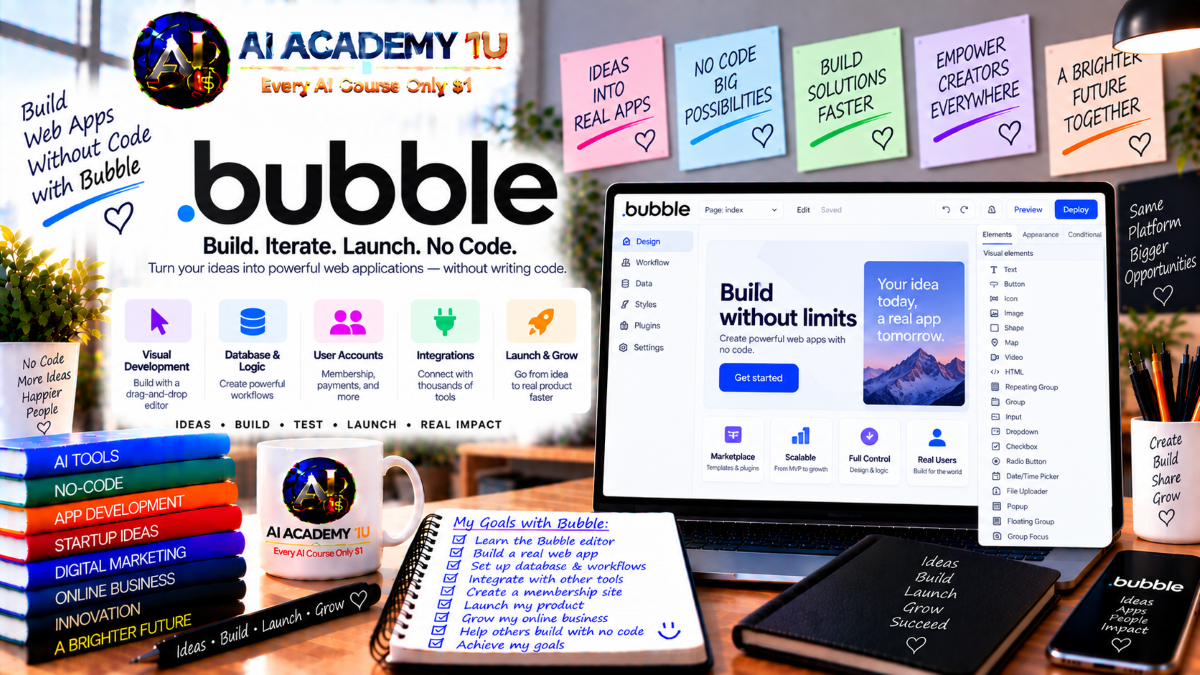
EXPLORE AI LIBRARYBubble AI is a no code platform for building web applications with intelligent capabilities. Learn practical skills with AI Academy and discover useful workflows in our AI Library.

Explore all lessons in this catalogue and start learning at your own pace.
▶
1. What Is Bubble? ❌
Discover Bubble with AI Academy 1U and understand how its visual development environment and AI capabilities can be used to build SaaS products, marketplaces, CRM systems, internal tools, mobile experiences, and AI-powered applications without traditional programming.
▶
2. Understand No-Code Visual Development ❌
Understand Bubble’s visual development model with AI Academy 1U by learning how elements, data, expressions, and workflows replace traditional code while still allowing you to build structured and functional applications.
▶
3. Create and Set Up Your Bubble Account ❌
Set up your Bubble account with AI Academy 1U by creating your first application, preparing the development workspace, and reviewing the essential settings needed to build, test, and manage projects throughout the course.
▶
4. Explore the Bubble Editor ❌
Explore the Bubble Editor with AI Academy 1U and become familiar with Design, Workflow, Data, Styles, Plugins, and Settings so you know where to manage interface design, application logic, data, and configuration.
▶
5. Understand Development and Live Versions ❌
Understand Bubble development and live versions with AI Academy 1U by learning how to separate testing from production, validate changes safely, and deploy application updates without directly affecting active users.
▶
6. Understand Bubble AI App Generator ❌
Understand Bubble AI App Generator with AI Academy 1U and learn how natural-language application requirements can be transformed into initial pages, data structures, interface elements, workflows, and sample content.
▶
7. Write Your First Bubble App Prompt ❌
Write your first Bubble app prompt with AI Academy 1U by clearly defining the application goal, intended users, core features, and required data so Bubble AI can create a more useful initial application.
🔒
8. Plan Features Before AI Generation ❌
Plan application features with AI Academy 1U by separating core requirements from supporting and future features, helping Bubble AI generate a focused first version that is easier to understand, test, and refine.
🔒
9. Write Better Structured App Prompts ❌
Write stronger Bubble prompts with AI Academy 1U by organizing App Purpose, Users, Pages, Data, Actions, Rules, and Design into a structured specification that reduces ambiguity and improves AI-generated results.
🔒
10. Review an AI-Generated Bubble App ❌
Review AI-generated Bubble applications with AI Academy 1U by examining pages, elements, database structures, workflows, and sample data to identify what works correctly and what requires modification before further development.
🔒
11. Refine Your App with Bubble AI Agent ❌
Refine Bubble applications with AI Academy 1U by using Bubble AI Agent to modify interfaces, database structures, workflows, and features while carefully reviewing each change to maintain control over the application.
▶
12. Understand Bubble UI Elements ❌
Understand Bubble UI elements with AI Academy 1U by learning how text, buttons, images, inputs, dropdowns, groups, icons, and other visual components are used to build interactive application interfaces.
🔒
13. Build Pages and App Screens ❌
Build Bubble pages with AI Academy 1U by creating login, dashboard, profile, and detail screens that follow a clear user journey and organize application content around meaningful tasks.
🔒
14. Work with Groups and Containers ❌
Work with groups and containers through AI Academy 1U to organize Bubble elements into structured layouts that are easier to manage, align, reuse, and adapt across different application screens.
🔒
15. Create Forms and Data Entry Interfaces ❌
Create forms with AI Academy 1U by combining inputs, dropdowns, date pickers, buttons, and validation-ready interface structures that can later connect directly to Bubble database and workflow logic.
🔒
16. Use Conditional Formatting and Visibility ❌
Use conditional formatting and visibility with AI Academy 1U to dynamically change styles or display elements according to user identity, status values, and application data, creating more responsive and context-aware interfaces.
▶
17. Understand Bubble Responsive Design ❌
Understand responsive design in Bubble with AI Academy 1U by learning how containers, widths, alignment, and layout behavior determine how interface elements adapt across different screen sizes.
🔒
18. Understand Row, Column and Align-to-Parent Layouts ❌
Understand Bubble container layout types with AI Academy 1U by comparing Row, Column, and Align-to-Parent structures and choosing the most appropriate layout for different interface sections.
🔒
19. Control Width, Height and Responsive Behavior ❌
Control responsive dimensions with AI Academy 1U by configuring minimum and maximum widths, stretching, fit-content behavior, and height settings to create more stable layouts across varying screen sizes.
🔒
20. Build Responsive Navigation and Forms ❌
Build responsive navigation and forms with AI Academy 1U by adapting navbars, sidebars, form fields, spacing, and layout behavior for both desktop and mobile application experiences.
🔒
21. Make a Complete Page Responsive ❌
Convert a complete Bubble page into a responsive experience with AI Academy 1U by restructuring containers, adjusting dimensions, and testing interface behavior across multiple device widths.
▶
22. Understand Bubble Styles ❌
Understand Bubble Styles with AI Academy 1U and learn how centralized typography, button, input, and component styling helps maintain visual consistency and simplifies application-wide design updates.
🔒
23. Build an App Design System ❌
Build a Bubble design system with AI Academy 1U by defining colors, typography, spacing, and component styles that create a consistent visual language across the entire application.
🔒
24. Understand Reusable Elements ❌
Understand reusable elements with AI Academy 1U and learn when navigation bars, sidebars, popups, cards, and other repeated interface structures should be centralized instead of rebuilt on individual pages.
🔒
25. Create Reusable Elements ❌
Create reusable Bubble elements with AI Academy 1U by building shared interface components that can be inserted across multiple pages while maintaining consistent layout and behavior.
🔒
26. Use AI Agent with Reusable Elements ❌
Use Bubble AI Agent with AI Academy 1U to create or modify reusable elements while reviewing layout, behavior, and dependencies to ensure AI-generated changes remain consistent across the application.
▶
27. Understand the Bubble Database ❌
Understand the Bubble database with AI Academy 1U by learning how data types, things, fields, and records store application information separately from the interface users see.
🔒
28. Design Data Types and Fields ❌
Design Bubble data structures with AI Academy 1U by translating business requirements into Users, Products, Orders, Projects, and other meaningful data types with appropriate fields.
🔒
29. Understand Bubble Data Types ❌
Understand Bubble field types with AI Academy 1U by working with text, number, date, yes/no, geographic address, file, image, and custom data types for different application requirements.
🔒
30. Create Relationships Between Data ❌
Create data relationships with AI Academy 1U by linking Bubble records such as Users to Orders, Projects to Tasks, or Sellers to Products using clear and maintainable database structures.
🔒
31. Work with Option Sets ❌
Use Bubble Option Sets with AI Academy 1U to manage predefined values such as statuses, roles, and categories more reliably than storing uncontrolled text values throughout the application.
🔒
32. Create and Manage App Data ❌
Manage Bubble application data with AI Academy 1U by creating, editing, deleting, and reviewing development records while learning how stored information supports application testing and workflows.
▶
33. Understand Dynamic Data ❌
Understand dynamic data with AI Academy 1U by learning how Bubble database values can automatically populate text, images, buttons, and other interface elements based on application context.
🔒
34. Search for Data in Bubble ❌
Search Bubble data with AI Academy 1U by building queries that retrieve the correct records according to defined constraints and application requirements.
🔒
35. Understand Repeating Groups ❌
Understand Bubble Repeating Groups with AI Academy 1U and learn how they dynamically display lists of products, users, posts, transactions, or other database records.
🔒
36. Filter and Sort Data ❌
Filter and sort dynamic Bubble data with AI Academy 1U by applying conditions and ordering rules that help users find and organize relevant information more efficiently.
🔒
37. Build Search and Filtering Interfaces ❌
Build an interactive search and filtering interface with AI Academy 1U by combining search inputs, category filters, sorting controls, and dynamic results inside a data-driven Bubble application.
▶
38. Understand Bubble Workflows ❌
Understand Bubble workflows with AI Academy 1U by learning how Events and Actions define application behavior when users click, submit forms, or when specific conditions occur.
🔒
39. Build Your First Workflow ❌
Build your first Bubble workflow with AI Academy 1U by connecting a user action to data creation and interface updates, demonstrating the core Event-to-Action development model.
🔒
40. Use Conditions in Workflows ❌
Use workflow conditions with AI Academy 1U by applying Only When rules and other logic that determines whether specific Bubble actions should execute under different application circumstances.
🔒
41. Create Multi-Step Workflows ❌
Create multi-step Bubble workflows with AI Academy 1U by combining multiple actions into a structured sequence while understanding execution order and dependencies between workflow steps.
🔒
42. Create Custom Events ❌
Create Bubble Custom Events with AI Academy 1U to separate reusable workflow logic into manageable units that improve clarity, maintainability, and reuse across application processes.
🔒
43. Build a Complete Business Workflow ❌
Build a complete business workflow with AI Academy 1U by connecting form submission, data creation, status updates, notifications, and confirmation into one coordinated Bubble process.
▶
44. Understand Bubble Users ❌
Understand Bubble Users with AI Academy 1U by learning how the built-in User data type and Current User provide identity, authentication context, and personalized application behavior.
🔒
45. Build Signup, Login and Logout ❌
Build complete signup, login, and logout workflows with AI Academy 1U to manage user authentication and provide secure access to personalized Bubble application experiences.
🔒
46. Build User Profiles ❌
Build Bubble user profiles with AI Academy 1U by storing personal information, creating profile screens, allowing profile edits, and connecting user-specific data to authenticated accounts.
🔒
47. Create User Roles and Access Control ❌
Create user roles with AI Academy 1U by defining Admin, Staff, Customer, and other business roles and using them to control application features and access permissions.
🔒
48. Understand Bubble Privacy Rules ❌
Understand Bubble Privacy Rules with AI Academy 1U and learn how they determine which records users can search, view, and access at the database level.
🔒
49. Secure Sensitive User Data ❌
Secure sensitive user information with AI Academy 1U by combining Current User, ownership, roles, and privacy rules so protected records remain inaccessible to unauthorized users.
▶
50. Understand Backend Workflows ❌
Understand Bubble backend workflows with AI Academy 1U and learn how server-side logic can run independently from open pages or active user sessions.
🔒
51. Create Scheduled Workflows ❌
Create scheduled Bubble workflows with AI Academy 1U to run reminders, status updates, processing tasks, and other actions automatically at a future date or time.
🔒
52. Build Database Trigger Workflows ❌
Build database trigger workflows with AI Academy 1U to automatically execute server-side logic when Bubble data changes according to specific application conditions.
🔒
53. Process Lists with Backend Workflows ❌
Process lists of Bubble records with AI Academy 1U using backend workflows that can handle multiple items without requiring users to keep an application page open.
🔒
54. Use AI Agent for Backend Workflow Generation ❌
Use Bubble AI Agent with AI Academy 1U to help create and modify backend workflows while reviewing triggers, conditions, actions, and execution logic before using them in production.
▶
55. Understand the Bubble Plugin Ecosystem ❌
Understand the Bubble plugin ecosystem with AI Academy 1U by learning how plugins extend application functionality and when using an existing plugin is more efficient than building equivalent functionality manually.
🔒
56. Install and Configure Plugins ❌
Install and configure Bubble plugins with AI Academy 1U by setting required options, reviewing new elements and actions, and testing plugin behavior before using it in production workflows.
🔒
57. Understand the Bubble API Connector ❌
Understand Bubble API Connector with AI Academy 1U by learning how requests, authentication, parameters, headers, and response data allow Bubble applications to communicate with external services.
🔒
58. Connect an External API ❌
Connect an external API with AI Academy 1U by configuring a real service request, validating its response, and using returned information inside a Bubble application workflow or interface.
🔒
59. Connect AI Models to Bubble ❌
Connect external AI models with AI Academy 1U to support chatbot, summarization, content generation, classification, and data-analysis features inside Bubble applications.
▶
60. Understand Payments in Bubble ❌
Understand payments in Bubble with AI Academy 1U by learning how transactions fit into user journeys and business workflows before implementing checkout or subscription functionality.
🔒
61. Build a Checkout Workflow ❌
Build a Bubble checkout workflow with AI Academy 1U by connecting product or service selection, payment processing, confirmation, and application updates into one structured purchase process.
🔒
62. Build Subscription Logic for SaaS ❌
Build SaaS subscription logic with AI Academy 1U by managing free and paid plans, subscription status, feature access, and account behavior according to each user’s subscription level.
🔒
63. Understand Marketplace Data and Transactions ❌
Understand marketplace architecture with AI Academy 1U by modeling buyers, sellers, listings, orders, and transactions and defining the relationships needed for multi-sided Bubble applications.
🔒
64. Project: Build a SaaS or Marketplace MVP ❌
Build a SaaS or marketplace MVP with AI Academy 1U by combining authentication, database structures, workflows, access rules, and payment logic around a realistic business use case.
▶
65. Design an AI Feature for Your Bubble App ❌
Design an AI feature with AI Academy 1U by identifying the problem it should solve, defining the required input, determining the expected output, and connecting AI functionality to a meaningful application workflow.
🔒
66. Build an AI Chat Experience ❌
Build an AI chat experience with AI Academy 1U by creating the conversation interface, sending user prompts to an AI service, and displaying generated responses within the Bubble application.
🔒
67. Save and Use AI Responses ❌
Save and reuse AI responses with AI Academy 1U by storing generated output in the Bubble database or using it to trigger additional workflows and application actions.
🔒
68. Build AI Content and Analysis Workflows ❌
Build AI-powered workflows with AI Academy 1U for summarization, classification, content generation, and data analysis while connecting generated results to practical Bubble application processes.
▶
69. Test Your Bubble App ❌
Test your Bubble application with AI Academy 1U by creating a systematic checklist for login, forms, workflows, database operations, permissions, and complete user journeys before deployment.
🔒
70. Use Bubble Debugging Tools ❌
Use Bubble debugging tools with AI Academy 1U to inspect workflow execution, data values, and application behavior so you can identify the cause of unexpected results more efficiently.
🔒
71. Find and Fix Workflow Problems ❌
Diagnose Bubble workflow problems with AI Academy 1U by reviewing conditions, actions, data sources, and execution order to determine why an application process behaves incorrectly.
🔒
72. Understand Bubble Performance ❌
Understand Bubble performance with AI Academy 1U by identifying unnecessary database searches, oversized Repeating Groups, inefficient workflows, and other patterns that can slow applications.
🔒
73. Perform a Pre-Launch Security Review ❌
Perform a pre-launch security review with AI Academy 1U by checking privacy rules, user access, API keys, sensitive information, and important application actions before releasing the app to users.
▶
74. Understand Bubble Native Mobile ❌
Understand Bubble native mobile development with AI Academy 1U by comparing responsive web applications with native mobile experiences and identifying use cases where mobile-specific navigation and interface patterns are appropriate.
🔒
75. Build Native Mobile Screens ❌
Build native mobile screens with AI Academy 1U by designing mobile-focused layouts, navigation patterns, and interface components optimized for smartphone interaction.
🔒
76. Build Mobile Workflows ❌
Build Bubble mobile workflows with AI Academy 1U by connecting native mobile interfaces to database operations and application logic required for interactive smartphone experiences.
🔒
77. Test Your App on a Real Device ❌
Test your Bubble application on a real device with AI Academy 1U by reviewing navigation, interface behavior, responsiveness, and workflows under realistic mobile usage conditions.
🔒
78. Deploy a Bubble Web App ❌
Deploy a Bubble web application with AI Academy 1U by reviewing development changes, checking unresolved issues, and safely moving the validated version into the live production environment.
🔒
79. Connect a Custom Domain and Production Settings ❌
Configure a custom domain and production settings with AI Academy 1U by reviewing domain setup, HTTPS access, environment configuration, and other settings required before users access the live application.
🔒
80. Final Project: Build and Launch a Complete Bubble AI Application ❌
Build and launch a complete Bubble AI application with AI Academy 1U by combining AI generation, interface design, responsive layouts, database architecture, dynamic data, workflows, authentication, privacy, backend automation, APIs, AI features, payments, testing, security, and deployment into one production-ready project.
ChatGPT is an AI assistant for writing, learning, research, problem solving, and creative tasks. Learn practical skills with AI Academy and discover useful workflows in our AI Library.
EXPLORE AI LIBRARYCanva is a design platform for creating graphics, presentations, videos, and social media content. Learn practical design skills with AI Academy and explore creative workflows in our AI Library.
EXPLORE AI LIBRARYCapCut is a video editing platform for creating and enhancing videos with AI-powered tools, effects, captions, and templates. Learn practical skills with AI Academy and explore workflows in our AI Library.
EXPLORE AI LIBRARYGoogle Gemini is Google’s assistant for research, writing, reasoning, images, and productivity. Learn practical skills with AI Academy and discover useful workflows in our AI Library.
EXPLORE AI LIBRARYLearn Google Veo with AI Academy 1U and create cinematic AI videos from text and images using powerful video generation, camera controls, visual storytelling, and creative production techniques.
EXPLORE AI LIBRARYElevenLabs AI is a voice platform for text to speech, narration, and voice creation. Learn practical skills with AI Academy and discover useful workflows in our AI Library.
EXPLORE AI LIBRARYClaude AI is an assistant for writing, document analysis, reasoning, and coding. Learn practical skills with AI Academy and discover useful workflows in our AI Library.
EXPLORE AI LIBRARYVideoGen AI empowers creators to produce engaging videos faster with AI-powered tools. Learn practical workflows, creative techniques, and production strategies with AI Academy 1U to create professional video content efficiently.
EXPLORE AI LIBRARYHeyGen AI is an avatar video platform for presentations, narration, and multilingual communication. Learn practical skills with AI Academy and discover useful workflows in our AI Library.
EXPLORE AI LIBRARYMicrosoft Copilot is Microsoft’s assistant for productivity, writing, research, and workplace tasks. Learn practical skills with AI Academy and discover useful workflows in our AI Library.
EXPLORE AI LIBRARY







