
ChatGPT
ChatGPT is an AI assistant for writing, learning, research, problem solving, and creative tasks. Learn practical skills with AI Academy and discover useful workflows in our AI Library.
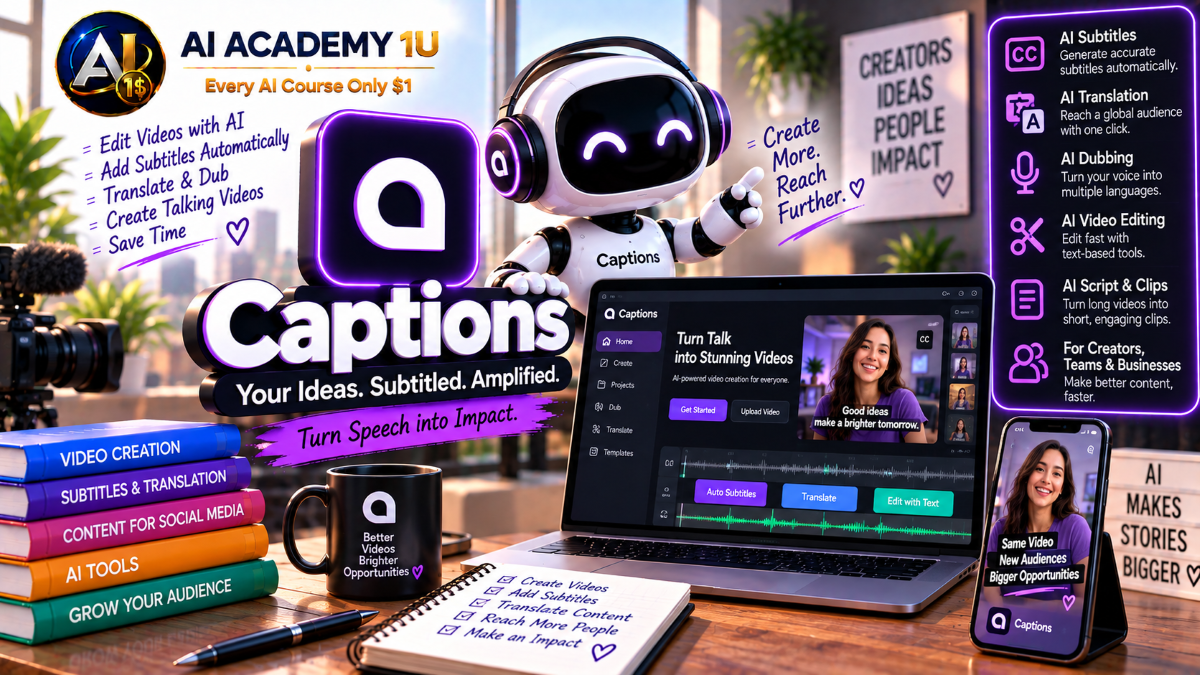
EXPLORE AI LIBRARYLearn Captions AI with AI Academy 1U to edit videos, generate automatic captions, create AI avatars, dub content, translate videos, and produce engaging social media content faster with AI.

Explore all lessons in this catalogue and start learning at your own pace.
▶
1. What Is Captions AI? ❌
Discover Captions AI with AI Academy 1U as an AI-first video editor designed for creators, social media, marketing, and talking-head videos. Learn how the platform combines editing, captions, voice, translation, avatars, and automation.
▶
2. Understand the Captions AI Ecosystem ❌
Understand the Captions AI ecosystem with AI Academy 1U by exploring AI Edit, Automatic Captions, Translation, AI Dubbing, Lipdub, Avatars, Eye Contact, and audio cleanup. Learn how these tools connect across one video workflow.
▶
3. Create and Set Up Your Captions Account ❌
Create and set up your Captions account with AI Academy 1U by preparing your account, web or app workflow, and first project. Learn the basic setup needed before using Captions AI production tools.
▶
4. Explore the Captions Workspace ❌
Explore the Captions workspace with AI Academy 1U by learning how to import footage, use the editing area, access AI tools, apply styles, and move through the export workflow efficiently.
▶
5. Understand the AI Video Production Workflow ❌
Understand the Captions AI video production workflow with AI Academy 1U using Footage → Transcript → AI Edit → Captions → Audio Cleanup → Translation or Dubbing → Visual Refinement → Export. Learn how each stage contributes to a polished final video.
▶
6. Understand Automatic Captions ❌
Understand Automatic Captions in Captions AI with AI Academy 1U and learn how spoken audio is converted into text and synchronized with the video timeline. Explore the foundation of automated subtitle generation.
▶
7. Generate Your First Captions ❌
Generate your first captions with Captions AI and AI Academy 1U by uploading a video and creating synchronized caption text automatically. Learn the basic workflow from footage to readable on-screen captions.
🔒
8. Edit Caption Text ❌
Edit caption text in Captions AI with AI Academy 1U by correcting recognition errors, punctuation, wording, and transcription mistakes. Learn how clean caption text improves clarity, professionalism, and accessibility.
🔒
9. Style Captions for Social Video ❌
Style captions for social video with Captions AI and AI Academy 1U by selecting fonts, layouts, and visual styles appropriate for TikTok, Instagram Reels, and YouTube Shorts. Learn how caption design supports viewer attention.
🔒
10. Understand Open Captions vs Closed Captions ❌
Understand open captions versus closed captions with Captions AI and AI Academy 1U. Learn how burnt-in captions differ from separate subtitle files such as SRT and when each format is appropriate.
🔒
11. Build a Caption-First Social Video ❌
Build a caption-first social video with Captions AI and AI Academy 1U by creating a talking-head clip with clear, readable captions designed for viewers who may watch without sound.
▶
12. Understand Captions AI Edit ❌
Understand Captions AI Edit with AI Academy 1U and learn how the platform analyzes footage and automatically creates a nearly complete edit using cuts, captions, B-roll, effects, music, and other enhancements.
▶
13. Apply Your First AI Edit ❌
Apply your first AI Edit with Captions and AI Academy 1U by uploading footage, selecting an editing style, and letting AI create an initial edited version that can be refined manually.
🔒
14. Automatically Cut Dead Space ❌
Automatically cut dead space in Captions AI with AI Academy 1U by removing unnecessary pauses and inactive sections. Learn how tighter editing can improve pacing and keep talking videos more engaging.
🔒
15. Add B-Roll Automatically ❌
Add B-roll automatically in Captions AI with AI Academy 1U by using AI to insert supporting footage that matches the spoken content. Learn how relevant visuals can strengthen explanations and viewer engagement.
🔒
16. Add Zooms, Graphics and Effects ❌
Add zooms, graphics, and effects in Captions AI with AI Academy 1U to improve pacing and visual interest. Learn how dynamic visual changes can make talking-head and social videos more engaging.
🔒
17. Add Music and Sound Effects ❌
Add music and sound effects in Captions AI with AI Academy 1U to complete the audio layer of a video. Learn how background music and sound design can support rhythm, emphasis, and production quality.
🔒
18. Build a Fully AI-Edited Video ❌
Build a fully AI-edited video with Captions AI and AI Academy 1U using Raw Footage → AI Edit → Manual Refinement → Final Export. Apply automatic editing and human review in one complete workflow.
▶
19. Understand Text-Based Video Editing ❌
Understand text-based video editing in Captions AI with AI Academy 1U and learn how natural-language prompts can replace many manual timeline operations by describing desired editing changes directly.
▶
20. Make Simple Edit Requests ❌
Make simple edit requests in Captions AI with AI Academy 1U by asking for faster cuts, additional B-roll, pacing changes, or other basic modifications through natural-language commands.
🔒
21. Add Visual Elements with Prompts ❌
Add visual elements with prompts in Captions AI and AI Academy 1U by requesting graphics, zooms, or inserted clips. Learn how prompt-based editing can quickly enrich video presentation.
🔒
22. Change Editing Style with Prompts ❌
Change editing style with prompts in Captions AI with AI Academy 1U by transforming the same footage into energetic, clean, educational, or cinematic versions through natural-language instructions.
🔒
23. Add and Refine Transitions ❌
Add and refine transitions in Captions AI with AI Academy 1U by using AI suggestions for transition placement and adjusting them when needed. Learn how transitions can improve continuity and pacing.
🔒
24. Build a Prompt-Edited Social Video ❌
Build a prompt-edited social video with Captions AI and AI Academy 1U by completing most editing tasks through natural-language commands, then reviewing and refining the final result for social platforms.
▶
25. Understand AI Eye Contact ❌
Understand AI Eye Contact in Captions AI with AI Academy 1U and learn how gaze can be corrected after recording when a speaker looks at a script, teleprompter, or away from the camera.
▶
26. Correct Eye Contact in a Talking-Head Video ❌
Correct eye contact in a talking-head video with Captions AI and AI Academy 1U by uploading a clip and applying AI gaze correction to create a more direct camera-facing presentation.
🔒
27. Record Better Footage for Eye Contact Correction ❌
Record better footage for Eye Contact correction with Captions AI and AI Academy 1U by optimizing camera distance, lighting, framing, and teleprompter position before applying AI correction.
🔒
28. Preserve Natural Expressions ❌
Preserve natural expressions in Captions AI with AI Academy 1U by learning when Eye Contact correction improves a shot and when intentional glances should remain unchanged for more authentic delivery.
🔒
29. Build a Polished Talking-Head Video ❌
Build a polished talking-head video with Captions AI and AI Academy 1U by combining Eye Contact correction, captions, denoise, pause trimming, and editing into one complete presenter workflow.
▶
30. Understand AI Audio Cleanup ❌
Understand AI audio cleanup in Captions AI with AI Academy 1U by identifying background noise, filler words, long pauses, and other distractions that reduce clarity in talking-head and social videos.
▶
31. Remove Background Noise ❌
Remove background noise with Captions AI and AI Academy 1U by using Denoise to make spoken audio clearer. Learn how cleaner speech can improve overall video quality and viewer comprehension.
🔒
32. Trim Pauses Automatically ❌
Trim pauses automatically in Captions AI with AI Academy 1U to shorten videos while preserving natural speech flow. Learn how pause reduction can improve pacing without making delivery feel rushed.
🔒
33. Remove Filler Words and Interruptions ❌
Remove filler words and interruptions in Captions AI with AI Academy 1U to create tighter short-form content. Learn how cleanup can improve pacing while keeping speech understandable and natural.
🔒
34. Balance Clean Audio with Natural Delivery ❌
Balance clean audio with natural delivery in Captions AI with AI Academy 1U by avoiding excessive edits that make speech sound rushed, unnatural, or mechanical. Learn how to preserve human pacing.
▶
35. Understand AI Video Translation ❌
Understand AI video translation in Captions AI with AI Academy 1U and learn the differences between subtitle translation, translated voice-over, and dubbing. Explore where each method fits a multilingual workflow.
▶
36. Translate Captions into Another Language ❌
Translate captions into another language with Captions AI and AI Academy 1U by creating a new subtitle version from the same source video. Learn the basic workflow for multilingual captions.
🔒
37. Translate One Video into Multiple Languages ❌
Translate one video into multiple languages with Captions AI and AI Academy 1U by producing localized versions from a single source asset. Learn how one video can support multiple markets.
🔒
38. Review and Localize Translation ❌
Review and localize translations in Captions AI with AI Academy 1U by correcting slang, culture-specific references, wording, and phrasing. Learn how localization improves clarity and relevance for target audiences.
🔒
39. Build a Multilingual Subtitle Campaign ❌
Build a multilingual subtitle campaign with Captions AI and AI Academy 1U by creating multiple social content versions for different markets while maintaining consistent messaging and visual presentation.
▶
40. Understand AI Dubbing ❌
Understand AI Dubbing in Captions AI with AI Academy 1U and learn how original speech can be replaced with translated voice audio while preserving the overall meaning and presentation of a video.
▶
41. Create Your First Dub ❌
Create your first dub with Captions AI and AI Academy 1U by selecting a target language and generating a translated voice version of the original video. Learn the basic dubbing workflow.
🔒
42. Understand Lipdub ❌
Understand Lipdub in Captions AI with AI Academy 1U and learn how it differs from standard dubbing by adding visual lip synchronization to the translated audio output.
🔒
43. Create a Lipdub Video ❌
Create a Lipdub video with Captions AI and AI Academy 1U by translating speech and re-synchronizing mouth movement to match the new language. Learn the core visual dubbing workflow.
🔒
44. Preserve Voice Identity ❌
Preserve voice identity in Captions Lipdub with AI Academy 1U by understanding how cloned voice technology can maintain tone, energy, and cadence closer to the source speaker across translated versions.
🔒
45. Review Lip Sync and Timing ❌
Review lip sync and timing in Captions AI with AI Academy 1U by checking mouth synchronization, pacing, and visual artifacts. Learn how quality review improves the realism of translated video.
🔒
46. Build a Multilingual Dub Campaign ❌
Build a multilingual dub campaign with Captions AI and AI Academy 1U using One Source Video → Multiple Language Versions → Lipdub → Review → Final Exports. Apply the complete localization workflow.
▶
47. Understand Captions AI Avatars ❌
Understand Captions AI Avatars with AI Academy 1U by comparing the avatar library, custom avatars generated from prompts, and AI Twin technology created from a user recording.
▶
48. Create a Video with a Stock Avatar ❌
Create a video with a stock avatar in Captions AI with AI Academy 1U by choosing a presenter and generating a script-based video. Learn the basic avatar production workflow.
🔒
49. Generate a Custom Avatar from a Prompt ❌
Generate a custom avatar from a prompt with Captions AI and AI Academy 1U by describing a presenter that fits a brand, campaign, or creative concept. Learn how prompt-based avatar creation supports custom content.
🔒
50. Create Your Own AI Twin ❌
Create your own AI Twin with Captions AI and AI Academy 1U by using a short personal recording to generate a digital presenter that reflects your appearance and speech characteristics.
🔒
51. Change Avatar Outfits and Backgrounds ❌
Change avatar outfits and backgrounds in Captions AI with AI Academy 1U to reuse the same digital presenter across different campaigns, scenes, and content contexts without creating a new avatar each time.
🔒
52. Add Products and Props to Avatar Videos ❌
Add products and props to avatar videos with Captions AI and AI Academy 1U to create spokesperson-style marketing content. Learn how product placement can support promotional video workflows.
🔒
53. Build a Complete AI Presenter Video ❌
Build a complete AI presenter video with Captions AI and AI Academy 1U using Script → Avatar → Performance → Captions → Localization → Final Output. Apply the complete digital presenter workflow.
▶
54. Understand Short-Form Video Structure ❌
Understand short-form video structure with Captions AI and AI Academy 1U using Hook → Value → Proof or Story → CTA. Learn how this structure helps organize concise and engaging social content.
▶
55. Create TikTok-Style Videos ❌
Create TikTok-style videos with Captions AI and AI Academy 1U by optimizing pacing, captions, visual changes, and editing rhythm for fast-moving vertical content designed for social feeds.
🔒
56. Create Instagram Reels ❌
Create Instagram Reels with Captions AI and AI Academy 1U by adjusting layout, rhythm, captions, and visual style to match short-form content expectations on Instagram.
🔒
57. Create YouTube Shorts ❌
Create YouTube Shorts with Captions AI and AI Academy 1U by designing short educational, commentary, or promotional videos with pacing, captions, and visual structure suitable for YouTube.
🔒
58. Repurpose One Video Across Platforms ❌
Repurpose one video across platforms with Captions AI and AI Academy 1U by adapting the same footage into multiple versions optimized for TikTok, Instagram Reels, YouTube Shorts, and other channels.
▶
59. Build a Faceless Content Workflow ❌
Build a faceless content workflow with Captions AI and AI Academy 1U using Script → Voice or Avatar → Visuals → Captions → Edit → Publish. Learn how AI tools can support content creation without appearing on camera.
🔒
60. Build a Product Marketing Video ❌
Build a product marketing video with Captions AI and AI Academy 1U by combining an AI Avatar or AI Twin, product insertion, captions, AI Edit, and multilingual variations into one promotional workflow.
ChatGPT is an AI assistant for writing, learning, research, problem solving, and creative tasks. Learn practical skills with AI Academy and discover useful workflows in our AI Library.
EXPLORE AI LIBRARYCanva is a design platform for creating graphics, presentations, videos, and social media content. Learn practical design skills with AI Academy and explore creative workflows in our AI Library.
EXPLORE AI LIBRARYCapCut is a video editing platform for creating and enhancing videos with AI-powered tools, effects, captions, and templates. Learn practical skills with AI Academy and explore workflows in our AI Library.
EXPLORE AI LIBRARYGoogle Gemini is Google’s assistant for research, writing, reasoning, images, and productivity. Learn practical skills with AI Academy and discover useful workflows in our AI Library.
EXPLORE AI LIBRARYLearn Google Veo with AI Academy 1U and create cinematic AI videos from text and images using powerful video generation, camera controls, visual storytelling, and creative production techniques.
EXPLORE AI LIBRARYElevenLabs AI is a voice platform for text to speech, narration, and voice creation. Learn practical skills with AI Academy and discover useful workflows in our AI Library.
EXPLORE AI LIBRARYClaude AI is an assistant for writing, document analysis, reasoning, and coding. Learn practical skills with AI Academy and discover useful workflows in our AI Library.
EXPLORE AI LIBRARYVideoGen AI empowers creators to produce engaging videos faster with AI-powered tools. Learn practical workflows, creative techniques, and production strategies with AI Academy 1U to create professional video content efficiently.
EXPLORE AI LIBRARYHeyGen AI is an avatar video platform for presentations, narration, and multilingual communication. Learn practical skills with AI Academy and discover useful workflows in our AI Library.
EXPLORE AI LIBRARYMicrosoft Copilot is Microsoft’s assistant for productivity, writing, research, and workplace tasks. Learn practical skills with AI Academy and discover useful workflows in our AI Library.
EXPLORE AI LIBRARY







