
ChatGPT
ChatGPT is an AI assistant for writing, learning, research, problem solving, and creative tasks. Learn practical skills with AI Academy and discover useful workflows in our AI Library.
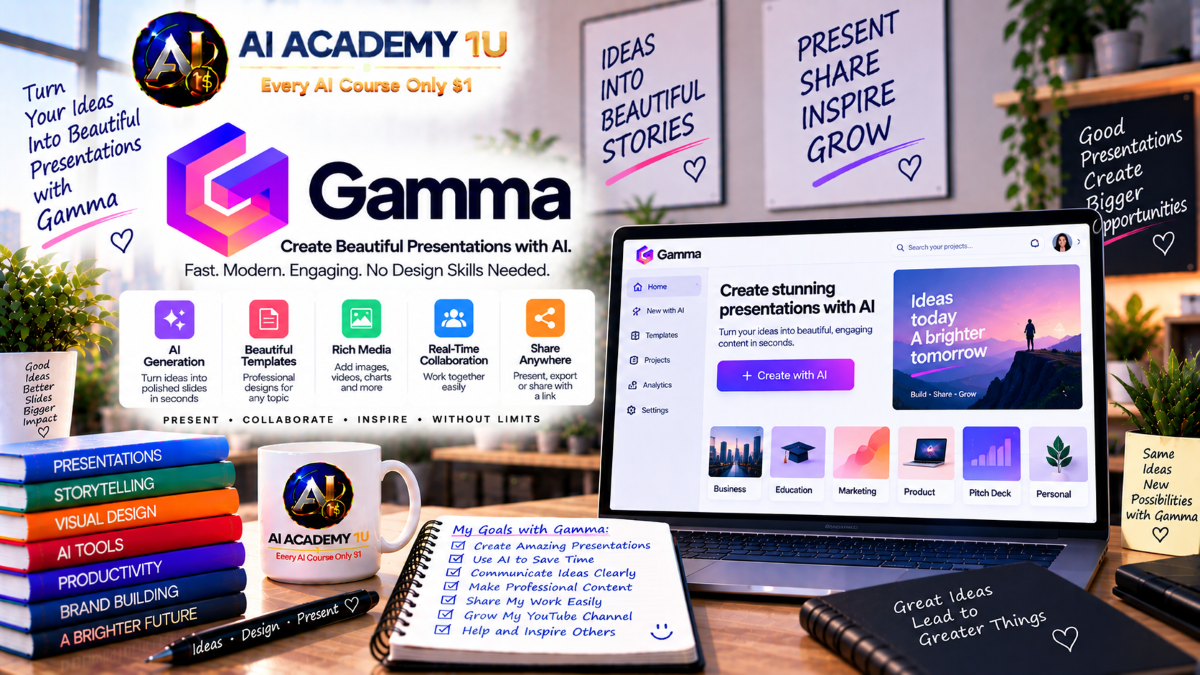
EXPLORE AI LIBRARYGamma AI is a presentation tool for quickly creating slides, documents, and visual webpages. Learn practical skills with AI Academy and discover useful workflows in our AI Library.

Explore all lessons in this catalogue and start learning at your own pace.
▶
1. What Is Gamma? ❌
Discover Gamma as an AI-powered platform for creating presentations, documents, websites, social content, and graphics. AI Academy 1U introduces its core capabilities and explains how Gamma combines content generation, design, visual communication, and publishing within a flexible creative environment.
▶
2. Create and Set Up Your Gamma Account ❌
Learn how to create a Gamma account, enter the workspace, and prepare the environment for your first project. AI Academy 1U guides learners through the essential setup needed to begin creating and organizing AI-assisted content efficiently.
▶
3. Explore the Gamma Dashboard ❌
Explore the Gamma dashboard and learn how to navigate recent projects, folders, templates, and content-creation options. AI Academy 1U helps learners understand where projects are managed and how the dashboard supports an organized creative workflow.
▶
4. Understand Gamma Cards ❌
Understand Gamma Cards as flexible building blocks that organize content differently from traditional fixed slides. AI Academy 1U explains how cards structure information and provide greater flexibility for arranging text, visuals, layouts, and other content elements.
🔒
5. Understand Gamma Content Formats ❌
Learn the differences among Gamma Presentation, Document, Website, and Social formats. AI Academy 1U helps learners choose an appropriate output according to audience, communication purpose, content structure, and the way the finished material will be shared.
🔒
6. Understand the Gamma Creative Workflow ❌
Understand the complete Gamma workflow from Idea or Source → Generate → Structure → Design → Visuals → Review → Share or Export. AI Academy 1U connects these stages into a practical process for developing professional content from beginning to final delivery.
▶
7. Generate Content from a Prompt ❌
Learn how to transform a topic, idea, or creative brief into structured content using a prompt. AI Academy 1U teaches learners to provide useful direction so Gamma can develop an organized starting point for further writing, design, and refinement.
▶
8. Create with Paste ❌
Learn how to bring existing material from ChatGPT, notes, documents, or other sources into Gamma for restructuring and design. AI Academy 1U shows how existing content can become the foundation for a polished visual project without starting from zero.
🔒
9. Create with Import ❌
Learn how to import an existing document or presentation into Gamma and continue working with its content. AI Academy 1U introduces an efficient workflow for transforming established source material into Gamma’s flexible card-based environment.
🔒
10. Understand Create with Agent ❌
Understand how Create with Agent supports a conversational approach to building content with AI. AI Academy 1U introduces the Agent workflow and explains how learners can communicate requirements, provide direction, and progressively develop a project through interaction.
🔒
11. Create from Multiple Sources with Agent ❌
Learn how to combine PDFs, documents, slides, websites, images, and existing Gamma projects into a unified creation workflow. AI Academy 1U shows how an Agent can work with multiple sources to develop more comprehensive and structured content.
🔒
12. Choose the Right Creation Workflow ❌
Learn when to use Generate, Paste, Import, Template, or Agent according to the project’s starting material and objective. AI Academy 1U helps learners make practical workflow decisions that reduce unnecessary work and improve production efficiency.
▶
13. Understand Gamma Prompt Structure ❌
Learn how an effective Gamma prompt combines objective, audience, content requirements, tone, and desired output. AI Academy 1U provides a practical structure for communicating clear creative instructions and reducing ambiguity during AI-assisted generation.
🔒
14. Define Audience and Purpose ❌
Learn how to adapt content according to its intended audience and communication objective. AI Academy 1U teaches learners to distinguish requirements for customers, investors, students, employees, executives, and other audiences before generating content.
🔒
15. Control Tone and Writing Style ❌
Learn how prompt instructions can shape professional, educational, persuasive, or conversational writing. AI Academy 1U helps learners select and communicate an appropriate tone so generated content better reflects its purpose and intended audience.
🔒
16. Control Content Depth ❌
Learn how to control the amount and depth of information Gamma generates. AI Academy 1U teaches learners to balance clarity and detail so cards contain enough substance without becoming overloaded or unnecessarily sparse.
🔒
17. Prompt for Visual Direction ❌
Learn how to communicate visual style, imagery preferences, composition, and presentation mood through prompts. AI Academy 1U helps learners connect content direction with visual expectations so generated projects achieve greater creative consistency.
🔒
18. Build Reusable Gamma Prompt Templates ❌
Create reusable prompt frameworks for recurring Gamma projects and content types. AI Academy 1U teaches learners to separate consistent production requirements from project-specific information, making future AI-assisted creation faster and more standardized.
▶
19. Generate Your First AI Presentation ❌
Turn a topic into a complete AI-generated presentation and examine how Gamma structures the initial deck. AI Academy 1U guides learners through the basic generation process and prepares them to evaluate content, organization, and visual presentation.
▶
20. Build a Presentation Outline ❌
Learn how to structure a presentation around a logical progression such as opening, problem, evidence, solution, and conclusion. AI Academy 1U teaches learners to establish a strong narrative framework before refining individual cards.
🔒
21. Control Presentation Length ❌
Learn how to determine an appropriate number of cards according to subject complexity and presentation purpose. AI Academy 1U helps learners avoid unnecessarily long or overly compressed decks while maintaining a clear communication flow.
🔒
22. Create Professional Card Layouts ❌
Learn how to combine text, visuals, hierarchy, and spacing within Gamma Cards. AI Academy 1U focuses on creating layouts that make important information easier to understand while maintaining a polished and professional presentation.
🔒
23. Create a Business Presentation ❌
Build a professional business presentation for meetings, proposals, or organizational communication. AI Academy 1U teaches learners to structure business information clearly and coordinate content, supporting evidence, visuals, and conclusions around a specific objective.
🔒
24. Create a Sales Presentation ❌
Develop a sales presentation centered on customer needs and the value of a proposed solution. AI Academy 1U teaches learners to organize persuasive messaging into a coherent story that connects customer challenges with benefits and outcomes.
🔒
25. Create an Educational Presentation ❌
Transform knowledge into a structured educational presentation that supports learning and comprehension. AI Academy 1U focuses on organizing concepts logically, controlling information density, and using visual communication to make complex material easier to understand.
🔒
26. Create a Professional Pitch Deck ❌
Build a professional pitch deck using a structured Problem → Market → Solution → Product → Business → Team → Ask framework. AI Academy 1U helps learners organize critical information into a concise narrative suitable for professional presentation.
▶
27. Understand Gamma Smart Layouts ❌
Understand how Gamma Smart Layouts adapt presentation structure according to the content placed within each card. AI Academy 1U introduces the relationship between information, layout behavior, and visual organization in Gamma’s flexible design environment.
🔒
28. Work with Themes ❌
Learn how Gamma themes establish a consistent visual system across a project. AI Academy 1U teaches learners to use themes strategically so typography, colors, and overall presentation style support a unified professional identity.
🔒
29. Customize Colors and Fonts ❌
Learn how to customize colors and typography to align Gamma content with a specific brand or communication style. AI Academy 1U focuses on maintaining visual consistency while improving readability and professional presentation.
🔒
30. Build a Custom Brand Theme ❌
Create a reusable Gamma brand theme using defined colors, typography, and logo elements. AI Academy 1U helps learners establish a consistent visual foundation that can be applied efficiently across multiple branded projects.
🔒
31. Improve Visual Hierarchy ❌
Learn how titles, supporting text, emphasis, spacing, and whitespace guide viewers through information. AI Academy 1U teaches learners to strengthen visual hierarchy so important ideas receive appropriate attention and complex content remains easier to scan.
🔒
32. Redesign Content with AI ❌
Use Gamma’s AI capabilities to explore new layouts and presentation directions without rewriting the original content from scratch. AI Academy 1U teaches learners to evaluate redesigned results while preserving the underlying message and project objective.
▶
33. Generate Images with AI ❌
Learn how to generate original visual assets directly inside Gamma using AI. AI Academy 1U introduces the fundamental image-generation workflow and shows how custom visuals can support presentations, documents, websites, and other creative projects.
🔒
34. Write Better Image Prompts ❌
Learn how to control subject, visual style, mood, composition, and color through stronger image prompts. AI Academy 1U teaches learners to communicate visual requirements more precisely so generated images better support the intended creative direction.
🔒
35. Generate On-Brand Graphics ❌
Create AI-generated graphics that reflect established brand colors and visual references. AI Academy 1U teaches learners to connect brand identity with image-generation instructions so visual assets remain more consistent across professional content.
🔒
36. Create Infographics ❌
Transform information into clear visual communication through infographic-style content. AI Academy 1U helps learners organize facts, relationships, and key messages into visual structures that improve comprehension and make important information easier to communicate.
🔒
37. Create Posters and Thumbnails ❌
Create standalone marketing graphics such as posters and thumbnails using Gamma’s visual tools. AI Academy 1U focuses on strong hierarchy, clear messaging, appropriate imagery, and layouts designed to attract attention quickly.
🔒
38. Refine Graphics with Follow-Up Prompts ❌
Use conversational follow-up prompts to improve composition, color palette, and visual style. AI Academy 1U teaches learners to refine generated graphics iteratively instead of accepting the first result or restarting the entire creative process.
▶
39. Understand Gamma Documents ❌
Understand how Gamma Documents differ from presentation-oriented content in structure and reading experience. AI Academy 1U introduces document workflows and explains when a vertically organized format is more appropriate for detailed information.
🔒
40. Generate a Professional Document ❌
Transform an outline into a structured professional document using Gamma. AI Academy 1U teaches learners to organize sections, supporting information, and visual elements into a coherent document suitable for business or informational use.
🔒
41. Create Reports and Proposals ❌
Build reports and proposals around professional structures such as executive summary, findings, and recommendations. AI Academy 1U helps learners organize analytical and persuasive information so readers can understand both evidence and proposed actions.
🔒
42. Create Training Manuals ❌
Transform knowledge and procedures into structured training documentation. AI Academy 1U teaches learners to divide information into understandable sections and create materials that support instruction, reference, and consistent knowledge transfer.
🔒
43. Create an Ebook ❌
Develop a vertically structured ebook and prepare the content for professional PDF delivery. AI Academy 1U covers organization, reading flow, visual presentation, and page-oriented considerations for common formats such as A4 and Letter.
▶
44. Understand Gamma Websites ❌
Understand how Gamma Websites differ from presentations in structure, navigation, and audience experience. AI Academy 1U introduces the website format and prepares learners to organize content for web-based viewing rather than sequential slide presentation.
▶
45. Generate Your First AI Website ❌
Create a structured website from a prompt using Gamma’s AI-assisted creation tools. AI Academy 1U guides learners through initial generation and helps them evaluate content sections, visual organization, and the overall web experience.
🔒
46. Build Website Navigation ❌
Learn how to organize website sections and navigation around a clear user journey. AI Academy 1U teaches learners to structure information so visitors can move logically through content and reach important information efficiently.
🔒
47. Create a Business Landing Page ❌
Build a business landing page using a Hero → Benefits → Proof → CTA structure. AI Academy 1U teaches learners to coordinate messaging, visual hierarchy, supporting evidence, and calls to action around a focused business objective.
🔒
48. Create a Portfolio Website ❌
Create a professional portfolio website that organizes profile information, projects, and contact details. AI Academy 1U focuses on presenting work clearly while maintaining a coherent visual identity and straightforward visitor experience.
🔒
49. Apply Branding to a Website ❌
Apply consistent fonts, colors, and imagery across a Gamma website. AI Academy 1U teaches learners to align web presentation with established branding so different sections feel connected and professionally designed.
🔒
50. Publish a Gamma Website ❌
Prepare a Gamma website for public sharing and understand the basic publishing and hosting workflow. AI Academy 1U guides learners through final review considerations before making web content available to its intended audience.
🔒
51. Build a Website and Matching Presentation ❌
Use shared content and visual themes to create a coordinated website and presentation. AI Academy 1U teaches learners to maintain consistent branding and messaging while adapting the same core information to two different communication channels.
▶
52. Understand Gamma Social Content ❌
Understand how social content differs from presentations and documents in format, communication style, and viewing behavior. AI Academy 1U introduces the principles needed to adapt information into more focused visual assets for social platforms.
🔒
53. Create LinkedIn Content ❌
Transform professional insights into visually structured LinkedIn content. AI Academy 1U teaches learners to balance concise messaging, professional presentation, and visual communication so important ideas can be understood quickly in a social environment.
🔒
54. Create Instagram Content ❌
Develop visual storytelling designed for Instagram-oriented content. AI Academy 1U focuses on clear messaging, attractive visual structure, and content organization appropriate for audiences consuming information through a social feed.
🔒
55. Repurpose Presentations into Social Content ❌
Learn how to transform existing presentation material into social assets rather than recreating content from the beginning. AI Academy 1U teaches learners to identify reusable ideas and adapt them to shorter, platform-appropriate formats.
🔒
56. Build a Multi-Platform Content Set ❌
Turn one core topic into a coordinated presentation, social assets, and website content. AI Academy 1U teaches learners to repurpose information strategically while maintaining consistent messaging and visual identity across multiple channels.
▶
57. Import PowerPoint into Gamma ❌
Learn how to bring an existing PowerPoint deck into Gamma as the starting point for further work. AI Academy 1U introduces an efficient migration workflow for updating, restructuring, and redesigning previously created presentation content.
🔒
58. Import Documents ❌
Learn how to transform Word or document-based source material into Gamma’s card-based content structure. AI Academy 1U helps learners preserve important information while adapting longer written material to a more flexible visual environment.
🔒
59. Import Web Content ❌
Bring webpage content into Gamma for restructuring and creative reuse. AI Academy 1U teaches learners to use existing web-based information as source material for new presentations, documents, and other structured content.
🔒
60. Restyle Imported Content with AI ❌
Use AI to change the theme, layout, and visual presentation of imported material. AI Academy 1U teaches learners to modernize existing content efficiently without unnecessarily rebuilding its information from the beginning.
🔒
61. Transform Existing Content into New Formats ❌
Repurpose existing material across Document → Presentation → Social → Website formats. AI Academy 1U teaches learners to adapt one source into multiple outputs while preserving the central message and adjusting presentation for each channel.
▶
62. Share a Gamma ❌
Learn the available ways to share Gamma content with other viewers and collaborators. AI Academy 1U introduces practical sharing considerations so learners can provide appropriate access to presentations, documents, websites, and other projects.
🔒
63. Collaborate with a Team ❌
Learn how team members can work together on shared Gamma content. AI Academy 1U focuses on coordinated editing and content management so collaborative production remains organized as multiple contributors participate in a project.
🔒
64. Organize Workspace Content ❌
Develop an organized approach to managing Gamma projects and folders within a growing workspace. AI Academy 1U teaches learners to structure content so active projects and reusable materials remain easier to locate and maintain.
🔒
65. Understand Engagement Analytics ❌
Learn how engagement analytics can provide insight into audience interaction with Gamma content. AI Academy 1U introduces the role of viewing and interaction data in evaluating content performance and identifying opportunities for improvement.
▶
66. Export to PDF ❌
Learn how to prepare a Gamma document or presentation for PDF export and offline sharing. AI Academy 1U focuses on reviewing content and presentation before creating a portable final file suitable for distribution.
🔒
67. Export to PowerPoint ❌
Export a Gamma presentation to PowerPoint format for continued editing or delivery in PPTX-based workflows. AI Academy 1U explains how export supports collaboration with environments where PowerPoint remains part of the production process.
🔒
68. Export to PNG ❌
Learn how to export individual cards or visual content as PNG image assets. AI Academy 1U shows how these outputs can support sharing, marketing, social content, and other workflows that require standalone graphics.
🔒
69. Move Gamma Content to Google Slides ❌
Understand the practical workflow for moving Gamma presentation content through PowerPoint format into Google Slides. AI Academy 1U helps learners prepare exported material for continued use in Google’s presentation environment.
🔒
70. Prepare a Professional Client Delivery ❌
Perform a final professional review of content, visual consistency, links, and exported files before delivery. AI Academy 1U teaches learners to use a quality-control process that reduces avoidable errors and presents finished work more professionally.
▶
71. Understand the Gamma API ❌
Understand the purpose of the Gamma API and when automation becomes more appropriate than manual content creation. AI Academy 1U introduces the transition from individual project production to repeatable programmatic workflows.
🔒
72. Generate Content Programmatically ❌
Understand how structured inputs, formats, cards, themes, and generated outputs fit into programmatic Gamma creation. AI Academy 1U introduces the core production logic needed to think about automated content generation systematically.
🔒
73. Automate Gamma with Zapier, Make and n8n ❌
Explore no-code automation workflows that connect Gamma-related content production with Zapier, Make, and n8n. AI Academy 1U teaches learners to think in triggers, data movement, generation steps, and downstream actions when designing automated systems.
🔒
74. Build Bulk Content Generation ❌
Develop a workflow for generating multiple personalized presentations from structured sources such as CSV files or databases. AI Academy 1U introduces scalable production principles for turning repeated data patterns into individualized content outputs.
🔒
75. Build a Scalable Gamma Content Pipeline ❌
Design a complete Data or Brief → API → Theme → Generation → Export → Distribution pipeline. AI Academy 1U brings individual automation concepts together into a structured system capable of supporting larger and more repeatable content operations.
▶
76. Understand Gamma MCP ❌
Understand the role of Gamma MCP in connecting AI assistants with Gamma-oriented workflows. AI Academy 1U introduces the concept of allowing AI systems to interact with content-creation capabilities as part of a broader agent-based production process.
🔒
77. Create Gamma Content through AI Agents ❌
Use a conversational AI Agent workflow to request presentations, documents, or websites. AI Academy 1U teaches learners to think about instructions, structured requirements, generated output, and review when delegating content-creation tasks to an agent.
🔒
78. Design an AI-to-Gamma Workflow ❌
Design a Research or AI Agent → Structured Content → Gamma → Delivery workflow. AI Academy 1U connects information gathering, AI reasoning, content organization, visual production, and final delivery into one coordinated agent-assisted system.
🔒
79. Project: Build a Complete Business Content Campaign ❌
Transform one business brief into a coordinated Pitch Deck, Proposal, Website, Social Content, and Graphics package. AI Academy 1U challenges learners to maintain consistent branding and messaging while adapting the same strategic foundation across multiple professional content formats.
🔒
80. Complete Project: Build a Professional Gamma AI Content System ❌
Build a complete professional system connecting Research or Source → Prompt or Agent → Content Structure → Presentation → Document → Graphics → Website → Social → Branding → Collaboration → Analytics → Export → Automation or API → Final Delivery. AI Academy 1U integrates the entire course into one end-to-end production workflow.
ChatGPT is an AI assistant for writing, learning, research, problem solving, and creative tasks. Learn practical skills with AI Academy and discover useful workflows in our AI Library.
EXPLORE AI LIBRARYCanva is a design platform for creating graphics, presentations, videos, and social media content. Learn practical design skills with AI Academy and explore creative workflows in our AI Library.
EXPLORE AI LIBRARYCapCut is a video editing platform for creating and enhancing videos with AI-powered tools, effects, captions, and templates. Learn practical skills with AI Academy and explore workflows in our AI Library.
EXPLORE AI LIBRARYGoogle Gemini is Google’s assistant for research, writing, reasoning, images, and productivity. Learn practical skills with AI Academy and discover useful workflows in our AI Library.
EXPLORE AI LIBRARYLearn Google Veo with AI Academy 1U and create cinematic AI videos from text and images using powerful video generation, camera controls, visual storytelling, and creative production techniques.
EXPLORE AI LIBRARYElevenLabs AI is a voice platform for text to speech, narration, and voice creation. Learn practical skills with AI Academy and discover useful workflows in our AI Library.
EXPLORE AI LIBRARYClaude AI is an assistant for writing, document analysis, reasoning, and coding. Learn practical skills with AI Academy and discover useful workflows in our AI Library.
EXPLORE AI LIBRARYVideoGen AI empowers creators to produce engaging videos faster with AI-powered tools. Learn practical workflows, creative techniques, and production strategies with AI Academy 1U to create professional video content efficiently.
EXPLORE AI LIBRARYHeyGen AI is an avatar video platform for presentations, narration, and multilingual communication. Learn practical skills with AI Academy and discover useful workflows in our AI Library.
EXPLORE AI LIBRARYMicrosoft Copilot is Microsoft’s assistant for productivity, writing, research, and workplace tasks. Learn practical skills with AI Academy and discover useful workflows in our AI Library.
EXPLORE AI LIBRARY







