
ChatGPT
ChatGPT is an AI assistant for writing, learning, research, problem solving, and creative tasks. Learn practical skills with AI Academy and discover useful workflows in our AI Library.
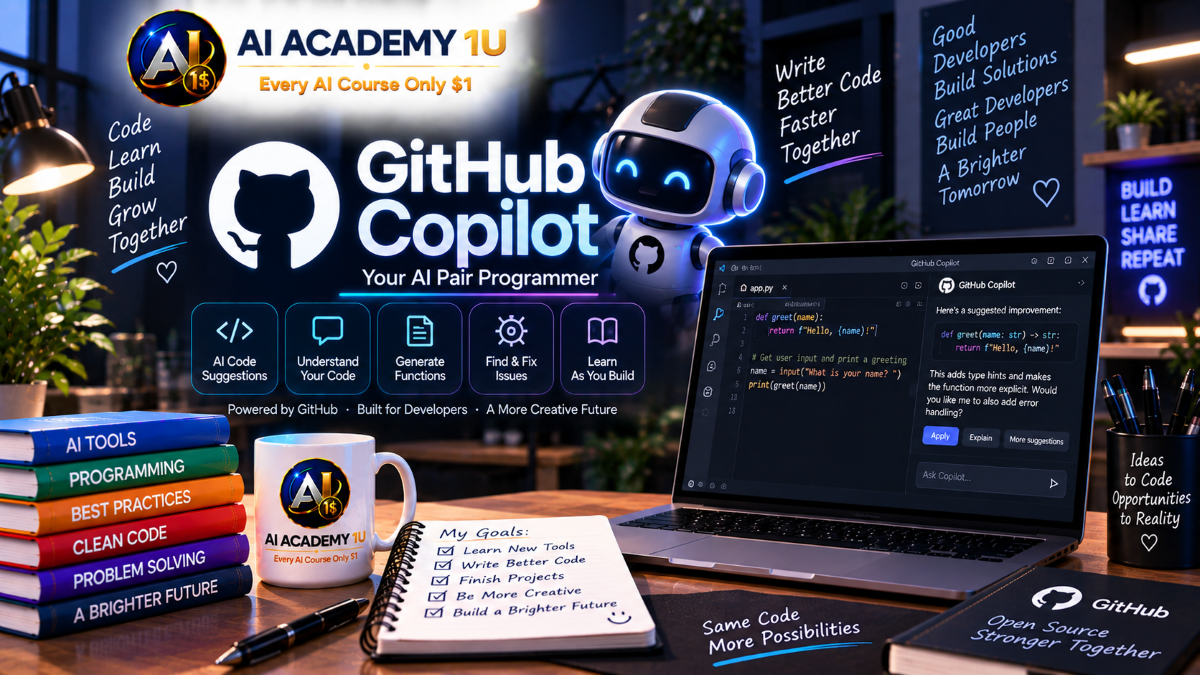
EXPLORE AI LIBRARYGitHub Copilot is a coding assistant for developers working with code and software projects. Learn practical skills with AI Academy and discover useful workflows in our AI Library.

Explore all lessons in this catalogue and start learning at your own pace.
▶
1. What Is GitHub Copilot? ❌
Discover how GitHub Copilot supports developers through AI-assisted code suggestions, development guidance, and practical coding workflows. AI Academy 1U introduces the role of Copilot in software development while teaching learners to maintain control of AI-assisted changes through review, version tracking, and responsible use.
▶
2. Set Up GitHub Copilot ❌
Prepare the GitHub account, Copilot access, and development environment required to begin AI-assisted programming. AI Academy 1U guides learners through the essential setup process while establishing a development workflow in which AI-generated changes remain reviewable and traceable.
▶
3. Install GitHub Copilot in Your IDE ❌
Configure GitHub Copilot inside a supported development environment and prepare the IDE for practical AI-assisted coding. AI Academy 1U teaches learners to integrate Copilot into their existing development workflow while preserving the ability to inspect and control changes through Git and GitHub.
▶
4. Getting Familiar with Copilot Features ❌
Explore GitHub Copilot’s essential coding capabilities, including code suggestions, Copilot Chat, and other AI-assisted development tools. AI Academy 1U teaches learners to understand when each feature is useful and to evaluate generated results for logic, security, and compatibility before accepting them.
🔒
5. Create Your First Code with Copilot ❌
Complete a practical coding task with assistance from GitHub Copilot and experience the workflow from instruction to generated suggestion and final review. AI Academy 1U teaches learners to evaluate whether AI-generated code satisfies the requirement and fits safely into the surrounding project.
▶
6. Understand Copilot Code Suggestions ❌
Understand how GitHub Copilot proposes code while you work and how those suggestions can accelerate common programming tasks. AI Academy 1U teaches learners to evaluate suggestions in context instead of accepting generated code automatically.
🔒
7. Generate Code from Comments ❌
Translate natural-language comments into useful code suggestions by clearly describing the intended functionality. AI Academy 1U teaches learners to write meaningful instructions and then verify that Copilot’s implementation accurately reflects the requested behavior.
🔒
8. Generate Functions with Copilot ❌
Use GitHub Copilot to generate functions from clearly defined programming requirements. AI Academy 1U teaches learners to examine inputs, outputs, logic, edge cases, and surrounding project context before integrating generated functions into production code.
🔒
9. Generate Repetitive Code Faster ❌
Reduce time spent writing boilerplate and repetitive programming structures with GitHub Copilot. AI Academy 1U teaches learners to use AI for productivity while still checking generated patterns for consistency, correctness, and maintainability.
🔒
10. Review Code Suggestions Before Accepting ❌
Develop the habit of reviewing Copilot suggestions before incorporating them into a project. AI Academy 1U teaches learners to evaluate correctness, security, maintainability, and compatibility so AI suggestions remain proposals rather than automatically trusted code.
▶
11. Get Started with Copilot Chat ❌
Learn how to use Copilot Chat as an interactive assistant during software development. AI Academy 1U introduces a practical conversational workflow for asking technical questions, exploring solutions, and turning AI responses into carefully reviewed development actions.
🔒
12. Ask Questions About Your Code ❌
Ask focused questions about functions, classes, program behavior, and implementation details within a project. AI Academy 1U teaches learners to provide relevant context and verify Copilot’s explanations against the actual codebase.
🔒
13. Explain Existing Code ❌
Use Copilot Chat to understand unfamiliar or complex source code by examining responsibilities, logic, dependencies, and behavior. AI Academy 1U teaches learners to use AI explanations as a starting point for understanding rather than a substitute for examining the implementation.
🔒
14. Generate Code with Copilot Chat ❌
Describe a feature or technical requirement conversationally and use Copilot Chat to develop a proposed implementation. AI Academy 1U teaches learners to refine requirements, inspect generated code, and verify that the solution fits the existing project.
🔒
15. Build Multi-Step Coding Conversations ❌
Develop a programming task through multiple rounds of questions, implementation, correction, and verification. AI Academy 1U teaches learners to use conversational iteration to improve a solution while maintaining human review at each important stage.
▶
16. Write Better Coding Prompts ❌
Write coding prompts that clearly communicate the objective, technical requirements, and expected result. AI Academy 1U teaches learners to replace vague requests with actionable development instructions that help Copilot understand the task correctly.
🔒
17. Give Copilot Better Context ❌
Provide the project information Copilot needs to understand a coding task accurately. AI Academy 1U teaches learners to include relevant architecture, technologies, existing patterns, and surrounding code so generated solutions better fit the actual project.
🔒
18. Define Requirements and Constraints ❌
Specify framework requirements, architectural boundaries, expected outputs, and areas that must remain unchanged. AI Academy 1U teaches learners to establish clear constraints that reduce unintended modifications and keep Copilot focused on the approved scope.
🔒
19. Break Complex Tasks into Smaller Prompts ❌
Divide a large development requirement into smaller, reviewable coding tasks. AI Academy 1U teaches learners to reduce implementation risk by completing, checking, and validating individual steps before progressing to the next part of a feature.
🔒
20. Build Reusable Copilot Prompt Templates ❌
Create reusable prompt structures for coding, debugging, testing, and code-review activities. AI Academy 1U teaches learners to standardize effective instructions while adapting technical context and constraints to each project.
▶
21. Understand an Existing Codebase ❌
Use GitHub Copilot to explore the structure, responsibilities, and major components of an existing software project. AI Academy 1U teaches learners to understand the codebase before requesting modifications so AI-assisted development begins with meaningful project context.
🔒
22. Explain Functions and Classes ❌
Analyze the purpose, responsibilities, and internal logic of functions and classes with Copilot assistance. AI Academy 1U teaches learners to connect individual code elements to the larger application while validating explanations against their actual implementation.
🔒
23. Understand Code Flow ❌
Trace how logic and data move through a software application. AI Academy 1U teaches learners to use Copilot to investigate execution paths and dependencies so they understand the potential impact of a change before modifying the code.
🔒
24. Generate Code Documentation ❌
Use GitHub Copilot to assist with comments and technical documentation that explain important software behavior. AI Academy 1U teaches learners to create documentation that reflects the actual implementation and improves long-term code understanding.
🔒
25. Onboard to a New Project with Copilot ❌
Accelerate onboarding to an unfamiliar codebase by systematically examining its structure, responsibilities, dependencies, and execution flow. AI Academy 1U teaches learners to build sufficient understanding before using Copilot to extend or modify a real project.
▶
26. Debug Code with GitHub Copilot ❌
Use GitHub Copilot to investigate software errors and develop possible solutions based on relevant code and evidence. AI Academy 1U teaches learners to reproduce the problem, identify the likely cause, make focused corrections, and verify the result.
🔒
27. Understand Error Messages ❌
Use Copilot to interpret technical error messages and connect them to likely causes within the application. AI Academy 1U teaches learners to examine the surrounding execution context and source code before deciding how an error should be corrected.
🔒
28. Find Logic Bugs ❌
Investigate situations where software executes but produces incorrect results or behavior. AI Academy 1U teaches learners to trace conditions, values, and execution paths with Copilot assistance to locate logical defects that may not produce explicit errors.
🔒
29. Refactor Existing Code ❌
Use GitHub Copilot to improve existing code structure while preserving intended functionality. AI Academy 1U teaches learners to make controlled refactoring changes and verify that improved code remains behaviorally compatible with the original implementation.
🔒
30. Build a Debugging Workflow ❌
Build a repeatable Error → Analysis → Fix → Test → Verification process for AI-assisted debugging. AI Academy 1U teaches learners to review each stage and determine when human judgment is required before corrected code enters a real project.
▶
31. Generate Unit Tests ❌
Use GitHub Copilot to generate unit tests for functions and business logic based on clearly defined expected behavior. AI Academy 1U teaches learners to evaluate whether each test meaningfully verifies the requirement and catches incorrect behavior.
🔒
32. Generate Test Cases ❌
Develop multiple test scenarios for a feature, including normal behavior, invalid inputs, and important boundaries. AI Academy 1U teaches learners to use Copilot to expand test coverage while ensuring every test case serves a meaningful verification purpose.
🔒
33. Find Edge Cases with Copilot ❌
Use Copilot to identify boundary conditions, unusual inputs, and failure scenarios that may reveal hidden defects. AI Academy 1U teaches learners to convert discovered edge cases into practical tests before declaring a feature complete.
🔒
34. Improve Existing Tests ❌
Analyze an existing test suite and identify important behavior that is not adequately verified. AI Academy 1U teaches learners to strengthen testing strategically instead of adding redundant tests that provide little additional confidence.
🔒
35. Build an AI-Assisted Testing Workflow ❌
Build a Feature → Test Cases → Tests → Run → Fix → Verify workflow with GitHub Copilot. AI Academy 1U teaches learners to integrate AI into testing while preserving human review of requirements, coverage, failures, and final results.
▶
36. Build Frontend Code with Copilot ❌
Use GitHub Copilot to assist with HTML, CSS, JavaScript, and user-interface logic. AI Academy 1U teaches learners to translate interface requirements into implementation while checking structure, behavior, responsiveness, and compatibility with the existing frontend.
🔒
37. Build Backend Features with Copilot ❌
Use Copilot to support development of services, controllers, and business logic. AI Academy 1U teaches learners to evaluate architecture, validation, data access, and application rules before accepting AI-generated backend changes.
🔒
38. Build APIs with Copilot ❌
Create API endpoints, requests, responses, and related logic from clearly defined requirements. AI Academy 1U teaches learners to review API contracts, validation, error handling, and integration behavior before incorporating generated code.
🔒
39. Generate SQL and Database Code ❌
Use GitHub Copilot to assist with SQL queries and database-access logic. AI Academy 1U teaches learners to examine schema relationships, query behavior, data impact, and safety before executing or integrating AI-generated database code.
🔒
40. Build a Full-Stack Feature ❌
Combine frontend, backend, API, and database development into a complete working feature. AI Academy 1U teaches learners to coordinate AI-assisted changes across application layers and verify the entire workflow before considering implementation complete.
▶
41. Use Copilot with Git ❌
Combine GitHub Copilot with Git to maintain control over AI-assisted source-code changes. AI Academy 1U teaches learners to track modifications, inspect their impact, and preserve the ability to trace or roll back changes when necessary.
🔒
42. Understand Code Changes and Diffs ❌
Use AI assistance to understand differences between source-code versions and identify what was actually modified. AI Academy 1U teaches learners to inspect diffs carefully before accepting, committing, or merging AI-assisted changes.
🔒
43. Generate Better Commit Information ❌
Use Copilot to help summarize source-code changes and prepare clearer commit information. AI Academy 1U teaches learners to create meaningful development history that communicates what changed and supports future review and troubleshooting.
🔒
44. Work with Branches Safely ❌
Use Git branches to isolate features and bug fixes from stable project code. AI Academy 1U teaches learners to combine branch-based development with Copilot so AI-assisted experiments and modifications can be reviewed safely before integration.
🔒
45. Build a GitHub Development Workflow ❌
Build an Issue → Branch → Code → Test → Commit → Pull Request workflow for structured software development. AI Academy 1U teaches learners to keep AI-assisted changes traceable and reviewable throughout the GitHub development lifecycle.
▶
46. Understand Pull Requests with Copilot ❌
Use GitHub Copilot to help understand the purpose and impact of changes contained in a pull request. AI Academy 1U teaches learners to inspect proposed modifications before merge and maintain a clear connection between code changes, review, and project history.
🔒
47. Create Better Pull Request Descriptions ❌
Use Copilot to prepare clear pull-request descriptions that summarize the feature, important changes, and information reviewers need. AI Academy 1U teaches learners to improve communication without replacing careful examination of the actual code.
🔒
48. Review Code with Copilot ❌
Use GitHub Copilot as an additional code-review assistant to identify potential logic, security, quality, and maintainability concerns. AI Academy 1U teaches learners to verify every AI observation against the actual requirement and implementation before requesting a change.
🔒
49. Respond to Code Review Feedback ❌
Analyze review feedback and determine the appropriate source-code changes required to address it. AI Academy 1U teaches learners to use Copilot as an implementation assistant while ensuring corrections remain within scope and satisfy the reviewer’s actual concern.
🔒
50. Build an AI-Assisted Pull Request Workflow ❌
Build a Code → Test → Pull Request → Review → Corrections → Merge workflow supported by AI. AI Academy 1U teaches learners to maintain review checkpoints throughout the process so Copilot accelerates collaboration without controlling the final merge decision.
▶
51. Give Copilot Project Instructions ❌
Define project instructions that communicate important development principles and expectations to GitHub Copilot. AI Academy 1U teaches learners to provide consistent guidance while maintaining human review of AI-assisted changes before they enter the real project.
🔒
52. Define Coding Standards ❌
Establish naming conventions, architectural expectations, and coding practices that Copilot should follow. AI Academy 1U teaches learners to convert important team standards into clear technical guidance that improves consistency across AI-assisted development.
🔒
53. Improve Copilot Context for Your Repository ❌
Provide Copilot with better information about repository structure, architecture, technologies, and project requirements. AI Academy 1U teaches learners to improve the relevance of AI assistance by supplying context that reflects how the repository actually works.
🔒
54. Protect Important Business Logic ❌
Define explicit boundaries around critical business logic that Copilot should not modify without authorization. AI Academy 1U teaches learners to protect sensitive application behavior while still benefiting from AI assistance in approved areas of the project.
🔒
55. Build Team Standards for AI Coding ❌
Establish shared standards for how a development team uses GitHub Copilot within the same repository. AI Academy 1U teaches learners to standardize prompting, context, review, testing, protected logic, and acceptance criteria for AI-generated changes.
▶
56. Understand Copilot Coding Agent ❌
Understand how GitHub Copilot Coding Agent can participate in multi-step software development tasks. AI Academy 1U teaches learners to delegate appropriate work while maintaining control over scope, testing, code changes, diffs, and human approval points.
🔒
57. Give Copilot a Development Task ❌
Describe an issue or feature clearly enough for Copilot to assist with implementation across multiple development steps. AI Academy 1U teaches learners to define objectives and boundaries before delegating work and to review the resulting implementation rather than trusting autonomous output.
🔒
58. Review Agent-Generated Changes ❌
Inspect source code and tests produced through Copilot Agent-assisted development before accepting the result. AI Academy 1U teaches learners to verify scope, logic, tests, diffs, and unintended changes so agent execution remains subject to human technical judgment.
🔒
59. Build an Agentic GitHub Workflow ❌
Combine issues, repositories, Coding Agent, pull requests, review, and testing into a controlled agentic development workflow. AI Academy 1U teaches learners to establish checkpoints between autonomous actions so every important change remains reviewable and accountable.
🔒
60. Complete Project: Develop Software with GitHub Copilot ❌
Complete a software project through Requirement → Code → Test → Git → Pull Request → Review → Finalization using GitHub Copilot. AI Academy 1U brings the course together in a practical development workflow where AI accelerates implementation while the learner remains responsible for code quality, testing, review, and final approval.
ChatGPT is an AI assistant for writing, learning, research, problem solving, and creative tasks. Learn practical skills with AI Academy and discover useful workflows in our AI Library.
EXPLORE AI LIBRARYCanva is a design platform for creating graphics, presentations, videos, and social media content. Learn practical design skills with AI Academy and explore creative workflows in our AI Library.
EXPLORE AI LIBRARYCapCut is a video editing platform for creating and enhancing videos with AI-powered tools, effects, captions, and templates. Learn practical skills with AI Academy and explore workflows in our AI Library.
EXPLORE AI LIBRARYGoogle Gemini is Google’s assistant for research, writing, reasoning, images, and productivity. Learn practical skills with AI Academy and discover useful workflows in our AI Library.
EXPLORE AI LIBRARYLearn Google Veo with AI Academy 1U and create cinematic AI videos from text and images using powerful video generation, camera controls, visual storytelling, and creative production techniques.
EXPLORE AI LIBRARYElevenLabs AI is a voice platform for text to speech, narration, and voice creation. Learn practical skills with AI Academy and discover useful workflows in our AI Library.
EXPLORE AI LIBRARYClaude AI is an assistant for writing, document analysis, reasoning, and coding. Learn practical skills with AI Academy and discover useful workflows in our AI Library.
EXPLORE AI LIBRARYVideoGen AI empowers creators to produce engaging videos faster with AI-powered tools. Learn practical workflows, creative techniques, and production strategies with AI Academy 1U to create professional video content efficiently.
EXPLORE AI LIBRARYHeyGen AI is an avatar video platform for presentations, narration, and multilingual communication. Learn practical skills with AI Academy and discover useful workflows in our AI Library.
EXPLORE AI LIBRARYMicrosoft Copilot is Microsoft’s assistant for productivity, writing, research, and workplace tasks. Learn practical skills with AI Academy and discover useful workflows in our AI Library.
EXPLORE AI LIBRARY







