
ChatGPT
ChatGPT is an AI assistant for writing, learning, research, problem solving, and creative tasks. Learn practical skills with AI Academy and discover useful workflows in our AI Library.
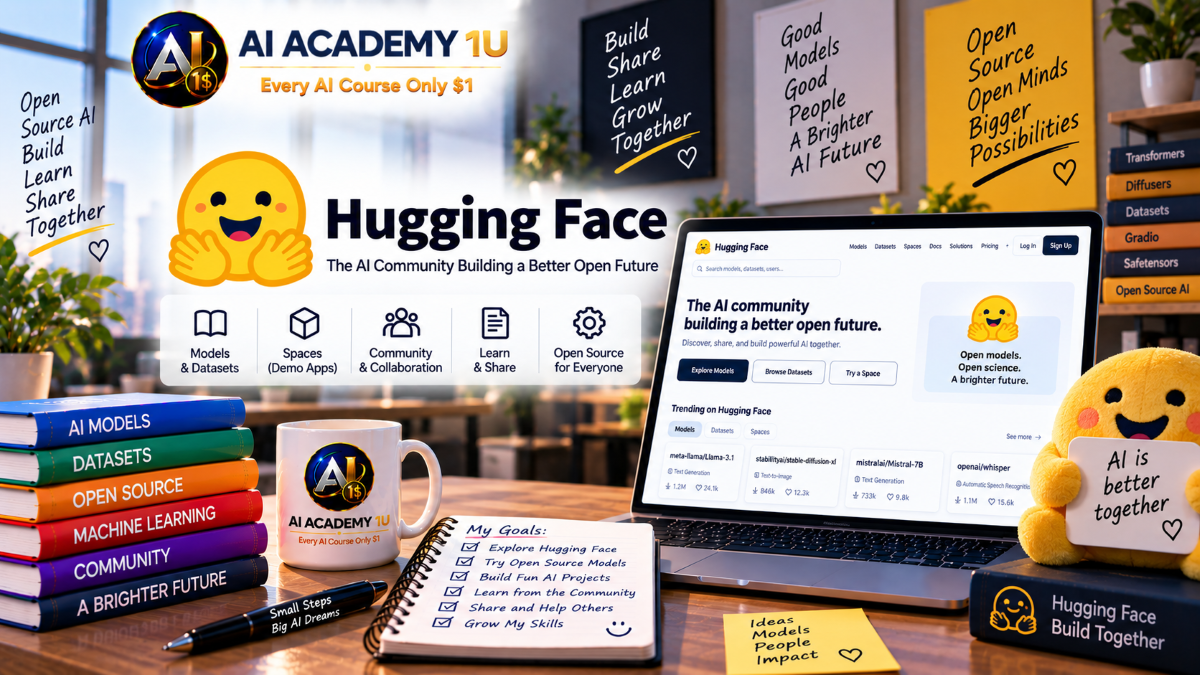
EXPLORE AI LIBRARYHugging Face is a platform for exploring models, datasets, applications, and machine learning. Learn practical skills with AI Academy and discover useful workflows in our AI Library.

Explore all lessons in this catalogue and start learning at your own pace.
▶
1. What Is Hugging Face? ❌
Discover Hugging Face as a collaborative platform for finding, sharing, and working with AI models, datasets, applications, and machine learning resources. AI Academy 1U helps learners understand the platform’s role in modern AI development and how its ecosystem supports practical experimentation and application building.
▶
2. Create a Hugging Face Account ❌
Create and configure a Hugging Face account while becoming familiar with the profile, essential settings, and resources needed for future projects. AI Academy 1U guides learners through establishing a practical workspace for exploring models, datasets, Spaces, and community resources.
▶
3. Getting Familiar with the Hugging Face Hub ❌
Explore the Hugging Face Hub and learn how Models, Datasets, and Spaces are organized across the platform. AI Academy 1U teaches learners to navigate these core areas efficiently and understand how they connect within a complete AI development ecosystem.
▶
4. Understand the Hugging Face AI Ecosystem ❌
Understand how models, datasets, applications, libraries, and community resources work together throughout the Hugging Face ecosystem. AI Academy 1U helps learners see how these components support experimentation, development, collaboration, and deployment.
🔒
5. Explore Your First AI Model ❌
Explore a real AI model on Hugging Face and learn how to examine its task, capabilities, documentation, usage guidance, limitations, and licensing information. AI Academy 1U teaches learners to evaluate essential model information before selecting a model for experimentation or an AI project.
▶
6. What Is an AI Model? ❌
Understand what an AI model is and how trained models transform input data into useful predictions or generated outputs. AI Academy 1U introduces the role of models within practical AI applications and prepares learners to evaluate pretrained models available on Hugging Face.
🔒
7. Explore the Hugging Face Model Hub ❌
Navigate the Hugging Face Model Hub to discover models created for different AI tasks, frameworks, and applications. AI Academy 1U teaches learners to explore model collections systematically and identify promising resources for practical projects.
🔒
8. Search and Filter AI Models ❌
Search and filter Hugging Face models according to task, framework, capabilities, and project requirements. AI Academy 1U teaches learners to narrow large model collections efficiently and identify candidates that better match a specific application.
🔒
9. Read a Model Card ❌
Learn how to read a Hugging Face Model Card and interpret important information about a model’s purpose, usage, training, limitations, license, and expected behavior. AI Academy 1U teaches learners to use model documentation as an essential part of responsible model evaluation.
🔒
10. Compare Multiple AI Models ❌
Compare multiple AI models using practical criteria such as task suitability, capabilities, resource requirements, documentation, limitations, and licensing. AI Academy 1U teaches learners to move beyond popularity and make evidence-based model selections.
🔒
11. Choose the Right Model for a Project ❌
Build a structured model-selection process based on project objectives, AI task, expected performance, computing resources, deployment requirements, and usage conditions. AI Academy 1U teaches learners to connect technical model characteristics with real application needs.
▶
12. Understand AI Tasks ❌
Understand how AI tasks define the type of problem a model is designed to solve, from text classification to generation and translation. AI Academy 1U teaches learners to identify the appropriate task before searching for and selecting an AI model.
🔒
13. Text Classification ❌
Learn how text classification models assign predefined categories to textual input and explore practical classification use cases. AI Academy 1U teaches learners to understand the relationship between input text, model inference, labels, and classification results.
🔒
14. Sentiment Analysis ❌
Use sentiment analysis models to identify attitudes or emotional signals expressed in text. AI Academy 1U teaches learners to understand model input and output while evaluating how sentiment analysis can support practical applications involving customer feedback and textual data.
🔒
15. Summarization ❌
Explore AI summarization models that transform lengthy content into shorter representations of important information. AI Academy 1U teaches learners to work with summarization tasks while reviewing generated summaries for accuracy, relevance, and preservation of essential context.
🔒
16. Translation ❌
Use pretrained translation models to transform text between languages and understand the basic inference process behind AI-assisted translation. AI Academy 1U teaches learners to evaluate translation output rather than treating generated language as automatically correct.
🔒
17. Build Your First AI Pipeline ❌
Build a complete AI pipeline that connects input data, a suitable pretrained model, inference processing, and usable output. AI Academy 1U teaches learners to organize these components into a repeatable workflow and verify results before practical use.
▶
18. What Is the Transformers Library? ❌
Discover the Hugging Face Transformers library and understand how it simplifies access to pretrained transformer models for modern AI tasks. AI Academy 1U introduces the library’s role in connecting model repositories with practical Python-based AI development.
🔒
19. Install and Set Up Transformers ❌
Prepare a Python environment for working with Hugging Face Transformers and the dependencies required to load and run pretrained models. AI Academy 1U teaches learners to establish a reliable foundation before beginning model inference and application development.
🔒
20. Load a Pretrained Model ❌
Load a pretrained model into a Python environment and understand how existing trained capabilities can be reused without training a model from the beginning. AI Academy 1U teaches learners to connect Hugging Face model resources with practical development workflows.
🔒
21. Load a Tokenizer ❌
Understand how tokenizers transform raw text into representations that transformer models can process. AI Academy 1U teaches learners to load the appropriate tokenizer, prepare textual input correctly, and understand its relationship with a pretrained model.
🔒
22. Run Inference with Transformers ❌
Run inference with a pretrained transformer model by preparing input, executing the model, and interpreting the resulting output. AI Academy 1U teaches learners to understand the complete path from user data to an AI-generated result.
🔒
23. Build a Transformers Workflow ❌
Build an Input → Tokenizer → Model → Inference → Output workflow using Hugging Face Transformers. AI Academy 1U teaches learners to connect each component into a structured process that can serve as the foundation for larger AI applications.
▶
24. Understand Large Language Models ❌
Understand the fundamental role of Large Language Models in modern AI applications and how they generate and process language. AI Academy 1U introduces key concepts learners need before exploring, comparing, and deploying LLMs from Hugging Face.
🔒
25. Find LLMs on Hugging Face ❌
Search the Hugging Face Hub for Large Language Models suited to different tasks and application requirements. AI Academy 1U teaches learners to use available model information to identify suitable candidates instead of choosing models based only on popularity.
🔒
26. Run a Text Generation Model ❌
Run a pretrained language model to generate text from an input prompt and observe how model selection and input influence the output. AI Academy 1U teaches learners to evaluate generated responses as part of a practical text-generation workflow.
🔒
27. Understand Model Size and Parameters ❌
Understand how parameter count and model size affect computing resources, memory requirements, inference performance, and deployment options. AI Academy 1U helps learners evaluate whether an AI model is technically practical for their available environment.
🔒
28. Compare Open AI Models ❌
Compare open AI models according to capabilities, size, resource requirements, intended use, limitations, and licensing considerations. AI Academy 1U teaches learners to evaluate trade-offs before committing a model to an application.
🔒
29. Choose an LLM for an Application ❌
Select a Large Language Model for a chatbot or other AI application by balancing capabilities, project objectives, available resources, deployment requirements, and model limitations. AI Academy 1U teaches learners to make practical LLM-selection decisions.
▶
30. What Is a Dataset? ❌
Understand what a dataset is and why organized, relevant data is fundamental to machine learning and AI development. AI Academy 1U introduces the relationship between data, models, training, evaluation, and practical AI applications.
🔒
31. Explore Hugging Face Datasets ❌
Explore datasets available through the Hugging Face Hub and learn how to identify resources relevant to different AI tasks. AI Academy 1U teaches learners to examine dataset information before deciding whether the data fits a project.
🔒
32. Read a Dataset Card ❌
Learn how to read a Dataset Card and evaluate important information including data sources, structure, splits, features, licensing, and limitations. AI Academy 1U teaches learners to review dataset documentation before using data for training, inference, or evaluation.
🔒
33. Load a Dataset ❌
Load a Hugging Face dataset into a Python environment and inspect its structure before using it in an AI workflow. AI Academy 1U teaches learners to connect datasets from the Hub with practical machine learning and application-development tasks.
🔒
34. Prepare Data for AI Projects ❌
Prepare data for AI projects through organization, cleaning, inspection, and appropriate structuring. AI Academy 1U teaches learners to improve data readiness before using information for model training, evaluation, inference, or application development.
▶
35. Explore Computer Vision Models ❌
Explore computer vision models designed for tasks such as image classification and object detection. AI Academy 1U teaches learners to identify the appropriate visual task and examine model requirements before using computer vision in an application.
🔒
36. Use Image Classification Models ❌
Use an image classification model to process visual input and return predicted categories or labels. AI Academy 1U teaches learners to understand image inference, interpret model output, and evaluate whether the result meets an application’s requirements.
🔒
37. Explore Image Generation Models ❌
Explore image-generation models available within the Hugging Face ecosystem and understand how they transform input instructions into generated visuals. AI Academy 1U teaches learners to examine model capabilities, requirements, and potential creative applications.
🔒
38. Explore Speech and Audio Models ❌
Discover Hugging Face models for speech recognition, audio processing, and voice-related AI tasks. AI Academy 1U teaches learners to distinguish different audio tasks and understand the input and output requirements involved in selecting a suitable model.
🔒
39. Understand Multimodal Models ❌
Understand multimodal models that can process or connect multiple data types such as text, images, and audio. AI Academy 1U teaches learners how multimodal capabilities expand the range of problems that AI applications can address.
▶
40. What Are Hugging Face Spaces? ❌
Understand Hugging Face Spaces as a platform for hosting, demonstrating, and sharing interactive AI applications. AI Academy 1U introduces how Spaces connect models, application code, and user interfaces to make AI capabilities accessible to others.
🔒
41. Explore AI Apps on Spaces ❌
Explore AI applications created by the Hugging Face community and examine how different models are presented through interactive interfaces. AI Academy 1U teaches learners to study existing Spaces for practical development patterns and application ideas.
🔒
42. Create Your First Space ❌
Create and configure a Hugging Face Space as the foundation for an interactive AI application. AI Academy 1U guides learners through establishing a project environment that can later connect interface components with model inference.
🔒
43. Build an AI Interface with Gradio ❌
Build a practical Gradio interface that allows users to submit input and interact with an AI model. AI Academy 1U teaches learners how interface components connect user actions with backend AI processing.
🔒
44. Connect a Model to a Space ❌
Connect an AI model to a Hugging Face Space so user input can be processed through inference and returned through an interactive interface. AI Academy 1U teaches learners to integrate model functionality into a usable application workflow.
🔒
45. Publish Your First AI App ❌
Complete and publish an AI application through Hugging Face Spaces, making the interface and model workflow available for practical use and demonstration. AI Academy 1U teaches learners to review the application before sharing it with users.
▶
46. What Is AI Inference? ❌
Understand inference as the process of using a trained AI model to generate predictions or outputs from new input data. AI Academy 1U explains how inference connects pretrained models with the applications and users that rely on their capabilities.
🔒
47. Understand Hugging Face Inference ❌
Explore how Hugging Face provides practical ways to run models without requiring learners to build and maintain every part of the underlying AI infrastructure. AI Academy 1U introduces inference concepts needed for integrating models into applications.
🔒
48. Send Your First Inference Request ❌
Send input to an AI model through an inference request and receive a model-generated response. AI Academy 1U teaches learners the fundamental request-and-response pattern used when connecting software applications with AI models.
🔒
49. Handle Model Responses ❌
Process AI model responses and transform returned data into information that an application can use effectively. AI Academy 1U teaches learners to inspect output, account for errors, and prepare model results for frontend or backend workflows.
🔒
50. Build an AI Application with Hugging Face Inference ❌
Build an application workflow that connects user input, frontend or backend logic, Hugging Face inference, response processing, and final output. AI Academy 1U teaches learners to integrate model capabilities into a functional software application.
▶
51. What Is Fine-Tuning? ❌
Understand fine-tuning as a process for adapting a pretrained model to specialized data, tasks, or application requirements. AI Academy 1U explains why customization may be useful and how it differs from simply running an existing pretrained model.
🔒
52. Prepare Training Data ❌
Prepare and organize training data for a fine-tuning workflow while considering data structure, quality, and task requirements. AI Academy 1U teaches learners why reliable training data is essential before beginning model customization.
🔒
53. Understand Training Parameters ❌
Understand important training parameters and how configuration choices can influence learning behavior, resource consumption, and model results. AI Academy 1U helps learners interpret the settings involved in a fine-tuning process.
🔒
54. Fine-Tune a Pretrained Model ❌
Follow a practical workflow for adapting a pretrained model using prepared training data and appropriate configuration. AI Academy 1U teaches learners how existing model capabilities can be specialized without building a model entirely from the beginning.
🔒
55. Evaluate a Fine-Tuned Model ❌
Evaluate a fine-tuned model and compare its behavior with the original pretrained version to determine whether customization improved the intended task. AI Academy 1U teaches learners to assess results rather than assuming training automatically produces a better model.
🔒
56. Publish a Fine-Tuned Model ❌
Prepare and publish a fine-tuned model on Hugging Face so it can be documented, reused, shared, or integrated into future applications. AI Academy 1U teaches learners to treat publishing as the final stage of a complete model-customization workflow.
▶
57. What Are Embeddings? ❌
Understand embeddings as numerical representations that allow AI systems to compare semantic relationships between pieces of information. AI Academy 1U introduces how embeddings support search, retrieval, recommendations, and knowledge-based AI applications.
🔒
58. Generate Text Embeddings ❌
Generate vector representations from textual content and understand how semantic information can be encoded for machine comparison. AI Academy 1U teaches learners how text embeddings become a foundation for retrieval and knowledge-search workflows.
🔒
59. Build Semantic Search ❌
Build a semantic search process that retrieves information according to meaning rather than relying only on exact keyword matches. AI Academy 1U teaches learners to connect embeddings and similarity-based retrieval into a practical search workflow.
🔒
60. What Is RAG? ❌
Understand Retrieval-Augmented Generation and how retrieval can provide an LLM with relevant external information before it generates an answer. AI Academy 1U explains why RAG is useful when applications need responses grounded in specific knowledge.
🔒
61. Connect Documents to an LLM ❌
Connect document-based knowledge with an LLM by retrieving relevant information and providing that context during answer generation. AI Academy 1U teaches learners how private or specialized documents can become useful sources for knowledge-based AI applications.
🔒
62. Build a Simple RAG Application ❌
Build a Document → Embeddings → Retrieval → LLM → Answer workflow that combines knowledge retrieval with language generation. AI Academy 1U teaches learners to organize the core components of a practical RAG application.
▶
63. What Is an AI Agent? ❌
Understand how an AI agent differs from a basic chatbot by combining model reasoning with tools and multiple actions toward an objective. AI Academy 1U introduces the foundational concepts needed to understand more autonomous AI workflows.
🔒
64. Understand Tools for AI Agents ❌
Explore how external tools extend an AI agent beyond text generation by enabling access to functions, data, and specialized actions. AI Academy 1U teaches learners to understand the relationship between model reasoning, tool selection, execution, and returned results.
🔒
65. Build a Simple AI Agent ❌
Build a simple AI agent capable of organizing and completing a multi-step task using model reasoning and available tools. AI Academy 1U teaches learners to structure agent behavior while maintaining checkpoints for reviewing important outputs.
🔒
66. Connect Models and Tools ❌
Connect AI models with external tools so reasoning can lead to useful actions and tool results can inform subsequent decisions. AI Academy 1U teaches learners to coordinate model intelligence with functional capabilities in a structured workflow.
🔒
67. Build an Agentic AI Workflow ❌
Build a Task → Reasoning → Tool → Result → Next Action → Final Output workflow for multi-step AI processing. AI Academy 1U teaches learners to organize agentic behavior while reviewing intermediate and final results before practical use.
🔒
68. Evaluate AI Model Quality ❌
Evaluate whether an AI model meets a project’s functional and quality requirements before integrating it into an application. AI Academy 1U teaches learners to consider performance, limitations, documentation, safety, and real-world suitability during model assessment.
🔒
69. Understand Model Limitations ❌
Recognize hallucinations, bias, inconsistent behavior, and other limitations that may affect an AI model’s reliability. AI Academy 1U teaches learners to identify risks and determine where verification or additional safeguards are required.
🔒
70. Understand Model Licenses ❌
Understand why model licenses and usage conditions must be reviewed before incorporating an open model into a project or product. AI Academy 1U teaches learners to identify licensing information as a required part of responsible model selection.
🔒
71. Use Open Models Responsibly ❌
Evaluate privacy, safety, licensing, model limitations, and potential risks before using open AI models in real products. AI Academy 1U teaches learners to combine technical capability with responsible human judgment throughout model adoption.
🔒
72. Prepare an AI App for Deployment ❌
Prepare an AI application for deployment by reviewing the model, dependencies, environment configuration, and application requirements. AI Academy 1U teaches learners to identify deployment readiness issues before moving an application into a live environment.
🔒
73. Optimize AI Applications ❌
Evaluate factors that influence AI application speed, computing resources, responsiveness, and operating cost. AI Academy 1U teaches learners to identify optimization opportunities while balancing performance with practical infrastructure limitations.
🔒
74. Deploy and Test an AI Application ❌
Deploy an AI application into its intended environment and systematically test model behavior, application functionality, and user-facing results. AI Academy 1U teaches learners to verify the deployed system rather than assuming development behavior will remain unchanged.
🔒
75. Monitor and Improve an AI Application ❌
Monitor an AI application after deployment and use observed performance, errors, model behavior, and user experience to guide improvements. AI Academy 1U teaches learners to treat deployment as the beginning of an ongoing evaluation and optimization cycle.
▶
76. Design an AI Project ❌
Design an AI project by defining the problem, expected outcome, required data, model needs, and overall application architecture. AI Academy 1U teaches learners to establish a clear technical direction before selecting resources or beginning implementation.
🔒
77. Select Models and Datasets ❌
Select appropriate models and datasets from Hugging Face based on the project’s task, data requirements, capabilities, limitations, resources, and usage conditions. AI Academy 1U teaches learners to connect resource selection directly with project objectives.
🔒
78. Build the AI Application ❌
Build an AI application by connecting the selected model, inference process, application logic, and user interface into a functional product. AI Academy 1U teaches learners to integrate previously learned components into one coherent development workflow.
🔒
79. Test, Evaluate and Improve the Application ❌
Test the completed AI application, evaluate model quality and user experience, identify limitations, and make targeted improvements. AI Academy 1U teaches learners to use evaluation as an iterative development process before deployment and publication.
🔒
80. Complete Project: Build and Publish an AI App with Hugging Face ❌
Complete an end-to-end Idea → Model → Dataset → Application → Evaluation → Deployment → Publish project using Hugging Face. AI Academy 1U brings the course together by guiding learners through the complete process of building, reviewing, and publishing a practical AI application.
ChatGPT is an AI assistant for writing, learning, research, problem solving, and creative tasks. Learn practical skills with AI Academy and discover useful workflows in our AI Library.
EXPLORE AI LIBRARYCanva is a design platform for creating graphics, presentations, videos, and social media content. Learn practical design skills with AI Academy and explore creative workflows in our AI Library.
EXPLORE AI LIBRARYCapCut is a video editing platform for creating and enhancing videos with AI-powered tools, effects, captions, and templates. Learn practical skills with AI Academy and explore workflows in our AI Library.
EXPLORE AI LIBRARYGoogle Gemini is Google’s assistant for research, writing, reasoning, images, and productivity. Learn practical skills with AI Academy and discover useful workflows in our AI Library.
EXPLORE AI LIBRARYLearn Google Veo with AI Academy 1U and create cinematic AI videos from text and images using powerful video generation, camera controls, visual storytelling, and creative production techniques.
EXPLORE AI LIBRARYElevenLabs AI is a voice platform for text to speech, narration, and voice creation. Learn practical skills with AI Academy and discover useful workflows in our AI Library.
EXPLORE AI LIBRARYClaude AI is an assistant for writing, document analysis, reasoning, and coding. Learn practical skills with AI Academy and discover useful workflows in our AI Library.
EXPLORE AI LIBRARYVideoGen AI empowers creators to produce engaging videos faster with AI-powered tools. Learn practical workflows, creative techniques, and production strategies with AI Academy 1U to create professional video content efficiently.
EXPLORE AI LIBRARYHeyGen AI is an avatar video platform for presentations, narration, and multilingual communication. Learn practical skills with AI Academy and discover useful workflows in our AI Library.
EXPLORE AI LIBRARYMicrosoft Copilot is Microsoft’s assistant for productivity, writing, research, and workplace tasks. Learn practical skills with AI Academy and discover useful workflows in our AI Library.
EXPLORE AI LIBRARY







