
ChatGPT
ChatGPT is an AI assistant for writing, learning, research, problem solving, and creative tasks. Learn practical skills with AI Academy and discover useful workflows in our AI Library.
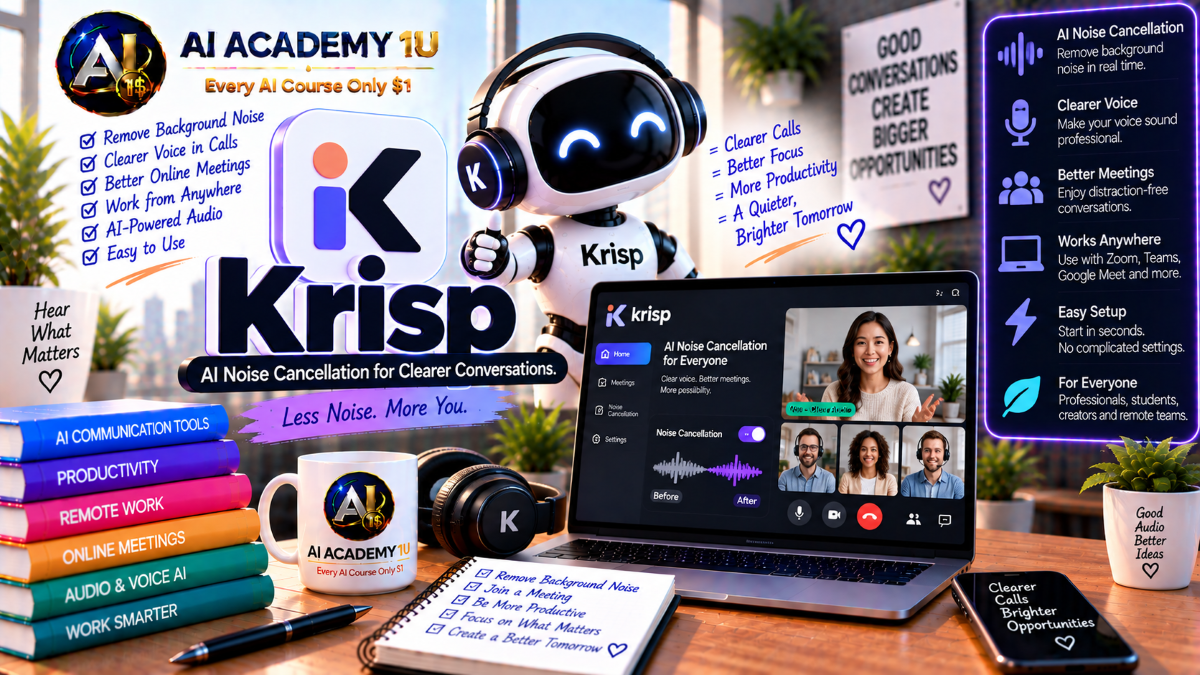
EXPLORE AI LIBRARYLearn Krisp AI with AI Academy 1U to reduce background noise, improve voice clarity, transcribe meetings, generate meeting notes, and create clearer, more productive online conversations and professional calls.

Explore all lessons in this catalogue and start learning at your own pace.
▶
1. What Is Krisp AI? ❌
Discover Krisp AI with AI Academy 1U as a Voice AI platform designed for meetings, calls, contact centers, and realtime voice applications with intelligent audio processing, meeting productivity, accent conversion, and developer capabilities.
▶
2. Understand the Krisp Ecosystem ❌
Understand the Krisp ecosystem with AI Academy 1U by exploring AI Meeting Assistant, Noise Cancellation, Background Voice Cancellation, Accent Conversion, and AI Voice SDK capabilities used across professional meetings, calls, and voice products.
▶
3. Understand Krisp’s Audio-Layer Approach ❌
Understand Krisp’s audio-layer approach with AI Academy 1U by learning how voice processing can occur before audio reaches a meeting platform, ASR system, voice agent, or other downstream AI application.
▶
4. Install and Set Up Krisp ❌
Install and set up Krisp with AI Academy 1U by preparing the application on Windows or Mac and configuring the correct microphone and speaker routing for calling and meeting applications.
▶
5. Understand the Complete Krisp Workflow ❌
Understand the complete Krisp workflow with AI Academy 1U using Microphone or Speaker → Noise and Voice Processing → Meeting Platform → Transcript → Notes → AI Chat for an integrated voice and meeting productivity pipeline.
▶
6. Understand AI Noise Cancellation ❌
Understand AI Noise Cancellation with Krisp and AI Academy 1U by comparing traditional noise filtering with AI-based voice isolation and learning how intelligent processing separates useful speech from unwanted environmental sound.
▶
7. Remove Noise from Your Microphone ❌
Remove noise from your microphone with Krisp AI and AI Academy 1U by filtering keyboard sounds, fans, traffic, and other background noise before your voice is transmitted into a call.
▶
8. Remove Noise from Incoming Audio ❌
Remove noise from incoming audio with Krisp AI and AI Academy 1U by cleaning sound from the other side of a call so conversations remain clearer even when remote participants have noisy environments.
🔒
9. Configure Krisp Microphone and Speaker ❌
Configure Krisp microphone and speaker devices with AI Academy 1U by selecting Krisp correctly as the input and output device inside Zoom, Microsoft Teams, Google Meet, softphones, and other communication applications.
🔒
10. Understand Narrowband, Wideband and Fullband Audio ❌
Understand narrowband, wideband, and fullband audio with Krisp AI and AI Academy 1U by learning why telephony, WebRTC, meetings, and other voice applications may require different audio models and processing strategies.
🔒
11. Build a Clean Remote-Meeting Setup ❌
Build a clean remote-meeting setup with Krisp AI and AI Academy 1U using Headset → Krisp → Meeting App → Noise Test → Final Configuration for a reliable professional call environment.
▶
12. Understand Background Voice Cancellation ❌
Understand Background Voice Cancellation with Krisp AI and AI Academy 1U by learning the difference between environmental noise and competing human speech that may interfere with calls, meetings, or voice agents.
▶
13. Remove Nearby Speakers ❌
Remove nearby speakers with Krisp AI and AI Academy 1U by reducing surrounding conversations in offices, homes, and busy call-center environments while preserving the primary speaker near the microphone.
🔒
14. Understand Voice Isolation ❌
Understand Voice Isolation with Krisp AI and AI Academy 1U by learning how the system attempts to preserve the main speaker while suppressing competing speech, television audio, music, and other unwanted voice sources.
🔒
15. Use Krisp in Open Offices ❌
Use Krisp in open offices with AI Academy 1U by optimizing voice processing for workspaces, contact centers, and shared environments where multiple people may be speaking close to one another.
🔒
16. Reduce False Interruptions in Voice AI ❌
Reduce false interruptions in Voice AI with Krisp and AI Academy 1U by placing Voice Isolation before VAD or ASR so background speech is less likely to trigger incorrect agent responses.
▶
17. Understand Accent Conversion ❌
Understand Accent Conversion with Krisp AI and AI Academy 1U by learning how realtime accent processing differs from voice cloning and text-to-speech while preserving the speaker’s original voice characteristics.
▶
18. Understand Voice Preservation ❌
Understand voice preservation with Krisp AI and AI Academy 1U by learning how Accent Conversion aims to reduce accent characteristics while retaining voice identity, tone, personality, and natural intonation.
🔒
19. Convert to US English Accent ❌
Convert speech toward a US English accent with Krisp AI and AI Academy 1U by understanding supported source accents and how realtime conversion can be incorporated into contact-center workflows.
🔒
20. Convert to British English Accent ❌
Convert speech toward a British English accent with Krisp AI and AI Academy 1U by learning how supported accent-processing workflows can improve intelligibility while maintaining the speaker’s voice characteristics.
🔒
21. Understand Agent-Side Accent Conversion ❌
Understand agent-side Accent Conversion with Krisp AI and AI Academy 1U by learning how realtime processing can make an agent’s speech easier for customers to understand during professional calls.
🔒
22. Understand Customer-Side Accent Conversion ❌
Understand customer-side Accent Conversion with Krisp AI and AI Academy 1U by learning how customer speech can be processed toward the agent side to support clearer bidirectional contact-center conversations.
🔒
23. Configure Accent Conversion Correctly ❌
Configure Accent Conversion correctly with Krisp AI and AI Academy 1U by setting up the headset, Krisp microphone and speaker devices, and the appropriate agent or customer accent-processing options.
🔒
24. Optimize Accent Conversion Audio Quality ❌
Optimize Accent Conversion audio quality with Krisp AI and AI Academy 1U by selecting an appropriate headset, positioning the microphone correctly, reducing wireless latency, and maintaining a clean audio input.
▶
25. Understand Krisp AI Meeting Assistant ❌
Understand Krisp AI Meeting Assistant with AI Academy 1U by learning how it combines recording, transcription, meeting notes, key points, action items, and AI Chat instead of functioning only as a transcription application.
▶
26. Set Up Your First Meeting ❌
Set up your first meeting with Krisp AI and AI Academy 1U by connecting Krisp with Zoom, Google Meet, Microsoft Teams, Slack Huddles, or another supported meeting environment.
🔒
27. Choose Note Taker Mode ❌
Choose Note Taker mode in Krisp AI with AI Academy 1U by understanding when to use transcript-only capture, audio recording, or video capture for different meeting requirements.
🔒
28. Record and Transcribe a Meeting ❌
Record and transcribe a meeting with Krisp AI and AI Academy 1U by capturing the conversation and creating a searchable transcript that can be reviewed after the meeting.
🔒
29. Organize Meeting History ❌
Organize meeting history with Krisp AI and AI Academy 1U by using the Meetings page to find previous transcripts, notes, dates, durations, and other recorded meeting information.
▶
30. Generate Key Points ❌
Generate Key Points with Krisp AI and AI Academy 1U by extracting the most important ideas and discussions from a meeting transcript into a concise review format.
▶
31. Generate Action Items ❌
Generate Action Items with Krisp AI and AI Academy 1U by identifying tasks and follow-up responsibilities from meeting conversations so important work is easier to track after the meeting.
🔒
32. Generate a Summary Outline ❌
Generate a summary outline with Krisp AI and AI Academy 1U by converting meeting content into an organized structure that provides more context than a simple list of bullet points.
🔒
33. Understand Meeting Notes Templates ❌
Understand meeting notes templates with Krisp AI and AI Academy 1U by learning how Auto, Outline, Meeting Minutes, and custom formats can organize meeting summaries for different professional situations.
🔒
34. Create a Custom Notes Template ❌
Create a custom notes template with Krisp AI and AI Academy 1U for sales, project management, training, leadership, or other workflows that require a specific meeting-summary structure.
🔒
35. Edit and Refine AI Notes ❌
Edit and refine AI notes with Krisp and AI Academy 1U by reviewing generated key points, action items, and summaries for accuracy and clarity before they are shared with participants.
▶
36. Understand AI Chat for Meetings ❌
Understand AI Chat for meetings with Krisp AI and AI Academy 1U by learning how follow-up questions can be answered using the content captured from a completed meeting.
▶
37. Ask Questions About a Meeting ❌
Ask questions about a meeting with Krisp AI and AI Academy 1U to locate decisions, tasks, topics, or specific discussions without manually reading the entire transcript.
🔒
38. Extract Decisions and Commitments ❌
Extract decisions and commitments with Krisp AI and AI Academy 1U by using meeting context to identify agreements, responsibilities, promises, and the discussions surrounding them.
🔒
39. Turn Meeting Content into Follow-Up Work ❌
Turn meeting content into follow-up work with Krisp AI and AI Academy 1U using Meeting → Action Summary → Follow-Up Checklist to convert conversations into organized next steps.
▶
40. Understand Krisp Call Center AI ❌
Understand Krisp Call Center AI with AI Academy 1U by learning how noise, accent, speech clarity, and realtime audio processing can affect both agent performance and customer experience.
🔒
41. Design an Agent Audio Workflow ❌
Design an agent audio workflow with Krisp AI and AI Academy 1U using Headset → Krisp → Softphone → Customer for a structured realtime contact-center audio path.
🔒
42. Apply Noise Cancellation at Scale ❌
Apply Noise Cancellation at scale with Krisp AI and AI Academy 1U by standardizing voice quality across multiple agents working in noisy offices, distributed teams, or contact-center environments.
🔒
43. Apply Accent Conversion at Scale ❌
Apply Accent Conversion at scale with Krisp AI and AI Academy 1U by using centrally managed accent-processing settings across a larger contact-center workforce.
🔒
44. Build a Bi-Directional Voice Clarity Workflow ❌
Build a bidirectional voice-clarity workflow with Krisp AI and AI Academy 1U by processing agent noise and accent together with customer-side accent for clearer realtime conversations in both directions.
▶
45. Understand Turn-Taking ❌
Understand Turn-Taking with Krisp AI and AI Academy 1U by learning why predicting when a speaker is finishing a conversational turn can produce more natural voice-agent responses than simple speech detection alone.
▶
46. Understand Voice Activity Detection ❌
Understand Voice Activity Detection with Krisp AI and AI Academy 1U by distinguishing basic speech detection from the more advanced task of predicting when a person has actually finished speaking.
🔒
47. Reduce False Interruptions ❌
Reduce false interruptions with Krisp AI and AI Academy 1U by combining Voice Isolation and Turn-Taking before ASR and language-model processing so voice agents interrupt users less often.
🔒
48. Improve Conversational Latency ❌
Improve conversational latency with Krisp AI and AI Academy 1U by optimizing when a voice agent begins responding so it avoids both unnecessary delay and premature interruption.
🔒
49. Design a Natural Voice Agent Pipeline ❌
Design a natural voice agent pipeline with Krisp AI and AI Academy 1U using Audio → Isolation → Turn-Taking → ASR → AI → TTS for a structured realtime conversational architecture.
▶
50. Understand the Krisp AI Voice SDK ❌
Understand the Krisp AI Voice SDK with AI Academy 1U by learning when the desktop application is sufficient and when developers need to embed realtime voice processing directly inside a product or service.
🔒
51. Understand VIVA vs RTC SDK ❌
Understand VIVA versus RTC SDK with Krisp AI and AI Academy 1U by learning how VIVA focuses on Voice AI agents while RTC focuses more directly on realtime calls and meeting applications.
🔒
52. Understand On-Device and On-Prem Processing ❌
Understand on-device and on-prem processing with Krisp AI and AI Academy 1U by comparing deployment choices for privacy-sensitive voice applications, local products, and controlled infrastructure.
🔒
53. Use Noise Cancellation in a Browser App ❌
Use Noise Cancellation in a browser application with Krisp AI and AI Academy 1U by integrating realtime audio cleanup into supported web-based communication and voice experiences.
🔒
54. Use Accent Conversion through SDK ❌
Use Accent Conversion through the Krisp SDK with AI Academy 1U by integrating realtime accent processing directly into RTC applications and other voice products.
🔒
55. Use Voice Activity Detection ❌
Use Voice Activity Detection with the Krisp SDK and AI Academy 1U to detect speech activity and control application behavior based on whether a user is currently speaking.
🔒
56. Monitor Processing Statistics ❌
Monitor processing statistics with Krisp AI and AI Academy 1U by using SDK performance information to support debugging, deployment monitoring, quality checks, and application optimization.
▶
57. Build a Sales Meeting Workflow ❌
Build a sales meeting workflow with Krisp AI and AI Academy 1U using Noise Cleanup → Transcript → Decisions → Follow-Up Actions to turn customer conversations into structured sales information.
🔒
58. Build a Project Meeting Workflow ❌
Build a project meeting workflow with Krisp AI and AI Academy 1U by turning meeting minutes and action items into clearer responsibilities, follow-up tasks, and accountability across project teams.
🔒
59. Build an Interview Workflow ❌
Build an interview workflow with Krisp AI and AI Academy 1U using Clean Speech → Transcript → Structured Notes → Important Quotes or Topics for more organized interview review.
🔒
60. Build a Training or Classroom Workflow ❌
Build a training or classroom workflow with Krisp AI and AI Academy 1U using Lecture or Discussion → Transcript → Summary → Review to organize educational conversations and learning materials.
▶
61. Diagnose Common Krisp Problems ❌
Diagnose common Krisp problems with AI Academy 1U by checking device selection, headset configuration, latency, noise leakage, accent quality, recording setup, and other issues that can reduce call or meeting performance.
🔒
62. Final Project: Build a Complete Krisp Voice AI Workflow ❌
Build a complete Krisp Voice AI workflow with AI Academy 1U using Audio Device Setup → Noise Cancellation → Background Voice Cancellation → Accent Conversion → Meeting Recording and Transcription → Meeting Notes → Action Items → AI Chat → Realtime Voice Agent Architecture → SDK Deployment.
ChatGPT is an AI assistant for writing, learning, research, problem solving, and creative tasks. Learn practical skills with AI Academy and discover useful workflows in our AI Library.
EXPLORE AI LIBRARYCanva is a design platform for creating graphics, presentations, videos, and social media content. Learn practical design skills with AI Academy and explore creative workflows in our AI Library.
EXPLORE AI LIBRARYCapCut is a video editing platform for creating and enhancing videos with AI-powered tools, effects, captions, and templates. Learn practical skills with AI Academy and explore workflows in our AI Library.
EXPLORE AI LIBRARYGoogle Gemini is Google’s assistant for research, writing, reasoning, images, and productivity. Learn practical skills with AI Academy and discover useful workflows in our AI Library.
EXPLORE AI LIBRARYLearn Google Veo with AI Academy 1U and create cinematic AI videos from text and images using powerful video generation, camera controls, visual storytelling, and creative production techniques.
EXPLORE AI LIBRARYElevenLabs AI is a voice platform for text to speech, narration, and voice creation. Learn practical skills with AI Academy and discover useful workflows in our AI Library.
EXPLORE AI LIBRARYClaude AI is an assistant for writing, document analysis, reasoning, and coding. Learn practical skills with AI Academy and discover useful workflows in our AI Library.
EXPLORE AI LIBRARYVideoGen AI empowers creators to produce engaging videos faster with AI-powered tools. Learn practical workflows, creative techniques, and production strategies with AI Academy 1U to create professional video content efficiently.
EXPLORE AI LIBRARYHeyGen AI is an avatar video platform for presentations, narration, and multilingual communication. Learn practical skills with AI Academy and discover useful workflows in our AI Library.
EXPLORE AI LIBRARYMicrosoft Copilot is Microsoft’s assistant for productivity, writing, research, and workplace tasks. Learn practical skills with AI Academy and discover useful workflows in our AI Library.
EXPLORE AI LIBRARY







