
ChatGPT
ChatGPT is an AI assistant for writing, learning, research, problem solving, and creative tasks. Learn practical skills with AI Academy and discover useful workflows in our AI Library.
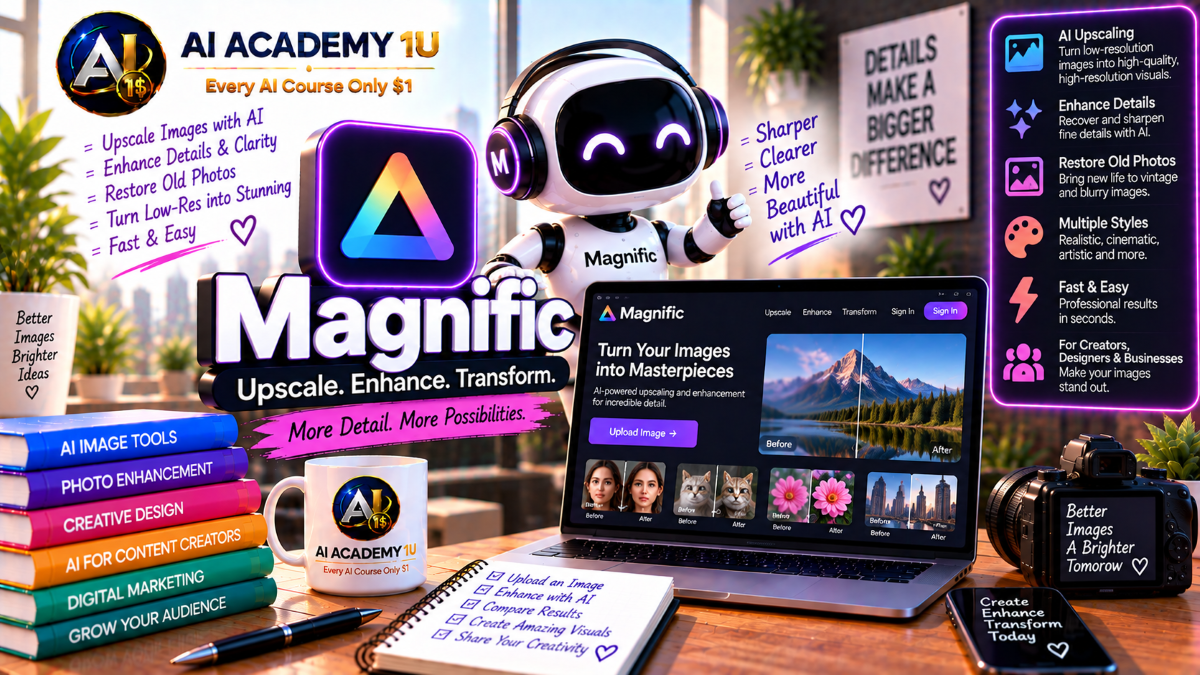
EXPLORE AI LIBRARYLearn Magnific AI with AI Academy 1U to upscale images, enhance details, improve clarity, restore visual quality, and transform low-resolution images into impressive, high-quality creative assets using AI.

Explore all lessons in this catalogue and start learning at your own pace.
▶
1. What Is Magnific AI? ❌
Discover Magnific AI with AI Academy 1U as a platform that evolved from a well-known creative upscaler into a broader AI creative environment. Learn how Magnific supports enhancement, generation, editing, and professional visual production.
▶
2. Understand the New Magnific Platform ❌
Understand the new Magnific platform with AI Academy 1U by learning how Freepik became Magnific and how Magnific Upscaler technology fits inside the broader creative ecosystem for generation, editing, video, audio, 3D, Spaces, and automation.
▶
3. Understand Magnific Upscaling ❌
Understand Magnific Upscaling with AI Academy 1U by comparing traditional enlargement with generative AI upscaling. Learn how Magnific can reconstruct texture, detail, and perceived sharpness instead of only increasing pixel dimensions.
▶
4. Explore the Magnific Workspace ❌
Explore the Magnific workspace with AI Academy 1U by learning Image Upscaler, Image Editor, Image Generator, Spaces, and related creative tools. Understand where each workspace component fits within a larger visual production process.
▶
5. Understand the Professional Enhancement Workflow ❌
Understand the professional Magnific enhancement workflow with AI Academy 1U using Source Image → Analyze → Choose Mode → Set Controls → Prompt → Generate → Compare → Refine → Export. Learn how each stage supports controlled production-quality enhancement.
▶
6. Understand Resolution and Upscaling ❌
Understand resolution and upscaling in Magnific with AI Academy 1U by learning pixel dimensions, sharpness, and perceived detail. Learn why increasing image size alone does not automatically create a higher-quality visual result.
▶
7. Upscale Your First Image ❌
Upscale your first image with Magnific and AI Academy 1U by uploading a source image, selecting an appropriate scale, generating the result, and reviewing how resolution and detail change after processing.
🔒
8. Understand 2×, 4× and Higher Scaling ❌
Understand 2×, 4×, and higher scaling in Magnific with AI Academy 1U by choosing enlargement levels according to source quality, target resolution, and final output requirements instead of simply maximizing scale.
🔒
9. Compare Original vs Upscaled Results ❌
Compare original and upscaled images in Magnific with AI Academy 1U by evaluating detail, edges, textures, artifacts, and structural accuracy rather than judging quality only by the final pixel dimensions.
🔒
10. Understand When Not to Upscale Too Much ❌
Understand when not to upscale too aggressively in Magnific with AI Academy 1U by recognizing source-image limitations and avoiding excessive enlargement that can introduce invented or unrealistic details.
🔒
11. Build a High-Resolution Image Workflow ❌
Build a high-resolution image workflow with Magnific and AI Academy 1U by taking a small source image through analysis, scale selection, enhancement, comparison, and refinement until it is ready for production use.
▶
12. Understand Creative Mode ❌
Understand Creative Mode in Magnific with AI Academy 1U and learn when to allow the AI greater freedom to reinterpret texture, surface detail, and visual richness beyond what is clearly present in the source image.
▶
13. Understand Precision Mode ❌
Understand Precision Mode in Magnific with AI Academy 1U and learn how it prioritizes source structure, composition, identity, and fidelity for photographs, products, print assets, and other accuracy-sensitive images.
🔒
14. Creative vs Precision ❌
Compare Creative and Precision modes in Magnific with AI Academy 1U by processing the same image through both workflows. Learn how each mode changes detail, realism, fidelity, and creative interpretation.
🔒
15. Use Creative Mode for Art ❌
Use Creative Mode for artwork in Magnific with AI Academy 1U by enhancing concept art, illustrations, fantasy visuals, and other creative assets where additional texture and imaginative detail can improve the result.
🔒
16. Use Precision Mode for Photography ❌
Use Precision Mode for photography in Magnific with AI Academy 1U to improve resolution and clarity while prioritizing photographic fidelity, natural structure, and accurate representation of the original image.
🔒
17. Use Precision Mode for Product Images ❌
Use Precision Mode for product images in Magnific with AI Academy 1U to preserve shape, proportions, logos, packaging, and visual identity while improving resolution and material clarity.
🔒
18. Project: Compare Creative and Precision Results ❌
Compare Creative and Precision results with Magnific and AI Academy 1U by processing the same image set using both strategies. Evaluate fidelity, texture, realism, and production suitability before choosing the best workflow.
▶
19. Understand the Creativity Slider ❌
Understand the Creativity slider in Magnific with AI Academy 1U and learn how increasing Creativity gives the AI more freedom to reinterpret texture, detail, and visual information beyond the original source.
▶
20. Understand the Resemblance Slider ❌
Understand the Resemblance slider in Magnific with AI Academy 1U and learn how it controls how closely the enhanced output should remain aligned with the original source image.
🔒
21. Understand HDR Control ❌
Understand HDR control in Magnific with AI Academy 1U and learn how it affects contrast, tonal separation, perceived dynamic range, and the visual intensity of the enhanced image.
🔒
22. Balance Creativity and Resemblance ❌
Balance Creativity and Resemblance in Magnific with AI Academy 1U to increase useful detail without allowing the AI to distort identity, structure, or important source characteristics.
🔒
23. Prevent Over-Processing ❌
Prevent over-processing in Magnific with AI Academy 1U by identifying artificial skin, oversharpened textures, excessive contrast, and invented details that reduce realism or damage the original visual identity.
🔒
24. Build Your Own Control Presets ❌
Build your own Magnific control presets with AI Academy 1U for portraits, products, landscapes, and artwork. Learn how repeatable settings can improve consistency and speed across similar enhancement tasks.
▶
25. Understand Prompts in Magnific Upscaling ❌
Understand prompts in Magnific Upscaling with AI Academy 1U and learn how prompts guide the enhancement process rather than replacing the source with a completely new image.
▶
26. Describe the Existing Image Correctly ❌
Describe the existing image correctly in Magnific with AI Academy 1U by identifying the subject, materials, lighting, environment, and other important visual characteristics that should remain consistent during enhancement.
🔒
27. Add Texture Guidance ❌
Add texture guidance in Magnific with AI Academy 1U by describing skin, fabric, wood, metal, hair, and environmental surfaces so enhancement focuses on appropriate fine detail and material characteristics.
🔒
28. Guide Lighting and Atmosphere ❌
Guide lighting and atmosphere in Magnific with AI Academy 1U to increase detail while preserving or refining the desired mood, light direction, contrast, and environmental feeling of the image.
🔒
29. Prevent Prompt Hallucination ❌
Prevent prompt hallucination in Magnific with AI Academy 1U by avoiding instructions that encourage the AI to add unwanted objects, alter identity, or invent details inconsistent with the source image.
🔒
30. Build Professional Enhancement Prompts ❌
Build professional Magnific enhancement prompts with AI Academy 1U by combining subject, material, detail, lighting, and fidelity requirements into concise instructions that support predictable and production-ready results.
▶
31. Understand Portrait Enhancement ❌
Understand portrait enhancement in Magnific with AI Academy 1U by learning which facial and skin details should be recovered and which details should not be invented when processing human images.
▶
32. Enhance Face Detail Naturally ❌
Enhance face detail naturally in Magnific with AI Academy 1U by improving the clarity of eyes, hair, skin, and facial features while avoiding changes that make the person look like a different individual.
🔒
33. Preserve Facial Identity ❌
Preserve facial identity in Magnific with AI Academy 1U by prioritizing resemblance and source fidelity when working with images of real people, especially when stronger enhancement could change recognizable features.
🔒
34. Enhance Hair and Fine Detail ❌
Enhance hair and fine detail in Magnific with AI Academy 1U by increasing texture and clarity without creating unrealistic hair strands, artificial patterns, or excessive sharpness.
🔒
35. Avoid Plastic Skin ❌
Avoid plastic-looking skin in Magnific with AI Academy 1U by maintaining believable skin texture and controlling sharpness, contrast, and generated detail so portraits remain natural.
🔒
36. Restore Low-Resolution Portraits ❌
Restore low-resolution portraits with Magnific and AI Academy 1U by carefully processing compressed, old, or small images while limiting artificial detail and preserving the person’s recognizable identity.
🔒
37. Project: Produce a High-Resolution Portrait ❌
Produce a high-resolution portrait with Magnific and AI Academy 1U using Source Portrait → Fidelity Settings → Detail Pass → Final High-Resolution Output. Apply controlled enhancement while preserving realistic identity and texture.
▶
38. Enhance Product Photography ❌
Enhance product photography with Magnific and AI Academy 1U by improving sharpness, material clarity, and resolution while preserving the exact appearance, geometry, and identity of the product.
🔒
39. Preserve Logos and Product Geometry ❌
Preserve logos and product geometry in Magnific with AI Academy 1U by preventing AI changes to text, packaging, proportions, shapes, and recognizable branding during enhancement.
🔒
40. Enhance Fashion Photography ❌
Enhance fashion photography with Magnific and AI Academy 1U by improving fabric texture, skin detail, clothing clarity, and overall resolution while maintaining natural appearance and garment accuracy.
🔒
41. Enhance Food Photography ❌
Enhance food photography with Magnific and AI Academy 1U by increasing texture, sharpness, and visual clarity while avoiding artificial surfaces, unrealistic ingredients, or overly processed food details.
🔒
42. Prepare Images for E-Commerce ❌
Prepare images for e-commerce with Magnific and AI Academy 1U by creating a consistent set of product visuals with controlled resolution, detail, clarity, and presentation quality across an online catalog.
🔒
43. Prepare Images for Print ❌
Prepare images for print with Magnific and AI Academy 1U by understanding output size, resolution requirements, and when high-resolution enhancement is genuinely needed for physical production.
▶
44. Enhance Digital Art ❌
Enhance digital art with Magnific and AI Academy 1U by increasing texture, micro-detail, and resolution while preserving the overall composition, design language, and intended creative direction.
🔒
45. Enhance Illustrations ❌
Enhance illustrations with Magnific and AI Academy 1U by increasing resolution and fine detail while preserving linework, visual style, shapes, and the original illustration’s artistic identity.
🔒
46. Enhance 3D Renders ❌
Enhance 3D renders with Magnific and AI Academy 1U by improving material detail, surface texture, perceived realism, and high-resolution presentation without unnecessarily altering the designed geometry.
🔒
47. Enhance Video Game Assets ❌
Enhance video-game assets with Magnific and AI Academy 1U by processing environment art, characters, textures, and concept visuals to create higher-detail production assets while preserving their intended style.
🔒
48. Enhance Sci-Fi and Fantasy Artwork ❌
Enhance science-fiction and fantasy artwork with Magnific and AI Academy 1U by using stronger creative settings when photographic fidelity is less important and additional imaginative texture can strengthen the visual result.
🔒
49. Build a High-Detail Concept Art Set ❌
Build a high-detail concept art set with Magnific and AI Academy 1U by producing multiple high-resolution artworks that maintain a consistent visual style, level of detail, and production quality across the collection.
▶
50. Understand Image Restoration ❌
Understand image restoration in Magnific with AI Academy 1U by distinguishing restoration from generative enhancement. Learn when the goal is to recover clarity and when AI begins creating new visual information.
🔒
51. Reduce Noise ❌
Reduce noise in Magnific with AI Academy 1U by processing low-light photographs, compressed files, and other noisy images while preserving important edges, textures, and useful visual information.
🔒
52. Recover Perceived Sharpness ❌
Recover perceived sharpness in Magnific with AI Academy 1U by improving edges and texture while avoiding ringing artifacts, excessive sharpening, or artificial detail that reduces image quality.
🔒
53. Improve Compressed Images ❌
Improve compressed images with Magnific and AI Academy 1U by reducing block artifacts, restoring perceived detail, and improving clarity while remaining aware of information lost during compression.
🔒
54. Restore Older Photos Carefully ❌
Restore older photos carefully with Magnific and AI Academy 1U by distinguishing plausible reconstruction from invented detail. Learn how to improve clarity while respecting the limited information available in the original image.
▶
55. Understand Batch Upscaling ❌
Understand batch upscaling in Magnific with AI Academy 1U by learning the benefits and limitations of applying shared settings across multiple images with different subjects, quality levels, and enhancement requirements.
🔒
56. Upscale Multiple Images ❌
Upscale multiple images with Magnific and AI Academy 1U by creating batch workflows for catalogs, campaigns, and large asset sets where consistent processing and efficient production are important.
🔒
57. Standardize Output Quality ❌
Standardize output quality in Magnific with AI Academy 1U by maintaining consistent resolution, sharpness, texture treatment, and overall visual quality across multiple processed images.
🔒
58. Build a Production Upscaling Pipeline ❌
Build a production upscaling pipeline with Magnific and AI Academy 1U using Source Folder → Categorization → Settings → Batch → Quality Control → Delivery. Apply a repeatable process for large-scale image enhancement.
▶
59. Combine Image Generation and Magnific Upscaling ❌
Combine image generation and Magnific Upscaling with AI Academy 1U by creating an image with AI and then using Magnific to improve resolution, texture, clarity, and production readiness.
🔒
60. Use Magnific Inside a Larger Creative Workflow ❌
Use Magnific inside a larger creative workflow with AI Academy 1U using Generation → Edit → Upscale → Video → Final Asset. Learn how enhancement can operate as one stage in a broader production pipeline.
🔒
61. Understand Spaces, API and Professional Automation ❌
Understand Spaces, API access, and professional automation in Magnific with AI Academy 1U by learning how node-based workflows and supported integrations can help scale repeatable creative production.
ChatGPT is an AI assistant for writing, learning, research, problem solving, and creative tasks. Learn practical skills with AI Academy and discover useful workflows in our AI Library.
EXPLORE AI LIBRARYCanva is a design platform for creating graphics, presentations, videos, and social media content. Learn practical design skills with AI Academy and explore creative workflows in our AI Library.
EXPLORE AI LIBRARYCapCut is a video editing platform for creating and enhancing videos with AI-powered tools, effects, captions, and templates. Learn practical skills with AI Academy and explore workflows in our AI Library.
EXPLORE AI LIBRARYGoogle Gemini is Google’s assistant for research, writing, reasoning, images, and productivity. Learn practical skills with AI Academy and discover useful workflows in our AI Library.
EXPLORE AI LIBRARYLearn Google Veo with AI Academy 1U and create cinematic AI videos from text and images using powerful video generation, camera controls, visual storytelling, and creative production techniques.
EXPLORE AI LIBRARYElevenLabs AI is a voice platform for text to speech, narration, and voice creation. Learn practical skills with AI Academy and discover useful workflows in our AI Library.
EXPLORE AI LIBRARYClaude AI is an assistant for writing, document analysis, reasoning, and coding. Learn practical skills with AI Academy and discover useful workflows in our AI Library.
EXPLORE AI LIBRARYVideoGen AI empowers creators to produce engaging videos faster with AI-powered tools. Learn practical workflows, creative techniques, and production strategies with AI Academy 1U to create professional video content efficiently.
EXPLORE AI LIBRARYHeyGen AI is an avatar video platform for presentations, narration, and multilingual communication. Learn practical skills with AI Academy and discover useful workflows in our AI Library.
EXPLORE AI LIBRARYMicrosoft Copilot is Microsoft’s assistant for productivity, writing, research, and workplace tasks. Learn practical skills with AI Academy and discover useful workflows in our AI Library.
EXPLORE AI LIBRARY







