
ChatGPT
ChatGPT is an AI assistant for writing, learning, research, problem solving, and creative tasks. Learn practical skills with AI Academy and discover useful workflows in our AI Library.
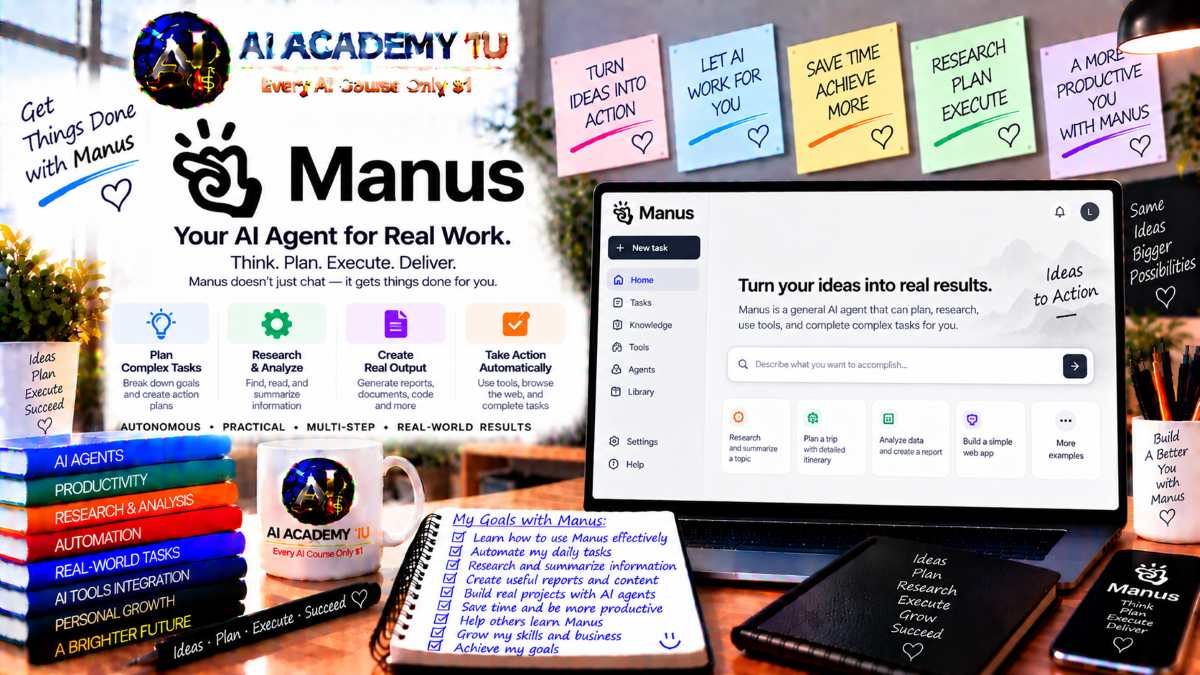
EXPLORE AI LIBRARYManus AI is a general AI agent for research, content creation, and multi step tasks. Learn practical skills with AI Academy and discover useful workflows in our AI Library.

Explore all lessons in this catalogue and start learning at your own pace.
▶
1. What Is Manus? ❌
Discover Manus with AI Academy 1U as a general AI agent designed to accept goals, create plans, use tools, and complete multi-step work. Understand how Manus goes beyond simple question answering by actively executing tasks and producing useful outputs.
▶
2. Understand AI Chat vs AI Agent ❌
Understand the difference between AI chat and AI agents with AI Academy 1U. Learn how chat systems mainly generate responses, while agents can research, browse websites, create files, run code, use tools, and complete longer multi-step tasks.
▶
3. Create and Set Up Your Manus Account ❌
Create and configure your Manus account with AI Academy 1U by learning the essential workspace, account settings, and setup steps needed before assigning real tasks. Prepare an organized environment for future projects, files, connectors, and long-running workflows.
▶
4. Explore the Manus Workspace ❌
Explore the Manus workspace with AI Academy 1U and become familiar with conversations, tasks, Projects, files, connectors, and core work areas. Understand where important tools are located and how they support research, execution, collaboration, and deliverable creation.
▶
5. Understand How Manus Executes Tasks ❌
Understand how Manus executes work with AI Academy 1U through the complete flow of Goal, Planning, Tool Use, Execution, Verification, and Deliverable. Learn why understanding this process helps you delegate tasks more clearly and review results more effectively.
▶
6. Write Better Task Prompts ❌
Write better Manus task prompts with AI Academy 1U using the structure Objective, Context, Constraints, Deliverables, and Success Criteria. Learn how clear instructions reduce ambiguity and help Manus understand exactly what work should be completed and how success should be measured.
▶
7. Give Manus the Right Context ❌
Give Manus the right context with AI Academy 1U by supplying files, URLs, examples, brand rules, business data, and other relevant information. Learn when additional context is necessary so Manus does not need to guess important requirements.
🔒
8. Define Deliverables Clearly ❌
Define clear deliverables for Manus with AI Academy 1U by specifying the exact output you expect, such as a report, spreadsheet, website, presentation, or structured file. Precise deliverables make tasks easier to execute, review, and approve.
🔒
9. Break Complex Work into Phases ❌
Break complex Manus tasks into manageable phases with AI Academy 1U using a sequence such as research, analysis, build, review, and finalization. Structured phases reduce errors and make it easier to verify progress before moving to the next stage.
🔒
10. Review Agent Work Before Finalizing ❌
Review Manus work carefully with AI Academy 1U before using the final result. Check sources, assumptions, file outputs, calculations, and business logic so mistakes or unsupported conclusions can be identified before the deliverable is used in real work.
▶
11. Understand Manus Plan Mode ❌
Understand Manus Plan Mode with AI Academy 1U and learn why complex tasks should often be analyzed before execution. Review the proposed approach, dependencies, and steps before Manus begins making changes or producing final deliverables.
▶
12. Create Your First Execution Plan ❌
Create your first Manus execution plan with AI Academy 1U by asking Manus to analyze the goal, dependencies, and required steps before acting. Learn how a written plan creates visibility into the proposed workflow and reduces implementation mistakes.
🔒
13. Review Assumptions and Edge Cases ❌
Review assumptions and edge cases in a Manus plan with AI Academy 1U. Identify hidden assumptions, missing business rules, unclear requirements, or conflicting instructions before execution begins so the task can be corrected while changes are still inexpensive.
🔒
14. Edit and Approve a Plan ❌
Edit and approve Manus plans with AI Academy 1U before execution begins. Learn how to correct steps, adjust requirements, clarify priorities, and confirm the final approach so Manus follows the intended direction rather than implementing an incorrect interpretation.
🔒
15. Use Plan Mode Mid-Task ❌
Use Manus Plan Mode during an active task with AI Academy 1U by pausing execution and planning the next phase before continuing. This approach is useful when new information, risks, or decisions appear after work has already started.
▶
16. Understand Manus Web Research ❌
Understand Manus web research with AI Academy 1U and learn how an agent can collect, compare, and synthesize information from multiple sources rather than returning only search results. Explore the difference between basic searching and deeper agent-driven research.
▶
17. Build a Structured Research Task ❌
Build a structured Manus research task with AI Academy 1U by defining the research question, required evidence, time range, source expectations, and final report format. Clear research instructions help Manus gather more relevant and verifiable information.
🔒
18. Use Browser Operator ❌
Use Manus Browser Operator with AI Academy 1U to open websites, follow links, interact with pages, and complete browser-based steps. Learn when active web navigation is necessary instead of relying only on search results or static page summaries.
🔒
19. Research Across Multiple Sources ❌
Research across multiple sources with Manus and AI Academy 1U by requiring evidence from several websites before forming conclusions. Learn how source comparison can improve reliability and reduce the risk of depending on incomplete or one-sided information.
🔒
20. Extract Structured Information from Websites ❌
Extract structured web information with Manus and AI Academy 1U by collecting names, pricing, features, links, and business details into organized tables or records. Turn scattered website content into information that can be compared, filtered, and reused.
🔒
21. Build a Competitive Research Report ❌
Build a competitive research report with Manus and AI Academy 1U by researching competitors, organizing evidence, comparing products or services, and producing a final structured report. Apply the complete research workflow from discovery through synthesis and presentation.
▶
22. Work with Uploaded Files ❌
Work with uploaded files in Manus and AI Academy 1U by using PDFs, CSV files, spreadsheets, and documents as task inputs. Learn how source files provide context and evidence for research, analysis, transformation, and deliverable creation.
🔒
23. Summarize and Compare Documents ❌
Summarize and compare multiple documents with Manus and AI Academy 1U by identifying important similarities, differences, contradictions, and recurring themes. Turn large collections of text into a concise comparison that supports faster review and decision-making.
🔒
24. Extract Structured Data from Files ❌
Extract structured data from unstructured files with Manus and AI Academy 1U. Convert text-heavy documents into organized tables, records, categories, or fields that can be searched, analyzed, compared, or imported into other business workflows.
🔒
25. Analyze Spreadsheet and CSV Data ❌
Analyze spreadsheet and CSV data with Manus and AI Academy 1U by identifying trends, anomalies, summaries, patterns, and useful business insights. Learn how Manus can move from raw rows and columns to meaningful analytical conclusions.
🔒
26. Generate Reports from Data ❌
Generate complete reports from data with Manus and AI Academy 1U by combining calculations, narrative analysis, charts, and business interpretation. Transform numerical analysis into a professional deliverable that explains findings clearly to decision-makers.
🔒
27. Project: Data-to-Decision Report ❌
Build a complete data-to-decision workflow with Manus and AI Academy 1U by cleaning raw data, analyzing results, creating visualizations, and producing an executive recommendation report. Apply file, analysis, reporting, and decision-support skills in one practical project.
▶
28. Create Presentations with Manus ❌
Create presentations with Manus and AI Academy 1U by turning a topic, document, or idea into a structured slide deck with a clear storyline. Learn how Manus can organize content into logical sections suitable for professional communication.
🔒
29. Turn Research into a Slide Deck ❌
Turn research into a slide deck with Manus and AI Academy 1U by moving from evidence collection to outline, visual structure, and final presentation. Learn how to transform research findings into concise, presentation-ready communication.
🔒
30. Build Business and Sales Presentations ❌
Build business and sales presentations with Manus and AI Academy 1U for proposals, pitches, training, and business reviews. Learn how to organize objectives, evidence, recommendations, and calls to action into persuasive professional slide decks.
🔒
31. Create Editable PowerPoint Slides ❌
Create editable PowerPoint slides with Manus and AI Academy 1U and continue refining text, structure, and visual elements after the initial deck is generated. Learn how editable output supports real business revision and collaboration workflows.
🔒
32. Project: Research-to-Presentation Workflow ❌
Complete a research-to-presentation project with Manus and AI Academy 1U by gathering new information, organizing evidence, creating a storyline, and producing a finished slide deck. Build a presentation from original research instead of simply converting existing text.
▶
33. Understand Manus Web Building ❌
Understand Manus web-building capabilities with AI Academy 1U and learn the differences between landing pages, websites, dashboards, and full-stack applications. Identify which type of web project best matches a specific business goal or product requirement.
▶
34. Build Your First Website ❌
Build your first website with Manus and AI Academy 1U by defining the audience, page sections, branding, and calls to action. Learn how clear requirements help Manus create a more relevant and usable website from the beginning.
🔒
35. Build a Full-Stack Web App ❌
Build a full-stack web application with Manus and AI Academy 1U by combining frontend interfaces, backend logic, and persistent data. Learn how full-stack apps differ from static pages and support more advanced user interactions and business workflows.
🔒
36. Add Authentication and User Accounts ❌
Add authentication and user accounts to a Manus-built application with AI Academy 1U. Design sign-up, login, session, and user-specific data flows so the application can support multiple users with personalized access and information.
🔒
37. Add Database and Application State ❌
Add database storage and application state with Manus and AI Academy 1U so forms, users, and business data persist over time. Learn how persistent storage transforms a simple interface into a functional data-driven application.
🔒
38. Add AI Features to an App ❌
Add AI capabilities to a Manus-built application with AI Academy 1U by integrating multimodal language models, image generation, or other intelligent features. Learn how AI can become part of the application workflow rather than a separate tool.
🔒
39. Add Notifications and Business Logic ❌
Add notifications and business logic to a Manus web application with AI Academy 1U. Create email or in-app notifications triggered by events and user actions while implementing rules that control how the application responds to business conditions.
🔒
40. Deploy and Improve a Manus Web App ❌
Deploy and improve a Manus web application with AI Academy 1U by publishing the app, testing functionality, collecting feedback, and requesting additional improvements. Learn how real applications continue evolving after the first release.
▶
41. Understand Manus Projects ❌
Understand Manus Projects with AI Academy 1U and learn why long-term work benefits from a shared project environment. Keep related files, instructions, connectors, and task history together instead of treating every request as an isolated conversation.
🔒
42. Organize Files, Instructions and Connectors in Projects ❌
Organize files, instructions, connectors, and standards inside Manus Projects with AI Academy 1U. Build a shared environment that multiple related tasks can reuse, reducing repeated setup and helping outputs remain consistent across the project.
▶
43. Understand Session Branching ❌
Understand Manus session branching with AI Academy 1U and learn how a branch creates a parallel session while preserving all context up to the branch point. Explore alternative directions without changing or damaging the original task history.
🔒
44. Explore Parallel Work with Branches ❌
Use Manus branches with AI Academy 1U to create different outputs from the same research or project context. Produce reports, presentations, or alternative strategies in parallel while keeping each branch independent from the others.
🔒
45. Build a Multi-Deliverable Project ❌
Build a multi-deliverable Manus project with AI Academy 1U by using one shared source of context to create reports, websites, presentations, and follow-up assets. Reduce duplicate uploads and keep related outputs aligned with the same project information.
▶
46. Understand Manus Connectors ❌
Understand Manus connectors with AI Academy 1U and learn how they allow Manus to read information or perform actions inside external business systems. Explore how connected tools expand agent workflows beyond information contained only inside Manus.
🔒
47. Connect Google Workspace ❌
Connect Google Workspace with Manus and AI Academy 1U to work with Gmail, Google Calendar, and Google Drive inside cross-application tasks. Learn how communication, scheduling, and files can become part of one coordinated agent workflow.
🔒
48. Connect Notion, Airtable and Productivity Systems ❌
Connect productivity systems such as Notion and Airtable with Manus and AI Academy 1U. Use workspace data as both context and an action source so Manus can research, analyze, update, and coordinate information across productivity tools.
🔒
49. Connect CRM and Business Tools ❌
Connect CRM and business platforms with Manus and AI Academy 1U to support sales, customer, and operational workflows. Learn how customer information and business records can become part of agent-driven research, follow-up, reporting, and updates.
🔒
50. Build a Cross-App Business Workflow ❌
Build a complete cross-app workflow with Manus and AI Academy 1U that can move from email to CRM lookup, web research, database updates, and final reporting. Coordinate several connected systems inside one multi-step business process.
▶
51. Understand Scheduled Tasks ❌
Understand Manus Scheduled Tasks with AI Academy 1U and learn why recurring automation requires more than simply repeating a prompt. Effective scheduled work must preserve the right context, files, artifacts, and workflow state across repeated runs.
▶
52. Create Daily and Weekly Tasks ❌
Create daily and weekly Manus tasks with AI Academy 1U for briefings, recurring research, reports, reminders, and operational updates. Learn how scheduling turns useful one-time workflows into repeatable routines that run automatically.
🔒
53. Continue Scheduled Work in the Same Task ❌
Continue scheduled work inside the same Manus task with AI Academy 1U while preserving conversations, files, and previous results. Learn how continuity allows later scheduled runs to build on earlier work instead of starting again from scratch.
🔒
54. Schedule Work inside Projects ❌
Schedule recurring work inside Manus Projects with AI Academy 1U and reuse shared instructions, files, connectors, and output standards. This creates more consistent scheduled workflows because each run operates within the same organized project environment.
🔒
55. Add Scheduled Actions to Web Apps ❌
Add scheduled actions to Manus-built web applications with AI Academy 1U so apps can refresh data, generate reports, or perform background processes automatically. Learn how scheduled execution extends applications beyond direct user interactions.
🔒
56. Build an Autonomous Reporting System ❌
Build an autonomous reporting system with Manus and AI Academy 1U by scheduling data collection, analysis, dashboard or report updates, and final delivery. Combine recurring execution with data workflows to create an ongoing reporting process.
▶
57. Understand the Manus Sandbox ❌
Understand the Manus Sandbox with AI Academy 1U as a temporary execution environment suited for scripts, data analysis, file processing, and one-time builds. Learn when temporary infrastructure is more appropriate than a persistent computer environment.
▶
58. Understand Cloud Computer ❌
Understand Manus Cloud Computer with AI Academy 1U as a persistent environment that can retain files, installed tools, and running services across multiple tasks. Learn why persistent infrastructure is useful for long-term automated work.
🔒
59. Choose Sandbox vs Cloud Computer ❌
Choose between Manus Sandbox and Cloud Computer with AI Academy 1U by evaluating whether a task is temporary or persistent. Use Sandbox for one-off work and Cloud Computer for bots, databases, recurring services, or long-running processes.
🔒
60. Run 24/7 Bots and Services ❌
Run continuous bots and backend services with Manus Cloud Computer and AI Academy 1U. Learn how persistent environments can support Slack, Discord, Telegram-style bots, and other services that need to remain active beyond a single task session.
🔒
61. Build a Persistent Database Workflow ❌
Build a persistent database workflow with Manus and AI Academy 1U by storing historical information and allowing scheduled tasks to update the same database over time. Create continuity between repeated automation runs and long-term data collection.
🔒
62. Understand Manus Desktop / My Computer ❌
Understand Manus Desktop or My Computer with AI Academy 1U and learn when a task needs access to local files or applications. Compare local execution with cloud environments to choose the right location for each workflow.
▶
63. Use Manus for Coding Tasks ❌
Use Manus for coding tasks with AI Academy 1U by assigning complete software work such as features, debugging, or automation scripts instead of requesting isolated code snippets. Learn how agent-based development can handle broader implementation workflows.
🔒
64. Ask Manus to Inspect and Modify a Codebase ❌
Ask Manus to inspect and modify an existing codebase with AI Academy 1U by reading multiple files, understanding dependencies, and identifying the correct area to change. Learn how context-aware code modification reduces unnecessary or incorrect edits.
🔒
65. Install Tools and Packages Automatically ❌
Allow Manus to install required tools and packages with AI Academy 1U when additional development dependencies are needed. Understand how automatic environment setup can support more complex software tasks without requiring every dependency to be prepared manually.
🔒
66. Build and Test a Software Feature ❌
Build and test a complete software feature with Manus and AI Academy 1U using the workflow Requirement, Implementation, Run, Test, Fix, and Final Output. Practice treating development as a full execution cycle instead of only code generation.
▶
67. Understand Manus Personal Agents ❌
Understand Manus Personal Agents with AI Academy 1U and learn how Manus can operate as a continuing assistant through messaging environments and recurring workflows. Explore how reasoning, tools, and multi-step execution support ongoing personal or professional assistance.
🔒
68. Use Manus for Meeting Follow-Up ❌
Use Manus for meeting follow-up with AI Academy 1U by turning meeting notes into summaries, action items, research tasks, and follow-up work. Create a structured workflow that continues after the meeting instead of ending with raw notes.
🔒
69. Build a Personal Chief-of-Staff Workflow ❌
Build a personal chief-of-staff workflow with Manus and AI Academy 1U by combining inbox context, schedules, research, reminders, and reports. Create a daily operational routine that helps organize priorities and coordinate multiple ongoing responsibilities.
ChatGPT is an AI assistant for writing, learning, research, problem solving, and creative tasks. Learn practical skills with AI Academy and discover useful workflows in our AI Library.
EXPLORE AI LIBRARYCanva is a design platform for creating graphics, presentations, videos, and social media content. Learn practical design skills with AI Academy and explore creative workflows in our AI Library.
EXPLORE AI LIBRARYCapCut is a video editing platform for creating and enhancing videos with AI-powered tools, effects, captions, and templates. Learn practical skills with AI Academy and explore workflows in our AI Library.
EXPLORE AI LIBRARYGoogle Gemini is Google’s assistant for research, writing, reasoning, images, and productivity. Learn practical skills with AI Academy and discover useful workflows in our AI Library.
EXPLORE AI LIBRARYLearn Google Veo with AI Academy 1U and create cinematic AI videos from text and images using powerful video generation, camera controls, visual storytelling, and creative production techniques.
EXPLORE AI LIBRARYElevenLabs AI is a voice platform for text to speech, narration, and voice creation. Learn practical skills with AI Academy and discover useful workflows in our AI Library.
EXPLORE AI LIBRARYClaude AI is an assistant for writing, document analysis, reasoning, and coding. Learn practical skills with AI Academy and discover useful workflows in our AI Library.
EXPLORE AI LIBRARYVideoGen AI empowers creators to produce engaging videos faster with AI-powered tools. Learn practical workflows, creative techniques, and production strategies with AI Academy 1U to create professional video content efficiently.
EXPLORE AI LIBRARYHeyGen AI is an avatar video platform for presentations, narration, and multilingual communication. Learn practical skills with AI Academy and discover useful workflows in our AI Library.
EXPLORE AI LIBRARYMicrosoft Copilot is Microsoft’s assistant for productivity, writing, research, and workplace tasks. Learn practical skills with AI Academy and discover useful workflows in our AI Library.
EXPLORE AI LIBRARY







