
ChatGPT
ChatGPT is an AI assistant for writing, learning, research, problem solving, and creative tasks. Learn practical skills with AI Academy and discover useful workflows in our AI Library.
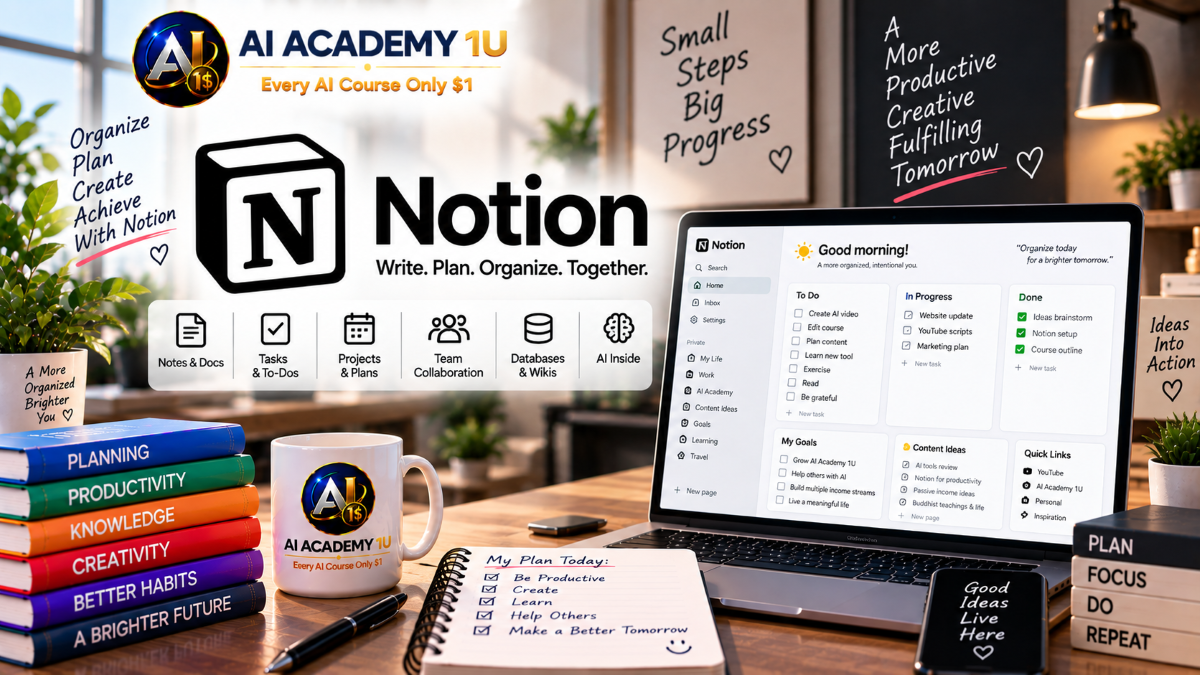
EXPLORE AI LIBRARYNotion AI is a workspace assistant for writing, organizing notes, and managing knowledge. Learn practical skills with AI Academy and discover useful workflows in our AI Library.

Explore all lessons in this catalogue and start learning at your own pace.
▶
1. What Is Notion AI? ❌
Discover how Notion AI integrates artificial intelligence into the Notion workspace to support writing, summarization, information organization, project management, and knowledge work. AI Academy 1U introduces the relationship between AI, pages, blocks, databases, and workspace content so learners understand where Notion AI fits into a practical productivity system.
▶
2. Get Started with Notion AI ❌
Set up and navigate a Notion workspace while becoming familiar with pages, the sidebar, search, and other essential areas. AI Academy 1U guides learners through the environment they need before applying AI to real writing, organization, and productivity tasks.
▶
3. Create Your First Page ❌
Create a structured Notion page using headings, text, checklists, and essential blocks. AI Academy 1U teaches learners how pages and blocks form the foundation for documents, databases, project systems, and AI-assisted workflows.
▶
4. Use AI Inside Notion ❌
Apply Notion AI directly inside a page to generate, rewrite, summarize, and transform selected content. AI Academy 1U introduces a practical Content → AI Processing → Review → Revision → Save workflow that keeps human judgment at the center of AI-assisted work.
▶
5. Write Better Notion AI Prompts ❌
Write clearer prompts that define the task, objective, audience, and expected result. AI Academy 1U teaches learners to transform vague instructions into practical requests that give Notion AI enough direction to produce useful output.
🔒
6. Add Context to Your Prompts ❌
Improve AI responses by providing relevant background, project information, audience details, source material, and intended use. AI Academy 1U teaches learners to recognize when additional context is necessary for producing more accurate and useful results.
🔒
7. Control Tone, Length and Format ❌
Direct Notion AI to produce content with a specific tone, length, structure, and presentation format. AI Academy 1U teaches learners to request outputs such as summaries, paragraphs, bullet lists, tables, and checklists according to the purpose of the task.
🔒
8. Build Reusable Prompt Templates ❌
Create reusable prompt templates for recurring activities such as content creation, meeting summaries, project planning, and research. AI Academy 1U teaches learners to separate fixed instructions from variable information so effective prompts can be adapted efficiently across different tasks.
▶
9. Generate Content with Notion AI ❌
Generate an initial draft from a topic, outline, or clearly defined request using Notion AI. AI Academy 1U teaches learners to use AI for faster content development while reviewing accuracy, tone, relevance, and purpose before accepting the result.
🔒
10. Improve Existing Writing ❌
Refine existing content to make it clearer, more concise, and more professional. AI Academy 1U teaches learners to compare original and AI-edited versions carefully so improvements in style do not unintentionally alter the intended meaning.
🔒
11. Rewrite and Simplify Content ❌
Transform complex material into clearer language for beginners or non-specialist audiences. AI Academy 1U teaches learners to simplify structure and wording while preserving the essential information and meaning of the source.
🔒
12. Change Writing Tone ❌
Adapt the same message for formal, friendly, concise, or professional communication. AI Academy 1U teaches learners to select an appropriate tone based on audience, purpose, and communication context.
🔒
13. Translate Content with Notion AI ❌
Use Notion AI to assist with translating workspace content between languages. AI Academy 1U teaches learners to review names, numbers, specialized terminology, and contextual meaning before relying on an AI-generated translation.
▶
14. Summarize Long Content ❌
Condense lengthy material into key points, executive summaries, or focused takeaways based on the intended use. AI Academy 1U teaches learners to choose an appropriate summary format without losing the information that matters most.
🔒
15. Turn Notes into Action Items ❌
Convert notes into actionable tasks by identifying responsibilities, deadlines, and next steps when the source information supports them. AI Academy 1U teaches learners to transform passive information into organized work without inventing details that were not provided.
🔒
16. Extract Key Information ❌
Identify important decisions, names, dates, numbers, tasks, and other significant details within longer content. AI Academy 1U teaches learners to verify extracted information against the original source before using it for decisions or follow-up work.
🔒
17. Turn Unstructured Notes into Organized Content ❌
Transform raw and disorganized notes into structured headings, categories, bullet points, and readable documentation. AI Academy 1U teaches learners to use AI for organization while preserving the meaning and important details contained in the original notes.
▶
18. Prepare a Meeting Agenda ❌
Create a focused meeting agenda from the meeting objective, participants, discussion topics, and available time. AI Academy 1U teaches learners to structure meetings so important issues receive attention and participants understand what the meeting needs to accomplish.
🔒
19. Organize Meeting Notes ❌
Structure meeting notes into clear sections for discussions, decisions, questions, and follow-up items. AI Academy 1U teaches learners to turn raw meeting information into documentation that is easier to understand and act upon.
🔒
20. Summarize Meetings with AI ❌
Create concise meeting summaries that preserve important conclusions and decisions. AI Academy 1U teaches learners to distinguish general discussion from confirmed outcomes so the final summary accurately reflects what occurred.
🔒
21. Create Follow-Up Tasks from Meetings ❌
Convert meeting outcomes into actionable tasks with responsible people and deadlines when those details are available. AI Academy 1U teaches learners to build a Meeting Notes → Summary → Tasks → Follow-Up workflow that connects discussion directly to execution.
▶
22. Understand Notion Databases ❌
Understand the roles of databases, properties, records, and views within Notion. AI Academy 1U teaches learners how database-based information differs from ordinary pages and how to determine when structured data is the better approach.
🔒
23. Build Your First Database ❌
Create a practical Notion database with properties, records, and useful views. AI Academy 1U guides learners through building a structured information system that can later support AI-assisted organization and processing.
🔒
24. Organize Database Information with AI ❌
Use AI to help standardize descriptions, summaries, and other record content across a Notion database. AI Academy 1U teaches learners to improve consistency while reviewing AI-generated changes before they become part of the managed dataset.
🔒
25. Use AI to Extract and Categorize Information ❌
Transform text into useful categories, tags, and structured information with AI assistance. AI Academy 1U teaches learners to reduce repetitive classification work while checking whether generated categories accurately represent the source content.
🔒
26. Build an AI-Powered Database Workflow ❌
Build an Input → Database → AI Extraction → Categorization → Review → View → Action workflow. AI Academy 1U teaches learners to integrate AI into structured data processing while maintaining human verification before information drives subsequent actions.
▶
27. Create a Project Plan with AI ❌
Transform a project goal into an initial plan containing phases, deliverables, milestones, and a working timeline. AI Academy 1U teaches learners to use AI for planning assistance while reviewing whether the proposed structure reflects actual project requirements.
🔒
28. Break Projects into Tasks ❌
Break a large project into smaller actionable tasks and identify useful sequencing and basic dependencies. AI Academy 1U teaches learners to turn broad project objectives into manageable work that can be assigned, tracked, and reviewed.
🔒
29. Create Project Documentation ❌
Develop requirements, project notes, decision records, and implementation guidance within a unified workspace. AI Academy 1U teaches learners to organize project knowledge so important decisions and instructions remain accessible throughout execution.
🔒
30. Build an AI Project Management Workflow ❌
Build a Project Goal → Plan → Tasks → Owners → Documentation → Status → Review → Follow-Up workflow. AI Academy 1U teaches learners to use Notion AI as part of an integrated project-management system rather than limiting AI to isolated writing tasks.
▶
31. Organize Research in Notion ❌
Create a structured workspace for research sources, notes, questions, and findings. AI Academy 1U teaches learners to organize information so research remains traceable and easier to review as the amount of material grows.
🔒
32. Summarize Research Materials ❌
Use Notion AI to identify key points from research material and organize them according to relevant topics. AI Academy 1U teaches learners to accelerate information review while keeping summaries connected to their underlying source material.
🔒
33. Create Study Notes with AI ❌
Transform learning material into structured headings, definitions, examples, and review points. AI Academy 1U teaches learners to use AI to organize study information into a format that supports understanding and later revision.
🔒
34. Build a Personal Learning System ❌
Combine notes, databases, learning goals, AI assistance, and progress tracking into a unified learning system. AI Academy 1U teaches learners to build a Source → Notes → Summary → Review → Progress workflow for managing long-term learning.
▶
35. Generate Content Ideas ❌
Develop relevant ideas for blogs, social media, videos, and marketing based on audience, objectives, and content pillars. AI Academy 1U teaches learners to use AI for structured ideation rather than generating disconnected topics without strategic context.
🔒
36. Build a Content Calendar ❌
Create a database-driven content calendar for managing topics, platforms, status, publication dates, and ownership. AI Academy 1U teaches learners to connect AI-generated ideas with an organized publishing schedule.
🔒
37. Create Marketing Content with AI ❌
Use Notion AI to draft campaign content, emails, landing-page material, and social posts. AI Academy 1U teaches learners to adapt messaging to the product, audience, and communication objective before content moves into review or publication.
🔒
38. Build a Content Production Workflow ❌
Build an Idea → Research → Brief → Draft → Review → Approval → Schedule → Publish → Archive workflow. AI Academy 1U teaches learners to manage the complete content lifecycle inside Notion while using AI at appropriate stages of production.
▶
39. Create SOPs with Notion AI ❌
Transform a business process into a structured standard operating procedure containing purpose, scope, steps, responsibilities, and checkpoints. AI Academy 1U teaches learners to use AI to accelerate SOP development while ensuring the final procedure accurately represents the real process.
🔒
40. Create Business Documents ❌
Use Notion AI to assist with policies, procedures, proposals, internal memos, and other business documents. AI Academy 1U teaches learners to recognize when professional or operational content requires human review before implementation.
🔒
41. Build a Team Workspace ❌
Design a collaborative workspace that organizes documents, projects, meetings, knowledge, and tasks for multiple team members. AI Academy 1U teaches learners to create a structure that makes shared information easier to find, maintain, and use.
🔒
42. Build an AI-Assisted Business Workflow ❌
Build a Project Request → Documentation → Task → Database → AI Processing → Review → Approval → Final Record workflow. AI Academy 1U teaches learners to identify where AI can improve efficiency and where responsible human approval must remain part of business operations.
▶
43. Build a Knowledge Base in Notion ❌
Design a structured knowledge base for personal or organizational information using topics, departments, or practical use cases. AI Academy 1U teaches learners to create a scalable structure that makes important knowledge easier to maintain and retrieve.
🔒
44. Organize Company Knowledge ❌
Organize policies, SOPs, training materials, FAQs, and reference documents into a coherent information system. AI Academy 1U teaches learners to structure company knowledge so employees can locate relevant material without navigating disconnected pages.
🔒
45. Find Information with Notion AI ❌
Use Notion AI to locate and interpret information already available within the workspace. AI Academy 1U teaches learners to ask context-aware questions and verify important answers against the relevant source pages before using them.
🔒
46. Build an AI-Powered Company Wiki ❌
Build a Knowledge Sources → Pages → Categories → AI Search → Review → Maintenance workflow for organizational knowledge. AI Academy 1U teaches learners to create a company wiki where AI improves information discovery while source verification and maintenance preserve reliability.
▶
47. Build Reusable AI Templates ❌
Standardize page layouts, prompts, checklists, and workflow structures for recurring meetings, projects, content activities, and business processes. AI Academy 1U teaches learners to create reusable systems that reduce setup time while preserving consistent working practices.
🔒
48. Connect Notes, Databases, Projects and AI ❌
Connect information from notes to databases and from databases to projects while using AI to assist with processing between stages. AI Academy 1U teaches learners to design an integrated information system instead of managing unrelated pages and disconnected workflows.
🔒
49. Build a Complete AI Productivity System ❌
Build a Project Inbox → Notes → Knowledge → Tasks → Projects → Database → AI Processing → Review → Archive system. AI Academy 1U teaches learners to create a unified productivity environment for managing daily information and work from initial capture through completion.
🔒
50. Complete Project: Build an AI Workspace in Notion ❌
Build a complete Notion AI workspace integrating Structure → Pages → Databases → Templates → Knowledge Base → Projects → Tasks → Content → Meetings → AI Workflows → Review System. AI Academy 1U brings the course together in a practical final project that can support an individual, team, or business.
ChatGPT is an AI assistant for writing, learning, research, problem solving, and creative tasks. Learn practical skills with AI Academy and discover useful workflows in our AI Library.
EXPLORE AI LIBRARYCanva is a design platform for creating graphics, presentations, videos, and social media content. Learn practical design skills with AI Academy and explore creative workflows in our AI Library.
EXPLORE AI LIBRARYCapCut is a video editing platform for creating and enhancing videos with AI-powered tools, effects, captions, and templates. Learn practical skills with AI Academy and explore workflows in our AI Library.
EXPLORE AI LIBRARYGoogle Gemini is Google’s assistant for research, writing, reasoning, images, and productivity. Learn practical skills with AI Academy and discover useful workflows in our AI Library.
EXPLORE AI LIBRARYLearn Google Veo with AI Academy 1U and create cinematic AI videos from text and images using powerful video generation, camera controls, visual storytelling, and creative production techniques.
EXPLORE AI LIBRARYElevenLabs AI is a voice platform for text to speech, narration, and voice creation. Learn practical skills with AI Academy and discover useful workflows in our AI Library.
EXPLORE AI LIBRARYClaude AI is an assistant for writing, document analysis, reasoning, and coding. Learn practical skills with AI Academy and discover useful workflows in our AI Library.
EXPLORE AI LIBRARYVideoGen AI empowers creators to produce engaging videos faster with AI-powered tools. Learn practical workflows, creative techniques, and production strategies with AI Academy 1U to create professional video content efficiently.
EXPLORE AI LIBRARYHeyGen AI is an avatar video platform for presentations, narration, and multilingual communication. Learn practical skills with AI Academy and discover useful workflows in our AI Library.
EXPLORE AI LIBRARYMicrosoft Copilot is Microsoft’s assistant for productivity, writing, research, and workplace tasks. Learn practical skills with AI Academy and discover useful workflows in our AI Library.
EXPLORE AI LIBRARY







