
ChatGPT
ChatGPT is an AI assistant for writing, learning, research, problem solving, and creative tasks. Learn practical skills with AI Academy and discover useful workflows in our AI Library.
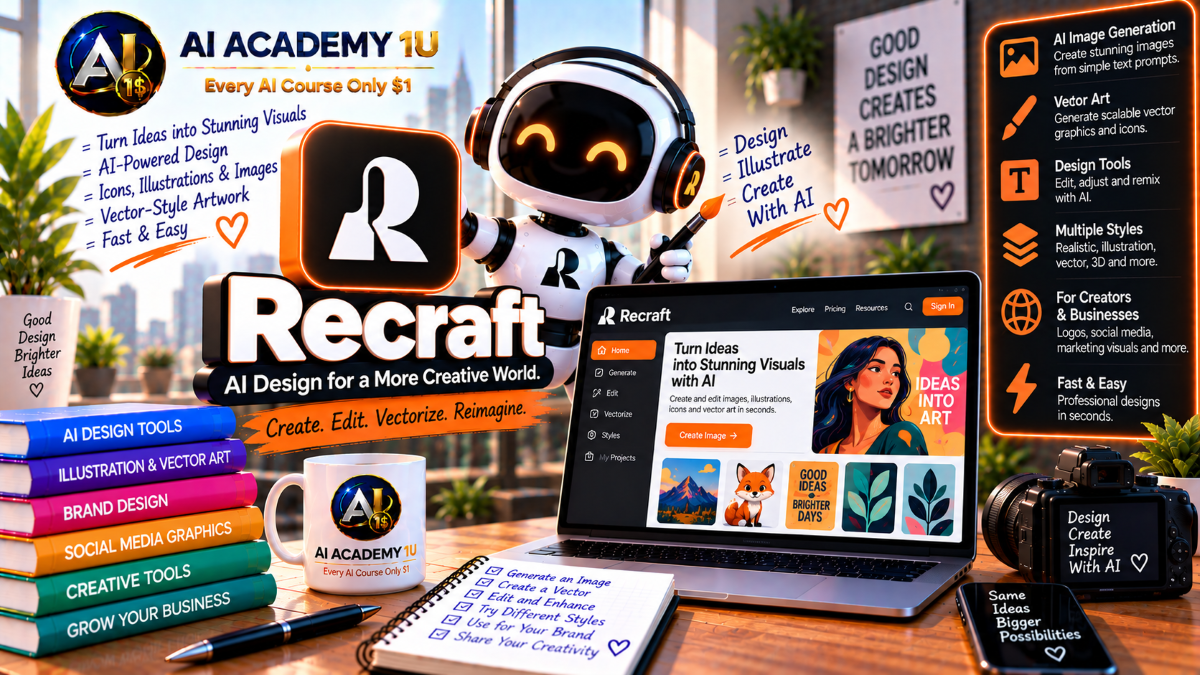
EXPLORE AI LIBRARYMaster Recraft AI with AI Academy 1U and learn to generate images, vectors, icons, illustrations, branding assets, and professional design content for marketing, social media, products, and creative projects.

Explore all lessons in this catalogue and start learning at your own pace.
▶
1. What Is Recraft AI? ❌
Discover Recraft AI with AI Academy 1U as a design-focused platform for designers, illustrators, marketers, and brand teams. Learn how Recraft supports professional image, vector, branding, editing, mockup, and production workflows beyond basic AI image generation.
▶
2. Understand the Recraft Studio Ecosystem ❌
Understand the Recraft Studio ecosystem with AI Academy 1U by learning Image Generator, Vector Generator, Editor, Vectorizer, Mockup Generator, Upscaler, Background Remover, and Eraser. Learn how these tools connect within one professional design environment.
▶
3. Understand Recraft Models ❌
Understand Recraft models with AI Academy 1U by learning the differences between Recraft generations, including V4, V4.1, raster, vector, and Pro versions. Learn how model choice affects visual quality, editability, and production output.
▶
4. Explore the Recraft Studio Workspace ❌
Explore the Recraft Studio workspace with AI Academy 1U by learning the canvas, generation area, asset organization, and editing controls. Understand how the workspace supports both creative exploration and production-focused refinement.
▶
5. Understand Raster vs Vector ❌
Understand raster versus vector graphics with Recraft and AI Academy 1U by comparing pixel-based PNG and JPG files with path-based SVG assets. Learn when each format is better for photography, illustration, logos, icons, web, and print.
▶
6. Generate Your First Image ❌
Generate your first image in Recraft with AI Academy 1U by writing a clear prompt and creating a raster visual. Learn the basic workflow for moving from concept to generated image inside Recraft Studio.
▶
7. Understand Recraft V4 Image Generation ❌
Understand Recraft V4 image generation with AI Academy 1U by learning how the model focuses on visual taste, prompt accuracy, composition, and production-ready design for professional creative workflows.
🔒
8. Write Better Recraft Prompts ❌
Write better Recraft prompts with AI Academy 1U by clearly defining subject, composition, visual style, color direction, and design intent. Learn how structured prompts support more predictable and usable results.
🔒
9. Control Composition ❌
Control composition in Recraft with AI Academy 1U by directing layout, subject placement, spacing, and visual balance for posters, social posts, editorial graphics, and advertising designs.
🔒
10. Control Color Direction ❌
Control color direction in Recraft with AI Academy 1U by defining intentional palettes and visual color systems instead of allowing the AI to choose colors completely on its own.
🔒
11. Explore Multiple Visual Directions ❌
Explore multiple visual directions in Recraft with AI Academy 1U by using Exploration Mode to generate alternative concepts, styles, and compositions from the same creative brief before selecting a final direction.
🔒
12. Build a Professional Image Set ❌
Build a professional image set with Recraft and AI Academy 1U by creating multiple visuals that share the same creative direction, color logic, composition language, and campaign or brand identity.
▶
13. Understand AI Vector Generation ❌
Understand AI vector generation in Recraft with AI Academy 1U and learn how generating native vector graphics differs from creating raster images or tracing pixel-based artwork after generation.
▶
14. Generate Your First SVG ❌
Generate your first SVG in Recraft with AI Academy 1U by creating vector artwork directly from a text prompt. Learn how native vector output supports editing, scaling, and professional production.
🔒
15. Create Vector Illustrations ❌
Create vector illustrations in Recraft with AI Academy 1U by generating clean, scalable artwork with editable paths and shapes suitable for web, print, branding, and design systems.
🔒
16. Create Vector Logos ❌
Create vector logos in Recraft with AI Academy 1U by generating scalable logo concepts that can be exported as SVG and refined further for real branding and professional design use.
🔒
17. Create Vector Icons ❌
Create vector icons in Recraft with AI Academy 1U for websites, apps, interfaces, and design systems. Learn how to build scalable icon assets with clear shapes and consistent visual language.
🔒
18. Simplify Vector Detail ❌
Simplify vector detail in Recraft with AI Academy 1U by reducing color count, unnecessary shapes, and visual complexity so assets remain clearer, easier to edit, and more practical for production.
🔒
19. Export Production-Ready SVG ❌
Export production-ready SVG files from Recraft with AI Academy 1U by preparing vector assets for web, print, Illustrator, Figma, and other professional design environments.
🔒
20. Build a Complete Vector Asset Pack ❌
Build a complete vector asset pack with Recraft and AI Academy 1U by creating a coordinated logo, icon set, and decorative elements that share one visual system and brand direction.
▶
21. Understand the Recraft Vector Editor ❌
Understand the Recraft Vector Editor with AI Academy 1U and learn why AI generation is only the starting point. Explore how direct vector editing turns generated concepts into production-ready assets.
▶
22. Edit Anchor Points ❌
Edit anchor points in Recraft with AI Academy 1U by moving individual points to correct shape geometry, curves, and edges. Learn how precise point editing improves vector accuracy.
🔒
23. Adjust Curves and Paths ❌
Adjust curves and paths in Recraft with AI Academy 1U by refining vector geometry and line flow to achieve cleaner, more intentional shapes that match the designer’s creative direction.
🔒
24. Recolor Individual Shapes ❌
Recolor individual vector shapes in Recraft with AI Academy 1U without changing the entire asset. Learn how local color editing supports brand alignment and targeted design adjustments.
🔒
25. Duplicate Vector Elements ❌
Duplicate vector elements in Recraft with AI Academy 1U by reusing shapes, symbols, or letterforms across multiple frames and designs while maintaining consistency and efficiency.
🔒
26. Refine AI-Generated Logos Manually ❌
Refine AI-generated logos manually in Recraft with AI Academy 1U by correcting curves, proportions, spacing, shapes, and final details so generated concepts become usable real-world brand assets.
▶
27. Understand AI Logo Design ❌
Understand AI logo design in Recraft with AI Academy 1U by learning why effective logos require simplicity, scalability, recognition, and clear visual identity rather than unnecessary detail.
▶
28. Generate a Logo Concept ❌
Generate a logo concept in Recraft with AI Academy 1U by translating a brand brief into multiple visual directions. Learn how to explore alternatives before selecting and refining a final concept.
🔒
29. Work with Typography in Logos ❌
Work with typography in Recraft logos and AI Academy 1U by learning how text rendering, letterforms, spacing, and long-text generation can support stronger logo and branding concepts.
🔒
30. Build an Icon Family ❌
Build an icon family in Recraft with AI Academy 1U by maintaining consistent stroke weight, color, shape language, detail level, and overall visual identity across multiple icons.
🔒
31. Create Branded Illustrations ❌
Create branded illustrations in Recraft with AI Academy 1U by producing multiple visual assets that share the same color palette, style, composition logic, and recognizable brand identity.
🔒
32. Build a Mini Brand System ❌
Build a mini brand system with Recraft and AI Academy 1U using Logo → Icon → Illustration → Palette → Export. Apply a connected workflow for creating cohesive brand assets.
▶
33. Understand AI Typography in Recraft ❌
Understand AI typography in Recraft with AI Academy 1U by learning how the platform handles text generation, longer text content, and text-based composition inside professional graphic design layouts.
▶
34. Generate Posters with Text ❌
Generate posters with text in Recraft with AI Academy 1U by combining headlines, imagery, composition, and hierarchy into cohesive visual designs for campaigns, events, or promotional content.
🔒
35. Create Advertising Layouts ❌
Create advertising layouts in Recraft with AI Academy 1U by designing campaign visuals that combine imagery, text, hierarchy, spacing, and brand direction for promotional or paid-media use.
🔒
36. Create Social Media Graphics ❌
Create social media graphics in Recraft with AI Academy 1U by designing feed and story visuals with clear hierarchy, strong composition, readable text, and consistent brand presentation.
🔒
37. Maintain Readability and Hierarchy ❌
Maintain readability and visual hierarchy in Recraft with AI Academy 1U by controlling text placement, scale, spacing, supporting elements, and contrast so viewers can quickly understand the intended message.
🔒
38. Build a Complete Poster Campaign ❌
Build a complete poster campaign with Recraft and AI Academy 1U by producing multiple coordinated posters that share one brand system while communicating different messages, headlines, or promotional goals.
▶
39. Understand Recraft Image Editing ❌
Understand Recraft image editing with AI Academy 1U by learning the difference between generating a new image and modifying an existing source image through targeted editing tools and prompts.
▶
40. Edit Images with Text Prompts ❌
Edit images with text prompts in Recraft and AI Academy 1U by using natural-language instructions to change specific visual content while preserving important areas of the source image.
🔒
41. Remove Objects ❌
Remove objects in Recraft with AI Academy 1U by using AI Eraser tools to clean unwanted elements from an image while reconstructing the surrounding visual area.
🔒
42. Remove Backgrounds ❌
Remove backgrounds in Recraft with AI Academy 1U to prepare products, portraits, logos, and design elements for transparent-background use in branding, e-commerce, layouts, and compositing.
🔒
43. Apply Raster Effects ❌
Apply raster effects in Recraft with AI Academy 1U by using blur, drop shadow, stroke, and related visual effects in a controlled way without permanently damaging the original design structure.
🔒
44. Retouch and Refine Details ❌
Retouch and refine image details in Recraft with AI Academy 1U by correcting small areas, textures, objects, or visual inconsistencies instead of regenerating the entire image.
🔒
45. Build a Complete Image Editing Workflow ❌
Build a complete image-editing workflow with Recraft and AI Academy 1U using Source Image → Clean → Edit → Restyle → Final Output. Apply targeted tools to create a polished production-ready result.
▶
46. Understand Image Vectorization ❌
Understand image vectorization in Recraft with AI Academy 1U and learn how converting an existing raster image into SVG differs from generating a new native vector asset directly from a prompt.
▶
47. Convert a Raster Logo into SVG ❌
Convert a raster logo into SVG with Recraft and AI Academy 1U by uploading a PNG or JPG, vectorizing the artwork, and preparing the result for scalable professional use.
🔒
48. Vectorize Illustrations ❌
Vectorize illustrations in Recraft with AI Academy 1U by converting flat raster artwork into scalable SVG assets that can be recolored, refined, and reused across multiple design formats.
🔒
49. Recolor a Vectorized Image ❌
Recolor a vectorized image in Recraft with AI Academy 1U by applying a new palette, adjusting individual colors, or reducing color count to better match brand and production requirements.
🔒
50. Refine Vectorized Paths ❌
Refine vectorized paths in Recraft with AI Academy 1U by using Vector Editor tools to clean curves, points, and shapes after automatic vectorization for a more professional final asset.
▶
51. Understand AI Mockups ❌
Understand AI mockups in Recraft with AI Academy 1U and learn how placing brand assets into realistic contexts helps evaluate design scale, placement, visual impact, and practical usability.
▶
52. Create a Logo Mockup ❌
Create a logo mockup in Recraft with AI Academy 1U by placing a logo onto an object, surface, or environment to evaluate how the brand mark performs in a realistic application.
🔒
53. Create Apparel Mockups ❌
Create apparel mockups in Recraft with AI Academy 1U by placing graphics, logos, or brand designs onto T-shirts, merchandise, and clothing products for realistic presentation.
🔒
54. Create Billboard and Advertising Mockups ❌
Create billboard and advertising mockups in Recraft with AI Academy 1U by testing designs at larger scale and evaluating readability, visual impact, composition, and brand presence.
🔒
55. Build a Client Presentation Set ❌
Build a client presentation set with Recraft and AI Academy 1U by combining logo applications, packaging or product contexts, billboard mockups, and social-media examples into one cohesive brand presentation.
▶
56. Understand Recraft Upscaling ❌
Understand Recraft upscaling with AI Academy 1U and learn when raster assets require additional resolution for print, large-scale presentation, or professional delivery beyond the original generated output.
🔒
57. Upscale Images for Print ❌
Upscale images for print with Recraft and AI Academy 1U by preparing higher-resolution raster outputs suitable for physical production, larger formats, and professional print applications.
🔒
58. Prepare Assets for Web, Print and Mobile ❌
Prepare assets for web, print, and mobile with Recraft and AI Academy 1U by selecting raster or vector formats, appropriate sizes, resolutions, and output settings for each use case.
🔒
59. Build a Production-Ready Export Workflow ❌
Build a production-ready export workflow with Recraft and AI Academy 1U using SVG, PNG, or JPG → Naming → Scale → Final Delivery. Apply consistent file preparation for professional handoff.
▶
60. Understand Multi-Model Recraft Studio ❌
Understand Multi-Model Recraft Studio with AI Academy 1U by learning when to use native Recraft models and when to compare other available models on the same canvas for different creative needs.
▶
61. Understand the Recraft API ❌
Understand the Recraft API with AI Academy 1U by learning how image generation, editing, vectorization, background removal, and upscaling can be integrated into applications and automated workflows.
🔒
62. Automate Image Generation and Editing ❌
Automate image generation and editing with Recraft and AI Academy 1U by designing a pipeline that moves from prompt or source input through generation, modification, and final asset delivery.
🔒
63. Automate Vectorization and Upscaling ❌
Automate vectorization and upscaling with Recraft and AI Academy 1U by using API-based workflows for large-volume conversion, enhancement, and production of reusable design assets.
ChatGPT is an AI assistant for writing, learning, research, problem solving, and creative tasks. Learn practical skills with AI Academy and discover useful workflows in our AI Library.
EXPLORE AI LIBRARYCanva is a design platform for creating graphics, presentations, videos, and social media content. Learn practical design skills with AI Academy and explore creative workflows in our AI Library.
EXPLORE AI LIBRARYCapCut is a video editing platform for creating and enhancing videos with AI-powered tools, effects, captions, and templates. Learn practical skills with AI Academy and explore workflows in our AI Library.
EXPLORE AI LIBRARYGoogle Gemini is Google’s assistant for research, writing, reasoning, images, and productivity. Learn practical skills with AI Academy and discover useful workflows in our AI Library.
EXPLORE AI LIBRARYLearn Google Veo with AI Academy 1U and create cinematic AI videos from text and images using powerful video generation, camera controls, visual storytelling, and creative production techniques.
EXPLORE AI LIBRARYElevenLabs AI is a voice platform for text to speech, narration, and voice creation. Learn practical skills with AI Academy and discover useful workflows in our AI Library.
EXPLORE AI LIBRARYClaude AI is an assistant for writing, document analysis, reasoning, and coding. Learn practical skills with AI Academy and discover useful workflows in our AI Library.
EXPLORE AI LIBRARYVideoGen AI empowers creators to produce engaging videos faster with AI-powered tools. Learn practical workflows, creative techniques, and production strategies with AI Academy 1U to create professional video content efficiently.
EXPLORE AI LIBRARYHeyGen AI is an avatar video platform for presentations, narration, and multilingual communication. Learn practical skills with AI Academy and discover useful workflows in our AI Library.
EXPLORE AI LIBRARYMicrosoft Copilot is Microsoft’s assistant for productivity, writing, research, and workplace tasks. Learn practical skills with AI Academy and discover useful workflows in our AI Library.
EXPLORE AI LIBRARY







