
ChatGPT
ChatGPT is an AI assistant for writing, learning, research, problem solving, and creative tasks. Learn practical skills with AI Academy and discover useful workflows in our AI Library.
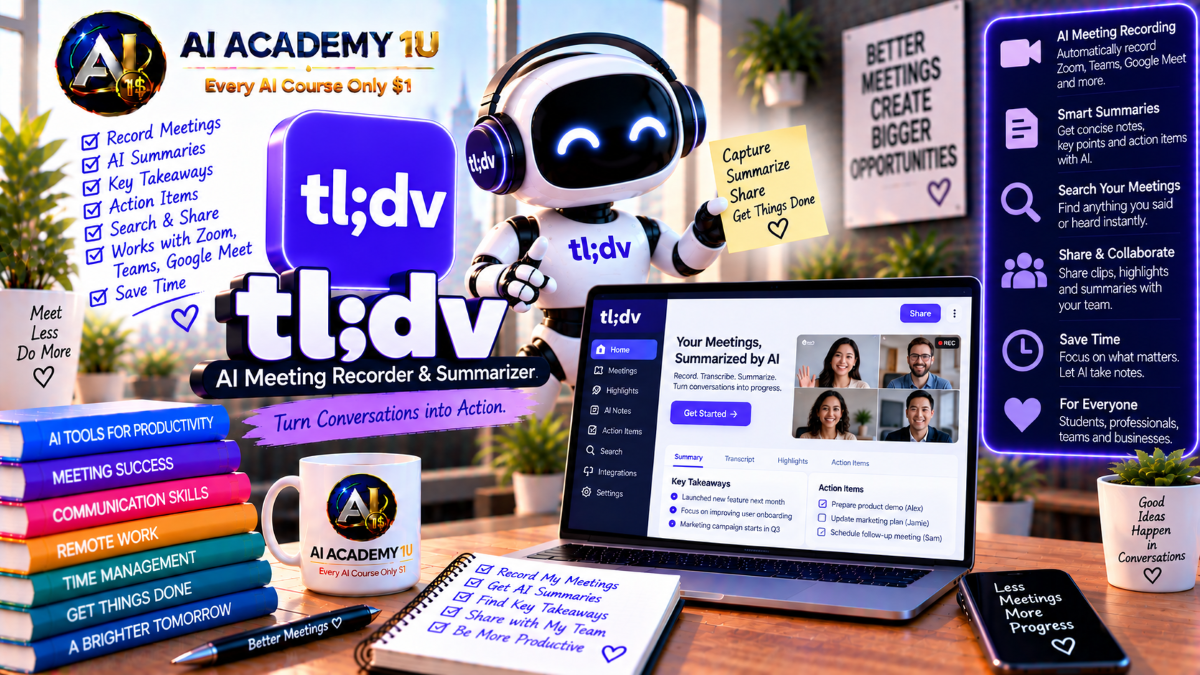
EXPLORE AI LIBRARYMaster tl;dv with AI Academy 1U and learn to record, transcribe, summarize, search, and analyze meetings while capturing key takeaways, action items, highlights, and valuable insights for teams.

Explore all lessons in this catalogue and start learning at your own pace.
▶
1. What Is tl;dv? ❌
Discover tl;dv with AI Academy 1U as a meeting intelligence platform that transforms recorded conversations into transcripts, notes, clips, CRM updates, and cross-meeting insights for more useful follow-up and business analysis.
▶
2. Understand the tl;dv Ecosystem ❌
Understand the tl;dv ecosystem with AI Academy 1U by exploring Recording and Transcription, AI Notes, Multi-Meeting AI Insights, Sales Coaching, integrations, API capabilities, and workflow automation across professional meetings.
▶
3. Understand tl;dv vs a Basic Meeting Recorder ❌
Understand how tl;dv differs from a basic meeting recorder with AI Academy 1U by learning how meeting intelligence turns conversations into searchable, reusable, and actionable information instead of only storing video recordings.
▶
4. Create and Set Up Your tl;dv Account ❌
Create and set up your tl;dv account with AI Academy 1U by preparing account preferences, meeting capture settings, and a practical workflow for recording and processing future meetings consistently.
▶
5. Understand the Complete Meeting Workflow ❌
Understand the complete tl;dv meeting workflow with AI Academy 1U using Meeting → Recording → Transcript → AI Notes → Highlights → Reports → CRM or Workflow → Follow-Up for structured meeting intelligence.
▶
6. Record Your First Meeting ❌
Record your first meeting with tl;dv and AI Academy 1U by setting up meeting capture, completing a call, and confirming that the recording is available for review after the conversation ends.
▶
7. Record Google Meet ❌
Record Google Meet with tl;dv and AI Academy 1U by learning the capture workflow used to record, transcribe, and process conversations held inside Google Meet.
🔒
8. Record Zoom Meetings ❌
Record Zoom meetings with tl;dv and AI Academy 1U by configuring meeting capture and transcript generation so important Zoom conversations can be reviewed and reused afterward.
🔒
9. Record Microsoft Teams Meetings ❌
Record Microsoft Teams meetings with tl;dv and AI Academy 1U by using tl;dv to capture Teams conversations and prepare them for transcription, notes, and later review.
🔒
10. Understand Bot-Based Recording ❌
Understand bot-based recording with tl;dv and AI Academy 1U by learning how a meeting bot can join a call, capture the conversation, and provide the source recording for later transcription and analysis.
🔒
11. Use Bot-Free Desktop Recording ❌
Use bot-free desktop recording with tl;dv and AI Academy 1U by capturing system audio directly from a Windows or Mac computer without requiring a notetaker bot to appear inside the meeting.
🔒
12. Build a Reliable Recording Setup ❌
Build a reliable recording setup with tl;dv and AI Academy 1U by creating a repeatable process that helps ensure important meetings are consistently captured and available for downstream transcription and analysis.
▶
13. Understand AI Meeting Transcription ❌
Understand AI meeting transcription with tl;dv and AI Academy 1U by learning how recorded meeting audio can be converted into timestamped text that supports review, search, notes, and later analysis.
▶
14. Review Your First Transcript ❌
Review your first tl;dv transcript with AI Academy 1U by locating meeting content, speaker labels, and timestamps so you can navigate the conversation efficiently after the call.
🔒
15. Understand Speaker Recognition ❌
Understand speaker recognition with tl;dv and AI Academy 1U by learning how spoken content can be associated with individual meeting participants to make transcripts easier to interpret and review.
🔒
16. Work with Multilingual Meetings ❌
Work with multilingual meetings using tl;dv and AI Academy 1U by understanding how transcription supports teams and conversations that involve multiple languages across professional meetings.
🔒
17. Search Inside a Transcript ❌
Search inside a tl;dv transcript with AI Academy 1U to locate decisions, objections, feature requests, keywords, and other important discussion points without manually rereading the entire meeting.
🔒
18. Use Transcript as a Meeting Knowledge Source ❌
Use a tl;dv transcript as a meeting knowledge source with AI Academy 1U by turning recorded conversations into reusable information that can support future review, analysis, reporting, and follow-up.
▶
19. Understand AI Meeting Notes ❌
Understand AI Meeting Notes with tl;dv and AI Academy 1U by learning the difference between a complete transcript and condensed AI-generated notes that organize the most useful meeting information.
▶
20. Generate Your First AI Summary ❌
Generate your first AI summary with tl;dv and AI Academy 1U by turning a recorded meeting into a shorter overview that highlights the most important discussion points.
🔒
21. Understand Meeting Minutes Templates ❌
Understand Meeting Minutes templates with tl;dv and AI Academy 1U by learning how templates can format meeting notes differently depending on the type of conversation and information required.
🔒
22. Create Custom AI Note Templates ❌
Create custom AI note templates with tl;dv and AI Academy 1U by using smart prompts to control note structure, tone, focus, and formatting for specific professional meeting workflows.
🔒
23. Extract Next Steps and Pain Points ❌
Extract next steps and pain points with tl;dv and AI Academy 1U by focusing AI-generated notes on actionable responsibilities, customer concerns, business problems, and follow-up information.
🔒
24. Automatically Deliver Meeting Notes ❌
Automatically deliver meeting notes with tl;dv and AI Academy 1U by configuring post-meeting workflows so relevant summaries and notes reach the appropriate people after a call ends.
🔒
25. Build a Repeatable Meeting-Minutes Workflow ❌
Build a repeatable meeting-minutes workflow with tl;dv and AI Academy 1U using Template → Recording → Notes → Review → Delivery for a consistent process across recurring meetings.
▶
26. Understand Meeting Highlights ❌
Understand meeting highlights with tl;dv and AI Academy 1U by learning why timestamped evidence from a real conversation can provide more context and credibility than a general summary alone.
▶
27. Create a Clip from a Transcript ❌
Create a clip from a tl;dv transcript with AI Academy 1U by highlighting a relevant section of text and turning that moment into a corresponding video snippet for easier sharing.
🔒
28. Share Timestamped Moments ❌
Share timestamped moments with tl;dv and AI Academy 1U by directing teammates and stakeholders to the exact point in a meeting where an important discussion occurred.
🔒
29. Combine Clips into a Reel ❌
Combine clips into a reel with tl;dv and AI Academy 1U by arranging multiple important meeting moments into a short, structured collection that communicates a broader story or theme.
🔒
30. Build Customer Evidence Clips ❌
Build customer evidence clips with tl;dv and AI Academy 1U by capturing authentic customer statements that can support product analysis, sales discussions, and stakeholder decision-making.
🔒
31. Build a Voice-of-Customer Reel ❌
Build a Voice-of-Customer reel with tl;dv and AI Academy 1U using Multiple Meetings → Highlights → Clips → Reel → Stakeholder Sharing to present recurring customer feedback clearly.
▶
32. Understand Topic Tracking ❌
Understand Topic Tracking with tl;dv and AI Academy 1U by learning how a specific subject can be monitored across multiple conversations instead of being reviewed one meeting at a time.
▶
33. Create a Custom Topic Tracker ❌
Create a custom Topic Tracker with tl;dv and AI Academy 1U by defining keywords or subjects that should be monitored consistently across recorded meetings.
🔒
34. Track Competitor Mentions ❌
Track competitor mentions with tl;dv and AI Academy 1U by identifying recurring references to competing products or companies across customer conversations and sales meetings.
🔒
35. Track Objections and Pain Points ❌
Track objections and pain points with tl;dv and AI Academy 1U by identifying recurring customer or sales issues across multiple meetings and conversations.
🔒
36. Create Keyword Alerts ❌
Create keyword alerts with tl;dv and AI Academy 1U so important topics can be surfaced when specific keywords or subjects appear inside recorded conversations.
🔒
37. Build a Product Feedback Tracker ❌
Build a product feedback tracker with tl;dv and AI Academy 1U by monitoring feature requests, bugs, and customer pain points across multiple meetings to support product research.
▶
38. Understand Multi-Meeting Insights ❌
Understand Multi-Meeting Insights with tl;dv and AI Academy 1U by learning the difference between summarizing one meeting and identifying patterns across a larger set of conversations.
▶
39. Summarize Multiple Meetings ❌
Summarize multiple meetings with tl;dv and AI Academy 1U by combining conversations related to the same customer, topic, or work period into one broader summary.
🔒
40. Generate a Weekly Meeting Report ❌
Generate a weekly meeting report with tl;dv and AI Academy 1U by consolidating important discussions and insights from multiple meetings instead of reviewing each transcript separately.
🔒
41. Identify Repeated Customer Patterns ❌
Identify repeated customer patterns with tl;dv and AI Academy 1U by analyzing recurring themes, questions, needs, and issues that appear across multiple customer conversations.
🔒
42. Analyze One Customer Across Multiple Calls ❌
Analyze one customer across multiple calls with tl;dv and AI Academy 1U by building an account history that shows how discussions, concerns, and priorities progress over time.
🔒
43. Build a Multi-Meeting Insight Report ❌
Build a Multi-Meeting Insight Report with tl;dv and AI Academy 1U using Meeting Set → AI Report → Evidence Clips → Recommendations for structured team review and decision-making.
▶
44. Understand tl;dv Integrations ❌
Understand tl;dv integrations with AI Academy 1U by learning how meeting data can move into CRM platforms, collaboration tools, task systems, and other business applications after a call ends.
▶
45. Connect tl;dv to a CRM ❌
Connect tl;dv to a CRM with AI Academy 1U by understanding workflows that move meeting information into systems such as Salesforce, HubSpot, or Zoho for sales and customer management.
🔒
46. Auto-Fill CRM Fields with Meeting Notes ❌
Auto-fill CRM fields with tl;dv meeting notes and AI Academy 1U by mapping structured meeting information into appropriate CRM fields for more efficient post-call data entry.
🔒
47. Send Meeting Data to Slack ❌
Send meeting data to Slack with tl;dv and AI Academy 1U by automatically sharing summaries, recordings, and important insights with relevant teams after meetings.
🔒
48. Create Tasks in Jira, ClickUp or Asana ❌
Create tasks in Jira, ClickUp, or Asana with tl;dv and AI Academy 1U by converting bugs, to-dos, and meeting decisions into actionable work items.
🔒
49. Build an End-to-End Meeting Automation ❌
Build an end-to-end meeting automation with tl;dv and AI Academy 1U using Meeting → Summary → CRM → Task Tool → Slack Notification for a connected post-meeting workflow.
▶
50. Understand Sales Meeting Intelligence ❌
Understand Sales Meeting Intelligence with tl;dv and AI Academy 1U by learning how conversation data from customer calls can support sales management, coaching, and review.
▶
51. Review Sales Calls Efficiently ❌
Review sales calls efficiently with tl;dv and AI Academy 1U by using notes, key moments, and transcripts instead of replaying complete recordings from beginning to end.
🔒
52. Track Objections Across Sales Calls ❌
Track objections across sales calls with tl;dv and AI Academy 1U by identifying recurring objection patterns that appear across multiple customer conversations.
🔒
53. Build Sales Playbooks ❌
Build sales playbooks with tl;dv and AI Academy 1U by defining conversation behaviors, patterns, and discussion points that sales teams should observe and review consistently.
🔒
54. Use Meeting Evidence for Coaching ❌
Use meeting evidence for coaching with tl;dv and AI Academy 1U by sharing timestamped clips that provide specific examples for targeted sales feedback and performance discussions.
🔒
55. Build a Sales Coaching Review System ❌
Build a sales coaching review system with tl;dv and AI Academy 1U using Calls → Trackers → Scorecard or Playbook Review → Clips → Coaching Session for a repeatable process.
▶
56. Build a User Interview Repository ❌
Build a user interview repository with tl;dv and AI Academy 1U by organizing customer conversations into a reusable knowledge library for future research, analysis, and product decision-making.
🔒
57. Capture Voice-of-Customer Evidence ❌
Capture Voice-of-Customer evidence with tl;dv and AI Academy 1U by preserving transcripts, clips, and key meeting moments that can support product decisions and stakeholder discussions.
🔒
58. Identify Feature Requests and Bugs ❌
Identify feature requests and bugs with tl;dv and AI Academy 1U by tracking product feedback across multiple customer interviews and recorded conversations.
🔒
59. Build a Product Research Insight Pack ❌
Build a product research insight pack with tl;dv and AI Academy 1U using Meetings → Topic Trackers → Clips → Multi-Meeting Analysis → Stakeholder Report for structured product research.
▶
60. Understand the tl;dv Public API ❌
Understand the tl;dv Public API with AI Academy 1U by learning when built-in integrations are sufficient and when a custom application may be needed to work with meeting data.
🔒
61. Understand API Authentication ❌
Understand tl;dv API authentication with AI Academy 1U by learning how API access uses an x-api-key over HTTPS while continuing to respect the platform’s permission model.
🔒
62. Design a Meeting-Data Integration ❌
Design a meeting-data integration with tl;dv and AI Academy 1U by planning a workflow that retrieves transcripts or notes and sends them into another application or internal system.
ChatGPT is an AI assistant for writing, learning, research, problem solving, and creative tasks. Learn practical skills with AI Academy and discover useful workflows in our AI Library.
EXPLORE AI LIBRARYCanva is a design platform for creating graphics, presentations, videos, and social media content. Learn practical design skills with AI Academy and explore creative workflows in our AI Library.
EXPLORE AI LIBRARYCapCut is a video editing platform for creating and enhancing videos with AI-powered tools, effects, captions, and templates. Learn practical skills with AI Academy and explore workflows in our AI Library.
EXPLORE AI LIBRARYGoogle Gemini is Google’s assistant for research, writing, reasoning, images, and productivity. Learn practical skills with AI Academy and discover useful workflows in our AI Library.
EXPLORE AI LIBRARYLearn Google Veo with AI Academy 1U and create cinematic AI videos from text and images using powerful video generation, camera controls, visual storytelling, and creative production techniques.
EXPLORE AI LIBRARYElevenLabs AI is a voice platform for text to speech, narration, and voice creation. Learn practical skills with AI Academy and discover useful workflows in our AI Library.
EXPLORE AI LIBRARYClaude AI is an assistant for writing, document analysis, reasoning, and coding. Learn practical skills with AI Academy and discover useful workflows in our AI Library.
EXPLORE AI LIBRARYVideoGen AI empowers creators to produce engaging videos faster with AI-powered tools. Learn practical workflows, creative techniques, and production strategies with AI Academy 1U to create professional video content efficiently.
EXPLORE AI LIBRARYHeyGen AI is an avatar video platform for presentations, narration, and multilingual communication. Learn practical skills with AI Academy and discover useful workflows in our AI Library.
EXPLORE AI LIBRARYMicrosoft Copilot is Microsoft’s assistant for productivity, writing, research, and workplace tasks. Learn practical skills with AI Academy and discover useful workflows in our AI Library.
EXPLORE AI LIBRARY







