
ChatGPT
ChatGPT is an AI assistant for writing, learning, research, problem solving, and creative tasks. Learn practical skills with AI Academy and discover useful workflows in our AI Library.
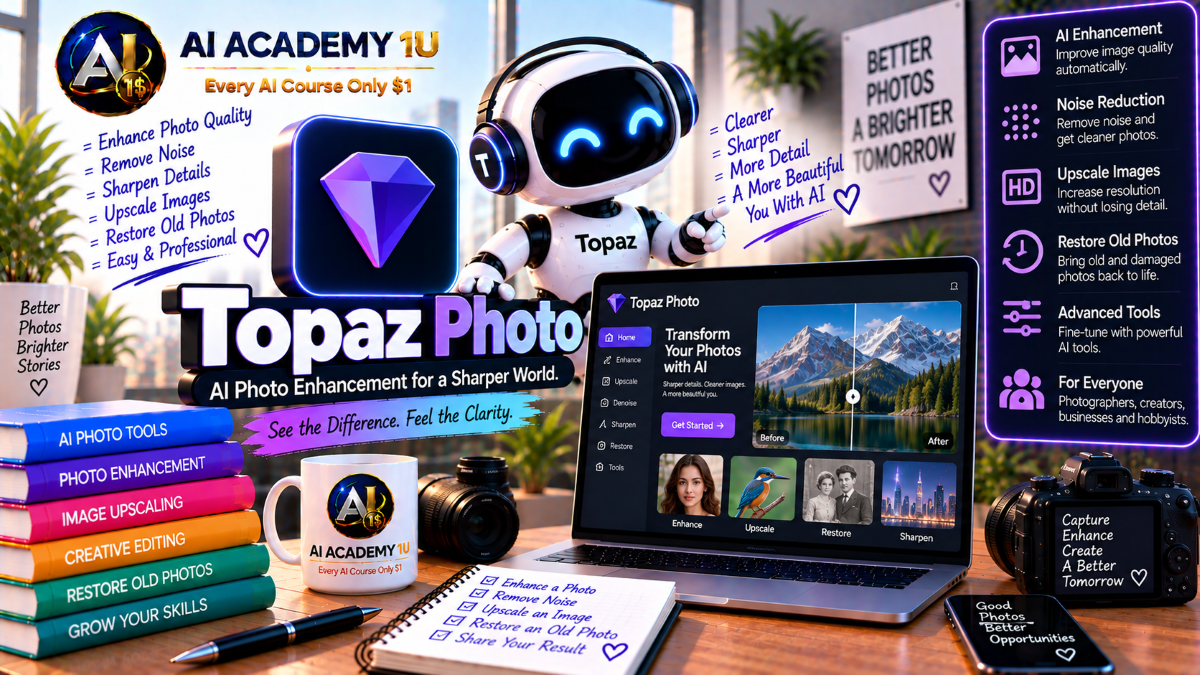
EXPLORE AI LIBRARYLearn Topaz Photo AI with AI Academy 1U to denoise, sharpen, upscale, restore, and enhance photographs while improving image quality and recovering important details with powerful AI photo tools.

Explore all lessons in this catalogue and start learning at your own pace.
▶
1. What Is Topaz Photo AI? ❌
Discover Topaz Photo AI with AI Academy 1U as an AI-powered image enhancement platform for photographers, restoration work, wildlife, sports, portraits, and archival images, and understand where it fits in a professional photo-improvement workflow.
▶
2. Understand Topaz Photo AI vs Topaz Photo ❌
Understand Topaz Photo AI versus Topaz Photo with AI Academy 1U by learning that Photo AI represents the previous generation while Topaz Photo is the current subscription application receiving ongoing model and feature updates.
▶
3. Understand the Topaz Photo Enhancement Workflow ❌
Understand the Topaz Photo enhancement workflow with AI Academy 1U using Analyze → Denoise → Sharpen or Focus → Restore → Lighting and Color → Face or Text → Upscale → Export for structured image improvement.
▶
4. Explore the Topaz Photo Workspace ❌
Explore the Topaz Photo workspace with AI Academy 1U by learning image preview, filmstrip, enhancement stack, controls, selections, and export tools so you can navigate and manage image enhancement efficiently.
▶
5. Understand Local vs Cloud Processing ❌
Understand local versus cloud processing in Topaz Photo with AI Academy 1U by learning when models run directly on your computer and when newer generative models may use cloud processing.
▶
6. Understand Autopilot ❌
Understand Topaz Autopilot with AI Academy 1U as an AI-assisted starting point that analyzes an image and recommends enhancements while still requiring human review for the final result.
▶
7. Let Autopilot Analyze an Image ❌
Let Autopilot analyze an image with AI Academy 1U by opening a photo and reviewing how Topaz detects noise, blur, low-quality faces, resolution limitations, and other enhancement needs.
🔒
8. Customize Autopilot Preferences ❌
Customize Autopilot preferences in Topaz Photo with AI Academy 1U by configuring default behavior for Denoise, Sharpen, Recover Faces, and Upscale to better fit your preferred enhancement workflow.
🔒
9. Decide When to Override Autopilot ❌
Decide when to override Autopilot with AI Academy 1U by recognizing situations where automatic recommendations are too strong, unnecessary, or unsuitable for the specific type of image being edited.
🔒
10. Build Your Own Autopilot Presets ❌
Build your own Autopilot presets in Topaz Photo with AI Academy 1U for portraits, wildlife, low-light photography, and archival images using repeatable enhancement preferences.
▶
11. Understand Digital Noise ❌
Understand digital noise with AI Academy 1U by learning the differences between luminance noise, color noise, and high-ISO grain before choosing an appropriate Topaz denoise workflow.
▶
12. Understand RAW Denoise vs Denoise ❌
Understand RAW Denoise versus Denoise in Topaz Photo with AI Academy 1U by learning why RAW files should be opened directly when possible to take advantage of RAW-specific noise reduction.
▶
13. Denoise Your First Low-Light Photo ❌
Denoise your first low-light photo in Topaz Photo with AI Academy 1U by reducing visible noise while preserving useful image detail and avoiding an overly smooth result.
🔒
14. Control Denoise Strength ❌
Control Denoise Strength in Topaz Photo with AI Academy 1U by balancing remaining noise against detail preservation so the image stays natural rather than excessively processed.
🔒
15. Use Original Detail ❌
Use Original Detail in Topaz Photo with AI Academy 1U to restore fine texture after denoising and prevent the image from looking washed out, overly smooth, or artificially softened.
🔒
16. Denoise Wildlife and High-ISO Images ❌
Denoise wildlife and high-ISO images with Topaz Photo and AI Academy 1U by reducing noise while protecting fur, feathers, and other fine textures that are easily lost during aggressive cleanup.
🔒
17. Project: Clean a Difficult Low-Light Photo ❌
Clean a difficult low-light photo with Topaz Photo and AI Academy 1U using RAW or processed image → Denoise → Detail Recovery → Final Comparison to evaluate improvement and texture preservation.
▶
18. Understand AI Sharpening ❌
Understand AI sharpening in Topaz Photo with AI Academy 1U by comparing traditional edge-contrast sharpening with AI-based deblurring that attempts to address the underlying cause of image softness.
▶
19. Use Standard Sharpen ❌
Use Standard Sharpen in Topaz Photo with AI Academy 1U for mild blur and images that need added crispness without excessive sharpening or strong reconstruction.
🔒
20. Use Strong Sharpen ❌
Use Strong Sharpen in Topaz Photo with AI Academy 1U for more noticeable blur while learning how to avoid halos, artificial texture, and excessive sharpening.
🔒
21. Correct Lens Blur ❌
Correct lens blur in Topaz Photo with AI Academy 1U by using the appropriate sharpening model when focus or lens-related softness reduces image clarity.
🔒
22. Use Portrait Sharpen ❌
Use Portrait Sharpen in Topaz Photo with AI Academy 1U to enhance hair, facial features, and clothing details while avoiding unnatural skin texture or a plastic appearance.
🔒
23. Use Noise-Aware Sharpening ❌
Use Noise-Aware Sharpening in Topaz Photo with AI Academy 1U to improve detail in wildlife, sports, and nighttime images without emphasizing existing noise too aggressively.
🔒
24. Build a Denoise + Sharpen Workflow ❌
Build a Denoise plus Sharpen workflow with Topaz Photo and AI Academy 1U by reducing noise first and applying sharpening second so unwanted grain is not intensified.
▶
25. Understand Super Focus ❌
Understand Super Focus in Topaz Photo with AI Academy 1U by learning when normal Sharpen is sufficient and when a more powerful focus-recovery model is needed.
▶
26. Repair Missed Focus ❌
Repair missed focus in Topaz Photo with AI Academy 1U by working with a subject that appears soft and testing stronger focus-recovery tools when normal sharpening is not enough.
🔒
27. Recover Distant Detail ❌
Recover distant detail in Topaz Photo with AI Academy 1U by improving clarity in small or far-away subjects where important visual information is difficult to resolve.
🔒
28. Avoid Super Focus Overprocessing ❌
Avoid Super Focus overprocessing with AI Academy 1U by learning not to apply a powerful reconstruction model to images that are already sufficiently sharp.
🔒
29. Project: Rescue an Out-of-Focus Image ❌
Rescue an out-of-focus image with Topaz Photo and AI Academy 1U using Blur Evaluation → Sharpen or Super Focus → Mask → Refine to create a controlled focus-recovery workflow.
▶
30. Understand Face Recovery ❌
Understand Face Recovery in Topaz Photo with AI Academy 1U by learning that it reconstructs facial detail rather than simply sharpening an existing face.
▶
31. Recover Your First Low-Quality Face ❌
Recover your first low-quality face in Topaz Photo with AI Academy 1U by enhancing a small or low-resolution face and comparing the reconstructed result with the original.
🔒
32. Select Which Faces to Recover ❌
Select which faces to recover in Topaz Photo with AI Academy 1U by deciding which detected faces truly need reconstruction instead of enhancing every face automatically.
🔒
33. Control Face Recovery Strength ❌
Control Face Recovery Strength in Topaz Photo with AI Academy 1U by reducing reconstruction when the result begins to look unlike the real person or introduces unnatural facial detail.
🔒
34. Combine Face Recovery with Upscaling ❌
Combine Face Recovery with Upscaling in Topaz Photo and AI Academy 1U to improve small, low-quality portraits where both facial reconstruction and increased resolution are needed.
🔒
35. Restore Old Family Portraits ❌
Restore old family portraits with Topaz Photo and AI Academy 1U by combining dust removal, Face Recovery, lighting correction, color refinement, and other restoration tools in one practical workflow.
🔒
36. Project: Restore a Damaged Portrait ❌
Restore a damaged portrait with Topaz Photo and AI Academy 1U using Old Image → Cleanup → Denoise → Face Recovery → Lighting and Color → Upscale for a complete portrait-restoration project.
▶
37. Understand AI Upscaling ❌
Understand AI upscaling in Topaz Photo with AI Academy 1U by learning how resolution enhancement differs from simple interpolation and how AI models attempt to recover or generate useful detail.
▶
38. Upscale Your First Photo ❌
Upscale your first photo in Topaz Photo with AI Academy 1U by increasing image dimensions and comparing resolution, detail, and visual quality before and after enhancement.
🔒
39. Understand Standard MAX ❌
Understand Standard MAX in Topaz Photo with AI Academy 1U by learning when to use an upscale model designed to stay relatively faithful to the original source during restoration.
🔒
40. Understand High Fidelity Upscale ❌
Understand High Fidelity Upscale in Topaz Photo with AI Academy 1U by learning how the model prioritizes preservation of photographic detail during image enlargement.
🔒
41. Understand Recover ❌
Understand Recover in Topaz Photo with AI Academy 1U by learning how diffusion-style recovery can reconstruct texture and detail in small or heavily degraded images.
🔒
42. Control Recover Creativity ❌
Control Recover Creativity in Topaz Photo with AI Academy 1U by balancing additional texture generation against the risk of introducing artifacts or details that were not present in the source.
🔒
43. Understand Wonder Models ❌
Understand Wonder models in Topaz Photo with AI Academy 1U by exploring newer workflows that combine upscaling, sharpening, and denoising into a more unified enhancement process.
🔒
44. Prepare Images for Large Prints ❌
Prepare images for large prints with Topaz Photo and AI Academy 1U by calculating the resolution needed before upscaling and selecting an enlargement workflow that supports the intended print size.
▶
45. Understand Preserve Text ❌
Understand Preserve Text in Topaz Photo with AI Academy 1U by learning why text should be processed differently from ordinary image texture and why targeted handling is important.
▶
46. Preserve Small Text ❌
Preserve small text in Topaz Photo with AI Academy 1U by using the appropriate model and targeted enhancement to improve readability without affecting unrelated image areas.
🔒
47. Recover Compressed or Noisy Text ❌
Recover compressed or noisy text in Topaz Photo with AI Academy 1U by improving signs, labels, packaging, and scanned documents affected by noise, compression, or low image quality.
🔒
48. Use Text Masks Correctly ❌
Use text masks correctly in Topaz Photo with AI Academy 1U by limiting Preserve Text processing to the areas that actually contain text and protecting the rest of the image.
🔒
49. Avoid Unrealistic Text Reconstruction ❌
Avoid unrealistic text reconstruction in Topaz Photo with AI Academy 1U by recognizing when the original text is too damaged for accurate recovery and when AI output should not be trusted.
▶
50. Understand Dust and Scratch Removal ❌
Understand dust and scratch removal in Topaz Photo with AI Academy 1U by learning the differences between dust, scratches, sensor spots, and object obstructions before choosing a repair method.
▶
51. Remove Dust Automatically ❌
Remove dust automatically in Topaz Photo with AI Academy 1U by using AI-assisted cleanup on scanned photographs, archival images, and older photos affected by surface contamination.
🔒
52. Remove Scratches and Surface Damage ❌
Remove scratches and surface damage in Topaz Photo with AI Academy 1U by repairing visible defects in archival and older photographs while protecting important image detail.
🔒
53. Use the Remove Tool ❌
Use the Remove tool in Topaz Photo with AI Academy 1U to eliminate unwanted objects, obstructions, or distracting elements from an image as part of a cleanup workflow.
🔒
54. Use the Healing Brush ❌
Use the Healing Brush in Topaz Photo with AI Academy 1U to correct small blemishes, localized artifacts, and detailed imperfections that need more precise manual control.
🔒
55. Project: Restore an Archival Photo ❌
Restore an archival photo with Topaz Photo and AI Academy 1U using Dust and Scratch → Remove → Denoise → Face Recovery → Lighting and Color → Upscale for a complete restoration workflow.
▶
56. Understand Adjust Lighting ❌
Understand Adjust Lighting in Topaz Photo with AI Academy 1U by learning how it can address exposure, highlight, and shadow problems within the enhancement stack.
▶
57. Correct Underexposed Photos ❌
Correct underexposed photos in Topaz Photo with AI Academy 1U by lifting shadow areas while controlling the noise that can become more visible during exposure recovery.
🔒
58. Correct Overexposed or Low-Contrast Images ❌
Correct overexposed or low-contrast images in Topaz Photo with AI Academy 1U by restoring a more balanced tonal range and improving separation between highlights, midtones, and shadows.
🔒
59. Understand Balance Color ❌
Understand Balance Color in Topaz Photo with AI Academy 1U by learning how temperature and overall color balance can be adjusted to create a more neutral or intentional image.
🔒
60. Build a Lighting + Color Correction Workflow ❌
Build a lighting and color correction workflow with Topaz Photo and AI Academy 1U by applying Denoise first, followed by exposure adjustment and color refinement for cleaner results.
▶
61. Understand Selective Enhancement ❌
Understand selective enhancement in Topaz Photo with AI Academy 1U by learning why different areas of an image may require different levels of Sharpen, Denoise, or Face Recovery.
🔒
62. Enhance Subject Only ❌
Enhance the subject only in Topaz Photo with AI Academy 1U by applying stronger detail improvement to the main subject while keeping the background softer in portraits or wildlife images.
🔒
63. Exclude Areas from Processing ❌
Exclude areas from processing in Topaz Photo with AI Academy 1U by protecting regions that do not need enhancement and preventing unnecessary AI changes.
▶
64. Understand Batch Processing ❌
Understand batch processing in Topaz Photo with AI Academy 1U by learning when processing multiple images together saves time and when individual images still require separate enhancement decisions.
🔒
65. Batch Process with Autopilot ❌
Batch process with Autopilot in Topaz Photo and AI Academy 1U by letting Topaz analyze each image in a folder and apply recommended enhancements as part of a larger workflow.
🔒
66. Build a Custom Batch Workflow ❌
Build a custom batch workflow in Topaz Photo with AI Academy 1U by standardizing Denoise, Sharpen, and Upscale settings for wedding, sports, product, or other repeated photography workloads.
ChatGPT is an AI assistant for writing, learning, research, problem solving, and creative tasks. Learn practical skills with AI Academy and discover useful workflows in our AI Library.
EXPLORE AI LIBRARYCanva is a design platform for creating graphics, presentations, videos, and social media content. Learn practical design skills with AI Academy and explore creative workflows in our AI Library.
EXPLORE AI LIBRARYCapCut is a video editing platform for creating and enhancing videos with AI-powered tools, effects, captions, and templates. Learn practical skills with AI Academy and explore workflows in our AI Library.
EXPLORE AI LIBRARYGoogle Gemini is Google’s assistant for research, writing, reasoning, images, and productivity. Learn practical skills with AI Academy and discover useful workflows in our AI Library.
EXPLORE AI LIBRARYLearn Google Veo with AI Academy 1U and create cinematic AI videos from text and images using powerful video generation, camera controls, visual storytelling, and creative production techniques.
EXPLORE AI LIBRARYElevenLabs AI is a voice platform for text to speech, narration, and voice creation. Learn practical skills with AI Academy and discover useful workflows in our AI Library.
EXPLORE AI LIBRARYClaude AI is an assistant for writing, document analysis, reasoning, and coding. Learn practical skills with AI Academy and discover useful workflows in our AI Library.
EXPLORE AI LIBRARYVideoGen AI empowers creators to produce engaging videos faster with AI-powered tools. Learn practical workflows, creative techniques, and production strategies with AI Academy 1U to create professional video content efficiently.
EXPLORE AI LIBRARYHeyGen AI is an avatar video platform for presentations, narration, and multilingual communication. Learn practical skills with AI Academy and discover useful workflows in our AI Library.
EXPLORE AI LIBRARYMicrosoft Copilot is Microsoft’s assistant for productivity, writing, research, and workplace tasks. Learn practical skills with AI Academy and discover useful workflows in our AI Library.
EXPLORE AI LIBRARY







