
ChatGPT
ChatGPT is an AI assistant for writing, learning, research, problem solving, and creative tasks. Learn practical skills with AI Academy and discover useful workflows in our AI Library.
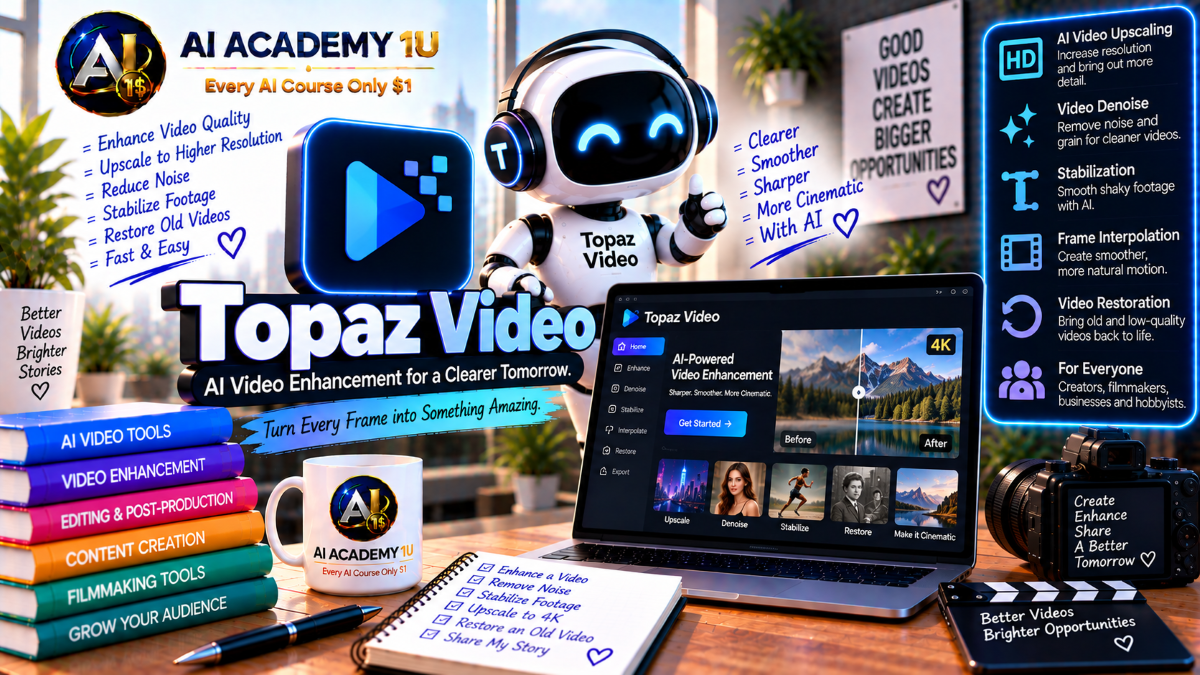
EXPLORE AI LIBRARYMaster Topaz Video AI with AI Academy 1U and learn video upscaling, denoising, stabilization, frame interpolation, restoration, and enhancement techniques for producing clearer, smoother, higher-quality video content.

Explore all lessons in this catalogue and start learning at your own pace.
▶
1. What Is Topaz Video AI? ❌
Discover Topaz Video AI with AI Academy 1U as an AI-powered video enhancement and restoration application for Windows and Mac, designed to improve quality, recover detail, upscale footage, stabilize motion, and prepare videos for modern delivery.
▶
2. Understand the Current Topaz Video Platform ❌
Understand the current Topaz Video platform with AI Academy 1U by distinguishing the older Topaz Video AI naming from today’s Topaz Video application and exploring its enhancement, interpolation, stabilization, HDR, and restoration tool groups.
▶
3. Understand the Complete Enhancement Workflow ❌
Understand the complete Topaz Video enhancement workflow with AI Academy 1U using Source Analysis → Deinterlace or Denoise → Enhance → Stabilize or Motion Deblur → Interpolate → HDR or Grain → Export for structured video restoration.
▶
4. Explore the Topaz Video Interface ❌
Explore the Topaz Video interface with AI Academy 1U by learning preview controls, filters, model selector, output resolution, frame-rate settings, and timeline tools used throughout video enhancement and restoration workflows.
▶
5. Understand Preview Before Rendering ❌
Understand preview before rendering in Topaz Video with AI Academy 1U by testing short sections before processing an entire clip, helping you compare models, identify artifacts, and avoid wasting time on unsuitable settings.
▶
6. Understand Progressive vs Interlaced Video ❌
Understand progressive versus interlaced video with AI Academy 1U by learning how formats such as 480i, 576i, and 1080i differ from progressive footage and why source type matters before processing in Topaz Video.
▶
7. Identify Noise, Compression and Blur ❌
Identify noise, compression, and blur in Topaz Video with AI Academy 1U by diagnosing the source problem before choosing a model, helping prevent unnecessary processing and improving restoration decisions.
🔒
8. Understand Auto, Relative and Manual Controls ❌
Understand Auto, Relative, and Manual controls in Topaz Video with AI Academy 1U by learning when automatic settings provide a good starting point and when fine-tuning is required for better results.
🔒
9. Understand Recover Detail ❌
Understand Recover Detail in Topaz Video with AI Academy 1U by learning how original source detail can be blended back into enhanced footage to reduce excessive smoothing and preserve a more natural appearance.
🔒
10. Understand Add Noise ❌
Understand Add Noise in Topaz Video with AI Academy 1U by learning how subtle noise or grain can restore texture and reduce the overly smooth appearance that may result from aggressive AI enhancement.
🔒
11. Understand Focus Fix ❌
Understand Focus Fix in Topaz Video with AI Academy 1U by learning how selected workflows can improve soft-focus footage through downscale and upscale strategies when ordinary enhancement is not sufficient.
▶
12. Understand AI Video Upscaling ❌
Understand AI video upscaling with Topaz Video and AI Academy 1U by comparing traditional resizing with AI models that attempt to reconstruct useful visual detail while increasing video resolution.
▶
13. Upscale Your First Video to FHD ❌
Upscale your first video to FHD with Topaz Video and AI Academy 1U by taking SD or HD footage to 1080p and evaluating detail, artifacts, and overall image quality after processing.
▶
14. Upscale Video to 4K ❌
Upscale video to 4K with Topaz Video and AI Academy 1U by learning when higher resolution creates meaningful visual improvement and when it mainly increases file size without adding useful detail.
🔒
15. Understand Proteus ❌
Understand Proteus in Topaz Video with AI Academy 1U as a general-purpose enhancement model with fine-tuning controls for noise, compression artifacts, detail recovery, and difficult mixed-quality footage.
🔒
16. Understand Artemis ❌
Understand Artemis in Topaz Video with AI Academy 1U by learning how it provides balanced enhancement for low-, medium-, and high-quality sources while addressing noise, halos, aliasing, and general detail improvement.
🔒
17. Understand Gaia ❌
Understand Gaia in Topaz Video with AI Academy 1U by learning when to use it with relatively good-quality footage that needs upscaling to HD or 4K while maintaining natural texture.
🔒
18. Understand Theia ❌
Understand Theia in Topaz Video with AI Academy 1U by learning how it emphasizes clarity, sharpening, and detail control for footage that needs stronger edge definition and visual crispness.
🔒
19. Build a General Upscaling Workflow ❌
Build a general upscaling workflow with Topaz Video and AI Academy 1U using Source Diagnosis → Model Comparison → Output Resolution → Artifact Review to make more reliable enhancement decisions.
▶
20. Understand Starlight ❌
Understand Starlight in Topaz Video with AI Academy 1U as a diffusion-based upscaler designed for degraded or low-resolution footage, helping produce HD or 4K results with relatively little manual tuning.
🔒
21. Understand Starlight Precise ❌
Understand Starlight Precise with AI Academy 1U by learning how this restoration approach emphasizes source accuracy and structure preservation, making it suitable when fidelity is more important than creative reconstruction.
🔒
22. Understand Starlight Sharp ❌
Understand Starlight Sharp in Topaz Video with AI Academy 1U as a cloud-based sharpening model focused on producing stronger clarity and crispness in footage that benefits from more aggressive detail enhancement.
🔒
23. Understand Rhea and Rhea XL ❌
Understand Rhea and Rhea XL in Topaz Video with AI Academy 1U by learning their focus on 4× upscaling, organic texture, and higher-detail restoration, including stronger workflows for beauty and product footage.
🔒
24. Understand Astra ❌
Understand Astra in Topaz Video with AI Academy 1U as a creative diffusion upscaling model with Creativity and Sharpness controls that can introduce new detail instead of only restoring existing information.
🔒
25. Compare Precise vs Creative Restoration ❌
Compare precise versus creative restoration with Topaz Video and AI Academy 1U by deciding when to preserve source structure closely and when additional AI-generated texture may be acceptable.
▶
26. Understand Video Noise ❌
Understand video noise with AI Academy 1U by distinguishing sensor noise, compression noise, and low-light artifacts before selecting a denoising model or restoration strategy in Topaz Video.
▶
27. Denoise Your First Video ❌
Denoise your first video with Topaz Video and AI Academy 1U by processing low-light footage, reducing visible noise, preserving texture, and reviewing the result for excessive smoothing.
🔒
28. Understand Nyx ❌
Understand Nyx in Topaz Video with AI Academy 1U by learning how it targets high-resolution footage that needs strong noise reduction while retaining useful texture and image detail.
🔒
29. Understand Nyx XL ❌
Understand Nyx XL in Topaz Video with AI Academy 1U by learning how the larger model emphasizes stronger detail preservation when working with difficult noisy footage.
🔒
30. Avoid Over-Denoising ❌
Avoid over-denoising with Topaz Video and AI Academy 1U by recognizing plastic-looking skin, lost texture, softened edges, and other signs that noise reduction has become too aggressive.
🔒
31. Build a Low-Light Restoration Workflow ❌
Build a low-light restoration workflow with Topaz Video and AI Academy 1U using Denoise → Detail Recovery → Sharpen or Upscale → Final Review for cleaner footage with controlled texture.
▶
32. Understand Interlaced Footage ❌
Understand interlaced footage with Topaz Video and AI Academy 1U by recognizing horizontal field artifacts and learning why legacy video sources require deinterlacing before or during enhancement.
🔒
33. Understand Field Order ❌
Understand field order with Topaz Video and AI Academy 1U by learning how incorrect field interpretation can create jerky motion, combing, and other artifacts during deinterlacing.
🔒
34. Use Dione DV ❌
Use Dione DV in Topaz Video with AI Academy 1U to deinterlace footage from digital camcorders and DV-style sources such as DV, DVCAM, 720i, and 1080i.
🔒
35. Use Dione TV ❌
Use Dione TV in Topaz Video with AI Academy 1U to restore analog television, camcorder, DVD, and SD footage while addressing interlacing and halo-related artifacts.
🔒
36. Deinterlace and Upscale at the Same Time ❌
Deinterlace and upscale at the same time with Topaz Video and AI Academy 1U by using a workflow that removes interlacing artifacts while increasing output resolution in a single processing pass.
🔒
37. Project: Restore Old Camcorder Footage ❌
Restore old camcorder footage with Topaz Video and AI Academy 1U using Interlaced Source → Dione → Cleanup → Upscale → Final Export for a complete legacy-video restoration project.
▶
38. Understand AI Stabilization ❌
Understand AI stabilization in Topaz Video with AI Academy 1U by learning how frame translation and rotation can reduce unwanted camera movement and create smoother footage.
▶
39. Use Auto Crop Stabilization ❌
Use Auto Crop Stabilization in Topaz Video with AI Academy 1U by allowing part of the frame to be cropped so the software can produce a more stable and visually clean result.
🔒
40. Use Full Frame Stabilization ❌
Use Full Frame Stabilization in Topaz Video with AI Academy 1U to preserve output dimensions by filling missing frame regions while monitoring potential edge artifacts.
🔒
41. Correct Rolling Shutter ❌
Correct rolling shutter in Topaz Video with AI Academy 1U by reducing wobble and geometric distortion caused by fast camera movement or sensor readout behavior.
🔒
42. Reduce Jittery Motions ❌
Reduce jittery motions in Topaz Video with AI Academy 1U by addressing parallax distortion and tilting movement through additional interpolation and stabilization processing.
🔒
43. Project: Stabilize Handheld Footage ❌
Stabilize handheld footage with Topaz Video and AI Academy 1U by comparing Auto Crop and Full Frame approaches, reviewing artifacts, and selecting the method that best fits the source.
▶
44. Understand Motion Blur ❌
Understand motion blur with Topaz Video and AI Academy 1U by learning how blur caused by movement differs from focus-related softness and why each problem requires a different correction approach.
▶
45. Apply Motion Deblur ❌
Apply Motion Deblur in Topaz Video with AI Academy 1U to improve footage affected by panning, zooming, or fast subject movement while preserving realistic motion detail.
🔒
46. Combine Stabilization and Motion Deblur ❌
Combine stabilization and Motion Deblur with Topaz Video and AI Academy 1U by learning the processing order, previewing changes, and checking for artifacts before rendering.
🔒
47. Avoid Over-Sharpened Motion ❌
Avoid over-sharpened motion with Topaz Video and AI Academy 1U by recognizing edge ringing, artificial detail, and unnatural motion texture caused by overly aggressive enhancement.
▶
48. Understand Frame Interpolation ❌
Understand frame interpolation with Topaz Video and AI Academy 1U by learning how new frames are generated between original frames and how 24, 30, 60, and 120 FPS affect motion appearance.
▶
49. Convert 24/30 FPS to 60 FPS ❌
Convert 24 or 30 FPS footage to 60 FPS with Topaz Video and AI Academy 1U to create smoother playback while reviewing interpolation quality and motion artifacts.
🔒
50. Understand Apollo ❌
Understand Apollo in Topaz Video with AI Academy 1U by learning how it handles non-linear motion, slightly blurry inputs, and multi-frame interpolation workflows such as 2×, 4×, and 8× frame generation.
🔒
51. Understand Chronos ❌
Understand Chronos in Topaz Video with AI Academy 1U as a general-purpose interpolation model for frame-rate conversion and slow-motion workflows across a range of common footage.
🔒
52. Understand Chronos Fast ❌
Understand Chronos Fast in Topaz Video with AI Academy 1U by learning when faster processing is more important than maximum interpolation precision.
🔒
53. Understand Aion ❌
Understand Aion in Topaz Video with AI Academy 1U by learning how it is designed for high-resolution inputs and large motion, making it useful for more extreme slow-motion workflows.
🔒
54. Handle Difficult Motion and Water ❌
Handle difficult motion and water in Topaz Video with AI Academy 1U by recognizing interpolation artifacts around reflections, thin patterns, water, and extreme parallax before final rendering.
▶
55. Create 2× and 4× Slow Motion ❌
Create 2× and 4× slow motion with Topaz Video and AI Academy 1U by generating intermediate frames instead of simply stretching existing frames, producing smoother slow-motion playback.
🔒
56. Create 8× Slow Motion ❌
Create 8× slow motion with Topaz Video and AI Academy 1U by using suitable interpolation models for larger frame multiplication while monitoring motion artifacts and consistency.
🔒
57. Replace Duplicate Frames ❌
Replace duplicate frames in Topaz Video with AI Academy 1U by using interpolation workflows to reconstruct missing motion when the source already contains repeated frames.
🔒
58. Understand Audio Limitations in Slow Motion ❌
Understand audio limitations in Topaz Video slow-motion workflows with AI Academy 1U by learning that frame interpolation processes video frames, while audio is not automatically time-stretched and may be excluded.
🔒
59. Project: Build a Cinematic Slow-Motion Clip ❌
Build a cinematic slow-motion clip with Topaz Video and AI Academy 1U using Source → Model Selection → FPS → Slow Factor → Artifact Review to create a controlled slow-motion workflow.
▶
60. Understand SDR vs HDR ❌
Understand SDR versus HDR with Topaz Video and AI Academy 1U by learning the differences in dynamic range, brightness, color depth, and the display requirements needed to evaluate HDR output correctly.
▶
61. Convert SDR Footage to HDR ❌
Convert SDR footage to HDR with Topaz Video and AI Academy 1U by applying SDR-to-HDR processing and previewing the result on suitable HDR-capable equipment.
🔒
62. Control HDR Exposure ❌
Control HDR exposure in Topaz Video with AI Academy 1U by balancing highlights and shadows so HDR output avoids harsh brightness, unnatural contrast, and unrealistic tonal behavior.
🔒
63. Add Film Grain ❌
Add film grain in Topaz Video with AI Academy 1U to restore natural-looking texture after AI enhancement and reduce the overly clean appearance that some processed footage may develop.
🔒
64. Build a Cinematic Finish ❌
Build a cinematic finish with Topaz Video and AI Academy 1U using Enhancement → HDR → Grain → Final Export to create a polished result with controlled contrast, texture, and output quality.
▶
65. Understand Built-In Presets ❌
Understand built-in presets in Topaz Video with AI Academy 1U by using options such as 4K, 4K and 60 FPS, slow motion, stabilization, Denoise, and FHD as starting points rather than one-click final solutions.
🔒
66. Create Custom Presets ❌
Create custom presets in Topaz Video with AI Academy 1U by saving frequently used combinations of models, filters, resolutions, and frame-rate settings for repeatable production workflows.
🔒
67. Build a 4K + 60 FPS Workflow ❌
Build a 4K plus 60 FPS workflow with Topaz Video and AI Academy 1U by combining enhancement and frame interpolation while reviewing detail, motion smoothness, and artifacts.
🔒
68. Build a Restore + Stabilize Workflow ❌
Build a restore and stabilize workflow with Topaz Video and AI Academy 1U for archival or handheld footage by combining image restoration with motion stabilization in a controlled processing sequence.
▶
69. Understand Render Cost and Processing Time ❌
Understand render cost and processing time in Topaz Video with AI Academy 1U by learning why diffusion and newer-generation models can require significantly more processing time than traditional enhancement models.
🔒
70. Optimize Model Choice for Long Videos ❌
Optimize model choice for long videos with Topaz Video and AI Academy 1U by using faster models when appropriate and reserving heavier models for footage that clearly benefits from them.
🔒
71. Build a Batch Processing Workflow ❌
Build a batch processing workflow with Topaz Video and AI Academy 1U by standardizing model selection, output resolution, frame rate, and export settings across multiple video clips.
ChatGPT is an AI assistant for writing, learning, research, problem solving, and creative tasks. Learn practical skills with AI Academy and discover useful workflows in our AI Library.
EXPLORE AI LIBRARYCanva is a design platform for creating graphics, presentations, videos, and social media content. Learn practical design skills with AI Academy and explore creative workflows in our AI Library.
EXPLORE AI LIBRARYCapCut is a video editing platform for creating and enhancing videos with AI-powered tools, effects, captions, and templates. Learn practical skills with AI Academy and explore workflows in our AI Library.
EXPLORE AI LIBRARYGoogle Gemini is Google’s assistant for research, writing, reasoning, images, and productivity. Learn practical skills with AI Academy and discover useful workflows in our AI Library.
EXPLORE AI LIBRARYLearn Google Veo with AI Academy 1U and create cinematic AI videos from text and images using powerful video generation, camera controls, visual storytelling, and creative production techniques.
EXPLORE AI LIBRARYElevenLabs AI is a voice platform for text to speech, narration, and voice creation. Learn practical skills with AI Academy and discover useful workflows in our AI Library.
EXPLORE AI LIBRARYClaude AI is an assistant for writing, document analysis, reasoning, and coding. Learn practical skills with AI Academy and discover useful workflows in our AI Library.
EXPLORE AI LIBRARYVideoGen AI empowers creators to produce engaging videos faster with AI-powered tools. Learn practical workflows, creative techniques, and production strategies with AI Academy 1U to create professional video content efficiently.
EXPLORE AI LIBRARYHeyGen AI is an avatar video platform for presentations, narration, and multilingual communication. Learn practical skills with AI Academy and discover useful workflows in our AI Library.
EXPLORE AI LIBRARYMicrosoft Copilot is Microsoft’s assistant for productivity, writing, research, and workplace tasks. Learn practical skills with AI Academy and discover useful workflows in our AI Library.
EXPLORE AI LIBRARY







