
ChatGPT
ChatGPT is an AI assistant for writing, learning, research, problem solving, and creative tasks. Learn practical skills with AI Academy and discover useful workflows in our AI Library.
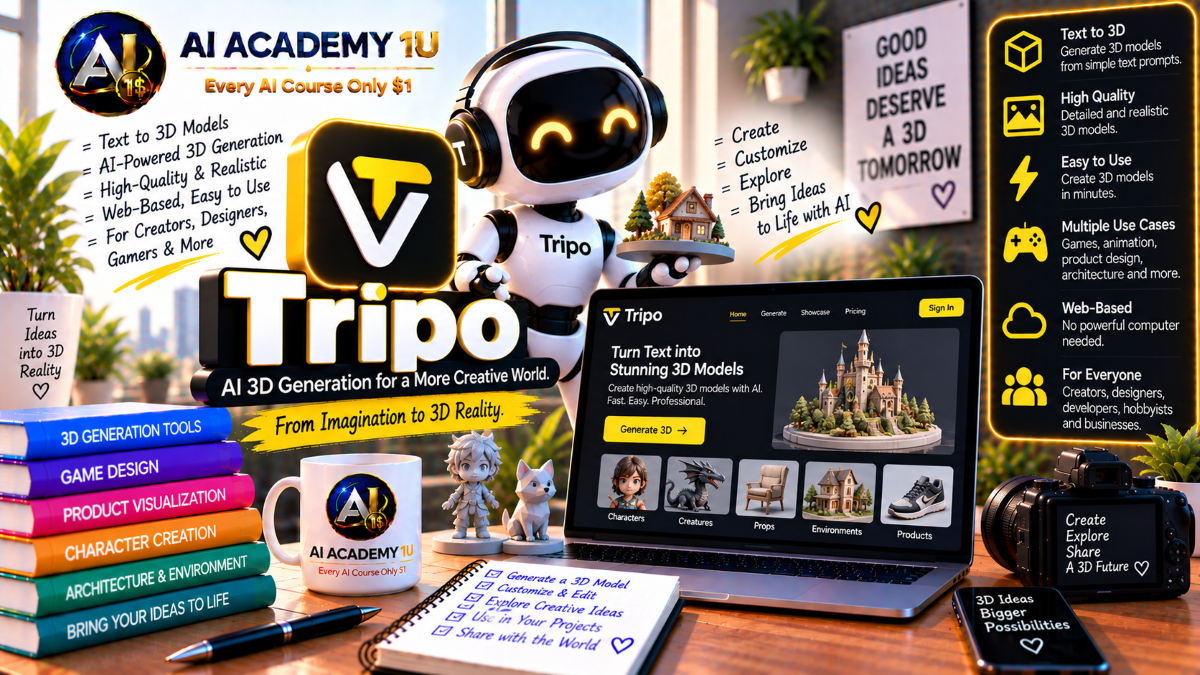
EXPLORE AI LIBRARYMaster Tripo AI with AI Academy 1U and learn text-to-3D, image-to-3D, texturing, mesh optimization, rigging, animation, and asset creation for games, design, visualization, and other 3D projects.

Explore all lessons in this catalogue and start learning at your own pace.
▶
1. What Is Tripo AI? ❌
Discover Tripo AI with AI Academy 1U as an AI-powered 3D creation platform that generates models from text and images while also supporting mesh processing, rigging, animation, and downstream 3D production workflows.
▶
2. Understand the Tripo 3D Ecosystem ❌
Understand the Tripo 3D ecosystem with AI Academy 1U by exploring Tripo Studio, 3D generation, texture tools, mesh processing, rigging, animation, and developer API capabilities used across the complete production workflow.
▶
3. Understand the 3D Production Pipeline ❌
Understand the Tripo 3D production pipeline with AI Academy 1U using Concept → Geometry → Texture → Mesh Optimization → Rig → Animation → Export for a structured end-to-end asset creation workflow.
▶
4. Explore Tripo Studio ❌
Explore Tripo Studio with AI Academy 1U by learning how to generate, inspect, refine, and prepare 3D models before sending them to Blender, Unity, Unreal, or other downstream production environments.
▶
5. Understand Tripo Model Generations ❌
Understand Tripo model generations with AI Academy 1U by learning how newer models differ in geometry quality, texture capability, advanced options, and production behavior across different 3D generation workflows.
▶
6. Understand Text-to-3D ❌
Understand Text-to-3D in Tripo AI with AI Academy 1U by learning when a written prompt is the best starting point for generating a 3D asset instead of relying on a reference image.
▶
7. Generate Your First 3D Model from Text ❌
Generate your first 3D model from text with Tripo AI and AI Academy 1U by writing a simple prompt, creating geometry and texture, and reviewing the initial generated result.
🔒
8. Write Better Tripo 3D Prompts ❌
Write better Tripo 3D prompts with AI Academy 1U by clearly describing shape, material, style, scale, and other object characteristics so generation receives more specific and useful guidance.
🔒
9. Use Negative Prompts ❌
Use negative prompts in Tripo AI with AI Academy 1U to reduce unwanted results such as broken geometry, low-quality mesh structures, undesirable details, or other generation problems.
🔒
10. Control Geometry Quality ❌
Control geometry quality in Tripo AI with AI Academy 1U by balancing face limits, visual detail, mesh complexity, and performance requirements for the intended production workflow.
🔒
11. Use PBR Materials ❌
Use PBR materials in Tripo AI with AI Academy 1U to create assets with texture maps designed for more realistic lighting response in game engines and rendering environments.
🔒
12. Build a Complete Text-to-3D Asset ❌
Build a complete Text-to-3D asset with Tripo AI and AI Academy 1U using Prompt → Generate → Inspect → Texture → Optimize → Export for a structured production workflow.
▶
13. Understand Image-to-3D ❌
Understand Image-to-3D in Tripo AI with AI Academy 1U by learning how reference images can guide shape, proportions, visual identity, and style more directly than text-only generation.
▶
14. Generate Your First Image-to-3D Model ❌
Generate your first Image-to-3D model with Tripo AI and AI Academy 1U by uploading a clear subject image and creating a 3D model based on its visible geometry and appearance.
🔒
15. Prepare Better Source Images ❌
Prepare better source images for Tripo AI with AI Academy 1U by choosing clear subjects, minimizing occlusion, maintaining adequate resolution, and providing visual information that improves model reconstruction.
🔒
16. Use Image Autofix ❌
Use Image Autofix in Tripo AI with AI Academy 1U by learning when Tripo should improve the source image before 3D generation and when the original input should remain unchanged.
🔒
17. Preserve Product Shape ❌
Preserve product shape in Tripo AI with AI Academy 1U by comparing proportions, silhouette, geometry fidelity, and structural details against the original reference image.
🔒
18. Control UV and Texture Generation ❌
Control UV and texture generation in Tripo AI with AI Academy 1U by deciding when UVs and textures should be created immediately and when those steps should be handled later in the workflow.
🔒
19. Build a Product Model from One Image ❌
Build a product model from one image with Tripo AI and AI Academy 1U using Source Image → Model → Inspect → Texture → Export for a complete image-based production workflow.
▶
20. Understand Multi-View Reconstruction ❌
Understand multi-view reconstruction with Tripo AI and AI Academy 1U by learning why multiple viewpoints reduce shape ambiguity and provide more complete geometry information than a single image.
▶
21. Prepare Front, Side and Back Views ❌
Prepare front, side, and back views for Tripo AI with AI Academy 1U by creating a consistent reference set that accurately represents the same object across multiple angles.
🔒
22. Generate a Multi-View 3D Model ❌
Generate a multi-view 3D model with Tripo AI and AI Academy 1U by using several image references to improve geometry reconstruction and reduce missing or distorted areas.
🔒
23. Generate Multi-View Images from One Source ❌
Generate multi-view images from one source with Tripo AI and AI Academy 1U by using image-to-multiview workflows when additional reference angles are not already available.
🔒
24. Edit Multi-View References ❌
Edit multi-view references with Tripo AI and AI Academy 1U by correcting visual inconsistencies before final 3D reconstruction to improve geometry and reference alignment.
🔒
25. Build a High-Fidelity Multi-View Asset ❌
Build a high-fidelity multi-view asset with Tripo AI and AI Academy 1U using References → Reconstruction → Geometry QC → Texture for a controlled multi-angle production workflow.
▶
26. Understand 3D Texturing ❌
Understand 3D texturing with Tripo AI and AI Academy 1U by learning base color, normal, roughness, and other texture maps that define the visual surface properties of a 3D asset.
▶
27. Texture a Generated Model ❌
Texture a generated model with Tripo AI and AI Academy 1U by adding visual surface information after geometry creation and reviewing the result for material quality and consistency.
🔒
28. Understand PBR Materials ❌
Understand PBR materials in Tripo AI with AI Academy 1U by learning how physically based texture maps help assets respond more realistically to lighting in games and rendering engines.
🔒
29. Use HD Texture ❌
Use HD Texture in Tripo AI with AI Academy 1U to increase fine visual detail on architecture, creatures, hard-surface objects, organic assets, and other models that benefit from richer texture information.
🔒
30. Use Texture Upscale ❌
Use Texture Upscale in Tripo AI with AI Academy 1U to increase texture resolution while preserving the original visual style and improving detail for closer viewing or higher-quality rendering.
🔒
31. Build Material Variations ❌
Build material variations with Tripo AI and AI Academy 1U by applying multiple texture and material treatments to one mesh for different styles, products, brands, or creative versions.
▶
32. Understand Mesh Structure ❌
Understand mesh structure with Tripo AI and AI Academy 1U by learning vertices, faces, normals, topology, and how these elements define the geometry and behavior of a 3D model.
▶
33. Understand Mesh Segmentation ❌
Understand mesh segmentation with Tripo AI and AI Academy 1U by learning how a model can be separated into semantic parts so individual components can be edited independently.
🔒
34. Segment a Model into Parts ❌
Segment a model into parts with Tripo AI and AI Academy 1U by separating object components so each section can be modified, replaced, or processed individually.
🔒
35. Understand Mesh Completion ❌
Understand mesh completion in Tripo AI with AI Academy 1U by learning how edited or separated parts can be reconstructed and combined into a complete model again.
🔒
36. Edit a Multi-Part Asset ❌
Edit a multi-part asset with Tripo AI and AI Academy 1U using Segment → Modify → Complete to create a structured workflow for changing individual object components.
▶
37. Understand Retopology ❌
Understand retopology with Tripo AI and AI Academy 1U by learning why generated geometry may require restructuring before it becomes suitable for games, animation, realtime rendering, or further editing.
▶
38. Reduce Polygon Count ❌
Reduce polygon count with Tripo AI and AI Academy 1U by simplifying geometry to improve realtime performance while preserving the shape and important visual features of the model.
🔒
39. Understand Smart Low Poly ❌
Understand Smart Low Poly in Tripo AI with AI Academy 1U by learning how geometry can be simplified while maintaining silhouette, recognizable structure, and visually important detail.
🔒
40. Understand Quad Geometry ❌
Understand quad geometry in Tripo AI with AI Academy 1U by learning when quad-based topology is useful for downstream editing, deformation, rigging, and animation workflows.
🔒
41. Optimize Assets for Web and Mobile ❌
Optimize Tripo assets for web and mobile with AI Academy 1U by reducing face count and texture cost while maintaining acceptable visual quality and recognizable shape.
🔒
42. Optimize Assets for Games ❌
Optimize Tripo assets for games with AI Academy 1U by preparing geometry, polygon count, textures, and export settings for efficient use inside realtime game engines.
▶
43. Understand Character Rigging ❌
Understand character rigging with Tripo AI and AI Academy 1U by learning how skeletons, joints, and skin binding allow a static 3D character mesh to move and deform during animation.
▶
44. Prepare a Character for Rigging ❌
Prepare a character for rigging with Tripo AI and AI Academy 1U by inspecting mesh structure, character proportions, geometry quality, and other factors that affect rigging compatibility.
🔒
45. Run Rig Compatibility Check ❌
Run a rig compatibility check in Tripo AI with AI Academy 1U to determine whether a character model is suitable for automatic rigging before generating the skeleton.
🔒
46. Auto-Rig a Biped Character ❌
Auto-rig a biped character with Tripo AI and AI Academy 1U by generating a skeleton automatically for a two-legged character and preparing it for later animation.
🔒
47. Understand Mixamo vs Tripo Rig Specs ❌
Understand Mixamo versus Tripo rig specifications with AI Academy 1U by comparing rig standards and choosing the format that best fits the intended downstream animation workflow.
🔒
48. Export a Rigged Character ❌
Export a rigged character from Tripo AI with AI Academy 1U using GLB or FBX for use in game engines, DCC tools, and other character animation workflows.
▶
49. Understand Animation Retargeting ❌
Understand animation retargeting with Tripo AI and AI Academy 1U by learning how existing motion data can be transferred and adapted to a newly rigged character skeleton.
▶
50. Apply Your First Character Animation ❌
Apply your first character animation with Tripo AI and AI Academy 1U by selecting a motion, previewing the movement, and checking how well it works on the rigged model.
🔒
51. Understand the Animation Library ❌
Understand the Tripo animation library with AI Academy 1U by exploring available biped motions and learning how motion presets can accelerate character animation workflows.
🔒
52. Retarget Animation to a Rigged Model ❌
Retarget animation to a rigged model with Tripo AI and AI Academy 1U by applying compatible motion data to an existing character skeleton and reviewing the resulting movement.
🔒
53. Use Lock Frame ❌
Use Lock Frame in Tripo AI with AI Academy 1U to freeze an animation at a selected pose and export a static model, including workflows useful for 3D printing.
🔒
54. Build a Game-Ready Animated Character ❌
Build a game-ready animated character with Tripo AI and AI Academy 1U using Generate → Optimize → Rig → Animate → Export for a complete realtime character-production workflow.
▶
55. Understand Tripo for 3D Printing ❌
Understand Tripo for 3D printing with AI Academy 1U by learning geometry requirements, pose considerations, optimization needs, and the static-model workflow used before physical production.
🔒
56. Prepare a Printable Character ❌
Prepare a printable character with Tripo AI and AI Academy 1U by choosing a suitable pose, checking geometry, reviewing structural stability, and preparing the model for export.
🔒
57. Use Lock Frame for Printable Poses ❌
Use Lock Frame for printable poses with Tripo AI and AI Academy 1U by selecting an exact animation frame and converting it into a static model for 3D printing.
🔒
58. Build a Printable Collectible ❌
Build a printable collectible with Tripo AI and AI Academy 1U using Character → Pose → Optimize → Export for a complete 3D-print preparation workflow.
▶
59. Understand 3D File Formats ❌
Understand 3D file formats with Tripo AI and AI Academy 1U by learning how GLB, GLTF, FBX, OBJ, and STL serve different workflows for web, games, animation, DCC, and printing.
▶
60. Export GLB ❌
Export GLB from Tripo AI with AI Academy 1U for web, realtime applications, and other workflows that benefit from a compact format containing geometry and related asset data.
🔒
61. Export FBX ❌
Export FBX from Tripo AI with AI Academy 1U for character, rigging, animation, and game workflows that require structured geometry and skeletal data.
🔒
62. Convert 3D Formats ❌
Convert 3D formats with Tripo AI and AI Academy 1U by changing asset formats when downstream tools or production pipelines require a different file type.
🔒
63. Prepare Assets for Blender, Unity and Unreal ❌
Prepare Tripo assets for Blender, Unity, and Unreal with AI Academy 1U by checking orientation, textures, rig data, file format, and import readiness before moving into downstream tools.
▶
64. Understand the Tripo API ❌
Understand the Tripo API with AI Academy 1U by learning when Tripo Studio is sufficient and when developers need automated generation, processing, integration, or application-level 3D workflows.
🔒
65. Understand Asynchronous 3D Tasks ❌
Understand asynchronous 3D tasks in the Tripo API with AI Academy 1U using Create → Task ID → Queued or Running → Success → Result for longer-running generation and processing workflows.
🔒
66. Automate Text/Image/Multi-View-to-3D ❌
Automate Text, Image, and Multi-View-to-3D with the Tripo API and AI Academy 1U by designing applications that generate assets from different types of user input.
🔒
67. Automate Mesh, Rigging and Animation ❌
Automate mesh processing, rigging, and animation with the Tripo API and AI Academy 1U using Generation → Retopology → Rig Check → Rig → Animation for a repeatable post-processing pipeline.
ChatGPT is an AI assistant for writing, learning, research, problem solving, and creative tasks. Learn practical skills with AI Academy and discover useful workflows in our AI Library.
EXPLORE AI LIBRARYCanva is a design platform for creating graphics, presentations, videos, and social media content. Learn practical design skills with AI Academy and explore creative workflows in our AI Library.
EXPLORE AI LIBRARYCapCut is a video editing platform for creating and enhancing videos with AI-powered tools, effects, captions, and templates. Learn practical skills with AI Academy and explore workflows in our AI Library.
EXPLORE AI LIBRARYGoogle Gemini is Google’s assistant for research, writing, reasoning, images, and productivity. Learn practical skills with AI Academy and discover useful workflows in our AI Library.
EXPLORE AI LIBRARYLearn Google Veo with AI Academy 1U and create cinematic AI videos from text and images using powerful video generation, camera controls, visual storytelling, and creative production techniques.
EXPLORE AI LIBRARYElevenLabs AI is a voice platform for text to speech, narration, and voice creation. Learn practical skills with AI Academy and discover useful workflows in our AI Library.
EXPLORE AI LIBRARYClaude AI is an assistant for writing, document analysis, reasoning, and coding. Learn practical skills with AI Academy and discover useful workflows in our AI Library.
EXPLORE AI LIBRARYVideoGen AI empowers creators to produce engaging videos faster with AI-powered tools. Learn practical workflows, creative techniques, and production strategies with AI Academy 1U to create professional video content efficiently.
EXPLORE AI LIBRARYHeyGen AI is an avatar video platform for presentations, narration, and multilingual communication. Learn practical skills with AI Academy and discover useful workflows in our AI Library.
EXPLORE AI LIBRARYMicrosoft Copilot is Microsoft’s assistant for productivity, writing, research, and workplace tasks. Learn practical skills with AI Academy and discover useful workflows in our AI Library.
EXPLORE AI LIBRARY







