
ChatGPT
ChatGPT is an AI assistant for writing, learning, research, problem solving, and creative tasks. Learn practical skills with AI Academy and discover useful workflows in our AI Library.
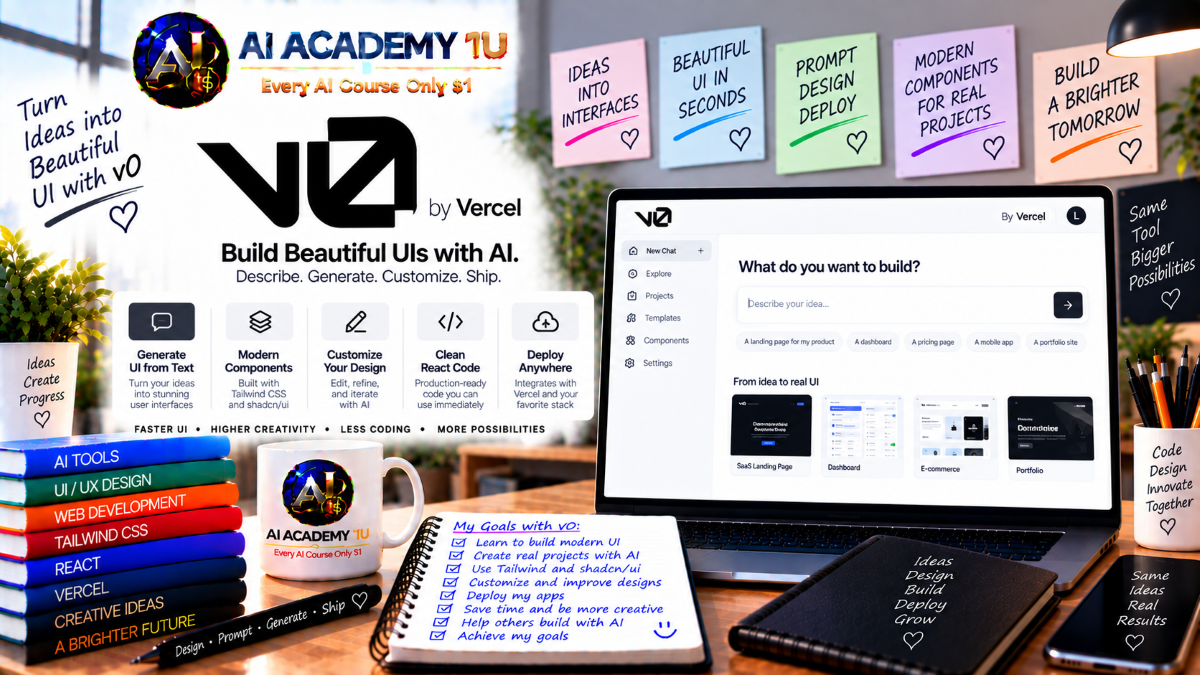
EXPLORE AI LIBRARYv0 by Vercel is a Vercel tool for generating user interfaces and web application experiences. Learn practical skills with AI Academy and discover useful workflows in our AI Library.

Explore all lessons in this catalogue and start learning at your own pace.
▶
1. What Is v0? ❌
Discover v0 with AI Academy 1U as Vercel’s AI agent for creating full-stack applications, user interfaces, AI-powered experiences, and production-ready projects from natural-language instructions.
▶
2. From v0.dev to v0.app ❌
Understand the evolution from v0.dev to v0.app with AI Academy 1U and learn how the platform expanded from UI generation into an agentic application builder that can plan, build, debug, and deploy.
▶
3. What Can You Build with v0? ❌
Explore what you can build with v0 through AI Academy 1U, including components, landing pages, dashboards, internal tools, SaaS products, data applications, and AI-powered software.
▶
4. Create and Set Up Your v0 Account ❌
Create and prepare your v0 account with AI Academy 1U by setting up your workspace, initial project, and essential environment for application development.
▶
5. Explore the v0 Interface ❌
Explore the v0 interface with AI Academy 1U, including prompt areas, live preview, code view, Design Mode, projects, Git features, and publishing controls.
🔒
6. Understand the v0 Workflow ❌
Understand the complete v0 workflow with AI Academy 1U by moving from idea and prompt through planning, generation, preview, refinement, testing, and deployment.
▶
7. Build Your First App from a Prompt ❌
Build your first application from a prompt with AI Academy 1U by describing a product idea and allowing v0 to generate a working project.
▶
8. Write Effective v0 Prompts ❌
Write effective v0 prompts with AI Academy 1U by clearly defining goals, users, features, interface expectations, data requirements, and desired behavior.
▶
9. Use Enhance Prompt ❌
Use Enhance Prompt with AI Academy 1U to expand short instructions into clearer and more detailed build briefs for more accurate application generation.
🔒
10. Work with Follow-Up Prompts ❌
Work with follow-up prompts using AI Academy 1U to refine an existing project without unnecessarily restarting development.
🔒
11. Break Complex Apps into Tasks ❌
Break complex applications into manageable tasks with AI Academy 1U so features can be built, reviewed, and corrected incrementally.
🔒
12. Ask v0 to Plan Before Building ❌
Ask v0 to plan before building with AI Academy 1U so architecture, implementation steps, and expected changes are clarified before code is modified.
🔒
13. Build a Professional Prompt Workflow ❌
Build a professional prompt workflow with AI Academy 1U by combining requirements, context, planning, implementation, verification, and iteration into a repeatable process.
▶
14. Understand v0 Models ❌
Understand v0 models with AI Academy 1U by comparing how different model options balance speed, reasoning, and output quality.
▶
15. Use Auto Model Selection ❌
Use automatic model selection with AI Academy 1U so v0 can choose an appropriate model based on the task being performed.
🔒
16. Use v0 Max for Complex Tasks ❌
Use v0 Max with AI Academy 1U for architecture work, complex debugging, large features, and tasks that require deeper reasoning.
🔒
17. Use v0 Mini for Simpler Work ❌
Use v0 Mini with AI Academy 1U for simpler development tasks where faster execution and lower resource usage are appropriate.
🔒
18. Compare Model Outputs ❌
Compare model outputs with AI Academy 1U by evaluating code quality, interface results, implementation choices, and reasoning effectiveness.
🔒
19. Build a Model Selection Strategy ❌
Build a model selection strategy with AI Academy 1U by choosing appropriate models for planning, building, debugging, and reviewing different development tasks.
▶
20. Generate Your First UI ❌
Generate your first user interface with AI Academy 1U by describing layout, content, structure, and visual expectations through natural language.
▶
21. Understand the Default v0 Stack ❌
Understand the default v0 stack with AI Academy 1U by learning how React, Next.js, TypeScript, Tailwind, and shadcn/ui work together.
🔒
22. Build Navigation Components ❌
Build navigation components with AI Academy 1U using headers, menus, sidebars, and responsive navigation patterns.
🔒
23. Build Forms ❌
Build professional forms with AI Academy 1U by combining inputs, validation, submission behavior, feedback messages, and error states.
🔒
24. Build Cards, Tables and Dashboards ❌
Build cards, tables, and dashboards with AI Academy 1U to present structured business data clearly in data-heavy applications.
🔒
25. Build Responsive Layouts ❌
Build responsive layouts with AI Academy 1U that adapt effectively across desktop, tablet, and mobile screen sizes.
🔒
26. Create a Reusable UI System ❌
Create a reusable UI system with AI Academy 1U by standardizing components, spacing, typography, states, and reusable design patterns.
▶
27. What Is Design Mode? ❌
Understand Design Mode with AI Academy 1U and learn the difference between direct visual editing and modifying interfaces through prompts.
▶
28. Edit Text and Visual Properties ❌
Edit text and visual properties with AI Academy 1U by directly changing content, styling, and interface presentation inside Design Mode.
🔒
29. Adjust Spacing and Layout ❌
Adjust spacing and layout with AI Academy 1U to improve visual hierarchy, alignment, balance, and readability.
🔒
30. Refine Colors and Typography ❌
Refine colors and typography with AI Academy 1U to improve visual consistency and create a more professional interface.
🔒
31. Improve Existing Components ❌
Improve existing components with AI Academy 1U by refining targeted elements without unnecessarily rebuilding them.
🔒
32. Combine Design Mode with Prompts ❌
Combine Design Mode with prompts using AI Academy 1U by choosing when direct visual editing is more efficient and when an AI agent should make broader changes.
▶
33. Build from a Screenshot ❌
Build from a screenshot with AI Academy 1U by using an existing interface image as a visual reference for application generation.
▶
34. Import a Figma Design ❌
Import a Figma design with AI Academy 1U and transform a design concept into a working application.
🔒
35. Understand Figma Tokens ❌
Understand Figma tokens with AI Academy 1U by learning how colors, spacing, and layout relationships can guide implementation.
🔒
36. Upload Assets ❌
Upload assets with AI Academy 1U by adding images and project files that support the application’s content and interface.
🔒
37. Generate Images with AI ❌
Generate visual assets with AI Academy 1U and incorporate AI-created images into the v0 development workflow.
🔒
38. Build a Design-to-Code Workflow ❌
Build a design-to-code workflow with AI Academy 1U by moving from Figma or screenshots through v0 generation, refinement, and production implementation.
▶
39. Understand v0 Code View ❌
Understand v0 Code View with AI Academy 1U and learn how generated applications are represented as real source code.
▶
40. Navigate Project Files ❌
Navigate project files with AI Academy 1U by identifying pages, components, routes, configuration files, and other important project resources.
🔒
41. Edit Generated Code Manually ❌
Edit generated code manually with AI Academy 1U when direct changes provide greater control or precision than additional prompting.
🔒
42. Understand Next.js App Router ❌
Understand the Next.js App Router with AI Academy 1U by learning how pages, layouts, routes, and navigation are organized.
🔒
43. Understand Server Actions and API Routes ❌
Understand Server Actions and API routes with AI Academy 1U to learn how backend capabilities can be implemented within Next.js applications.
🔒
44. Combine Developer Coding with v0 ❌
Combine developer coding with v0 using AI Academy 1U by keeping control over critical implementation details while using AI to accelerate development.
▶
45. Understand Full-Stack Architecture ❌
Understand full-stack architecture with AI Academy 1U by learning how frontend, backend, data, and infrastructure work together.
▶
46. Build a Full-Stack Feature ❌
Build a complete full-stack feature with AI Academy 1U by connecting user interface, application logic, data processing, and results.
🔒
47. Create Server-Side Logic ❌
Create server-side logic with AI Academy 1U for operations that should not run directly in the browser.
🔒
48. Build API Endpoints ❌
Build API endpoints with AI Academy 1U so frontend systems and external services can communicate with the application.
🔒
49. Handle Form Submissions ❌
Handle form submissions with AI Academy 1U by connecting validation, submission, server-side processing, and application responses.
🔒
50. Build a Complete Full-Stack Workflow ❌
Build a complete full-stack workflow with AI Academy 1U covering user interface, server logic, database access, authentication, and deployment.
▶
51. Understand Database Options in v0 ❌
Understand database options in v0 with AI Academy 1U and learn how different storage approaches fit different application requirements.
▶
52. Connect a Database ❌
Connect a database with AI Academy 1U to add a persistent data layer to a v0 application.
🔒
53. Design Data Models ❌
Design data models with AI Academy 1U by translating business entities and application requirements into structured schemas.
🔒
54. Build Database Relationships ❌
Build database relationships with AI Academy 1U by connecting users, products, orders, and related records accurately.
🔒
55. Query and Display Data ❌
Query and display data with AI Academy 1U by retrieving records through backend logic and presenting them clearly in the interface.
🔒
56. Build CRUD Operations ❌
Build CRUD operations with AI Academy 1U so users can create, read, update, and delete application data.
🔒
57. Build a Data-Driven Application ❌
Build a complete data-driven application with AI Academy 1U by combining database storage, server logic, interface display, filtering, and management functionality.
▶
58. Understand Authentication ❌
Understand authentication with AI Academy 1U and learn the difference between verifying identity and controlling authorized access.
▶
59. Add User Login ❌
Add user login with AI Academy 1U to create a session-based access workflow for application users.
🔒
60. Add Sign-Up ❌
Add user registration with AI Academy 1U to support onboarding and account creation.
🔒
61. Build User Profiles ❌
Build user profiles with AI Academy 1U so authenticated users can store, view, and manage account-related information.
🔒
62. Protect Private Routes ❌
Protect private routes with AI Academy 1U by preventing unauthorized users from accessing restricted application areas.
🔒
63. Implement Roles and Permissions ❌
Implement roles and permissions with AI Academy 1U for members, administrators, and other user groups.
🔒
64. Build a Complete Auth Workflow ❌
Build a complete authentication workflow with AI Academy 1U covering sign-up, login, sessions, roles, protected areas, and logout.
▶
65. Understand v0 Integrations ❌
Understand v0 integrations with AI Academy 1U and learn how applications can connect to third-party platforms and services.
▶
66. Understand APIs ❌
Understand APIs with AI Academy 1U by learning endpoints, requests, responses, authentication, and external data exchange.
🔒
67. Connect an External API ❌
Connect an external API with AI Academy 1U to bring third-party data and functionality into a v0 application.
🔒
68. Handle Authenticated APIs ❌
Handle authenticated APIs with AI Academy 1U by managing tokens, credentials, permissions, and protected requests.
🔒
69. Handle API Errors ❌
Handle API errors with AI Academy 1U by diagnosing timeouts, authentication failures, invalid responses, and other integration issues.
🔒
70. Build a Multi-Service Application ❌
Build a multi-service application with AI Academy 1U by combining databases, APIs, authentication, and user interfaces into one coordinated system.
▶
71. Understand Vercel AI SDK ❌
Understand Vercel AI SDK with AI Academy 1U and learn how AI models can be integrated into modern applications.
▶
72. Build a Simple AI Chat Feature ❌
Build a simple AI chat feature with AI Academy 1U by connecting a user interface, prompt, model, and streaming response.
🔒
73. Connect AI Models ❌
Connect AI models with AI Academy 1U by choosing providers and configuring models that fit the application’s requirements.
🔒
74. Build Structured AI Output ❌
Build structured AI output with AI Academy 1U so model responses can be converted into reliable data for application interfaces.
🔒
75. Build AI Tools and Actions ❌
Build AI tools and actions with AI Academy 1U so models can perform application operations and interact with connected systems.
🔒
76. Build an AI-Powered Application ❌
Build a complete AI-powered application with AI Academy 1U by combining models, databases, users, interface components, and production deployment.
▶
77. Understand AI Agents ❌
Understand AI agents with AI Academy 1U and learn how action-oriented agents differ from traditional chatbots.
▶
78. Design an Agent Workflow ❌
Design an agent workflow with AI Academy 1U by defining goals, tools, context, actions, and expected results.
🔒
79. Add Tools to an Agent ❌
Add tools to an AI agent with AI Academy 1U so it can call APIs and perform application actions.
🔒
80. Add Memory and Context ❌
Add memory and context with AI Academy 1U so agents can retain useful information across conversations or tasks.
🔒
81. Build a Multi-Step Agent ❌
Build a multi-step agent with AI Academy 1U using a plan, act, observe, and continue workflow.
🔒
82. Build a Production AI Agent ❌
Build a production AI agent with AI Academy 1U by combining security, tools, data, error handling, and deployment readiness.
▶
83. Connect v0 to GitHub ❌
Connect v0 to GitHub with AI Academy 1U so project source code can be stored and managed inside a repository.
▶
84. Understand v0 Git Branches ❌
Understand v0 Git branches with AI Academy 1U and learn how individual chats can work on separate branches.
🔒
85. Understand Auto-Commits ❌
Understand auto-commits with AI Academy 1U so you can track changes automatically created by the v0 agent.
🔒
86. Review Generated Changes ❌
Review generated changes with AI Academy 1U to verify quality, correctness, and intended behavior before merging.
🔒
87. Create Pull Requests ❌
Create pull requests with AI Academy 1U to move completed features from working branches toward the main branch.
🔒
88. Merge Safely into Main ❌
Merge safely into main with AI Academy 1U by reviewing, previewing, testing, and verifying changes before integration.
🔒
89. Build a Professional Git Workflow ❌
Build a professional Git workflow with AI Academy 1U covering tasks, chat branches, commits, previews, pull requests, reviews, and merges.
▶
90. Import an Existing Repository ❌
Import an existing repository with AI Academy 1U and bring an established codebase into the v0 development workflow.
▶
91. Understand Existing Code with v0 ❌
Understand existing code with AI Academy 1U by allowing v0 to analyze project structure, architecture, and dependencies.
🔒
92. Add a Feature to Existing Code ❌
Add a feature to existing code with AI Academy 1U while preserving established architecture and minimizing unintended changes.
🔒
93. Fix a Bug in a Production Codebase ❌
Fix a production bug with AI Academy 1U through a structured process of reproduction, diagnosis, correction, and review.
🔒
94. Refactor Existing Application Code ❌
Refactor existing application code with AI Academy 1U to improve architecture and maintainability in a controlled manner.
🔒
95. Build a Production Change Workflow ❌
Build a production change workflow with AI Academy 1U using branches, controlled changes, previews, testing, pull requests, and merges.
▶
96. Understand v0 Preview ❌
Understand v0 Preview with AI Academy 1U and learn how to review a running application before publishing it.
▶
97. Deploy Your First Project to Vercel ❌
Deploy your first project to Vercel with AI Academy 1U and make the application available through a live URL.
🔒
98. Understand Preview Deployments ❌
Understand preview deployments with AI Academy 1U and learn how individual changes can be reviewed in isolated deployment environments.
🔒
99. Configure Environment Variables ❌
Configure environment variables with AI Academy 1U to manage production secrets and application settings securely.
🔒
100. Add a Custom Domain ❌
Add a custom domain with AI Academy 1U so a production application can use a professional branded web address.
🔒
101. Build a Deployment Workflow ❌
Build a deployment workflow with AI Academy 1U covering branches, previews, quality assurance, merges, and production releases.
▶
102. Understand Security in v0 ❌
Understand security in v0 with AI Academy 1U by recognizing common risks associated with AI-generated software.
▶
103. Protect Secrets and Credentials ❌
Protect secrets and credentials with AI Academy 1U by keeping sensitive information out of prompts, source code, and inappropriate contexts.
🔒
104. Configure Access Control ❌
Configure access control with AI Academy 1U to manage which users can access applications and protected functionality.
🔒
105. Configure Deployment Protection ❌
Configure deployment protection with AI Academy 1U to limit who can access preview and production environments.
🔒
106. Secure Database and API Access ❌
Secure database and API access with AI Academy 1U by applying authenticated access, least privilege, and appropriate permissions.
🔒
107. Build a Secure Production Checklist ❌
Build a secure production checklist with AI Academy 1U covering secrets, authentication, data, APIs, deployment, and final security review.
▶
108. What Is the v0 API? ❌
Understand the v0 API with AI Academy 1U as a headless interface for accessing v0’s application-building agent programmatically.
▶
109. Understand v0 API Architecture ❌
Understand v0 API architecture with AI Academy 1U by learning how applications, the v0 API, agents, sandboxes, and previews interact.
🔒
110. Create an App Programmatically ❌
Create an application programmatically with AI Academy 1U by sending prompts to the v0 API and receiving generated application results.
🔒
111. Stream Agent Progress ❌
Stream agent progress with AI Academy 1U so users can see application-building activity inside a custom interface.
🔒
112. Continue a v0 Chat through API ❌
Continue a v0 chat through the API with AI Academy 1U by sending follow-up instructions based on the current application state.
🔒
113. Embed v0 Preview in Your Own Product ❌
Embed v0 Preview in your own product with AI Academy 1U to create custom AI app-building experiences for users.
🔒
114. Build a Product on Top of v0 API ❌
Build a product on top of the v0 API with AI Academy 1U by connecting user prompts, application generation, preview, and deployment into one workflow.
▶
115. Project: Build a Business Website ❌
Build a professional business website with AI Academy 1U by combining prompts, responsive UI, content, forms, SEO readiness, and deployment.
🔒
116. Project: Build an Internal Business Dashboard ❌
Build an internal business dashboard with AI Academy 1U by combining authentication, databases, dashboards, filters, and role-based access.
🔒
117. Project: Build a SaaS Application ❌
Build a SaaS application with AI Academy 1U by combining landing pages, authentication, data, AI features, user dashboards, and production deployment.
🔒
118. Project: Build an AI Agent Application ❌
Build an AI agent application with AI Academy 1U by combining Vercel AI SDK, agents, tools, data, users, and deployment.
🔒
119. Build a Professional v0 + GitHub + Vercel Workflow ❌
Build a professional v0, GitHub, and Vercel workflow with AI Academy 1U by connecting requirements, branches, previews, reviews, pull requests, merges, and production deployment.
🔒
120. Complete Project: Build and Ship a Production AI Application with v0 ❌
Build and ship a complete production AI application with AI Academy 1U by taking a real project from idea and requirements through prompting, architecture, UI, data, AI features, GitHub, testing, security, deployment, and production launch.
ChatGPT is an AI assistant for writing, learning, research, problem solving, and creative tasks. Learn practical skills with AI Academy and discover useful workflows in our AI Library.
EXPLORE AI LIBRARYCanva is a design platform for creating graphics, presentations, videos, and social media content. Learn practical design skills with AI Academy and explore creative workflows in our AI Library.
EXPLORE AI LIBRARYCapCut is a video editing platform for creating and enhancing videos with AI-powered tools, effects, captions, and templates. Learn practical skills with AI Academy and explore workflows in our AI Library.
EXPLORE AI LIBRARYGoogle Gemini is Google’s assistant for research, writing, reasoning, images, and productivity. Learn practical skills with AI Academy and discover useful workflows in our AI Library.
EXPLORE AI LIBRARYLearn Google Veo with AI Academy 1U and create cinematic AI videos from text and images using powerful video generation, camera controls, visual storytelling, and creative production techniques.
EXPLORE AI LIBRARYElevenLabs AI is a voice platform for text to speech, narration, and voice creation. Learn practical skills with AI Academy and discover useful workflows in our AI Library.
EXPLORE AI LIBRARYClaude AI is an assistant for writing, document analysis, reasoning, and coding. Learn practical skills with AI Academy and discover useful workflows in our AI Library.
EXPLORE AI LIBRARYVideoGen AI empowers creators to produce engaging videos faster with AI-powered tools. Learn practical workflows, creative techniques, and production strategies with AI Academy 1U to create professional video content efficiently.
EXPLORE AI LIBRARYHeyGen AI is an avatar video platform for presentations, narration, and multilingual communication. Learn practical skills with AI Academy and discover useful workflows in our AI Library.
EXPLORE AI LIBRARYMicrosoft Copilot is Microsoft’s assistant for productivity, writing, research, and workplace tasks. Learn practical skills with AI Academy and discover useful workflows in our AI Library.
EXPLORE AI LIBRARY







