
ChatGPT
ChatGPT is an AI assistant for writing, learning, research, problem solving, and creative tasks. Learn practical skills with AI Academy and discover useful workflows in our AI Library.
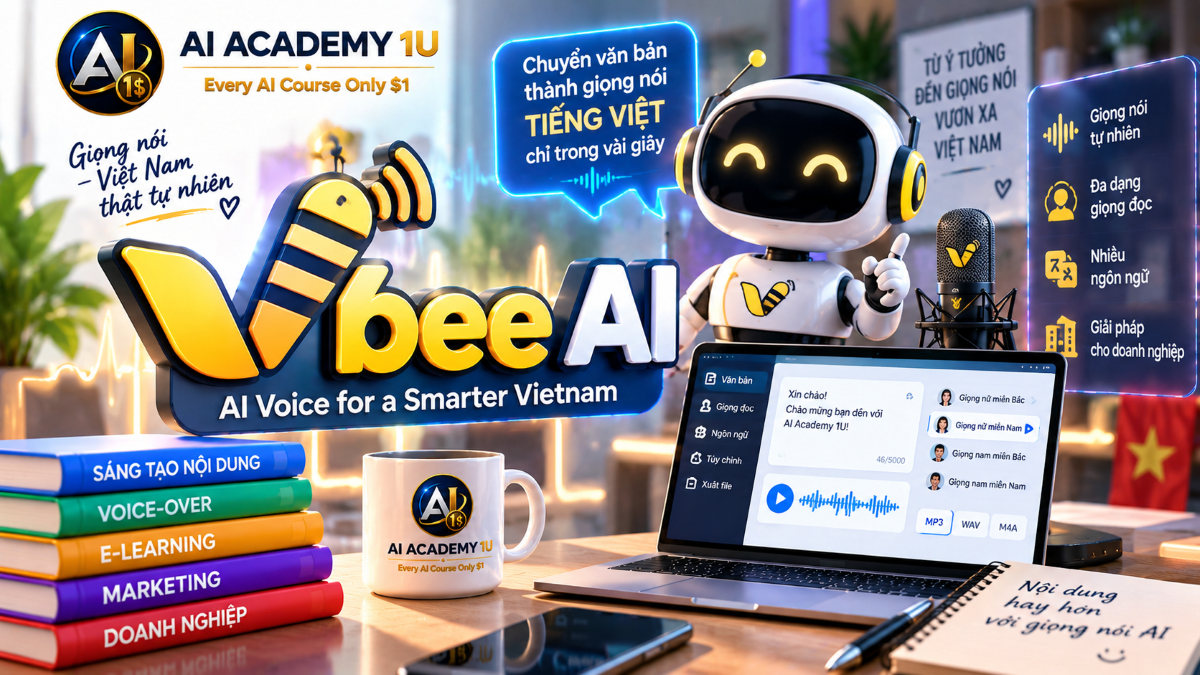
EXPLORE AI LIBRARYLearn Vbee AI with AI Academy 1U to create natural Vietnamese AI voices, professional voice-overs, text-to-speech content, and practical voice solutions for business, education, and media.

Explore all lessons in this catalogue and start learning at your own pace.
▶
1. What Is Vbee AI? ❌
Discover Vbee AIVoice with AI Academy 1U as an AI voice ecosystem focused on Text-to-Speech, Voice Cloning, AI Dubbing, and API integration. Learn how Vbee can support content creators, educators, podcasters, audiobook producers, video creators, and business applications.
▶
2. Understand the Vbee AIVoice Ecosystem ❌
Understand the Vbee AIVoice ecosystem with AI Academy 1U by exploring its four major areas: Text-to-Speech, Voice Cloning, AI Dubbing, and AIVoice API. Learn how these components work together across personal, creative, and business workflows.
▶
3. Create and Set Up Your Vbee Account ❌
Create and set up your Vbee account with AI Academy 1U. Learn how to prepare access, enter the AIVoice Studio, and become familiar with the basic workspace needed to start producing AI-generated voice content.
▶
4. Explore the Vbee AIVoice Studio ❌
Explore the Vbee AIVoice Studio with AI Academy 1U by learning where to enter text, select voices, access Voice Cloning, use AI Dubbing, and manage generated content. Build confidence navigating the core production interface.
▶
5. Understand AI Voice Production Workflow ❌
Understand the AI voice production workflow with Vbee and AI Academy 1U. Learn the professional sequence from Script and Voice Selection through Pronunciation, Conversion, Review, Editing, and Export so audio production becomes more structured and repeatable.
▶
6. Understand Text-to-Speech ❌
Understand Text-to-Speech with Vbee and AI Academy 1U by learning how written text is converted into artificial speech. Explore the factors that influence naturalness, including sentence structure, punctuation, pronunciation, pacing, and voice selection.
▶
7. Create Your First AI Voice ❌
Create your first AI voice with Vbee and AI Academy 1U by entering text, selecting a voice, previewing the result, and generating audio. Learn the basic workflow for exporting finished speech in formats such as MP3 or WAV.
🔒
8. Prepare Text Before Conversion ❌
Prepare text before converting it to speech with Vbee and AI Academy 1U. Learn how punctuation, line breaks, numbers, symbols, and sentence structure affect pronunciation, rhythm, and the natural quality of generated audio.
🔒
9. Control Pauses and Sentence Rhythm ❌
Control pauses and sentence rhythm in Vbee with AI Academy 1U by using punctuation and sentence structure strategically. Learn how to prevent speech from sounding too fast, too slow, mechanical, or emotionally flat.
🔒
10. Improve Pronunciation ❌
Improve pronunciation in Vbee with AI Academy 1U by handling names, English words, abbreviations, technical terms, and other expressions AI voices may misread. Learn practical techniques for producing clearer and more accurate spoken output.
🔒
11. Build a Professional Voice-Over Script ❌
Build a professional voice-over script with Vbee and AI Academy 1U by transforming written prose into language that sounds natural when spoken aloud. Learn how sentence length, structure, pacing, and conversational phrasing improve voice performance.
▶
12. Understand Vietnamese Voice Characteristics ❌
Understand Vietnamese voice characteristics with Vbee and AI Academy 1U by examining speed, intonation, tone marks, and pronunciation. Learn how these elements affect clarity, naturalness, and overall quality in Vietnamese AI-generated speech.
▶
13. Choose Northern Vietnamese Voices ❌
Choose Northern Vietnamese voices in Vbee with AI Academy 1U by evaluating use cases such as news, narration, business content, and education. Learn how voice style can influence authority, clarity, and audience expectations.
🔒
14. Choose Central Vietnamese Voices ❌
Choose Central Vietnamese voices in Vbee with AI Academy 1U by considering audience, regional identity, content purpose, and listening style. Learn when a Central Vietnamese voice can better match the intended communication context.
🔒
15. Choose Southern Vietnamese Voices ❌
Choose Southern Vietnamese voices in Vbee with AI Academy 1U to create content that feels more familiar and natural to Southern audiences. Learn how regional voice selection can improve connection, authenticity, and listener comfort.
🔒
16. Match Voice to Content Type ❌
Match Vbee voices to different content types with AI Academy 1U by comparing voices suited for advertising, storytelling, education, news, reviews, and podcasts. Learn how tone, pacing, and vocal character should support the purpose of the content.
🔒
17. Build a Multi-Voice Vietnamese Project ❌
Build a multi-voice Vietnamese project with Vbee and AI Academy 1U by assigning different voices to narrators, characters, or sections of the same content. Learn how multiple voices can improve structure, clarity, and storytelling variety.
▶
18. Understand Multilingual Vbee Voices ❌
Understand multilingual Vbee voices with AI Academy 1U by exploring how one AI voice platform can support many languages and markets. Learn how multilingual capabilities help creators and businesses scale content across different audiences.
🔒
19. Generate English Voice Content ❌
Generate English voice content with Vbee and AI Academy 1U by selecting an accent and voice appropriate for an international audience. Learn how voice style and pronunciation affect how English content is received.
🔒
20. Create Mixed-Language Audio ❌
Create mixed-language audio with Vbee and AI Academy 1U by combining Vietnamese, English, or other languages within the same project. Learn how to structure multilingual scripts so transitions remain clear and natural.
🔒
21. Localize Content for Different Markets ❌
Localize content for different markets with Vbee and AI Academy 1U by adapting script wording, pronunciation, and tone instead of translating every sentence literally. Learn how localization makes voice content more natural for local audiences.
🔒
22. Build a Multilingual Content Project ❌
Build a multilingual content project with Vbee and AI Academy 1U by producing the same core message for different markets using appropriate voices, wording, and delivery styles. Apply localization principles in a practical production workflow.
▶
23. Understand Vbee Voice Cloning ❌
Understand Vbee Voice Cloning with AI Academy 1U and learn how real voice recordings are used as training data to create a personalized AI voice. Explore the relationship between recording quality and the resulting cloned voice.
▶
24. Prepare for Voice Recording ❌
Prepare for Vbee voice recording with AI Academy 1U by setting up a quiet environment, microphone, and consistent speaking technique. Learn how clean recording conditions improve the quality of input data used for voice cloning.
🔒
25. Record the Voice Cloning Script ❌
Record the Vbee Voice Cloning script with AI Academy 1U by reading accurately while maintaining stable volume, speed, and tone. Learn why consistent delivery helps the system capture a clearer representation of the original voice.
🔒
26. Train and Create Your AI Voice ❌
Train and create your personal AI voice with Vbee and AI Academy 1U by submitting your recording and completing the cloning process. Understand the workflow from recorded input to the generated voice profile.
🔒
27. Test Your Cloned Voice ❌
Test your cloned Vbee voice with AI Academy 1U using different script types to evaluate pronunciation, tone, emotion, and consistency. Learn how systematic testing reveals strengths and weaknesses before using the voice in production.
🔒
28. Improve Voice Clone Quality ❌
Improve Vbee Voice Clone quality with AI Academy 1U by identifying causes of poor similarity or unnatural speech. Learn how better recording conditions, cleaner input, and more consistent delivery can improve future results.
🔒
29. Use Your Cloned Voice for Content Creation ❌
Use your cloned Vbee voice for content creation with AI Academy 1U. Produce lessons, podcasts, audiobooks, YouTube narration, or personal content using an AI voice based on your own recorded speech.
▶
30. Understand the Community Voice Library ❌
Understand the Vbee Community Voice Library with AI Academy 1U and learn how community-shared cloned voices differ from private voice profiles. Explore how creators can make selected voices available for broader use.
🔒
31. Publish a Cloned Voice ❌
Publish a cloned voice to the Vbee Community Voice Library with AI Academy 1U. Learn the workflow from creating a voice profile to preparing it for sharing and community discovery.
🔒
32. Build a Professional Voice Profile ❌
Build a professional voice profile in Vbee with AI Academy 1U by defining a clear voice identity and intended use cases. Help potential users understand whether the voice fits narration, education, advertising, storytelling, or other content.
🔒
33. Understand Voice Monetization ❌
Understand voice monetization in Vbee with AI Academy 1U by exploring how shared voice owners may receive rewards when community users select and use their voice profiles. Learn the basic concept behind voice-based earning opportunities.
🔒
34. Protect Voice Identity and Usage Rights ❌
Protect voice identity and usage rights with Vbee and AI Academy 1U by understanding consent, privacy, ownership, and permitted usage. Learn why responsible voice cloning requires clear control over how a personal voice is shared and used.
▶
35. Understand Vbee AI Dubbing ❌
Understand Vbee AI Dubbing with AI Academy 1U by comparing voice-over, narration, dubbing, and subtitle-to-speech workflows. Learn where Vbee’s SRT-based dubbing process fits within video localization and production.
▶
36. Understand the SRT Subtitle Format ❌
Understand the SRT subtitle format with AI Academy 1U by learning how timestamps, subtitle blocks, and text content work together. See how subtitle timing provides the structure needed to synchronize generated voice with video.
🔒
37. Prepare an SRT File for Vbee ❌
Prepare an SRT file for Vbee AI Dubbing with AI Academy 1U by checking timestamps, dialogue, characters, punctuation, and subtitle length. Learn how clean subtitle preparation improves the dubbing workflow.
🔒
38. Convert SRT to AI Voice ❌
Convert an SRT subtitle file into AI voice with Vbee and AI Academy 1U by uploading the file, selecting voices, and generating spoken audio. Learn the basic subtitle-to-speech workflow from source file to output.
🔒
39. Edit Subtitle Content Before Dubbing ❌
Edit subtitle content before dubbing with Vbee and AI Academy 1U by adjusting wording and sentence length to better fit available video timing. Learn how script changes can improve synchronization and natural delivery.
🔒
40. Choose Voices for Multiple Characters ❌
Choose Vbee voices for multiple characters with AI Academy 1U by considering gender, age, regional voice, and personality. Learn how thoughtful voice casting can make dialogue easier to follow and more believable.
🔒
41. Synchronize Dubbing with Video Timing ❌
Synchronize Vbee dubbing with video timing using AI Academy 1U by adjusting scripts and pacing so spoken lines fit their subtitle windows. Learn how timing control prevents dialogue from running beyond the intended scene.
🔒
42. Project: Dub a Complete Video with Vbee ❌
Dub a complete video with Vbee and AI Academy 1U by preparing an SRT file, selecting voices, editing subtitles, generating audio, and combining the finished voice track with the original video.
▶
43. Create YouTube Voice-Overs ❌
Create YouTube voice-overs with Vbee and AI Academy 1U for tutorials, reviews, documentaries, and faceless channels. Learn how to select a suitable voice and structure narration that supports video pacing and viewer comprehension.
🔒
44. Create Podcast Narration ❌
Create podcast narration with Vbee and AI Academy 1U by preparing long-form scripts, selecting a suitable voice, and controlling pacing. Learn how voice consistency and rhythm affect extended listening experiences.
🔒
45. Create Audiobooks ❌
Create audiobooks with Vbee and AI Academy 1U by dividing long content into chapters, maintaining voice consistency, and managing extended narration. Learn how structured production helps keep long-form audio clear and coherent.
🔒
46. Create E-Learning and Training Audio ❌
Create e-learning and training audio with Vbee and AI Academy 1U for lessons, course narration, and instructional materials. Learn how a clear, consistent AI voice can support educational content at scale.
🔒
47. Create Advertising Voice-Overs ❌
Create advertising voice-overs with Vbee and AI Academy 1U by selecting an appropriate voice, pacing, and script for short promotional content. Learn how delivery style can influence clarity, energy, and audience response.
🔒
48. Project: Produce a Complete AI Voice Content Package ❌
Produce a complete AI voice content package with Vbee and AI Academy 1U by moving from script preparation through voice selection, generation, review, editing, and final audio for a video, course, or marketing campaign.
▶
49. Identify Common AI Voice Problems ❌
Identify common AI voice problems in Vbee with AI Academy 1U, including flat delivery, pronunciation mistakes, unnatural pauses, incorrect pacing, and unsuitable tone. Learn what to check before revising scripts or regenerating audio.
🔒
50. Improve Script Rhythm and Naturalness ❌
Improve script rhythm and naturalness in Vbee with AI Academy 1U by refining sentence structure before audio generation. Learn why better writing often improves spoken quality more effectively than trying to fix every problem during post-production.
🔒
51. Create Consistent Long-Form Audio ❌
Create consistent long-form audio with Vbee and AI Academy 1U by dividing content into manageable sections and maintaining the same voice, tone, and production style across multiple parts.
🔒
52. Export and Prepare Audio for Editing ❌
Export and prepare Vbee audio for editing with AI Academy 1U by choosing formats such as MP3 or WAV and organizing files for post-production in software such as CapCut, Premiere, or other editing tools.
▶
53. Understand Vbee AIVoice API ❌
Understand the Vbee AIVoice API with AI Academy 1U and learn when a manual Studio workflow is sufficient versus when an application requires automated voice generation through API integration.
🔒
54. Design an API Text-to-Speech Workflow ❌
Design a Vbee API Text-to-Speech workflow with AI Academy 1U using the sequence Application → Text → Vbee API → Audio → Storage or User. Understand how each stage connects in an automated system.
🔒
55. Build Automated Voice Generation ❌
Build automated voice generation with Vbee and AI Academy 1U by designing a system that creates audio directly from application or website data. Learn how automation can reduce manual voice-production work.
🔒
56. Use Vbee API for Business Applications ❌
Use the Vbee API for business applications with AI Academy 1U by exploring use cases such as chatbots, call centers, e-learning, accessibility, and content platforms. Learn how AI speech can support scalable digital products.
ChatGPT is an AI assistant for writing, learning, research, problem solving, and creative tasks. Learn practical skills with AI Academy and discover useful workflows in our AI Library.
EXPLORE AI LIBRARYCanva is a design platform for creating graphics, presentations, videos, and social media content. Learn practical design skills with AI Academy and explore creative workflows in our AI Library.
EXPLORE AI LIBRARYCapCut is a video editing platform for creating and enhancing videos with AI-powered tools, effects, captions, and templates. Learn practical skills with AI Academy and explore workflows in our AI Library.
EXPLORE AI LIBRARYGoogle Gemini is Google’s assistant for research, writing, reasoning, images, and productivity. Learn practical skills with AI Academy and discover useful workflows in our AI Library.
EXPLORE AI LIBRARYLearn Google Veo with AI Academy 1U and create cinematic AI videos from text and images using powerful video generation, camera controls, visual storytelling, and creative production techniques.
EXPLORE AI LIBRARYElevenLabs AI is a voice platform for text to speech, narration, and voice creation. Learn practical skills with AI Academy and discover useful workflows in our AI Library.
EXPLORE AI LIBRARYClaude AI is an assistant for writing, document analysis, reasoning, and coding. Learn practical skills with AI Academy and discover useful workflows in our AI Library.
EXPLORE AI LIBRARYVideoGen AI empowers creators to produce engaging videos faster with AI-powered tools. Learn practical workflows, creative techniques, and production strategies with AI Academy 1U to create professional video content efficiently.
EXPLORE AI LIBRARYHeyGen AI is an avatar video platform for presentations, narration, and multilingual communication. Learn practical skills with AI Academy and discover useful workflows in our AI Library.
EXPLORE AI LIBRARYMicrosoft Copilot is Microsoft’s assistant for productivity, writing, research, and workplace tasks. Learn practical skills with AI Academy and discover useful workflows in our AI Library.
EXPLORE AI LIBRARY







