
ChatGPT
ChatGPT is an AI assistant for writing, learning, research, problem solving, and creative tasks. Learn practical skills with AI Academy and discover useful workflows in our AI Library.
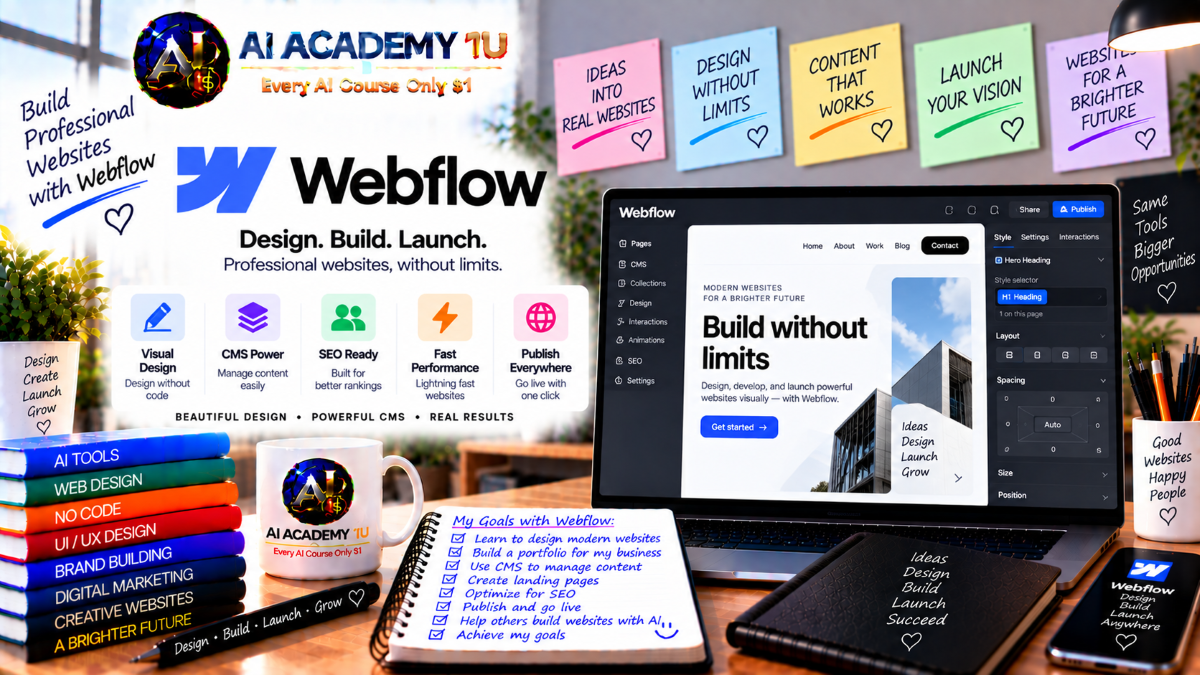
EXPLORE AI LIBRARYWebflow AI is a website and CMS platform with intelligent tools for design and content. Learn practical skills with AI Academy and discover useful workflows in our AI Library.

Explore all lessons in this catalogue and start learning at your own pace.
▶
1. What Is Webflow? ❌
Discover Webflow with AI Academy 1U and understand how it combines visual website design, CMS, animation, ecommerce, and publishing in one professional platform. Learn how Webflow differs from simpler website builders and where it fits in modern web production.
▶
2. Create and Set Up Your Webflow Account ❌
Create and configure your Webflow account with AI Academy 1U by setting up your workspace, reviewing project organization, and preparing the environment used throughout the course. Learn how sites and workspaces are structured before starting production.
▶
3. Explore the Webflow Dashboard ❌
Explore the Webflow dashboard with AI Academy 1U and learn how to create sites, reopen projects, manage workspaces, and access essential settings. Understand where projects are stored and how to efficiently continue work across multiple websites.
▶
4. Understand the Webflow Interface ❌
Understand the Webflow interface with AI Academy 1U by exploring the canvas, Navigator, Add panel, Style panel, Pages, Assets, and CMS areas. Learn what each workspace controls so you can design websites more efficiently and with greater confidence.
▶
5. Build Your First Webflow Page ❌
Build your first Webflow page with AI Academy 1U by combining headings, text, images, buttons, and sections into a simple layout. Learn how to structure content, apply basic styling, preview the result, and complete a functional beginner webpage.
▶
6. Understand Website Structure ❌
Understand website structure with AI Academy 1U by learning how sections, containers, and content elements work together to form a clear page hierarchy. Develop a structured approach to layout instead of positioning elements randomly across the canvas.
▶
7. Understand the HTML Structure Behind Webflow ❌
Understand the HTML structure behind Webflow with AI Academy 1U by learning the purpose of headings, paragraphs, divs, links, images, and common elements. No coding is required, but this foundation helps explain what Webflow creates behind the visual interface.
🔒
8. Understand the Box Model ❌
Understand the CSS box model with AI Academy 1U by learning how content, padding, border, and margin determine element size and spacing. Apply these concepts in Webflow to troubleshoot layout problems and create more predictable spacing throughout a website.
🔒
9. Understand Visual Hierarchy ❌
Understand visual hierarchy with AI Academy 1U by using size, color, spacing, contrast, and position to guide user attention. Learn how to distinguish clear layouts from confusing ones and create pages that communicate information in a deliberate visual order.
🔒
10. Understand Typography for the Web ❌
Understand web typography with AI Academy 1U by working with font families, sizes, weights, line height, and text hierarchy. Build a consistent typography system for headings, paragraphs, and interface elements that improves readability and visual professionalism.
🔒
11. Understand Color and Contrast ❌
Understand color and contrast with AI Academy 1U by creating practical palettes, defining primary and secondary colors, choosing backgrounds, and maintaining readable contrast. Apply color intentionally so Webflow sites look professional while remaining clear and accessible.
▶
12. Work with Sections and Containers ❌
Work with sections and containers in Webflow with AI Academy 1U to divide pages into logical areas and control content width. Practice building the structural foundation of a landing page while maintaining consistent spacing and alignment.
🔒
13. Work with Div Blocks ❌
Work with Div Blocks in Webflow with AI Academy 1U and learn how flexible containers help group, organize, and position elements. Understand when a div is useful and how to avoid unnecessary nesting that makes projects difficult to maintain.
🔒
14. Work with Text, Images and Links ❌
Work with text, images, and links in Webflow with AI Academy 1U by using headings, paragraphs, images, text links, and buttons appropriately. Learn to select the correct element for each type of content and improve semantic page structure.
🔒
15. Build Navigation and Menus ❌
Build navigation and menus with AI Academy 1U by creating a navbar, logo area, navigation links, and responsive menu behavior. Learn how to design navigation that remains clear and usable across desktop, tablet, and mobile devices.
🔒
16. Build Headers, Hero Sections and Footers ❌
Build professional headers, hero sections, and footers with AI Academy 1U by combining text, imagery, calls to action, and structured layout. Learn how these major page areas work together to create a polished and consistent website experience.
▶
17. Understand Webflow Classes ❌
Understand Webflow classes with AI Academy 1U and learn how styles are applied consistently across elements. Discover why well-structured classes reduce duplicated work, improve maintainability, and make larger websites easier to manage and expand.
🔒
18. Create and Manage Classes ❌
Create and manage Webflow classes with AI Academy 1U for typography, buttons, cards, and layouts. Learn how to organize styles carefully, avoid unnecessary duplication, and maintain a cleaner class structure throughout larger website projects.
🔒
19. Understand Combo Classes ❌
Understand Combo Classes with AI Academy 1U and learn how to create style variations without rebuilding base styles. Apply combo classes to buttons, cards, navigation, and other components while preserving a consistent design foundation.
🔒
20. Create a Naming System ❌
Create a scalable class naming system with AI Academy 1U by developing clear conventions for layout, typography, components, and variations. A consistent naming structure makes large Webflow projects easier to understand, maintain, and collaborate on.
🔒
21. Create Global Styles ❌
Create global styles with AI Academy 1U for body text, headings, links, and foundational interface elements. Establish consistent visual rules early so future pages inherit predictable styling and require fewer repetitive adjustments.
🔒
22. Build a Reusable Webflow Style Guide ❌
Build a reusable Webflow Style Guide with AI Academy 1U containing typography, colors, buttons, forms, and interface components. Use this guide as a visual reference and production foundation for maintaining consistency throughout an entire website project.
▶
23. Understand Display and Position ❌
Understand display and position settings with AI Academy 1U by comparing block, flex, grid, and common positioning methods. Learn to select the correct layout approach instead of relying on excessive margins or manual adjustments.
🔒
24. Build Layouts with Flexbox ❌
Build layouts with Flexbox in Webflow with AI Academy 1U by practicing alignment, direction, wrapping, gaps, and distribution. Apply Flexbox to navigation bars, cards, content sections, and other flexible interface patterns.
🔒
25. Build Layouts with CSS Grid ❌
Build advanced layouts with CSS Grid in Webflow with AI Academy 1U by working with rows, columns, gaps, and grid placement. Learn when Grid is more effective than Flexbox for structured multi-column page designs.
🔒
26. Understand Webflow Breakpoints ❌
Understand Webflow breakpoints with AI Academy 1U and learn how desktop, tablet, and mobile styles inherit across screen sizes. Use breakpoint behavior correctly to create responsive websites without unnecessary duplicate styling.
🔒
27. Build a Fully Responsive Page ❌
Build a fully responsive Webflow page with AI Academy 1U by adapting desktop layouts for tablet and mobile. Review typography, spacing, navigation, images, and calls to action to ensure a polished experience across different screen sizes.
▶
28. Understand Webflow Components ❌
Understand Webflow Components with AI Academy 1U and learn when repeated groups of elements should become reusable components. Distinguish ordinary content from reusable interface patterns to improve consistency and reduce repetitive updates.
🔒
29. Create Reusable Components ❌
Create reusable Webflow components with AI Academy 1U for navigation bars, calls to action, cards, and footers. Learn how shared component structures make website-wide updates faster and help maintain visual consistency across multiple pages.
🔒
30. Work with Component Properties ❌
Work with Webflow Component Properties with AI Academy 1U to customize content within individual component instances while preserving the shared design structure. Build flexible components that support different text, images, and content requirements.
🔒
31. Build Component Variations ❌
Build component variations with AI Academy 1U for buttons, cards, navigation, and content blocks. Learn how to create controlled design alternatives without duplicating entire components or breaking the underlying visual system.
🔒
32. Build a Reusable Website System ❌
Build a reusable Webflow website system with AI Academy 1U by combining style guides, classes, components, and layout patterns. Create a scalable foundation that can support multiple pages while reducing repetitive design and development work.
🔒
33. Project: Build a Multi-Page Business Website ❌
Build a multi-page business website with AI Academy 1U using Home, About, Services, and Contact pages connected by one design system. Apply reusable layouts and components to demonstrate consistency, scalability, and practical project organization.
▶
34. Understand the Webflow CMS ❌
Understand Webflow CMS with AI Academy 1U by comparing static and dynamic content. Learn when blogs, portfolios, services, teams, directories, and other repeating content types should use a CMS-driven structure instead of manually created pages.
🔒
35. Understand Collections, Items and Fields ❌
Understand Webflow Collections, Items, and Fields with AI Academy 1U by learning how CMS data is organized. Design field structures that accurately represent content such as articles, services, products, team members, or portfolio projects.
🔒
36. Create Your First CMS Collection ❌
Create your first Webflow CMS Collection with AI Academy 1U by defining fields and adding Collection Items. Build a structured content database that can later power dynamic pages and reusable content layouts across the website.
🔒
37. Build Dynamic Collection Pages ❌
Build Dynamic Collection Pages with AI Academy 1U by creating one reusable template that displays different data for each CMS item. Learn how dynamic pages reduce repetitive work while maintaining consistent design across content records.
🔒
38. Work with Collection Lists, Filters and Sorting ❌
Work with Webflow Collection Lists, filters, and sorting with AI Academy 1U to display multiple CMS items under controlled conditions. Organize content by category, priority, date, or other fields to create useful dynamic website experiences.
▶
39. Build a Dynamic Blog ❌
Build a dynamic blog with AI Academy 1U using CMS fields for titles, images, authors, categories, and article content. Learn the complete workflow from structured data entry to automatically generated frontend article pages.
🔒
40. Work with CMS Relationships ❌
Work with CMS relationships in Webflow with AI Academy 1U by connecting related content types such as articles and authors or products and categories. Build more flexible content models that support richer dynamic website structures.
🔒
41. Build a Portfolio with CMS ❌
Build a portfolio with Webflow CMS and AI Academy 1U by creating project lists and dynamic detail pages. Add new portfolio items through structured data while automatically reusing the same professionally designed template.
🔒
42. Build a CMS Directory ❌
Build a CMS directory with AI Academy 1U for services, teams, locations, listings, or similar structured information. Learn how Collections and dynamic layouts can support searchable, scalable, and consistently presented directory-style websites.
▶
43. Understand Webflow Interactions ❌
Understand Webflow Interactions with AI Academy 1U and learn how purposeful animation can improve user experience. Distinguish decorative motion from functional interaction and develop a balanced approach that supports usability instead of distracting visitors.
🔒
44. Create Hover and Element Animations ❌
Create hover and element animations with AI Academy 1U for buttons, cards, images, and interface components. Learn how subtle motion can provide feedback, improve engagement, and make interactive elements feel more responsive.
🔒
45. Create Scroll Animations ❌
Create scroll animations in Webflow with AI Academy 1U using reveal effects, movement, and scroll-triggered transitions. Learn how to coordinate motion with page progression while maintaining smooth performance and a comfortable viewing experience.
🔒
46. Create Page Load Animations ❌
Create page-load animations with AI Academy 1U by designing controlled entrance sequences for text, images, and interface elements. Learn how timing, duration, and sequencing affect the perceived polish and usability of a website.
🔒
47. Build an Animated Landing Page ❌
Build an animated landing page with AI Academy 1U by combining hover, scroll, and page-load interactions into one complete Webflow project. Balance visual motion with readability, conversion goals, and usability to create a polished experience.
▶
48. Understand Webflow Forms ❌
Understand Webflow Forms with AI Academy 1U by learning form structure, input fields, buttons, success states, and error states. Identify which information is truly necessary to collect while keeping forms clear, efficient, and user-friendly.
🔒
49. Build Contact and Lead Forms ❌
Build contact and lead forms with AI Academy 1U using clear layouts, appropriate fields, and focused calls to action. Reduce unnecessary friction while collecting the information businesses need to respond effectively to prospects and customers.
🔒
50. Design High-Converting Landing Pages ❌
Design high-converting landing pages with AI Academy 1U using a structured hero, value proposition, benefits, social proof, objection handling, and calls to action. Focus on business goals and customer decisions rather than visual appearance alone.
🔒
51. Project: Complete Lead Generation Website ❌
Build a complete lead-generation website with AI Academy 1U by combining messaging, layout, forms, responsive design, and conversion-focused structure. Test the complete customer journey from first impression through form submission across multiple devices.
▶
52. Understand Webflow AI ❌
Understand Webflow AI with AI Academy 1U by reviewing its website-building and content-generation capabilities. Learn where AI can accelerate production, where human judgment remains necessary, and how to evaluate generated output before publishing.
▶
53. Build a Website with AI Site Builder ❌
Build a website with Webflow AI Site Builder and AI Academy 1U by describing the business purpose, audience, and required pages. Review the generated theme, structure, and content before refining the initial AI-produced website.
🔒
54. Write Better Webflow AI Prompts ❌
Write stronger Webflow AI prompts with AI Academy 1U by including business context, audience, visual direction, page requirements, and conversion goals. Improve prompt quality to reduce generic results and produce more relevant website output.
🔒
55. Generate and Refine Sections with AI ❌
Generate and refine Webflow sections with AI Academy 1U by using AI for initial structure and then improving layout, text, styling, and responsive behavior manually. Learn how professional design judgment complements automated generation.
🔒
56. Generate and Improve Website Copy with AI ❌
Generate and improve website copy with Webflow AI and AI Academy 1U by creating headlines, descriptions, calls to action, and content variations. Review accuracy, brand voice, clarity, and conversion relevance before using generated content.
🔒
57. Build AI Code Components ❌
Build AI-assisted code components with AI Academy 1U by using Webflow AI to support interactive functionality beyond standard visual elements. Learn how to review, customize, test, and integrate generated components safely into real website projects.
▶
58. Understand SEO in Webflow ❌
Understand SEO in Webflow with AI Academy 1U by learning how site structure, content, headings, and page settings influence search visibility. Build a practical foundation for optimizing Webflow websites before publishing them to production.
🔒
59. Configure Titles, Meta Descriptions and URLs ❌
Configure page titles, meta descriptions, and URLs with AI Academy 1U to create clear, relevant metadata for Webflow pages. Learn how to avoid duplicated information, confusing URLs, and metadata that does not accurately describe page content.
🔒
60. Optimize Images, Headings and Accessibility ❌
Optimize images, headings, and accessibility with AI Academy 1U by using alt text, logical heading hierarchy, readable content, and practical accessibility principles. Improve both usability and content structure for a broader range of visitors.
🔒
61. Connect a Domain and Publish Your Site ❌
Connect a custom domain and publish your Webflow site with AI Academy 1U by understanding staging and production environments. Complete essential checks before launch and verify that the website is ready for real visitors.
▶
62. Understand Webflow Ecommerce ❌
Understand Webflow Ecommerce with AI Academy 1U by exploring products, categories, SKUs, carts, checkout, and order workflows. Learn when Webflow Ecommerce is appropriate and what a complete online store requires before development begins.
🔒
63. Build Product and Store Pages ❌
Build product and store pages with AI Academy 1U by organizing product data and designing product listings, detail pages, and essential store elements. Create a clear shopping experience that supports consistent product presentation.
🔒
64. Configure Cart, Checkout and Store Settings ❌
Configure cart, checkout, and store settings with AI Academy 1U by reviewing the shopping flow and important ecommerce configuration. Prepare the store for launch while creating a smooth customer experience from product selection through checkout.
🔒
65. Create a Multilingual Website with Webflow Localize ❌
Create a multilingual Webflow website with AI Academy 1U using Webflow Localize to manage content, URLs, assets, and locale-specific experiences. Learn how to organize websites for audiences across different languages and regions.
🔒
66. Understand Webflow Analyze and Optimize ❌
Understand Webflow Analyze and Optimize with AI Academy 1U by reviewing visitor behavior and using experiments to improve engagement and conversion. Develop a data-driven mindset for improving websites based on evidence instead of assumptions.
🔒
67. Project: Professional Business Website ❌
Build a professional business website with AI Academy 1U from sitemap and design system through responsive layouts, forms, SEO, and publishing. Combine core Webflow skills into one production-style project suitable for a real company or client.
🔒
68. Project: CMS Content Website ❌
Build a CMS-driven content website with AI Academy 1U using Collections, dynamic pages, filters, and reusable components. Create a scalable blog or content library that demonstrates structured data management and professional frontend presentation.
🔒
69. Project: AI-Powered Marketing Website ❌
Build an AI-powered marketing website with AI Academy 1U by starting with Webflow AI and then manually refining design, responsive behavior, copy, conversion structure, and SEO. Transform automated output into a polished production-ready website.
🔒
70. Final Project: Complete Webflow Production System ❌
Complete a full Webflow production workflow with AI Academy 1U covering planning, sitemap, design system, responsive design, components, CMS, interactions, forms, AI, SEO, testing, publishing, and optimization. Demonstrate the ability to build a professional Webflow website for business or client use.
ChatGPT is an AI assistant for writing, learning, research, problem solving, and creative tasks. Learn practical skills with AI Academy and discover useful workflows in our AI Library.
EXPLORE AI LIBRARYCanva is a design platform for creating graphics, presentations, videos, and social media content. Learn practical design skills with AI Academy and explore creative workflows in our AI Library.
EXPLORE AI LIBRARYCapCut is a video editing platform for creating and enhancing videos with AI-powered tools, effects, captions, and templates. Learn practical skills with AI Academy and explore workflows in our AI Library.
EXPLORE AI LIBRARYGoogle Gemini is Google’s assistant for research, writing, reasoning, images, and productivity. Learn practical skills with AI Academy and discover useful workflows in our AI Library.
EXPLORE AI LIBRARYLearn Google Veo with AI Academy 1U and create cinematic AI videos from text and images using powerful video generation, camera controls, visual storytelling, and creative production techniques.
EXPLORE AI LIBRARYElevenLabs AI is a voice platform for text to speech, narration, and voice creation. Learn practical skills with AI Academy and discover useful workflows in our AI Library.
EXPLORE AI LIBRARYClaude AI is an assistant for writing, document analysis, reasoning, and coding. Learn practical skills with AI Academy and discover useful workflows in our AI Library.
EXPLORE AI LIBRARYVideoGen AI empowers creators to produce engaging videos faster with AI-powered tools. Learn practical workflows, creative techniques, and production strategies with AI Academy 1U to create professional video content efficiently.
EXPLORE AI LIBRARYHeyGen AI is an avatar video platform for presentations, narration, and multilingual communication. Learn practical skills with AI Academy and discover useful workflows in our AI Library.
EXPLORE AI LIBRARYMicrosoft Copilot is Microsoft’s assistant for productivity, writing, research, and workplace tasks. Learn practical skills with AI Academy and discover useful workflows in our AI Library.
EXPLORE AI LIBRARY







