
ChatGPT
ChatGPT is an AI assistant for writing, learning, research, problem solving, and creative tasks. Learn practical skills with AI Academy and discover useful workflows in our AI Library.
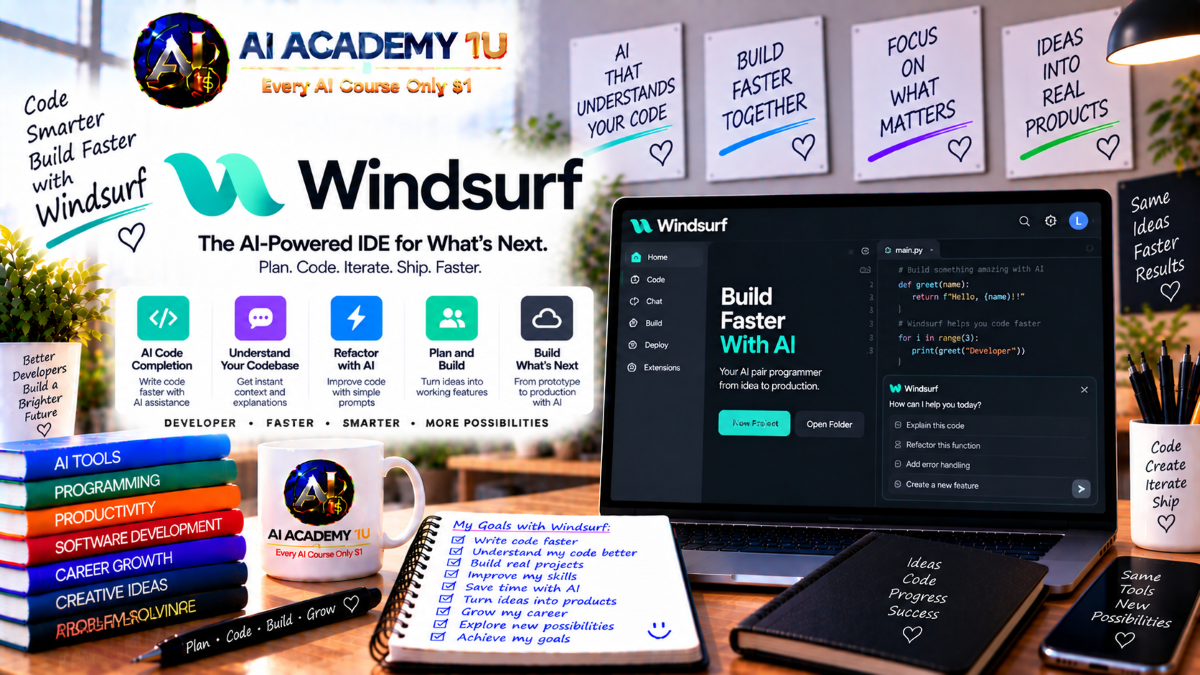
EXPLORE AI LIBRARYWindsurf AI is an intelligent coding environment for developing and improving software projects. Learn practical skills with AI Academy and discover useful workflows in our AI Library.

Explore all lessons in this catalogue and start learning at your own pace.
▶
1. What Is Windsurf? ❌
Discover Windsurf with AI Academy 1U as an AI-powered coding environment that evolved toward agentic software development. Learn how AI can assist developers with code generation, navigation, debugging, and broader engineering workflows.
▶
2. Windsurf Becomes Devin Desktop ❌
Understand the transition from Windsurf to Devin Desktop with AI Academy 1U, including the 2026 rebranding, retained capabilities, and the platform’s direction toward integrated local and cloud-based AI software engineering.
▶
3. What Is an Agentic IDE? ❌
Understand the concept of an agentic IDE with AI Academy 1U by comparing traditional development environments, AI autocomplete, coding assistants, and autonomous agents that can plan, edit, test, and review software.
▶
4. Install Devin Desktop / Windsurf ❌
Learn how to install and prepare Devin Desktop or Windsurf with AI Academy 1U. This lesson covers the essential setup required before opening projects, using AI features, and starting agent-assisted development.
▶
5. Explore the IDE ❌
Explore the main development environment with AI Academy 1U, including the editor, terminal, file system, agents, source control, and other core areas used in modern AI-assisted software development.
🔒
6. Understand the Modern Windsurf Workflow ❌
Understand the modern Windsurf and Devin Desktop workflow with AI Academy 1U by following a structured process from planning and delegation through agent implementation, review, testing, debugging, commit, and release.
▶
7. Open Your First Project ❌
Open your first software project with AI Academy 1U by loading a folder or repository into the IDE and preparing the workspace for AI-assisted development and code analysis.
▶
8. Create a New Coding Project ❌
Create a new software project with AI Academy 1U and use AI to help establish an initial structure, files, dependencies, and development workflow based on the project requirements.
▶
9. Open an Existing Codebase ❌
Open an existing codebase with AI Academy 1U and prepare a real-world software project for AI-assisted exploration, modification, debugging, and feature development.
▶
10. Let AI Understand Your Codebase ❌
Help AI understand your codebase with AI Academy 1U by using contextual awareness to identify important files, symbols, dependencies, and relationships relevant to a development task.
🔒
11. Navigate a Large Repository ❌
Navigate large software repositories with AI Academy 1U by focusing on architecture, major components, and code relationships instead of manually reading every file.
🔒
12. Ask Questions About Existing Code ❌
Ask AI structured questions about existing code with AI Academy 1U to understand controllers, functions, dependencies, data flow, and business logic before making implementation changes.
▶
13. Write Your First Coding Request ❌
Write your first coding request with AI Academy 1U by describing a feature in natural language and giving AI enough context to understand the expected implementation.
▶
14. Write Clear Coding Instructions ❌
Write clear coding instructions with AI Academy 1U by structuring requests around context, requirements, constraints, and expected results for more accurate AI-generated changes.
▶
15. Generate Code with AI ❌
Generate code with AI Academy 1U by turning structured requirements into implementation while reviewing the proposed code for correctness, relevance, and consistency with the existing project.
🔒
16. Modify Existing Code ❌
Modify existing code safely with AI Academy 1U by directing AI to change only the necessary sections while preserving unrelated behavior and project structure.
🔒
17. Refactor Code with AI ❌
Refactor existing code with AI Academy 1U to improve structure, readability, maintainability, and organization without changing the intended application behavior.
🔒
18. Explain Generated Code ❌
Use AI Academy 1U to explain generated code so developers can understand implementation decisions, logic flow, dependencies, and potential side effects before accepting changes.
🔒
19. Develop Incrementally ❌
Develop software incrementally with AI Academy 1U by completing one feature, reviewing the implementation, testing behavior, committing changes, and then moving to the next task.
▶
20. Understand AI Code Completion ❌
Understand AI code completion with AI Academy 1U and learn how the editor predicts code based on surrounding context, project patterns, and current development intent.
▶
21. Accept and Reject Suggestions ❌
Learn how to evaluate AI coding suggestions with AI Academy 1U so developers accept useful output, reject incorrect changes, and avoid blindly trusting generated code.
🔒
22. Generate Multi-Line Code ❌
Generate multi-line code with AI Academy 1U to accelerate boilerplate, repetitive structures, and implementation tasks while maintaining control over correctness and project standards.
🔒
23. Use Context-Aware Suggestions ❌
Use context-aware coding suggestions with AI Academy 1U by allowing the editor to consider nearby code and broader codebase information when proposing changes.
🔒
24. Refactor While Coding ❌
Refactor code directly in the editor with AI Academy 1U to improve structure and readability while continuing active feature development.
🔒
25. Combine Manual Coding and AI ❌
Combine manual coding with AI assistance using AI Academy 1U by deciding when human judgment is more appropriate and when AI can safely accelerate development tasks.
▶
26. Understand Codebase Context ❌
Understand codebase context with AI Academy 1U and learn why accurate project knowledge is essential for AI to generate relevant and safe software changes.
▶
27. Understand Fast Context ❌
Understand Fast Context with AI Academy 1U as a way to quickly identify code that is most relevant to a development request without manually selecting every file.
🔒
28. Trace Code Across Files ❌
Trace code across multiple files with AI Academy 1U by following functions, models, APIs, services, and dependencies through the application architecture.
🔒
29. Find Relevant Code Automatically ❌
Find relevant code automatically with AI Academy 1U so agents can locate important files and symbols without requiring developers to provide every source file manually.
🔒
30. Understand Dependencies ❌
Analyze software dependencies with AI Academy 1U to understand how changes to one component can affect related services, modules, APIs, and business logic.
🔒
31. Analyze an Unknown Codebase ❌
Analyze an unfamiliar codebase with AI Academy 1U by identifying architecture, entry points, major modules, data structures, and dependencies before beginning development work.
▶
32. What Are Code Maps? ❌
Understand Code Maps with AI Academy 1U as a visual or relational way to explore project structure beyond a simple file tree.
▶
33. Explore Code Relationships ❌
Explore code relationships with AI Academy 1U by tracing dependencies and interactions among files, components, services, and application layers.
🔒
34. Trace a Feature Through the System ❌
Trace a feature through the software system with AI Academy 1U by following its flow from user interface through APIs, services, and database operations.
🔒
35. Analyze Architecture with AI ❌
Analyze software architecture with AI Academy 1U by identifying layers, responsibilities, boundaries, and communication patterns across the application.
🔒
36. Find Architectural Problems ❌
Find architectural problems with AI Academy 1U by identifying excessive coupling, duplicated logic, unclear responsibilities, and weak system boundaries.
🔒
37. Plan Architectural Changes ❌
Plan architectural changes with AI Academy 1U by evaluating impact, dependencies, migration risks, and implementation sequence before editing the codebase.
▶
38. Analyze Requirements with AI ❌
Analyze business requirements with AI Academy 1U and translate them into clear technical requirements that can guide implementation.
▶
39. Create an Implementation Plan ❌
Create an implementation plan with AI Academy 1U by identifying files, components, dependencies, and the sequence of changes required to complete a feature.
🔒
40. Review the Plan Before Editing ❌
Review an implementation plan with AI Academy 1U before editing code to identify missing requirements, incorrect assumptions, and potential development risks.
🔒
41. Break Features into Tasks ❌
Break large features into smaller development tasks with AI Academy 1U so each change can be implemented, tested, and reviewed independently.
🔒
42. Identify Risks and Dependencies ❌
Identify development risks and dependencies with AI Academy 1U across databases, APIs, authentication, existing business logic, and other critical systems.
🔒
43. Plan a Large Refactor ❌
Plan a large refactor with AI Academy 1U through a structured process of research, impact analysis, implementation planning, incremental changes, and verification.
▶
44. What Is the Agent Command Center? ❌
Understand the Agent Command Center with AI Academy 1U as a workspace for creating, organizing, and monitoring multiple AI coding agents and development tasks.
▶
45. Create Your First Agent Task ❌
Create your first agent task with AI Academy 1U by defining a focused development objective, expected result, and enough context for an agent to work independently.
🔒
46. Monitor Agent Work ❌
Monitor AI agent work with AI Academy 1U by tracking whether the agent is planning, implementing, testing, reviewing, or waiting for additional input.
🔒
47. Review Agent Results ❌
Review agent results with AI Academy 1U before accepting or merging changes, ensuring implementation quality, correctness, and alignment with requirements.
🔒
48. Manage Multiple Agent Tasks ❌
Manage multiple AI agent tasks with AI Academy 1U by monitoring progress, priorities, dependencies, and results across parallel development activities.
🔒
49. Build an Agent Development Pipeline ❌
Build an agent development pipeline with AI Academy 1U that moves work from backlog through AI implementation, review, testing, and final integration.
▶
50. Understand Spaces ❌
Understand Spaces with AI Academy 1U as organized environments for grouping related AI agent work, project context, and development activity.
▶
51. Organize Sessions and Context ❌
Organize AI sessions and project context with AI Academy 1U so related development work remains connected within the same workspace.
🔒
52. Organize PRs and Files ❌
Organize pull requests, code changes, and project files with AI Academy 1U so agent output remains connected to the correct development artifacts.
🔒
53. Run Multiple Agents in Parallel ❌
Run multiple AI agents in parallel with AI Academy 1U by assigning independent development tasks that can progress simultaneously.
🔒
54. Coordinate Parallel Development ❌
Coordinate parallel AI development with AI Academy 1U by managing dependencies, reducing conflicts, and organizing integration across multiple agent tasks.
🔒
55. Build a Multi-Agent Engineering Workflow ❌
Build a multi-agent engineering workflow with AI Academy 1U by combining planning, specialized tasks, parallel agents, reviews, integration, and testing.
▶
56. What Is Devin? ❌
Understand Devin with AI Academy 1U as an autonomous cloud-based software engineer capable of working on development tasks in a remote computing environment.
▶
57. Local Agent vs Cloud Agent ❌
Compare local and cloud AI agents with AI Academy 1U to determine which type of agent is most appropriate for different development tasks.
🔒
58. Hand Off Work to Devin ❌
Hand off development work to Devin with AI Academy 1U by planning locally and delegating well-defined tasks for cloud-based execution.
🔒
59. Understand Devin's Cloud Environment ❌
Understand Devin’s cloud environment with AI Academy 1U, including virtual machines, browsers, development tools, and the remote infrastructure used for autonomous coding tasks.
🔒
60. Run Long-Running Tasks ❌
Run long-running development tasks with AI Academy 1U by delegating work to cloud agents that can continue operating without requiring constant developer attention.
🔒
61. Review Devin's Work ❌
Review Devin’s completed work with AI Academy 1U by examining implementation changes, test results, evidence, and overall task completion before integration.
🔒
62. Build a Local-to-Cloud Workflow ❌
Build a local-to-cloud engineering workflow with AI Academy 1U by combining local planning, cloud execution, developer review, and final code integration.
▶
63. Understand AI Models in the IDE ❌
Understand AI models in the development environment with AI Academy 1U and learn how different models offer different strengths for coding, reasoning, debugging, and review.
▶
64. Choose a Model for Coding ❌
Choose an AI model for coding with AI Academy 1U by balancing reasoning quality, response speed, cost, and implementation complexity.
🔒
65. Choose Models for Large Codebases ❌
Choose models for large codebases with AI Academy 1U by considering context-heavy tasks, repository size, architectural complexity, and dependency analysis.
🔒
66. Choose Models for Debugging ❌
Choose models for debugging with AI Academy 1U by selecting reasoning capabilities appropriate for complex errors, stack traces, and multi-step problem analysis.
🔒
67. Compare Model Outputs ❌
Compare model outputs with AI Academy 1U to evaluate implementation quality, reasoning differences, and potential errors instead of relying completely on one AI model.
🔒
68. Build a Multi-Model Development Strategy ❌
Build a multi-model development strategy with AI Academy 1U by assigning different models to planning, coding, review, debugging, and other specialized engineering tasks.
▶
69. Use the Integrated Terminal ❌
Use the integrated terminal with AI Academy 1U to run applications, package managers, build tools, scripts, and development commands directly inside the coding environment.
▶
70. Let Agents Run Commands ❌
Let AI agents run development commands with AI Academy 1U while maintaining visibility and control over the operations performed in the terminal.
🔒
71. Install Dependencies Safely ❌
Install software dependencies safely with AI Academy 1U by reviewing package changes, versions, and project impact before accepting agent-generated installation commands.
🔒
72. Run Build and Test Commands ❌
Run build and test commands with AI Academy 1U so agents can verify whether generated changes compile correctly and satisfy project expectations.
🔒
73. Diagnose Terminal Errors ❌
Diagnose terminal errors with AI Academy 1U by analyzing failed commands, error messages, likely root causes, and appropriate corrective actions.
🔒
74. Control Risky Commands ❌
Control risky terminal commands with AI Academy 1U by preventing agents from performing destructive or high-impact actions without proper review.
▶
75. Debug Your First Error with AI ❌
Debug your first software error with AI Academy 1U through a structured process of gathering evidence, identifying the root cause, and applying a targeted correction.
▶
76. Read Problems and Diagnostics ❌
Read problems and diagnostics with AI Academy 1U to identify compiler issues, warnings, runtime indicators, and other signals that help locate software defects.
🔒
77. Debug Runtime Errors ❌
Debug runtime errors with AI Academy 1U by analyzing logs, stack traces, execution paths, and system behavior during application operation.
🔒
78. Debug Logic Errors ❌
Debug logic errors with AI Academy 1U when code runs successfully but produces incorrect results, unexpected behavior, or flawed business outcomes.
🔒
79. Debug Across Multiple Files ❌
Debug problems across multiple files with AI Academy 1U by tracing execution flow through application layers, services, models, APIs, and related components.
🔒
80. Fix Bugs Without Breaking Existing Features ❌
Fix software bugs safely with AI Academy 1U by reproducing the problem, applying a focused change, testing the fix, and checking for regressions.
▶
81. Ask AI to Create Tests ❌
Ask AI to create tests with AI Academy 1U by describing expected behavior and generating test cases that verify important software requirements.
▶
82. Run Existing Test Suites ❌
Run existing test suites with AI Academy 1U before and after changes to detect regressions and confirm that the project remains stable.
🔒
83. Generate Unit Tests ❌
Generate unit tests with AI Academy 1U to verify individual functions, classes, and components in isolation.
🔒
84. Generate Integration Tests ❌
Generate integration tests with AI Academy 1U to verify that multiple application components work correctly together.
🔒
85. Analyze Failed Tests ❌
Analyze failed tests with AI Academy 1U to determine whether the problem originates in the application code, test logic, data setup, or environment.
🔒
86. Build an AI-Assisted QA Workflow ❌
Build an AI-assisted quality assurance workflow with AI Academy 1U that connects requirements, tests, implementation, validation, bug fixing, and regression testing.
▶
87. Understand Git Workflow ❌
Understand Git workflow with AI Academy 1U by learning how working changes move through commits, branches, pull requests, review, and integration.
▶
88. Review AI-Generated Diffs ❌
Review AI-generated diffs with AI Academy 1U to see exactly what an agent changed before those modifications are accepted or committed.
🔒
89. Review Changes Before Commit ❌
Review changes before committing with AI Academy 1U to identify unintended edits, unnecessary modifications, and potential regressions.
🔒
90. Create Clean Commits ❌
Create clean Git commits with AI Academy 1U by keeping each commit focused on one logical change and maintaining clear project history.
🔒
91. Work with Branches ❌
Work with Git branches using AI Academy 1U to isolate new features, bug fixes, experiments, and agent-generated changes from the main codebase.
🔒
92. Review Pull Requests with AI ❌
Review pull requests with AI Academy 1U to identify bugs, regressions, architectural problems, and code quality issues before merging.
🔒
93. Build an Agent-to-PR Workflow ❌
Build an agent-to-pull-request workflow with AI Academy 1U that moves a task through agent implementation, diff review, testing, commit, pull request, and final review.
▶
94. What Is MCP? ❌
Understand Model Context Protocol with AI Academy 1U and learn how MCP enables AI agents to access approved external tools and systems through standardized connections.
▶
95. Understand MCP in Agentic Coding ❌
Understand MCP in agentic coding with AI Academy 1U and learn how agents can use external systems in addition to project files and source code.
🔒
96. Connect an MCP Server ❌
Connect an MCP server with AI Academy 1U to make an external tool or service available to an AI coding agent.
🔒
97. Use Project Management Tools through MCP ❌
Use project management tools through MCP with AI Academy 1U so agents can read, update, or process development work items from connected systems.
🔒
98. Use Design and Documentation Tools ❌
Use external design and documentation tools with AI Academy 1U to provide agents with additional requirements, specifications, and project context.
🔒
99. Use Observability Tools ❌
Use observability tools with AI Academy 1U so coding agents can analyze logs, errors, telemetry, and production context when investigating software problems.
🔒
100. Secure MCP Tool Access ❌
Secure MCP tool access with AI Academy 1U by applying least privilege, protecting credentials, and restricting agent permissions to approved external actions.
🔒
101. Build an MCP-Powered Development Agent ❌
Build an MCP-powered development agent with AI Academy 1U that combines issue context, codebase knowledge, external tools, implementation, testing, and project updates.
▶
102. Define Project Instructions ❌
Define project instructions with AI Academy 1U so coding agents understand architecture, conventions, constraints, and expectations before making changes.
🔒
103. Create Coding Rules ❌
Create coding rules with AI Academy 1U to standardize how agents modify code, structure implementations, and follow project-specific engineering practices.
🔒
104. Manage Persistent Project Context ❌
Manage persistent project context with AI Academy 1U to reduce repeated explanations and help agents maintain important development knowledge across tasks.
🔒
105. Create Reusable Development Workflows ❌
Create reusable development workflows with AI Academy 1U to standardize recurring engineering tasks and improve consistency across AI-assisted development.
🔒
106. Build a Team AI Development Standard ❌
Build a team AI development standard with AI Academy 1U by combining rules, context, workflows, review requirements, and testing practices.
▶
107. Understand AI Coding Security ❌
Understand AI coding security with AI Academy 1U by identifying source code, credentials, secrets, and business data that require careful handling.
🔒
108. Protect API Keys and Secrets ❌
Protect API keys and secrets with AI Academy 1U by avoiding hard-coded credentials and using secure configuration practices in software projects.
🔒
109. Review Agent Permissions ❌
Review AI agent permissions with AI Academy 1U across terminals, files, external tools, and cloud environments to reduce unnecessary access.
🔒
110. Secure MCP Integrations ❌
Secure MCP integrations with AI Academy 1U by controlling what data and actions are shared with connected third-party systems.
🔒
111. Understand Enterprise Data Considerations ❌
Understand enterprise data considerations with AI Academy 1U by evaluating how cloud-based development features may handle project context and business information.
🔒
112. Build a Secure Agentic Development Workflow ❌
Build a secure agentic development workflow with AI Academy 1U by combining permissions, secret protection, review, testing, external tool controls, and audit practices.
▶
113. Project: Build a Web Application with AI ❌
Build a web application with AI Academy 1U by planning requirements, generating implementation, running the application, debugging issues, and testing the final result.
🔒
114. Project: Add a Feature to an Existing Codebase ❌
Add a new feature to an existing codebase with AI Academy 1U by researching the project, planning changes, implementing safely, running tests, and reviewing the final diff.
🔒
115. Project: Debug a Complex Application ❌
Debug a complex application with AI Academy 1U by combining diagnostics, logs, Code Maps, root-cause analysis, targeted fixes, and regression testing.
🔒
116. Project: Refactor a Legacy Codebase ❌
Refactor a legacy codebase with AI Academy 1U through architecture analysis, structured planning, incremental changes, testing, and verification.
🔒
117. Project: Build with Multiple AI Agents ❌
Build a software project with multiple AI agents using AI Academy 1U by coordinating planning, parallel tasks, reviews, integration, and final testing.
🔒
118. Build a Local + Cloud Agent Development System ❌
Build a local and cloud agent development system with AI Academy 1U by combining local planning, task decomposition, Devin cloud handoff, autonomous implementation, developer review, and final integration.
🔒
119. Build an AI Engineering Command Center ❌
Build an AI engineering command center with AI Academy 1U by coordinating Spaces, local agents, cloud agents, Git workflows, MCP tools, testing, and development oversight.
🔒
120. Complete Project: Build and Ship a Production Application with Windsurf / Devin Desktop ❌
Build and ship a production application with AI Academy 1U by combining requirements analysis, codebase context, Code Maps, planning, model selection, local and cloud agents, MCP tools, terminal operations, debugging, testing, Git review, security checks, and final release.
ChatGPT is an AI assistant for writing, learning, research, problem solving, and creative tasks. Learn practical skills with AI Academy and discover useful workflows in our AI Library.
EXPLORE AI LIBRARYCanva is a design platform for creating graphics, presentations, videos, and social media content. Learn practical design skills with AI Academy and explore creative workflows in our AI Library.
EXPLORE AI LIBRARYCapCut is a video editing platform for creating and enhancing videos with AI-powered tools, effects, captions, and templates. Learn practical skills with AI Academy and explore workflows in our AI Library.
EXPLORE AI LIBRARYGoogle Gemini is Google’s assistant for research, writing, reasoning, images, and productivity. Learn practical skills with AI Academy and discover useful workflows in our AI Library.
EXPLORE AI LIBRARYLearn Google Veo with AI Academy 1U and create cinematic AI videos from text and images using powerful video generation, camera controls, visual storytelling, and creative production techniques.
EXPLORE AI LIBRARYElevenLabs AI is a voice platform for text to speech, narration, and voice creation. Learn practical skills with AI Academy and discover useful workflows in our AI Library.
EXPLORE AI LIBRARYClaude AI is an assistant for writing, document analysis, reasoning, and coding. Learn practical skills with AI Academy and discover useful workflows in our AI Library.
EXPLORE AI LIBRARYVideoGen AI empowers creators to produce engaging videos faster with AI-powered tools. Learn practical workflows, creative techniques, and production strategies with AI Academy 1U to create professional video content efficiently.
EXPLORE AI LIBRARYHeyGen AI is an avatar video platform for presentations, narration, and multilingual communication. Learn practical skills with AI Academy and discover useful workflows in our AI Library.
EXPLORE AI LIBRARYMicrosoft Copilot is Microsoft’s assistant for productivity, writing, research, and workplace tasks. Learn practical skills with AI Academy and discover useful workflows in our AI Library.
EXPLORE AI LIBRARY







