
ChatGPT
ChatGPT is an AI assistant for writing, learning, research, problem solving, and creative tasks. Learn practical skills with AI Academy and discover useful workflows in our AI Library.
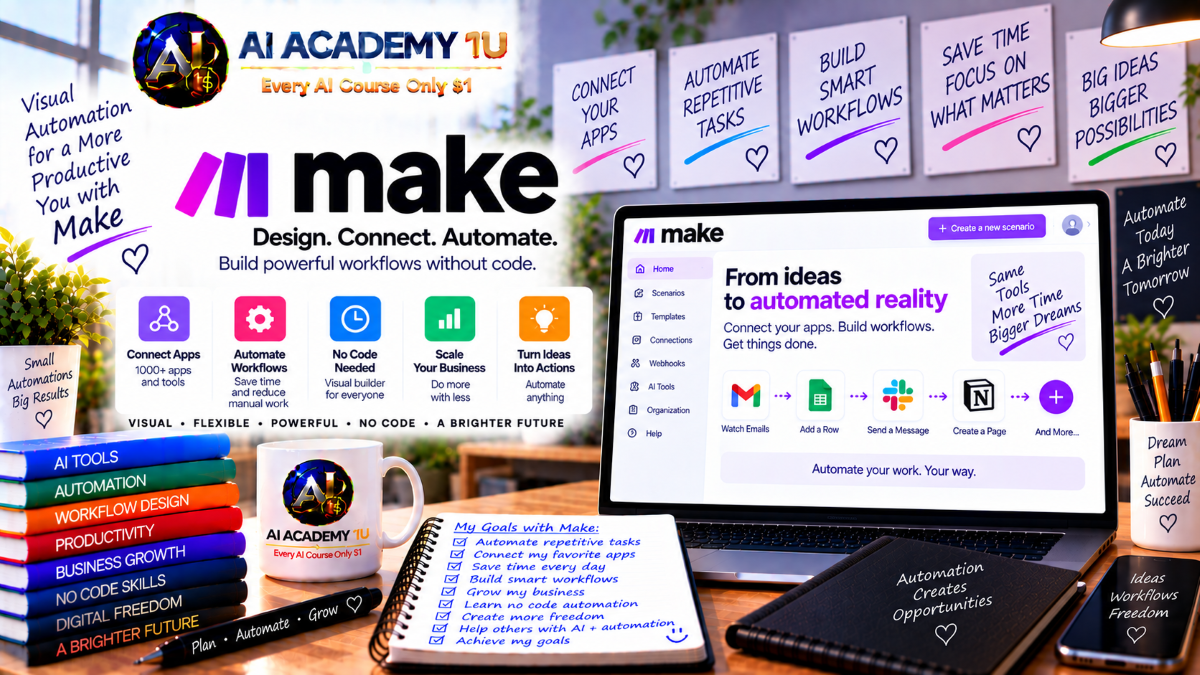
EXPLORE AI LIBRARYMake is a visual automation platform for connecting applications, data, and business workflows. Learn practical skills with AI Academy and discover useful workflows in our AI Library.

Explore all lessons in this catalogue and start learning at your own pace.
▶
1. What Is Make? ❌
Discover Make as a visual automation and AI orchestration platform with AI Academy 1U. Learn how Make connects applications, data, APIs, workflows, and AI agents so businesses can reduce repetitive work and create more efficient digital processes.
▶
2. Create and Set Up Your Make Account ❌
Learn how to create and prepare a Make account with AI Academy 1U. This lesson covers the essential workspace setup so learners can begin building scenarios, connecting applications, and exploring Make’s automation environment efficiently.
▶
3. Explore the Make Interface ❌
Explore the Make interface with AI Academy 1U, including Organizations, Teams, Scenarios, Connections, Webhooks, Data Stores, and other important workspace areas. Learners become familiar with the main navigation and understand where key automation features are located.
▶
4. Understand Automation in Make ❌
Understand the fundamentals of automation in Make with AI Academy 1U by learning how events, data, modules, and actions work together. This lesson explains how structured scenarios can replace repetitive manual processes and improve business efficiency.
▶
5. Understand Make Scenarios ❌
Understand Make Scenarios with AI Academy 1U as the primary workflow structure used to connect applications, process data, and automate business tasks. Learners explore how scenarios organize modules and workflow logic from start to finish.
🔒
6. Understand AI Automation and Orchestration ❌
Understand AI automation and orchestration with AI Academy 1U by comparing fixed workflows with AI-powered systems that can interpret context, make adaptive decisions, and coordinate apps, data, agents, and human involvement.
▶
7. Create Your First Scenario ❌
Create your first Make Scenario with AI Academy 1U by connecting two applications in a simple automation workflow. Learners practice selecting modules, configuring data flow, testing the scenario, and preparing it for real-world use.
▶
8. Understand Modules ❌
Understand Make Modules with AI Academy 1U and learn how triggers, actions, searches, and other module types work together inside a Scenario. This lesson introduces the building blocks used to create automation workflows.
▶
9. Connect Your First App ❌
Learn how to connect your first application in Make with AI Academy 1U. This lesson introduces authentication, connections, permissions, and the basic setup required before apps can participate in automated scenarios.
▶
10. Configure a Trigger ❌
Configure a trigger in Make with AI Academy 1U by selecting the event that starts a Scenario. Learners understand how incoming data initiates workflow execution and influences the steps that follow.
🔒
11. Configure an Action ❌
Learn how to configure actions in Make with AI Academy 1U by mapping data into downstream modules. This lesson helps learners move information accurately between connected systems and workflow steps.
🔒
12. Run a Scenario Manually ❌
Run a Make Scenario manually with AI Academy 1U to test modules, inspect data, and verify workflow behavior before activation. Learners use manual execution as an important validation step.
🔒
13. Schedule a Scenario ❌
Schedule a Scenario with AI Academy 1U by defining when and how often automation should run. Learners create recurring workflows that execute according to specific business timing requirements.
🔒
14. Activate and Monitor a Scenario ❌
Activate and monitor Make Scenarios with AI Academy 1U by moving tested workflows into production and reviewing their execution results. Learners develop habits for maintaining reliable automation over time.
▶
15. Understand Data Bundles ❌
Understand data bundles in Make with AI Academy 1U and learn how information moves between modules during Scenario execution. Learners explore how bundles carry structured values through an automation workflow.
▶
16. Map Data Between Modules ❌
Learn how to map data between Make Modules with AI Academy 1U by using outputs from one step as inputs for the next. This lesson teaches practical data transfer across workflow stages.
🔒
17. Understand Data Types ❌
Understand common Make data types with AI Academy 1U, including text, numbers, dates, booleans, arrays, and collections. Learners see how data type differences affect mapping and workflow reliability.
🔒
18. Use Dynamic Values ❌
Use dynamic values in Make with AI Academy 1U to build scenarios that adapt to different data on every run. Learners create flexible automation that responds to changing inputs instead of fixed values.
🔒
19. Handle Empty and Missing Values ❌
Handle empty and missing values with AI Academy 1U to reduce workflow failures when fields are unavailable or blank. This lesson teaches practical techniques for building more fault-tolerant scenarios.
🔒
20. Build a Reliable Mapping Workflow ❌
Build a reliable mapping workflow with AI Academy 1U by combining input validation, data transformation, field mapping, automated actions, and result verification into one structured Scenario.
▶
21. Understand Filters ❌
Understand Filters in Make with AI Academy 1U and learn how data can continue through a Scenario only when defined conditions are satisfied. This lesson introduces simple rule-based workflow control.
🔒
22. Create Your First Filter ❌
Create your first Make Filter with AI Academy 1U by defining a practical business rule based on workflow data. Learners control when specific modules should execute.
🔒
23. Understand Routers ❌
Understand Routers in Make with AI Academy 1U and learn how one Scenario can divide data into multiple processing branches. This lesson introduces conditional workflow routing.
🔒
24. Build Multiple Routes ❌
Build multiple routes in Make with AI Academy 1U so one event can follow different business paths. Learners design scenarios that handle several outcomes within a single automation.
🔒
25. Combine Filters and Routers ❌
Combine Filters and Routers with AI Academy 1U to create more sophisticated conditional workflows. Learners evaluate data, control execution, and route information into appropriate business actions.
🔒
26. Build a Decision-Based Scenario ❌
Build a decision-based Make Scenario with AI Academy 1U by translating business rules into conditions, routes, actions, and results. This lesson helps learners create structured automation that responds intelligently to data.
▶
27. Understand Make Functions ❌
Understand Make Functions with AI Academy 1U and learn how built-in functions transform data directly during mapping. This lesson introduces the role of functions in preparing workflow information.
🔒
28. Work with Text Functions ❌
Work with text functions in Make with AI Academy 1U to split, replace, trim, combine, and transform text values before they are used by downstream modules.
🔒
29. Work with Number Functions ❌
Work with number functions in Make with AI Academy 1U by calculating, converting, and normalizing numerical data for more reliable automation and reporting.
🔒
30. Work with Date Functions ❌
Work with date functions in Make with AI Academy 1U to parse, add, format, and convert date and time values for automated business processes.
🔒
31. Work with Array Functions ❌
Work with array functions in Make with AI Academy 1U to search, map, select, filter, and process multiple items within structured workflow data.
🔒
32. Work with Collection Functions ❌
Work with collection functions in Make with AI Academy 1U to access and transform structured objects inside Scenarios. Learners prepare complex data for downstream processing.
🔒
33. Build an Advanced Transformation Workflow ❌
Build an advanced data transformation workflow with AI Academy 1U that moves raw input through normalization, transformation, validation, and final delivery to a destination system.
▶
34. Understand Iterators ❌
Understand Iterators in Make with AI Academy 1U and learn how arrays can be divided into individual bundles for separate processing within a Scenario.
🔒
35. Process Multiple Items ❌
Process multiple items with AI Academy 1U by using Make to perform automated actions for each record or value in a collection.
🔒
36. Understand Aggregators ❌
Understand Aggregators in Make with AI Academy 1U and learn how multiple bundles can be combined into a single structured output after processing.
🔒
37. Use Array Aggregator ❌
Use the Array Aggregator with AI Academy 1U to collect multiple processed values into a new array that can be passed to later Scenario modules.
🔒
38. Use Text Aggregator ❌
Use the Text Aggregator with AI Academy 1U to combine multiple values or records into organized text for messaging, reporting, and other automation tasks.
🔒
39. Combine Iterator and Aggregator ❌
Combine Iterators and Aggregators with AI Academy 1U to create complete split-process-recombine workflows for complex multi-item business data.
▶
40. What Is a Webhook? ❌
Understand Webhooks with AI Academy 1U and learn how event-driven automation allows external systems to send data into Make immediately when specific events occur.
▶
41. Create Your First Custom Webhook ❌
Create your first custom webhook with AI Academy 1U and configure Make to receive data from an external application or service in real time.
🔒
42. Inspect Webhook Data ❌
Inspect incoming webhook data with AI Academy 1U by reviewing payload structure, field values, and data formats before mapping them into Scenario modules.
🔒
43. Process Real-Time Events ❌
Process real-time events with AI Academy 1U by connecting external applications to Make Webhooks and routing incoming data through automated Scenario logic.
🔒
44. Send a Webhook Response ❌
Send webhook responses with AI Academy 1U so Make can return structured information to the external system that initiated the request.
🔒
45. Secure Webhook Workflows ❌
Secure webhook workflows with AI Academy 1U by controlling request sources, validating incoming data, and protecting sensitive information inside real-time automation.
▶
46. Understand APIs in Make ❌
Understand APIs in Make with AI Academy 1U by learning endpoints, methods, headers, request bodies, and responses at a practical automation level.
▶
47. Understand the HTTP Module ❌
Understand the Make HTTP Module with AI Academy 1U and learn when to use direct API requests instead of native application integrations.
🔒
48. Send a GET Request ❌
Send GET requests with AI Academy 1U to retrieve data from external APIs and bring that information into Make Scenarios for further processing.
🔒
49. Send a POST Request ❌
Send POST requests with AI Academy 1U to transmit structured data from Make to external applications, APIs, and custom services.
🔒
50. Work with Authentication ❌
Work with API authentication using AI Academy 1U by understanding API keys, bearer tokens, and other common access methods used in Make integrations.
🔒
51. Parse API Responses ❌
Parse API responses with AI Academy 1U by converting JSON data into structured values that can be mapped and processed inside Make Scenarios.
🔒
52. Build a Complete API Integration ❌
Build a complete API integration with AI Academy 1U by combining requests, authentication, response handling, data mapping, and error management into one reliable Scenario.
▶
53. Understand Data Stores ❌
Understand Make Data Stores with AI Academy 1U and learn how they preserve information and workflow state between separate Scenario executions.
▶
54. Create Your First Data Store ❌
Create your first Make Data Store with AI Academy 1U and design a simple structured dataset that can support automation, tracking, and business workflows.
🔒
55. Add and Update Records ❌
Add and update records in Make Data Stores with AI Academy 1U to store business information and maintain current data during automated processes.
🔒
56. Search Data Store Records ❌
Search Data Store records with AI Academy 1U to retrieve matching information and use stored values dynamically inside Make Scenarios.
🔒
57. Use Data Stores for Deduplication ❌
Use Make Data Stores for deduplication with AI Academy 1U to prevent the same event or record from being processed repeatedly.
🔒
58. Use Data Stores for Workflow State ❌
Use Data Stores for workflow state management with AI Academy 1U by tracking progress and status across multiple automation runs.
▶
59. Understand Make Errors ❌
Understand common Make errors with AI Academy 1U, including configuration, runtime, and data-related failures that can affect Scenario execution.
▶
60. Read Scenario Execution Logs ❌
Read Scenario execution logs with AI Academy 1U to identify failed modules, inspect workflow data, and understand the cause of automation problems.
🔒
61. Understand Error Handlers ❌
Understand Make Error Handlers with AI Academy 1U and learn how dedicated error routes can manage failures without stopping an entire workflow.
🔒
62. Use Resume, Ignore and Break Strategies ❌
Use Resume, Ignore, and Break strategies with AI Academy 1U to control how Make responds to different types of workflow errors.
🔒
63. Build Retry Logic ❌
Build retry logic with AI Academy 1U to reduce failures caused by temporary external system issues and improve automation resilience.
🔒
64. Build Production-Ready Scenarios ❌
Build production-ready Make Scenarios with AI Academy 1U by combining validation, error handling, retry logic, logging, and alerts into a reliable automation architecture.
▶
65. What Is Make AI Toolkit? ❌
Understand the Make AI Toolkit with AI Academy 1U as a collection of AI-powered tools designed for structured tasks with clear inputs and outputs inside automated scenarios.
▶
66. Use Simple Text Prompt ❌
Use a simple text prompt with AI Academy 1U to send instructions to AI inside Make and receive text output that can be used by later Scenario steps.
🔒
67. Extract Information from Text ❌
Extract structured information from unstructured text with AI Academy 1U so Make can transform messages, documents, and other content into usable workflow fields.
🔒
68. Categorize Text ❌
Categorize text with AI Academy 1U by using AI to classify emails, leads, tickets, or other business content into useful categories.
🔒
69. Analyze Sentiment ❌
Analyze sentiment with AI Academy 1U to identify whether incoming text expresses positive, neutral, or negative tone before automated routing or action.
🔒
70. Identify Language ❌
Identify the language of incoming content with AI Academy 1U so Make Scenarios can route multilingual data into the appropriate processing path.
🔒
71. Summarize Text ❌
Summarize long documents, messages, and conversations with AI Academy 1U by converting detailed content into concise and useful workflow outputs.
🔒
72. Translate Text ❌
Translate text inside Make with AI Academy 1U to support multilingual automation and communication across different languages and business processes.
🔒
73. Standardize and Chunk Text ❌
Standardize and chunk text with AI Academy 1U to prepare large or inconsistent content for more effective downstream AI processing.
🔒
74. Build an AI Toolkit Processing Pipeline ❌
Build an AI Toolkit processing pipeline with AI Academy 1U that detects, extracts, classifies, transforms, and outputs business information through a coordinated AI workflow.
▶
75. Understand AI Providers in Make ❌
Understand AI providers in Make with AI Academy 1U and learn the difference between workflow platforms and external model providers used for AI processing.
▶
76. Connect OpenAI to Make ❌
Connect OpenAI to Make with AI Academy 1U and configure AI processing inside Scenarios for text generation, analysis, extraction, and other automated tasks.
🔒
77. Connect Claude to Make ❌
Connect Claude to Make with AI Academy 1U and use Anthropic models inside automation workflows for business processing and intelligent tasks.
🔒
78. Connect Gemini to Make ❌
Connect Gemini to Make with AI Academy 1U and integrate Google AI models into automated scenarios for a variety of AI-powered workflow tasks.
🔒
79. Choose the Right AI Model ❌
Choose the right AI model with AI Academy 1U by balancing output quality, processing speed, cost, and business requirements for each workflow.
🔒
80. Build a Multi-Model AI Workflow ❌
Build a multi-model AI workflow with AI Academy 1U by assigning different AI providers or models to specialized tasks within one coordinated Make Scenario.
▶
81. What Is a Make AI Agent? ❌
Understand Make AI Agents with AI Academy 1U and learn how agents differ from standard Scenarios and individual AI modules by combining reasoning, tools, context, and autonomous task execution.
▶
82. Understand Agent Architecture ❌
Understand AI agent architecture with AI Academy 1U by exploring the relationship between language models, instructions, knowledge, user input, and tools.
▶
83. Create Your First AI Agent ❌
Create your first Make AI Agent with AI Academy 1U by defining a focused role, instructions, inputs, and basic tools for a practical business use case.
🔒
84. Define Agent Instructions ❌
Define clear agent instructions with AI Academy 1U by specifying role, goals, rules, boundaries, and expected behavior for more predictable agent performance.
🔒
85. Add Knowledge to an Agent ❌
Add business knowledge to a Make AI Agent with AI Academy 1U so the agent can use relevant documents and organizational information when making decisions.
🔒
86. Give Agents Tools ❌
Give Make AI Agents access to tools with AI Academy 1U so they can use modules, Scenarios, and connected services to perform approved actions.
🔒
87. Provide Dynamic Agent Inputs ❌
Provide dynamic inputs to AI agents with AI Academy 1U so they can handle different requests and business contexts on each execution.
🔒
88. Review Agent Reasoning and Decisions ❌
Review AI agent decisions with AI Academy 1U by examining how an agent selects tools, interprets context, and routes work during Scenario execution.
🔒
89. Build a Production AI Agent ❌
Build a production-ready Make AI Agent with AI Academy 1U by combining goals, context, tools, guardrails, testing, deployment, and monitoring into a controlled professional workflow.
▶
90. Build a Customer Support Triage Agent ❌
Build a customer support triage agent with AI Academy 1U that analyzes incoming tickets, identifies priority and intent, and routes requests to the appropriate support workflow.
🔒
91. Build a Sales Outreach Agent ❌
Build a sales outreach agent with AI Academy 1U that researches leads, evaluates opportunities, prepares outreach, and supports scheduling or follow-up activities.
🔒
92. Build a Content Marketing Agent ❌
Build a content marketing agent with AI Academy 1U that coordinates research, drafting, review, and publishing activities within an automated content workflow.
🔒
93. Build a Market Research Agent ❌
Build a market research agent with AI Academy 1U that gathers information, stores findings, analyzes data, and produces structured reports for business decision-making.
🔒
94. Build a Candidate Screening Agent ❌
Build a candidate screening agent with AI Academy 1U that evaluates resumes against defined criteria and prepares structured outputs for recruiter review.
🔒
95. Decide When NOT to Use an Agent ❌
Learn when not to use an AI agent with AI Academy 1U by comparing standard Scenarios, individual AI modules, and agent-based automation for different business tasks.
▶
96. What Is MCP? ❌
Understand Model Context Protocol with AI Academy 1U and learn how MCP provides a standardized way for AI systems to access approved external tools and services.
▶
97. Understand Make MCP ❌
Understand Make MCP with AI Academy 1U as an orchestration layer that connects AI systems with business applications, Scenarios, and external tools.
🔒
98. Create an MCP Token ❌
Create an MCP token with AI Academy 1U and prepare secure authentication for connecting Make with MCP-enabled tools and services.
🔒
99. Connect an MCP Server ❌
Connect an MCP server with AI Academy 1U so external tools can become available inside AI-powered Make workflows.
🔒
100. Add MCP Tools to Make AI Agents ❌
Add MCP tools to Make AI Agents with AI Academy 1U so agents can choose between MCP tools, modules, and Scenarios when completing tasks.
🔒
101. Control Agent Tool Access ❌
Control AI agent tool access with AI Academy 1U by limiting permissions and allowing agents to use only the tools required for their responsibilities.
🔒
102. Build an MCP-Powered Agent Workflow ❌
Build an MCP-powered agent workflow with AI Academy 1U that connects user input, AI reasoning, tool selection, MCP or Scenario execution, and final results.
▶
103. Combine Scenarios and Agents ❌
Combine Make Scenarios and AI Agents with AI Academy 1U by using deterministic automation for predictable tasks and agents for work that requires contextual judgment.
🔒
104. Build Agent-to-Scenario Tooling ❌
Build agent-to-Scenario tooling with AI Academy 1U by turning Make Scenarios into reusable business tools that AI agents can call when needed.
🔒
105. Build Human-in-the-Loop Workflows ❌
Build human-in-the-loop workflows with AI Academy 1U by adding approval and review steps before high-impact automated or AI-driven actions are completed.
🔒
106. Build AI Routing Systems ❌
Build AI routing systems with AI Academy 1U so artificial intelligence can evaluate context and direct incoming work to the appropriate automation path.
🔒
107. Build AI Enrichment Pipelines ❌
Build AI enrichment pipelines with AI Academy 1U that transform raw business data through research, AI processing, structured outputs, and CRM updates.
🔒
108. Build an AI Orchestration Architecture ❌
Build a complete AI orchestration architecture with AI Academy 1U by coordinating apps, data, Scenarios, agents, MCP tools, and human review within one operating system.
▶
109. Build a Marketing Automation System ❌
Build a marketing automation system with AI Academy 1U that connects leads, content, email, CRM, and reporting into one coordinated Make workflow.
🔒
110. Build a Lead Management System ❌
Build a lead management system with AI Academy 1U that moves prospects through enrichment, qualification, assignment, follow-up, and CRM processing.
🔒
111. Build a CRM Automation System ❌
Build a CRM automation system with AI Academy 1U that synchronizes, enriches, and updates customer records across connected business applications.
🔒
112. Build a Customer Support System ❌
Build a customer support automation system with AI Academy 1U that analyzes tickets, assigns priority, routes cases, and supports automated or human responses.
🔒
113. Build a Document Processing System ❌
Build a document processing system with AI Academy 1U that moves files through extraction, AI processing, structured storage, and automated notifications.
▶
114. Manage Connections Securely ❌
Manage Make connections securely with AI Academy 1U by controlling credentials, service access, and account permissions across connected automation systems.
🔒
115. Apply Least Privilege ❌
Apply least-privilege principles with AI Academy 1U by granting workflows, modules, and AI tools only the permissions required to perform their responsibilities.
🔒
116. Protect Sensitive Data ❌
Protect sensitive business data with AI Academy 1U by designing Make workflows that minimize unnecessary exposure and handle information responsibly.
🔒
117. Monitor Operations and AI Cost ❌
Monitor Make operations and AI cost with AI Academy 1U by tracking Scenario execution, operation usage, model consumption, and token-related expenses.
🔒
118. Build Governance for AI Automation ❌
Build governance for AI automation with AI Academy 1U by combining permissions, review processes, logs, cost controls, and human approval into a structured operating framework.
ChatGPT is an AI assistant for writing, learning, research, problem solving, and creative tasks. Learn practical skills with AI Academy and discover useful workflows in our AI Library.
EXPLORE AI LIBRARYCanva is a design platform for creating graphics, presentations, videos, and social media content. Learn practical design skills with AI Academy and explore creative workflows in our AI Library.
EXPLORE AI LIBRARYCapCut is a video editing platform for creating and enhancing videos with AI-powered tools, effects, captions, and templates. Learn practical skills with AI Academy and explore workflows in our AI Library.
EXPLORE AI LIBRARYGoogle Gemini is Google’s assistant for research, writing, reasoning, images, and productivity. Learn practical skills with AI Academy and discover useful workflows in our AI Library.
EXPLORE AI LIBRARYLearn Google Veo with AI Academy 1U and create cinematic AI videos from text and images using powerful video generation, camera controls, visual storytelling, and creative production techniques.
EXPLORE AI LIBRARYElevenLabs AI is a voice platform for text to speech, narration, and voice creation. Learn practical skills with AI Academy and discover useful workflows in our AI Library.
EXPLORE AI LIBRARYClaude AI is an assistant for writing, document analysis, reasoning, and coding. Learn practical skills with AI Academy and discover useful workflows in our AI Library.
EXPLORE AI LIBRARYVideoGen AI empowers creators to produce engaging videos faster with AI-powered tools. Learn practical workflows, creative techniques, and production strategies with AI Academy 1U to create professional video content efficiently.
EXPLORE AI LIBRARYHeyGen AI is an avatar video platform for presentations, narration, and multilingual communication. Learn practical skills with AI Academy and discover useful workflows in our AI Library.
EXPLORE AI LIBRARYMicrosoft Copilot is Microsoft’s assistant for productivity, writing, research, and workplace tasks. Learn practical skills with AI Academy and discover useful workflows in our AI Library.
EXPLORE AI LIBRARY







